Buy anything from 5,000+ international stores. One checkout price. No surprise fees. Join 2M+ shoppers on Desertcart.
Desertcart purchases this item on your behalf and handles shipping, customs, and support to Senegal.
🎥 Capture Every Frame, Own Every Moment
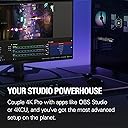
The Elgato 4K Pro Internal Capture Card is a powerhouse PCIe device designed for professional-grade streaming and recording. It delivers 8K60 passthrough and 4K60 HDR10 capture with ultra-low latency, supporting HDMI 2.1 for high frame rates up to 240fps at 1080p. Compatible with major consoles like PS5 Pro, Xbox Series S, Nintendo Switch 2, and integrates seamlessly with popular streaming apps and software. Ideal for dual-PC setups, it offers smooth VRR passthrough and a user-friendly capture utility, making it the ultimate tool for gamers and content creators who demand uncompromised quality and performance.


| ASIN | B0CSJPDYDN |
| AV Output | AVCHD |
| Antenna Location | Video Recording |
| Best Sellers Rank | #10 in Internal TV Tuner & Video Capture Cards |
| Brand | Elgato |
| Built-In Media | Installation Guide |
| Compatible Devices | Gaming Console, Personal Computer |
| Customer Reviews | 4.5 out of 5 stars 348 Reviews |
| Global Trade Identification Number | 00840006677680 |
| Hardware Interface | HDMI |
| Item Dimensions | 2.2 x 4.76 x 0.75 inches |
| Item Weight | 110 Grams |
| Manufacturer | Corsair |
| Mfr Part Number | 10GBK9901 |
| Minimum System Requirements | Windows 10 operating system, PCIe slot, 1080p video capture capability |
| Model Name | Elgato Game Capture 4K Pro |
| Model Number | 20GBK9901 |
| Operating System | Windows 10 |
| Platform | Windows 10 |
| Recommended Uses For Product | Video Recording |
| UPC | 840006677680 |
| Unit Count | 1.0 Count |
| Video Capture Resolution | 1080p |
T**T
Works Right Out of the Box! (TL:DR Below)
As a competitive Splatoon player, I needed a way to broadcast and screenshare gameplay from my Switch without compromising quality or audio. With the 4k Pro, I can bring my gameplay to my pc in full quality! Passthrough provides a lag-free experience, which surprised me since I am very sensitive to slight delays in my inputs; I felt no additional perceivable latency in passthrough. However, there is very noticeable delay when you play through the Utility software (10-30ms); this comes to no surprise though, as the incoming video signal must be re-encoded again before it can be displayed on your pc. If you're playing games that require as little latency as possible, play through passthrough. Installation was very simple: I located the pcie x16 slot on my motherboard (although x4 and x8 also work), unscrewed the chassis bracket, slotted in the capture card, and screwed it in. No additional usb power needed! I installed the 4k Capture Utility beforehand, so it worked instantly, although a slight detection delay can occur, this typically lasts 5-10 seconds before your signal is displayed. No biggie. One of the biggest benefits I've noticed from the 4k Pro is that I can be in a call on Discord with my friends while hearing my game audio through the relay in the capture utility software. Please note that there will be a very slight delay in audio from the Utility (because re-encoding) However, in my experience the delay is acceptable given that it is only the audio that I am sampling through the Utility while playing through passthrough. My estimation on the Utility software delay is around 10-30 milliseconds, which is comparable to playing on an older TV; not ideal for competitive games, but it can be palatable for some in a pinch. Video signal: The signal is very true-to-console as in the raw output of the console itself is being captured. Meaning that contrast and brightness is exactly as your console manufacturer intended. Software: the 4k Pro uses it's respective 4k Capture Utility which is a very simple and useful software. In the suite, you have access to custom video color settings for your gameplay, audio adjustment (including the console microphone if yours has one) a capture library; which houses your recordings and clips, and a fair bit of encoding and bitrate options similar to OBS. Speaking of OBS, it integrates perfectly with it, allowing your captured signal to be displayed easily with your applied settings. OBS isn't entirely necessary however, since you can record and take screenshots in the Utility software. Recordings can be as long as your storage allows! There is also a Flashback mode, which allows you to take clips from your past recordings, this allows easy access to highlights or other cool moments in your gameplay that you'd like to have separate from the entire recording. Please note that flashback has a maximum recording time of 4 hours. Compatibility: The Nintendo Switch works flawlessly with the capture card as previously stated. I assume every other console/PC works the same so long as it outputs via HDMI. I would still scout for other reviews that specify your specific console though. As for motherboard support, this requires a bit of technical know-how as you need to ensure that you have at least one spare PCIe x4, x8, or x16 slot in your motherboard. Please note that the card will not work with a pcie x1 slot as there are too many pins on the capture card. In conclusion, I am very satisfied with my purchase as it solved several headaches I had while trying to voice call with my friends and play Splatoon at the same time. It has great options in the Utility software, works well for beginners, and makes streaming, screensharing, and recording a breeze! 5/5 Stars for me since it fills my needs stupendously! [TL:DR] The 4k Pro is a great capture card for the Nintendo Switch, allowing smooth, crisp gameplay with no delay on the passthrough mode. However, there is a 10-30ms delay if you play through the 4k Capture Utility software. Installation is quite easy! Just make sure you have a spare pcie x4, x8, or x16 slot on your motherboard! It also has flawless OBS and Discord integration! Don't forget to install the 4k Capture Utility software before you install the card to make life way easier!
I**S
Easy Install, Easy Software
Great capture card and easy, no bulk software. With an HDMI switch, I am able to easily switch between all my consoles and stream through my desktop computer with no lag and great visuals along with quality audio streamed through.
O**Y
Its a Capture card harry.
So far i like it a lot an works fairly well, tho i am sure its a hard ware thing with me an the card but when i play a game for a few hours, i have to go into task manager an reset windows explorer or it will compleatly crash my video/gui, an most might not relise it happens if they soon after turn off their PC, but i tend to log off the game an go to load Paramount+ player an thats when it just gets so angry, but again just besure to restart for Windows Explorer under task manager all the way at the bottom an fixes the issue before it becomes an issue.
W**R
Clear quality
Great quality capture useful for my videos.
F**E
works well enough.
very VERY picky with the type of cable used it will split the screen into 4's and disrupt the signal if its left alone and wrong cable or monitor to big. kinda pain in the butt.
S**V
Good!
Worked as intended without any complications. Setup was simple and straightforward.
J**N
Recomendado!
Excelente para los streaming, incluso para solo grabar, con los ajustes adecuados los videos se quedan de tamaños muy accesibles para enviarlo entre amigos. La compatibilidad de HDR es excelente en resoluciones altas y tasas altas de frecuencia. Nota: si se quiere usar para grabar un mismo pc y usan displayport, usen solamente hdmi, porque a 4K no aprovecha mas allá de 144hz con hdmi pero es suficiente para los streaming y dejen desconectado el displayport, hasta finalizar la grabación.
A**R
Works but extremely annoying to set up.
All of elgatos capture cards have horrible software making them extremely difficult to use. I'm very tech savvy and while getting it into the pc wasn't hard obviously, it was hard to get it to work. I spent around 5-6 hours messing around with drivers, thinking I may have gotten a broken one, talking to their support, which sucks by the way, I eventually got it to work by turning off my HDR settings and going between different drivers. Other than the set up, it works well with any HDMI console, streaming works fine just use obs, nearly 0 lag with the passthrough. You need HDR turned off for this to work well. I will say ps5 does not like being recorded so make sure you check your settings on the console first.
R**W
fast and reliable
great for capturing images for my stream
E**O
Contento
Estoy muy contento con la calidad de grabacion todo lo que es capaz de hacer. La compre para grabar Ps5 hay algunas cosas que se tienen que ajustar antes nada calibrar tu pantalla respecto a la de grabacion, desactivar HDR y configurar el obs rango de color dejo foto en comentarios este es importante. Por ultimo añadir que va en un puerto PCI-e en mi caso tengo dos 4x16 no he tenido problemas lo unico que tengo poco espacion en la torre y se quedan muy pegada a la grafica y a la tarjeta wifi, es importante que verifiques espacio si tienes una grafica como la mia que te ocupa 3 slot xD y tambien graba 8k por lo que espero que dure bastante tiempo conmigo.
V**.
0 latence, 0 lag, 0 freeze, 4K parfaite
Très bonne carte de capture ! fonctionne en tout point, je n'ai eu aucun soucis de lag, latence, freeze, artefact etc... supporte bien la 4K, le HDR10, s'installe directement sur la Carte Mère en PCIe La latence est tellement tellement faible, quasi pas du tout, que je ne joue plus sur via l'HDMI, mais directement via le logiciel Elgato ou OBS, et on ne ressent vraiment pas de latence
L**R
Don't do it.
Upgraded my motherboard to support this supposed beast. stupid thing locks up my entire pc after a few minutes of gameplay. Updated firmware, rolled back graphics drivers, reinstalled the device itself, reinstalled its drivers, updated software, updated the firmware of the device nothing works this piece of garbage cant even be refunded now absolutely abysmal product support
J**S
Top Bild, null Stress – läuft auf Anhieb
Ich habe die Elgato 4K Pro jetzt etwa eine Woche im Einsatz und hauptsächlich in 1440p gestreamt – in Kombination mit meiner Intel ARC A770. Die Karte macht genau das, was sie soll, und das absolut zuverlässig. Einbau & Einrichtung: Der Einbau war denkbar einfach: Karte in den PCIe-Slot stecken, System starten – fertig. Sie wurde sofort erkannt, ganz ohne zusätzliche Softwareinstallation. Genau so wünscht man sich das bei hochwertiger Hardware. Für Streamer und Creator mit etwas PC-Erfahrung ist das in wenigen Minuten erledigt. Leistung im Betrieb: Das Bildsignal wird sauber und ohne merkliche Verzögerung verarbeitet. 1440p-Streaming lief in meinen Tests stabil und mit hervorragender Bildqualität – klare Farben, gute Schärfe und kein Frameverlust. Die Zusammenarbeit mit der Intel ARC A770 funktionierte reibungslos, auch bei längeren Streaming-Sessions. Verarbeitung: Die Karte wirkt wertig verarbeitet, das Metallgehäuse ist robust und macht einen langlebigen Eindruck. Auch unter Dauerbelastung bleibt sie angenehm kühl – gute Thermik. Fazit: Wer eine Capture-Karte sucht, die ohne viel Aufwand in ein bestehendes Setup integriert werden kann, ist mit der Elgato 4K Pro bestens beraten. Sie läuft perfekt mit aktueller Hardware wie der ARC A770 und liefert eine Top-Leistung bei 1440p-Streams. Absolute Empfehlung für Content Creator, die auf Qualität und Stabilität setzen.
Trustpilot
3 days ago
2 weeks ago