Desertcart purchases this item on your behalf and handles shipping, customs, and support to Senegal.
🎮 Level up your game with ultra-smooth 4K clarity — don’t just play, dominate!
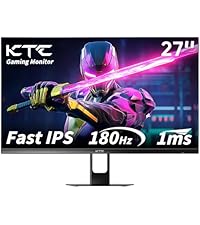
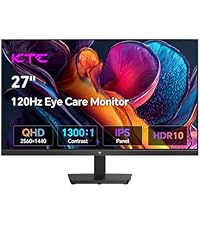
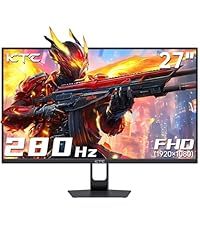
The KTC 27 Inch 4K 160Hz Gaming Monitor (H27P22S) delivers stunning UHD visuals on a fast IPS panel with a 160Hz refresh rate and 1ms response time, ensuring smooth, tear-free gaming via FreeSync and G-Sync compatibility. Featuring HDR400, 132% sRGB color gamut, and eye-care technologies like flicker-free and low blue light, it’s designed for immersive, comfortable long sessions. Its fully adjustable ergonomic stand and multiple connectivity options (HDMI 2.1, DP 1.4) make it a versatile choice for gamers and professionals alike.


| ASIN | B0CSXXP58F |
| Adaptive Sync | FreeSync, G-Sync Compatible |
| Additional Features | Adaptive Sync, Blue Light Filter, Flicker-Free, Swivel Adjustment, Tilt Adjustment |
| Aspect Ratio | 16:9 |
| Best Sellers Rank | #1,112 in Electronics ( See Top 100 in Electronics ) #40 in Computer Monitors |
| Brand | KTC |
| Brightness | 400 cd |
| Color | Black |
| Color Gamut | 132 |
| Compatible Devices | Desktop, Gaming Console, Laptop, Speaker, Tablet |
| Connectivity Technology | DisplayPort, HDMI, usb |
| Contrast Ratio | 1000:1 |
| Customer Reviews | 4.4 out of 5 stars 1,868 Reviews |
| Display Resolution Maximum | 3840 x 2160 pixels |
| Display Technology | IPS |
| Display Type | LED |
| Hardware Connectivity | DisplayPort, HDMI, USB 2.0 |
| Image Contrast Ratio | 1000:1 |
| Included Components | Adaptor ×1 + Power Cord ×1, Base Set ×1, DP Cable ×1, Monitor ×1, Screwdriver ×1 |
| Item Dimensions D x W x H | 7.09"D x 30.7"W x 19.09"H |
| Item Weight | 8.3 kg |
| Manufacturer | KTC |
| Model Name | H27P22S |
| Model Number | H27P22S |
| Mounting Type | Desk Mount |
| Native Resolution | 3840x2160 |
| Number of Component Outputs | 4 |
| Picture Quality Enhancement Technology | HDR400 |
| Refresh Rate | 160 hertz |
| Resolution | 4K UHD 2160p |
| Response Time | 1 milliseconds |
| Screen Finish | Matte |
| Screen Size | 27 inches |
| Screen Surface Description | Matte |
| Shape | Flat |
| Specific Uses For Product | Business, Gaming, Photo Video Editing |
| Total Number of HDMI Ports | 2 |
| Total USB 2.0 Ports | 1 |
| Total USB 3.0 Ports | 1 |
| Total Usb Ports | 1 |
| Unit Count | 1 Count |
| Viewing Angle | 178 degrees |
| Warranty Description | 1 |
| Warranty Type | 1 Year Manufacturer Warranty |
A**Y
Great Budget Gaming Monitor with Sharp Picture and Smooth Performance
I purchased this 27-inch curved gaming monitor and have been very impressed with it, especially for the price. The QHD resolution makes everything look crisp and clear, whether I’m working, streaming, or gaming. The 144Hz refresh rate provides smooth motion with no noticeable lag, and the curved screen adds a more immersive feel without being overwhelming. Setup was quick and easy, and the monitor feels much more premium than I expected. Colors are vibrant, text is sharp, and the size is perfect for both productivity and entertainment. I’ve used monitors that cost significantly more and honestly don’t see enough difference to justify spending extra. If you’re looking for an affordable monitor with excellent picture quality, smooth performance, and a sleek design, this one is a great value. I would definitely purchase it again.
J**P
Exceptionally Good Gaming Monitor - Considering the Price!
I got this for $279 during Prime Day, so far, I'm exceptionally happy with it. I had it running in DCI-P3, there is very slight color shifting on this monitor more so than my other non-OLED monitor, the Samsung G7 Faker Edition. I’ve found that keeping the panel on native, black level at 50 and OD setting on off or dynamic and this issue is pretty much resolved. The OD settings leave a lot to be desired, the only manageable ones I've come across is dynamic and off, all of the others cause a degree of blurring or overshoot-undershoot in the image response times. Initial Pros and Cons: Pros: -Everything works as intended, no issues out of the box, do dead pixels, backlight bleed, etc., looks great. -Stand is actually fairly decent, for the price point. -Crystal clear image, the AG used is fantastic, I have 34GS95QE, AW3225QF and Samsung G7 Faker Edition, and in many ways, I prefer the image quality of this monitor, great flexible gaming capabilities. -Tremendous number of settings, what I've found that works the best, Brightness 38, contrast 50, preset, user, color natural, response - dynamic, professional - screen native, blue light at 25%, local dimming set to auto, this IMO, is the best you can get this monitor at settings wise. HDMI upscales PS4 Pro and Xbox Series X to 4K 60hz and the latter also at 1440P 120hz. -Screen uniformity, exceptional. -Has a more natural look than OLEDs due to their constant blue light push, it's the technology, this monitor in the right settings, reminds me of a CRT, in some ways. -Recommend setting the black equalizer to 50, anything lower introduces black crush, higher image washout, at 50, it helps in the overall response times, look and feel, had this set to zero and the image was ghosting a lot when scrolling, panning. -M27T6 is significantly better than AOC's offering, the (Q27G40XMN) which I bought and returned from a different seller, IMO, the two shouldn't even be considered comparable. That monitor has two big issues, DP 1.2 and you can’t defeat the brightness settings when using local dimming, it locks to 100% brightness. -Able to do full 10-bit at 180hz over DP 1.4 connection. Cons: -Image shifting noticeable, used to OLEDs, instant response times, it's better than most, though still noticeable. -local dimming greatly reduces brightness, though you can easily up the brightness to offset this issue. -DCI-P3 and BT. 2020 look great, for very specific games-apps, otherwise, your much better off with screen native, it provides a much more natural look. -Over Drive settings introduce a lot of panel response time issues, blurring and overshooting, this monitor works better after it's been on for 15 minutes or so, it needs to warm up, literally. I’ve found off or dynamic OD settings work the best. -HDR on Vesa IMO looks the best, in FPS type of games, though strategy games and such, AOE, CIV, etc., Game HDR looks more natural, you're able to change a lot of settings with HDR, which most monitors lock you out of, don't believe this unit is truly capable of the specs, HDR-1400 etc., though played a few games last night, IMO, they looked pretty good in HDR. NBA 2k25, Oblivion, Baldur's Gate 3 and others look tremendously good with HDR enabled, this monitor does a great job with 1152 dimming zones and creating a colorful and detailed HDR image for gaming or even media content, such as Netflix. -Dirty screen effect when shifting your sight from side to side, nothing major, though I've noticed it more than I would prefer, there is an ever so slight grainy effect, only noticeable in certain situations. For the price and what's offered, I can't recommend it enough!
B**S
Top quality for a crazy low price
KTC is an unknown top brand because they were only making parts for displays of all kinds for all kinds of manufacturers such as ViewSonic and Samsung and only just started making their own line of monitors for the market. They even do the giant screens on buildings so you know anything you buy from them will be resilient and this monitor shows it, there's almost no heat that comes off this thing. Quality of the plastic isn't over the top which probably helps with it's low price but it's more than enough for what is needed for a monitor. Colors and the picture look really good as well. I have had this monitor for over a year and had zero problems with it. I have only noticed a single flicker one time but that was when I had overdrive on so that's to be expected with any monitor but compared to other brands it doesn't do it nowhere near as much. Can't believe how cheap this brand is for what you're getting. Any other brand would be two and three times as much for the same application, quality and capabilities. This is my new favorite and trusted brand. The first brand of monitors to have both.
M**N
It's nice
4 stars because the volume kinda sucks but overall it's nice for what I wanted it for. I didn't want to buy a TV for my bedroom so I bought this and hooked up a roku to it. I'll just get headphones or a speaker. The picture is really high quality and the monitor itself is nice with the price
D**N
HDR goodness
I am coming from an IPS Predator panel. I didn't chose to buy this screen because of picture quality but because I wanted a higher resolution. Coming from 1080P, so this one was within my price range. Also wanted HDR whereas my last panel didn't support it. I've been using this one for a day and a half and I must say it's eye opening what I was missing out on. Also a lot of misconception regarding miniled panels. The picture quality is just as good and even BETTER than the predator it replaced. The 180hz refresh rate is less than the 240hz it replaced but I can't notice any difference, no input lag or ghosting at all. Smooth and clear. The brightness of this screen with HDR enabled is INSANE, you just don't know what you are missing until you have tried true HDR. The colors in SDR isn't as good as my IPS panel but once you turn on HDR the colors are better than my predator monitor and insanely bright. If you find it too bright you can turn it down to whatever level pleases you. The 1152 lighting zones give this miniled a HUGE bonus to darks and bright images. Meaning very deep blacks and bright brights! I have a fairly new OLED TV and I can't see any difference between the two technologies. The color options in HDR is greyed out so you can't adjust it but I can see why this is the case. It doesn't need any adjustment at all... The colors are fantastic in HDR. To keep all the goodness of HDR not just while gaming you can turn it on for windows operating system as well. I turned it on for everything. I really did not understand what a huge difference HDR makes. Ran some identifying software Aida, and says it's putting out over 1500 knits brightness in HDR. Games just look 100% better with HDR it's no contest. I'll never go back to non HDR viewing. 1440P is the sweet spot for gaming and navigating windows. Even when HDR is on you can adjust the brightness to your liking. You will have to make certain adjustments for this panel in terms of contrast but I made all the changes within the first few minutes. Also has game setting for boosting smoothness but it's refresh rate of 180 hz is more than good enough by itself. Well done KTC for getting consumers what they want. No frills monitor and great quality!
J**E
Great picture at a great price
Use this for my PS5 and it’s been a great experience in terms of quality. Very fast refresh rate and also has a FPS counter
J**.
Great but not operfect
The KTC 27-inch QHD gaming monitor is a solid, performance-oriented display that delivers exactly what it promises for high-speed gaming. With its Fast IPS panel and a refresh rate that clocks in at 200Hz—and can even be pushed up to 210Hz—the motion clarity is impressive for its price bracket. During active gameplay, the fluid transitions and high frame rate support make for a very responsive experience, especially in fast-paced titles where every millisecond counts toward a competitive edge.While the monitor excels during action, there are some noticeable trade-offs regarding dark room performance. When the screen is displaying a black image, there is an obvious amount of backlight bleed, which is a common characteristic of IPS panels but is particularly prominent here. This can be a bit distracting during cinematic scenes or in very dark games, as the blacks tend to look a bit more grayish than deep black. Additionally, while the response times are generally fast, you might encounter some occasional ghosting or trailing behind fast-moving objects, though for most users, this remains within an acceptable range that doesn't ruin the immersion. Overall, this monitor is a practical choice that prioritizes pure gaming speed and resolution. It effectively bridges the gap between budget and high-performance displays by providing a sharp 2K image and an exceptionally high refresh rate. While it may not have the most refined contrast or perfect panel uniformity, it remains a highly adequate tool for gamers who want a smooth, high-resolution experience without the premium price tag of a flagship brand.
C**E
Excellent monitor with some tweaking read full review
Excellent monitor, but a little too saturated on default settings out of the box. For the best experience, either use sRGB mode with low local dimming at 75% or 100% brightness, or, like I do, and use DCI-P3 color mode with low local dimming at 100% brightness, and it looks really accurate and great! As for HDR, it's a mixed bag. In order to get the best brightness and bang for your buck, you shouldn't be using this monitor with Windows HDR or macOS. If you want true 1:1 HDR, it is much better with a console that has proper HDR settings and out of the box tuning. But if you want to use it with a PC or Mac, it is still mostly fine, but I would calibrate the HDR using the built-in calibration in Windows. The refresh rate is also a mixed bag. If your computers GPU or console doesn't support the latest DP 1.4 and/or HDMI 2.1 standard, then you won't be able to do more than 120Hz at 4K without display compression, and it looks and feels horrible when compression is on and visable at 160hz. My recommendation is this setup for PC: Use the DCI-P3 color mode for the best color accuracy across HDR and SDR, but if you don't plan on using HDR and use exclusively SDR, then stick to sRGB mode for the best accuracy for SDR content and gaming. 100% brightness for the best brightness and hitting the advertised HDR brightness claims. Note this may be too much for the average person, so if that's the case, stick to 75%, which still hits a respectable brightness. For HDR calibration in Windows: set to 1930 nits (small window) and 1600 nits (full screen), as those are the official rated numbers. Use exclusively 120Hz at 4K and the standard preset for overdrive, as any other preset has overshoot and ghosting and any refresh rate above 120hz is pointless if you get display compression and not that noticable or helps much in gaming. As for the 320Hz dual-mode operation, it does not support native scaling, so you just get a blown-up 1080p image with no scaling, and it looks very blurry and unclear on the 4K display. It does hit its advertised 320Hz, but it is unusable in my opinion due to the blurriness of the picture from the lack of proper image display scaling. I also think they are slightly overdriving the pixels more than usual because even on the standard preset, there is still a lot of visible ghosting and overshoot on the monitor. I had to fully turn it off to get rid of it, but that defeats the point of the 320Hz mode, as it introduces more input delay for a clearer, smoother image. If you bought this monitor purely for the 320Hz mode and don’t plan to use 4K, you would be better off with a monitor that has native 320Hz support. This is clearly more of a 4K monitor than a 320Hz 1080p one. In conclusion, if you are looking for an excellent 4K monitor with really bright colors and overall brightness for viewing content and gaming in HDR, then this is it. But if you are looking for the best response times and don’t want to tweak settings out of the box, then maybe look for something else, as this monitor is clearly aimed at MiniLED enthusiasts and people who know what they are buying and how to properly set it up for the best experience. If you want a great MiniLED thats for beginners I recommend the AOC Q27G3XMN 27" for a better entry point to gaming with a MiniLED as it's 1440p and doesn't need any tweaking out of the box for a great experience if you want to try out MiniLED without eating away $500.
A**R
False advertising, specs are not true.
Not a 400hz monitor, max is 360.
A**O
Mi primer MiniLed
Mi primer monitor Mini led me gustó mucho tiene mucho brillo a veces demasiado que hasta lastima mi anterior monitor no tenía ni hdr 400 este me sorprendió mucho y más por el precio en el que lo encontré necesita una buena configuración que podrán encontrar en YouTube y que por cierto este monitor solo lo recomiendo si vez antes todas las reseñas en español porque si tiene algunos puntos malos como que de la nada se le baja el brillo aunque eso a mi no me molesta se ve fantásticos en juegos de campaña como Metro Exodus y Call of duty Modern Warfare 2019 o juegos como Fortnite o Arc Raiders .
S**S
Buen producto
Después de más de un mes de uso puedo decir que a cumplido con todas mis expectativas, lo combine con un Ryzen 7 5700x y la RX 9060 XT y no hay falla, parece que voy volando.
A**N
Excelente monitor, control de calidad cuestionable.
Me había gustado este monitor bastante, lástima el mío llegó con varios píxeles muertos y lo tuve que devolver, pero a primeras el monitor es súper ULTRA brillante si eres una persona que le gusta tener todo brillante es excelente, aparte el HDR se veía muy bien, el SDR nada fuera de lo común pero recomiendo usarlo sin local dimming. Este monitor es una joya si lo encuentras a un buen precio y si te llega con 0 píxeles muertos.
S**Z
Excelente imagen
Muy buena calidad de imagen y trae menú de configuración, en juegos con el HDR activado ofrece una excelente calidad
Trustpilot
2 months ago
1 month ago