Desertcart purchases this item on your behalf and handles shipping, customs, and support to Senegal.
🔑 Unlock the future of secure login—phishing-proof, passwordless, and effortlessly smart.
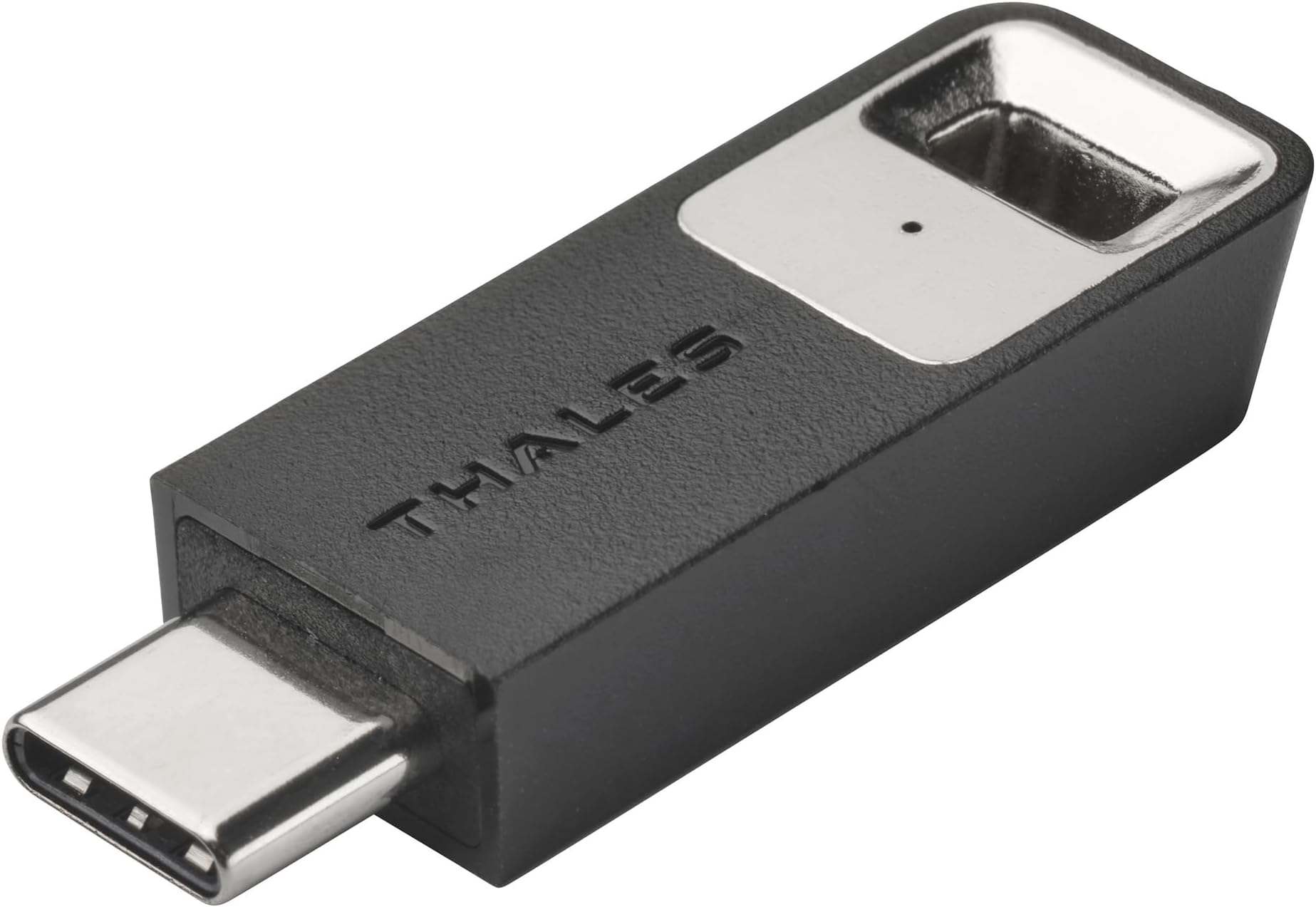
The Thales SafeNet eToken Fusion is a cutting-edge USB-C security key that merges PKI digital certificates with FIDO2 authentication, delivering phishing-resistant, passwordless access to web apps and desktops. Compatible with all major platforms and identity providers, it features a sensitive presence detector for enhanced user experience and is certified by FIDO Alliance for top-tier security.


| ASIN | B0CVXMNLCQ |
| Best Sellers Rank | #1,180 in USB Flash Drives |
| Brand | THALES |
| Customer Reviews | 3.7 3.7 out of 5 stars (26) |
| Date First Available | February 19, 2024 |
| Item Weight | 0.352 ounces |
| Item model number | 909-000304-001 |
| Manufacturer | Thales |
| Package Dimensions | 3.78 x 2.36 x 0.28 inches |
J**Y
I love the dual functionality and security of these devices.
Love these devices, they act like both a fido2(passkey) device as well as a pki (emulated smart card) device. The usbc version gets alot more use because I keep it on my keys with a usbc to usba adapter attached. I keep my code signing certs on the pki side as well as lock all of my servers down with pki certs. The fido2 side is great for the security keys/passkeys for website logins. Yeah its an extra step to plugin to my phone/computer but it is alot more secure than passkeys stored in password managers that themselves can be easily accessed.
T**P
Pretty good and simple device to use. Would be good if a simple instruction page was given.
It seems pretty good and easy to use. It's a shame there was no simple instruction for you. The main thing is you need to touch it to activate it and get it to work. No pin code is required. Its plug and play. Small device.
K**O
Device is ideal for the office/corporate environment. Poor documentation for the casual home user
This THALES SafeNet USB-C works after testing on the Thales Demo Page and when logging on to Windows 10 and Windows 11 Pro PCs at home. Please note that you must install the SafeNet Authentication Client Software on the OS platform you're using—Windows, Mac, or Linux. It adds a layer of security by utilizing PIN #s instead of passwords and a "presence" touch on the device itself. Although using a PIN to log on is also a built-in feature of Windows, the added layer of security is a big plus if multiple people are using the same computer—particularly the "presence" touch on the unit. No one can log on remotely. The device is ideal for office/corporate users where employees log on to different/multiple PCs. The device is a home-use luxury—only die-hard, home-based techies will indulge. However, if you travel a lot, the added layer of security will give you more peace of mind. In theory, since authentication happens on the THALES device, this would be ideal for people who travel abroad but don't have the luxury of roaming globally on their mobile phones. It would also be great for accessing websites that support this security device without using 2-factor authentication. However, this area will put off most casual users, as it's quite complex to configure for supported websites. All told, the device suffers from poor documentation for the casual PC user. The unit's QR code/web page ultimately leads to a web portal that's confusing to navigate, too technical, and too enterprise-computing-oriented. Others will find it complex, boring, or a waste of time and disregard using this security device. If Thales wants to increase sales to casual PC users, it should include a simple instruction manual on using this security device on their PCs and mobile devices. Also, including a USB-C to USB-A adapter would be convenient for some users who own older PCs without a USB-C port.
S**S
No-frills security key
This security key seems to be offered on the assumption that you know what it is and how to use it. There are no instructions provided, and the QR code on the back just points you to a marketing page on Thales' website. Not a problem for the tech-savvy, but just be aware that you're largely on your own here. Fortunately, Windows 11 already has built-in support for configuring and/or resetting a PIN on the device. Web passkeys work as expected, simply a matter of typing your passcode and touching the metal part of the security key. Desktop authentication also is possible on work and school accounts, but Microsoft has yet to enable that functionality for personal logins. Of course, that's no fault of Thales or of this product. This key doesn't support NFC, nor does it come with a USB-C adapter, so it's best suited for use with desktops and laptops, rather than phones or tablets. The device feels physically robust, and FIDO2 certification ensures proper functionality. All in all, this security key is pretty basic but gets the job done for those who know how to use it.
A**T
Complete fail
This review is for the Thales SafeNet eToken Fusion hardware "pass" key. Yes "pass" is in quotes because a better term would be a hardware FAIL key. Why "fail"? Because after downloading the setup app and picking a PIN for this thing, I tried setting it up with multiple websites that this company listed as being compatible with this device. In every case upon following the setup instructions and inserting the USB key and typing my PIN nothing would happen. More specifically, it just went into a loop where it would ask my what kind of pass key to set up after doing all the steps to set it up. So the only place where this device belongs where it will be good and SECURE is in the trash. Highly DO NOT recommend.
W**E
Works great with Windows 11, no software needed!
In Windows 11, if you go to Settings -> Accounts -> Sign-in options, you'll see "Security Key". You should just need to select that, and it will guide you through the setup. It's that easy! You may need a USB-Extension cable though as to actually authenticate with it, you're asked to touch the key, so if your PC is on the floor under your desk like mine, that is easier said than done. I solved this by just getting a USB extension cable and ran it up to the top of my desk, so now when prompted, it's within arm's reach. Very happy with it so far, 0 issues!
S**L
For increased security and passwordless
I have always been wanting to have a physical authenticator especially when traveling. Of course Google and Microsoft have been using the authenticator apps and passkeys but a physical key authenticator is also a good way to ensure security. Setting this up was easy. It has a USB C socket which can be used in your android device with the the FIDO management app. any of your two factor authentication logins can now be used with the FIDO key. No one can login unitl you insert the key. If you are worried about losing it, you may have setup other alternative forms of authenication that you can use.
S**N
Well Made, Confusing, Don't Know if it Works
I am slightly embarrased to admit this, but I haven't figured out how to use this thing yet. I am saying all of this because I believe for any consumer security devices to be effective they must be easy to use and impliment. So for that reason I am not sold on this, I've followed the directions at the QR code link but most of them are very vague so I am waiting until the end of the school year and maybe then I can figure it out. It is well made physically though and very low profile.
F**A
Excellent clé pour sécuriser des clés de chiffrement avec un usage très simple
Une excellent clé Fido 2 pour sécuriser des clés de chiffrement avec un usage très simple sans avoir besoin de logiciel particulier
E**Z
Suporta algoritmos modernos
Para quem se importa com segurança, ele suporta algoritmos mais seguros que a quase totalidade dos concorrentes. No entanto, se o uso for para eCPF/CNPJ, o emissor tem que suportar o algoritmo também, o que não está acontecendo, e o certificado fica com velho RSA2048.
Trustpilot
1 week ago
2 weeks ago