🎙️ Elevate your audio game with the boom arm pros trust!
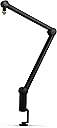
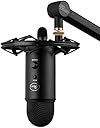
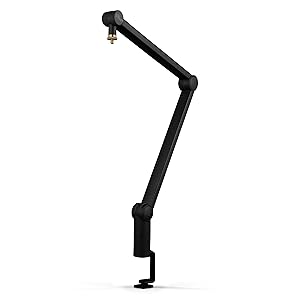
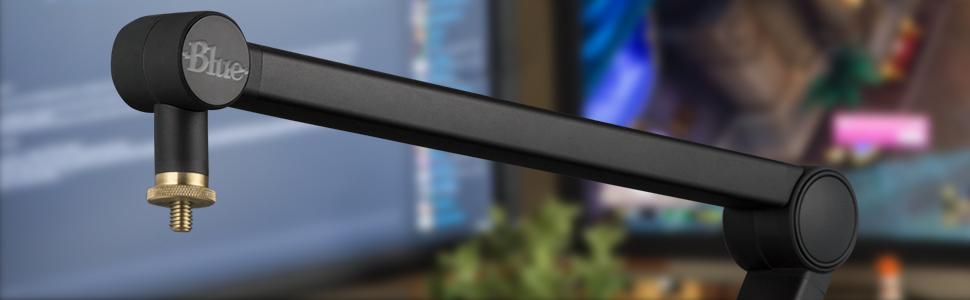
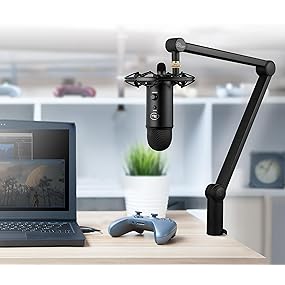
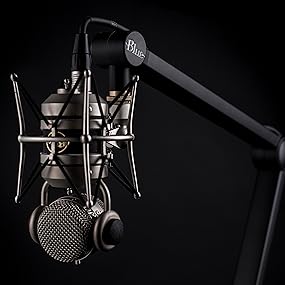
The Blue Microphones Compass Premium Tube-Style Broadcast Boom Arm combines rugged aluminum construction with internal springs and a hidden cable management system to deliver professional-grade stability and a clean aesthetic. With 32-inch reach, 360-degree rotation, and hand-tightened friction hinges, it offers precise, quiet mic positioning ideal for streaming, podcasting, and broadcasting. Compatible with Blue Yeti and most standard shock mounts, Compass is engineered to enhance any desktop audio setup.


| ASIN | B078MLBGRM |
| Antenna Location | Gaming, Streaming |
| Audible Noise | 44 Decibels |
| Best Sellers Rank | #49,048 in Musical Instruments ( See Top 100 in Musical Instruments ) #328 in Microphone Mounts |
| Brand | Blue Microphones |
| Color | Black,Blue |
| Compatible Devices | Camera, Camera, Gaming Console, Gaming Console |
| Connectivity Technology | XLR |
| Connector Type | clamp |
| Customer Reviews | 4.2 out of 5 stars 6,725 Reviews |
| Enclosure Material | Aluminum |
| Hardware Platform | Camera |
| Item Dimensions | 43.9 x 2 x 2.5 inches |
| Item Type Name | Microphone Stand |
| Item Weight | 2.98 Pounds |
| Manufacturer | Blue |
| Mfr Part Number | 989-000517 |
| Microphone Form Factor | Studio Condenser |
| Model Name | 989-000517 |
| Model Number | 989-000517 |
| Number of Batteries | 1 Lithium Ion batteries required. |
| Number of Channels | 1 |
| Polar Pattern | Unidirectional |
| Power Source | Corded Electric |
| Recommended Uses For Product | Gaming, Streaming |
| Signal-to-Noise Ratio | 44 dB |
| Special Feature | Stand |
| UPC | 836213000236 |
| Unit Count | 1 Count |
| Warranty Description | 90 days limited |
D**N
Elevate Your Audio Setup with the Logitech Compass Microphone Boom Arm!
Rating: ⭐⭐⭐⭐⭐ The Logitech Compass Premium Tube-Style Microphone Broadcast Boom Arm is a game-changer for creators, and it has transformed my recording, gaming, and streaming experience. The build quality is superb, and the tube-style design with internal springs gives it a professional look and feel. It’s robust and built to last, which is crucial for daily use. The built-in cable management is a thoughtful touch. It keeps my setup tidy and eliminates cable clutter, ensuring a clean and organized workspace. The desktop clamp is secure and stable, and the microphone arm is highly adjustable. It allows me to position my microphone exactly where I need it for optimal audio capture. Whether you’re a content creator, streamer, or gamer, the Logitech Compass Boom Arm is an invaluable addition to your audio setup. It brings convenience, stability, and a touch of professionalism to your recordings and broadcasts. Highly recommended for those looking to elevate their audio game!
M**.
Challenging to set up, but stick with it.
When I originally purchased this, I had the Blue Yeti already on a desk stand or pedestal, and it picked up a lot of vibration and typing sounds, so I wanted to get a arm instead. Right off the bat, I could not mount the arm to my desk. The overhang on my desk is only about an inch (3rd photo) so not enough material for the base clamp (2nd and 4th photo). Mounting it to a secure, level surface is essential. I picked up a table where I could clamp the stand too. I had used a nearby plant stand, but it was unstable and the microphone would swerve 180 degrees. So that being solved, you must attach your mic first and loosen all of the joints, as well as a screw plate at the end of the arm that you insert in the base. There are videos on this and I recommend you watch them. Once you get the mic and arm mounted, following the videos got me in the right place. My biggest issue is the tightening mechanism of the actual clamp. See 2nd photo. I don’t know what they call this, but when you turn that to tighten, it can hit up against what you are fastening the clamp to. It doesn’t have adjustable sliding bar that you can grab onto and turn it in a tight spot. You would want that for a desk mount. If I had another inch of overhang, I would have tried to mount it on my desk, but even then, the tightening knob is fixed so you can’t tighten it in a small area, where if the handle you hold were adjustable, it would. You need about 3” of overhang to get the base on securely and it has to be level. Once I got over that hurdle, and watched the videos, I am very happy with the mount. I can move the mic where I need it and it stays put. I like the sleekness of the arm, and the ability to hide the cord. I bought a longer cord than what came with the Blue Yeti. I loosened the two joints on the arm. I loosened the screw at the base of the arm (not the base it self) before I inserted it, and then I moved the mic into position and then tightened the two joint turns. If you have a table type of desk, this should work fine. My desk didn’t provide enough grab space, therefore requiring me to get another table. That being said, the weight of the stand started to tip over that table, so I added some counterweight. If you have a desk like mine, you might want to have a bookshelf nearby, or a printer stand, something suitable for you to affix the clamp provided.
D**N
Great high quality mic arm
After going through my second "Neewer" type mic arm, I decided to get a good quality arm that will last a long time and that I won't have to replace every 8 months. This mic arm is very sturdy and looks great. It's easy to setup and clamped onto my desk with ease. I am able to position it exactly where I need it, and having it show in the webcam video while I'm streaming isn't bad because it looks so good. I'm using it with an Audio Technica AT2020, so you don't HAVE to be using a Blue Mic with this arm. I love how it hides the XLR cable that runs from my mic to my USB interface, and is just cleans up the whole deal that much more. Before, I had to zip tie the cable to the Neewer arms. This is great and definitely think you should pick it up if you're in the market for a mic arm. I think this arm looks better than the RODE PSA1 arm and I like it a lot. The joint tensioners are easy to use but do require some strength to get as tight as they can be. Great arm and I give it 5 stars.
W**T
Looks Good! Does its Job! But Can Be Annoying to Set Up.
My Boom Arm does its job well in holding up my microphone where I want it, but it takes a lot of turns on the hinges to get the tension right. At first I even thought that I might break it by turning it this much. Sometimes you even have to adjust it again after a few weeks because it loosens up over time, but its not that much of a hassle to me. Another thing is that the gold screw end where the microphone attaches seems to corrode easily, and mine seems to be rusting up, and it has only been a few months since I had this, so be sure to wipe it whenever you touch that part. But after setting it up to how you want it to be, it works well.
T**N
Complete Garbage
DO NOT BUY THIS! I purchased a the Blue Yeti and wanted a boom to position it off cam while keeping it effective. So I purchased this thing because it was the same brand, figured it would be ideal to work with the mic I purchased. And while that may be true, I will not know because the boom is a total piece of inoperable trash. There are springs in the arms, I assume to keep tension tight, the problem is, the springs are so stiff that the lock screws do not hold. How could this possibly have gone out for production? No quality standards at all. The tension is so stiff, that I tightened the lock screws with a wrench. It's supposed to be a hand-twist lock, but the arms do not stay in place on hand tightening alone. When I used the wrench, it still shifted position but stayed at least somewhat in the place I wanted it, or at least as much that I was willing to shrug it and do the best I could with what I could get out of it. The next morning, I woke up, the ultra stiff tension had actually almost completely straightened the arms, WAY out of position, I had to do it all over again. Then, since I bought this stupid thing, I figured let me try again. Next day, same thing. So, I try again and again, same result each morning. I thought maybe I just have to keep working the springs to loosen the tension. Nope. This thing is so horribly designed, so ill conceived, that it is simply not usable. The waste of money is one thing, the time, effort and frustration is even worse. I just can't believe that this awful design would have ever made it through proof of concept and into production. I no longer trust Blue products and will not be doing business with this brand going forward.
J**D
Incredibly strong boom arm that beats Rode
I originally purchased the Rode PSA1 Swivel Mount Studio Microphone Boom Arm in 2012 and used it with my Blue Yeti microphone. It was very reliable. Earlier this year I was looking for a new boom arm and saw this and decided to try it out. Here is my comparison of both products. I am using the Blue shock mount and a pop filter in addition to my Blue Yeti microphone. Installation Installation for both products is very easy and quick in that you just clamp it to the edge of your desk. Between the two I would judge the base of the Blue boom arm to sturdier than the Rode. You screw in the shock mount on end of the boom arm, screw in the Blue Yeti into the shock mount and the clamp the pop filter to edge of the shock mount and twist it until it is in front of the microphone. I was able to attach the Rode boom arm to the back side of my desk so it will be out of the way when not in use. I was not able to do that with the Blue boom arm because I just could not get it to adjust to being in the right position when recording so I had to attach it to the side of my desk. This means it will get in my way when not in use as I move things around on my desk. Overall for installation Rode wins because it is not in the way when not in use. Adjusting Placement For Rode, you just grab it and move it where you need to have the mic placed for recording. Once you get it placed you have to let go and hope that it does not automatically start to retract due to the weight. Sometimes I have to position it, wait for it to rise, reposition it and wait for it to rise and reposition it until eventually, it stays in place. For Blue boom arm, it has three joints that you can rotate to move the mic into position. They all have a knob that you twist to loosen for it to move and when you have mic positioned then you twist it to lock it in place. Adjusting these knobs can be a challenge. But once you have the mic in place it will not move. I do 4 hours of podcast recording every Sunday and it stays in place the whole time. Overall for quickly positioning the Rode wins but you have to fidget with it. If you want the positioning to be permanent and stay there then the Blue wins by a wide margin. Cable Organization The Rode boom arm comes with some velcro straps that you can use to gather cables and then put the velcro strap over the boom arm. You get two straps to attach the cable on both halves of the boom arm. Blue, on the other hand, includes a slot built into the boom itself for the cables. Since it is built into the boom itself the cables are completely hidden from view. If you are on air when recording this is an extremely nice feature because the cables do not distract from your image on the screen. For Rode, the cables are very visible on the screen. Overall Blue wins this hands down Overall User Experience I had my original Rode boom arm for 5 years. Eventually, it got to the point where it sagged from the weight and I had to purchase a second one in 2017. I have had the Blue arm for less than half a year. I was satisfied with the Rode arm so much that when I needed to replace it I purchased it again and didn't even bother comparing any other product. When I started a new podcast as well as recording training videos I decided to get a new setup so it was consistent in color. (My original Blue yeti mic was silver and shockmount was black). I got a new black Yeti mic, black shock mount and realized they made a boom stand. After reading the reviews I decided to invest in it. I have been beyond pleased with this setup compared to the Rode. Knowing everything that I know now if I had to start over again I would purchase the Blue boom arm over the Rode hands down.
D**E
What You Need to Know Before Buying
As of May 2019 this is arguably the best looking boom arm on the market. It looks better in person than any picture or video can show. The desk mount is very sleek and modern giving it style but allowing it to do its job - being a secure, sturdy mount. The hinges are well designed as well as the cable management slot is a thought out idea, it's not just Velcro tie downs. It can support mic's (w/ or w/o shock mounts) that weigh more than the advertised 2.4 lbs. The only downfall to this boom arm is the tighten rods have a plastic cap so you'll feel like you're going to break something if you go too tight BUT there is a design feature built in to help with that. There is a tension screw on the bottom (next to the pivot rod) of the arms base that allows for spring tension adjustment. You can find out how to adjust the springs tension via the owners manual. TLDR; Very good design making it the best looking boom arm on the market. Most negative reviews are due to a strong spring tension but that can be adjusted via a design feature on the arms base.
T**Y
Worth the Extra Money
Very pleased with the quality of this product. I use a Yeti Blue mic for recording eLearning training voiceovers. The Yeti Blue mic is heavy and was really taxing the strength of a cheaper boom arm I was using. One of the things that's really nice about Blue Compass boom arm is that the C-clamp is much stronger than cheaper versions and fits better over thick desktops (I use a standing desk and the desktop is about 2 inches thick). The C-clamp is also deeper than cheaper versions so it really holds well with minimal vibration. Another thing I like about this boom arm is how the base of the arm sits on the desktop. The full weight of the base sits on top of the desk rather than off the desk like cheaper boom arms do. This means that I can rotate the boom arm a full 360 and at no point will the weight of the mic be in free space (this is a big issue with cheap models). The last thing I like is that there are grooves in the boom arm to conceal the mic cable. This looks much better than having the cable flopping loose or zip-tying it like I had to do with the cheap boom arm I had. Yes, the Blue Compass Premium Tube-Style Broadcast Boom Arm is more expensive. But it seems like the best option if you plan on pairing it with a Yeti mic.
N**Ò
Miglior Braccio per microfono!
Il miglior braccio per microfono in circolazione, costruito con materiali ottimi. Caratteristica fondamentale la possibilità di poter passare il cavo dentro guide presenti. Il prezzo è alto rispetto alla concorrenza ma ne vale assolutamente la pena perchè il livello è superiore alla media.
A**A
ستاند مرررررا ممتاز
افضل ستاند جربته صراحه و الى الان استخدمه رهيب مره
P**I
Esteticamente de lo mejor
A pesar de que existen mas opciones con un costo mas accesible, este Brazo definitivamente luce mejor esteticamente hablando; se siente de buena calidad y funciona sin problema, tengo un Blue Yeti X edicion World of Warcraft y no tengo ningun problema lo sostiene perfecto. Al principio no supe como acomodarlo pero despues vi el tornillo de la base y ya pude moverlo libremente, super sencillo, y de buena calidad, recomiendo que si para ti la estetica es importante esta es la solucion
J**N
Does what it says it will do...
Simple to use, highly versatile, beautifully made, solid and works perfectly with most microphones. I have a large Shure SM7B; if you have this mic you will also need the Shure A26X extension tube. It will work without it, but mic movement is limited. It looks really cool too.
M**K
DO NOT BUY
Worst boom arm I’ve ever had; if it wasn’t for the fact I was away for business I’d return this thing. Each point tension release doesn’t work. No matter how much I tighten each point the arm keeps shooting up.
Trustpilot
1 week ago
4 days ago