Buy anything from 5,000+ international stores. One checkout price. No surprise fees. Join 2M+ shoppers on Desertcart.
Desertcart purchases this item on your behalf and handles shipping, customs, and support to Senegal.
โก Power smarter, live better โ your energy-savvy home awaits!
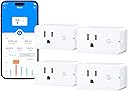
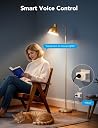
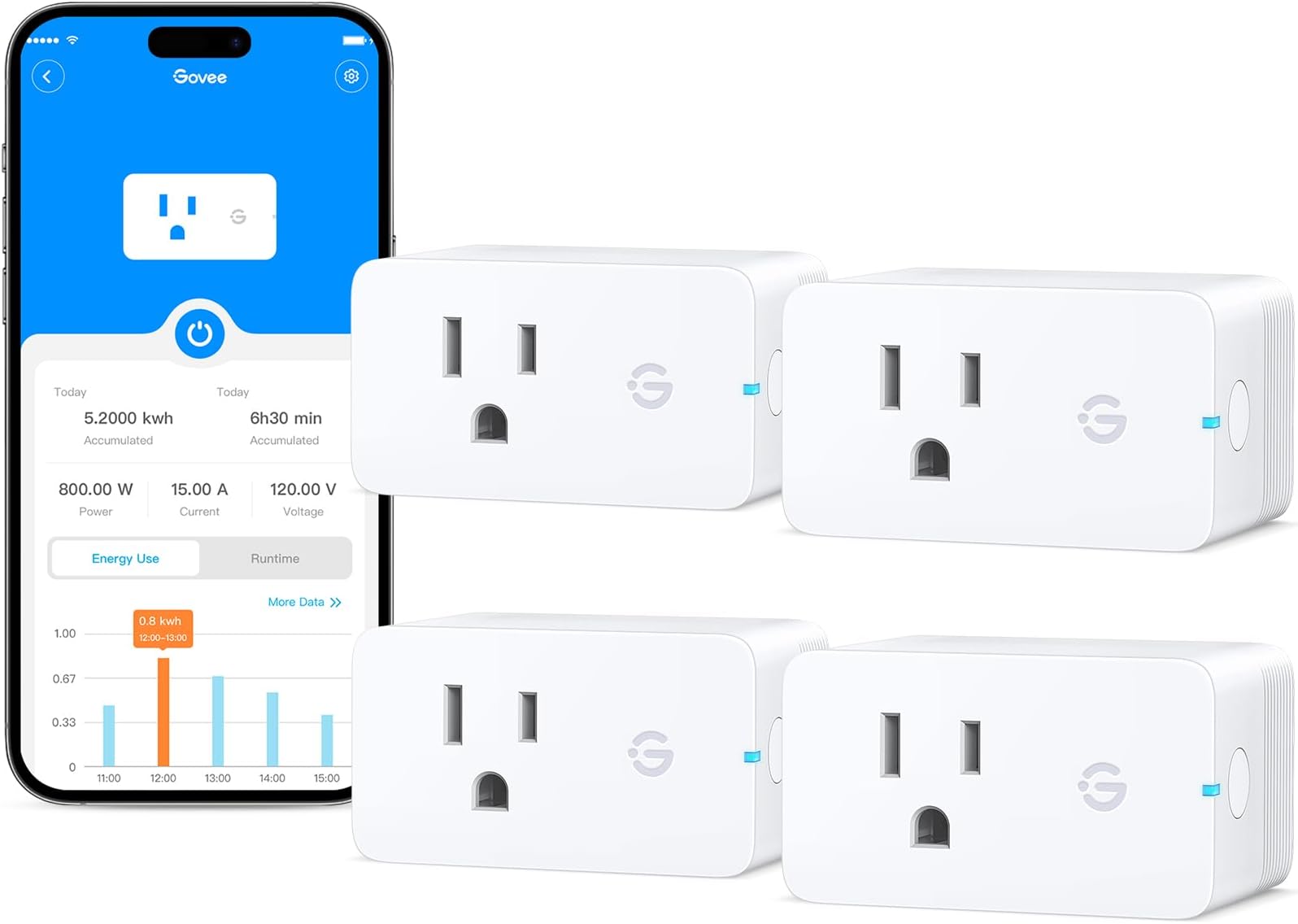
The Govee Smart Plug 4-Pack combines robust 15A power capacity with advanced real-time energy monitoring, dual WiFi and Bluetooth connectivity, and voice control compatibility with Alexa and Google Assistant. Certified ETL & FCC for safety, these plugs require no hub and offer customizable scheduling and group control, empowering professionals to optimize energy use and automate their homes with ease.


| ASIN | B0CKM8CF7N |
| Actuator Type | Smart Plug |
| Best Sellers Rank | #7,270 in Tools & Home Improvement ( See Top 100 in Tools & Home Improvement ) #27 in Electrical Outlet Switches |
| Brand | Govee |
| Brand Name | Govee |
| Circuit Type | 1-way |
| Color | White |
| Compatible Devices | Alexa-enabled devices, Google Assistant-enabled devices |
| Connectivity Protocol | Wi-Fi |
| Connector Type | Plug In |
| Contact Material | Stainless Steel |
| Contact Type | Normally Closed |
| Control Method | App, Touch, Voice |
| Control Type | full |
| Controller Type | Amazon Alexa, Google Assistant, IFTTT |
| Current Rating | 15 Amps |
| Customer Reviews | 4.6 out of 5 stars 1,091 Reviews |
| Included Components | Smart Plug * 4 User Manual * 1 |
| International Protection Rating | IP00 |
| Item Dimensions | 2.68 x 2.4 x 1.5 inches |
| Item Weight | 0.38 Kilograms |
| Manufacturer | Govee |
| Material Type | Stainless Steel |
| Model | H5086 |
| Mounting Type | Plug-In Mount |
| Number of Items | 4 |
| Number of Positions | 1 |
| Operating Voltage | 120 Volts (AC) |
| Operation Mode | ON-OFF |
| Part Number | H5086 |
| Smart Home Compatibility | Smart Home Compatible |
| Specification Met | CA65, ETL, FCC, SDOC |
| Switch Type | TRIAC |
| Terminal | Screw |
| UPC | 810088347351 |
| Unit Count | 4.0 Count |
| Upper Temperature Rating | 104 Degrees Fahrenheit |
| Wattage | 1800 watts |
R**R
Great Smart Plug that Integrates Well into Govee's Ecosystem
This smart plug is useful for remotely controlling a lamp or an appliance, but its versatility grows if you have other Govee devices. First, you get the mobile app control, which works locally with a Bluetooth connection, and remotely from anywhere you have a data connection via WiFi and internet. The contacts are rated at 1500 watts, which means it is capable of handling pretty much any appliance that you can plug into it, including most space heaters. The energy monitoring is useful to not only to see usage, but also a great way to confirm that the device plugged into it is working properly. Got a heat lamp for the chicks? Checking the real-time current/power monitoring will tell you that the lamp isn't burned out. While I wish the logic automation that you can setup with this smart plug were a bit more versatile, it's usually adequate for most applications. Where it shines is when you have other Govee devices, mainly sensors connected in your app. For example, if you have a Govee temperature sensor, you can have the plug switch on a block heater when the temperature goes below freezeing (and likewise, turn it off if the temperature rises). This can be further conditioned to only run at certain times of the day and week. Add a Govee motion sensor, or remote button and you can have various lights switch on. The smart plug also works as a gateway for most Govee devices that are only Bluetooth and not WiFi enabled, extending the functionality and reporting of these devices. There's also the Alexa and Google integration, if you choose to control this through a voice assistant as well. Setup is generally quite easy, and it's apparent that Govee has been working diligently on this aspect over the years. The process is getting close to the experience of when you connect an Apple accessory to your iPhone, with automatic discovery and clear step-by-step prompts, when required. No frustrating steps of having to back out of the app to go change or pair something in your phone's settings. As for the control app, it's remarkably solid and sufficiently configurable to organize your devices. I haven't experienced and crashing. While some minor aspects of the UI could use some polishing, including a couple points of grammar in the English version, it works well and reliably. All things considered, these smart plugs are a great value, and offered by a company that has been around for some time now. I've used other devices, including previous generations of these plugs for several years and can't say that there's much of anything serious to be a true disappointment, maybe just a couple of refinements here and there.
S**M
Smart Control That Actually Helps
We just set up a little โmovie night cornerโ in our living room โ projector, lights, speaker โ and every time we left the room Iโd forget to turn everything off. Thatโs why I grabbed this Govee Smart Plug 2-Pack with Energy Monitoring, and itโs genuinely become one of those โwhy didnโt I get these sooner?โ additions. ๐ก Story: Smart Control That Actually Helps The first night we used it, I set one plug for the projector and the other for the lamp beside the couch. Instead of fumbling for switches or getting up mid-movie, I just told Alexa to turn the โmovie theater lightsโ off โ and poof. It feels simple, but kind of magical when it works every time. ๐ Energy Monitoring What sets this apart from basic smart plugs is the energy tracking feature. The app shows real-time usage and daily/weekly totals, so I can actually see how much power my projector or lamp uses. Itโs made me rethink leaving certain items plugged in all day โ little insights that feel surprisingly useful long term. ๐ Smart Control These plugs work with Alexa and Google Assistant, and they connect over Wi-Fi or Bluetooth without needing a separate hub. Setup was quick, and syncing them to voice assistants was straightforward โ no extra gear or complexity. โฑ Timer & Group Features Iโve created simple schedules so the lamp comes on at sunset and turns off late at night. I also grouped both plugs as โliving room electronicsโ so I can turn everything off with a single tap or voice command. That grouping is one of those tiny details that makes daily use smoother. ๐ถ Connectivity Requests from the app or voice assistant fire quickly โ almost instantly. No lag or weird delays, which makes the smart experience feel reliable rather than flaky. ๐ฆ Value for Money Getting a two-pack feels like good value, especially with the energy monitoring and smart features included. For relatively affordable smart outlets, these hit a nice balance between features and price. Very durable and looks super cool.
D**S
Great plug and super easy to install and use
Super easy to set up with the Govee app. These work flawlessly. Simply click the plus after plugging in and it connects. It remembers the Wifi, so no need to enter for each one. They can monitor the usage of the item plugged in. This was my primary purpose of these. I can see how much my printers are consuming when idle or in use. Laser printers and 3D printers. Also, these work with Alexa so that is a nice benefit as well.
D**B
โญ๏ธโญ๏ธโญ๏ธโญ๏ธโญ๏ธ Smart, Reliable, and Super Convenient!
The Govee Smart Plug with Energy Monitoring (4 Pack) has completely upgraded how I manage my home devices. Setup was quick and easyโno hub requiredโand the plugs connected smoothly to both Alexa and Google Assistant. Voice control works flawlessly, and I love being able to set timers and groups for multiple devices at once. The energy monitoring feature is a huge bonus. Itโs really helpful to see how much power my devices are using, and itโs already helping me cut down on unnecessary energy costs. The plugs feel solid, the connection is stable, and the 15A capacity means they can handle pretty much anything I need. If youโre looking for a reliable set of smart outlets that are simple to use and packed with features, this Govee pack is a fantastic value. Highly recommend for anyone wanting a smarter, more efficient home!
B**.
Easy to connect and work as they should
I have a basement that floods. I am disabled and not as spry as my younger days. Going up and down the basement steps to pump my basement due to flooding. I opted to try these smart plugs to control my pumps. They were very easy to get set up and connected to the Alexa app. They work great. I just would like to know what happens if there is a power outage. I donโt want my pumps running dry because the power went off and came back on. Hopefully they either stay off or whatever position they were in when the power went off. I have backup automatic generator so power will never be off more than 30 seconds. But want to ensure my pumps are protected. Very happy so far. If they last, function as they are today, and do not turn on after power outage, will bump rating to five stars.
P**S
Needed for a hard to access attic fan
This was the perfect solution for a fan located far across attic rafters -- it runs most of the time for radon mitigation, but occasionally we need to turn it off for awhile. It was super easy to set up, works superbly.
J**E
Extremely Pleased with the Govee Smart Plug Pro with Energy Monitoring
I am very pleased with these Govee Smart Plug Pro units with energy monitoring (and plan to buy more of them). I decided to try them after using Wemo (Belkin) Mini Smart Plugs (which now seem to be obsolete and replaced by newer models). Here are my comparisons. 1. The Govee units are much easier to set up. I was quite surprised at how easy and automatic it was. 2. The Govee units reconnect to the WiFi must faster after being plugged in than the Wemo units. I have had problems in the past with the Wemo units losing WiFi connectivity, and the only way to get them working again is to unplug them and plug them back in. That can be inconvenient (when the units are in a place that is hard to access) or impossible (if one is not at home). I have not had the Govee units long enough to know if they lose WiFi connectivity and what happens after they do. I suspect that they will recover automatically. 3. The Govee units have the advantage of being able to use BlueTooth as well as WiFi. 4. One big advantage of the Wemo units is that the programming offers the option to set on and off times relative to sunrise or sunset, which makes the timing of lights adjust automatically through the seasons. The Govee units can only be programmed to turn on or off at specific clock times. 5. Another big advantage of the Wemo units is that they can be programmed to turn off automatically after a set time interval after they are turned on. I use this with battery chargers. After I turn the unit on manually, it turns off after the programmed time. The Govee timer has to be programmed each time. 6. Contrary to the report in another review, I have found the energy measurements to be accurate (by comparing multiple units to each other and comparing them to data from my Kill-a-Watt monitor).
M**R
Absolutely Love These! Quirks Mentioned Below...
4.75 out of 5. I am an avid Govee user. The app can be quirky, but if you have a DIY mindset at all, these quirks are easy to overcome. This switch is great: immediately connects, works over both wi-fi and bluetooth, and has timer functionality. The app is being constantly updated to fix bugs and improve automation. Some quirks to mention: (1) TIMERS always work; AUTOMATION requires wi-fi. A primary reason I purchased a few of these was to reboot my entire wi-fi network regularly at 5am, including mesh nodes, router, and some switches. The Govee app (as of version 6.5.02/866.0) has recently been encouraging me to move many of my scheduled lighting timers to the newer automation feature which (can be a little difficult to find: Shortcuts Panel >> Upper-right icon (looks like 3 squares and a circle) >> Auto-Run). For consistency, I decided to move my switches to this same system. I noticed, then, that the switches would never turn back on. After some troubleshooting, I discovered that using the timer feature (Home >> Tap the Device >> Timer) will work regardless of connection status, while the automation appears to require wi-fi. Not at all a dealbreaker for me, but I could see this causing frustrated returns for people wanting to reboot their network with this product. The lack of clarity here in when to use timers versus when to use automation, added to the lack of clarity of the location of the Automation section, is the reason for the 0.25 star reduction. I would consider this a perfect product, otherwise. (2) The size is indeed a little awkward... For power strips. Other reviews mention that the shape of these makes it difficult to not eat up two outlets on a power strip, however keep in mind that these are not really designed for that usage. They're designed for use in wall outlets, for which they are a perfect fit. That said, this is not at all a dealbreaker for me.
Trustpilot
3 weeks ago
5 days ago