🚀 Elevate your home network to warp speed and total security—because buffering is so last decade.
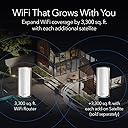
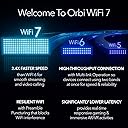
The NETGEAR Orbi 970 Series Quad-Band WiFi 7 Router (RBE971S) delivers ultra-fast 27 Gbps speeds with next-gen WiFi 7 technology, covering up to 3,300 sq. ft. and supporting 200 devices simultaneously. Featuring a 10 Gigabit Ethernet port and advanced security with NETGEAR Armor, it ensures future-proof, seamless connectivity for demanding smart homes and professional setups. Expandable via mesh satellites and managed effortlessly through the Orbi app, it’s designed for those who demand top-tier performance and peace of mind.


| ASIN | B0CT44DQRM |
| Antenna Location | Business, Gaming, Home |
| Antenna Type | Internal |
| Best Sellers Rank | #56,513 in Electronics ( See Top 100 in Electronics ) #404 in Computer Routers |
| Brand | NETGEAR |
| Built-In Media | One (1) Orbi WiFi 7 Router (RBE971S), One (1) power adapter, Quick start guide |
| Color | White |
| Compatible Devices | Gaming Console, Personal Computer, Security Camera, Smart Television, Smartphone |
| Connectivity Technology | Wi-Fi |
| Control Method | App |
| Coverage | Up to 3,000 sq. ft. |
| Customer Reviews | 3.8 out of 5 stars 172 Reviews |
| Data Transfer Rate | 27 Gigabits Per Second |
| Frequency | 6 GHz |
| Frequency Band Class | Quad-Band |
| Is Modem Compatible | Yes |
| LAN Port Bandwidth | 10 Gigabits per second |
| Manufacturer | Netgear |
| Maximum Upstream Data Transfer Rate | 10000 Megabits Per Second |
| Model Name | RBE971S-100NAS |
| Model Number | RBE971S-100NAS |
| Number of Antennas | 4 |
| Number of Ports | 5 |
| Operating System | ZyNOS |
| Other Special Features of the Product | Internet Security |
| Security Protocol | WPA3 |
| Special Feature | Internet Security |
| UPC | 606449166668 |
| Warranty Description | Limited Manufacturer Warranty |
| Wireless Communication Standard | 802.11.be |
| Wireless Compability | 802.11.be |
E**S
The Best Router Available, Expensive Yes! Worth It!
These are by far the best routers I've ever used ever! I had the very limited Google pros which could not handle the speed that I had at all as they were capped at 900mbps. Once I connected these, they immediately jumped the speed to 1400 Mbps without hesitation. The coverage as well beat the Google hands down in every way. Just one of these had more coverage then two of the Google pros. The strength of the signal is very strong, I'm able to even connect to my router all the way down the block from my house. The 6E channel is so fast, although not many of the equipment I have can use it, except for my phone and Amazon Streaming Boxes, but you notice the difference completely. I'm also able to use my Google door bells and security cameras at full picture quality without hesitation, which is also amazing, as I was unable to with the Google pro wifi. Is this router expensive? Yes it is, but it's an investment that will last many years. Wait until they are on sale and pull the trigger. Another thing that I love about these is that once you set them up you can forget about them, not like other routers that need constant rebooting.... Do yourself a favor and get these.
M**E
Finally true trouble free wireless.
Works with all my devices and has the speed I've been missing. Easy and fast setup. No tech support needed. Download the app and follow the prompts. Orbi already setup a smart device network that I used right away to add a smart bulb. I usually had to take my phone and smart device into the same room as the router and took a couple try's to setup. Not with my Orbi, I was in a different room and set up my smart bulb in just a couple of minutes. Can't wait to add my troublesome outdoor cameras. I am adding my smart tv next. I predict I won't see any more buffering or spinning circles. Thanks Orbi(Netgear product)!
R**N
Aggravating tech
Netgear Orbi 970: Premium Price, Disappointing Performance So, I paid top dollar for the Netgear Orbi 970 and Satellite, drawn in by claims of "leading-edge technology" and "unmatched range." My old router was on its last legs, so I took the plunge. What a mistake. House single story ranch 2,600 sq feet with basment. 55 clients and a handful of IoT-type devices that don't like or support anything over 2.4. From the start, the experience has been a nightmare: • Connectivity Issues Galore: Constant dropouts and poor performance. Despite living in a single-story, 2,600 sq ft home, I had to buy a satellite just to get basic coverage. Still sucks for a few devices. • Terrible Range: Even with the satellite, my Ring doorbell and Lenovo notebook—both only about 15 feet from the satellite—struggle with two bars of signal. And they’re even closer to the main Orbi, which is just one floor down in the basement. Much worse than my old now dead Synology. • Unreliable Interface: The HTML admin panel is flaky at best. Sometimes it works, sometimes it randomly disconnects mid-session and refuses to reconnect. I want to see which device is connected to what? Not in the web interface—you’re forced to use the app. • Inconsistent App Behavior: The Android app doesn’t reliably update device names. Some appear correctly; others don’t. It’s hit or miss. • Armor = System Chaos: Turning on Netgear Armor completely destabilized my setup. A recalcitrant managed switch might have played a role in that fiasco, but now I'm gun-shy to try again. • Their 3rd SSID, which Netgear call IoT, is okay, but doesn’t go far enough, and you’re stuck with it accessing your primary network (same subnet as primary), so you have no choice but to let old IoT devices have access to your home's primary network, unlike using the Guest SSID. Some granularities on radio management by SSID would be uber useful. • My Echo devices (eight) constantly lose proper connectivity - new behavior just started with the Orbi 970. Even though the Alexa app says they’re online, voice commands and skills stop working after a reboot and don’t function normally until hours later, sometimes overnight. • Useless Support: Tech support is clearly outsourced, undertrained, and working in a noisy environment. It was hard to hear anything over the background chatter. No real help was offered. • Clients that have less than good connectivity are remaining connected to the router base, opposed to the satellite, which is much closer than the router base. No way to manage. Disappointing that you don't allow admins to adjust the power on base. • Not clear: If I keep this poor tech or return it to Amazon, I have a few weeks before the return window closes, but I am trying to balance the fight of a new rollout versus just dealing with the Netgear nonesense.
R**G
Amazing Router
I have Ziply Fiber (2 gbps up and down). I was tired of paying the monthly cost for renting their router especially since they were raising the monthly rental price. I had used Orbi in the past and bought this one that supported speeds up to 10 gbps. This router regularly gives me the full 2 gbps I am paying for. (With the provider's rented router, I was averaging only about 1.2 gbps at peak.) I even get close to the 2 gbps at the far end of my house (opposite where the router is.) It was super easy to set up. It is completely silent. The only thing to know is it is quite large - more than three times the size of the other router I was using. I strongly recommend this router.
D**L
Great router except fpr two things
Generally an awesome performance but two big negatives from me. They keep sending marketing emails even if I unsubscribed and contacted their technical support. Not awesome. And secondly, they really need to allow for turning off the 5GHz band. Quite a lot of devices do not connect to it and cannot handle this dual-band setup. The UI is also not easy to navigate on the Web and the app does not have all the admin functionalities. A bummer in this day and age.
G**O
Replaced Eero with this… you should too
I had multiple issues with my Eero Pro products including their recent top of the line model due to intermittent connectivity issues. Decided to give this product a chance, it’s quite expensive but it was worth it. It’s been reliable, no connectivity issues and coverage is beyond amazing. I ended up getting 4 of these to cover the entire property and been phenomenal. Highly recommend.
V**K
Very fast router that crashes too often
We've been using the NETGEAR Orbi 960 router for about a year, and for the most part, the device works well. Throughput is outstanding with very little lag or jitter. We're using the 10G Ethernet port for WAN connectivity to a NETGEAR Nighthawk CM2000 Cable Modem and one of the 2.5G Ethernet ports connected to a 10GbE switch for our LAN connection. So far, so good. The problem we're having, and the reason I just now replaced it with a TP-Link Archer GE800 gaming router, is that it consistently crashes and restart when downloading large files, such as multi-gigabyte game updates. It seems as if there's a flow control or packet buffering issue while transmitting a constant ~2Gbps (our cable service provider's speed) through the router to the end stations. After the router reboots, follow-on downloads -- even multiple large downloads -- succeed, but the service interruption caused by the crash is unacceptable. This issue existed in the shipped version of the firmware as well as the latest (V7.2.6.31_5.0.24) so I'm pretty confident it's a chipset or hardware problem. I really, really wanted to love this NETGEAR router, being a NETGEAR fan boy from way back, but cannot continue to live with the sporadic, unavoidable network outages caused by the router crashing during large downloads.
J**M
Speed
I’m far from a computer geek, but I loaded one of the genies up to my office for spectrum had my speed at a whopping 10 after the genie connected and started working. I had over 900. Pretty awesome.
Trustpilot
1 day ago
2 weeks ago