Desertcart purchases this item on your behalf and handles shipping, customs, and support to Senegal.
๐ฌ Upgrade your TV setupโrecord, watch, and relive every moment in HD!
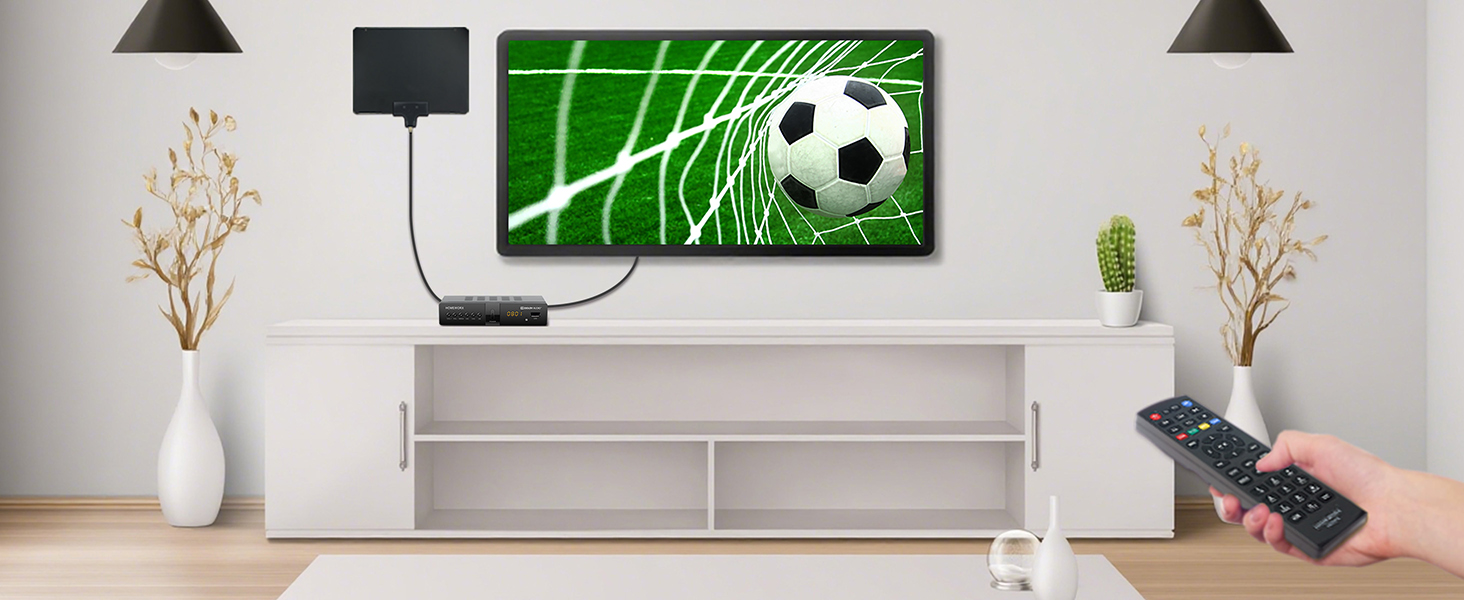
The Mediasonic HomeWorx HW250STB is a robust ATSC digital converter box designed for professionals who demand high-quality 1080P HDMI output, live TV recording with USB hard drives up to 2TB, and clear QAM cable support. Its metal casing and front LED display offer durability and convenience, while the large, ergonomic remote ensures effortless control. Ideal for cord-cutters and analog TV owners, this device transforms your viewing experience with subscription-free access to over-the-air broadcasts and cable channels.


| ASIN | B0CQR1FTT2 |
| Audio Output Mode | Surround |
| Audio Output Type | HDMI |
| Best Sellers Rank | #56,697 in Electronics ( See Top 100 in Electronics ) #16 in Analog-to-Digital (DTV) Converters |
| Brand | Mediasonic |
| Color | Black |
| Compatible Devices | Television |
| Connectivity Technology | HDMI , USB |
| Connector Type | Coaxial, HDMI |
| Control Method | Remote |
| Controller Type | Remote Control |
| Customer Reviews | 4.0 out of 5 stars 847 Reviews |
| Format | Digital |
| Item Dimensions D x W x H | 4.33"D x 6.6"W x 1.42"H |
| Item Weight | 0.78 Pounds |
| Manufacturer | Mediasonic |
| Mfr Part Number | HW250STB |
| Model Number | HW250STB |
| Number of Channels | 3 |
| Other Special Features of the Product | Digital Display Screen |
| Output Power | 5 Watts |
| Output Wattage | 5 Watts |
| Smart Home Compatibility | Not Smart Home Compatible |
| Special Feature | Digital Display Screen |
| Surround Sound Channel Configuration | 5.1 |
| Total HDMI Ports | 1 |
| Total Number of HDMI Ports | 1 |
| UPC | 850040109023 |
| Unit Count | 1.0 Count |
| Warranty Description | 1 Year Warranty from Mediasonic Store |
| Wattage | 5 watts |
S**N
Purchased the "Like New" by mistake... But that turned out to be a pleasant surprise!!!!
2nd UPDATE ~~~~~~~~~~ 1. I discovered from a Google search that the time to REC is influenced heavily on the size of the USB drive you use... So I replaced the current USB drive with a 500GB hard drive... and the time to REC has now dropped to 7 seconds. That I can definitely live with. I may try a 500GB SSD at some time but I have a few old 500GB hard drives laying around doing nothing so this is a good solution for me. I know this may seem upsetting to some BUT... I also discovered you can have multiple drives so for REC I use the smaller drive which will hold about 60 hours of recording and for cataloging of other stuff, I use a larger capacity (4TB for about 512 hours of playback). Regardless, for $25 for a "Like New" box, I'm really impressed. 2. I found a simple solution to the issue of not being able to watch one program while recording another. I used a Coax Splitter. So the OTA Antenna Coax is the Input to the Splitter (btw. its a tiny adapter for a couple of dollars). There are 2 outputs each for Coax cable. One goes to the Homeworx box "Antenna In" and the second goes to the TV "Antenna In" (In my case I'm using a modern TV which already handles ATSC already. Won't work if you have a NTSC only TV). You also still need the HDMI from the Homeworx to the TV. Now I can switch the TV to HDMI and setup a recording and let the Homeworx record say channel 45-1, then I can switch the TV to Antenna and watch whatever other channel I want. OK, it's not a perfect solution, but it is a workable and minimally invasive solution as far as I'm concerned. Hope these little tidbits help. I still stress, the recording quality of this Homeworx is excellent. And for $25 for the "Like New" box I received, I could not be more pleased. I don't have to pay for any subscriptions, I can watch and record whatever the Antenna receives, I can pass other video/audio/picture files I want to the Homework via the Windows formatted NTFS drive and watch ATSC recordings on the USB drive from the Homeworx, on my computer. UPDATE: ~~~~~~~ I replaced the Seagate USB drive with a Samsung 1TB SSD in a USB enclosure. Now pressing REC takes about 17 seconds before recording starts. That's considerably better than the 30+ it was taking with a Segate USB spinning drive. It still bother me it takes so long though. The SSD drive was empty, I had just reformatted it so it's not like it was doing a lengthy directory search. I can work with the 17 seconds but it is irritating that if I just hit REC while watching something that catches my eye, by the time the recording starts... I've missed it... I suspect that this delay also occurs when time recording so whatever time I set for recording, I need to start 1 or 2 minutes earlier to ensure I get the start. That being the case, whether I use a SSD or a Hard Disk drive will make little difference so I may just go back to the Seagate drive as it's a 4TB. I tried setting the antenna option as "pass through" but I couldn't get this to work. Basically, "Pass Through" is (used to be) the option that allows you to disable the tuner in the convertor box and simply pass through the antenna signal through the coax cable to the TV. Again, not a huge issue in how I'll be using the box and I'll try and find out what this option really means/how to use it in the Homeworx box. ORIGINAL REVIEW: ~~~~~~~~~~~~~~~ First off, I have to admit to a boo boo... When I reviewed the different convertor boxes and of course the user reviews, I narrowed down my selection to this one and although $40... I scrolled down the screen and bought it. When it arrived I was disappointed because it was a pre-used unit. It was marked as "Like New", had been opened and sea;ed with a white sticker and that sticker had been cut and opened and finally the ragged box was taped closed. There I was about to return it and I checked the price I paid $25... "Huh I thought it was $40"... DUH.. when I purchased, in my haste i clicked the "Like New" buy option. So for $25, I thought I'd open it up and check it out.... Although the box had been opened and reopened several times, the contents were pristine. Remote had no batteries so grabbed a couple of AAA's and slipped them in. So I plugged it in and I'll admit I did not have high expectations. Job 1... configure it for OTA channels. NO... I don't read instructions first.. my view is that most things like this should be intuitive.. Hit the Menu button and it soon became obvious. Set the Time Zone, when to channel search, selected Auto and then waited.... It took a couple of mins but found all the channels the TV I was using previously had found so there was no loss of channels in that aspect. Played with the buttons.... You can enter a channel manually (use the Up/Down buttons) or you can use the Green "TV List" button and then scroll up/down to find the channel you want. EPG will give you the details of current channel and forthcoming programs on that channel. Used the yellow "Aspect" button to set the aspect ratio to Auto. Tried the various manual settings which all worked great. I really LOVE an aspect button on a remote... OTA channels are a mixed bag to say the least and some channels don't correctly display the aspect. So being able to override for you personal preference is a big deal for me. At this point I had played for about 30 minutes and wanted to see how well the DVR feature worked. In fairness, I've never owned a DVR so some readers may find my comments amusing... I found an old 2TB Seagate USB drive (old but powered by the USB port NOT a separate power adapter). I reformatted it on my PC and then plugged it in and went to the Menu option for USB. It has a Format option there!!!. Well of course it does... but I wanted to know if I could record on a standard preformatted Windows NTFS drive. Behold... a message tells you... you can only format up to a 2TB drive. If the drive is a 4TB drive, format it on your computer. So I thought, what the heck, lets see if this box formats the 2TB drive differently and makes reading on a computer problematic. Let the format finish, tried it on the PC, Windows sees it and shows it empty. Plugged it back into the Homeworx Box, found a random channel to watch and just hit the "REC" button. Now there's only one minor quirk here... it throws up a message about "Enter Record. Waiting..." which lasts 30 seconds before the message goes away and then a record timer length count appears on the top left of the screen and it start recording. I let it record for about 10 minutes and then stopped the record using the industry standard [] symbol button (stop), unplugged the drive, rushed it over to my PC, plugged it in, found the directory HBPVR, and found the .mts file. Played it using VLC. No problems whatsoever. At this point I decided to create a few of my own directories and copied, pictures, music and video files (various file types). Plugged back into the Homeworx and pressed the USB button. Found the menu. PVR ~~~ THIS is where your recorded programs are held. They are in .mts format. Just one point. I had a .mts file on my computer which was a copy of a video file from a Canon Digital Camera. It would NOT play. Recorded files no issue but this previously recorded on a different device would not. Media ~~~~~ Does not support .flv nor .asf (no surprise) Did support various others (these are a minimum I expected it would and pleased it does): mp4, mkv, avi, mpeg BTW, Media does NOT see .mts files... You have to be in the PVR menu section to see .mts files Music ~~~~~ It "played' .wma (didn't complain about it) but no audio. I have a few different .wma files but the same issue with all of them. appears to play but no sound produced. It played .mp3 and .wav no problems whatsoever. Almost all my music library is .mp3 so I have no issues with the .wma not working. Small irritation but not worth griping about. Pictures ~~~~~~ Supports .jpg just fine. I know there are others and I have examples of many other image types but I have no concerns... I'm only interested in .jpg and any image file is easily converted to .jpg with free software All the different file testing did encounter one issue. When I was trying to get it to play .flv and it said "Unsupported", which was just fine, I hit OK again and the box locked up. I had no choice but to Power Cycle (pull the plug out the wall) to get it to clear. I will admit I could have left it a few minutes and maybe it would have cleared it self but I wasn't interested in waiting to see. Problems. ~~~~~~~~ I set up a timer record for CBS Channel 5.1 to start at 4am until 4:10am (test). I watched it... at 4am the box cycled and went into a reboot (like it thought it had to wake itself up).. came back up and gave me a 5 sec timeout about wanting to record, then went to the "Enter Record. Waiting..." and 30 seconds later it started recording (all without touching the box). However... this took over a minute in total so my recording missed the first minute. I changed drives and used a USB3 4TB Seagate drive (uses power from USB not external PSU). It already had a load of stuff on it. When I tried to record "on the fly", every time it took 65 seconds before the recording actually started. That is a real concern. You can't simply perform a manual immediate recording. Also, the disk already contained numerous movies/TV shows. There was a .avi and a .mp4 file that I found at random it would NOT play. The .avi didn't even show up in the directory list but it was there. It does have a weird file name so I think that may be the problem. However the .mp4 file was a standard movie file formatted H.264 and should have played but the Homeworx kept reporting "File Type not supported" even though it showed the file size details etc on the right window. Still need to figure out why.... But to be clear... This is NOT a box intended to play all/any media files... It's a box designed to record shows you want and play them back WHICH IT DOES. Plus you can move those files to a PC and they play equally correct there too. So obscure files I've created or downloaded that it couldn't handle is more my issue not Homeworx!! CONCLUSIONS ~~~~~~~~~~~~ I still have some experimenting to do to see if some of the quirks are me or the system and for $25, it definitely fulfills my needs. A lot of the testing I did was purely to see what it could do and not relevant to how I expect to use the box in general. BOTTOM LINE. The quality of recordings was excellent. OTA channels in 1080p recorded in 1080p. There were no glitches or interruptions or any issues with the recorded program. Those recordings replayed on the Homeworx perfectly and they played perfect on my PC too. Now it's time to read the manual and see if any of the problems I did encounter are due to me or the unit. None the less, I would definitely recommend this box (especially the $25 "like new" version). I'll update the review if I find any useful features or solutions I uncover.
A**.
Feels like a quality product. Good features. Worth the price to me.
Perfect for me connected to Spectrum digital cable in Southern California. This is the 3rd brand I have worked with since discovering my 50" tv coax port was defective. Spectrum changed from converter boxes over to digital directly through the cable. The channel display on the front of this box matches the channel that Spectrum says it is. The other 2 brands did not. The channel I select using the remote is the channel that the Spectrum channel list says it is, the other 2 brands did not. The quality of the remote feels -how can I say this?- REAL. It has a solid feel and makes me believe that it should work for a long time. The first brand had failed buttons and felt cheap. This one feels real. The placement of the number keys is like what I would expect after using push button phones and 10 key calculators here in The U.S.. row 1=1,2,3 row 2=4,5,6 row 3 =7,8,9 and zero is centered below 8 with the - key on that row with zero. Amazingly, the other brands chose arrangements that made me hunt for the keys. One had 4 across and the other was 3 across but zero and - were off in another area away from those number keys. All in all, this feels like a quality product and has a good logical arrangement of keys to make it easy to use, displays correct numbers in LED on its face so I do not have to press a button to make the TV display the channel. My last feature that is very useful to me is the wide range LED on the remote at a frequency that bounces nicely so the remote works even if i point at a wall or ceiling. very useful when I forget and set something in front of the receiver. The others required direct line of sight. This converter box cost $8-$10 more than the others and so far is well worth it to me.
W**Y
Update: A little disappointed but still worth the price.
I've used this device for a couple of weeks now, and for the money, it cant be beat, so my review is based on that fact. The Pros: It records cleanly and the recording feature is pretty simple. The unit will take just about anything you can plug into its USB port. In my case, I'm using an old 3 terabyte external harddrive that I've had for years to back up my old computer. Of course, I had to Formal the drive for it to work with Homeworks. But once I did, the recording went flawlessly. So far, the unit has done everything I wanted it to do, all the while saving me the $1,200 a year I was spending on a TIVO. The Cons: The unit takes a while to understand all the controls, and the instructions leave some of the more important questions out, like "How do I retrieve my recorded videos?" The only other thing is that the unit is a little buggy. It sometimes does things you dont want it to do, like lock up. But a simple reboot usually solves the problem. UPDATE: After using the 2 units that I purchased for awhile now, I'm becoming more and more disappointed. These units reboot constantly, which is a pain. The longer I use them, the more often they reboot. I dont mind a reboot here and there, but it's getting to the point that I can hardly watch TV without one of them or the other constantly rebooting. UPDATE NUMBER 2: I've had these 2 units now for just over a year. The rebooting issue is a pain, but other than that, they still work and record fine. For the amount of money I spent, they are STILL worth it. I saw another review where someone said they had to replace this same unit every 6 months. I dont know if they got bad ones or what, but mine are operating with no problem, (other than the rebooting). I just read the reviews on the new model that just came out, and it appears to have many problems that this older model doesnt, so IF I have to replace these, I'll buy the same thing due to the low cost. SUGGESTION: As this unit seems to want to constantly reboot, it's a real pain to either wait a full minute for it to do this, OR you can simply unplug it and plug it back in. Most people will never want to have to get up off the couch and walk across the room, find the plug and unplug it. So just buy a remote control outlet, they kind that has been sold for decades to turn your lights on and off. They dont cost hardly anything, and then you can sit on the couch, turn off the power with a push of a button and reboot the unit instantly.
T**E
This Product Is Junk! Do Not Buy! You Will Be Sorry!
Once Again, Another Disappointment - After The Return Window Has Closed. This is the third budget DVR box I have purchased - Of three different brands. It Will Be The Last One. When I ordered this from Amazon around April of last year, I tested it, And Tested It, AND TESTED IT! Not a glitch. Not a single hiccup - For Months. I recorded dozens of shows. I was so happy! I was considering buying another one of these, and a spare remote. I sent Mediasonic a glowing email of how pleased I was with the box, and a very detailed list of numerous product improvements. Finally a stable budget DVR box that works reliably well. Or so I thought. Then This Crap Happened! Again! Several weeks ago I noticed that two scheduled recordings Did Not Record. The DVR had turned on, but it Did Not record anything. Later I had a recording scheduled for once-per-week at 4:00 AM on Sunday. That one Did Not Record either. The DVR had turned on, but it Did Not record anything. Further, when I checked the Timer Schedule, the schedule had been Completely Erased. After sending at least two emails to Mediasonic about this, I researched it using Google AI. What I found out was the issue is caused by a hardware bug in the chipset used in these budget box DVRs. Mediasonic, and the other makers of these budget box DVRs do not make the chipset, and have no control over the bug. There is nothing Mediasonic can do to fix this, as far as I know. So I would advise people not to by a DVR made by Mediasonic, or anyone else, until the bug has been squashed. Update: 7 July 2026 Whatever this bug is, it has gotten much worse. A few weeks ago I noticed another missed recording. Then a deleted schedule. And for the past three or four weeks the box would turn on, and not record anything - Consistently. I am totally done with this device, and the fly-by-night companies that make them. I have lowered the rating to One Star. And if Mediasonic does not like it - Byte Me!
S**N
Good choice if you have if you have a decent antenna and reasonable OTA signal strength.
I purchased this mostly to watch shows in MP4 format downloaded over the Internet to a 2 TB hard drive. It works well for this purpose. I hooked it up to my old roof antenna. I'm 60 miles away from the transmit antenna and it received more channels then my previous HW-150 model would receive. Picture quality is excellent. I use the HDMI port to feed my TV set. Remote control seems to be more robust than the remote that came with the HW-150. Please note that this receiver is Compatible with ATSC 1 and 2 broadcasts and not for ATSC 3 NextGen. Installation was as simple as plugging in the antenna coax, HDMI cable and plugging it into a wall power outlet, installing 2 AAA batteries in the remote (batteries not included). It powers itself on, follow the manual and on screen prompts for configuration. It does have a built in LCD screen that displays a clock when turned off with the remote. I have not found a way to dim or turn off this display.. but I've only had it for a few hours. I purchased this in "used" condition. It came in the original box with a printed manual, HDMI cable, remote, and RCA phono jack cables for composite connection to the TV all in like new condition. You will need additional cables if you are going to use coax audio output to a audio amplifier, feeding an old TV with coax on NTSC RF 3 or 4, or component video.
A**O
weird problems
The machine, once set up properly seems to work OK--as long as you leave the storage device plugged in and it has no problems of its own. The manual>>> written to offer as little help as possible. It tells you all the obvious things to do that appear on the function screens. What it does not discuss is the little details about how each of them work, the nested functions, or just how to remove the storage device without fricking up the machine set ups. SETUPS: The main one here is setting the TIME. You must set the time zone. There are other optional functions like DAYLIGHT SAVINGS enabled/disabled. Since it DOES NOT allow manually changing the time, if <DAYLIGHT SAVINGS> is not enabled all your programmed recordings will be off an hour, and you get the wrong program. All the other functions you better tread lightly through and know exactly what you intend to do, and how it works. Fortunately, once you get the hang of the <EXIT> function you can inspect each of them without screwing the machine up. If you MUTE the sound, then go into some nested setup routines, the MUTE function is disabled. Conversely, you CANNOT MUTE the sound while inside a nested function. No matter what you are doing within the setup menus, you cannot access the usual PLAY/RECORD functions while inside a function setup. MOST ANNOYING. The manual does NOT state that once you program a record list, it will start at the appointed programmed time, EVEN THOUGH THE DISPLAY SHOWS THE LAST CHANNEL BEING VIEWED,or, THE MACHINE IS POWERED off. The display will NOT show the record channel during record. So you have NO idea what it is recording, outside of your own good memory. The files written to the storage device have the channel's NAME, but NOT their channel number. This is asinine. Hardly anyone knows what the station name is. They remember the channel number. EX:, locally cartoons appear on channel 9-2 at 6AM. But the file name during record is ME-TV, plus a 6 digit date code and programmed time code. I don't give a crap about what the station's broadcast name is. Only what channel number broadcasts a certain program. IF you manually start recording, you MUST be around to turn it back off. Once it begins recording the only control over the machine while doing so is to stop the recording, or go into "Time Shift" which is a nightmare trying to figure out what it does and how to get in and out without shutting the whole thing down One day I came home and found the machine recording. It was not set up to do so at that time of day. Inspecting the HDD I found in excess of 6 hours of recording. The file size was huge-over a hundred gigabytes. I had lots of fun converting the machine's .MTS format to one a video editor would work with to see if there was anything salvageable. To this day, I have no clue how it got set to record. Nor have I been able to deduce why it skipped a programmed 2AM record session. The previous hour's session recorded just fine. But when it got done with that one it did not move to the next channel to record that program as set in the record list. I am using a 500GB 2ยฝ" HDD. It did not recognize the SSD storage I had. Occasionally when I navigate from examining the HDD files and back to program functions the machine hangs up and the only solution to regain control is remove the power plug. Most annoying. Also, the program function does NOT incorporate day to day programming. One time or daily, which means I get programs over the weekend recorded I don't want (station's weekend programming changes) and have to figure out by how the files are named which ones to delete. I tried shutting down using the front power button and removing the HDD to copy off to my mass storage files I want to keep. This obviates having a huge long list compelling me to scroll through with the remote to review or delete. Shut down did not work as expected. After leaving the device turned off without the HDD connected over the weekend, it loses track of its program sequence and drops for some unknown reason programs set up in the record list. I'm thinking the only way to separate the HDD over the weekend to prevent unwanted recordings is to remove the power plug. The remote button sequence still remains a mystery. On screen instructions do not entirely match what state the DVR is in. Sometimes pressing the <EXIT> button is required, other times pressing the <STOP> button first is required before pressing the <EXIT> button. This is not explicit in the on screen button MENU. You can't be in one function and press the <EPG> to learn what the station program list is for the day. You MUST back out of that nested tree of functions first. Very user unfriendly. IF YOU ARE STUPID ENOUGH TO ENTER A PASSWORD INTO THIS MACHINE, MAKE SURE IT IS INDELIBLY WRITTEN DOWN SOMEWHERE, WELL LABELED AND RETRIEVABLE. The fine print in the SKIMPY instruction manual states that if you forget what the password is it must be returned to the factory to be reset. Apparently the <RESET> function to default in <SETTINGS> does not allow the user to go back to ground zero. THIS IS THE STUPIDEST IDEA I'VE EVER ENCOUNTERED IN ANY ELECTRONIC APPLIANCE. I spent my professional career designing and mfr'ing electronic devices. Never did such an idea enter the staff's heads. I've yet to observe what happens when the utility power is lost or cycles. Our neighborhood has a tendency to blow power line fuses and leave at least a dozen homes without power. We live o the edge of tornado alley and so the power sometimes does weird stuff--occasionally bad things to some of my old PCs.
J**E
Beat My Expectations, Meets My Needs
Work great. I purchased two converters to keep two older analog TVs useful. I wish to keep the older TVs since they have built in VCR and DVD. I paired the converters with digital over the air antennas purchased on Amazon, in a separate review (the antennas work really well). These converters keep the two older analog TVs useful for over the air channel reception which is all I want for those TVs in order to keep the built-in VCR capability viable and TVs semi-relevant in spare rooms, don't need cable to watch local channels. Instructions easy to follow and built in USB power supply useful for the powered range booster on the antenna. I purchased two converters at what I think is a great price point with no regrets. Remote works well and very functional, does not control TV. The relatively compact size of the converter is another great feature. I would purchase again.
F**N
Great cheap over the air DVR!
This is a great deal for cheap over the air recording. It works and the quality is good, but you have to supply a USB hard drive or high speed flash drive. If you have a lot of recorded material, finding what you want to watch can be difficult since the program name is not saved, only the date, time, and channel. The interface takes some learning, but you just have to read the information on the screen; e.g., you need to push the EPG (Electronic Program Guide) button to select a recording for deletion.
ุน**ู
ุฌูุฏ
ุฌูุฏ
L**S
ATSC channels on an old TV
This converter box works and it tunes ATSC channels as advertised. I can use my old TV and watch OTA broadcasts. Electronic program guide from the OTA channels are nice too. There is also a signal strength detector built in. My video shows the channel list, EPG, and the channel info screens from the user interface. You can remove or skip channels and add favorites using Program Edit menu. Password is 000000
F**K
This is JUNK.
This is HORRIBLE. Really, this is the same software as an earlier device in a slightly different package. It has the same flaws, like not recording shows and deleting the schedule list. I HATE it. UPDATE....it is still awful. Recently, this week, a single program was scheduled and it did not record. During the program, the device did nothing. Ten minutes into the program, I turned on the TV and realized my program was on and nothing was happening. I manually recorded the remainder of the program. I am so disgusted with this device.
W**T
Better Than Expected, Remote is Not Universal
Bought this converter so I could use an old c. 1998 tube TV in place of a modern flat screen that died, and in most respects it is not as cheap and nasty as I expected. It uses the same antenna setup as the old TV and receives all the same stations as the old TV did - some with signal as low as 40% are a bit glitchy but completely watchable. One very distant station, that only came in about 20% of the time on the old TV doesn't come in at all with this converter but I can hardly fault it for that. Otherwise it's pretty solid. The case is metal, which is nice. It runs warm but there are vent slots so I don't expect it to overheat. The menu system is fairly intuitive if you've ever set up a digital TV before. I did have to consult the manual once to find the default password for the parental controls. I was pleasantly surprised to find the RF output can be switched between a pass-through of the antenna signal and a ch3/ch4 modulated down-converted signal so this can be used even with small TVs without AV inputs. It also has an HDMI output so it can be used as a second tuner on modern TVs or with monitors that have no tuner built in. It would be nice if it had an S-Video output since my TV doesn't have component inputs, but the composite output works okay and the picture is bright and clear. The weak point in all this is the remote. It's a lightweight, generic plastic remote and it's not universal meaning while it runs the converter box just fine, it can't be programmed to also control the TV. I need to keep the TV remote around to handle functions like power and input select. The converter has its own volume and mute functions but since I'm also using other devices on other inputs with this TV I need to use the TV volume and mute functions as well and it's really a bit more complicated than it needs to be. The other thing about the remote - and this is a bizarre coincidence that I can't really blame anyone for - is that it uses the same codes as an Android TV box I purchased in 2017 in Europe. So both devices respond in different ways as I press the buttons. Truly strange. I have had to cover the front of the Android box with black tape so the InfraRed remote signal is blocked. I use a bluetooth remote with it anyway. What are the odds of that? Weird weird. I like the LED channel display on the front of the converter. It reminds me of the old Zenith TV I had when I was a kid that always showed the channel number on a similar display. I haven't tried any of the PVR functions because I don't have a drive to hook up, but when I do I will update this review if there are any serious issues. All in all would I buy it again? Yes, yes I would.
D**N
Like magic
It works great, I got 23 channels even though I didn't raise the antenna but it's just near the window, very easy to use, once you install it it will show you the language selection and then it will automatically search for channels and the channel storage will end automatically, you just need two AAA batteries for the remote control, everything is great and the picture is clear and the sound is clear and the remote works quickly, I'm happy because I got my old TV back again and I'm drinking my coffee and watching TV as if I'm living in the eighties the good old days, thanks to this seller and the manufacturer, I'm very happy I recommend buying it immediately it's very cheap
Trustpilot
2 weeks ago
3 days ago