Desertcart purchases this item on your behalf and handles shipping, customs, and support to Senegal.
🚀 Cut, engrave, and create like a pro—your ultimate laser powerhouse awaits!
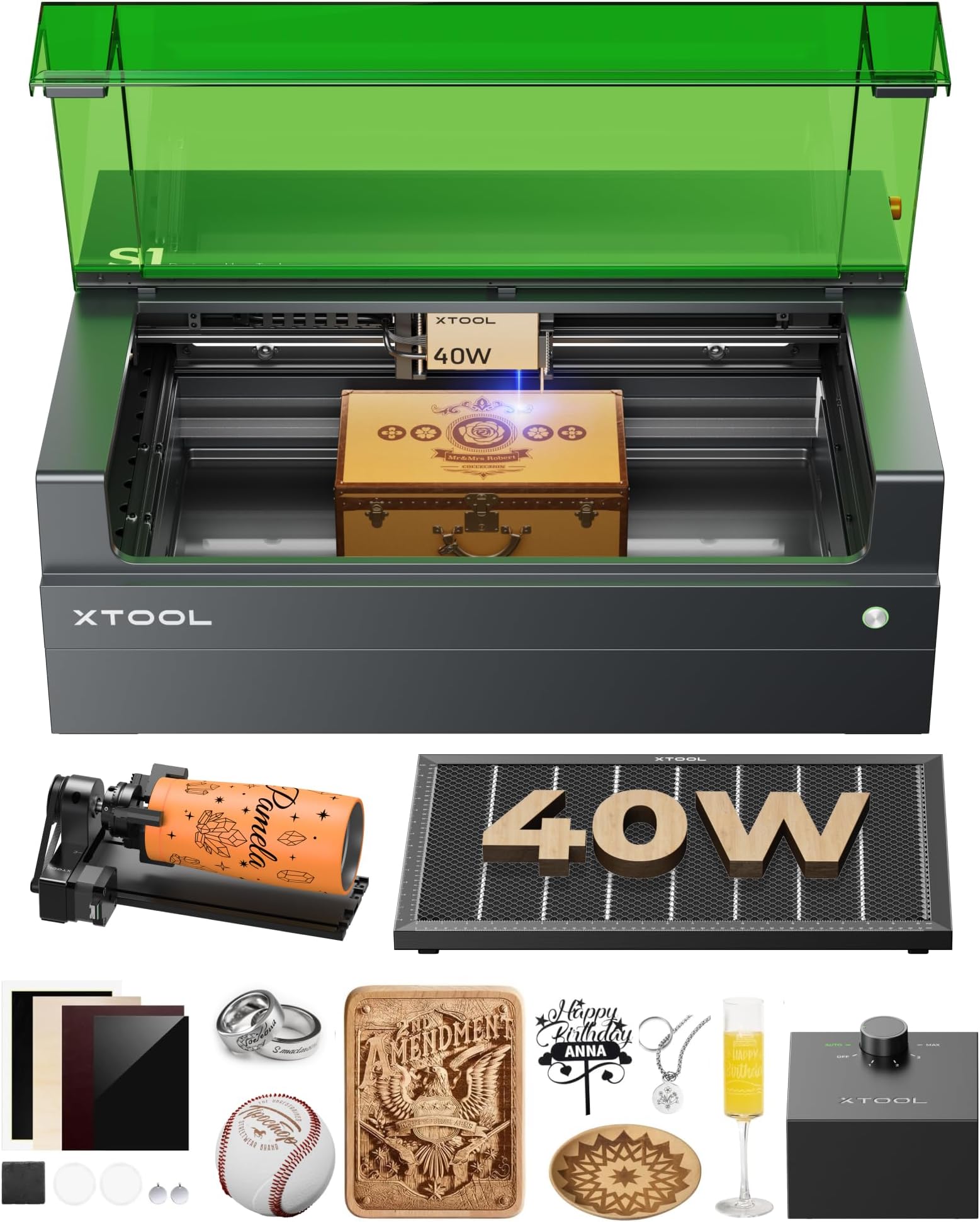
The xTool S1 40W Laser Cutter and Engraver combines industrial-grade power with patented precision technology, enabling ultra-fast engraving and cutting on a large 23.93" x 15.16" bed. Designed for professionals and creators, it supports 3D curved surface engraving and handles materials from wood to metal with ease. Featuring user-friendly AI software and top-tier safety measures, this machine is built for high-volume, high-quality projects with durability ensured by aerospace-grade aluminum construction and rigorous testing.


| Asin | B0CQ84BDTX |
| Best Sellers Rank | #17,576 in Arts, Crafts & Sewing (See Top 100 in Arts, Crafts & Sewing) #25 in Jewelry Making Engraving Machines & Tools |
| Color | Black Rotary |
| Customer Reviews | 4.6 4.6 out of 5 stars (220) 4.6 out of 5 stars |
| Date First Available | January 30, 2024 |
| Item Model Number | MXD-K101-001 |
| Item Package Quantity | 1 |
| Item Weight | 86.8 pounds |
| Manufacturer | Makeblock Co., Ltd. |
| Material | xTool S1 40W Rotary Bundle |
| Part Number | MXD-K101-001 |
| Power Source | Corded Electric |
| Product Dimensions | 19.6 x 19.6 x 0.04 inches |
| Size | 40W |
| Style | Laser |
User
S1 is a great machine with all of the extras, it is well worth the price.
Easy to setup and easy to cut or etch your first projects right out of the box. The instructions that are in the box will get the actual machine set up but you will need to carefully read the on line instructions to get the xTool software to load. Once you have their software setup recommend after watching the safety videos and safety certification video the user videos. All though their software works and has great canned projects to get you started Lightburn is a much better solution for the user that wants to create new and original projects. Couple of cautionary items is this machine doesn't have motor breaking to allow the head to be aligned by hand for the setup of the projects X, Y origins. It is easy to bump the head because of this thus moving the heads location can be accidently done causing misalignments when first starting out. Also the Z probe is a spring loaded metal spear. If you are working on can be dented and also get a false reading for the height and thus focus of the head. I 3D printed a flush foot to push on the probe to eliminate this problem. I can't wait for the more powerful IR fiber option!
User
Great starter machine
Got this to figure out the laser engraving world. Very easy to learn plenty of helpful people on the internet. Xtool software is great no need to get lightburn. Plenty of free projects available to get you started.
User
perfect
first real laser engraver. this is an amazing machine. it's moron level simple to use and understand. (which was perfect for me). the hardware is well designed and well made. the xtool software is amazingly easy to use.with the riser installed the rotary tool work well. if you want to do cup with handles you will need a 3rd party kit to raise the rotary tool as the stock tool will be to low.beware it is heavy. you will need 2 people to unbox and set it up.
User
So easy to setup a non-technical person like me could do it
Received my Xtool S1 40W today, setup compared to my last Laser (different brand) was a breeze! Within an hour I was burning my first test piece and although it needs small tweaking, it was 97% perfect, and the 3% it lacked was my fault and not the machine. The ease of the Xtool software was really laid out well and I know many love lightburn, but I love the Xtool software simplicity much better. The boxing, instructions, ease of use, enclosed for safety, has a riser for larger pieces, and 40 watts, I hope to get years of projects out of this machine and dubtfull i'll need to upgrade to something more powerful anytime soon. I'm very satisfied with this machine and Amazons fast delivery with no issues.
User
Buy it now!
This thing is Amazing! The only downside is that I have to learn a new thing and it's so hard. It came with a million pieces that I dont know how to use. But, if you've used Design Space, it's similar. The packaging was very solid and I was able to unpacked it and put it together by myself. It is large so be prepared to have a dedicated space for it. I plan to do a lot with it so I purchased the upgraded package, and I'm glad I did. Pricey but worth the money if you're more than an occasional crafter. It has the ability to make precise, small designs. It works fast so I'm able to produce a lot in a small amount of time. You definitely need to vent the hose though bc it will smell up your space. It's not terribly strong, but noticeable if that's a thing that bothers you. Definitely satisfied with my purchase.
User
Remove the air assist. Itll fix your problems. Better yet... Customer Service Will.
EDIT: I'm keeping the original review for context only. XTool customer service reached out quite promptly after this review and did exactly what a business should do. They went above and beyond to remedy the situation and were extremely transparent and maintained communication through the process. I was sent a replacement and they acknowledged the time spent dealing with this.Is the product good? Yes, it is quality for the money.Would I order from xtool again vs a different company? Yes, because I know if I have an issue, their customer reps are on point.Overall, satisfied with the outcome and product.ORIGINAL REVIEW:What a frustrating experience. Came with a damaged power cord for the air assist. The pin was loose at the end. Okay. No big deal right? Yeah, that turned into the most frustrating 3 hours of what I kept thinking was user error.The problem. The laser was not recognizing position. At all. Was a tiny little box in the upper left hand corner of the xtool software. Fully moving the module would give me 2mm in one direction or the other on the software. Okay... must be dirty sensors.I have a background in tech soo... Turn it off and on again, reset firmware. Nada.Go through every setting imaginable.Clean sensors.Take the darn thing apart thinking I missed something. Distance sensor not resetting. Machine yelling at me. Grinding against one side during reset.Okay... Ive got a bad rig. No big deal, ill deal with packing it up and returning.I pulled the power from the air assist, the cable connecting the two machines.Noticed the laser on xtool software moved...Aha! Remove air assist. Everything works like normal.Still broken cable, no air assist, and hours of shop time down the drain.End of the day, its a good machine. My experience so far, has been frustrating.
User
Love this laser cutter.
Love this laser. Very user friendly for beginners. A little steep for a beginner laser cutter but xtool creative space is pretty easy to figure out.
User
The Xtool S1 is the perfect tool for my shop, I would love to test some of the accessories for it.
I am thorough enjoying my 40W Xtool S1, it’s speed, accuracy and power is amazing. I love how simple it is to use, set up and the bed size is perfect. The only concern is when using it with Lightburn it is a bit quirky, the good news is Xtool Studio is is great.
User
Worth your money
Love this machine. Works great. I can now take my crafting to the next level!
User
Good Quality Product
Great machine so far. I have done a few engravings with the materials provided, and they look great.I used the balsa wood to cut out some letters, the pieces look perfect. The only thing is the smell.If you are cutting indoors, you will need to purchase something to help with the air.I have the hose connected to the outside, but the smell was still so strong. I grabbed a fan and faced it towards the smoke to try to help with the smell and smoke, but it was still not great.I will save any cutting for outdoors, or until I am able to purchase something else to help with the smoke and air quality.Overall though, I am super happy with the machine and glad I purchased it.This will be great for my small business needs.
User
Easy to use
This is very good investment i love it
User
Great machine, Software is good but not great.
This thing is cool, it cuts well and precise and while the app is pretty user friendly, my only qualm is that it can at some times be all over the place.You’ll click something and all the sudden be in the Atomm program for community creations and settings and the “x” to get out of it is on the opposite side of where the usual is so I’ve closed the program a couple times like that, and then they have material settings and you can add from their website (which sometimes sends you through a loop of the app and a web browser) if it’s not already loaded in the app but a few times the material I spent all this time programming just vanishes.My last little tiny tidbit of info is not a bad review piece but I personally got stuck on it and it makes sense now that I’ve looked back but they talk about auto pass through in the ads and description and I thought it was a feature built in, but turns out you need the feeder as an additional piece, which again makes sense and not their fault, my own in fact, but I feel it wasn’t made obvious.
User
Major issues with riser base connection exception errors.
Sadly, after having this machine for over a year and fighting with it, I have basically given up. Keep getting error issues that terminate right in the middle of a job and waste the project. Repeated attempts to perform the "fix" provided by xtool and it still isn't working. Beyond frustrated with this POS. A quick google search seems to indicate the problem I'm having is quite common (riser/base exception issues).When it works, it's great...but I've got like 5 out of 50 successful projects out of this thing.
Trustpilot
2 weeks ago
2 months ago