Desertcart purchases this item on your behalf and handles shipping, customs, and support to Senegal.
🚗 Beat the speed traps before they see you – drive smarter, not harder!
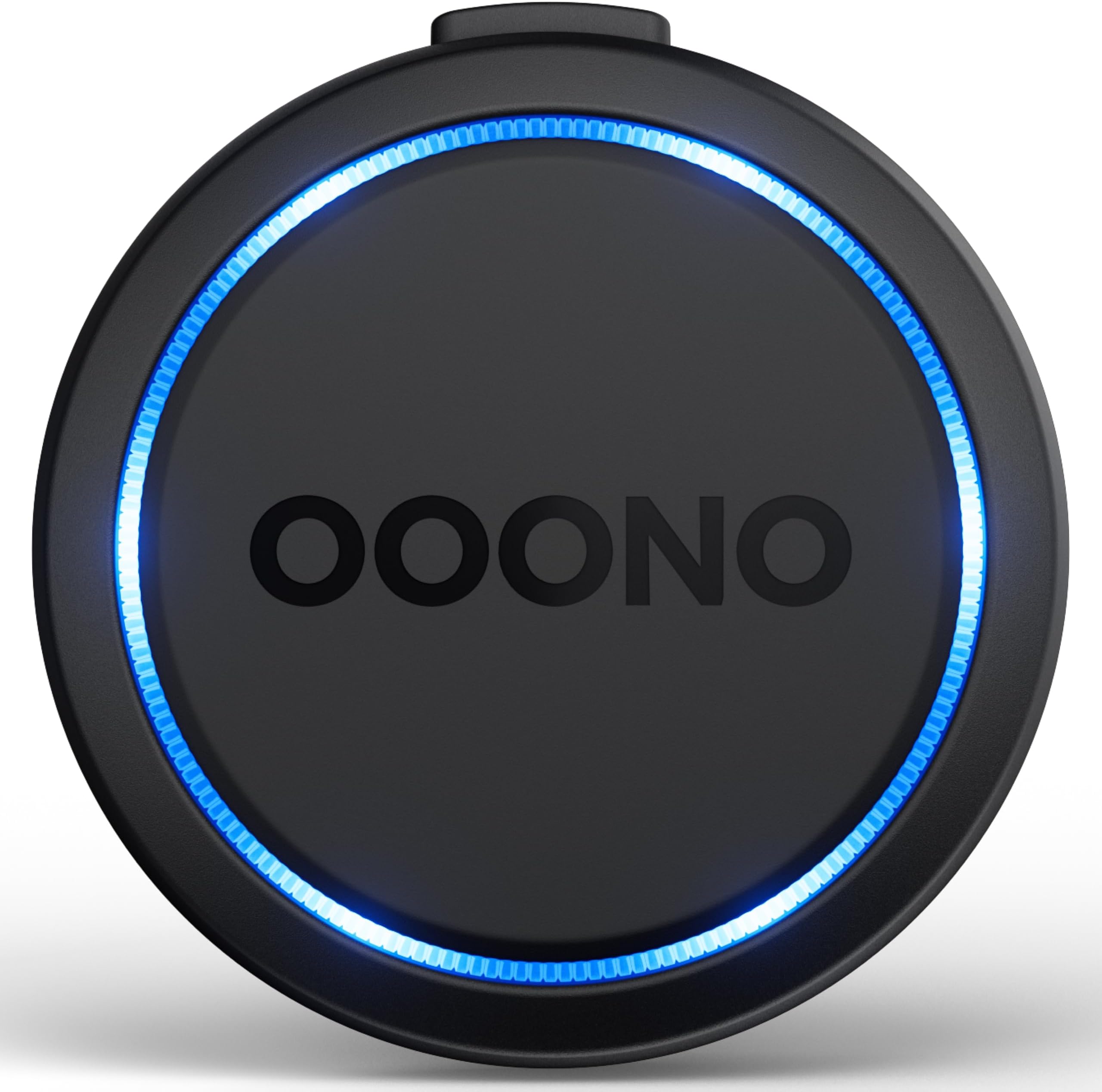
The OOONO Co-Driver NO2 is a next-generation traffic safety alarm designed for professional drivers who demand real-time, accurate alerts on speed cameras, road hazards, and traffic jams. Compatible with iOS 18.1+ and Android 12+, it integrates seamlessly with Apple CarPlay and Android Auto, offering distraction-free audio and LED warnings. Rechargeable via USB-C, it requires no subscription fees, delivering lifetime updates from one of the largest driver communities to keep you safe and fine-free on the road.


| ASIN | B0CJYLFL19 |
| Best Sellers Rank | 80 in Business, Industry & Science ( See Top 100 in Business, Industry & Science ) 1 in Warning Alarms |
| Guaranteed software updates until | unknown |
| Item model number | CD2 |
| Manufacturer | OOONO |
M**.
It works!!
Honestly, this is brilliant. If you're thinking it won't work, trust me, it does. I drive around all day and the OOONO CO-DRIVER NO2 picks up pretty much everything you'd want it to. More importantly, it alerts you when you're driving into an area known for mobile speed cameras. Even if there isn't one there that day, it keeps you vigilant and makes you much more aware of your speed. I was genuinely surprised by how many different alerts you can have, speed warnings, hazards, red light cameras and all the different types of speed cameras. For £59, you really can't go wrong. The app is excellent and the setup is ridiculously easy. I'd compare it to a Ring doorbell in the sense that it's one of those simple bits of tech that just works and does exactly what it says on the tin. Absolutely worth the money. ⭐⭐⭐⭐⭐
M**S
Ooono 2
Really good gives plenty of warning if Ur foot heavy it really could save u from point s. so far seems to have not missed any cameras. For price u can't go wrong. To many cameras going up .
M**E
A small device that proves its worth on every journey.
The OOONO Co‑Driver No. 2 is an outstanding piece of kit. Setup was incredibly quick — less than a minute — and from that moment on it has consistently delivered accurate warnings for fixed cameras, mobile vans, and road hazards. The alert timing is excellent, giving plenty of notice without being intrusive, and it’s clear the community behind it is very active because the updates are frequent and reliable. The device itself is compact, well‑built, and connects smoothly every time I start the car. CarPlay integration is a major plus, providing clear visual alerts that complement the audible warnings. Battery life is strong, and the fact that there are no subscription fees makes it exceptional value compared to other systems. Overall, it’s a simple, dependable, and genuinely useful driving aid. For anyone looking for a legal, hassle‑free warning device that just works, this is an excellent choice.
C**S
It works and for £57 it is value for money but could be improved.
Ooono No2 Inside the box. Upon opening the box you will find one Ooono no2 device, one USB cable, a very basic manual and one set of magnetic mounts. I believe only one set of magnetic mounts is a bit stingy really because they’re tiny little magnets and it wouldn’t cost them much to include a second set for when you change your vehicle or if you have two vehicles and want to move it from one to another. Installation First charge the device using the usb lead that came with the unit. The device was very easy to install simply attach the magnetic mounts to the Uno device on the rear, remove the sticky backings, find a suitable clean area on your dash and firmly press the device to secure it to the dash. The device is portable and easily removed from the magnetic Mounts and when you want to put it back on the dash you’ve simply attach it back onto the magnets. Once this is charged, you do not need to keep it connected to the USB cable however I chose to keep my cable connected to my cars USB charging port so I don’t have to worry about the battery running out. Unfortunately, I can’t seem to see anywhere that shows you how much charge the device has and I think this is a floor in the design. It would be very simple for the app to display the charge of the device so you know when you need to charge it rather than having to charge it when it runs out of battery and I hope this can be resolved in a a future update of the app. Downloading the app I use an iPhone so I went onto the App Store and downloaded the Ooono app where you have to open an account with an email address and a password. Once you have an account and you are logged in on the app you can follow the on-screen instructions to connect your device to your phone through Bluetooth connection. This device needs a Bluetooth connection to your phone in order for it to work. Once the Ooono device has connected for the first time whenever you leave your car, it will disconnect and when you next get into your car, it will automatically reconnect as long as you keep your Bluetooth on. When you get into your vehicle, the device will make a noise to show that you have entered the vehicle and when you start to move the device will make a little tune to confirm you are connected. If your device does not connect then your device will start to flash red warning you that you’re not connected. Using the device. The unit seems to work well in detecting fixed speed cameras and camera traffic lights but it’s heavily relies on lots of other people owning a Uno device and reporting mobile speed cameras. The more people who own a Ooono device and then report the mobile speed camera by pressing the button on the Ooono device the better otherwise if nobody has already reported the Mobile speed camera, you will not get an alert. I believe it takes two people to press their device at the same location for you to then receive the mobile speed camera alerts or the road hazards like broken down vehicles and roadworks etcetera can also be reported by pressing the main button on the Uno device twice. If you approach a speed camera then your device will warn you by beeping and flashing blue. If you are approaching a hazard then your device should warn you by beeping and flashing red. The distance in which you are warned about the approaching speed camera or hazard can be adjusted in the app. I set mine at about 0.3 miles away from the camera because there is not an option in the app to distinguish between Mobile speed cameras and fixed cameras and if the Ooono device warned you of the speed camera that you are approaching any closer than 0.3 miles than the mobile speed cameras will probably be within distance to catch a speeding motorist. I think believe the app should have a distance for warnings to be given on mobile speed cameras and a different distance for warnings to be given for fixed cameras but it does not so hopefully if they update the app they may in the future change this to allow to speed warning distances for different types of cameras. The Ooono no2 device Halo light can the flash continuously Green or you can turn it off if it’s annoying if you prefer. I personally did not mind it flashing during the day but there is no way to dim the brightness of the light and when it flashed at night it was quite bright and I found it dazzling so I turned it off which makes no difference to the function ability of the device and you still get all your alerts. I believe this light needs to be dimmable or it has to have a night setting so it isn’t as bright during night hours and I hope this is something they can amend in a future app update. The Ooono app has a map feature, but it is not Google Maps which is very disappointing plus it is very basic. When you set a destination using the Ooono map it will show you your route but it will only show you the speed cameras that are close by and does not show you all the speed cameras that you are expected to come across on your journey which I would really like to know about before I set off because there could be an alternative route with less speed cameras on. I find that when you use the Ooono no2 device with the map on your phone you get a better experience because you get a warning on the Ooono device and you can then glance at your map and it will tell you what to look out for for example, a speed camera or a traffic light camera et cetera. I believe that they have to use Google Maps in the future because the map is just not good enough compared to Google Maps in my opinion. The other option they could go for is instead of you using the Ooono app map your phone could actually verbally alert you to the upcoming hazard or camera therefore then you could use the Google Maps but your phone would still tell you what danger to look out for verbally. One feature this device does not have is the ability to store personalised location hotspots for example if in your area there is a regular Mobile speed camera on a particular place on a particular street it would be nice to be able to alert you and only you to be extra careful to this potential danger whenever you approach this road because we all know how easily it is to be distracted and go that 1 mile an hour over the limit even on a road you know there is sometimes a speed camera on so for that reason I think this would definitely be a feature to incorporate into the device for the future. Overall so far I am very pleased with the product for the price however I think it needs lots of work and I would be happy to pay more money for the device if it had more of the features I have mentioned above but overall for a subscription free device I think it is well worth the £57 I paid for it and I would definitely recommend it to others.
A**R
Worth every penny!
Have had various devices, used various apps and maps and the Co-Driver seems as good if not better. I’ve let my BMW traffic safety subscription lapse since buying this device. I’d recommend. Now - I switch between my daily and the weekend toy.
T**N
Very good at fixed cameras and speed limits but does not pick up all mobile cameras
Nice and easy to set up just download the app on your phone then put into the car with your phone set up Bluetooth connection by pressing the top button on the device for ten seconds a sound and a light will flash and it all connected ready to go it will warn you of speed cameras fixed and mobile plus road speed limits mobile cameras are in there data base if people record them by pressing the middle of the device once and only if two people record the camera
N**.
Great item
I’ve been using the OOONO Co-Driver NO2 for a few days and honestly it’s one of those gadgets you don’t realise you need until you have it. Setup was really straightforward — connected it to the app once and now it just works automatically every time I get in the car, which is a big plus. No messing around with starting apps or checking my phone while driving. The alerts are clear with both sound and lights, so you don’t have to take your eyes off the road. The speed camera warnings have been very reliable so far, especially for fixed cameras. It gives you plenty of notice to check your speed without being too distracting. I also like that it warns about road hazards reported by other drivers, which adds an extra layer of awareness. The whole system is based on a community of drivers sharing updates in real time, which is a great idea and generally works well. Battery charging via USB-C is much more convenient than older devices and is holding its charge well so far. Another big bonus is that there’s no subscription — just a one-time purchase and you’re good to go. Only small downside is that hazard alerts can be a bit hit and miss depending on how many people are using it in your area, but for speed camera alerts it’s been spot on for me. Overall, really happy with this purchase. Makes driving feel a bit more relaxed and definitely worth it if you do a lot of miles.
D**U
Ooh no thank you
If you don’t use any form of live traffic satnav, then this could serve a purpose. However, it’s really annoying. Obviously it doesn’t know where you’re going to be going, so it alerts you to speed cameras or speed restrictions ahead, even if you’re about to turn off somewhere else. That’s not a bad thing, except that it’s a noisy device and quite annoying. If connected through CarPlay, it not only double beeps at you, not once, but twice, but it also plays an alert through your speakers. The first time it happened, everyone in the car replied with ‘its da sound of da police’, because that’s what the alert sounds like. The novelty wore off and now it’s silenced to only the double beeps on the device itself. The speed restrictions seem to be hit & miss, so those notifications are off too. It will alert you where there is frequent mobile speed vans, but you don’t tend to get those vans in the early hours of the morning or at night, so that’s annoying too. Apart from that, it works, but I don’t feel comforted or reliant on it at all. Maybe the worst part is that despite turning off obvious notifications, I get regular alerts sent to my watch or phone when I’m not driving about low prices for the device. Clicking on them takes you through to Amazon so you can buy another, even though I don’t want or need another. I feel that by disabling enough notifications to stop that happening, I’ll be missing something important. So I won’t recommend these, unless you have no other form of notification of speed cameras. I find them more annoying than helpful. I suspect that when the battery runs out, I won’t bother recharging it.
A**I
Consigliato, un fedele compagno di viaggio
Preciso ed accurato,ottimo Ho anche comprato il supporto per l'aletta parasole e l'ho posizionato lì, non da fastidio ed è molto utile,la batteria dura veramente tanto. Comoda la segnalazione di superamento limite di velocità (che per ora è ancora in fase beta)
E**T
Erg duidelijke signalen.
Handig in gebruik en duidelijk zichtbare en hoorbare signalen.
P**S
Muy bueno, relación calidad precio correcto
Cumple con lo que dice. Hay opiniones varias, pero la verdad, yo no le veo fallos en el funcionamiento, he podido hacer un par de viajes y avisa siempre, tanto el propio dispositivo como por el coche. Cierto es que tienes que tener el tlf conectado por bluetooth por ejemplo, pero que esperan? (Por el dispositivo siempre). Enlaza nada más aproximarte al coche, puedes activar o desactivar los avisos por luz desde la app, puedes agregar radares de forma rápida pulsando el propio dispositivo, también desde la app. Para mí el precio me parece justo por sus funciones. Yo lo recomiendo.
N**N
c'est pas bon
c'est pas bon
K**U
Bra
Perfekt
Trustpilot
4 days ago
2 weeks ago