

🌟 See the Future in 4K!
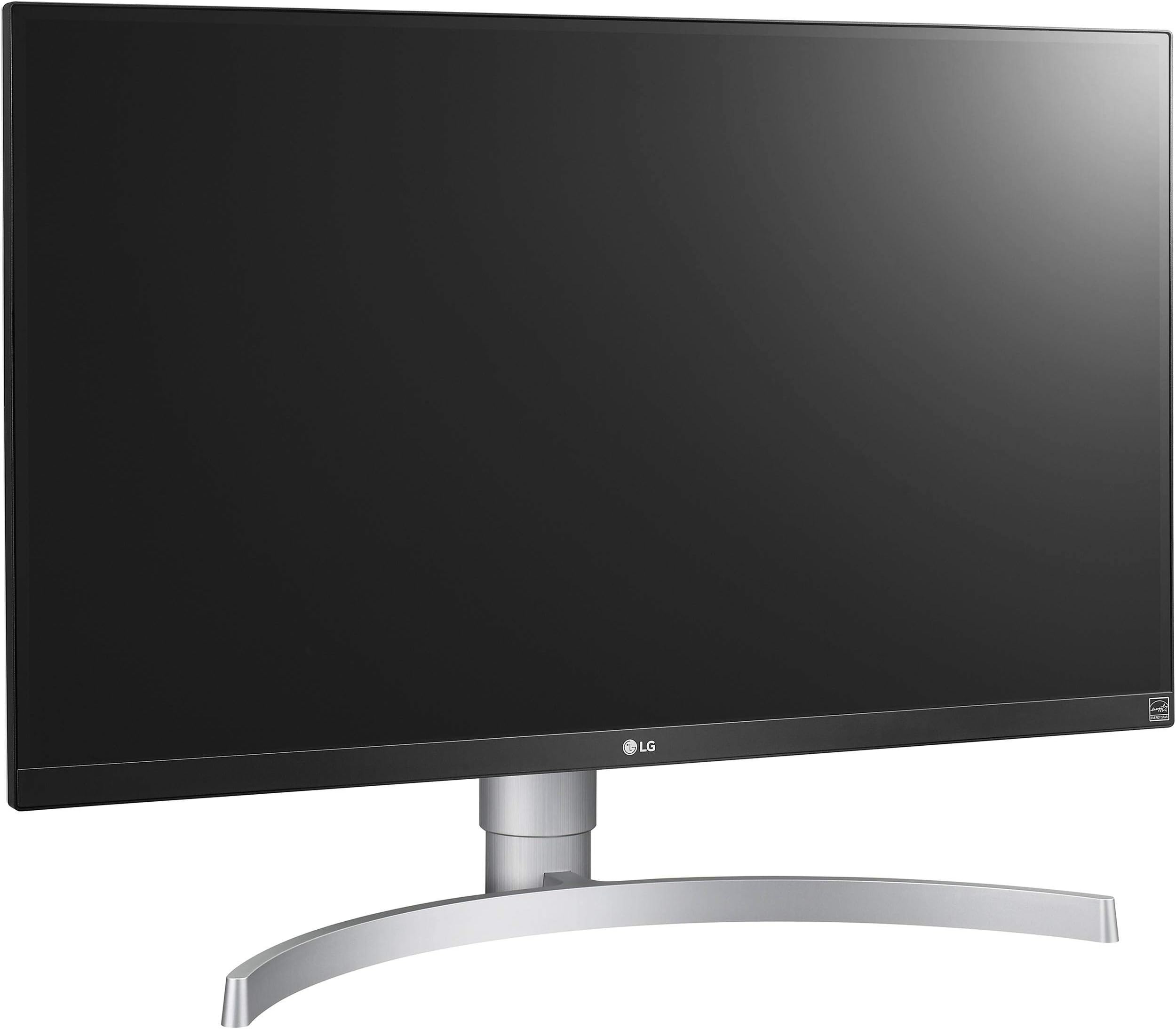
The LG 27UK650-W is a 27-inch UHD 4K monitor that delivers exceptional picture quality with HDR support, a wide viewing angle, and versatile connectivity options, making it perfect for professionals in various fields.


| ASIN | B0798QLW64 |
| Adaptive Sync | FreeSync |
| Aspect Ratio | 16:9 |
| Aspect ratio | 16:9 |
| Best Sellers Rank | 249,018 in Computers & Accessories ( See Top 100 in Computers & Accessories ) 4,018 in Monitors |
| Brand | LG |
| Brand Name | LG |
| Colour | Black |
| Colour Gamut Value | 0.99 |
| Compatible Devices | [VARIABLE] |
| Contrast Ratio | 1000:1 |
| Customer Reviews | 4.2 out of 5 stars 334 Reviews |
| Display Technology | IPS |
| Display Type | LED |
| Global Trade Identification Number | 08806098110254 |
| Hardware Connectivity | 1/4-inch Audio, HDMI |
| Has Color Screen | Yes |
| Image Brightness | ANSI lumens |
| Image contrast ratio | 1000:1 |
| Item Type Name | LG 27UK650 27 inch 4K UHD HDR 10 Height Adjustable IPS Monitor (3840 x 2160, 2x HDMI, DisplayPort, 350 cd/m2, 5ms, AMD Freesync) |
| Item Weight | 6.4 Kilograms |
| Manufacturer | LG |
| Maximum Display Resolution | 3840 x 2160 |
| Model Name | 27UK650 |
| Model Number | 27UK650-W |
| Mounting Type | Wall Mount |
| Native Resolution | 3840x2160 |
| Network Connectivity Technology | HDMI Yes x2, (HDR support) DisplayPort Yes x1 (ver1.2), (HDR support) Headphone Out Yes |
| Picture Quality Enhancement Technology | Multiple |
| Pixel Pitch | 0.3114 |
| Product Features | High Dynamic Range |
| Product Warranty | 1 years |
| Refresh Rate | 60 |
| Resolution | 4K UHD 2160p |
| Response Time | 5 Milliseconds |
| Screen Finish Type | Flat |
| Screen Size | 27 Inches |
| Screen size | 27 Inches |
| Screen surface description | Flat |
| Specific Uses For Product | Business, Education, Gaming, Photo Editing, Programming, Video Editing |
| Total HDMI Port | 2 |
| Total Video Out Ports | 3 |
| Unit Count | 1.0 count |
| Viewing Angle | 178 Degrees |
D**Y
Very impressive monitor, very good value
So I've been on a fairly solid but uninspiring 24inch Samsung for over two years, and with HDR as well as just bigger and better monitors out there I decided to upgrade to this LG effort. Reviews were good, price was solid, and at worst if I didn't like it it could go back. Early impressions of the first day on the job are very promising, if not perfect. But they are close. Let's take the bog standard stuff - the picture quality. After a little adjustment of picture options (it has a tonne of different modes, I went with custom which essentially is a vanilla standard option) I was pretty happy to say the least with the picture - for the £410 I paid the clarity and fidelity are on point, and the IPS tech means there's good viewing angles and no TN darkness imbalance, for example. Frequency isn't great, with a seeming 60Hz as standard, but as I only desktop and game in 4K, this is kind of expected. Thing is, there's no higher frequency even at lower resolutions if you need them, so watch out for that. In terms of HDR, it's, predictably, with Windows' flaky HDR implementation, a mixed bag. It's not really the screen's fault, but the big problem is that in the majority of HDR games, (with HDR on) the saturation of colour is just too intense, and red REALLY dominates. This is particularly noticeable in Hitman 2, FFXV and a heck of a lot of others. I really assume this is Windows' fledgling HDR support which is well-known to be bad. The actual HDR impact, that aside, also varies. RE7 and RE2 are not standouts, but PES2019 and Far Cry New Dawn look nothing short of stunning. In short, there's a real varying effectiveness in the implementation of HDR but the truth is I didn't strictly buy this for that - but for a bigger screen with bolder colours. And I certainly got that. HDR was a bonus, where I can get it working. A major problem with HDR is you can't really have it on in the desktop without having to tinker with the colour options in your graphics card's control panel to get the 'least bad' effect, but mercifully a lot of games allow HDR independently of Windows own HDR setting - so for the most part you can leave it off on the desktop and still enable it in the game. Games you CAN'T do that with include Shadow of the Tomb Raider (not great HDR anyway) and FFXV. But that said turning it off and the games still, in places, look outstanding. Hitman 2, water flicking aside, is stupendous on this monitor, and the Division 2 looks much bigger and livelier as well. In terms of the physical unit, it looks VERY nice - the white rear is a nice touch, and something a bit different for this household, while the build quality is excellent - the stand and bezel all look great. The menu interface isn't the most in-depth I've ever seen but it's easy to navigate. In summary, a very good monitor for the money which suffers the in-built HDR issues inherent to Windows 10, but as a base display aside that, it's essentially faultless. (I've rated it based on the monitor's own credentials rather than apparent faults caused by Windows rubbish HDR build)
R**2
Superb
I have been using this monitor for a few months now and it is simply a fantastic monitor. It is pricey though and I bought it on a Black Friday deal so I will say nothing about VFM. This monitor is great for gaming, bright with fine detail and colour rendering, but also superb for photoviewing with astonishing colour rendition and detail. It is even great for business work with its ultra fine text rendition making document reading and writing a pleasure. I upgraded to this from a high quality 23" Dell ultrasharp monitor and you may not think it much of an upgrade but side by side the Dell looks rough and dull in comparison to this monitor. However you are provbaly most interested in the HDR Gaming results so here are the details: HDR Gaming - Playstion Pro - When the game does it properly this monitor is superb with the PS4 Pro and HDR. Different games have different approach to HDR, some work some dont. My experience so far. Horizion Zero Dawn: Astonishgly good. The game uses HDR to produce clean bright (not too bright) whites and deep rich colours which are a joy see. Having played the game twice already on a (fake HDR) TV I just had to play through again using this monitor so marvelous was the expeience. Detroit Become Human: Nice clean whites and bloom using HDR on this monitor. Far Cry 5: Ouch! When setting HDR mode it just makes everything far too bright and hurts my eyes. Turned the brightness down to 50% and was hust about OK. Not particular recommended (much like the game itself!) Red Dead Redemption 2: This game is not HDR but does have a fake HDR option - enabling that does not work with this monitor so dont use it. Instead the monitor's own built in HDR effect mode works very well with RDR2. PC Gaming: HDR isn't really an option for PC games right now - some do kinda work like Shadow of the Tomb Raider, but you have to turn HDR mode on manually in Windows first, which looks weird, then start the game which is OK but nothing to write home about! The main issue with PC gaming is that you will need a new grapics card! After the PS4 Pro 4k gaming experience, gaming in standard HD on this monitor no longer cuts it! I find I need to switch to QHD (2560x1440) at least. For that you are going to need an Nvidia 2060 RTX at least so factor that into your costing!
C**F
Great gaming monitor.
I use this monitor with my xboxone x and its great. There's a bit of lightbleed in the corners but you can minimise it if you have the brightness below 20. It's only noticeable in dark scenes anyway. The colours are nice and the blacks look good after a bit of tweaking. The hdr is above average but not mindblowing. I don't use it. If you are using it for gaming the first thing you should do is change the imput setting from 'Full Wide' to 'Original' and Colour temp to 'Medium'. It took me a year to figure this out. It makes a huge difference in image quality when gaming.
R**0
Brilliant for Xbox One X gaming
I got this to replace the Benq ew3270u which i was fairly disappointed with for gaming purposes. On first look this looked like a very nice panel, the stand is very nice and feels like a quality product. It will tilt forwards/backwards, and has a smooth height adjustment and can rotate to portrait. Sadly it has no rotate option. Now to the screen: tiny bezel's on top and sides and a small bezel on the bottom. This is 5 inches smaller than the 32 inch benq i had which i was a bit concerned about initially as the 32 inch real estate was awesome. When i fired up the xbox and setup the monitor for 4k and HDR my worries were over. I loaded up the Forza horizon 4 demo and HDR automatically kicked in. What a joy to see, it was glorious. I used the vivid HDR option for this one. The image just filled the whole screen and were eye poppingly brilliant. Basic adjustments can be made when in HDR mode, brightness is the only option on a few of the settings. The Xbox settings for video options initially had the variable refresh rate option greyed out which was worrying. I had a game loaded and went into the monitor settings and found an option to enable freesync which i did. I could then enable the variable refresh rate on the xbox. I loaded up battlefield one. WOW. I can't believe the difference. Truly awesome display, i got more kills than I've ever got before, so much detail. Compared to the benq and also my old benq 24 inch TN 1ms gaming panel this was so much better. Don't bet me wrong my old benq gaming panel has served me well for a few years but i needed to progress from 1080p. I tried a couple more games that don't support HDR. The division i loaded up and used custom settings on the monitor. Really nice but i actually ended up using emulated HDR which looked superb. Next up was DayZ preview. For this emulated HDR was a tad over saturated so i used custom settings and it looked truly gorgeous. All the monitor settings are changed by 1 small joystick under the monitor. It works flawlessly and is so easy to use. These are the settings i currently have for user setting: Brightness 70 Contrast 80 Sharpness 70 Super resolution middle Black level low DFC off Response time fast Freesync extended Black stabilizer 30 Gamma mode 3 This works for me but obviously we all see things differently, but i will more than likely make slight adjustments to this over time as I've only just got this panel. This version doesn't have any built in speakers but for me i mainly use headphones. There is a headphone out socket and i hooked this up to my sound bar with a 3.5mm cable and this worked perfectly. Overall i would highly recommend this monitor for Xbox One X gaming.
R**B
Disappointing from LG, has put me off LG as a brand.
For years, from friends and family who have had things such as LG tv's they have all raved about how good they find the picture quality on there TV's, i had also heard good things about there monitors from various places. So when i had saved for over a year to buy a new monitor for my pc as my partner did not like the 27" Acer SA270 i got for her and stole my 24" Asus VG248QE preferring the smaller size when she is sat so close. i needed a replacement, i wanted to try 4k and was not to botherd with refresh rates any more having happily used the Acer SA270 for quite some time. read and watched lots of reviews and the LG 27UK line appeared good. I was going to try and save for the LG27UK850 £480 at the time, but when black friday came and i seen the LG27UK650 listed for £355 i could not pass up the offer. The monitor arrived in as new condition, all sealed and appeared to never have been opened or had any stickers removed etc. All packaging was as expected for a new item. Everything looked great, i was very happy with the looks and feel of monitor, then i turned it on and this is where things started to go downhill. The monitor did not look very sharp for the resolution, but when i noticed it was only in certain areas, almost like there was either dirt behind the screen, or the anti glare coating was not the same across the screen. Then i started checking uniformity for colours and that was very off, the left side of the screen having a green look to it, and the right hand side having a red look to it. Backlight bleed and IPS glow were rather bad as well, i also noticed image retention when coming away from games with static images ( MMO chat boxes etc ) this was very noticable switching between a game and discord. Bottom right of the screen got really warm compaired to the rest of the monitor/screen to, which was weird and slightly scary as i have never felt a monitor screen be so warm. I contacted amazon who who were amazing initially instantly ordering a replacement. But when i got a replacement that was clearly used, infact, it had multiple new stickers slapped over each other indicating it may have been the third time this had been sent to someone. Box had multiple new seal stickers, multiple serial stickers over one another and other stickers obviously removed from the box in multiple locations. i immediately contacted Amazon to report of the condition of the "New" replacement and was told there was no way it was not new, they only send new items for replacements etc. i asked if i open to see the condition in side can we document how it arrived etc and i dont wave my right to refuse the replacement. i was assured if the item was not new i could return that also. Opened the replacent to find exactly as i expected, a used monitor, with a slightly better screen then the first one image quality wise but that had scratches and scuffs smack bang in the center of the screen. this was returned immedietly. i find it unacceptable a "new" sold by amazon themself, not a fulfilled by amazon or marketplace seller would be sent out like this. After amazon being unable to confirm if they could get more stock, and after waiting around 5/6 weeks for more stock i returned my original unit, only for amazon to get more stock litrally the day after they refunded me. without being able to repurchase to try my luck again, as i could obviously no longer get one for the reduced price. only thing amazon could do is give me a gift voucher as a sorry only after a LONG time of emails and chats back and fourth about me not being happy with the service/products i have received. then the voucher did not even make the price differance up £355 sale price £460 none sale price. Funnily enough the Acer SA270 i am still using has better colour/backlight uniformity then both of those LG 27uk650's i had tried. Very disappointing because design wise it was very nice, i liked the joystick to navigate the OSD and while HDR mode was not great, the HDR effect on SDR content was actually alright on some things and i found myself switching to that often. really at the price, and the jargon about being a gaming and professional capabilities monitor, i expected better panel quality wise. i Feel let down by LG product wise, and let down by amazon as a customer. There are other LG monitors i would love to try, but this experiance has put me off LG as a brand. not only that but to keep purchasing things and having to be in for delivery, then to only arrange to return multiple things and have to be in again for collection is big inconvenience.
R**S
Beautiful, vivid monitor
Bought for gaming, watching movies/TV and general internet usage. Impressions after several days of use are extremely positive. I expected the smootness and detail of a 4K monitor, but I did not expect how glorious the colours look compared to my old 1080p monitor. Everything is extremely vivid and crisp. Edit: After writing this I realized that the difference in colour temperature I mentioned was due to my monitor mount pressing too hard on one side of the screen. After fixing this, the colour is perfectly uniform across the panel. This is an IPS panel and as such it does have backlight glow, as is inevitable with the technology. The amount of glow on my unit is less than my previous monitor--a bit of white glow on the bottom, some minimal greenish glow at the top. Even in dark games and video it hasn't been an issue at all (as opposed to my previous experience with IPS, where the glow became noticeable in dark scenes). I was very impressed with how dark the blacks look. I like IPS becase of its more vivid colours, but you usually get bright blacks as a tradeoff. Not so with this monitor! I'm quite pleased about this. The white balance is not uniform, however. On high brightness and completely white backgrounds (like a lot of websites), and depending on the angle and settings, the left-upper side of the monitor has a noticeabley warmer colour temperature. It's not noticeable at all in any other conditions except total white and isn't very severe even then, so I'm fine with it. If you buy one of these and have the same issue, try playing with the settings and calibrating the monitor; it was much more noticeable out of the box. As other reviewers have stated, the monitor isn't technicaly G Sync compatible, but I can confirm that Freesync works with my RTX 2080. One criticism I have is the monitor's VESA support. It's technically VESA 100 compatible, but the screws are positioned in a recessed square that the mount on my monitor arm (made by Invision) is slightly too large to fit into. I had to buy a non-VESA kit to get this onto the arm. If you use an arm or a wall mount, this is something to be aware of. After several days of use my screen developed a stuck pixel (bright green), which I managed to fix by rubbing it with a microfibre cloth. Not a big deal, but I'll be on the lookout for anymore misbehaving pixels.
M**Z
Amazing 4K, 10bit colour, 5ms Response time, HDR10 Standard, IPS Panel
I have this monitor LG 27UK650-W It is a Excellent 4K, 10bit Colour (8bit + A-FRC), 5ms GTG response Time, HDR10 Standard, IPS Panel, it has 450 Nits of HDR peak brightness!!! 450 Nits is good enough HDR experience for a 27 inch monitor. I primarily use it with the PS4 Pro, Xbox One X and Displayport for my Gaming PC. I Would definitely recommend this monitor to anyone looking for a decent 4K, 10bit colour, HDR10, gaming monitor in 2018. It is factory calibrated and has various picture preset mode in SDR and HDR including (HDR game mode) with auto switch from SDR to HDR when it detects a HDR signal a perfect all-rounder, It has 2x HDMI 2.0 ports 1x Displayport, audio line out for external speakers If you also need a USB-C port for your MacBook go with the LG 27UK850-W Version which is identical in terms of specs with The addition of USB-C port.
L**K
Great monitor, great price.
First one had to go back as there was problem with panel uniformity and dust trapped behind the screen, but Amazon cross shipped a replacement and it's perfect. I'm using this connected to a Windows PC (for gaming) via HDMI and even with an AMD RX 480 can easily game at 4K in the racing sims I play, especially once you turn AA off as it's not needed at this pixel density, and with FreeSync in the mix, even when it does drop below 40fps you don't really notice. It's also connected via DP to a 2015 MacBook Pro for when I work from home and it's perfect for programming, crisp text and as long as you pick the QHD "HiDPI" resolution there is minimal lag (but that's not to do with the screen, that's just the way the MacOS HIDPI scaling works). I suppose if I was being picky the lack of a USB Hub, and the plastic stand are a bit of a turn off, but honestly, for the money, this is a great monitor and a USB 3 hub can be had for £10 these days on Amazon, so it's not the end of the world.
P**O
Superbe écran !
Cela fait maintenant 2 mois que j'utilise cet écran au quotidien ou presque, et j'en suis absolument ravi ! J'avais initialement commandé un Samsung U32H850 (ce modèle LG n'était alors pas encore disponible) que j'avais renvoyé seulement quelques heures après déballage (pour des raisons d'homogénéité de la dalle, de rendu couleurs et sortie son inutilisable). Bref, après un gros benchmark, j'ai finalement opté pour ce LG 27UK650, qui est lui en revanche remarquable en tout point ! - Le rendu couleur est parfait et très fidèle (top pour les travaux graphiques, photos, video editing..) - La dalle est très homogène (aucune fuite de lumière / clouding cf photos avec images affichées comme blanc pur et noir pur), angles de vue au top (merci l'IPS) - Le rendu image à pleine résolution est fantastique (avec des sources 4K, ou 6K downscale en 4K c'est tout simplement bluffant de réalisme). La dalle est matte (bien plus confortable pour éviter les reflets) et pour autant les images sont très vivantes et ont un excellent "pop". - L'ergonomie est au top aussi (orientation / ajustement hauteur / rotation verticale). Pour info, le pied ne pivote pas latéralement. Dans tous les cas, il est possible d'utiliser le support vesa pour le fixer comme on le souhaite si jamais... - A titre personnel, je l'utilise en dual screen avec un macbook pro, connecté avec un cable minidisplay port > displayport. Il est ainsi parfaitement géré (résolution, nightshift etc.). Attention en revanche car ce cable n'est pas fourni avec l'écran ! (Seulement un displayport > displayport et un hdmi). Mais au vu du prix et des prestations, c'est complètement pardonné (j'ai acheté le cable 7€ sur Amazon). - Subjectif, mais j'aime bien le design également (bords relativement fins noirs mat et pied gris metal, et ça va très bien avec le macbook pro) - Dernier point, il n'y a pas d'enceintes intégrées, mais la sortie jack à l'arrière (pour connecter un casque ou des enceintes) fonctionne parfaitement (ça semble être une évidence, mais ça n'était pas le cas du Samsung que j'ai renvoyé...) En résumé, et qui plus est pour ce rapport prix / prestations / performance, c'est vraiment un super écran. Je recommande chaudement !
A**E
Top 4K Monitor / Perfekt für XBox One X
Verwende den 4K Monitor für meine XBox One X und bin begeistert :) Das Bild ist gestochen scharf und weist satte Farben auf. Das IPS-Panel weist keinerlei Backlight Bleeding auf. Das 27 Zoll IPS-Panel bringt lebendige Farben hervor und macht zusammen mit HDR einfach nur Laune. Der Monitor ist super verarbeitet und weist eine schöne Ergonomie auf. Kann den 4K Monitor von LG einfach nur weiterempfehlen. Kurz: - Top Auflösung / Satte Farben / tolle Blickwinkelstabilität / HDR - Höhenverstellbar / steht stabil / schöne Optik -Unterstützt Freesync auf der XBox One X - Perfekt für Gaming dank 60 Fps und 4K Auflösung - Gutes Preis Leistungs Verhältnis -
I**S
El mejor monitor que he tenido
Me costo decidirme por este monitor debido a las críticas negativas que tenía, pero le di una oportunidad basándome en las opiniones positivas. No podría estar más encantado con el producto. Puntos positivos: - Calidad de imagen: el 4K combinado con él modo HDR hace que los juegos se vean increíbles con una PS4 Pro. Puedes configurar los perfiles de imagen a tu gusto o usar los predefinidos. Colores vivos y una nitidez extraordinaria. No he encontrado fugas de luz ni píxeles muertos. El contraste es muy bueno, logrando unos negros muy puros. - Diseño: el monitor se monta sin tornillos, en un minuto y sin dar la sensación de que se vaya a desmontar o de que los materiales sean de baja calidad. Los acabados son de gama alta y la ausencia de marcos se agradece. Se regula en altura solo subiendo y bajando la pantalla, nada de tornillos ni clicks. - Interfaz: muy intuitiva gracias al joystick que tiene bajo la pantalla. Los menús son cómodos y está todo bien organizado. El led de standby se puede desactivar para que no moleste por las noches. Puntos negativos: - Sonido: no tiene altavoces, aunque con la salida de audio se puede conectar a cualquier sistema de sonido. - Diseño: la pantalla no se puede girar en horizontal. Conclusión: Un monitor con una relación calidad/precio estupenda, unos acabados impecables y una calidad de imagen digna de admiración.
P**O
Monitor spettacolare
Dopo qualche mese che lo uso, posso dire che questo monitor è all'altezza delle aspettative ed anche del prezzo. La qualità dell'immagine e dei colori è sorprendente, anche se era diciamo necessario visto il prezzo a cui è venduto. Però non tutti i monitor 4K sono all'altezza delle aspettative, e questo sicuramente lo è. Il 4K è supportato benissimo da windows, che con l'ingrandimento automatico vi fa avere molto più spazio senza sacrificare la leggibilità del testo. Essendo un 27 pollici conviene tenerlo a distanza opportuna dagli occhi, direi almeno 50-60 cm, anche se io lo uso da abbastanza vicino e dopo un po le dimensioni generose affaticano gli occhi. Per quanto riguarda la multimedialità è sorprendente, un po' meno per il gaming. L'input lag, senza avere modo di misurarlo, sembra buono e non dà fastidio. Il problema sono i 60 Hz che ovviamente sono il minimo indispensabile per giocare e sopratutto se si ha una scheda video potente, si fanno sentire con il tearing. Non ho potuto provare il free sync non avendo AMD, ma ho provato il g-sync compatibile e non è malissimo. Quello che mi impedisce di valutarlo negativamente è che sebbene non sia velocissimo i giochi hanno dei colori davvero sorprendenti, rendendo il tutto più immersivo. In sostanza il mio voto è pieno e mi sento di consigliarlo.
P**I
Bon produit
Excellent pour un PC. Visualiser des films ou pour voir des photos. Assez polyvalent pour le prix.
Trustpilot
1 week ago
1 month ago