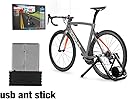
๐ดโโ๏ธ Upgrade your ride, wirelessly and effortlessly!
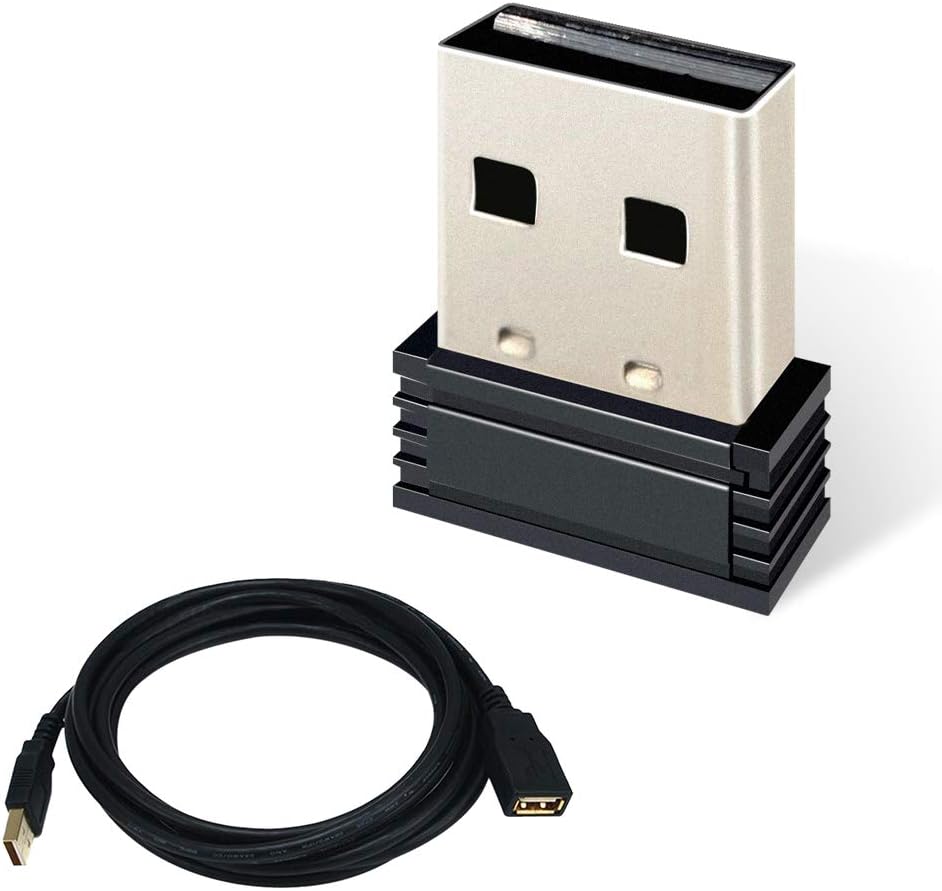
The USB ANT+ Stick Dongle Adapter is a compact, plug-and-play wireless receiver designed to bridge your traditional bike trainer with popular cycling software like Zwift and TrainerRoad. Featuring 8-channel ANT+ connectivity and a 3-meter USB extension cable, it ensures reliable sensor data transmission (cadence, speed, heart rate, power) within a 5-meter range. Compatible with Windows and Mac desktops, this ultra-lightweight device offers seamless integration and enhanced training precision for serious cyclists.


| ASIN | B079217ZGV |
| Best Sellers Rank | #787 in USB Computer Network Adapters |
| Brand | CYCPLUS |
| Color | U2(Stick + 3m cable) |
| Compatible Devices | Desktop |
| Compatible Operating System Family | MacOS, Windows |
| Customer Reviews | 4.1 out of 5 stars 1,097 Reviews |
| Data Link Protocol | USB |
| Data Transfer Rate | 3 Megabits Per Second |
| Hardware Interface | USB |
| Item Dimensions L x W x H | 0.71"L x 0.35"W x 0.2"H |
| Item Weight | 1.7 Grams |
| Manufacturer | Chengdu Chendian Intelligent Technology Co.,Ltd. |
| Mfr Part Number | U1U2 |
| Model Number | U2 |
| Product Dimensions | 0.71"L x 0.35"W x 0.2"H |
| UPC | 787893750372 |
L**G
Top notch value and support
Purchased this and paid more to replace a less costly and ineffective Anself ANT+ dongle. Worked with the driver provided by Steven at Cycplus support. Fired up Zwift and was able to pair the trainer, cadence sensor, and heart rate sensor with ease. Signal strength is fairly strong. The 3m cord is provided if your computer is a bit out of range from the sensors and trainer. Buy with confidence that youโll get a quality product from Cycplus.
B**T
Great USB ANT+ Stick!
I have combination of old iMac with IOS 10.15, Wahoo Kicker Core, Garmin Edge 520 and Garmin Venus SQ2 for heart rate. All worked with this simple dongle with no problem. I just sticked into USB drive, run Zwift, and now I have everyhting worked as charmed. Very happy with the purchase.
D**N
Keeps disconnecting from my devices
Edit: I continued searching the interwebs to see if anyone had a solution for my problem. It turns out that with the Wahoo bike trainers there are two different methods for control. Method one is the direct Kickr protocol. Method two is the ANT FEC protocol. The direct protocol is supposed to be generally "better", so I selected this method. I was able to find one small side-note in a zwift community post about how method one was causing reset problems, and method two should be used instead. I switched to method two, and my reset problems have gone away completely. I'm switching my review to 4 stars. I'm also leaving my original review below in case anyone finds it relevant. Original review: I honestly can't guarantee the problem is the adapter, but the data sure points that way. If all I'm doing is monitoring devices it seems to work great. But when I tell my computer to start controlling my bike trainer the adapter disconnects from my computer. Sometimes it works for about 30 seconds, and then disconnects. I've tried every port on my computer, and I even attached this to a powered external hub. Same behavior. From everything I can tell, when it tries to transmit, it fails and disconnects from my computer.
R**N
connects all my devices to Zwift no issues
All of these have good and bad reviews but I decided to buy this one and it didn't disappoint. I plugged it in and I have no extension for it and it connected to windows right away and detected my HR monitor and speed amd cadence sensor. Never dropped signal on a 40mi ride on zwift. Unless you use your phone as zwift companion bridge for Bluetooth and ant+ your going to need one of these to connect all your devices to Zwift and get all the data and benefits of riding with zwift and strava. Highly recommend this donger ๐
D**E
Problems, problems, problems
I have a technical background and spent far too much trying to make this work reliability with Zwift. In the end I bought a Bluetooth heart rate monitor so i didn't need to use ANT+, and everything has been rock solid since. I only used this with my Surface Pro 5 and found * My 3.5mm sound out didn't work - I didn't even notice this until later on as I was using another external device to drive my speakers at that time * It was hit and miss if it even found my ANT+ devices. Running diagnostic (open source) tools it appears that this device had problems responding to ANT+ commands * After 20 minutes the USB ANT+ devices would drop out; and my surface pro would no longer charge. * I did find an support email address and someone did respond... a firmware update was available if I sideloaded the update tool (from a Chinese website) on to an Android device. * I tried to use this with my older workstation and had zero success. Needlessly to say it would have been far easier and cheaper to have bought the BT heart rate monitor in the first place... or bought a branded version of ANT+ (I believe Garmin is the brand owner).
G**R
Works!
Simple dongle for connecting your laptop or what have you to your smart trainer. ANT+ in my opinion is more superior to trusting an uninterrupted Bluetooth signal during a training session. This non name in all reality dongle works great and if you need extra ability to close the distance to your trainer, the long cable is a added plus. Just run from the laptop to near the trainer you are hooked to and get the signal even closer. Would give 4.5 but Amazon does not believe in half star increments.
K**G
Works, Depending on Your Use Case
It's possible that I have bum unit, and no, I haven't pursued a refund or exchange; at this price point, it's not worth my time. All I'm doing here is relaying my experience. If all you want to do is send data from an ANT+ transmitter (e.g., a heart rate strap) to a head unit (e.g., a tablet running something like Zwift), this is a fine product, and for the cost, I would highly recommend it. It receives cadence, power, and heart rate data w/o issue. The same is true of run speed coming from my treadmill (NPE RUNN) and of cadence my footpod. In my limited testing, I have not seen any dropouts. However, if you're trying to control a smart trainer, this is NOT the ANT+ stick for you; it does fully not support fe-c. Quite frustratingly, it makes the fe-c connection but then won't actually control the attached trainer. If you want or need ANT+ fe-c support, you'll need to spend a bit more than $13.
G**N
Quick path to connect speed and HRM sensors
Between the bad weather forcing me indoors and the pandemic preventing me from getting to the gym easily, I decided to try out indoor cycling with my road bike and a newly purchased trainer. With the additional purchases of a Garmin speed 2 speed sensor and this ANT convertor, I was quickly able to get the basic inputs needed to ride with apps like Rouvy or Zwift. Also, I found that my smart watch (Garmin vivoactive 3 music) will output the HRM signal via ANT if you enable it to do that in settings. And with that, I have speed, heart rate, and (calculated) power in the app. This device was immediately recognized by windows 10; I did not have to find/download/install drivers.
P**L
didn't work for me - returned it
The ANT+ dongle was recognized by Garmin Connect on my MacBook, but synching my Garmin 910XT didn't work - even though it looked like it synched correctly, the workout wasn't downloaded. I eventually tried another ANT+ dongle I had, and that worked as expected so I concluded that this dongle didn't work and returned it...not sure if it was a dud, or some compatibility issue.
J**W
Don't buy this piece of crap
Piece of crap, right next to the trainer and barely get a signal! Feel like I've been conned.
A**Y
Works as advertised!
Works with my cycling app Zwift!
A**R
Worked a treat.
Didn't even notice the install - all worked.
S**T
Spot on
Works great with windows 10, Zwift and turbo trainer!
Trustpilot
2 weeks ago
2 weeks ago