


Desertcart purchases this item on your behalf and handles shipping, customs, and support to Senegal.
🚀 Connect Smarter, Scale Faster — Your Industrial IoT Gateway Upgrade!
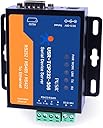
The TCP232-306 is a versatile serial-to-Ethernet converter featuring a powerful 48MHz ARM Cortex-M0 core, supporting RS232, RS485, and RS422 interfaces. It enables seamless Modbus RTU to TCP protocol conversion with low latency and strong scalability. Equipped with a 10/100Mbps Ethernet port and Auto MDI/MDIX, it offers easy network integration. Its built-in watchdog ensures reliable 24/7 operation, while user-friendly web and AT command configuration streamline deployment in industrial automation, smart traffic, and manufacturing environments.






| ASIN | B0BSC1FCTL |
| Best Sellers Rank | #32,842 in Computers & Accessories ( See Top 100 in Computers & Accessories ) #118 in Serial Adapters |
| Brand | PUSR |
| Brand Name | PUSR |
| Colour | Transparent |
| Compatible Devices | Amplifier, GPS, Keyboard, Musical Instruments, PC, Printer |
| Connector Type | Ethernet, RS232/RS485/RS422 |
| Current Rating | 2 Amps |
| Customer Reviews | 4.3 out of 5 stars 26 Reviews |
| Finish Type | Matte |
| Input Voltage | 240 Volts |
| Item Package Quantity | 1 |
| Manufacturer | Jinan USR IOT Technology Limited |
| Model Number | USR-TCP232-306 |
| Number of Ports | 4 |
| Power Plug Type | No Plug |
| Product Finish Type | Matte |
| Smart Home Compatibility | Not Smart Home Compatible |
| Specific Uses For Product | Industrial Automation, Smart Traffic, Unattended Weighing, Manufacturing Industry |
| Unit Count | 1.0 Count |
T**I
Modbus
Ottima interfaccia per rs485-TCIP che ho utilizzato per convertire il modbus serialle su protocollk tcip e funziona correttamente.
P**Y
Works well.
Works well. Drop in replacement for a Newport serial to Ethernet server that died after 25 years. To configure it, you need to have an Ethernet port on your PC and configure the TCP/IP Ethernet to match the device's IP subnet which is 192.68.0.x. The device defaults to address 192.168.0.7. You can change IP settings in config. Once you've done that, you can connect to the device using http://192.168.0.7 and use default userid/pass of admin/admin (the userid/pass isn't in the docs, so I had to download the PC config program to control it, but it would be easier to just use the http server). If you want other PCs to connect to it and use the attached serial port, configure it as a TCP server and set a port number. If you want this device to constantly connect to some other server PC, configure it as a TCP Client and give the remote PC address/port info. Serial port settings are broad. Many devices default to the default of no parity, 1 stop bit, 8 bit data.
P**R
Kleiner server für serielle Geräte, ideal um alles smarter zu machen
Der kleiner Serielle Server ist gut verarbeitet und funktioniert bei mir ohne Probleme. Ideal um nicht smarte projekte smart zu machen.
R**O
Recensioni
Tutto perfetto.
P**M
The language barrier can be a problem
This was not a plug and play and the documentation sent by customer service had holes in it. Links that led to a 404 etc. When I asked for more information they sent back the same docs. Understand that these people are in China and it takes a couple of days for them the reply. I was on the edge of throwing the device away, but tried to get information one more time, and this time an engineer replied. When he discovered what I wanted to do, he said forget about the other info, do this and this. Then it was It was easy and it worked perfectly.
Trustpilot
1 month ago
1 month ago