Buy anything from 5,000+ international stores. One checkout price. No surprise fees. Join 2M+ shoppers on Desertcart.
Desertcart purchases this item on your behalf and handles shipping, customs, and support to Senegal.
🚀 Elevate your home network to warp speed and total coverage—because buffering is so last decade.
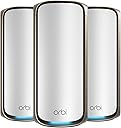
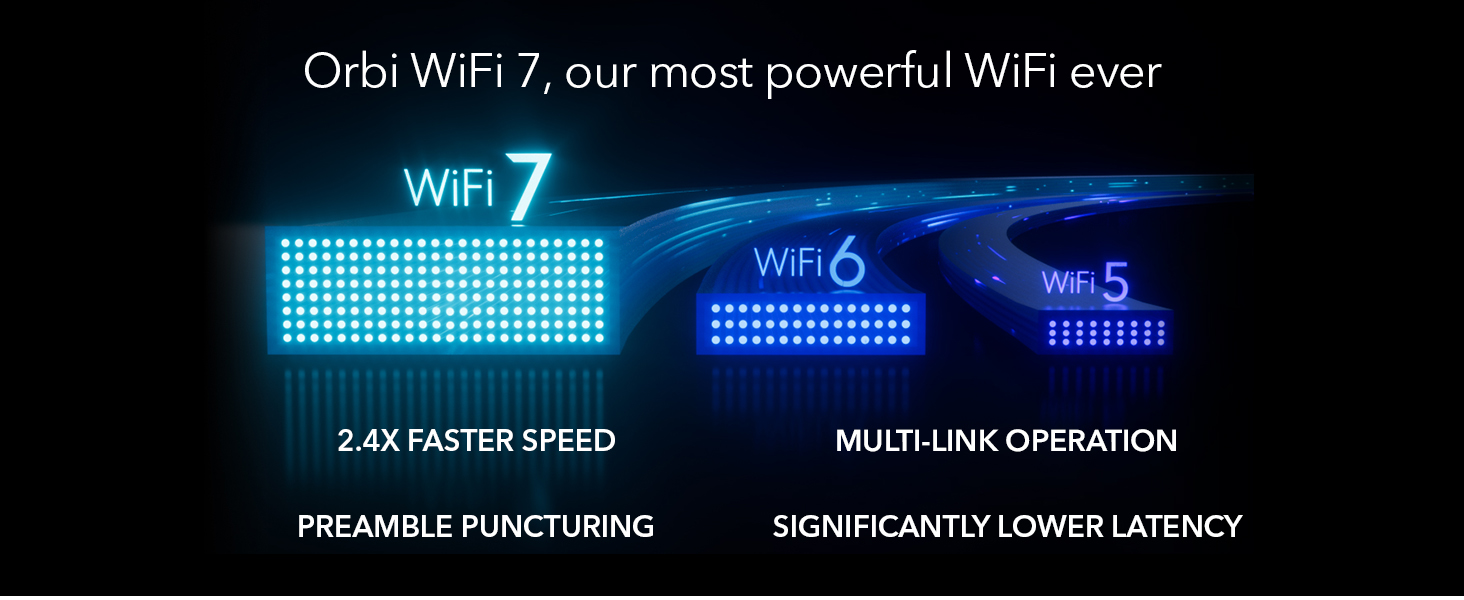
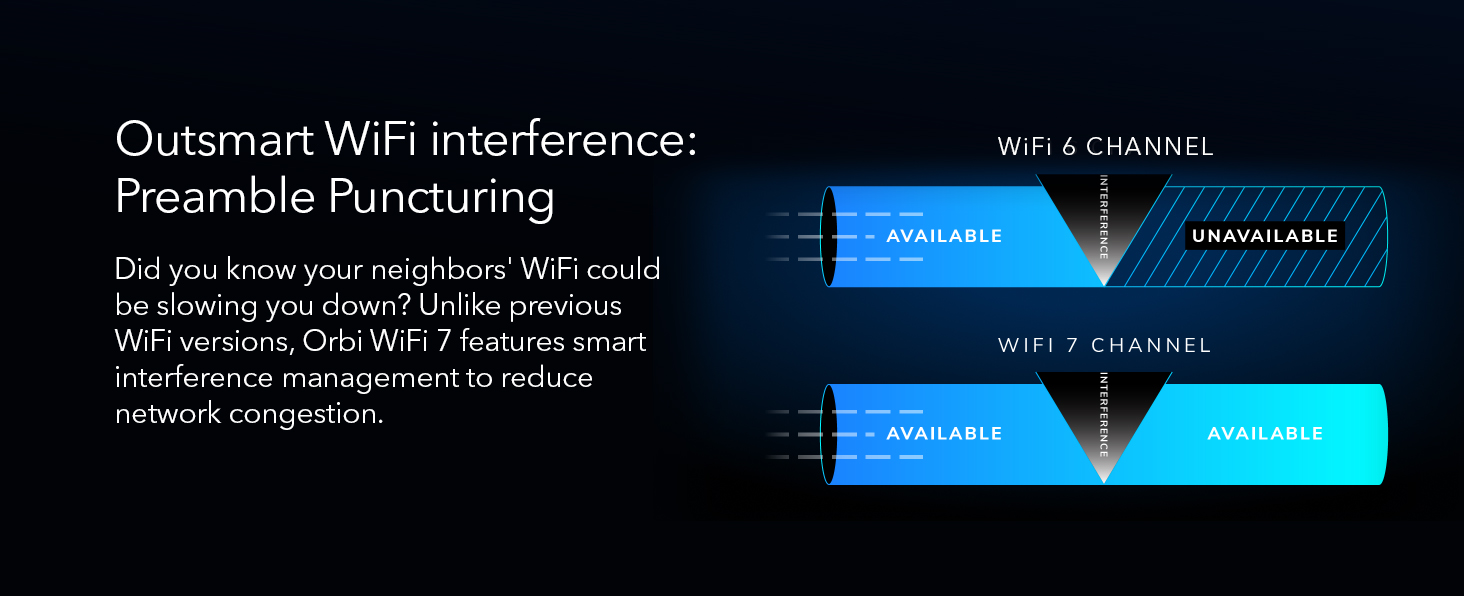
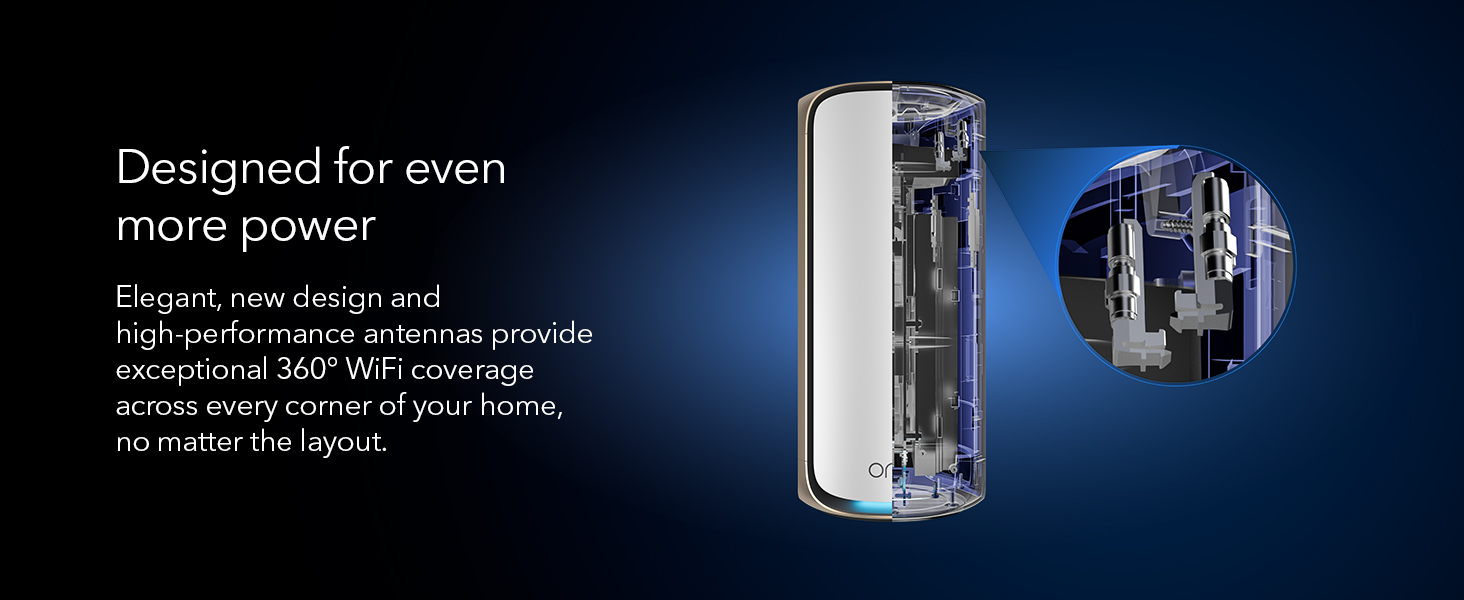
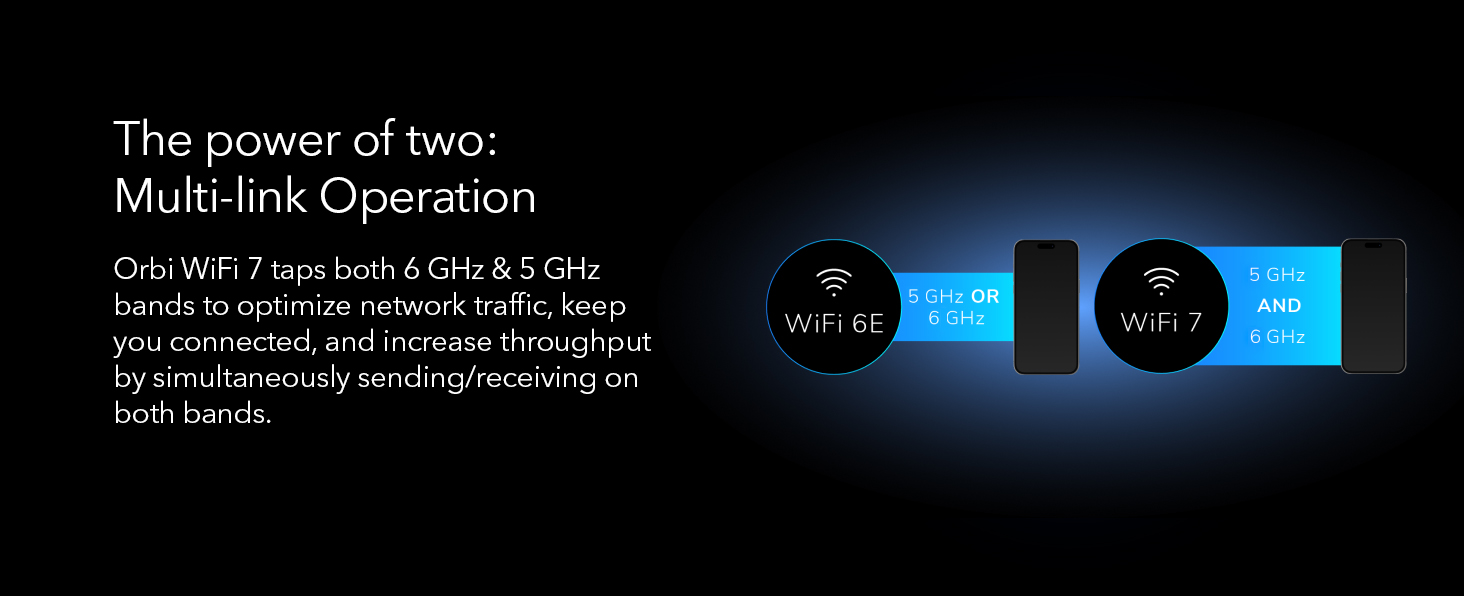
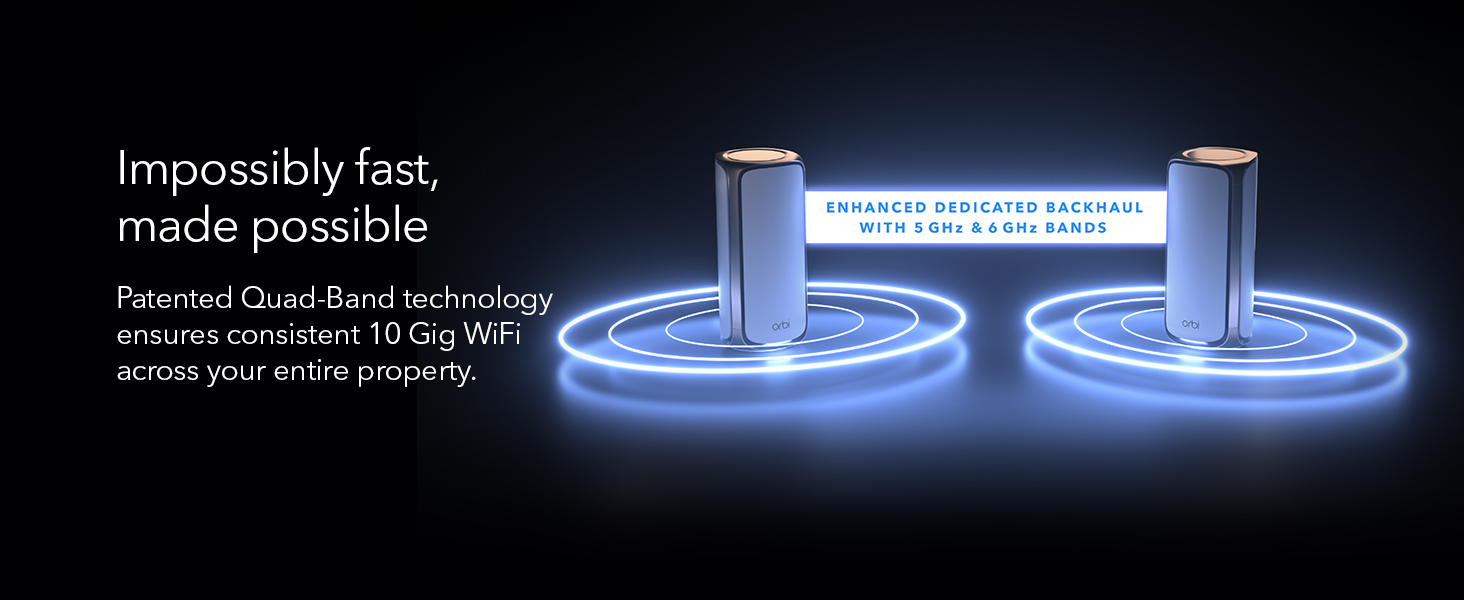
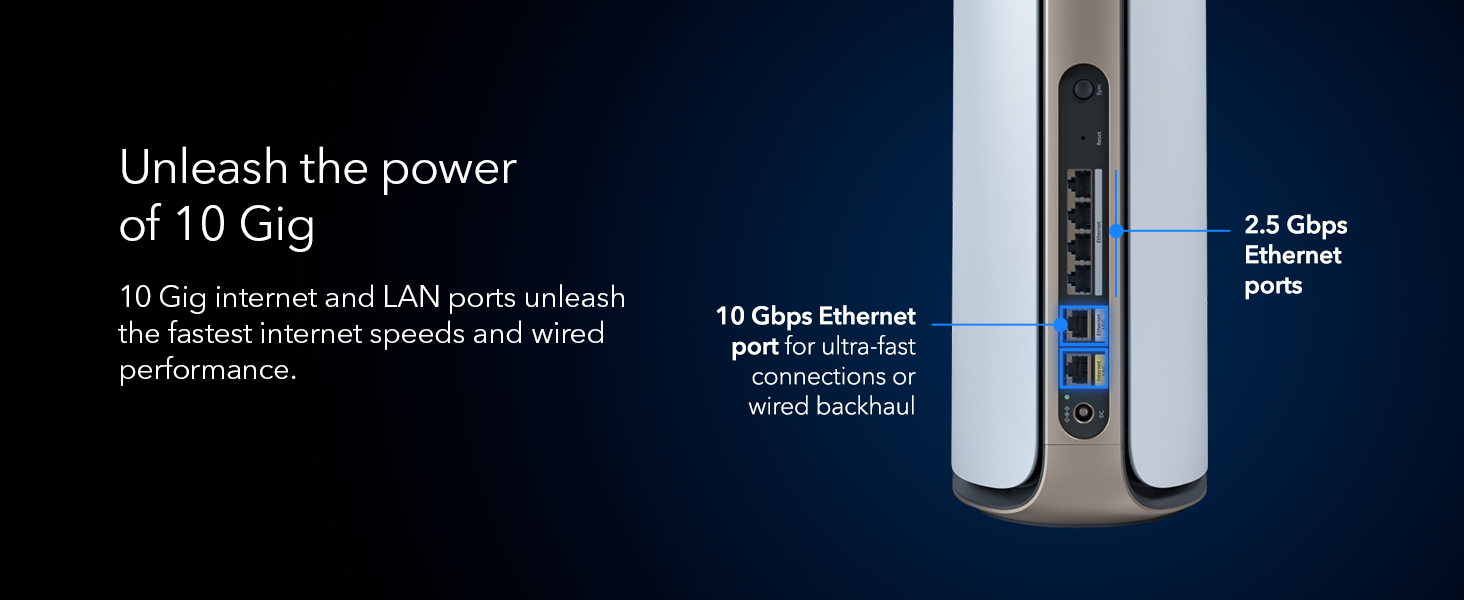
The NETGEAR Orbi 970 Series is a premium WiFi 7 mesh system delivering up to 27Gbps speeds and expansive 10,000 sq.ft. coverage via patented quad-band technology. Designed for large homes and heavy device loads, it supports 200+ devices simultaneously with a dedicated backhaul for consistent performance. Featuring a 10 Gigabit internet port and advanced security through NETGEAR Armor, it’s engineered for future-proof, ultra-reliable connectivity across every corner of your home.


| ASIN | B0CGJGXFCS |
| Antenna Location | Business |
| Antenna Type | Fixed |
| Best Sellers Rank | #753 in Computers & Accessories ( See Top 100 in Computers & Accessories ) #31 in Whole Home & Mesh Wi-Fi Systems |
| Brand | NETGEAR |
| Built-In Media | One (1) 2m Ethernet cable, One (1) Orbi WiFi 7 Router (RBE971), Quick start guide, Three (3) power adapters, Two (2) Orbi WiFi 7 Satellites (RBE970) |
| Color | White |
| Compatible Devices | Personal Computer |
| Connectivity Protocol | Wi-Fi |
| Connectivity Range | 10000 Square Feet |
| Connectivity Technology | Wi-Fi |
| Control Method | App |
| Controller Type | App Control |
| Coverage | Whole-home coverage |
| Customer Reviews | 3.3 out of 5 stars 468 Reviews |
| Data Transfer Rate | 10 Gigabits Per Second |
| Frequency | 6 GHz |
| Frequency Band Class | Quad-Band |
| Has Internet Connectivity | Yes |
| Has Security Updates | Yes |
| Is Modem Compatible | Yes |
| LAN Port Bandwidth | 10 Gbps |
| Manufacturer | Netgear |
| Maximum Upstream Data Transfer Rate | 27 Gigabits Per Second |
| Mfr Part Number | RBE973S-100NAS |
| Model Name | RBE973S |
| Model Number | RBE973S-100NAS |
| Number of Antennas | 3 |
| Number of Ports | 6 |
| Operating System | Netgear OS |
| Other Special Features of the Product | WPS |
| RAM Memory Installed | 4 GB |
| Router Firewall Security Level | Medium |
| Router Network Type | Mesh |
| Security Protocol | WPA2 or WPA3 |
| Special Feature | WPS |
| UPC | 606449166507 |
| Voltage | 240 Volts |
| Warranty Description | 90-day complimentary technical support, Limited manufacturer warranty |
| Wi-Fi Generation | WiFi 7 |
| Wireless Communication Standard | 802.11.be |
| Wireless Compability | 802.11.be |
T**M
Netgear Orbi 970 Review: Blazing Fast WiFi, But at a Cost
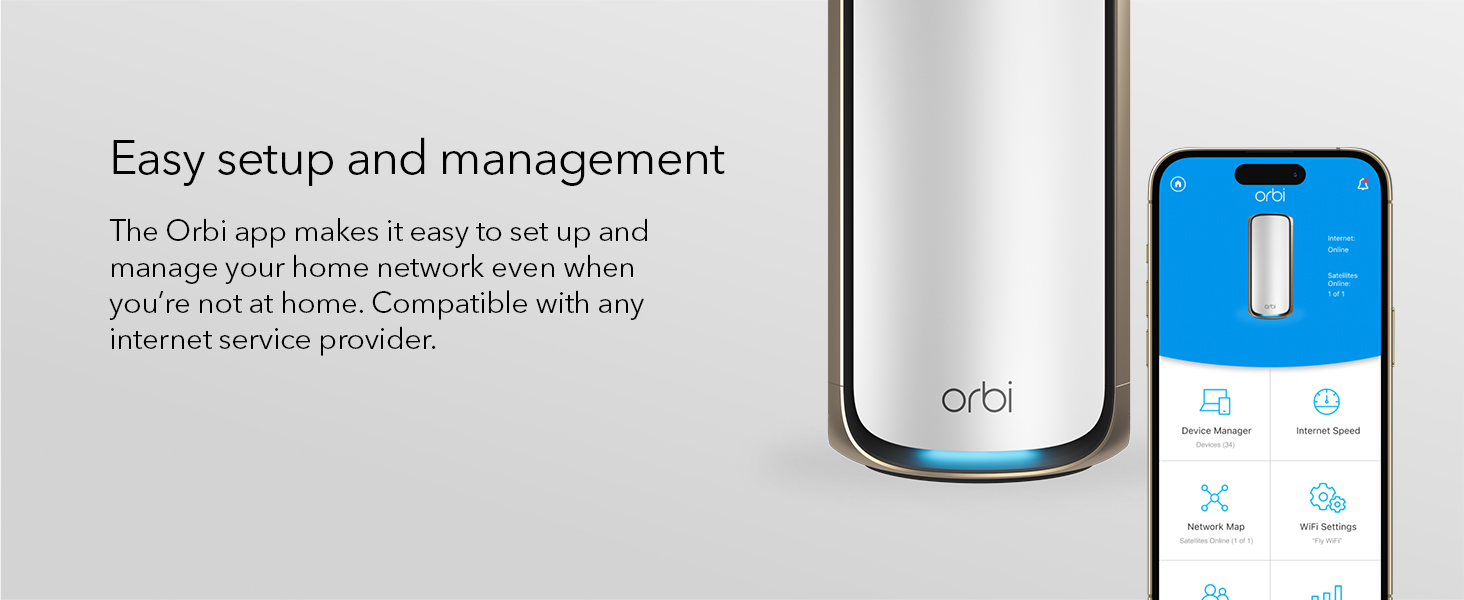
I’ve been using the Netgear Orbi 970 for a few weeks now, and overall, it’s a solid mesh WiFi system, but it’s not perfect. The setup was pretty easy, even for someone who isn’t super tech-savvy. The app walks you through everything, and I had the whole thing up and running in about 20 minutes. The coverage is impressive. I have a three-story house with a lot of dead zones, and the Orbi 970 pretty much wiped those out. Speeds are fast and consistent, even when multiple people are streaming or gaming at the same time. I also like that it supports WiFi 7, so it feels future-proof. That said, the price is steep. It’s definitely on the higher end, and I’m not sure everyone needs this much power unless you have a big house or a lot of devices. Also, the units themselves are kind of bulky, so they’re not the easiest to hide. One thing that bugged me is that some advanced features are locked behind a subscription. For the price, I expected more included out of the box. The parental controls and security features are good, but having to pay extra for them feels a bit much. In short, the Orbi 970 is a great choice if you want top-tier performance and don’t mind spending extra. If you’re on a budget or have a smaller space, you might want to look at other options. But if you want fast, reliable WiFi everywhere in your home, it delivers.
C**S
Infuriating!
Update 2: Replaced with the router in my first update and everything now works flawlessly. I can’t believe the difference. My system is completely stable now. The instability that I was getting with the Orbi 970 was extremely painful. When you buy a router system, what you should expect is that it just works. Even the app was bad. It frequently had errors causing me to not be able to see any devices. When I searched online, sure enough a lot of other people were also having these issues. Please, don’t put yourself through the trouble of this router. Update: This is the most frustrating router that I have ever used. I stopped buying from Netgear along time ago and for some reason forgot why. The router randomly restarts every couple of weeks (common issues with others that have this router as well). The real problem is, when it restarts my Hue and Nest cameras get very messed up. Lights won’t respond. Cameras going offline. It takes several restarts of the satellites and router, plus several hours to get everything running again. This mesh system is just pure garbage. I’ll be selling this trash and moving to an Eero Max 7. Had several frustrations so far. It was going very well for the first three weeks. I had no issues at all. Then, it randomly rebooted by itself. That random reboot led to some serious issues with my Philips Hue system. I had lights not responding and dimmer switches having connection issues. I started troubleshooting my Hue system because it seemed that was the likely issue. Then, I upgraded my Orbi firmware and magically everything was fine again. During the upgrade the Orbi satellites also upgraded and all of them rebooted. Several days later I needed to unplug a satellite. When I tried to replug it back in, it struggled to reconnect. I restarted the router thinking that might fix the issue. The satellite did eventually reconnect, but ALL of the Hue problems came back. It took me literally hours of troubleshooting Hue, restarting the router and satellites to get it working again. Finally, I restarted the router and all satellites (which I had already tried several times), and everything worked again. What a hassle this system is for $2,000. I contemplated between the 970 and the Eero 7 before settling on the 970. The only reason I chose the 970 was the dedicated 2.4 Iot channel. I regret not going with the Eero 7. What it does well is speed, range and keeps all of Nest cameras from disconnecting. My old Asus AXE16000 had issues with cameras going offline, the 970 fixed that completely. However, I’m sure the Eero 7 would have done that as well.
M**.
Expensive but worth it!
I was introduced to NETGEAR equipment 40 yeas ago offshore as an automation tech and have used it personally for many years. I replaced a cheaper mesh system with this unit for various reasons but mostly due to frequent reboots to restore service, equipment disconnects and difficulty connecting the satellite unit. The Orbi connected without issues, online access is very functional, my signal strength improved in my shed and nothing has dropped out for the last couple of weeks. NETGEAR equipment is more expensive but solid. I should have stuck with my experience instead of cheeping out!
D**D
Save yourself a headache as well as a few bucks and just buy an Eero
Although the speed of this WiFi mesh network is great, the reliability and glitches are big detractors. I purchased two of the Orbi 970s for coverage of my 3500sqft home with AT&T Fiber 2gb/s. For context, I was upgrading from the standard issue AT&T hub and WiFi extender. The set up process for the Orbi was fine, but not without hiccups, including an initial botched setup secondary to the Orbi app timing out, I was impressed by the speed of my new WiFi network - clocking in at close to 2gb/s was mind blowing. However, my joy was short lived. The first issue I began discovering was that the range did not reach as far as advertised - it would not reach several of my outdoor Ring cameras that the standard issue AT&T router could. So I played around with moving the satellite Orbi and even physically moved my Ring cameras closer to my house on my backyard fence. Eventually I got it all working, only to have it start dropping cameras on the front of my house. Ugh. Frustrated I decided to purchase a Ring Chime Pro to serve as a connection strength booster for my cameras. Good - it was finally all up and running Or so I thought. The Orbi now keeps dropping my iPhone, iPad, and MacBook. And the devices will not reconnect unless I turn off WiFi and then turn it back on. And this consistently happens several times a day. And it occurs when I’m not walking around, so it’s not like the Orbi is trying to transfer from one satellite to another. I’ve tried everything - turning off private WiFi address, reconfiguring IP addresses, resetting network settings, rebooting the network (yes it’s the most up to date Orbi firmware). Imagine the frustration when you are downloading a Mac system update and the internet drops for no reason and creates a whole mess of frozen MacBook bliss. Been there. Imagine trying to browse the internet and webpages randomly stop loading. Yup, been there too. It’s very frustrating and happens without warning - my stress level is as high as this Orbi’s price tag. Ok I’m being dramatic, but you get the point - this is all very frustrating for such an expensive system. And it’s made worse because I just recently set up an Eero mesh network for my mom and hers has been working flawlessly. Not only was it easier to set up, but the performance and reliability has been superior. Netgear is an old company and I think we are seeing an example that older is not always better. Needless to say, I’ve decided to order myself an Eero. Unfortunately I am out of the return window for the Orbi as I kept trying to fiddle with it, changing settings on my devices, etc. So I’ll be eating the cost of the Orbi. Please learn from my mistakes.
P**R
Consistent near-gigabit WiFi and solid coverage
Just got upgraded from my old Orbi to the Orbi 970 WiFi 7 system, and it’s been a solid improvement. I’m on a 2-gig internet connection, so having hardware that can actually keep up makes a noticeable difference. Setup was easy using the Orbi app and everything came online without issues. WiFi performance has been very strong. Even with a wireless backhaul, I’m seeing close to 1 Gbps download speeds, and uploads hit the 300 Mbps limit of my ISP plan, so the router clearly isn’t holding anything back. Latency has been low and stable, which matters a lot for work calls and streaming. We have a lot of family devices connected, including smart home gear, TVs, and phones, and coverage has been consistent across rooms and floors with smooth handoff. Overall, it feels like a reliable, future-proof upgrade that works well for everyday family use.
M**O
My decade old Orbi has so many more features! Bait and switch.
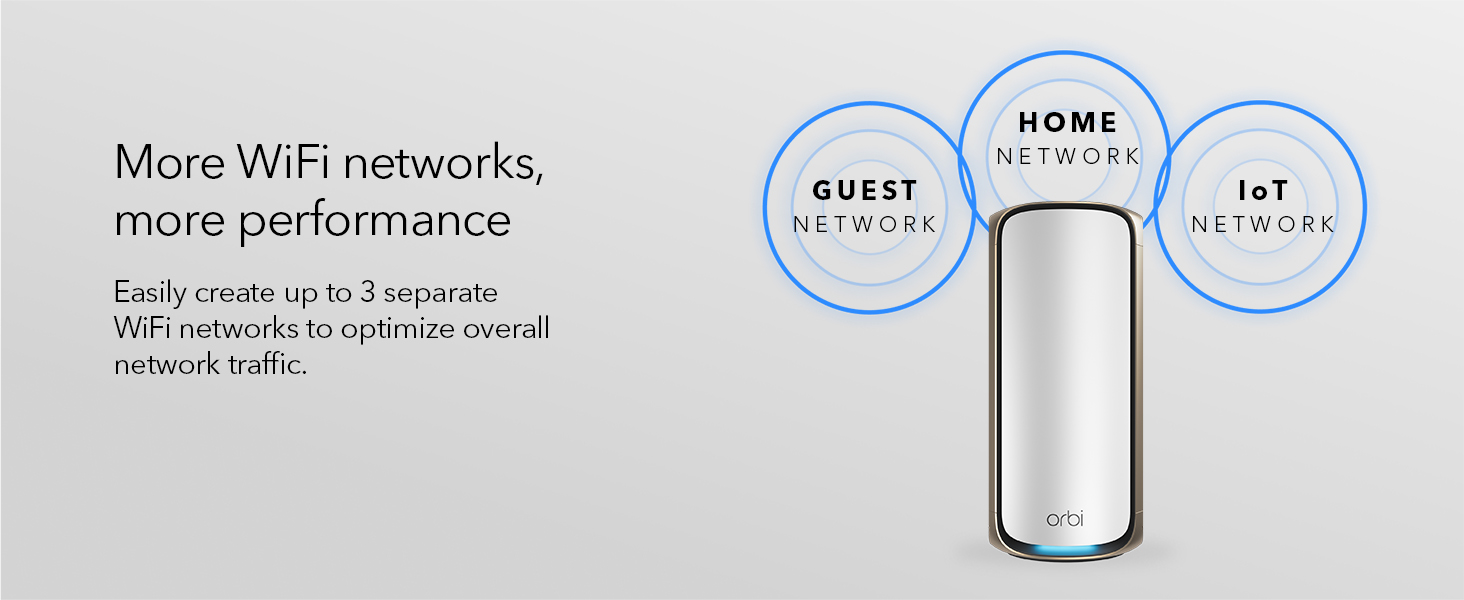
I purchased this after our old orbi hit a decade of service. It has been a complete mixed bag. Does it work? yes. Does it work well for you? Maybe. Our home is a split level with 5 floors, and thick walls with lathe. That means mesh systems historically have a hard time with it, so after using an old orbi system for over a decade with two nodes, I figured this would be a worthy upgrade if I got 2 satellites rather than 1 to cover our current dead zones. I figured I could deploy it, turn the radio transmit power down slightly (a feature proudly presented in their user manual, which is apparently a complete lie, Netgear is just apparently too lazy to print different manuals for each product). Install was easy, unbox, plug it in to my cable modem, plug in the satellites, and you're off to the races. Setup via app took about 20 minutes, half of which was the WiFi handoffs failing during setup and having to wait for a timer to time out and then manually connecting to the wifi network. I used the same SSID as previously used, and all of our existing devices connected seamlessly. It then updated itself, "optimized" itself (whatever that means), and told me I was signed up for a 1 year trial of "Armor" which seems to do nothing but spam me every 30 seconds with a bunch of notifications. Speed tests were excellent, and a lot of the latency we had been seeing previously was resolved. Our playstation portal which was previously unusable was fully usable. That's the good. Now for the piles of bad. It turns out that netgear in its stupidity has decided that mesh systems have to be so "dumb" and "super simple" so that lay-person users don't get overwhelmed. The problem is, a lot of those features exist for a very good reason. A lot of those features are also clearly listed in the user manual, which apparently lies about the feature set. This is a huge problem to me. It shows Netgear is utterly clueless about their customer base - no "completely lay" user is going to be spending almost $2k on a mesh wifi system when they can get one for a tiny bump in their monthly ISP bill to rent one that is fully supported. Or, they're going to get some basic wifi router that can be purchased cheaply. The people who are willing to lay out this kind of money are most likely not your clueless end users. And the fact that they ship user guides that outright LIE about features is infuriating because it essentially is a bait and switch scenario - the guide claims the device has features that it doesn't. For example you have very, very few abilities to tweak anything related to the radios on these mesh nodes now. This is not an exotic feature. My Orbi from a decade ago had the ability to tweak transmit power for each radio so you could help encourage handoffs between the router and the satellite. As it stands the router and satellite are so "loud" compared to one another that I end up with constant problems with devices sticking to less than ideal access points. One router and one satellite left me with dead zones in our home due to its construction. One router and two satellites on this system are so loud that it is causing havok with some classes of device (for example, my cell phone). It could easily be fixed if I could just turn down the transmit power, but because Netgear has decided this device should only be used by braindead end users, I can't do that. So now I am left with the option of unplugging one of the satellites and hoping I don't have dead zones, and effectively having a satellite that acts as a very expensive paperweight. Another function the old orbi had that the new one doesn't? The ability to briefly turn off one type of radio. For example if the 5ghz radio is causing issues with a device that only supports 2.4ghz, you can't turn it off. That messes up some older arduino devices. Instead there is now a "IoT" guest network which only functions on 2.4Ghz, but that means reconfiguring several devices that aren't exactly easy to reconfigure. I'm sure there are other features they carelessly ripped out in their efforts to cater to a user segment who is not buying this product. The only reason I'm not returning it, is because I already threw out the packaging. I am so disappointed in this purchase and Netgear's complete lack of comprehension about who its customers are. Why does my decade old orbi have so much better functionality? this feels like an absolute bait and switch because the user guide is completely misleading about features that are and aren't available.
C**D
Huge Uprgrade
My wife and I both work from home and spend most of our days on video calls. We have four kids, which means lots of connected devices and gaming systems. And we have a lot of connected home tech including high end whole house audio systems, smart lights, etc. Our legacy Eero system was struggling to keep up and certainly not getting close to our 1 gigabit Fios speed. Enter the Netgear Orbi 970 with 4 satelites. This system is amazing. While we have limited WiFi 7 enabled tech at the moment, the wireless internet speed and coverage is a huge improvement. Speed tests around the house consistently show maximum WiFi speeds and everything is noticeably more responsive. No more poor video calls, no more laggy gaming, no more dropped audio streaming. The system is an investment, but one that I’m very happy I made. Set up was super easy and the satellites quickly filled our entire indoor (3 levels / very wide) and outdoor space with blazing fast internet. Highly recommended!
B**T
Don't buy this
I’ve been using the Netgear Orbi 970 mesh system for the past month, and unfortunately my experience has been far from the seamless, high‑speed coverage I was promised. Here’s a breakdown of where it falls short: 1. Strong Signal, No Internet On paper, the Orbi 970 delivers rock‑solid Wi‑Fi bars on every device—even in the furthest rooms of my home. In reality, I’ll see full signal strength… and zero internet access. I’ve walked through rooms with maxed‑out bars only to have every browser, streaming app, or smart‑home device report “No Internet.” It’s baffling and infuriating, especially when a quick speed test plugged directly into the modem shows a perfect connection. 2. Modem Isn’t the Culprit Before assuming the Orbi was to blame, I connected straight to my modem and ran multiple speed and stability tests. Everything checked out—consistent gigabit download/upload speeds, no packet loss, rock‑solid pings. Yet once I re‑enable the Orbi, intermittent drops and full “no internet” periods return. Clearly the mesh hardware or firmware is struggling. 3. Overpriced for Underperformance At the price point of the Orbi 970, I expected a top‑tier solution: flawless handoffs between satellites, zero downtime, and lightning‑fast throughput. Instead, I’ve lost work calls to random drops, had video streams buffer endlessly despite showing full bars, and wasted hours troubleshooting. It’s simply not acceptable to pay flagship pricing for this level of inconsistency. Bottom Line: If you need a rock‑solid, always‑online home network—especially in a busy household or home office—the Orbi 970 is a poor choice. It looks great, it boasts excellent range, and it may even maintain a strong signal—but it can’t keep you reliably connected. I spent far too much on this system, and I regret not sticking with a wired or lower‑cost mesh option that at least promised stability over hype.
Trustpilot
3 weeks ago
3 weeks ago