Desertcart purchases this item on your behalf and handles shipping, customs, and support to Senegal.
๐ Dominate your desk with the worldโs first Dual UHD curved powerhouse!
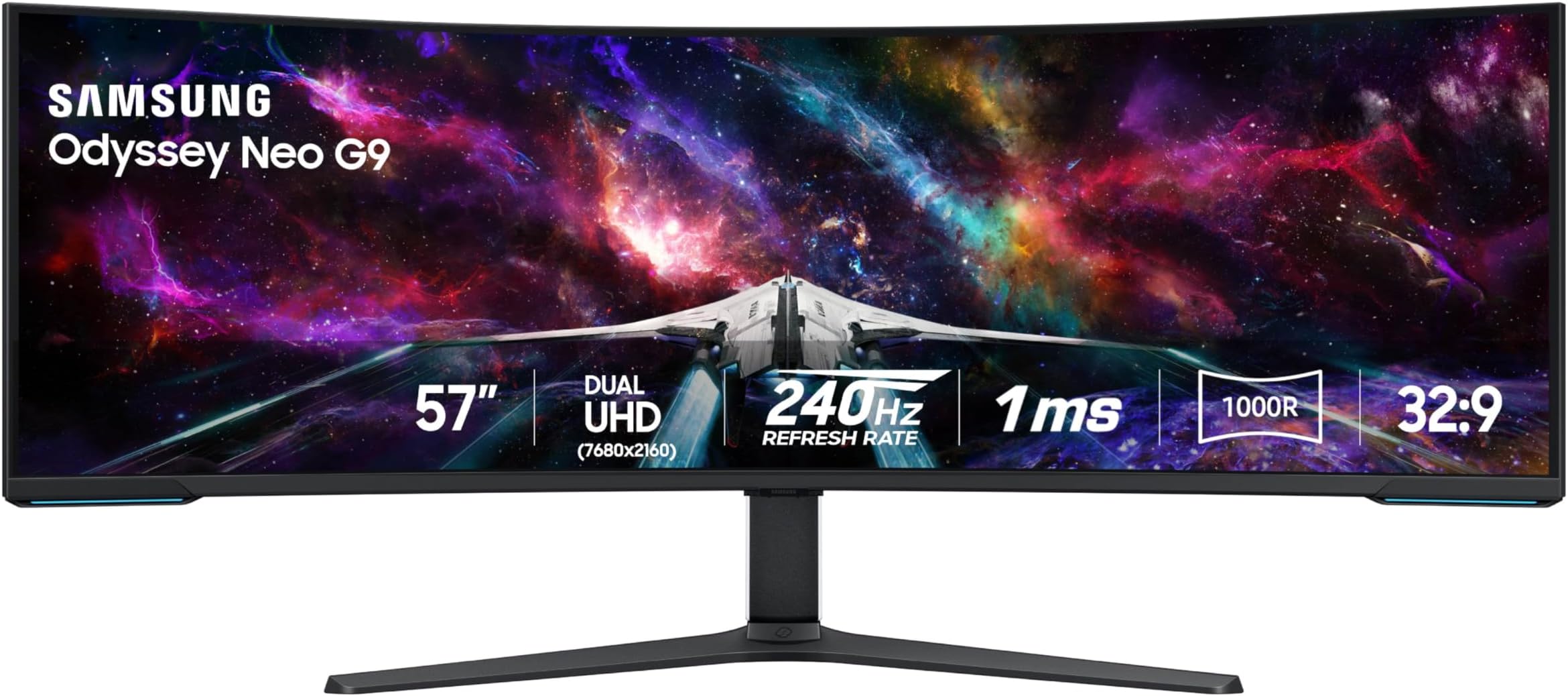
Samsungโs 57" Odyssey Neo G9 is the worldโs first Dual 4K UHD curved gaming monitor featuring a 1000R curve and Quantum Mini LED technology. It delivers a staggering 7680x2160 resolution with a 240Hz refresh rate and 1ms response time, powered by DisplayPort 2.1 and AMD FreeSync Premium Pro for ultra-smooth, stutter-free visuals. With HDR1000 brightness, 2,392 local dimming zones, and a versatile ergonomic design, itโs engineered for professionals and gamers craving immersive, high-performance multitasking and gameplay.


| ASIN | B0CDQM55C9 |
| Adaptive Sync | FreeSync Premium |
| Additional Features | 1000R Curved Screen, AMD FreeSyncโข Premium Pro, Adaptive Sync, Auto Source Switch+, Black Equalizer, Eye Care, Flicker-Free, Picture By Picture, Quantum Matrix Technology, VESA DisplayHDR 1000 |
| Aspect Ratio | 32:9 |
| Best Sellers Rank | #9,990 in Electronics ( See Top 100 in Electronics ) #334 in Computer Monitors |
| Brand | Samsung |
| Brightness | 420 cd |
| Color | Black & White |
| Color Gamut | 99 |
| Compatible Devices | Desktop, Gaming Console, Laptop |
| Connectivity Technology | HDMI |
| Contrast Ratio | 1,000,000:1 |
| Customer Reviews | 4.4 out of 5 stars 528 Reviews |
| Display Resolution Maximum | 7680 x 2160 pixels |
| Display Technology | VA |
| Display Type | LED |
| Hardware Connectivity | DisplayPort, HDMI, USB |
| Image Contrast Ratio | 1,000,000:1 |
| Included Components | DisplayPort Cable, HDMI Cable, Power Cable, USB Cable |
| Item Dimensions D x W x H | 19.7"D x 52.3"W x 24"H |
| Item Weight | 41.9 pounds |
| Manufacturer | Samsung |
| Model Name | FBASAMLS57CG952 |
| Model Number | FBASAMLS57CG952 |
| Mounting Type | VESA Mount |
| Native Resolution | 7680x2160 |
| Number of Component Outputs | 3 |
| Picture Quality Enhancement Technology | Quantum Matrix Technology, DisplayHDR 1000 |
| Pixel Pitch | 0.18 |
| Power Consumption | 140 watts |
| Refresh Rate | 240 hertz |
| Resolution | Dual 4K |
| Response Time | 1 milliseconds |
| Screen Finish | Matte |
| Screen Size | 57 inches |
| Screen Surface Description | Matte |
| Shape | Curved |
| Specific Uses For Product | Gaming |
| Total Number of HDMI Ports | 3 |
| Total USB 2.0 Ports | 2 |
| Total Usb Ports | 2 |
| UPC | 887276756738 |
| Unit Count | 1 Count |
| Viewing Angle | 178 degrees |
| Voltage | 240 volts |
| Warranty Description | 1 Year Manufacturer |
| Warranty Type | 1 Year Manufacturer Warranty |
O**N
Best Monitor EVER
If you are looking for a monitor for productivity/working and gaming, this is unequivocally without hyperbole the best monitor that you can buy, and for a great price. I purchased it recently and have nothing about amazing things to say. The size of this thing is so perfect that once you start using it you'll never want to go back to any other sized monitor. And the resolution and pixel density is absolutely stunning, this thing looks better and more dense than most 27 or 32 inch monitors which is a feat with how big it is. I use mac and although you can only get max 120 HZ, you still can get full native resolution 7680 x 2160 as long as you use DP2.1, which is more than enough for just working which I presume is what most mac users will be doing. The brightness, colors, contrast and HDR on this thing is also amazing everything looks so vibrant and this monitor has an extremely high max brightness. And for work it is SO convenient having literally two 32 inch screens side by side and having this much screen space, you can have so many applications open at once. As long as you have the money to afford this monitor, the desk space to have the monitor on your desk (which is important because the stand takes up a lot of space and this monitor is very heavy so I wouldn't trust it with an arm), and a rig that can run this at full resolution with good FPS/refresh rate, it is an absolute no brainer in my opinion and is one of my favorite purchases that I've ever made. The build quality does feel a bit flimsy I will admit, but honestly it doesn't matter when the monitor works and performs as well as it does. Just make sure out the box that you calibrate the picture settings, enable HDR, set your Display port/HDMI input to 2.1 (by default it is on 1.4), and tweak the settings to your liking. For me I am using original picture mode, 50 brightness, 50 contrast, 10 sharpness, 22 color, local dimming on HIGH (very important setting), contrast enhancer off, active HDR tone mapping, natural color tone, and native color space settings with the rest of settings on default. Make sure to DISABLE any eye care settings for best quality.
B**E
Really Incredible Monitor But It's Expensive
This is my first ultrawide monitor and it's really blown me away. I replaced my triple monitor setup with this. One thing I really like is that it is taller than other ultrawide monitors. I find most of the smaller ultrawide monitors feel very narrow compared to their width which makes things look a little strange. This monitor is MASSIVE and weighs a ton (around 50lbs). It is quite the beast to lift and move around and get set up. But when you do, the quality is pretty surreal. I have a nvidia 5080 and am able to use display port 2.1 to really push the monitors capabilities ( 7680x2160 @240 hz). I had to manually enable display port 2.1 from the monitor's settings. Note that you'll need to do a little research to make sure that your computer and display port cable are compatible to use the max settings. Playing Forza Horizon 6 in first person is incredible on the monitor. It really immerses you and looks fantastic. I've also played a bit of Tekken 8 which uses the full screen for menus but switches to black bars once in a match. Most games do this unless they support fullscreen ultrawide. There are older steam games with mod support that you can download to play ultrawide. Otherwise, expect some blackbars on the sides. I've attached a video using auto drive from FH6 so you can see the picture quality in person. I think the monitor is quite expensive but I was able to get it on sale for $1499 instead of the full $2099, so keep an eye out for deals. I'd say it's worth $1k-$1.2k but $1.5k before tax is a bit much personally.
K**.
Beautiful Monitor, Firmware has Room for Improvement
I can't help but love this monitor. There are few flaws but nothing that detracts from the experience when using this beast for work or play. My work laptop is using integrated intel graphics, and has no problem running the full resolution albeit at a refresh rate of 60Hz. My gaming PC, equipped with a Nvidia 4080 runs full resolution at 120Hz. A few examples of gaming performance on the 4080 running max resolution: Forza Horizon 5 locked at 60 fps no problem. Final Fantasy XIV variable from 60 to 85 fps. Typically around 80Hz. Games that support the ultrawide display are gorgeous. Having so much displayed in your field of view really helps with emersion in the game. The quality of the screen really shines. Deep blacks, with little halo effect. Color reproduction is really good. Brightness can be blinding, I typically have brightness set to about 15 out of 50. Text is sharp. For work, having this much real estate to play with is great. I went from running 3 27" monitors to this single setup. No breaks for bezels, and being able to throw windows around anywhere is a game changer. When working with large datasets, or those horrible spreadsheets that are 50 columns wide, max the window and see everything at once. I see the other reviews where people are experiencing flickering, strange gray lines, or bad pixels, but luckily I have had none of those issues. For the bad: The 3' Display Port cable that comes in the box. This is unacceptable as half that length is just getting it from the input on the monitor through the cable management, so you only have maybe 18" to play with getting it to your device. At this price point, Samsung could do better. Only 1 display port on the monitor. HDMI works fine, but I would have liked at least 2 display ports. Not a deal breaker, but a "would have been nice" item. Firmware really needs some work. When waking the computer from sleep mode, the monitor does not come off standby mode automatically unless you have Auto Source Switch+ turned on. But if the work laptop wakes while I am in the middle of a game, I really don't want the monitor to switch automatically to the new input, so I like to keep that off.
J**X
Amazing. I use it for Day Trading. Might get another one to hover above this one. SPACIOUS!
Love it. Was unsure about moving from two, side-by-side ASUS monitors, pivoted in towards the center, to this monitor, but now I wonder why I didn't make the move sooner, and don't think (at least for Day Trading), that I can ever go back to my previous setup of side-by-side monitors. Was also a little apprehensive about a curved monitor and it maybe being "too close," but loving it. Form Factor Lines are clean, back cable insertion bay (and cover) are tidy, response time is great, resolution is crisp. Running this off a 2025 Mac Studio M3 Ultra. Had a few little wonky times setting it up (more Mac related, I think). Because I wanted to utilize as much real estate as the monitor would allow, I set the resolution to 5120 x 1440. When I'd restart the computer, my Mac Studio would sometimes reset the resolution to something else (ie: lower res / bigger windows / less able to fit on the screen). I found an App called "Better Display" / "Better Display Pro", and that has been a Godsend. If it's monitor related, this App will let you configure it in a zillion ways. The App has more resolution options than I've ever seen (I'm used to seeing like 4-8 options....this App was offering up to like 30(?)+ resolution options. Have actually thought about replacing the multiple ASUS 27" Pro Art monitors I have above THIS Samsung unit, with ANOTHER one of these Odyssey Neo G9's...but, need to make a little more money to be able to justify that (haha)...but, seriously considering it. If you need an arm for this monitor, so that it levitates off your desktop, I highly recommend: ULTRARM Heavy Duty Monitor Arm for Ultrawide Monitors up to 57" and 44 lbs, Single Desk Stand, Pneumatic Height Adjustable, Modular Extension Arms - Max VESA 100x100, White, MODEL: MA20PW-S
S**N
Best monitor for the next 5-10 years. UPDATE: Or is it?
Expensive? Yes, but it's also the best monitor you can get and that you will need until some 4D future "display". Why best monitor? Perfect size. bigger will NOT be better. This is maximum in width and perfect vertical size you will ever want. Resolution? Finally crispy txt, no compromise, maximum resolution that you will ever want, more pixel will NOT look any better than this. Refresh rate? 240hz, more than you need, everything above 120hz is done deal. Display? Its a micro led screen, closest to OLED without having to think every time you use a monitor if that taskbar is going to burn in. Too many zones to notice any blooming. Immersion? Again, Samsung gave you maximum there too, 1000R. This is it. All in one, all the best monitor and it performs just like that, I love it. So why 4 stars then? Because... Samsung. I don't understand the top management not firing weak people that dont see the big picture. Such a big monster monitor, it will take all the space on the table and more, you will not be able to have a tower next to it... yet again somehow someone thought shipping SHORTEST dp cable ever would be totally ok, to be expected for a monster $2500 monitor. It's a 3ft cable! 3ft! You preorder a $2500 monitor, get excited, wait for it.... get it and you will NOT be able to set it up that day. You have to spend another $30 for a cable and wait more so you can finally set it up the way you like it, meaning without a desktop tower sitting on the monitor so cable reaches it. Such a cheap way to take away customer satisfaction which is so important nowdays as products become more and more similar and overall experience is the only thing to make yourself stand out. EDIT: Still great monitor if it was not Samsung. This brand is seriously losing it on QC. When you turn the monitor on, it makes popping sound. Imagine those old mechanical clocks you hate... well now you have one built in I guess. It pops every few seconds and it's so annoying every time it pops you think about $2500 you spent on it. And yes, returned it, bought one from Samsung.com so they get the hit if they send me another annoying one. The new batch is coming at the end of December, hopefully its because they are woking on the issues.
T**H
No issues after a year
Wanted to wait for some time before reviewing just in case. I use this monitor for gaming and work. I spend probably 10-12 hours a day on it and have not had any issues. The quality is great, it looks nice, and there have been no issues. Everyone that comes over and sees it is amazed at how cool it is!
J**.
Big!
Big. BIG!!! Sometimes bigger is better and this is one of those times. Heavy, this monitor is heavy, this is to be expected based on its size. The Good At 140 PPI this monitor is sharp and for a VA panel with micro LED it has great contrast, deep rich blacks and overall good color โฆ not OLED quality but top of the form for LED. The 32:9 ratio and the high resolution makes the monitor crisp and the 240 Hz refresh is superb for gaming. The 59โ (diagonal) screen is makes for ample screen real estate. The Bad Brightness uniformity is way off especially near the corners you may notice it in bright white images. The controls are center and push button, I prefer the off center joystick of the 49โ neo G9, and the remote as with the OLED neo G9 would have been better. The Ugly The monitor still has the wonky basically useless behavior of auto input. It is basically nonfunctional, the same horrendous implantation as with the 49โ brother. Samsung engineers probe their lack of understanding regarding usability in this regard. Now, this monitor does not have official Gsync branding but I have not had any issues with it, none of the quirks or flickering seem to be a problem based on my current experience. Overall pleased with the purchase took off one star because of the bizarre/nonfunctional/useless auto input+ feature. Beyond ridiculous.
E**W
Excellent replacement for two 32" 4K monitors
**purchased for $1900 with my own money** (maybe a double flash sale, $2000 on sale for December, additional $100 off for a few hours one day) So I've used this monitor for about a week, 12-16 hours a day (work during the day and online MBA school at night). Here are my initial thoughts. 1. HDMI was very buggy. When the monitor went to sleep, it would try a few times to wake up. Then, it eventually crashed (rebooted) my M2 Ultra Mac Studio (a great machine). Switching to a DisplayPort from the USB-C port (back of Mac) has been flawless. (I was hoping to get that port back by using the HDMI, but my previous setup took two USB-C ports, so it's still a net win of one port for me. The screen itself is bright and clear (what you would expect) no dead pixels, artifacts, or flaws of any kind. For work and school, 120Hz is more than good enough, as I didn't see a difference when I switched to 240hz. 2. The curve works great about two feet from my face. Since it's on a desk against the wall, it goes out a little further than the previous setup, it was doable, and I got back some desk space undernead having one base instead of two previously. The "wrap" around my field of view is definitely worth the extra space but see the next point. 3. The rear lighting and futuristic design were useless since they were against the wall. There's some extra bulk back there that could have been saved (and money) and made the profile slimmer had they not built all that. 4. I don't play games much, but Angry Birds was great. Getting the whole screen to show the entire landscape without having to scroll around horizontally was nice. Any side-scrolling games would benefit, assuming they programmed the game to use the extra space. 5. I would have liked them to integrate booming loudspeakers (like the other Samsung gaming monitors) so I don't have to use external speakers. 6. Also, for this price range, I would have liked to have a high-quality built-in 4K WebCam (even snap-on in the back, but still included) and mic for Zoom calls as well so I can work with two fewer peripherals on the desk. 7. Using the Mac Spaces feature, I can have three windows per space and one space per activity (work, school, reading, file management, photos, etc. It's a game-changer, for sure. All without a fat bezel in between the middle of the screen. (If Mac fixed the full-screen function to allow for three full-screen apps instead of two, that would be even better) Multi-page docs or wide spreadsheets are a huge benefactor of this super wide screen. Overall, this was a great purchase for me. I last bought monitors when the Dell 4K ultrashare UP3216Q came out (8 years ago, and they still work great, BTW) and spent $2000 each, so paying $1900 for this monitor was a great deal.
A**A
Fantastic monitor for productivity
This monitor is amazing! It replaced my dual screen setup, and while in terms of screen space I have neither gained, nor lost, it does have flexibility to split my screen into 3 or 4, which is very handy. Though I believe it is marketed as a gaming monitor, I use this monitor almost entirely for productivity, and a little bit of media. The curvature is great for me, no eye strain and I do not have to swivel my neck around which is great as I have some neck issues. Text, and I work with text all day long plus some, is very clear. The instructions for assembly were clear, and while I could do most myself, I did need to get someone to help me actually lift it out of box and onto my desk. It is heavy! I have a sit-stand add-on on my desk and this monitor is too heavy for the sit-stand to "lift" (maybe I can adjust with settings though I suspect I exceed the weight limit). A sit-stand desk may be better in that case. Also be prepared to have a lot of room to set up and breakdown materials, as this is a big monitor in a big box with a lot of protective wrapping. I am so pleased I went with this size. It was expensive ($2,199 at time I purchased, though $1,998 at the time I am writing this review) however I have zero regrets. It was well worth it as it has really boosted my productivity, and even made my day job more pleasurable. I'd recommend this even for the non-gamers amongst us who are more interested in productivity uses. If you work in a relatively boring office environment though, be prepared for people to ask when your space suit is coming back from the dry cleaners. The rear of the monitor definitely has a futuristic look.
R**K
Great Item
Great Monitor
M**.
Impressive display. A real pleasure to use
I've had this monitor for 3 months now and I am very pleased. I really have no significant complaints. The only down side so far for me is that my video card supports a max of 120hz at 7680x2160. That's no fault of the monitor but rather a limitation of my RTX 4080 Super. Beyond that, there are only positives. Most of my time is not spent gaming so it's important that the monitor does well at non-gaming tasks, which is really does. Text is beautifully crisp, colors are vivid - just a pleasure to use every day. Gaming performance is excellent - best screen I've had to date. Just beautiful. Overall, a monitor I can easily recommend based on my experience to date. Well worth the money.
B**E
The software controls belongs in the stone ages!
The hardware is impressive, the screen is incredible but connectivity is a massive pain. The power button only works when it wants to, I'm forced to consistently plug the power cable in and out to turn on the screen. I tried different HDMI cables and different HDMI ports... still nothing, for the amount of money you pay, this should've came with built in speakers and some sort of remote cause the buttons do no work.
M**B
Simply The Best
Update : The screen sometimes does not bring u pthe menu anymore. I need t ounplug it and plug it back in, then when I press the menu button the menu appears. Its not a hardware failure as resetting the device makes the menu buttons 100% usable again. Shame as I knew the menu buttons were terrible when I bought it, and not they are the source of the only problem with it. Why not just make decent buttons ? And why not support a remote control ? It would have cost an extra 2$. I used to have 2x 4K 28 inch monitors and eventually decided to get rid of the large black dividing line down the middle and use a single monitor. So I opted for the 49 inch Samsung Neo G9, with a resolution of 5120x1440 and 240MHz, which I loved. I also got used to the curved screen very quickly, and find it so much easier to work with multiple windows open, also play games is very cool, but dropping from a 4k resolution down to just 1440 vertical resolution did make my games look less clear and less defined. Eventually I saw this screen that has the highest resolution I would ever want to go to (for a screen thats this close to my eyes) 7680 x 2160 Pixels puts the highest definition of games back on and the colours and resolution are simply amazing. I love this monitor, its huge, as big as I would ever want to go, and has everything I need (picture in picture, 240 MHz, 1ms, 1000 NITS etc etc. The only thing I would have liked more was if they just replaced the terrible menu buttons, and added a $2 remote control. Such a shame it doesn't have a decent menu button system.
Trustpilot
2 weeks ago
2 weeks ago