Desertcart purchases this item on your behalf and handles shipping, customs, and support to Senegal.
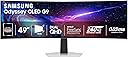
๐ Dominate your workspace & game zone with Samsungโs ultrawide OLED powerhouse!
The Samsung 49" Odyssey G93SC is a cutting-edge ultrawide QD-OLED curved monitor designed for professionals and gamers craving immersive visuals and lightning-fast performance. Featuring a massive 5120x1440 resolution, 0.03ms response time, 240Hz refresh rate, and DisplayHDR True Black 400, it delivers stunning color accuracy and deep contrast. Its ergonomic, slim metal design with versatile connectivity options and advanced features like Auto Source Switch+ and Picture-by-Picture multitasking make it a premium choice for multitasking, gaming, and creative workflows.


| ASIN | B0CDQMQQS2 |
| Adaptive Sync | FreeSync Premium Pro, G-Sync Compatible |
| Additional Features | Curved, Height Adjustment, High Dynamic Range, Tilt Adjustment, Ultrawide Screen |
| Aspect Ratio | 32:9 |
| Best Sellers Rank | #6,574 in Electronics ( See Top 100 in Electronics ) #240 in Computer Monitors |
| Brand | Samsung |
| Brightness | 250 cd |
| Color | Aluminum Silver |
| Color Gamut | 0.99 |
| Compatible Devices | Desktop, Gaming Console, Laptop |
| Connectivity Technology | DisplayPort, HDMI, USB |
| Contrast Ratio | 1,000,000:1 |
| Customer Reviews | 4.1 out of 5 stars 1,228 Reviews |
| Display Resolution Maximum | 5120x1440 pixels |
| Display Technology | OLED |
| Display Type | OLED |
| Hardware Connectivity | DisplayPort, Micro-HDMI, USB |
| Image Contrast Ratio | 1,000,000:1 |
| Included Components | DisplayPort Cable, HDMI Cable, Power Cable |
| Item Dimensions D x W x H | 11.2"D x 47.1"W x 20.9"H |
| Item Weight | 27.8 pounds |
| Manufacturer | Samsung |
| Model Name | G93SC |
| Model Number | LS49CG932SNXZA |
| Mounting Type | VESA Mount |
| Native Resolution | 5120x1440 |
| Number of Component Outputs | 3 |
| Picture Quality Enhancement Technology | HDR10+ |
| Pixel Pitch | 0.23 |
| Power Consumption | 3.13 watts |
| Refresh Rate | 240 hertz |
| Resolution | QHD Ultra Wide 1440p |
| Response Time | 0.03 milliseconds |
| Screen Finish | Matte |
| Screen Size | 49 inches |
| Screen Surface Description | Matte |
| Shape | Curved |
| Specific Uses For Product | Desktop, Gaming, Photo Video Editing |
| Total Number of HDMI Ports | 2 |
| Total USB 2.0 Ports | 3 |
| Total USB 3.0 Ports | 3 |
| Total Usb Ports | 3 |
| UPC | 887276768946 |
| Viewing Angle | 178 degrees |
| Voltage | 120 volts |
| Warranty Description | 3 Year Manufacturer |
| Warranty Type | 3 Year Manufacturer Warranty |
M**E
Excellent Monitor and better than the 95SC
I'm about 10 days in owning this and so far the experience has been exceptional. I work from home and play at night, so this thing gets about 10 hours of use per weekday. I knew what I was getting into when I chose this model and I feel like I made the right choice. The 93SC is a bare boned version of the 95SC, without the questionable "Smart TV" features and fewer ports. The screen is the same though. My work PC, via HDMI with Intel Iris Xe graphics, looks amazing. I'm coming from 2 4K monitors, so the text is not as crisp. However, after day 2 or so, my eyes adjusted and don't notice the difference anymore. The upshot is a seamless work experience with EXCEPTIONAL colors and black blacks. Plenty of room for MANY windows and using Windows Snapping (Windows Key+ Arrows) makes positioning work windows a breeze. Sharing my screen via Teams was initially an issue until I found the "RegionToShare" app on the Windows store. My Gaming PC, via DisplayPort with an NVIDIA 4070 Super is setup for HDR gaming. Out of the box there was little to adjust, although I've been playing around with settings I've found on various sites. HDR in particular is VERY impressive and the sense of immersion in games like Flight Simulator and Forza is literally a game-changer. So, overall very happy and impressed. I also need to mention the stand. It your typical up/down/tilt affair, but the BASE IS FLAT. I overlooked this when researching and it was a pleasant bonus. Being flat, I gained all of that desk space back! So, the downsides? Well, it's OLED, so you need to be aware of burn in potential. Pixel Shifting is on by default, which is good and I have my screensaver set to blank after 2 minutes of inactivity on both machines. However, there is a "pixel cleaning" feature that isn't well documented. After a certain period of use, when you turn the monitor off, it goes into this mode for about 15 minutes. If you tend to unplug your gear when done for the day, you'll need to wait for this to finish. Also, the box. It'll take you 3 or 4 trash days to get rid of the 10lbs of packing material (funny but accurate). In summary, I'm very happy with my purchase and would definitely recommend this of the 95SC, which only comes with features that make the experience worse in my opinion. If you really want Smart TV features, just add a Roku or Fire Stick to that other HDMI port.
J**K
Changes the landscape for origination and multi-tasking.
I've had this monitor for close to four years now. I did have a problem with the front panel, but Samsung includes an additional 3-year warranty on them and sent some guys over to my house to fix it directly. Amazing service. I'm going to combine the gaming and office specifications in one paragraph, so I can explain the issues I have with the monitor lastly. Gaming wise it's an awesome monitor. Never buffers, and the refresh rate and graphics are crazy good. The built-in speakers are amazing, and I prefer them over some very good headphones I picked up for surround sound. Some games don't support ultrawide, but games that do look amazing; those that do not just get black blanks to crop out excess space, though I recommend just borderless windowed. Office organization and multi-tasking are taken to the next level as well. You can always display around 3 windows side by side, and that allows for faster productivity, and focus. Sometimes it gets overwhelming, so I usually keep about an inch border of space for windows, so they stay within eye-level, and don't crowd my eye sight. Alright time for the issues, which aren't so bad. Biggest thing you need to buy for this monitor is the $400 arm stand, it saves a lot of desk space, and allow you easier customize the height of the monitor, so you don't destroy your posture. Also you need to buy the 3-year warranty. Samsung does provide their own 3-year warranty (6 years all together), and will send people to fix your monitor if you ask for it (since the monitor technically is counted as a tv haha). But if something happens, and you no longer have a warranty, you need to realize you may be better buying a new monitor, because repair is not cheap. And if I could go back, I would rather buy a 37" monitor, and have another secondary monitor (i use the CRUA 24โ Curved Gaming Monitor). Its not that the monitor is bad, this thing is an amazing feat of engineering and innovation, but my desk needed an upgrade to fit this beast. Otherwise worth the $1500, and if you personally have problems it's not your fault.... its your CPU and GPU's fault.
C**E
ULTRA WIDE is BEST - ALWAY BUY NAME BRAND MONITORS ONLY
The best experience you can get and black Friday literally saved my computer from the bottle-neck I was using. I typically take apart and put computers back together as a hobby and probably some day as a full time business myself, so at times when dealing with family issues I use what is available and that mean being stuck trying to use my gaming rig on a 55 inch 4k samsung TV which was literally beating the crap out of the RTX 4070 Ti Super graphics card I had in it cause playing any games on that TV was causing a burn up of the graphics card so when I got this Samsung 49" Odyssey OLED I was like feeling the actual truest gaming experience anyone should ever expect. It literally makes regular gaming feel real and the best experience you can get besides playing VR. Videos play well, the refresh rate of everything is perfect, the product was delivered lightning fast and the best part is IT WAS DELIVERED IN PERFECT CONDITION! BUYERS BE WARNED ALWAYS BUY NAME BRAND MONITORS. I've had NO flickering or anything like that at all when playing games or watching videos or doing side to side work. The quality loans great because of using the HDMI 2.0 it came with. DEFINITELY USE IT and if you can get a better wire then the one they sent that's not a big deal, but more power to ya. I didn't know what kind of wire the hdmi 2.0 would be or what to get for this monitor, but I was excited it came with one so I could use it's max benefits. I haven't tested using the display port yet or both wire ports being plugged in at the same time, but I think I will soon. Fits the room great if you have a generally nice bedroom that isn't already cluttered, my house technically has what we call "2 living rooms" and we just turned one of them into a bedroom so basically plenty of room for it. The ultra wide feature makes me wish that everything should be made ultra wide monitor compatible from video games to movies and more cause it Looks GREAT! Remember to always buy name brand cause I tried out a "Decogear" monitor that was a 120 hz refresh rare thinking cause I bought cheap is was a good idea and it WASNT. Do not buy off brand monitors cause you'll end up needing to do all the issues with returns, but I'm NEVER returning this Samsung 49" Odyssey OLED EVER. It's literally a must for gamers especially if you don't wanna use 2 separate monitors for how it can ruin the immersion when using 2 separate monitors. It's a million times better to just get an ultra-wide monitor for sure. Best experience for a monitor I've ever had and it's a perfect gift for ANY gamer, computer worker, or anyone that enjoys anything from computer work to steam games.
Y**I
Hidden $150 Maintenance Fee Every 8 Months
The Menu Joystick broke after 8 months. It broke through regular use. It is made of plastic and split in half. I can clearly see a void in the plastic which to me as an engineer is a clear injection molding defect. I have the non-smart version of this monitor. That menu joystick is the only way to interact with the menu. I can no longer do that. I've had some fun with this monitor, I use it to game and when I work from home. I need to use the menu to change inputs from work to personal pc and vise versa. I need the joystick to change ANY settings on this monitor. Its stuck on one input and whatever settings there were before the Menu Joystick failed. I tried to get the joystick repaired under warantee and Samsung claims it's not a manufacturing defect that the joystick broke from regular use. It falls under physical damage which is not covered by warantee. A very roundabout way to say the Menu Joystick is designed to fail. Samsung is incapable of telling me how much it would cost to repair. A technician must inspect it first and the technician will tell me how much it will cost. Even if I say no once I find out how much the repair will cost, I will be charged for the technician coming out. Ridiculous. No cost transparency on top of poor design and warantee service. I'm very disappointed in Samsung. Plenty of others have this issue online and have been charged $150 to have it fixed. If you want to use the monitor long term factor in a $150 maintenance fee every 8 months to have the Menu Joystick replaced. No one in their right mind would pay to replace a part that is designed to fail. So don't do that. There are other options out there, at least don't give Samsung any more money to maintain their poor design. Look into a local technician or maybe even replacing the broken Joystic with a 3D printed one. Or maybe Samsung could do the right thing and fix this Manufacturing defect under warantee instead of claiming there isn't one. Even better replace the oart with one that will last.
K**.
Great monitor, beware of quality issues
This is a 3 year after purchase review. love this monitor! I came from a 40" 4K tv as a gaming tv. Definitely took some getting used to since you're losing vertical screen real estate. But in many games like FPS, you get more horizontal view of the battlefield. The contrast from light to dark and the absolute blacks in games is just the best. I can't go back to another other than oled now. I have had 2 issues that required warranty service. 18months in, the monitor stopped turning on. Within a week they came to my house and fixed it. Yaaah!!! But 6 months later i get a different issue. The screen itself starting pulling away from the frame. The adhesive holding it to the frame to keep the curved shape was wearing out. 3 spots towards the end , top and bottom pulled away. One spot was 8 inches long and i could see behind the screen. Within a week they came to fix it and the repair tech said he'd never that before. This is best part, as he is installing the electronics from my monitor to the new empty shell, he noticed that "BRAND NEW" screen, was pulling away too!! Hahahaha. What are the odds?? He called a supervisor to get authorization to reorder another screen. Fast forward a week, he came back, opened the new box to check the screen before installing and it was good. Evening ended up great after that. But now, 1 year after that, I'm seeing 2 spots that are coming away again. I doubt they'll let me warranty the same issue twice... But it's their product and their quality issues, not mine. I may just fix myself with e6000 glue.
J**N
WOW
I bought this for a great deal during Prime days. This is hands down the best monitor I have ever owned. Amazing picture quality. I read the reviews about brightness and OLEDS in general, and I can vouch for the fact that this monitor is plenty bright. The colors are amazing. I come from a work environment with a dual monitor setup and I am tired of looking left or right as the bezels are front and center. I use this monitor for gaming when I am home and also remote in to work on this. The amount of space on this monitor allows me to have more work up on the screen when compared to my dual monitors at work. When gaming, I see no lag whatsoever. Watching movies on this screen is also amazing. As far as all the other bells and whistles, there is plenty of adjustment when it comes to the picture so you can certainly dial it in to your liking. I appreciate the backlight feature and I chose a color that matches the lighting in my computer case. I think as a general comment the backlighting could be better by having more color choices, but that really is a secondary feature on a monitor like this. As I stated at the start of this review, I go this for pretty much half price during Prime days. I feel like I got a tremendous deal due to that. If I paid full price, I would feel like I paid what it was worth. So in summary, full price it is still worth it, but if you see it on sale get off the fence and buy one. One last thing is this model does not have the Samsung TV built into it, which is what it is. I couldn't see missing out on the sale just because it didn't have that one feature I would have liked to have.
A**E
The most incredible monitor I have ever seen
I had to write a review, after getting this monitor into my house. I had been on the fence about it, there were some not great reviews about quality and other things. But, after I got mine, I am really happy with it, and it truly is the most incredible monitor I have EVER seen. First, the quality is perfect on my monitor. There is not a single visible bad pixel. The monitor is HEAVY and solid, and comes with a large sturdy base to hold it up. But, the most amazing thing is the size. It is just so much bigger than your imagination expects. I had two monitors side by side and expected it to replace that spot, but they were 20" monitors, and this is MUCH bigger than those two. The inputs and options are impressive. The menu control is pretty terrible but it does the job. Its a little nub of a joystick you control on the back of the monitor by reaching around underneath. The monitor has good speakers built in that work okay for games, but honestly I still prefer headphones. It has options to use this monitor as two, if you need that, rather than one large monitor, but I never tried that, there was no point my video card has no issues with this monitor (RTX4090). All in all, while this is expensive, if you have as much invested in the PC and video card as I do then this is absolutely worth it. The monitor is how you use and how you see your PC. Why not have something that makes it look as amazing as possible? I am so happy I bought this, I have not had a minute of buyer's remorse except when the box arrived and it is like 5' long, and I pulled out the panel and saw the sheer size of this thing for the first time. I worried it wouldn't fit on my desk. But, it did, and I have been happy since.
K**.
Great Monitor for Gaming or Multitasking
First off, this monitor is heavy. The stand which comes with it is very substantial and will support the monitor well. If, like me, you use an arm swivel to hold your monitor so it can be moved around, you will need a heavy-duty arm and mount. Fortunately, mine could handle the weight. Secondly, the picture is impressive. Just hooking it to my PC and turning it on made it obvious that the OLED is 100% better than my older monitors. I used a three-monitor set before and the panoramic view of this 49" monster made them instantly obsolete. I can do the same work in multiple windows with only one monitor. It does take some getting used to but the overall picture quality and 240hz refresh rate means a seamless work surface and an unbeatable gaming workhorse. So my pros: It was easily set up and provides a great visual experience. Working in multiple windows and programs functions well and the seamless movement between them is a great asset. Gaming is awesome on this monitor with no rips or lags in any of the games I put it through. (BG3, various flight sims, Cyberpunk, Skyrim, et. al. My cons: Updates are not intuitive. There is a bit of work involved in getting the hardware updated. I had to download to a thumb drive and the find the specific port to plug into. The LED lighting on the back is meh. A series in a strip around the monitor would be more eye-catching. All this being said, I find myself really enjoying this monitor. It is beautiful in the picture and quality, seems robustly well built and allows for easy multitasking through putting up to six windows across the face. I have not tried the additional device option (splitting the screen in two) or used the built in sound as I have better base sound on the PC itself. Overall, I would recommend this monitor for anyone who needs a wide screen for multitasking or gaming purposes. It also provides an excellent streaming picture for movies/television. It is a higher price point, but is well worth the price in my opinion. 5 stars!
L**O
Une vraie claque visuelle !
Passรฉ dโun รฉcran classique ร ce monstre de 49 pouces, la diffรฉrence est รฉnorme. LโOLED est tout simplement incroyable : noirs profonds, couleurs รฉclatantes, contraste parfait. Les jeux prennent une toute autre dimension, surtout avec le 240 Hz et le 0,03 ms de latence. La fluiditรฉ est irrรฉprochable, aucune trace de ghosting. Le format ultra-wide change complรจtement lโexpรฉrience. Pour le gaming immersif ou mรชme pour le multitรขche (travailler avec plusieurs fenรชtres cรดte ร cรดte), cโest un vrai confort. Lโergonomie est bonne : le pied est stable et permet pas mal de rรฉglages, et lโOSD de Samsung est assez clair. Niveau connectique, tout est lร , et pas de souci pour le brancher ร mon PC et ma console. Petit bรฉmol : il faut de la place sur le bureau, ce nโest pas un รฉcran โplug & playโ quโon pose nโimporte oรน. Et รฉvidemment, le prix pique, mais honnรชtement la qualitรฉ est lร .
M**I
ู ู ุชุงุฒ
ู ู ุชุงุฒ
V**U
Great screen, huge, good functionality
UPDATE AFTER SEVERAL MONTHS: I am increasing my review from 4 stars to 5 stars because I am really overall impressed with this screen. Added a video review! I love this screen, it is nice and long but not too curved. I have it hooked up with an HDMI from my MacBook Pro. I wish the colours were slightly more vivid which is why I removed a star. They are good, but they are not as clear as my Macbook screen by a landslide. It is VERY heavy and made my IKEA table actually bow down in the middle of it. I needed to add extra support to my table because of this. I will hopefully be getting an arm for the screen, so that it can be mounted right to the table. That said, when purchasing this definitely keep in mind how HEAVY it is. The table that bowed is the one in the picture, and this thing is a sturdy table. I was really surprised that after a week on the table top it actually made my TABLE curved because it was so heavy. The response rate is amazing, and I am really happy with it for all things gaming, streaming, and for using it when I am editing videos and doing work. I give it a 4 out of 5 stars. I would buy it again. I think it was an awesome purchase and it makes my space feel special!
J**O
Itโs wonderful
Love this screen!
T**1
SPOILER WARNING - you buy this, you won't go back
long time gamer here, but never had a dedicated gaming monitor. 1920 x 1080 @ 60fps was all i ever needed - and i got by. eventually got 2 27" monitors - different brands/models - side by side. got curious about wide screen gaming, but even with "no-bezel" monitors, you can still see the divide and it's even more evident if the monitors are different. i didn't want to hassle with color calibrating multiple monitors. i also considered doing a 3 monitor setup, but the space and cable management needed for that just wasn't for me. settled on a single super ultrawide and i can honestly say, i'll never go back to multiple monitors. it's got the same desktop real estate as 2 27" monitors side by side, but no visible divide. the OLED display is just beautiful. colors pop and my first experience with some games were amazing. i know OLED burn in is in the back of some buyers' minds, so a couple of tips i use are - use a rotating slideshow desktop wallpaper - i have mine cycling through a collection of about a dozen wallpapers - hide your desktop icons - i got used to accessing my apps through the start button or explorer - hide your taskbar - i have mine to show on mouseover - set screen standby mode after 10 min these tips will help remove any static images when the computer is not in use
Trustpilot
2 weeks ago
2 days ago