Buy anything from 5,000+ international stores. One checkout price. No surprise fees. Join 2M+ shoppers on Desertcart.
Desertcart purchases this item on your behalf and handles shipping, customs, and support to Senegal.
🎬 Elevate your space with the future of home cinema — don’t just watch, experience!
The XGIMI HORIZON Ultra is a premium 4K laser projector featuring Dolby Vision, 2300 ISO lumens brightness, and advanced ISA 3.0 technology for superior image quality. Equipped with Android TV 11.0 and powerful Harman Kardon speakers, it transforms any room into a smart home theater with vivid visuals and immersive sound. Designed for long throw distances and versatile mounting, it supports up to 150-inch displays and offers seamless connectivity via Wi-Fi, Bluetooth, and HDMI.


| ASIN | B0CB32ST6S |
| Antenna Location | Home Cinema |
| Average Life Span | 20000 Hours |
| Best Sellers Rank | 37,461 in Electronics & Photo ( See Top 100 in Electronics & Photo ) 380 in Projectors |
| Box Contents | Android TV 11.0 |
| Brand | XGIMI |
| Brand Name | XGIMI |
| Brightness | 2300 Lumen |
| Colour | Misty Gold |
| Compatible Devices | HDMI |
| Connectivity technology | Wi-Fi |
| Contrast Ratio | 100,000:1 |
| Control Method | Remote |
| Controller Type | Button Control |
| Country of Origin | China |
| Customer Reviews | 4.4 out of 5 stars 99 Reviews |
| Display Type | DLP |
| Display resolution | 3840 x 2160 |
| Display resolution maximum | 4K Ultra HD Pixels |
| Form Factor | Desktop |
| Hardware Connectivity | Bluetooth 5, HDMI, Headphone, USB 2.0 |
| Item Dimensions L x W x H | 26.5L x 22.4W x 17H centimetres |
| Item Weight | 5.1 Kilograms |
| Lamp Wattage | 12 Watts |
| Manufacturer | XGIMI |
| Manufacturer Part Number | HORIZON Ultra |
| Maximum Display Resolution | 4K Ultra HD Pixels |
| Maximum Image Size | 150 Inches |
| Maximum Throw Distance | 225 Inches |
| Minimum Image Size | 40 Inches |
| Model Name | HORIZON Ultra 4K |
| Model Number | HORIZON Ultra 4K |
| Mounting Type | Floor Mount, Tabletop Mount |
| Native Resolution | 3840 x 2160 |
| Network Connectivity Technology | Wi-Fi |
| Picture Quality Enhancement Technology | ISA 3.0 |
| Product Features | Auto Focus, Auto Obstacle Avoidance, Auto Screen Alignment, Built-In Wi-Fi |
| Product Warranty | 2 years |
| Recommended uses for product | Home Cinema |
| Special feature | Auto Focus, Auto Obstacle Avoidance , Auto Screen Alignment , Built-In Wi-Fi |
| Video Encoding | H.264, H.265 |
| Voltage | 240 Volts |
| Wattage | 225 watts |
S**S
Great Projector at a bargain sale price! Some setup tips/pitfalls.
Okay, this is a 4k Projector reviewed by What Hifi back in 2023 at a price of £1700, they gave it 4 stars, and now are saying at the sale price of £800/£900 is the deal for the ages. WIth it's on board auto setups and auto focus this will blow any projector out of the park at £1000 price. To be picky, if you were to compare at the £1500 price you'd need another makes projector side by side to see any true comparisions and this will still hold it's own. It's a projector, the Blacks/contrast are what I'd expect and never tv standard, this is more than adequate For some reason reviewer are using this as the must sell point which is just wrong as there is nothing wrong with it, but it is a projector and will never be a tv..but is very close in Projector worlds. I have just replaced my Epson EH-TW7000 4k with this and sold the Epson, so I will have a far better comparison experince than most.. The colours are striking and 4k content is crystal with colors so striking that are a pleasure! If you move this around then it'll set up autmatically and such it's great to have the auto everything setups.. I have set this into a permanent location and now have it pretty much dialled in so here are my tips for a permanent set up: 1. The auto keystone can set the picture where it is needed but can have large areas of wasted display overshoots. I tend to use the zoom and manual key stone using "restore" to fill the display picture for full screen viewing area, with no overshoot of light outside picture area. I also turned off "auto key stone at power on" as you'll have to faff with this again to setup you permanent screen. Leave the Autofocus on at power up on. I've turned off the Wall colour adjustment as it's in a permanent position that I don't need and is manually dialed in. 2. I don't use the apps, they are permanently in Dolby Vision/HDR with some series content poor with a low level colour display using dolbyvision (althouth movies tend to be better). Instead, I use a 4k Fire stick max and turn the HDR off on the fire stick for straight 4k signal, as the fire stick is bad at HDR/dolby vision greying out the colors on projectors. The 4k pictue is then stunning. This was similar with the Epson 4k. This may be why some are experiencing low blacks etc. I can't find a way to turn the dolby vision off on it's own apps but I haven't had this long. 3. Turn off "Motion compensation", and turn Noise reduction to either auto or Medium produces a much better film like picture and not "video" look. 4. Set "picture " to custom, bright to 51, Iris enhnce to 8 or 9, Contrast to 51, leave colour as standard, but you may need to back the reds off if desired in custom area. There are a ton of adjustments that are best left for permanent set ups. 5. Using a Sony UBP-x700 4k player turn the dolby vision/hdr "on", this handles the hdr/dolby vision much better than the apps/fire stick and the projectors own apps. The picture generally is far better on movies than series, but $K discs are amazing as is upscaling of bluray to Doldy vision. I cannot notice any Rainbow on this which is great. I used to have a Benqw1070 that I did notice occasioinally but zoned out of this. Any projector needs to have a decent time to set up, it is far easier to achieve the deisred picture when permanently placed, Otherwise the auto set up versatility for moving around is great for casual viewing or portability. I'd have liked some preset saving options for differnt viewing content, but its quick to use the adjustments, as my wife rolls her eyes! I hope that helps!
M**N
Wow!
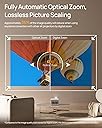
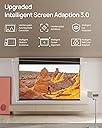
What an amazing piece of equipment. Firstly if like me you have a temporary setup with a foldaway screen which comes out as needed, then this is absolutely the projector for you. It finds the screen itself, uses optical zoom to fill the screen (as opposed to digital which loses picture quality) then allows you manual keystone correction if needed. The 4K picture quality is stunning. Great in daytime light but as with all projectors it really comes into its own in a darkened room. The settings are all super easy. It detects Dolby Vision and HDR itself and adjusts settings automatically. For the few of us who love 3D Blu-rays the 3D is absolutely excellent and easy to set up. Plays 4K UHD files from a USB stick and even from an external hard drive but will also stream them perfectly from a PC or Laptop using Plex. I got this at the Black Friday price of just over fifteen hundred and it's worth every penny. Don't hesitate. Also with my setup the projector is right next to my head and is virtually silent. With TV or a film on I can't hear the fan at all. Update: I've had this projector eight months now and cannot fault it! It's array of settings are fantastic for getting the best picture. I have a temporary setup but mostly end up leaving my 100" screen up and using this as my TV evening and daytime. 4K UHD films look incredible on this. It's very rare to find a tech item which after eight months you still don't have any cons about.
M**N
You won't regret this!
Well I can't really fault this. It's a little slow connecting to my wi-fi after switch on. After that it's awesome. It's bright, its sharp, the sound from the in-built speakers is awesome. Oh and it looks great too. Arrived beautifully packed. The remote control has a lovely feel to it. Setting up was easy. I have a wall in our lounge that is a watered down shade of magnolia. This projector analysed the color and adjusted its projected colours to compensate. Very impressive. This really is like being in the cinema.
M**N
Great image, but flawed OS
I’ve had numerous projectors over the years, including some of the really cheap ones you see on here. However, the last one I had was an xgimi polar z1 and that’s still a cracking projector, so when I saw the horizon ultra 4k on sale for £750 i hit buy as i had been researching it for a while but couldn’t justify the cost. Right now I’ve had this for 6 months and it’s replaced my old xgimi projector. The pros: Incredibly bright image It’s 4k Good colours and hdr support Low latency for gaming Decent sound The cons: Very slow OS, not buggy so much as laggy Poor contrast, compared to how vivid the colours are the blacks are terrible, more a murky grey. Auto keystone isn’t great, my projector is static it doesn’t move on a mount, but the auto keystone is always a tad off whenever it’s activated. Its super bright mode is really really loud. Switch that on and all you can hear are the fans over the speakers. Right if you read this you may think I’m unhappy with it, I’m not its picture is great even if I’d like more contrast. Is it worth the 1600 full price? No for that money look at a dangbei or Hisense, and if I’m honest had I the money I’d have gone that direction, this is worth the £750 I paid though. If you can find this on sale it’s a good deal but not at full whack.
R**D
Superb projector
I had a mogo 2 pro for the bedroom, just trying the technology really and was impressed with that so I tried the halo plus in the living room, with a proper screen and although it was brighter it just wasn’t bright enough (bigger room and distance to screen), so I returned it and went for the Ultra - difference was like night and day. So much brighter that it doesn’t seem like it’s being projected, it feels more like your just watching a really big tv. Very quiet too. The auto framing and focus stuff is good but I just set it up once in the corner of the room and turned all that off so it stays set, it’s fairly substantial and is something you want in one place. Picture quality is great. Sound very decent, but I did cable the sound through to my sound bar set up, mostly to get the sound up where my screen is but also to get the improvement in sound; doing that gives a theatre like sound that matches the picture. DVD works great too although as there are only 2 hdmi sockets and one is being used for sound setup, the other had to be shared between my dvd and Apple TV using a switching device I got off Amazon. 3d movies work well but you do need a different set of glasses from those you might have for your tv - 2 different systems I guess. The Xgimi ones work well, just a bit fiddly to get everything synced up initially. Enjoyable watching anything on this; tv shows now look like movies, and football matches look great. Worth waiting for a discounted price, as it drops quite a bit during Black Friday or other sale events. Even discounted it’s an expensive option but if you want to go big and have a bright high quality picture I think this is the way to do it. But get a decent screen as well - motorised with a remote control makes like a lot easier. When you drop the screen down and get this working it does make visitors jaws dop!
I**O
Astonishing quality projector. Sony and JVC should be very scared!
I have used a JVC D-ILA projector for many years and the quality has obviously been extremely high, it goes along with the price. However, I was looking to upgrade to Laser source rather than Bulb and had more or less decided to buy a Sony VPL-XW5000ES which is fairly state of the art, and comes in at roughly £5,000. Then on Prime Day I happened to see this XGIMI Horizon Ultra for sale at a bargain basement price of £1,399. It seemed to tick all the boxes and had some great reviews, so I bought in on impulse. And boy is it impressive! The projector starts almost instantly, is effectively silent, all the adjustments are electronic ie you don't need to touch the projector to change the focus, keystone, zoom etc. Some such as the focus are automated, and almost instant. It's just beautiful to watch it do its stuff. The proof of the pudding though is in the eating, and the picture does not disappoint. It is superb. If I was being superb picky I'd say the Sony probably has more subtlety in the picture, but then it costs 4x as much! If you connect up an Nvidia Shield and fire up Netflix with a 4k Dolby Vision source you will not be disappointed! It is so impressive. This won't be good enough to watch in a brightly lit sunny room, but few people want to do that with a projector. If you're watching a film with shades/blinds down, or in the evening, this will give you a luscious picture that will beat any TV hands down (yes, I have several LG OLEDs and their picture is better, but they're not 120 inches wide!) I won't comment on the sound, I doubt anyone is going to buy this and use the built in sound for anything other than exceptional circumstances. I can't overstate how impressive this is, it is a tiny little box compared to the leviathans that Sony and JVS produce. No doubt some will quibble that this is Pixel Shifting, not true 4k, but I can't for the life of me tell the difference. Basically the world has moved on, you don't need to spend £5k+ to get a decent projector, you can if you want, but honestly you'd be wasting your money.
B**Y
Great picture, poor motion judder.
If you are sensitive to motion judder and dropped frames this is not the projector for you. Because this projector is fixed at 60hz (60 Frames per second) most content will have judder because our TV system is 50hz or streaming apps are 24 Hz. There is a judder smoothing software but it introduces strange artifacts like tearing or flickering and sudden jerking. All that said the picture is very bright and sharp and if you play something filmed at 60 FPS it stunning. The auto picture is meant to auto line up with screen but that didn't work for me and had to do it manually which is easy with all the manual adjustments available. I really wanted to keep this projector but just can't live with the juddery motion.
S**M
Great projector, some small bugs...
At the time I purchased this projector it was the best option on the market at its price point, by some margin. Newer projectors from XGIMI have now been released, but I would strongly advise considering this model for a home projector over the more expensive options. I have the auto calibration set to run automatically on every restart, the manual alignment tool is best if you have a fixed screen like we do. I have this projector mounted to the ceiling with all cables run through the ceiling/walls/flooring, this way I am able to run an Xbox Series X, PlayStation and surround sound with all devices easily accessible on a unit beneath the screen. This is marketed for being easily used anywhere, which I suppose you could do but you won't get the cinema experience that I think alot of people want when paying this money. There is an optical zoom function on this projector which means great versatility being able to place the projector where it works for you in your room and you won't have reduced visuals when you zoom the picture down like other digital zoom functions. The inbuilt speaker is OK, again if your using in a home cinema then I would advise getting surround sound anyway. I use the projector for gaming which is amazing on a 120 inch screen, but be warned even in gaming mode the response rate will not be suitable for competitive gaming and won't compare to using a gaming monitor. For me it works perfectly though and most won't notice this. If you watch alot of Netflix then be warned that it won't run natively on a projector, this is not XGIMIs fault but how Netflix works on different devices, so you will need a dongle. When I purchased this was included free, it works and is easy to set up but only runs 1080p, so you miss out on the glorious 4k that you will have gotten used to. I have had this for over 2 years and I still use it almost daily, there have been some bugs that I have experienced which I will list below > on occasion the cover will not open when the projector is switched on, turning off at the plug then restarting after 10 seconds always fixes this. > the remote does feel slightly cheaper than you would expect for a projector of this price, mainly due to the directional buttons not always returning to their normal position > on occasion when you start the projector the image will be strangely misaligned, opening the manual alignment and simply making one adjustment fixes the whole image straight away. > the auto switch to HDMI upon receiving an input, such as turning your Xbox on, typically doesnt work. This isn't a great issue but there isn't a button on the remote to cycle the input sources, so you have to navigate across the top menu of the home screen each time.
Trustpilot
2 weeks ago
2 weeks ago