Desertcart purchases this item on your behalf and handles shipping, customs, and support to Senegal.
🖐️ Elevate your workspace comfort with precision and style — the trackball mouse that works as hard as you do!
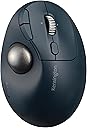
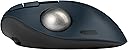
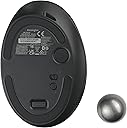
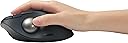
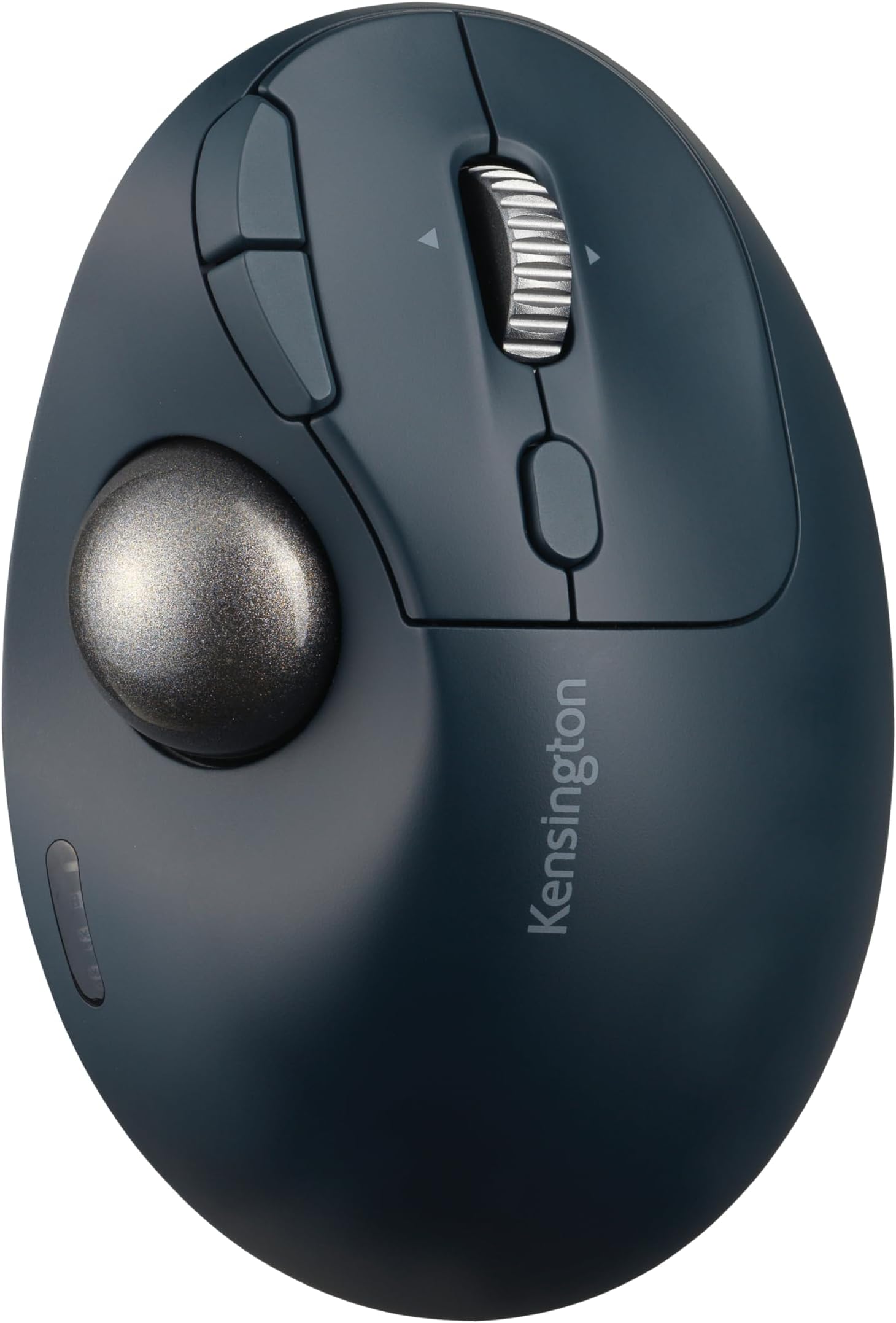
The Kensington TB550 Wireless Trackball Mouse combines advanced ergonomic design with dual wireless connectivity options (Bluetooth LE and 2.4 GHz) secured by 128-bit AES encryption. Featuring a rechargeable battery lasting up to 4 months, a 4D scroll wheel for versatile navigation, and four adjustable DPI settings for tailored cursor control, it’s crafted for professionals seeking precision and comfort. Its patented ball ejection system ensures easy cleaning, while the 45° tilt supports healthier wrist and forearm alignment. Built with sustainability in mind, it uses 51% recycled plastic and includes programmable buttons to enhance productivity.


| ASIN | B0CD1QWG2V |
| Additional Features | Ergonomic Design, Programmable Buttons, Rechargeable, Wireless |
| Antenna Location | Office, School |
| Battery Average Life | 4 months |
| Best Sellers Rank | #22 in Computer Trackballs |
| Brand | Kensington |
| Built-In Media | Pro Fit® Ergo TB550 Trackball, Quick Start Guide, Compliance Sheet, USB-A Receiver, USB-C (Male) to USB-A (Male) Charging Cable, Warranty Card, Welcome Card |
| Button Quantity | 7 |
| Color | Charcoal Blue/Silver |
| Compatible Devices | Personal Computer, Tablet |
| Connectivity Technology | Bluetooth, USB |
| Customer Reviews | 3.8 out of 5 stars 189 Reviews |
| EU Spare Part Availability Duration | 3 years |
| Enclosure Material | Plastic |
| Global Trade Identification Number | 00085896721963 |
| Hand Orientation | Right |
| Hardware Platform | Mac, PC |
| Item Dimensions L x W | 5.44"L x 3.68"W |
| Item Weight | 141 g |
| Manufacturer | Kensington |
| Mfr Part Number | K72196WW |
| Minimum Required Operating System Version | Mac OS 10.12 Sierra, Windows 10 |
| Model Name | K72196WW |
| Model Number | K72196WW |
| Mouse Maximum Sensitivity | 1600 dots_per_inch |
| Movement Detection | Trackball |
| Movement Detection Technology | Trackball |
| Number of Batteries | 1 AA batteries required. (included) |
| Number of Buttons | 7 |
| Operating System | Mac, Windows |
| Pattern | Trackball |
| Power Source | Battery Powered |
| Range | 10.0 meters |
| Special Feature | Ergonomic Design, Programmable Buttons, Rechargeable, Wireless |
| Style Name | Thumb-Operated |
| UPC | 085896721963 |
| Unit Count | 1 Count |
| Warranty Description | 3-year limited |
Z**T
The Better Choice
I'd been a Logitech user for 40 years. Their design and quality have been declining for a long time. As a longtime user of trackball devices, which I used in CAD for most of those years, their earlier devices saved a lot of movement and muscle, and lasted a long time. In recent years I was finding myself suffering from carpel tunnel and replacing devices twice a year. So, I decided to give this Kensington device a try. I noticed within days that the carpel symptoms disappeared. And the ease of use was a blessing. I also noticed a better quality of manufacturing that I'm hoping translates to longer life. No seams in the well that the ball sits in should translate to less jamming situations that the Logitech displayed. Well done Kensington!
P**N
Poorly built, or just bad design. Multiple failures within 30 days of not heavy use.
I've been using the Logitech wireless trackball mouse for several years now. I still very much like them, but I wanted a trackball that has a few more features: 1) sideways tracking 2) USB-C recharging and a 3) slightly larger footprint. This one was supposed fit that bill, and for about 3 days, it did. And then..... -The cursor started getting very "jittery" after about an hour of use. I thought my OS was acting up. Turns out, the built in battery was almost fully discharged. Hmmm. No bueno. I plug in the charging cable, and voila, works like a charm. So, it's now been a wired mouse. -The trackball initially was silky smooth in its rolling performance... well, that lasted about 3 days. It has slowly getting more and more difficult to roll. I've cleaned the bearings several times. I've tried the dry silicone suited for plastic electronics, and while it helped initially (a little), it's now as bad as ever. To the point I've simply gone back to my 4 year old logictech mouse. This isn't the first kensington office product I've used, but it certainly is the worst. (I would have returned it within the 30 day window, but alas, extended work trips are a thing.) I am reaching out directly to kensington to see what they say. I'll follow up on this review once finality is reached.
B**R
Nice Mouse
I often use a laptop with a lap table laying on my lap while sitting on a couch. Using a traditional mouse has been problematic as the mouse moves uncontrollably on the lap table. Went with this trackball mouse to eliminate that problem. It has taken some adjustment on my part, but I am getting used to it. The trackball and wheel are very smooth. I reprogrammed the 2 small buttons to 'page up' and 'page down'
A**R
nice alternative to MX Ergo but scroll wheel may start to fail earlier than expected
Great alternative for the Logi MX Ergo for a decent price, haven't used this trackball for an extensive amount of time to tell if it's main switches will fail like the MX Ergo does after so many years but I can say the scroll wheel might start to function oddly at an earlier stage. Once this happens, the scrolling will jump around for whatever reason it decides on which makes scrolling using the scroll wheel unusable. To fix this, I pried open the track ball and cleaned around where wheel is housed and it seemed to have done the trick. Not sure if this is due to dust or whatever but I've decided to not screw the screws back in just in case I need to open it again for cleaning in the near future.
J**A
Very good mouse
The Kensington TB550 is very comfortable, I tested with Mac and Linux and works fine so far, in mac it is very customizable with KensingtonWorks, at the beginning I thought that it didn't have a good response in mac, but after setup with the tool, works like charm, no issues with the Bluetooth mode, the dongle works fine as well, very happy with the mouse
A**Y
Worst scroll wheel ever
Pros: 1. The contours on the trackball feel very comfortable in the hand. 2. The ball itself moves smoothly 3. The button at the bottom to pop out the ball for cleaning is a very welcomed feature. Cons: 1. The scroll wheel is the worst I have every used on any peripheral. Regardless of settings, it is simply not usable for normal work. 2. The button for switching connections between dongle and two BT devices cannot be remapped. Like me, I am guessing the majority of users will have the trackball on a desk connected to a single device. Not allowing for the remapping of this button makes it a lost button completely in most cases.
M**N
Great mouse.
Takes a little bit to get used to, but I would never go back to a traditional mouse! And having the page back and forward buttons really helps speed things up!
J**H
Faulty Product
I can't think of a worse product that I have bought in recent years. The left click acts as a universal scroll. When I install the KensingtonWorks app to reassign the click button, all buttons can be reassigned except the left one. The error message appears under another button, is not readable, and disappears so quickly. After multiple tries, I managed to copy the error message and searched for a solution, but none was found (The error message: "to program this button please assign another button as click button first."). I tried uninstalling the app and the driver, and then used both Bluetooth and the dongle, but the result was the same. I tried changing the primary key in Windows Mouse settings to try to solve this issue. It worked fine with the right key, but still can't fix the left key assignment issue. I also tried to contact their support, but since it was Sunday, nobody was available. If your product is this bad, I think you should have 24/7 support. I had had enough of this. I STRONGLY SUGGEST STAYING AWAY FROM THIS AWFUL PRODUCT AND COMPANY.
F**T
Trackball mouse
Good quality trackball mouse. Exactly what I wanted. Working well so far
A**R
Great trackball
The best and smooth trackball mouse.
H**R
Just what I needed
I have always liked a track-ball, and they're getting harder to find. I hesitated to order this unit because I have not liked other thumb-drive's. This one, combined with the ergonomic shape, is just right. I've used it now for several weeks and it meets all of my requirements. I'm not a gamer, so there are functions I don't need. Non-the-less, I find it much superior to to a standard mouse.
D**B
Tres bonne ergonomie et matiere sympa
J'étais un adepte du trackball Logitech Ergo mais j'en ai eu deux dont le revêtement caoutchouté s'est transformé en moins de deux en une matière collante et désagréable. Vu le prix j'ai abandonné ce produit. C'est comme ça que j'ai essayé le trackball Kensington. On verra avec le temps mais déjà le revêtement fait plus plastique que caoutchouc. C'est un bon présage. En première impression la forme du Kensington est plus adaptée à ma main que ne l'était le Logitech. Et cerise sur le gâteau il coute deux fois moins cher. Pour l'instant que du bon. Après quelques jours d'utilisation j’ai eu des problèmes de blocage d’accès à l'écran. J'ai repris une ancienne souris et tout allait bien. Kensington m'a remplacé l'article sans histoires. Malheureusement le problème à persisté. J'ai eu l'idée de désinstaller le logiciel de gestion du trackball Kensington. Depuis tout est rentré dans l'ordre.
Z**R
Nice
This trackball offers a comfortable grip, it took not a long time of getting used to after a year of using Logitech M575 shape. It's not worse or better, just a little different. Build quality feels good for the price. The left and right buttons provide pleasant tactile feedback, which I prefer a little more to the silent switches on ProtoArc EM04. The back and forward buttons are easy to click, and the scroll wheel, made of some kind of metal, is smooth and pleasant to scroll. Switch device button on the top is convenient. And ball eject button is better solution that a hole. Battery life is good. Unlike ProtoArc, which required frequent charging, at least once a week considering I switched it off after work, this trackball lasts a long time on a single charge, no need to switch off. I check battery from time to time and there is no noticeable discharge. The only drawback for me is the non-replaceable battery. The TB450 model has a replaceable battery, and it would be preferable to have that option here as well. I don't have any issues with Bluetooth or scroll. It's smooth and match competitors performance. The included software looks inconvenient and heavy (~350mb). I bought this trackball because of it's design and color scheme. It matches my other hardware. But aside from design it's just a good trackball.
Trustpilot
3 days ago
2 months ago