Desertcart purchases this item on your behalf and handles shipping, customs, and support to Senegal.
๐ฌ Elevate your stream game with flawless 4K capture and zero lag!
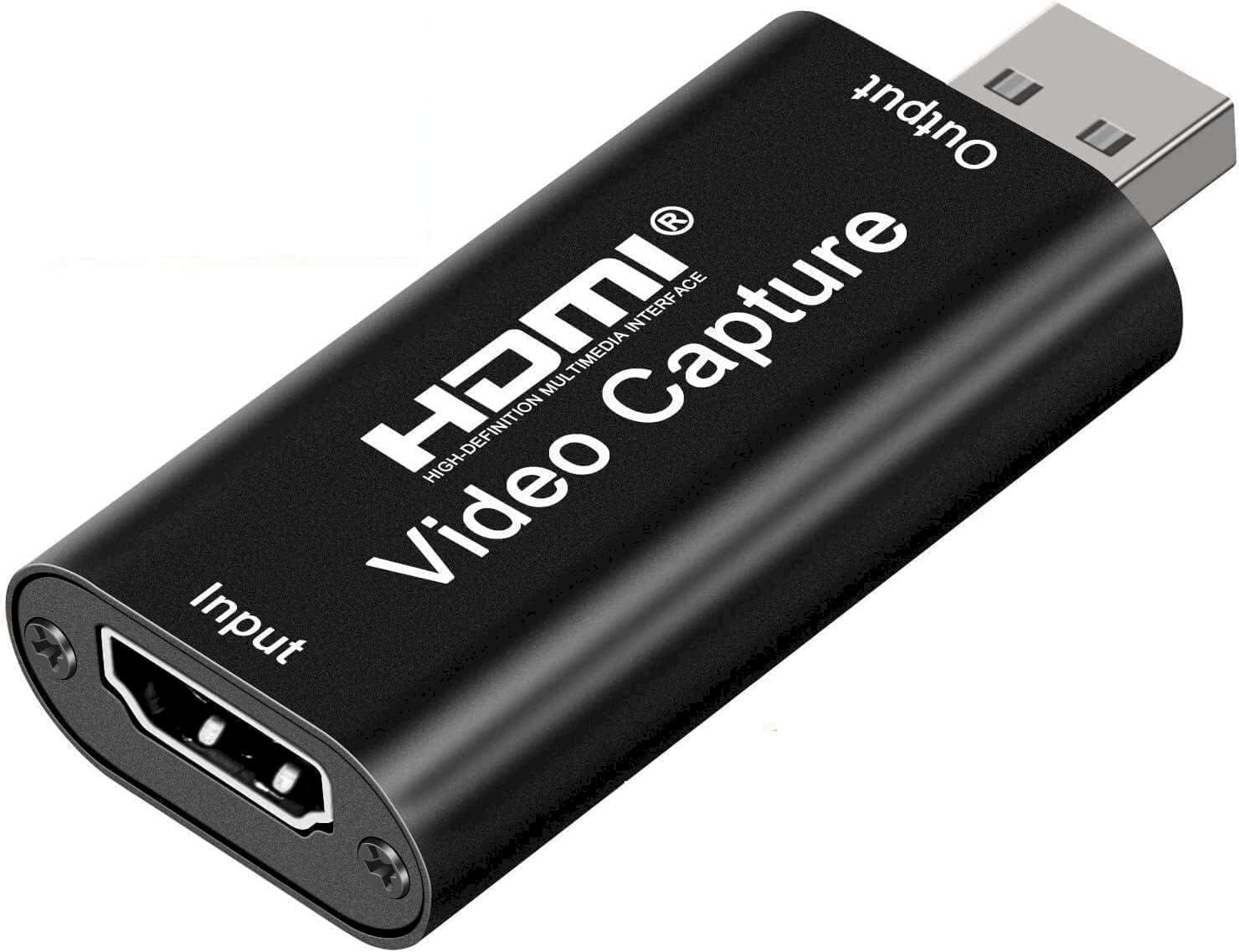
The Audio Express AXHDCAP is a compact, portable HDMI to USB 2.0 capture card designed for professionals and gamers seeking high-quality 1080p video recording and streaming. It supports 4K HDMI input at 30Hz, outputs smooth 1080p video at 30fps, and features ultra-low latency for real-time previews. Compatible across major OS platforms and streaming software, it offers effortless plug-and-play setup without drivers or external power, making it ideal for live broadcasting, gaming, teaching, and video conferencing.


| Antenna Location | Gaming Streaming, Image Capture, Image Recording, Live Gaming, Streaming, Streaming Live, Video Recording, Webcam |
| Asin | B0C2MDTY8P |
| Av Output | HDMI |
| Best Sellers Rank | #3,698 in Computers & Accessories (See Top 100 in Computers & Accessories) #6 in External TV Tuners |
| Box Contents | AV Adapter, TF Card Reader |
| Brand Name | Audio Express |
| Compatible Devices | Digital Cameras, Gaming Systems, Nintendo, Playstation, XBox |
| Customer Reviews | 3.7 3.7 out of 5 stars (1,325) 3.7 out of 5 stars |
| Hardware Interface | HDMI, USB 2.0 |
| Item Dimensions | 6.4 x 3.8 x 2.5 Centimeters |
| Manufacturer | Audio Express |
| Manufacturer Part Number | AXHDCAP |
| Minimum System Requirements | Intel Core i5, 4GB RAM, integrated or dedicated graphics, USB 2.0, Windows 10/macOS 10.13/Linux 4.4/Android 6.0, 500MB storage, internet connection. |
| Model Name | AXHDCAP |
| Model Number | AXHDCAP |
| Operating System | Android (for devices with OTG support), Linux, Windows (Windows 10 and later), macOS (macOS 10.13 High Sierra and later) |
| Other Special Features Of The Product | Lightweight, Portable |
| Platform | Android, Linux, Mac, Nintendo Switch, PlayStation, Windows, Xbox |
| Tuner Type | Digital |
| Unit Count | 1.0 Count |
| Video Capture Resolution | 1080p |
User
Nice product.
Good working
User
Not showing on mobile phone properly when I reinsert 2 to 3 times than video was showing
Overall good but some time video was not supported when I plug in out than video was showing
User
Good product
Very useful and portable
User
A must for every HDMI enthusiast
Works well for me. Quality of output could have been better though.
User
Best product
Amazing product
User
Seems to be working but it gets hot very quickly might be a issue
I used it for my fire stick (compatible) it is working but it's heating on slight use so it is functional but might not be a long term product
User
เคชเฅเคธเคพ เคตเคธเฅเคฒ เคเคเคเคฎ
เคฏเคน เคฌเคนเฅเคค เคฌเคขเคผเคฟเคฏเคพ เคเคเคเคฎ เคนเฅ เคเคฐ เคฎเฅเคเฅ เคธเฅเคธเฅเคเฅเคตเฅ เคเคเคธเฅเคเฅเคฒเฅเคถเคจ เคเคฐเคจเฅ เคฎเฅเค เคฌเคนเฅเคค เคฎเคฆเคฆ เคเคฐเคคเคพ เคนเฅ
User
bad
worst product. video is getting too lag.
User
Surprisingly Good for the Price, But Expect Some Minor Lag
For a capture card priced under $10, I wasnโt expecting perfection, but this device delivers decent 1080p video while maintaining a compact form factor. Itโs not flawless, but for the cost, it performs surprisingly well.The main drawback is the input delay. When connected directly to my TV, there is no noticeable lag. However, when routing the signal through this device, there is a slight but perceptible delay. Disabling the Buffer feature in OBS helped reduce it somewhat, but the lag remains noticeable enough to be frustrating for gaming.I tested it on another Windows 11 machine and encountered the same issue. However, direct connections to a TV exhibited no delay, suggesting the device itself introduces some latency. Despite this, it is still a solid budget option. If you require real-time responsiveness, particularly for gaming or streaming, a higher-end capture card would be a better choice.Use Case Recommendation:This device is excellent for capturing HDMI video on a laptop using OBS or other free capture/webcam software. Itโs a great alternative to using a dedicated monitor, allowing you to display an HDMI source on your laptop screen. For example, you can resize the video feed to a corner while taking notes or attending a lecture.Final Verdict:โ 10/10 for laptop setups โ Ideal for secondary video display and casual use.โ ๏ธ 4/5 for streaming โ Works fine for capturing footage, but input lag makes it less ideal as a primary video source for real-time applications.Check out the attached video for a real-time demonstration of how it looks and sounds in OBS with video buffering turned off and hardware decoding enabled.
User
Good
Good
User
Poor Quality
Unfortunately the product didnโt work.
User
Great device for the price
I bought this because a friend recommended it. After weeks of testing I can say that I'm happy with its performance. Just make sure not to have anything knock or nudge it while it is plugged in because it could loosen the connection between device and PC leading to sound loss (until you unplug then plug it back in.)I use it with OBS for streaming on YouTube.
User
ุตูุฑุชู ูุชูููู ุชุญููู ุงูููุฏูู ุงูู ุงุชุด ุฏู ู ู ุชุงุฒู
ุงูู ูุชุฌ ู ู ุชุงุฒ
Trustpilot
2 weeks ago
2 weeks ago