Desertcart purchases this item on your behalf and handles shipping, customs, and support to Senegal.
❄️ Stay cool, stay ahead — the thermal upgrade your rig deserves!
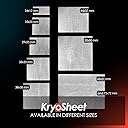
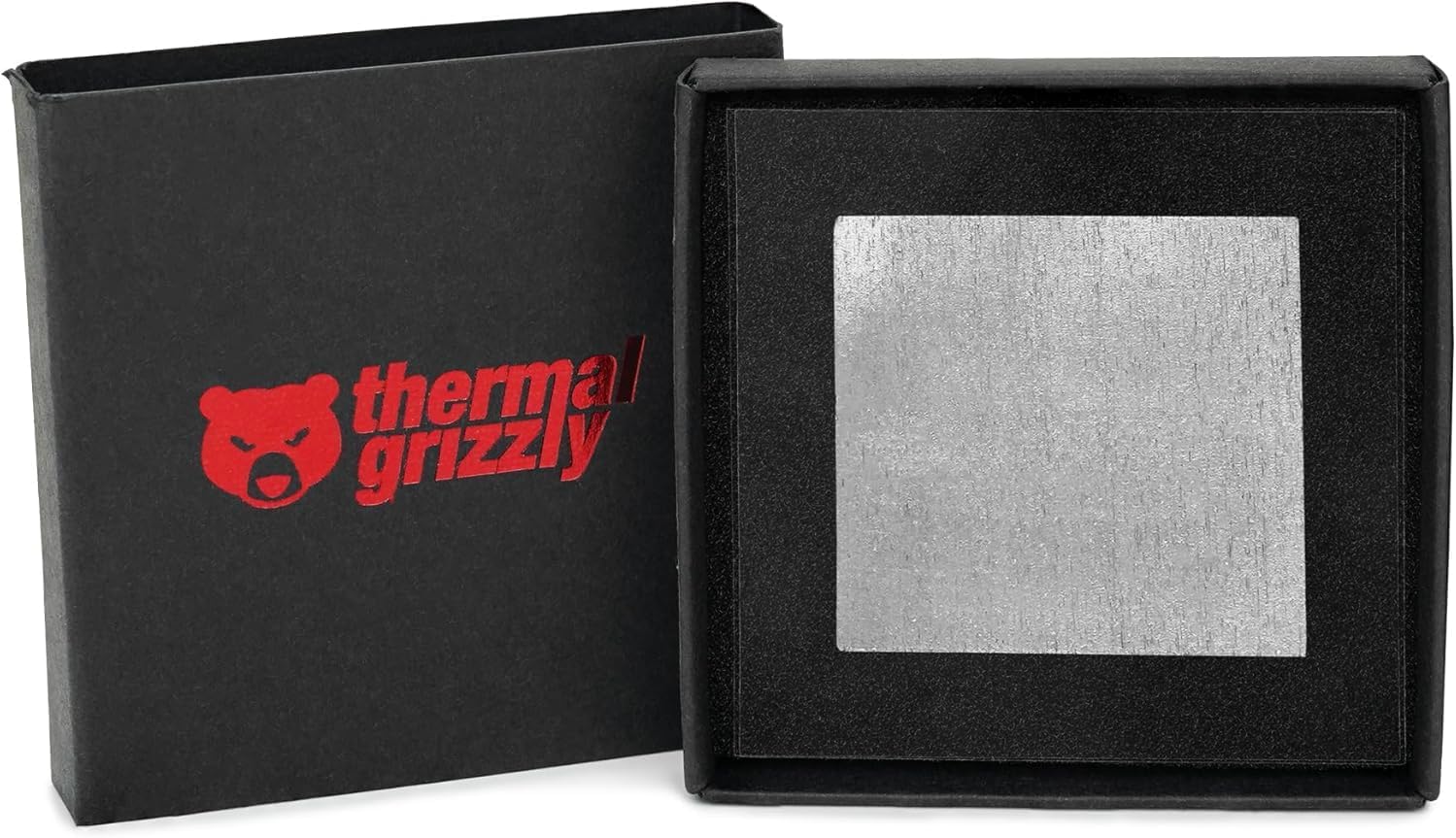
Thermal Grizzly KryoSheet is a premium 0.2mm thick graphene thermal pad designed for high thermal conductivity (12.5 W/mK) and extreme durability. Available in multiple sizes, it offers an easy-to-apply, electrically conductive solution that outperforms traditional thermal paste for CPUs, GPUs, and gaming consoles, ensuring consistent and efficient heat dissipation for professional-grade cooling.


| ASIN | B0C61Q77B6 |
| Best Sellers Rank | #3 in Thermal Pads |
| Brand | Thermal Grizzly |
| Color | Grey |
| Cooling Method | Thermal |
| Customer Reviews | 4.4 out of 5 stars 2,936 Reviews |
| Global Trade Identification Number | 04260711990830 |
| Item Dimensions L x W x H | 1.3"L x 1.3"W x 0.01"H |
| Manufacturer | Thermal Grizzly |
| Mfr Part Number | TG-KS-24-12 |
| Model Number | TG-KS-24-12 |
| Number of Items | 1 |
| Product Dimensions | 1.3"L x 1.3"W x 0.01"H |
| Unit Count | 1 Count |
C**N
A little delicate, but this stuff works fantastic.
Easy to install and works exactly as advertised. Temperatures have been great, and I like not having to deal with thermal paste or worry about it drying out over time. A little pricey for what it is, but the convenience and performance make it worth it.
J**J
Works as Advertised. Not Much Else to Say.
Despite it being delicate, I found this as easy to install as thermal paste and I'm looking forward to not having to deal with dried out paste ever again. The first picture shows where my 270K Plus spends most of it's time during idle, around high 30s/low 40s, and it only gets up to around 70 under load. Cooled with a 360 NZXT Elite AIO with Noctua NF-A12 fans. Also, to the reviewer who said it can't handle more than 130W: it most certainly can as shown in my second photo. Check your cooler mounting pressure. I'm surprised this thermal sheet cools as well as a premium thermal paste but it does. I think you should get this for your PC too if you don't handle your computer parts like a neanderthal. And if you don't remove your CPU cooler often.
J**N
This worked great on my RTX 5090!
My 5090 was starting to show signs of thermal pump out, and the new HWiFO64 50 series hotspot temperature reading was showing over 100C. Not good! Using this perfectly sized for a 5090 44x37mm graphene pad brought the hotspot down to just 81C. My normal GPU temperature reading is also cooler, and the fans are no longer ramping up to annoying levels. Perfect! Installation was easy enough, but you have to be careful as the graphene sheet is quite delicate (although reusable if you are careful). A few dabs of the provided oil to keep the sheet in place during cooler installation and that task was easy enough. Oh, and the included Kapton tape does need to be used around the GPU die to protect the exposed components from being shorted as this graphene pad is electrically conductive (which isn't a concern for CPUs, as the integrated heat spreader (IHS) protects similar components).
Q**N
100% Worth it. If your careful.
Any reviews complaining about how fragile and easily damaged these pads are from clumsy impatient people who can not be bother to slow down and take their time in order to use it properly. I had no issues handling and applying this pad with no damage and used the method of using the absolute teeniest tiniest little dot of thermal paste on each corner with a light tap in order to keep the pad in place while delicately lowering and screwing down a massive cpu air cooler with zero issue. Take your time, take it slow, and do it right the first. As for performance and ease of use. i can safetly say i will never use thermal paste again as long as i can get these as it surprisingly dropped all of my temps and average temps on a 5950x by around 5c. Not much change on the minimum temps but i am very happy to not have this cpu spike as much into the red and happily remain in the mid 70 to low 80's under heavy load with the benefit of not having a massive mess of paste to clean just to repaste it again if anything is wrong and risk damaging the cpu pins or socket since certain paste's love to act like glue even when the cpu is hot and refuse to let the cpu go which results in you ripping the cpu out of the socket because the paste fused it to the cooler which is just another step to worry about trying to pull them apart without any damage. This pad is a absolute life saver for cleanup as well as reducing temps, even if the temp reduction is not by very much if any for the benefit of not having to use paste or dismantle your system again for quite some time. The instructions also recommend that you really should replace it after use rather than reuse it due to damage from the first initial install and i dont mind that since i will rarely be taking my systems apart, and if i do then i will gladly buy another pad or two when the time comes for me to take it apart, rather than risk any issue. Yes they are pricey but in my opinion they are extremely worth it for those who will rarely remove their cpu cooler for long periods of time and want a simple no mess solution that matches or even outperforms paste (in my case) if your lucky, etc. Highly recommended!
L**N
when it works, it works!
bought two for my laptop that was thermal throttling. trimmed one down for the CPU with some minor difficulty. has dropped idle temps by 20c ish, and load temps by 10-15 ish. very nice. however, trying to trim it down for the GPU was a nightmare, as it was more rectangular in shape. these sheets are BRITTLE. they are EASILY teared! had to reapply some basic paste i had lying around until i can get a new sheet for the GPU and make a second attempt. keep in mind if using for a laptop: most CPU and GPU's are smaller than their smallest size available (25x25). id say my cpu was 15x15 and gpu 15x20.
T**R
Nearly Liquid-Metal Performance — The Ultimate Long-Term Thermal Solution
Earlier this year, my 2020 MSI GE75 Raider (10SFS-226) started running hot—both while gaming and even at idle. I decided it was time for a full deep clean and repaste of the thermal interface materials. Since the system is older and runs unusually hot, I wanted something far more efficient than traditional thermal paste—but without the risks associated with liquid metal. After thorough research, I decided to try Thermal Grizzly KryoSheet, a graphene-based thermal pad designed for ultra-high conductivity and long-term stability. I was excited to test it after hearing that it had been massively improved from the original carbon sheet version. It’s said to perform almost on par with liquid metal, and now I can confirm—that’s absolutely true. The packaging is top-notch: compact, well-designed, and protective. The KryoSheet comes in a separate small box, resting on a soft, pliable mat and sandwiched between two plastic sheets for added protection. Installation tips: Make sure you order the correct size for your CPU and/or GPU die. Avoid cutting, touching, or flexing the sheet—it’s very thin and delicate. Because KryoSheet is electrically conductive, I also used Thermal Grizzly Kapton Insulation Sheets to cover the exposed SMDs around the CPU and GPU, and a small amount of viscous silicone oil to help it stay perfectly in place during installation. Both precautions paid off—the process was smooth and trouble-free. Performance results: Idle temps dropped from 50–60°C to a rock-solid 40–50°C (often holding steady in the low 40s). Under full gaming load, the CPU never exceeds 80°C and the GPU stays below 70°C. Performance is nearly identical to liquid metal, but with lower power draw—about 10 watts less from both CPU and GPU—with zero thermal throttling under sustained load. The only difference I noticed was slightly higher clock speeds when using liquid metal, but given the thermal efficiency here, that’s negligible. The best part? You’ll never have to replace it. KryoSheet doesn’t dry out, pump out, or degrade over time, as long as you leave the heatsink undisturbed. After using PTM7950 previously, I can confidently say KryoSheet outperforms it in every way—temperature, stability, and longevity. This is, without exaggeration, the best investment I’ve ever made in my gaming laptop since buying it in 2020. If you’re serious about cooling performance and long-term reliability, Thermal Grizzly KryoSheet is second to none.
M**O
Much easier to install than I expected
I picked up the KryoSheet for my 9850X3D paired with a Corsair Titan RX 360 because I liked the idea of never having to deal with thermal paste again. Before installing it, I was honestly a little nervous because I'd heard so many people say it's fragile and easy to tear. Thankfully, that wasn't my experience at all. I took my time lining it up, and it went on perfectly on my first try without any issues. So far, performance has been great, and my temperatures have been right where I expected them to be. If you're on the fence because of the reviews about it being difficult to install, I'd just say take your time and handle it carefully. It ended up being much easier than I expected, and I'm really happy I decided to give it a try.
S**Y
works well if power draw is below 130 W
I bought this twice. For the first one I applied the oil drop that was probably too large and it gripped the sheet dead. It was slightly off-center when I placed it, and as I was trying to shift it using the pieces of transparent foil that it came with, it split along a vertical line, about a fifth of the sheet off. I was still able to jigsaw it together and used it until the replacement came. For replacement I used a much smaller drop, but that barely gripped the sheet. Still, it was well aligned and when I took off the cooler a few days later it was stuck to the cooler really well centered. Now for its performance. The idle temps were unchanged compared to the paste that came with my be quiet Dark Rock Pro 5 cooler. But under load, with the 9950x3d drawing (I estimate) around 140 W I experienced my first thermal cutoff with the computer fully froze and all fans going to 100%. I then experienced it a couple more times, every time within seconds of launching a game that normally uses around 140 W on the CPU. I saw temps above 92C just before the cutoff. After switching to the ECO 105W mode the game worked fine, I saw a load of around 125 W, and temps around 72 C. I am quite perplexed by this. Why would an additional 15 W push the temp up by another 20 C? If there a limit to the max thermal flow with this sheet that is perhaps exceeded? After I replaced the sheet with the thermal paste (Aeronaut that came with the CPU mounting bracket) I saw the expected behavior, the game that draws 140 W made the temperature go to just around 75 C. I also installed the cinebench 2026 and ran that. It draws 200 W when loading all cores and the temp went up to around 82 C or so. So my conclusion is, it's a cool product that looks neat and works well if your CPU takes less than around 130 W. For 9950x3d it will work really well if you run in the ECO mode. Very puzzled by it's behavior - looks like it reaches a thermal flow limit somewhere just above 130 W and then doesn't work well at all. My second sheet also had a gouge out of the box - you can maybe see it in the picture. Not sure if that is a factor. I am quite happy with the paste performance for now, and will leave it as is for a while.
U**R
Like good quality paste
It didn't lower temps more than, paste, fragile and gets cut easily, but supposedly as long as cooler is there (never removed after installation) it will last longer than paste.
I**.
What thermal paste should have always been
Quite expensive. But worth it, especially that you can re-use it (I assume) and saves you the mess of thermal paste
F**E
Very good option over thermal grease
I have tried a couple of oversize versions of this thermal pad which required cutting to fit. That turned into a disaster each time. The pads simply broke up either when cut with scissors or when slid around to position it on the CPU. They are quite fragile but it was my fault on both occasions. I thought I'd give it one more go with the correct size for my CPU being back in stock. This pad came with a small tube of silicone (the others didn't) that assisted the pad the stay in place when placing it on the CPU. So, no cutting and no worrying about the pad sliding around on the CPU now that it had a drop of silicone to hold it in place. The thermals for the CPU (Ryzen 9950x3D) have dropped 1 degree from the thermal paste that was previously used ie 39 degrees down from 40 degrees while idling. Not a great deal of difference but the fact that I shouldn't have to worry about the thermal grease drying out over time is a bit of a consolation. Expensive when compared to thermal grease but peace of mind will make up for that (hopefully!). At this point I recommend the Thermal Grizzly KryoSheet Graphene Thermal Pad and would use it in the future.
X**X
Altert nicht, kann nicht ausfließen, hält ewig, senkt Hotspots
Absolut perfekte Kühlleistung, altert nicht, fließt nicht raus, hat Hotspots auf der CPU etwas gesenkt. Bewirkt keine Wunder, aber die Wirkung war für mich bombastisch. Gerade die Hotspots zu senken war für meinen Anwendungsfall, ein Thinkpad P51 Notebook zu kühlen, entscheidend, denn das ist immer bauartbedingt an der Höchsttemperatur, und die horizontale Wärmeleitung der Kohlefaser ist hier drastisch - ich meine drastisch - höher als jede andere Kühlmethode und dadurch drosselt die CPU wesentlich später und seltener, weil die Spitzentemperatur des heißesten Cores leicht absinkt
P**I
Temperaturas bajo control absoluto en cargas altas
He probado este pad térmico en mi MINISFORUM BD795i SE con el potente Ryzen 9 7945HX y ha sido toda una pasada. Durante meses habia tenido ciertos problemas con las temperaturas del core, que subían hasta los 95 grados usando el disipador y la configuración originales. El cambio de pasta térmica tradicional funcionaba bien al principio, pero tras una o dos semanas de uso intenso, las temperaturas volvían a dispararse y tocaba desmontar todo de nuevo, algo que acaba cansando después de hacerlo cinco veces. Ya había pasado por varias marcas conocidas como Noctua con poco éxito, hasta que decidí probar el KryoSheet. Al principio dudaba si funcionaría bien, pero unos día con el y las temperaturas se mantienen estables como el primer día. Y eso que le meto mucha más caña de lo habitual, intentando forzarlo lo mas posible y durante mas tiempo del que realmente lo estoy usando, a base de pasarles tests de stress sin parar. Ahora mismo los cores de la CPU están entre 60 y 65 grados, y el package sobre 55 y con el sistema a plena carga. Un aviso importante, hay que tener cuidado al cortarlo si no tiene el tamaño exacto que necesitas. En una dirección se corta bien, pero en la otra tiende a deshilacharse en pequeñas fibras. Recomiendo usar tijeras muy afiladas o mejor comprar directamente el tamaño adecuado. No lo he reutilizado ni pienso hacerlo; prefiero poner uno nuevo cada vez. Es un gasto extra pero vale la pena por no tener que estar desmontando el sistema constantemente. El tema, es que es conductor de la electricidad y puede freírte la placa si hay un contacto donde no debe, así que cuidado. Otro punto a tener en cuenta es que funciona mejor con superficies planas ya que al ser tan fino no puede rellenar huecos grandes. En mi caso, con el MINISFORUM y su procesador de alto rendimiento, ha sido la solución perfecta a un problema que me traía de cabeza desde hace tiempo.
Trustpilot
2 days ago
2 months ago