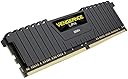
Desertcart purchases this item on your behalf and handles shipping, customs, and support to Senegal.
⚡ Power Your Performance, Own the Game!
Corsair Vengeance LPX 16GB (2x8GB) DDR4 3000 MHz memory kit delivers high-performance overclocking with a low-profile anodized aluminum heat spreader for superior heat dissipation. Featuring XMP 2.0 support for easy automatic tuning, it’s compatibility-tested across multiple Intel platforms and trusted by top-tier gamers and system builders for reliable, blazing-fast desktop memory.


| Asin | B074MQX45D |
| Best Sellers Rank | 4,487 in Computers & Accessories (See Top 100 in Computers & Accessories) 19 in Computer Memory |
| Box Contents | 2 (8GB) |
| Brand Name | Corsair |
| Column Address Strobe Latency | CL16 |
| Compatible Devices | Intel 100 Series, Intel 200 Series, Intel 300 Series, Intel 400 Series, Intel X299 |
| Customer Reviews | 4.5 4.5 out of 5 stars (62) 4.5 out of 5 stars |
| Data Transfer Rate | 3000 MHz |
| Form Factor | Desktop |
| Global Trade Identification Number | 00843591032742 |
| Item Type Name | Vengeance LPX Memory Module |
| Item Weight | 0.17 Pounds |
| Manufacturer | Corsair |
| Manufacturer Part Number | CMK16GX4M2C3000C16 |
| Memory Form Factor | DIMM |
| Memory Generation | DDR4 |
| Memory Speed | 2400 MHz |
| Model Name | Vengeance LPX |
| Model Number | CMK16GX4M2C3000C16 |
| Number Of Items | 1 |
| Number Of Packs | 2 |
| Number Of Pins | 200 |
| Product Features | Overclocking Capability |
| Product Warranty | Limited Lifetime Warranty |
| Ram Memory Technology | DDR4 |
| Ram Size | 16 GB |
| Unit Count | 2.0 count |
| Upc | 843591032742 |
| Voltage | 1.2 Volts |
User
Thanks for the memories X2
Purchased 2x8GB 3000MHZ sticks ( Corsair CMK16GX4M2C3000C16 Vengeance LPX 16 GB) which cost me a whopping £199 and some change. Memory was bought alongside a new Ryzen 1700 and ROG STRIX x370 -F MOBO, to build a new system with. Imagine my horror when, on initial boot up, my brand new motherboard reported this memory as 2133MHZ! Arrrgh. Anyway, knowing from many years of experience NOT TO PANIC, I duly panicked. But here's the upshot of my story just in case others may have similar issues. Step one was to upgrade my MOBO BIOS, as you do. This gave me many more options for memory settings including the 3000MHZ option. Great, I thought. Now just set it to correct rating and away you go, right? Well,no actually. It appeared regardless of memory settings used the system was unstable and would blue screen on Windows, or lock up on Linux. Of course, this was all intermittent and random, but I was pretty sure it was a memory issue, in spite of memory now being correctly set. Long story, short. Only when I over-clocked my memory to 3200MHZ did the system become rock solid! Yeah, crazy I know, but there you go. So, I know it wouldn't be the first thing to try, but maybe if your memory isn't playing nicely and all else fails. It may be worth a try. The memory itself seems solidly made, if rather expensive. Oh, last thing to mention, I only purchased this memory recently so I will update if things change.
User
C'est un bon produit
Rien à redire j'ai reçu le produit dans les temps et il marche parfaitement pour l'instant.
User
Five Stars
Added more memory from 16G to 32G all works great. Good price very happy.
User
Guter RAM
Läuft in meinem Ryzen 7 1700X (OC 4GHz) System mit 2933MHz schnell & stabil ohne Probleme. Als Mainboard nutze ich das ASUS ROG Strix X370-Gaming.Oben genannte KomponentenAsus ROG Strix X370-F Gaming Mainboard Sockel AM4 (ATX, AMD X370, Ryzen, 4x DDR4 Speicher, USB 3.1, M.2 Schnittstelle)AMD Ryzen 7 1700X Prozessor
User
Poderosa memoria calidad precio
Excelente rendimiento. La velocidad es 3000mhz sin embargo coloque Overclocking a 3200mhz y su rendimiento subio bastante. La coloque en una tarjeta z370-f assus y estoy encantado con su funcionamiento la adquiri porque hice mi primer ensamble con ella. Mi recomendacion es que revises muy bien tu manual de la motherboard ya que de ello depende donde coloques tu DDR en mi caso las coloque en la posicion 2 y 4 de la motherboard aunque tambien pudo ser en posicion 1 y 3 sin embargo la primer configuracion es la recomendada ya que en otro caso no aprovechas su rendimiento al 100%.Actualización Diciembre 2020, compré 2 unidades más escalando mi equipo a 32GB teniendo un total de 4 memorias de 8GB cada una y subí el overclock de las memorias a 3400Mhz, funcionan sin ningún problema en la motherboard ASUS z370-f, puedes ver los resultados de Benchmark en la página de https://www.userbenchmark.com/ donde he sometido mi equipo a pruebas.
User
Dur de tester
j'attend un renvoi ou un remboursement, je n'ai pas reçu le produit et tout ce qui m'a été proposé c'est de le retourner comme s'il était défectueux...
Trustpilot
2 days ago
3 weeks ago