


🚀 Dominate your game with the world’s first 49" OLED ultrawide powerhouse!
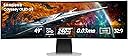
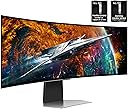
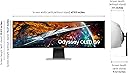
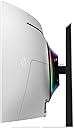
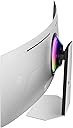
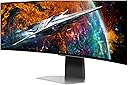
The Samsung Odyssey OLED G9 (G95SC) is a groundbreaking 49-inch curved QD-OLED gaming monitor featuring a 32:9 dual QHD resolution (5120x1440), ultra-fast 0.03ms response time, and a 240Hz refresh rate. Powered by the Neo Quantum Processor Pro, it delivers exceptional color precision and contrast with true blacks. Adaptive Sync technologies (FreeSync Premium Pro and G-Sync) ensure tear-free, lag-free gameplay. Its smart gaming hub and versatile connectivity options make it a premium choice for immersive, high-performance gaming and multitasking.













| ASIN | B0C48D7Q22 |
| Adaptive Sync | FreeSync Premium Pro |
| Additional Features | Eye Care, Flicker-Free, FreeSync Premium Pro, Game Mode, High Dynamic Range |
| Aspect Ratio | 32:9 |
| Best Sellers Rank | #80,016 in Electronics ( See Top 100 in Electronics ) #1,855 in Computer Monitors |
| Brand | Samsung |
| Brightness | 250 candela_per_square_meter |
| Color | Aluminum Silver |
| Color Gamut | 0.99 |
| Compatible Devices | Desktop, Gaming Console, Laptop |
| Connectivity Technology | USB |
| Contrast Ratio | 1,000,000:1 |
| Customer Reviews | 3.6 out of 5 stars 836 Reviews |
| Display Resolution Maximum | 5120x1440 pixels |
| Display Technology | OLED |
| Display Type | OLED |
| Global Trade Identification Number | 00887276756721 |
| Hardware Connectivity | DisplayPort, HDMI, USB |
| Image Contrast Ratio | 1,000,000:1 |
| Included Components | DisplayPort Cable, HDMI Cable, Power Cable, Remote Control |
| Item Dimensions D x W x H | 9.33"D x 47.04"W x 20.84"H |
| Item Type Name | Monitor |
| Item Weight | 28.4 pounds |
| Manufacturer | Samsung |
| Model Name | FBASAMLS49CG954S |
| Model Number | FBASAMLS49CG954S |
| Mounting Type | Wall Mount |
| Native Resolution | 5120x1440 |
| Number of Component Outputs | 2 |
| Picture Quality Enhancement Technology | Neo Quantum Processor Pro |
| Pixel Pitch | 0.23 |
| Power Consumption | 220 watts |
| Refresh Rate | 240 hertz |
| Resolution | DQHD |
| Response Time | 0.03 milliseconds |
| Screen Finish | Curved |
| Screen Size | 49 inches |
| Screen Surface Description | Curved |
| Shape | Curved |
| Specific Uses For Product | Gaming |
| Total Number of HDMI Ports | 2 |
| Total USB 3.0 Ports | 2 |
| Total Usb Ports | 2 |
| UPC | 840262777346 887276756721 |
| Viewing Angle | 178 degrees |
| Voltage | 240 volts |
| Warranty Description | 1 Year Manufacturer |
| Warranty Type | 1 Year Manufacturer Warranty |
W**O
WOW
WOW.... 1) I am 95% about production type work (Spreadsheets, Emails, Billing), and "thinking about" doing a little gaming, now that I am only working part time, not that I am in my mid 60's. 2) I hooked my new Samsung 49" Odyssey OLED G9 (G95SC) Series Curved Smart Gaming Monitor up to my HP Probook 450 G6 laptop. 3) I immediately thought I had made a mistake in purchasing this new G95SC monitor. The laptops image DID fill the whole 32:9 Ultrawide screen, but all of the documents, icons, pictures, texts were extremely stretched to fill the screen. It looked awful. My immediate thought was to box it back up and return it. I decided to wait until my new desktop computer arrived in a couple days. 4) I plugged this monitor into a new desktop that had a video card that could 32:9 graphics (RTX 5080 Prime) and "WOW", the monitor popped to life. Distorted icons, documents and pictures were now all perfectly view on this awesome monitor. I can now easily put three documents up on the screen, all at once and just slide my pointer to any of the documents I want (ALL ON ONE SCREEN).... Man, did I say, "This monitor is awesome"!? I can fit four documents on this monitor too, if I want, but I find three documents at one time, is perfect for what I do. 5) At first, I doubted that I did the right thing by buying this. I thought perhaps I should have gone with three monitors turned up vertically, but the issue with that is, small (21" or 24"), do not come with the specs that this G95SC does, and my documents would have physically been on three different screens, with that annoying bezel in the way. 6) No doubt about it... I AM HAPPY WITH MY PURCHASE. It was a little pricey, but it has great specs. looks great and ticks all the boxes I needed for a productive monitor. And oh yeah, #7 It looks awesome as a gaming monitor too! LOL I have only used it for MSFS 20024 so far, but with .03 latency, and all the specs that a great gaming monitor needs, I have no doubt that it will perform flawlessly in and environment I put it in. 8) If you have the money, and the graphics card to run it.... "DO IT"! 9) WOW
J**T
12/24 Update - AVOID this panel
[UPDATE - 12-13-2024] I am updating my review on this panel due to a problem with the VRR support in this panel that I believe showed up at some point after a firmware update that results in the panel just going black randomly, requiring you to forcibly change some settings like resolution to kick it back in gear. Even turning it off and on again doesn't seem to reliably fix it. This seems to happen when opening full screen applications, however it also happens when closing Photoshop. The only workaround appears to be to disable VRR, which also seems to turn off game mode, which prevents access to a lot of handy settings. From what I have read, this does not occur on the less expensive (and preferable, in my opinion) G93SC panel that is functionally identical, minus the spyware smart tv garbage that comes with this version. In conclusion, skip this one, save yourself some money, and go with the G93SC. ------------------------------------------------------------------------------------------------------- I've had this panel for about 2 weeks now. Coming from a pair of 24" 1080p IPS panels from 2016 this was a massive upgrade for me, so I cant really speak for this panel compared to other similar panels. With that in mind, I love this panel. I have been absolutely blown away by the true blackness of this panel, essentially, the black areas look like the thing isn't even turned on in those areas. It's crazy. For productivity it's almost like having a three-wide panel setup, because I can have windows in the center where the bezel would have been on my previous setup. Since I don't maximize windows basically ever unless it's a video, this means I can easily have my main window centered, with other windows on either side. And there is something to be said for being able to stretch a spreadsheet out to the full 32:9 if I'm working with a particularly large dataset. I've even played around with stretching my VS Code window out to make word wrapping a thing of the past. It's glorious. Games that support 32:9 (or can be forced into it using config tweaks or by using Flawless Widescreen to inject support are so much more immersive, though for the heavy hitters, even my 4080 can struggle to output enough frames, and I've found myself turning down some details to keep things around 60 fps. Video playback is great, except in situations where widescreen videos have baked in letterboxing. This has required finding solutions to zoom the video in somewhat so that I can get the full vertical capacity of the screen, but there are solutions out there. Now for the annoyances. I wish I had known about the "lower" spec version of this panel that does not include the "smart tv" stuff. There is nothing that can do that I cannot (and do not) already do with the PC it is connected to. It's a neat feature, knowing that if I wanted to I could simply take this panel, a keyboard, mouse or controller and still get access to gaming and most of the entertainment stuff I would want to have, but realistically, transporting a 32:9 panel anywhere is just not going to happen. If I want to do those things while traveling, I will simply take my laptop, so I could have saved a couple hundred bucks. Additionally, the UI is not the best. Getting to some settings requires you to first bring up the "smart" menu, then select settings, then you can either select the setting, or go to the settings and select the settings in a different way. It would have been so much nicer to just have a direct access button to the settings. Then, when you are done depending on where you are in the UI you can either simply use the back button on the remote, or sometimes that just puts you into a loop of switching between the smart menu and the smart category, and the only way to get out of that is to go to the input list and select the one you already have selected. It just adds extra actions, and again, would have been so much better to have a button that just exits the smart features directly. And then we come to the panel health features. Certainly a gladly accepted function (assuming it actually does what it says on the tin) A feature to help prevent burn in (a real concern with oled, especially when spending this much on a panel). I love the idea of a feature that will help improve the longevity. I HATE that I have zero control over it. Several times, in the middle of working, I've had this thing pop up and tell me that it will need to turn the panel off for 10 minutes. In the middle of my work day, while I'm in a teams meeting, while I'm working on code, whenever. I would REALLY like to have an option to set a specific time for this to happen, or even better, schedule a time when the panel can just shut off for an extended period of time (like when I go to bed at night) without screwing up my monitor settings in Windows, because if I just turn the panel off, suddenly all of my windows shift to other displays on my system (I've got a 24" panel to the right, and a 43" tv above). Samsung! Let me set a schedule for this health improvement feature for the love of god! Then there is the fact that after this completes and the panel turns back on, it insists on telling me that it finished, as if I can't tell because there is an image on screen. And this notification doesn't just show up for a couple seconds, I have to use the remove to tell it okay to make it go away. Does Samsung think I'm a moron? I think they do. One thing I do wish, is that this panel was available with a 1000r curve. Because it is so much larger than my previous pair of 24" panels, I actually find that the extreme sides of the panel aren't as easily readable because they aren't angled toward me as much as I had my two panels angled. The 1800r curve definitely is better than if it were flat, but I kind of feel like a 1000r curve would have made this a complete non-issue, though admittedly as the cost of desk real estate due to the panel being "deeper". This is probably a somewhat niche thing, but probably worth mentioning. I have a Tobii eye tracker. Currently I have only mounted this by using double double sided tape on the bottom of the panel. This works, but isn't the cleanest. Obviously since the panel is curved I can't mount it properly until I print out a curved adaptor for it. This isn't a deal breaker, but probably worth knowing for anyone else who has a tobii. So ultimately, this is an amazing panel that is hindered by how "smart" it isn't. I suspect that if I had gotten the non "smart" version, this would have been a 5 star review. Naturally, I will follow up on this review in the future if it blows up or whatever, or if Samsung decides to hire some actual UX people and improves things in that area.
J**9
For Windows it's perfect but with Apple you are going to need a docking station.
I love this monitor. I don't even know how I was able to get by all this time without an ultrawide. The color is great, and it's very easy on the eyes. It increases productivity, in my opinion. I don't have any issues with it. I got the smart monitor because it was on sale. I never use that function because the format isn't as good as the 16:9 for viewing media, but I have a 4k monitor hanging over this one, so I use that for streaming. My one complaint would be that the micro HDMI is dumb in my opinion, but it did come with some cables. I assume they did that for engineering purposes to allow everything to fit into a smaller footprint. The other complaint I have is more to do with Apple than this monitor. I'm in computer science, and I have all OS platforms. I have a Mac M2 mini, and I can't use it on this monitor; the aspect ratio makes the images look stretched and weird. No amount of tinkering was able to get the picture to display correctly. I tried different cables and interfaces nothing worked. I even tried 3rd party applications. I researched and was able to conclude that I would have to purchase a separate docking station for $400 to make the M2 mini display work correctly with this computer. This is normal with Apple products, and one of my great dislikes when dealing with anything Apple, you have to purchase other things to make Apple products compatible with anything outside of the Apple ecosystem. Instead of doing that, I purchased a separate monitor that was an ultrawide in 2k X 5k format, and I use it in a separate location in my house. Possibly the newer Mac M3 or M4 may not suffer from this issue, I can't speak to those.
C**.
Game Developer's Review
Even with most of my waking hours spent on my computer, I wasn't sure if splurging on this monitor was going to be worth it. For the previous 4 years, I'd been running a perfectly functional dual monitor setup, but there was always something appealing about the ultrawide market. Overall, I think the pro's outweigh the cons, I'm glad I made my purchase. Gaming: I primarily play FPS games, but dabble in nearly all genres - MOBAs, MMOs, SP/RPG etc. My experience playing games has been almost entirely positive with this screen, but really it comes down to the game you're playing. Games are usually very unique pieces of software. Some games, such as cyberpunk, support ultra wide perfectly - and when you're driving through night city with a panoramic view, it's unlike anything you'll experience on even a large standard monitor. However, many games might come with a few quirks that you'll have to navigate. The UI might not scale, your peripheral vision may stretch, or heck the game might just throw up black bars for anything outside of 16:9. Ultrawide support is entirely in the hands of the developers, but the good news is, as more people buy these monitors, game engines are getting better about supporting these crazy configurations. If you hate bugs, or play games like CS:GO where every pixel must stay in sight at all times, this might not be the monitor for you. If you value a beautiful picture, and enjoy riding the roller coaster of cutting edge technology, go for it. Multitasking: As mentioned before, I came from a dual monitor setup. To be honest, when I got this monitor, I wasn't sure that there would be any change my in productivity. Fortunately, there's a phenomenal little program by Microsoft called FancyZones that helps you simulate that multimonitor effect. All of a sudden it felt like I had 3 monitors! If you don't mind the extra setup, you can arrange your fake monitors how ever you'd like. As a game developer, this is especially useful. I'll often have code, slack, discord, the game, the console, etc. all open in a FancyZone layout that's highly specific, but lets me work maybe 10% faster than a dual monitor setup. Display Quality: There's plenty to read on other reviews about OLED vs QLED, refresh rate, etc. so I won't cover that here. It's top of the line. Just make sure you have a video card that can power it for your use cases.
K**I
Good monitor experience dampened by poor software
The good is that the monitor definitely delivers for gaming - it truly feels epic playing the right titles on this huge thing. The construction seems pretty solid and it overall has a premium feel. Unfortunately there have been many annoyances whilst using this for the past 9 months, that are not showstoppers, but heavily detract from wanting to recommend this monitor. I've experienced the following non-exhaustive list of grievances: - Monitor randomly prompts to turn off in 60 seconds without pressing Enter on the remote; this happens in the middle of games, using productivity software, watching videos, anything. - Monitor randomly turns off completely with no warning. (By far the most annoying problem, happens maybe once every 2 weeks) - Settings are bloated full of random crap that most people won't care about (Why is a personal care online doctor ad in there...?) - Device name keeps resetting to the connection type (DisplayPort) instead of the name that I've set it to There's more but I can't remember them off the top of my head. None of them are dealbreakers, but for something that costs this much it leaves me wanting.. Update Jan 2026: Bumping up to 4 stars from 3, I've been continuing to use this monitor since this review and I would like to mention that there have been firmware updates over the years that have resolved some of the issues from before – I haven't had the monitor prompting to turn off or turning off at all on its own in a long time. I do dislike that they updated the menu at some point and made switching video inputs take 7-8 button presses over the 3 that it used to, but I'll take the trade-off.
N**E
I really wanted to love this monitor
Update: February 21, 2025 My monitor has failed—an issue that appears to be affecting many users. A quick search for “Samsung OLED G9 White display” or “Samsung OLED White screen of death” will reveal that this problem is widespread. Despite knowing about the issue, Samsung only offers a one-year warranty. When I reached out to their Accommodation Team, they offered me either a replacement or a refund—though their tone made it seem as if they were doing me a favor. Here’s a summary of the process so far: Warranty Claim Initiation: You start by filing a warranty claim, and you’re informed that an authorized technician will arrive within about a week to assess the monitor. Request for Replacement Display: I indicated that the monitor needed a replacement display, and the technician assured me that the request would be forwarded to the repair facility. Scheduling and Miscommunication: The repair facility contacted me to schedule an appointment. I confirmed the date and specifically asked if the technician would bring a replacement display. They assured me that he would. However, on the scheduled day, the technician arrived without the necessary part. Backorder Complications: As a result, the replacement display had to be ordered—and it turns out the part is currently backordered. When I contacted Samsung, they offered a store credit of $1,200 (despite the monitor costing $1,158), and by that time, I had been without a monitor for nearly two weeks. Extended Warranty Inquiry and Refund Request: Concerned that a new display might suffer from the same issues and wanting to avoid the risk of a similar failure right after my warranty expired, I asked about extending the warranty for an additional four years. This request was declined, so I opted for a refund. Refund Process Overview: 1) Claim Submission: The refund claim must be submitted to another department for review and approval (3–5 business days). 2) Trucking Coordination: Samsung then contacts a trucking company to arrange a pickup (3–5 business days). 3) Pickup Scheduling: The trucking company will call to schedule the monitor pickup (time varies). 4) Delivery and Damage Review: Once the monitor is delivered (1–7 business days, depending on location), it must be reviewed for any damage (3–5 business days). 5) Bank Processing: After review, the bank is contacted to process the payment (3–5 business days). 6) Payment Issuance: Finally, the bank issues the refund (3–5 business days). I’m now 16 days into this process, still waiting for step 2, with the trucking company now expected to contact me in 7–10 business days. If every step takes the maximum estimated time, you could be looking at a total of 5–6 weeks to receive a refund although the bank can transfer a refund immediately through Zelle. In conclusion, the overall experience—especially the drawn-out customer service and warranty process—has been extremely disappointing. Based on this ordeal, I cannot, in good conscience, recommend this monitor to anyone, particularly professionals such as streamers who rely on high-performance & reliable equipment. --------------------------------------------------------------------- Update: 8/22/2024 - So I did end up keeping this monitor and did find some information. In the past, you needed to run a monitor on a Display Port to achieve anything more than 60Hz because HDMI wouldn't allow anything more than that. I was using a Display port cable to connect this monitor to my PC and would only get 120Hz. That said, I have to admit I have not kept up on technology that much and recently found that an HDMI 2.1 allows you to push past previous limits and achieve the 240Hz refresh rate, which is what I'm running now. Like I said in my previous review, this monitor is exceptionally crisp and if you're purchasing it for the 240Hz refresh rate, I would suggest making sure your video card can handle HDMI 2.1 and 240Hz. --------------------------------------------------------------------- Original Review: Previous Review - APR-2024 So what to say about this monitor... Pros: It's a nice size, 49" & 32:9 aspect ratio means you can have multiple items on your screen like you have 2 screens side by side. Picture is exceptionally crisp in most situations, although there are some where blacks are blotched together. Fast refresh rate & 0.03ms Cons: The only way you can get the 240Hz, that I've been able to find, is to switch the aspect ratio from 32:9 to 16:9 so you're only able to use half the screen. It's a little heavy, I had to get a heavy duty mount to mount it on the desk. Not quite as heavy as the ARK, but still very heavy. Black colors are blotched compared to my other screen. Overall, I wish I would have been able to figure out the settings before time started running out to return it. However, it's going back to Amazon... the Cons outweigh the pros here and I can't justify paying $1200 for a monitor that I'm not exceptionally happy with.
K**R
Game changer
Came in literally the day after I bought it in perfect condition. The super ultrawide has me so spoiled that my other monitors now feel like they are missing big pieces on both sides. Not too many games support the super ultrawide, but even the ones that don’t still get crystal clear picture and a ridiculously fast refresh rate. Plus the OLED makes it to where the black bars that appear on the sides arent noticeable due to the pixels actually shutting off instead of just going black. The HDR is true and can get very bright (which works well with the OLED allowing the very darks). I don’t have much use for the smart tv features since I mainly use PC, but they are cool to have. The remote is a very handy addition to have, especially when you want to tweak the many many settings that this beast has. I also love the RGB lighting on the back. You can change it to any color to match your setup or have it project light to match whatever is on the screen. It is pretty pricey but I think it’s worth it if you use a monitor as much as I do. I’ve wanted this monitor since the G9 first released and I’m very satisfied, especially since I even ended up getting the OLED.
A**R
Might last a year.
Every screen in my house is a Samsung product, all of which work exceptionally well, except my Odyssey G9 broke after only 6 months of use. Samsung sent repair techs to my house on four separate occasions with different replacement parts, none of which worked. Following the fourth visit, before a FIFTH repair visit could be scheduled, I had to call Samsung myself to plead for an exchange. The exchange was approved, however, I have been waiting for the replacement G9 for weeks, and now I have been sent a "Customer Experience" survey before receiving the replacement. I have been without a computer monitor for approximately four months now and this has detracted significantly from my productivity as I use my computer for business. I enjoy Samsung products and have been a loyal customer for many years, but the warranty and repair/exchange process has been slow, tedious, and highly aggravating. Every time I call Samsung Help, all I am offered is a hollow apology. No offer to upgrade, no discount on a future purchase, just "apologies for the inconvenience, thank you for your patience," as if it's being read from a script. My experience with this process will make me think twice before buying a Samsung product in the future. As for the product itself: -The display is beautiful. It is crisp and has good color balance. -The monitor dims after a few minutes of being idle, even though I turned all power-saving options off. -When your computer settings turn the display off, the G9 powers off completely, disconnecting from the GPU which will throw off your display settings and rearrange windows in applications you may have running, i.e. Photoshop, etc. -The smart features and menu are buggy. -The "immersive" LED lighting on the back does not behave as expected. The color of the light behind the monitor is not very dynamic and tends to be a dull blue/green regardless of what is being displayed on the screen. **UPDATE** The replacement Samsung sent me, after the panel failed on the first one, broke after around a year. Another failed panel. Now it's out of warrantee. DO NOT BUY THIS MONITOR. It's not worth it.
K**E
Big beautiful and bright
Only had it for a couple of days so far, but it looks awesome. Don't have any issues with Text at the default display settings. Use it for Work and Home/Gaming. It does come with mini HDMI, but also regular HDMI and DP, but those are a little difficult to get connected due to their lateral location. It also comes with a built in USB-C Hub. Both the upstream and downstream connectors are USB-C. Gaming is beautiful on this monitor. Playing Diablo 4 doesn't use the whole screen, but enough of it that I can see the whole horizontal map, if not the full vertical dimension. Civ VI via Steam will use the whole screen and looks great as well. I thought I had an arm for it, but it turns out it was too weak for the weight of the monitor. Ended up going with a Vivo for $110 Canadian, and that is working great so far. The stand is nice too though and is very heavy duty. So far very happy with my purchase.
A**E
Samsung lies
Bought this in March of 2024. It arrived and it was amazing. Then, in May is started blacking out. Every five minutes or so it will go completely black in the middle of the game. Called Samsung. They told me it’s the HDMI cable. They won’t cover their own HDMI cable within warranty. So I went and bought a new one. Same thing. Screen blacking out. Tried the monitor cable. Same issue. Called again. They refused to take the screen for repair or assessment. I argued. Here is the lies I was told on separate calls. 1. We don’t have a supervisor present. You won’t be able to talk to management. 2. We decided we will repair it. You have to take it to the authorized repair center. - I called repair center. They were very confused. Because Samsung never created a ticket. 3. We don’t create tickets before repairs. We wait for the repair to happen then create a ticket. 4. I personally will contact the repair center, and will email you when you can bring the monitor to them. This is an expensive monitor. That is not going to receive any support from Samsung. If it works - great. If it doesn’t it’s an almost 2K piece of trash. I am severely disappointed in Samsung. As an Apple user this is my first experience with the brand. Safe to say it’s my last. Never going to be dealing with them again. Amazon, bless their heart have given me a return label. Sending this screen back.
D**L
Unbelievable picture quality
Great monitor. I have used for a few months, no issues.
M**O
There is a known issue with these back panels ...
Great picture, it was fun while it lasted. This thing died on me after 2 years and Samsung wasn't even able to get it fixed. They had nobody around me to service it and to get it done out of town would be a PITA. Easier and almost cheaper to buy a new monitor than to fix this one. What an incredibly disappointing event, I used to be such a huge Samsung fan. Apparently the issue I had is a fairly common issue, $2k to last me 2 years ... brutal.
J**.
everything perfect BUT
everything perfect with ... but ... when i receive it it was doing something strange... i have multiple screen on my pc and when i got to another input on my other screen ... and return to the pc on my other screen after ... there is a bug in link with the refresh rate and g sync ... if you put the game mode at off you will never see this bug .. buttt what ,s the point to have a 240hz monitor if you can only put it at 60 hz cuz you cant put game mode ... the screen go black .. the only solution i found was to restart pc .... they do optimisation ... update ... a lot often ... one to two time a week .. .and i dont go often on another input this month so i dont really see the probleme anymore ..i hope it will not come back there is another bug ... when i close the monitor and let another one open cause its oled and dont want to burn it threw the night ... they say something about my task bar and cant hide it .... is it win 11 freaking ? but dont act like this to my 2 other monitor .. i just have to click on the message and return in the option reput hide taskbar but each time you close it ... in long term it,s not funny without these two problem ... that a found minor ... this monitor is reallyyyyyy something ... oled is lifeeee wow just wowwwwwww black are black and light are amazing .... the most beautiful monitor i had see in my lfe ... by farrrr 5120x1440 ... you will need something to push this .. a 4090 it s just perfect with this .. i was on 21x9 and was not sure about 32x9 ... in final it s take 2 days and i was in love with .. it s take ressource but at this moment there is no oled 21x9 2160 ... so at least my 4090 it s usefull with this ... a lot of option and a strange menu ... with some channel free of tv on it ... i dont use it but maybe some people will like this option if he dont have tv at home .. it s a + ... in final i gave it 4 star ... im probably lucky to dont have allllll the problem people seem to have and very more armful then the 2 little probleme i ahve with ... i can live with the 2 problem i have .. its not perfect ... but i hope i will not have a dead monitor out of nowhere like other people talk about or something like this that is a game changer .... will see what future is ... samsung monitor seem to have a Quality controle problem ... to bet on a mointor like this one that are not ultra new and not the first batch seem a better idea then go another one really really new and playing with the luck ... but this one at the moment is 3.9 on amazon ... you still take a bet ... i had take it .. and at this moment im happy doing it ... like i said will pray this luck continu .... it s why i give him 4. .. if i can put 4.5 i gave it ... at the moment cuz my furst bug seem disapear by the update .. with the bug still here i was more like 4 or 3,5 but is not there anymore so 4,5 .. cross finger for the future .. i hope i help someone t o know if he take a bet on this monitor or not :)
Trustpilot
3 days ago
1 week ago