Buy anything from 5,000+ international stores. One checkout price. No surprise fees. Join 2M+ shoppers on Desertcart.
Desertcart purchases this item on your behalf and handles shipping, customs, and support to Senegal.
🔒 Elevate your security game with AI clarity and color—because your peace of mind deserves the best.
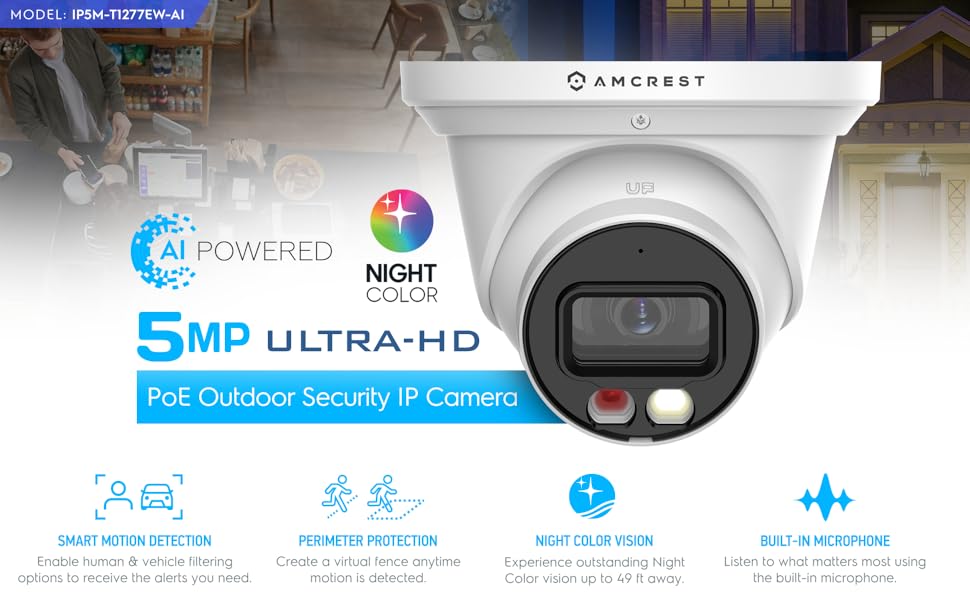
The Amcrest 5MP AI Turret IP PoE Camera delivers professional-grade surveillance with 5MP resolution at 20fps, a super-wide 129° field of view, and advanced AI detection for humans and vehicles. Its dual-illumination night vision offers vibrant full-color images up to 49 feet in darkness, while the rugged IP67 weatherproof design ensures reliable outdoor performance. Powered via PoE for streamlined installation, it supports smart alerts, built-in microphone, and versatile storage options including cloud backup, making it a top-tier choice for millennial professionals seeking cutting-edge, hassle-free security.


| ASIN | B0BNM2SGPS |
| Alert Type | Motion Only |
| Antenna Location | Outdoor Security |
| Are Batteries Required | No |
| Best Sellers Rank | #77 in Dome Surveillance Cameras |
| Brand | Amcrest |
| Color | White |
| Compatible Devices | Smartphone |
| Connectivity Protocol | Power Over Ethernet |
| Connectivity Technology | Wireless |
| Controller Type | Amazon Alexa |
| Customer Reviews | 4.2 out of 5 stars 308 Reviews |
| Effective Still Resolution | 5 MP |
| Enclosure Material | Metal |
| Form Factor | Turret |
| Frame Rate | 20 fps |
| Global Trade Identification Number | 00850040391053 |
| Indoor Outdoor Usage | Outdoor |
| Indoor/Outdoor Usage | Outdoor |
| Item Weight | 1.1 Pounds |
| Light Source | LED |
| Manufacturer | Amcrest |
| Model Number | IP5M-T1277EW-AI |
| Mount Type | Wall Mount |
| Night Vision | Night Color |
| Night Vision Range | 164 Feet |
| Number of Channels | 1 |
| Number of IR LEDs | 1 |
| Number of Items | 1 |
| Other Special Features of the Product | Image Sensor, Motion Sensor, Night Vision, Portable |
| Photo Sensor Technology | CMOS |
| Recommended Uses For Product | Outdoor Security |
| Room Type | Classroom, Kitchen, Living Room, Office |
| Special Feature | Image Sensor, Motion Sensor, Night Vision, Portable |
| Specific Uses For Product | Security & Surveillance |
| UPC | 850040391053 |
| Unit Count | 1.0 Count |
| Video Capture Format | MPEG H, MPEG-4 |
| Video Capture Resolution | 5 MP |
| Viewing Angle | 129 Degrees |
| Waterproof Rating | IP67 |
| Wattage | 6 watts |
| Wireless Technology | Power Over Ethernet |
S**D
Great camera for the price
While these cameras are not the most expensive, and only are 1080p, I am thrilled with them. I purchased one for the front and one for the back of my house. They were very easy to install and are very sturdy. One is mounted on the underside of the soffit and the other on the post of my screen enclosure. The image quality is pretty good and at night I can still see everything. The cameras were very easy to integrate into home assistant and frigate. For those doing home automation with Frigate, I am running a raspberry pi 4 with 8GB and have 3 cameras (one doorbell camera). I am able to do full image detection/notification with frigate for each camera without overloading/overheating the hardware, and NO coral stick. Just create two output streams from the Amcrest web app, one full resolution to view and one with the lowest resolution that it can (use this for frigates image detection). So happy with these cameras!
M**L
Well rounded camera for a good price
I have quite a few different camera’s at home but I am looking to move away from having so many cloud based and moved to a more locally controlled camera. The pricing on the Amcrest was great considering the features it includes. Though it isn’t 4K, at this price point, the resolution with a 5MP sensor is sufficient. I was excited to have IR + NightColor at this price point as well. The camera itself feels sturdy. It comes with a nice wrench to open it up. If I had to make a comment on the wrench, would be nice if one side of it had a Phillips head so you could get into the microSD slot. I was able to get my camera connected via PoE on my switch really quickly and was able to easily find the assigned IP on the Amcrest App. I also liked how it included a break away so if I didn’t not have PoE I could run it on a 12V AC Adapter (which I tried on another switch and worked fine). From there I was then able to get on the webpage for it and get it setup. I appreciate that they force you to change the default password from admin. I know this has been an issue with another camera’s so it’s great that this is being looked at. Day images look fine on the camera. Looks better than a few of my Ring camera’s and honestly very similar to a 4K 8MP security camera I own. IR night vision looked great at the distances I have been testing. Images are clear within a reasonable distance ~20Ft. I do like how there is the spotlight with the Smart Illumination option activated. This turns on the white bright light to get a better view of what is happening. Again this is hidden under a few menus (Setup > Config > Night Vision) and I think it would serve everyone a bit better if it was part of the general setup. TripWire has also been a nice addition to be able to set it up. I do wish this was better described in the manual as I had to go to the Amcrest page to get more information on how to get to the setup page, it’s Setup > Event > Smart Plan to turn it on, and then the IVS tab. I wish this was a bit clearer or even brought up as an option during the initial setup process as I think it’s a feature many users are looking to use. With that said, I am happy with the camera. Just a few end-user experiences to make it better with the popular features being turned on during setup.
N**A
Great piece of technology
First and foremost, let's talk about the picture quality. The Amcrest camera delivers stunningly clear and crisp images, both during the day and at night. The colors are vibrant and true to life, allowing for accurate identification of objects and people. Whether it's capturing a landscape during daylight hours or monitoring a dimly lit room in the evening, this camera consistently produces exceptional results. One of the standout features of this camera is its colored night vision capability. Traditional night vision cameras often provide monochromatic images that lack detail, making it challenging to discern important visual cues. However, the Amcrest camera's colored night vision feature brings a whole new level of clarity to low-light scenarios. With its advanced technology, I was pleasantly surprised to witness vivid colors and enhanced visibility in even the darkest environments. This is a game-changer, especially when it comes to security and surveillance applications. Compared to previous versions, the image sharpness of the Amcrest camera has been significantly improved. Fine details and intricate patterns are captured with exceptional precision, allowing for better facial recognition and object identification. This camera ensures that no important details go unnoticed, providing peace of mind for users who rely on accurate visual information. The build quality of the Amcrest camera is also commendable. It feels robust and well-crafted, designed to withstand various weather conditions and environmental factors. The setup process was straightforward, and the intuitive user interface made it easy to configure and customize the camera settings according to my preferences. Furthermore, Amcrest's customer support deserves praise. Whenever I had a question or required assistance, their team was responsive and knowledgeable, ensuring that my concerns were addressed promptly. In conclusion, the Amcrest camera with colored night vision has exceeded my expectations in terms of picture quality and sharpness. Its ability to capture clear, vibrant images even in low-light conditions is remarkable. As a quality assurance engineer, I can confidently recommend this camera to anyone seeking reliable and high-performing surveillance solutions. Invest in the Amcrest camera, and you won't be disappointed!
M**.
Good value and good product
I ordered the Amcrest 5MP AI Turrent IP POE camera and it arrived nicely packaged. Unboxing was organized and the instructions booklet was easy to read. I first tried to use the local desktop method (amcrest.com/aisetup) but there was a broken Google Drive link. I tried it several times with no luck. I tried again a few days ago and it seems to be fixed but I had already set up the camera using a different method. After the broken link, I tried the amcrestview.com but it does not work in Chrome. I tried it in Firefox (v117.0) but the plugin was never recognized. I tried it in Edge but it didn't work. Internet Explorer redirects to Edge. I finally, reluctantly, installed the Amcrest View Pro app on my Android device. It let me set up the camera and from there I was able to view it in Chrome and Firefox. I initially setup email notification and each email sends three images which is nice but could fill up an email account very quickly. I added the camera to my Synology Surveillance Station software easily and quickly. The camera worked well within Synology Surveillance Station. I decided to add a Micro SD card and had a difficult time removing the screws but was finally able to install the memory card. Notifications through the Amcrest View Pro app now include the video. Overall, this camera is solidly built, had good resolution and the app is easy to use as well. Fixing the amcrestview.com would be nice but isn't critical to my use. I would consider using more Amcrest cameras in the future.
A**R
No Useful Product Support
12/20/23 update. System log function not working. (This function is important because it should be a record of system, IVF and motion events, by date and time. Phoned support, who told me this function does not work. Asked to talk to 2nd level support, who phoned me back. He didn't have any knowledge of info/system log (camera web interface). Said "Houston" would phone me, its been a week, no reply. Went to Amcrest website and entered service ticket two weeks ago, no response. Camera construction looks solid, metal mounting ring and housing. Picture quality is good (5MP). The camera has an amazing number of features for $60. I have it connected to POE SW, and Synology DS220+ running Surveillance Station SW. Two issues let this product down. The documentation is poor. The user manual shows most of the menus in the camera web interface, with no detailed explanation. To get answers about non-obvious configuration issues you have: Amcrest forum, google searches and youtube. Examples: define CBR and VBR (bit rates), another is operation of camera event log in the camera. Docs don't mention if log file is in flash or only enabled if you install the SD card. Amcrest phone support was not helpful, all they could do is read the operator manual back to me. Ask to speak with 2nd level, they agreed to phone me back in 35 minutes, no phone back. Recommend you install flash card regardless if you are using another device for storage. Without flash card, there is no camera event log to search, which important to have when debugging problems with camera events.
P**C
Might be one of the best Amcrest cams yet
This thing is a winner. I switched from Foscam to Amcrest years ago back when the Foscam debacle happened. Overall I have been happy with Amcrest cameras except the ones that require a mobile app and account to set up and I avoid those models like the plague. This one can be accessed using the Amcrest IP Config utility, Amcrest Surveillance Pro, or the very good web UI. Awesome. I also got it loaded into TinyCam PRO with zero problems so I can check it on mobile. 5MP is very good resolution. I have a couple 8MP Amcrests and, for me, 5MP is the sweet spot. I get almost as much detail, better low-light performance, and generally I find the 5MP images are smoother with better colors. They just look truer to life and better overall. I have played with a lot of adjustments to improve the 8MP images but I still find the 5MP images are generally hard to beat. I got this cam set up sending me e-mails with images attached based on motion detection with no problems. Easy SMTP configuration. Easy motion detection. The intelligent detection is pretty cool. The tripwire and enter/exit a zone/area is great. Human and or vehicle detection is pretty nice to help catch what you need without a bunch of false positives. POE works with a TRENDNet injector, a TPLink injector, and a TPLink switch. I have it on the switch now but all 3 work. This cam was installed in a location where sometimes I get a very bright area that gets washed out. No problem, the wide dynamic range setting took care of it with a few clicks. Enable WDR, adjust WDR level until the washed out area is clear. Daylight performance is excellent. Colors are accurate and rich. Detail is very good. The low-light performance is excellent. The color low-light is based on a small white light LED turning on. It's not very bright, maybe the same as a small pocket flashlight. In conjunction with the great low-light performance it works well. You can have the white light come on or not so your cam can get pictures/video in stealth using the IR illumination or it can turn on the white light and intruders will know they've been detected. It's not super bright but it would be enough to help you take garbage cans out in the dark. Great camera.
J**F
Works Great
I got this for free to do product testing. I haven't had a chance to permanently install it yet, but did do thorough testing on it to give Amcrest their feedback. I have been contacted twice now by Amcrest to share my feedback here, so I'll just copy/paste what I sent them since I can't provide anything else at the moment. Event white light, flicker/on option and time duration are very, very cool features to have. I have had motion lights on other cams, but you have included the options to make it worth using by setting them up perfect for different types of locations and uses and not be annoying to the user. Audio detect doesn't appear to trigger an event or alarm for me, but does log it. I'm new to trying this feature so maybe that is how it is supposed to work and only records the audio triggers? I could not get that to be the case either, although my setup with this camera placement on a Dahua NVR is temporary for testing and preliminary set up. I plan to run this off of my Amcrest NVR in another building where it is more compatible and easier to set up. The audio sensitivity in the camera menu seemed too sensitive even turned all the way down. I think the mic is what is sensitive and would probably be better outdoors? FYI I use IE for camera and NVR menus. IVS trip wire and intrusion work really well. I set the trip wire on the corner of a wall where a dark room contrasts with a sun lit room and it worked great per the room I was in. I also tried it with a more continuous background and it also worked as expected. Day or night all good, but I can move very slowly and nothing picks me up. The object filter, another new thing to me, did not seem to make any difference. I have no moving vehicles around my home so that could not be tested. I'm guessing this world help in an outdoor scenario with animals and leaves in the wind. I would swap out a varifocal 4k cam if this camera was higher resolution and tighter FOV and probably have better luck with that filter. I do like the additional options and capabilities under the events. I've always had better luck with intrusion vs trip wire, that's because my other cams only let you pick one or the other. This lets me have both and motion on too, so setting up an area should be way more accurate and trusting. The IVS does seem to work very well overall. It was hard to trigger with my arm etc. to test but every time I walked by it worked, so falsing seems to be a minimum if not eliminated. The object filter was off most of my testing and when it was on, vehicle was always off due to being inside. I like the all aluminum housing verse any plastic. As for the packaging, it seemed fine and I would not change anything. It's attractive enough and probably already cost effective. The instructions aren't something I usually need, but they seemed to have a good amount of info in them. One of the web addresses did not work. It was for setting up through PC but I figured it out in my own IP networking amateur way. I didn't really compare other listings to yours as I was not currently in the market for another cam just yet, but I will tell you that I liked that you had all the relevant info in the title of the listing such as the model number, FOV, distance of night vision. I do not like the marketing or use of the term "AI". That is something that will always change/improve so the name or description should as well. AI in 10 years won't be this AI. I just don't like it. Sounds like it should do more or be better than it is, yet it's not all that much different than the last 5 years of IVS or motion technology. Maybe reserve AI only for an auto tracking PTZ cam if it performed flawlessly.
D**1
Does what I need it to do.
Installing/Mounting the camera was a bit tricky. I choose to run the camera cord out the back of the mounting ring as I didn’t want to drill a large hole in my soffit to run the cord into. I found it difficult to hold the camera, keep the cable in the little notch/cut out and put the screws in place. I think it might help if the notch for the cable would let you snap the cord into it to hold it securely, then the camera could hang from the cord while you install the screws. This wasn’t an impossible install, but definitely harder than the Amcrest bullet cameras. The all metal mounting hardware was nice. It feels very sturdy and secure. Setup of the camera was easy, no issues getting it setup in the Pro app. The Amcrest app worked great for that process. I’m familiar with the process, but I believe it’s simple enough for anyone to handle. The large field of view is great. I was able to cover the entire side of my garage and a part of the driveway. When listening to the microphone, I noticed that there is a hum or static that is constant. I thought it was background noise like some of the other cameras, but it never stopped. It was silent out, but the loud static was constantly present. I know at this price point, the mic is probably not the most important feature, but if you have an incident take place, clear audio without the static could be very important. Notifications for when the camera detects motion were very quick in the Amcrest Pro app. Within a second or two on my home network. The smart illumination setting works well and its nice to not have the light always on as a give away there is a camera. However, when the light is on, the camera produces a very good picture in color. Amcrest is really onto something with the color night vision. I was unable to get the SMTP (Email) setting to work so I could send myself an email on motion detection and face detection. App passwords is no longer available from Google. The settings need updated to incorporate Google’s new processes for authentication, whatever those may be.
A**R
Son muy buenas
Funcionan de maravilla
Trustpilot
1 month ago
2 weeks ago