Desertcart purchases this item on your behalf and handles shipping, customs, and support to Senegal.
๐ Elevate your desk game with power, style, and zero clutter!
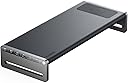
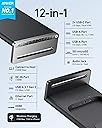
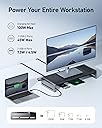
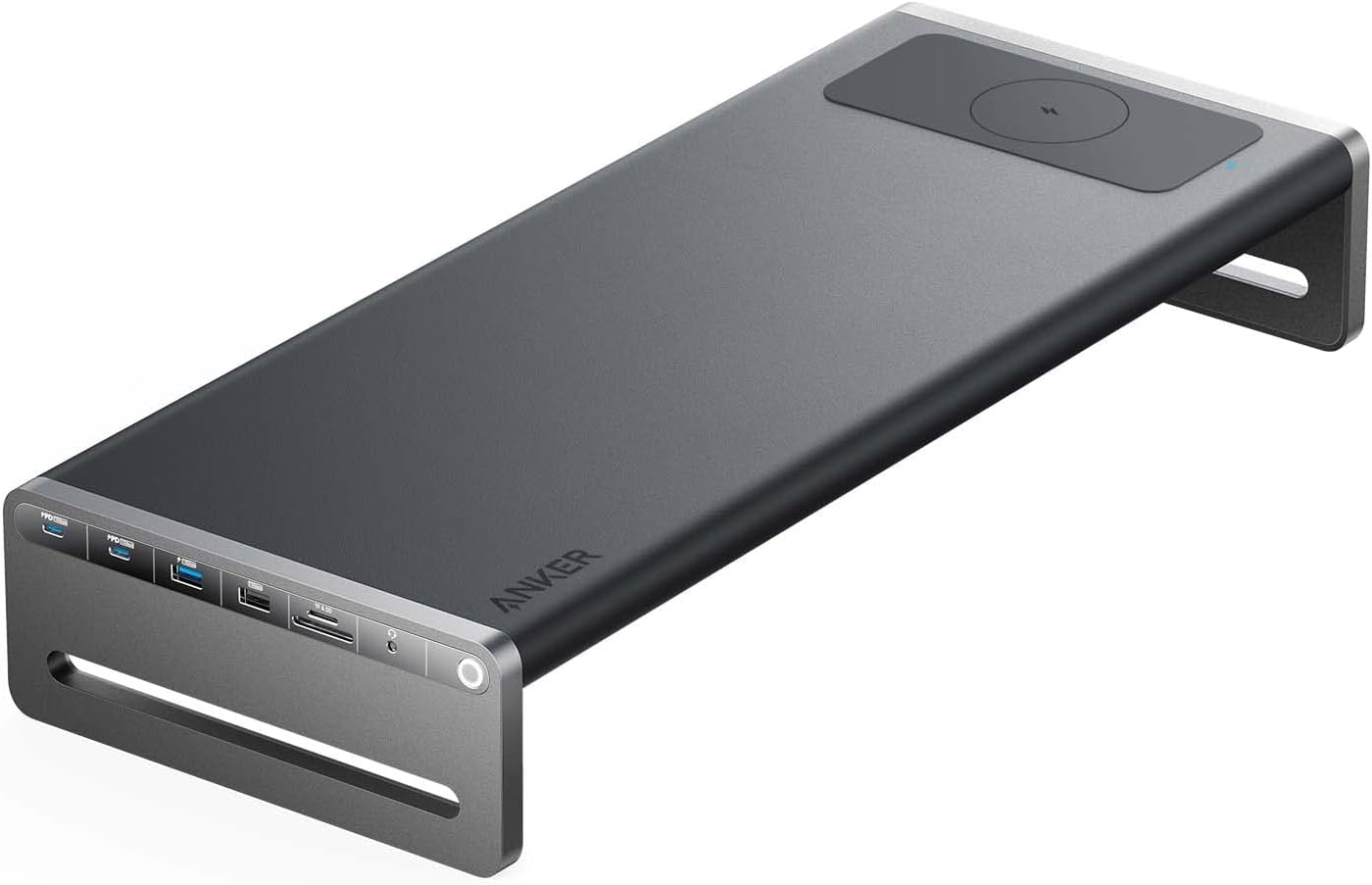
The Anker 675 USB-C Docking Station is a sleek 12-in-1 workspace powerhouse combining a 100W USB-C charging port, 4K HDMI output, multiple USB ports, SD card readers, Ethernet, and a Qi wireless charging padโall integrated into a monitor stand that promotes ergonomic posture and desk organization. Designed for professionals craving a clean, efficient, and connected workstation, it supports high-speed data transfer and multi-device charging with an 18-month warranty for peace of mind.


| ASIN | B0BNZ4D72B |
| Best Sellers Rank | #3,029 in Computers & Accessories ( See Top 100 in Computers & Accessories ) #261 in Laptop Docking Stations |
| Brand | Anker |
| Color | Dark Gray |
| Compatible Devices | MacBook Air |
| Customer Reviews | 4.1 out of 5 stars 511 Reviews |
| Hardware Interface | USB 3.0 |
| Item Dimensions L x W x H | 21.26"L x 8.66"W x 3.54"H |
| Item Weight | 3.7 pounds |
| Manufacturer | Anker |
| Mfr Part Number | A8377 |
| Model Number | A8377 |
| Number of Items | 1 |
| Number of Packs | 1 |
| Number of Ports | 12 |
| Product Dimensions | 21.26"L x 8.66"W x 3.54"H |
| Total Number of HDMI Ports | 1 |
| Total USB Ports | 5 |
| Total Usb Ports | 5 |
| UPC | 194644118747 194644119782 |
| Warranty Description | 18 months |
| Wattage | 100 |
T**R
Exactly what I was looking for and more
I have a 16" MacBook Pro M2 and a small desk. I've been running the MacBook in clamshell mode with a single 27" monitor. I also have a webcam and a microphone attached to a dongle with USB cables. It really was a rat's nest! I had been looking for a monitor stand that I could use to store the closed MacBook under the monitor base to save a little space. This docking station popped up on my Instagram feed. Normally I ignore Insta ads but I knew that Anker makes some quality stuff. The price is the only downside and it had me hesitating to buy it for a couple weeks. It went on a small sale and I couldn't not buy it. Wow. This thing is fantastic. It really cleaned up my desk and it's run flawlessly. I was able to zip-tie the power brick to the leg of my desk and it's completely hidden. Im using the 100 watt power from the docking station plugged into one of the MacBooks USB-C ports in place of the 140 watt MagSafe power that came with my MacBook. So far no issues at all. I love the power button which I utilize at the end of my workday. I used to just leave everything running all the time. The built-in QI charger and SD card slots were unexpected useful pluses. Conclusion: This is a super well designed and quality built item. Yeah, it cost too much but I love it and use it daily so I can justify the money spent.
J**.
Sleek, Simple, and Does Exactly What You Need
Exactly what youโd expect from a docking station. Sleek, minimal design that fits in well on the desk, with all the essential ports and connections you need. Simple, reliable, and does the job perfectly.
A**O
Great, almost perfect docking station
I am no expert when it comes to docking stations, but.....I know what looks good and I also know what is reliably functional. To begin, this is a pricey option and every gadget and company is different, but I wanted to have something that replaces the space I lost with this station. It looks very sleek and is designed very well. The ports are top-notch and I both love & hate the wireless charging spot. I say this because the wireless charging could be faster. This is a newer product & for the price, there is simply no excuse. The Cable management is a good idea, but it is hard to gauge how much length to keep cables in the right length. Not a ding against it, just something that having this does not keep all cables neat, unless you go to further steps. 1. Patience and velcro strips helps with cable lengths (which they give some). 2. You also need Clamp-on under metal cable trays. This will tidy up cables on your entire desk. 3. You want side-clamp power strip outlets, so it keeps any desk oprganized. Most come with 3 or 4 USB ports (find ones with both if you can & most should) Going back to the space you lose, don't worry. You kind of gain it back, once you place it down where you want it. In fact, you end up gaining sort of a 2-to-1 space back. I can place things on the bottom & the top or use it to put a monitor on there, but....if you have a monitor arm....then you get twice the space. I wish it did not need a big brick to power the entire thing, but the former under metal cable trays can handle all of the weight & than some. For thos that don't have those.....it is big and unless you know how to tuck away & get them out of sight, you should be geat as well. This works rather well & the only Con is the price. I am spatially aware of what my desk needed, so I took the plunge. If you are on limited space, other docking stations are smaller & can do the job just as well. Anker is a solid company & I have not had any duds yet. As a bonus....they also have a lighted power button on the left side or right, depending how you want the thing oriented on your desk. It isn't very tall either, so even though it looks big at first....when you unpack it all......it fits things nicely.
J**2
It makes a high pitched squeaking sound
Update March 2026- Anker reached out to me unsolicited and offered a refund. There are SO MANY brands out there for electronic supplies. Anker now has my loyalty. It makes a high pitched squeaking sound after a few months. I had to unplug it to get it to stop. I wish I wouldโve gone with something height adjustable. When it was plugged in before it started squeaking the phone charger was very slow to charge. Also, the space where you can feed cords through is too narrow for a few of my cords and it was a pain to get them through.
S**K
Worst Anker Product I have ever owned
Marketed โfor Lenovo ThinkPadโ โ fails on a Lenovo ThinkPad. Worst Anker Iโve owned. Iโve bought dozens of Anker products over the years. The Anker 675 (A8377) is the worst by a mile โ and itโs been a daily problem, because this is my wifeโs main work laptop dock. This thing is sold specifically โfor Lenovo ThinkPad.โ Hers is a Lenovo ThinkPad T14 Gen 5, whose USB-C ports are Thunderbolt 4 / USB4 40Gbps with Power Delivery 3.0 and DisplayPort 2.1 โ the fastest, most capable ports made, fully backward-compatible with a USB-C dock. It should be a perfect match. It isnโt. Everything you plug in works for a while, then stops. The keyboard types, then quits. The mouse moves, then dies. USB cameras run, then drop. It doesnโt matter whether you use the USB-C or USB-A ports โ nothing stays connected. These are advertised as 10Gbps ports; they canโt reliably run a keyboard. If the laptop goes into power-save mode, the keyboard and mouse never come back. The wireless charging pad they sell you on doesnโt work at all. In a full year, the only thing thatโs ever worked reliably is a monitor on the HDMI port. Itโs been this way since the first week. I didnโt just rule out my setup โ I proved it: same laptop runs flawlessly with every other device, I used the exact cable and power adapter from the box, confirmed the adapter is powered, and installed the firmware updates. Nothing helped. Anker support was useless โ unplug it, leave it off power five minutes, run the same tired resets. None of it worked. Other reviews here report the identical failures, so it isnโt just my unit. Firmware updates didnโt help. A 12-in-1 dock that was marketed and built specifically for Lenovo ThinkPads canโt do the one job it exists for โ on the exact laptop itโs advertised against. Itโs a $200 monitor stand. Buy something else.
J**G
Quirky but adequate
Quirky but adequate. There are no instructions. The push button on the left side looks like a power switch but seems not to do anything. The laptop has to be turned 90 degrees so you can reach its power button. There are barely enough USB ports and they are located on the left side which isnโt as convenient as it could be.
A**R
Perfect Dock/Shelf
This perfectly solves all the cables that are coming connected to my PC and makes my desk look messy. I don't know about other people, but I find this form factor for a dock very use. I don't use the wireless charging much though, and I would like to have some ports on the front instead of only on the left side. That aside, I wish they could have designed a better way to clean the cables connected to the underside of the dock instead of having a square to wrap them around.
R**S
EXACTLY what I needed!
I originally wanted to mount my new widescreen monitor on a swing arm but after purchasing and mounting the arm on my desk it was not able to put my monitor in a comfortable position given the space I had for my desk. I searched for a while until I discovered this powered monitor shelf docking station - everything I looked at was too big, too ugly, too short, etc. This docking station allowed me to eliminate some cables, raise my monitor to the perfect height that also allows for needed adjustments, slide my 16 inch MacBook Pro underneath and power nearly all of my peripherals. Another upside is the overall design that works beautifully with my Apple and Satechi setup. Speaking of set-up, this really is just plug and play right out of the box. Itโs pricey but if you remember that it's a powered docking hub and from a great, reliable brand (all of my chargers for phones, tablets, etc. are from Anker) it really is an easy choice. Also, itโs really nice to have the mag charger for my phone right in front of me and not a separate piece of tech taking up valuable desktop space.
A**R
Sturdy construction with loads of connection options
The Anker 675 USB-C Docking Station is an amazing product. I have an ultra wide screen, stereo speakers, a USB Hub powering my keyboard and two back up drives all connected to the Anker Station. I have a second 16:9 screen to the left also which I run under the station to my lap top. And because the Anker station USB-C port is also powered when I come into my office and place the lap top on the stand, I plug in the two USB - C cables and everything is connected including power! The Anker Station still has available two additional USB 3 ports and both SD and Mini SD card slots. I would highly recommend this Docking Station. Oh did I mention it positions my monitor at the perfect working height?
V**R
Great docking station
Power delivery to laptop is great and consistent. Nothing crashes, and the layout is rock solid. The unit also looks great If Anker added switch to be enable users to quickly change input source without having to fumble around with cables, it would be perfect
M**T
stopped working after 3wks
I really liked it for the 3 weeks it worked. However one day it suddenly stopped to connect the host laptop to the computer monitor (basically the reason I bough it). The charger (and other charging ducking station) still working, but pretty disappointing after such a short period of use. Otherwise would have given it a good review, esthetics, good ergonomic, .. if you get one that works for longer.. Update: they sent me a replacement product and overall good customer service. The new product stopped working same problem once again about 3-4wks later. DO NOT BUY
P**I
Really disappointed
***Updated on 06/02/2024: Anker has quickly and efficiently gotten back to me after seeing my review. They were really quick to send me a replacement dock! New dock is working great! I hope this one lasts! ๐ค๐ค๐ค*** Very expensive item. Worked well at first. After only 3 months of usage it stopped working. It not longer turns on. Very disappointed as initially it worked well and seemed like it was good quality. I was unable to get a replacement through Amazon! For this price range you'd expect the product to last. Really disappointed! Don't waste your money!
T**N
Love this thing - but there's one big problem
This form factor is brilliant and more companies should do something like this. It makes it so easy to hide wires, it looks good, and makes docking easy and fun. The one issue that gets to me is one that is likely attributable to something about the Mac I'm using, but regardless it's annoying. There seems to be no easy/reliable way to wake my Mac from sleep when connected to this thing. Sometimes it's very quick (I don't expect instant), sometimes it just sits there and nothing wakes it and I need to 'coax' it awake by turning it off and on, opening the laptop, pressing a bunch of buttons, etc. I just wish I could press a button and have the thing come on. EDIT: March 2024 I'm removing a star because the reliability of this thing is bad. Twice now I've had to get the thing replaced because it randomly stopped working. I thought maybe I was super unlucky but a friend I recommended this to just had the same thing happen. A lot of promise to this thing but super annoying that it breaks for no reason every few months. EDIT: August 2024 It happened again!
Trustpilot
1 month ago
2 months ago