Desertcart purchases this item on your behalf and handles shipping, customs, and support to Senegal.
🖨️ Print smarter, live freer — ditch cartridges and join the EcoTank movement!
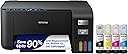
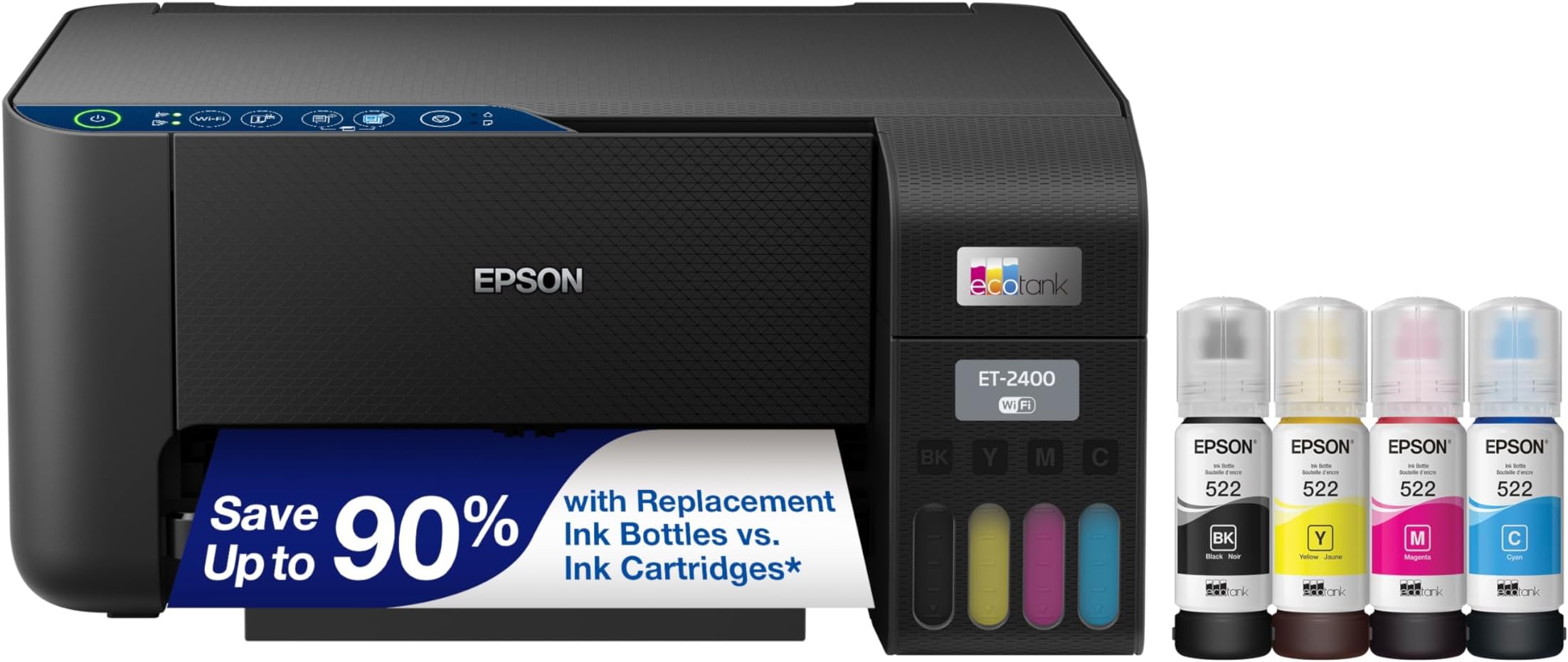
The Epson EcoTank ET-2400 is a wireless all-in-one inkjet printer featuring ultra-high 5760x1440 dpi resolution, cartridge-free EcoFit refillable ink tanks that last up to 2 years, and versatile connectivity options including Wi-Fi and USB. Designed for home and small office use, it delivers sharp color prints, scanning, and copying with minimal ink replacement and reduced environmental impact.


| ASIN | B0BM9BFLMX |
| Additional Printer Functions | Copy, Scan |
| B&W Pages per Minute | 10 pages_per_minute |
| Best Sellers Rank | #4,994 in Office Products ( See Top 100 in Office Products ) #11 in Ink Tank Printers |
| Brand | Epson |
| Built-In Media | EcoTank ET-2400 All-in-One Printer, 1 bottle 522 Black (65 mL) and 1 bottle each 522 Cyan, Magenta, and Yellow (65 mL), power cord, and Quick Start guide |
| Color | Black |
| Color Depth | 24 bpp |
| Color Pages per Minute | 5 pages_per_minute |
| Compatible Cartridge | T522 |
| Compatible Devices | Laptops, PCs, Tablets, Smartphones |
| Connectivity Technology | USB, Wi-Fi |
| Control Method | App |
| Controller Type | Android |
| Customer Reviews | 4.0 out of 5 stars 4,570 Reviews |
| Duplex | Manual |
| EU Spare Part Availability Duration | 2 years |
| Hardware Interface | USB |
| Initial Page Print Time | 7 seconds |
| Ink Color | Black |
| Item Dimensions D x W x H | 22.8"D x 14.8"W x 10"H |
| Item Type Name | Inkjet Printer |
| Item Weight | 8.6 pounds |
| Manufacturer | Epson |
| Maximum Copy Resolution Black and White | 5760 x 1440 dpi |
| Maximum Copy Resolution Color | 5760 x 1440 dpi |
| Maximum Copy Speed Black and White | 10 pages_per_minute |
| Maximum Media Size | 8.5 x 14 inch |
| Maximum Print Resolution Black and White | 5760 x 1440 dpi dots_per_inch |
| Maximum Sheet Capacity | 100 |
| Maximum print Resolution Color | 5760 x 1440 dpi dots_per_inch |
| Model Name | ET(EcoTank) ET-2400 |
| Model Number | C11CJ67201 |
| Model Series | EcoTank |
| Number of Drivers | 2 |
| Number of Trays | 1 |
| Other Special Features of the Product | Energy Star, Refillable Ink Tank |
| Output sheet capacity | 30 |
| Paper Size | A4, A6, Executive, Half Letter, Legal, Letter |
| Power Consumption | 12 watts |
| Print media | Paper (plain) |
| Printer Connectivity Type | USB, Wi-Fi |
| Printer Output Type | Color |
| Printer Type | Inkjet |
| Printing Technology | Inkjet |
| Processor Count | 1 |
| Resolution | 5760 x 1440 |
| Scanner Type | Flatbed |
| Series Number | 2400 |
| Special Feature | Energy Star, Refillable Ink Tank |
| Specific Uses For Product | home use, small office use, remote working, cartridge-free printing preference |
| Total Usb Ports | 1 |
| UPC | 010343971042 |
| Unit Count | 1 Count |
| Warranty Description | 1-year limited warranty |
| Warranty Type | Limited |
| Wattage | 12 watts |
K**Y
Excellent quality and value!
I bought the Epson EcoTank 2400 yesterday and set it up today. If it continues performing this well for the next ten years, I’ll be very happy with this purchase. I bought it to replace my old Canon MP190. The print quality on the Canon suddenly became very poor, which may honestly have been more of a cartridge issue than a printer issue, but testing that would have been expensive. On top of that, the printer was old enough that modern operating systems no longer support the scanner drivers, so I couldn’t even use the flatbed scanner anymore. At that point, replacing the whole printer made more sense. The ET-2400 is not quite as wide as the MP190 which is a nice plus. The biggest advantage of the EcoTank line is the refillable ink tanks. Printer ink is already expensive, but traditional cartridges also include microchips and hardware that drive the cost even higher. With this printer, I can refill only the specific color I need instead of replacing an entire color cartridge because one channel ran out. I mostly print proxies and alternate art for Magic: The Gathering, so I regularly print nearly full-page, full-color images (eight cards per page). Because of that, image quality matters a lot to me. I also wanted a working flatbed scanner so I could scan my paintings instead of photographing them. I did not use the wireless features. Instead, I connected the printer directly to my computer with a USB cable after downloading Epson’s management software. Setup was straightforward, the software updated itself automatically after asking permission, and my computer recognized the printer immediately. It showed up in Photoshop right away with no issues. The only thing I disliked during setup was that the registration process appears to require opting into marketing emails. I’ll unsubscribe later. Print Quality: Colors are bright and vibrant, blacks are deep and dark, and the images come out crisp and clean. Some reviewers mentioned getting “light gray” blacks, but I haven’t experienced that problem at all. Scanning: The flatbed scanner is slightly too small for a full 9x12 painting, but I expected that and don’t consider it a flaw. The scans came out vibrant, sharp, and detailed. It couldn’t fully capture the shimmer of my metallic paints, but that’s normal — I usually need angled lighting in photographs to show metallic effects accurately anyway.
H**A
🖨️ Excellent print quality for notes, figures, and assignments.
I absolutely love my Epson EcoTank ET-2400! I bought it mainly for nursing school, and it has already made my life so much easier. I print a lot of lecture slides, biology figures, study guides, assignments, and practice questions, so having a reliable printer at home is a huge help. The setup was simple, and I was able to connect it to my phone quickly. The print quality is clear and sharp, which is very important when printing diagrams, charts, and detailed notes. The printer is also compact, so it fits perfectly in a small room without taking up much space. One of my favorite things is the EcoTank system. I don’t have to worry about constantly buying expensive ink cartridges. The ink lasts a very long time, making it a smart and affordable investment for students who print often. I even ordered 500 sheets of paper because I know I will be printing a lot throughout nursing school! This printer is perfect for people who are serious about studying and staying organized. Instead of running to FedEx or the library every time I need to print something, I can do everything from home whenever I want. It saves time, money, and stress. I highly recommend the Epson ET-2400 to nursing students, college students, and anyone who prints notes, homework, or work documents regularly. If you are dedicated to your education and want a dependable, budget-friendly printer, this is definitely a great choice. It has already become one of my favorite purchases, and I know it will support me throughout my journey from CNA to LPN and beyond. 🩺📚🖨️💕
R**S
Don't buy, it's a terrible printer
Don't waste your time or your money, this printer has been nothing but issues. Since we have bought this printer I have spent more time troubleshooting it and clearing paper jams than actually printing. It has never connected correctly to my wife's laptop. Most of the time she could not print from it and when she did manage to print something from it, it didn't print for several minutes and and the print quality was awful. It was more reliable while trying to print from my desktop, but that was after clearing the almost guaranteed paper jam on the first print attempt, and again the print quality was still pretty awful, with no way that i could find to adjust any print settings or calibrate the printer to try to remedy it. The printer also does not have a screen of any kind, which makes trying to figure out what is wrong with it a nightmare based on it's 4 LEDs (5, if you count the power button). It also does not have the ability to print on both sides of the page. In fact, the printing wizard will pop up to tell you that you need to flip the papers to finish the print job. Is it the worst thing in the world? No. Is it really annoying that this $200 printer doesn't have such basic functionally in 2026? Very much so. I am writing this review now, after the printer has officially died after not even a years worth of use.
J**Y
Very economical on ink.
The software is not real intuitive. Had to get on youtube to figure out how to print the passcode which is not in any paperwork with the printer. That all being said once you figure out all the software and how to use it, its an absolutely great printer. The ink tanks last a very long time even printing high quality photos. So much better than the stuipid expensive cartridges. Its a little slow but I can handle that and put up with it as econonomical as it is on ink!
D**T
Incredibly cost-efficient, reliable, and perfect for everyday home use
I’ve been using the Epson EcoTank ET-2400, and it’s easily one of the best home printers I’ve owned—especially if you’re tired of constantly buying expensive ink cartridges. Ink Savings (Huge Win): The cartridge-free EcoTank system is a game changer. Filling the tanks is simple, mess-free, and the amount of ink you get lasts a long time. I’ve printed a ton already and barely made a dent. If you print regularly, this alone makes the printer worth it. Print Quality: For everyday documents, it’s excellent—sharp text and clean color prints. Even photos come out crisp and vibrant, though I will say it’s a bit slower when printing high-definition images. That said, the final quality is absolutely worth the wait. Functionality: Having print, scan, and copy all in one compact machine is super convenient. It handles everything I need for home use—school papers, forms, photos, and more. Wireless & Ease of Use: Setup was quick, and the wireless printing works smoothly from my phone and computer. The interface is simple and beginner-friendly, so you don’t need to be tech-savvy to get it up and running. Pros: ✔️ Extremely low ink cost (no cartridges!) ✔️ Crisp text and vibrant color prints ✔️ Easy to refill and maintain ✔️ Wireless printing works great ✔️ All-in-one functionality (print/scan/copy) ✔️ Compact and clean design Cons: ➖ Slower when printing high-quality photos ➖ Basic display (not fancy, but functional) Final Verdict: If you want a budget-friendly, low-maintenance printer with excellent print quality and huge long-term savings on ink, the EcoTank ET-2400 is an outstanding choice. Perfect for everyday home use—and the slow photo printing is a small trade-off for how good the results look. Highly recommend!
A**R
inexpensive adequate home color printer. Security issues using Epson printing apps.
Economic and easy to set up home color printer. Very cheap plastic body. Feels easy to crack if you press too hard. Setup and wifi was easily done using the Epson smart panel app on my phone. Took about 15-20 minutes. No problems. Color printing quality on regular paper was very adequate though not photo quality. Printing speed a little slow but not terrible. Noisy. Would not put in a sleeping area. As a home printer it is inexpensive to buy ($159) and print. Comes with bottles of ink with enough in the box for hopefully 5,000 (?) pages making the total price quite good. I am satisfied so far. Suits my needs. But I am worried about it sending data to Epson when using Epson printing apps. If i print from my android phone using Epson iPrint or Epson smartPanel apps, it will connect with Epson servers sending who knows what everytime I print. If i block Epson servers these apps will not print at all. Fortunately there are other android apps that will print from my phone on this printer without needing internet access.
S**E
This thing is a printing machine!
Looked around for all types of printers. I have to admit I was leery of the tank style ink. I was over this fear the first 5 minutes after installing the ink. Very easy and no mess. I used to keep ink cartridges by the bulk ready to go in my old style printer. I keep waiting for the ink level to go down. It has hardly moved. You can tell by the easy to see ink levels.
T**T
Good Printer Imposible Instructions.
Received the printer yesterday and began the process of setting it up. First I needed to download the software and drivers. That's when the pain began. I understand wireless printers and shared network printers. In this case, I wanted to connect the printer to our home wireless network so different computers could access it. The User's Guide spends a little time on a "Wireless Direct" setup where you connect your computer wirelessly directly to the printer, but little time on a LAN printer setup. After loading all the software and drivers, I finally got the printer connected to my LAN, but it took a number of false starts and trial and errors to get the printer on the LAN to be visible to my laptop. There are essentially zero instructions about this in the user's guide. Eventually I got it to print on my laptop. Then I needed to hook it up to my wife's laptop. Again, no instructions on connecting multiple computers to the printer over a LAN. I did know enough to "share" the printer in the printer settings. I eventually installed the complete software and driver package on wife's laptop. When trying to connect wirelessly, I kept getting error codes. After a few hours, I defaulted to the USB cable installation method. Now I could at least complete the installation without errors. When I went to the list of printers on the laptop I saw the epson, but it said "offline". I think that's because what I was seeing was the USB instance of the printer, not the LAN version. I finally went to Device Manager and found a second instance of the epson printer marked "Network". I was able to make this the default and the printer would now print from both laptops. Only about 3 hours more to get a second laptop to print. Since the Epson EP 2400 is a home printer and likely to be set up for wireless operation, it should take a visit by the Geek squad to get it up and running. Epson should be ashamed of their manual and instructions. Now that it's working, it does seem to print well although a bit slow.
Trustpilot
1 month ago
3 days ago