🔥 Dominate 4K gaming with the beast that’s rewriting the rules!
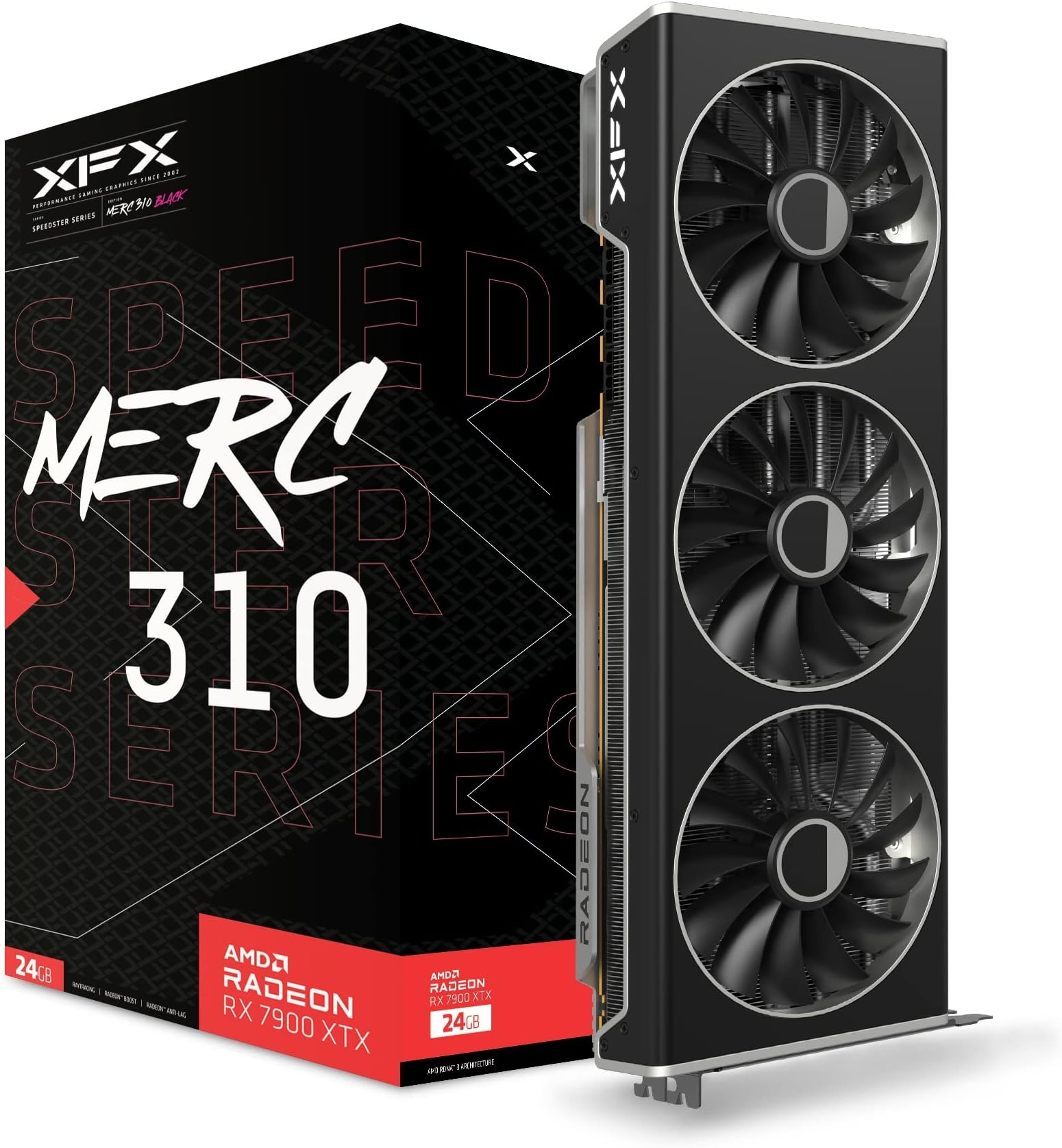
The XFX Speedster MERC310 AMD Radeon RX 7900XTX is a high-end gaming graphics card featuring AMD’s cutting-edge RDNA 3 architecture, 24GB of ultra-fast GDDR6 memory, and a boost clock up to 2615 MHz. Designed with a robust triple-fan cooling system, it delivers exceptional 4K gaming performance and supports multiple high-resolution displays via DisplayPort 2.1 and HDMI 2.1. Offering flagship-level power at a competitive price, this GPU is ideal for demanding gamers and VR enthusiasts seeking longevity and smooth gameplay.


| ASIN | B0BNLSW23M |
| Antenna Location | Gaming |
| Best Sellers Rank | #18 in Computer Graphics Cards |
| Brand | XFX |
| Built-In Media | Graphics Card, Z Bar |
| Compatible Devices | Desktop |
| Customer Reviews | 4.4 out of 5 stars 1,511 Reviews |
| Display Maximum Resolution | 3840 x 2160 |
| Display Resolution Maximum | 3840x2160 |
| GPU Series | AMD Radeon RX 7000 Series |
| Global Trade Identification Number | 00840191500640 |
| Graphics Card Interface | PCI Express |
| Graphics Card Ram | 24 GB |
| Graphics Coprocessor | AMD Radeon RX 7900 XTX |
| Graphics Description | High-performance AMD Radeon RX 7900 XTX graphics card with 24 GB GDDR6 memory, 384-bit memory interface, and a boost clock speed of up to 2615 MHz, featuring AMD's RDNA 3 architecture and supporting DisplayPort 2.1 and HDMI 2.1. |
| Graphics Processor Manufacturer | XFX |
| Graphics RAM Type | GDDR6 |
| Graphics Ram Size | 24 GB |
| Graphics Ram Type | GDDR6 |
| Item Dimensions L x W | 13.5"L x 5"W |
| Item Weight | 2.6 Kilograms |
| Manufacturer | XFX |
| Memory Clock Speed | 20 GHz |
| Mfr Part Number | RX-79XMERCB9 |
| Model Name | AMD RX 7900 XTX |
| Model Number | RX-79XMERCB9 |
| Number of Fans | 3 |
| UPC | 840191500640 |
| Video Output Interface | DisplayPort , HDMI |
| Video Processor | XFX |
| Warranty Description | 3 Year Manufacturer |
S**2
A fantastic graphics card (that I got at $799.99!) that I expect will last years
So, I am an avid VR player. I love playing VRchat with friends, going to events with 60+ people there, and to say it's GPU intensive is an understatement. My NVIDIA 3060 Ti could not keep up, not with it's 8GB of VRAM, and the only option was either accept hindered visuals and not being able to see everyone's avatar at once...or upgrade. I chose upgrade. It was Black Friday, so all the sales were going on. The question was "Do I wait for the 5000 series by NVIDIA, buy a 4070 Ti Super which is being scalped right now, or do I decide to buy from AMD and take a leap of faith?" I chose to take the leap. AMD has a rough reputation with GPU's, driver issues galore, and they used to be very fickle about working properly. But in the day and age where to get 4080~4090 performance, you need to shell out $1,500 or more, right when a new chipset is also around the corner, there's a reason to look at the competition rather than the "name brand". AMD is not the off-brand parts component supplier it used to be, it is a fighting force, and it has product that rivals NVIDIA at lower prices. The Radeon 7900XTX with 24GB of GDDR6 VRAM absolutely blew my expectations. I need to preface, I did have issues initially. My build is older. I'll give a spec sheet at the end of this, but long story short, I can't overclock my GPU without Blue screening. That's more likely due to my system specs than anything else. But that first night, despite PC crashes, I was capable of loading all 80 players with very poor optimization that VRchat has, while also using Full Body Tracking which also taxes GPU's, and it still had more fight in it. My 3060Ti would have been incapable of even running at 10 FPS, where it was running smoothly at 27~35 FPS with everything I could possibly throw at it to hinder my FPS, and just going to any room with less people instantly got me right back up to 45+ FPS. While it may not seem impressive, with my build, it shows this is putting in incredible work. It never even was using more than 60% of the GPU's utilization, which is either due to my build bottlenecking it, or the game itself. The incredible part of this GPU is that with that much VRAM, you can throw so much at games graphically, that you almost don't even need to worry about it. Almost no games currently run you so close to the limit of your VRAM capacity, unlike with the 3060Ti with only 8GB's of VRAM, where it was a constant limiting factor. Still functional, still can handle VR even, but with hinderances. I feel unhindered with this GPU, and with the black friday sale getting it down to $799.99? It was a steal. Expensive, most expensive computer component I've ever spent, but it was worth every penny. I will go ahead and say, if you have been running small(er) graphics cards like the 3060, you may find you cant fit this GPU in your case. You should double check it can fit before you put it in. Even with my current case I bought, it has enough room, but it's a closer fit. It's big. It's monstrous what it can do. I'm limited by everything else, and I think when I upgrade more, I'll see just how much it's capable of. If you can't or don't want to afford an NVIDIA GPU equivalent between a 4080 and 4090, this is a great card to get. Powerful, enough VRAM that games will take time to catch up with this much VRAM being normal in most computers for years, and I see no reason this GPU won't last me another 3 years easily if not longer. If it's on a substantial sale, or in a year or two you can buy one second hand working well, it's a great option. Even for VR. Drivers aren't bad, they aren't NVIDIA, but they are still responsive about getting them out. AMD is truly a competitor and worth looking into even their GPU's, which for years couldn't be trusted. If anything, while they have that reputation, you should capitalize on the bargain if Intel's new budget offering isn't to your liking. Spec Sheet: MSI Tomahawk B350 AMD Ryzen 7 5800X AMD Radeon 7900XTX EVGA GQ Gold 1000 Watt PSU 32GB DDR4 RAM (Sorry I don't remember specifics on the RAM sticks.) It performs well despite an older CPU and even older Motherboard, and seen 2 different upgrades. Ryzen 5 3600 and NVIDIA 2070 Super to the Ryzen 7 5800X and 3060 Ti, to my current. It performs well for all VR tasks, with nearly if any issues. I run nearly every game on highest settings at 1440p, and desktop games run at stable 60+ FPS, usually higher almost always. It's a fantastic setup that really, I expect can coast me by for a good few years, I may invest more in the motherboard and CPU, go up to DDR5, but really, I'm not hindered by much with my system for my applications I play. This GPU has made a substantial difference, the previous was good, this is another ballpark. This was and is the first PC component I bought and felt excited to see installed, and am still so enthralled with it. I have some deep pride for my AMD 7900XTX.
T**S
AMD Radeon RX 7900XTX: A Reasonably Priced Beast
The AMD Radeon RX 7900 XTX is a flagship graphics card from AMD's Radeon lineup, designed to compete with the top-tier offerings from NVIDIA. It is built on the RDNA 3 architecture, promising significant performance improvements, power efficiency, and advanced features. This review covers the key aspects of the RX 7900 XTX, including its performance, features, and overall value. Performance The RX 7900 XTX delivers outstanding performance across a variety of gaming scenarios. Powered by 96 compute units and 24 GB of GDDR6 memory, it handles 4K gaming with ease, providing smooth frame rates even in the most demanding titles. Benchmark tests show that the RX 7900 XTX consistently competes with NVIDIA's RTX 4090, offering a compelling alternative for high-end gamers. Ray Tracing and DLSS One of the significant advancements in the RX 7900 XTX is its improved ray tracing capabilities. While AMD has traditionally lagged behind NVIDIA in this area, the RX 7900 XTX closes the gap significantly. Games that support ray tracing see substantial improvements in visual fidelity, although NVIDIA's DLSS (Deep Learning Super Sampling) still offers a slight edge in terms of performance boosts. AMD's FSR (FidelityFX Super Resolution) 2.0, however, is a strong competitor, providing impressive upscaling quality and performance enhancements. Power Efficiency and Thermals The RDNA 3 architecture is more power-efficient compared to its predecessors. The RX 7900 XTX has a TDP (thermal design power) of 350 watts, which is reasonable given its performance. In real-world usage, the card runs cooler and quieter than many competing high-end GPUs, thanks to its advanced cooling solutions. Custom cooling options from various manufacturers further enhance thermal performance and noise levels. Features The RX 7900 XTX comes with several noteworthy features: Infinity Cache: Improves bandwidth efficiency, reducing latency and boosting overall performance. Ray Accelerators: Enhance ray tracing performance, providing more realistic lighting and shadows in supported games. DisplayPort 2.1: Offers support for higher resolutions and refresh rates, future-proofing the card for upcoming display technologies. PCIe 5.0 Support: Ensures compatibility with the latest motherboards and peripherals, offering greater bandwidth for data transfer. Pricing and Value The RX 7900 XTX is priced competitively, offering excellent value for the performance it delivers. It provides a strong alternative to NVIDIA's high-end offerings, often at a lower price point. For gamers looking to build a high-performance system without breaking the bank, the RX 7900 XTX represents an attractive option. Conclusion The AMD Radeon RX 7900 XTX is a formidable graphics card that reaffirms AMD's position in the high-end GPU market. With its exceptional performance, improved ray tracing capabilities, and competitive pricing, it offers a compelling choice for gamers and enthusiasts alike. Whether you are looking to experience the latest AAA titles in 4K or prepare your system for future gaming advancements, the RX 7900 XTX is a worthy contender. Pros Outstanding 4K gaming performance Improved ray tracing capabilities Competitive pricing Advanced features like Infinity Cache and DisplayPort 2.1 Cons Still slightly behind NVIDIA in ray tracing performance and DLSS support Final Verdict The AMD Radeon RX 7900 XTX is a top-tier graphics card that combines excellent performance, advanced features, and great value. It is a strong competitor in the high-end GPU market and a fantastic choice for gamers seeking high performance without paying a ridiculous price tag.
S**2
This card is a beast. I'll leave it at that...
As the title says. This card is a beast in every which way possible. I upgraded from the EVGA [RIP :< ] NVIDIA 1080Ti, which lasted me a good five years and was still pretty competent in running modern games, but was definitely starting to show its age with a 4K monitor and today's (poorly optimized) games. I decided to go AMD this time around, as the price/dollar ratio with AMD right now seems far better... especially with the 4080 costing on average $300 more, and the 4090 being off into space at double to above double the cost. That's not really cool when this card trades blows with NVIDIA's flagships in raster performance, and the focus of RTX/Radeon is for gaming, not for AI/Compute work. Not that AMD can't do those to be clear... ROCm is a thing, but just needs more developer support for it, and AMD still has some work to do in their drivers to unlock the full potential of these chips. The card itself is quite big, as shown in my photos, but it fits snug with my system configuration, the color scheme matches my system quite nicely, and the anti-sag retention bar is a nice addition to have with the card given its size and weight. Cooling-wise, the card operates at 60C when gaming under full load, with a 75C-80C Hot Spot Temperature, with the fans operating at about 30% duty cycle. The card power draw under full load is approximately 390 Watts. Gaming performance wise, I'm satisfied. Games such as Battlefield 2042 at 4K Native, 100% Render Resolution, Ultra Settings, HDR and Ray Tracing Enabled, push 70-100FPS. BattleBit Remastered does well north of 180FPS. Counter-Strike 2 runs at 170FPS+ at 4K Native, HDR and Max settings. Halo Infinite at 4K Native, HDR, Max settings, pushes approximately 90FPS. Overwatch 2, similar settings, similar frame rates. That's pretty much it. The card performs consistently well, and has the VRAM to handle demanding gaming loads (Halo Infinite for some reason needs 18GB of VRAM?!). I could get higher frame rates with AMD FSR3 or by turning off some settings like Ray Tracing, but, hey... these frames are already a huge upgrade from the 1080Ti, and can only get better in time. Video Performance Wise: Compared to NVIDIA, AMD does have a weaker video engine. This was something which worried me at first based on my past experience with AMD GPUs (The Vega 8 in my laptop, and the previous Radeon HD 5770 I used to have which would downclock the VRAM every time video accelerated content was played). However, it has not affected my day to day. 8K60 YouTube is handled and plays back with the AV1 Codec. VP9, H.264, AVC1, and H.265 decoding are similarly capable of smooth playback, and day to day use I notice no difference between the 1080Ti's NVDEC chip and AMD's VCE in terms of performance. Encoding wise, Handbrake was able to transcode VC-1 video (This AMD GPU does NOT support VC-1 Decoding in the Video engines, so some software limitations are at play!) to H.265 10-Bit with exceptional quality at 130+FPS, and did so without impacting the rest of the card's performance. AV1 Encoding performance is similarly quick, and for live streaming, is phenomenal, with a crisp picture produced at 14Mbps to YouTube at 1440p. The video engine seems to multi-task reasonably well, and I have yet to encounter any artificial limits imposed in the driver, unlike NVIDIA which limits encode/decode streams on their consumer GPUs... a limit I have bumped heads with many times when working with VEGAS Pro, and which has been responsible for NVIDIA's driver crashing. Driver wise: AMD does tend to release more frequent updates to drivers than NVIDIA. This tends to be due to AMD's Driver QA and refinement being less robust than NVIDIA's. I have certainly noticed a few more odd glitches in games like flickering hair or invisible vehicles. Some of these could be game engine bugs. None of these bugs have resulted in games being unplayable. CS2 for example had a stutter bug which specifically affected the 7900XTX and was fixed quickly by AMD, but I really didn't notice this personally. Battlefield 2042 occasionally has a colorful hair issue on some characters, but only at the end-of-game recap. Driver crashes have been extremely minimal - I've experienced one crash which was due to a bug AMD has since fixed with CS2, but that's not to say things have been exceptionally smooth for me. There are definitely some resource scheduling issues to work out in the drivers. When the GPU is under heavy (100%) load, you may find that stuttering occurs in other programs like web browsers and in the mouse when Alt-Tabbing at times. This hasn't resulted in the system being unusable. It's just annoying and is intermittent. I did not encounter mouse stuttering with NVIDIA, so they seem to do a better job with scheduling in that regard, but other programs (hardware accelerated Chromium apps) definitely took their time doing any sort of action with the NVIDIA card under full load. Things with this AMD card remain snappy even with the occasional stutters. The AMD Software suite is overall pretty good. Unlike NVIDIA, AMD includes automatic driver updates, game optimizations, game performance statistics, game streaming (AMD Link), live streaming, game clipping and background recording, performance monitoring as well as overclocking features directly in AMD Software, WITHOUT AN ACCOUNT BEING REQUIRED! That is on top of the usual GPU settings for Display color/resolution, software profiles, and global 3D settings. You just install the software and everything is right there in one control panel. Some settings like monitor arrangement and color calibration, AMD Software will defer to the Windows Control panel, and this seems to be only where Windows will do a better job. I have noticed my system no longer has this strange 3-4 second freeze on boot-up when the driver package loads like I did with NVIDIA when GeForce Experience was loading in, so that's a plus. Now for the fun bits. When I initially installed the GPU, everything was pretty smooth. Run DDU, shut down the system, pull out the old GPU, install the new GPU. Everything worked on the first go. Install the AMD Drivers, Reboot, and all is fine and dandy! Within a few hours however, I started noticing some odd behavior while running games. If I had a game running on my main monitor (a 4K 144Hz HDR display), everything would be fine... until I Alt+Tabbed to use an application on my secondary monitors (two 1080p 144Hz SDR displays), or touched any application based on Chromium (Steam, Discord, Google Chrome...) while a game was running. The driver would hang for a few seconds and then recover, but not hang in the sense that my game or any applications would crash out. My primary web browser, Firefox, didn't cause any sort of problem with the driver. Thinking this was the infamous "Chromium Hardware Acceleration" bugs that seem to plague AMD, I considered disabling hardware acceleration in Chrome, until I considered the fact that Windows itself is not exactly behaving right. My next troubleshooting steps involved disabling Resizable BAR (AMD Smart Access Memory), which was enabled on my Motherboard (ASUS PRIME X370 Pro) as this has been known to cause issues with NVIDIA RTX 3000 series cards, as well as the AMD RX 6000 series GPUs. Also, since I am using a Ryzen 7 5800X3D on an X370 board, it's very possible there's a strange board problem going on causing the driver to hang. So great! I turn off Resizable BAR, and the problems disappear... for about 12 hours. The problems then return with a vengeance! Simple actions like running VLC in Full Screen, full screening YouTube videos, trying to run games, basically anything an average person might do, would cause the driver to hang... and sometimes crash hard. Even more silly - mousing over the display in AMD Software was enough to hang it. To make matters worse, the system got so unstable to the point where simply loading color calibration profiles for my monitor would cause the entire video driver to hang hard just by logging into the PC! As part of troubleshooting with Windows becoming unusable, I continued to mess around in the BIOS by disabling IOMMU, SR-IOV, Resizable BAR at a Chipset level (rather than in AMD Software), and toggled between the two BIOSs available on this GPU using the BIOS toggle switch found towards the PCI Bracket. Nothing! But by chance, I happened across the solution. While troubleshooting, I discovered that the center DisplayPort port was misbehaving. It could detect AND sync my 4K display at HDR, RGB 4:4:4, 144Hz without an issue... as if nothing was wrong. But when I connected my 1080p displays to this same port, the monitors would detect but wouldn't sync (output video). Neither one of my external monitors would sync on this port. ONLY the 4K display. The other thing I noticed is, when I didn't use the center DisplayPort port... the GPU wouldn't hang! Windows would log in! Everything worked! My setup now avoids the use of the center DisplayPort port, with one 1080p monitor connected to the HDMI port, and the remaining two monitors connected to the left-most and right-most DisplayPort port. All of the monitors are being fully driven, and my GPU is now 100% stable... even with Resizable BAR (AMD Smart Access Memory) enabled, IO-SRV, IOMMU, you name it enabled. I don't know at this point if the problem is going to require me to RMA the GPU with XFX, but given the number of complaints I've seen online regarding "a particular port" (like the USB-C port) on other 7900XTX GPUs from other brands, it's sounding more like an AMD Driver bug. Some people were able to temporarily resolve their hanging/freezing problems with "a particular port" by using DDU only to have it crop up a day later. That sounds pretty similar, doesn't it? Since figuring out the initial stability headache, the GPU has been enjoyable to use, and I do not regret the move from NVIDIA (I have been a long time NVIDIA customer FWIW - RIVA 128ZX, GeForce 4400MX, GeForce 8800GT, GeForce GTX770, GeForce 1080Ti) to AMD. The only time the driver has crashed was when I was playing CS2 on launch day, while streaming the game via Discord. I chalked that up to Discord being the problem, as I also experienced similar driver crashes on NVIDIA when game streaming in Discord. Turns out that was an AMD bug which they fixed a week later... Overall, if you're switching from NVIDIA, or are unsure about this purchase, I recommend this card. If you encounter the instability issues I first encountered... definitely think outside of the box. It's rewarding at the end.
B**R
Glad I bought the 7900XTX.
I've had this for a month now and here's a little review. For my new PC Intel i5 13 gen build (only built it because of an ASUS motherboard and rtx2060s failure at the same time!), it came down to this or the Nvidia 4080. I went with the AMD 7900xtx. Why? 1. It's currently cheaper (it ain't cheap, but cheaper if you know what I mean). 2. The UI and drivers are better (with my rtx2060s, the Nvidia control panel kept disappearing in Windows 10, there's seems to be a conflict there between Microsoft and Nvidia.) 3. I don't care about ray tracing. 4. The way I run my system, with "Radeon Chill" enabled and limited to 60fps the power consumption is much lower than 350w and I can't tell any difference when my Samsung 75" Q85A TV is set to the smoothing "soap opera" effect compared to running it at actual 120fps (it will do about 130-150fps at ultra, FSR on quality and no Chill setting). The end result is a gaming system that runs RDR2 at 4k at about 60% usage and is cool and quiet. Power usage is about 200w with that game. The same goes with a 4k modded GTA5. I play these games A LOT so this matters to me. In the future, this system should scale up nicely to newer games with just more power usage over time as game engines get more complex. So I hope this helps someone. I have watched so many reviews on these video cards and only one Youtuber mentioned this setup. Sorry I can't remember your name as it wasn't the top 3 guys. It's hard to find practical information as most of those guys are always compared FPS charts. Update 08/24/23 ============== I started playing Elden Ring and added some graphic enhancements to really push this card in 4k. The biggest impact was increasing the LOD to maximum and an HDR reshade. It looks incredible! But, after a month I started getting high hot spot temps around 105c and a delta of 30. The fan was getting real loud. This is a big change from when I first got the card. Is this because of thermal paste pump out? I disassembled the card and found this to be true. I saw 1/4 of the GPU was bare with a lot of paste around the edges. This needed to be fixed. PTM7950 to the rescue! I ordered some on Amazon and installed it. Problem solved. With the card being pushed to the max, I haven't seen a hot spot over 90c with a max delta of 15. Most of the time it runs much cooler. Now the card is back to like it was when it was new and I was able to avoid an RMA. I read in the XFX warranty that doing this repaste does not void the warranty. Pretty disappointed that I needed to do this at all, but with the new repaste with PTM7950, I expect to stay fixed. Why isn't this stuff used in the factory? Too hard to install? Too expensive? Whatever.
J**K
My GPU is dead
This card is an absolute powerhouse. I have yet to find a game I couldn't max out the setting while staying comfortably in the triple digit frame rates. However, this card didn't even survive three years of regular use. Since my purchase, dozens of articles have come out about the abysmal quality control of this line, and having been burned by it, I have to advocate anyone looking at this, buy something else. Its an amazing card, but you are rolling the dice on this, and for the price you can get something far more reliable elsewhere.
L**E
XFX Speedster MERC310 RX 7900XTX Review: Stupid Fast, Surprisingly Friendly, and Loves Classic DOOM
If you're the kind of gamer who scoffs at frame rates below 120fps and measures performance in decibels of silence, then strap in, because the XFX Speedster MERC310 RX 7900XTX is about to blow your socks off. This beast isn't just fast, it's stupid fast. We're talking butter-smooth gameplay at 4K even in the most demanding AAA titles, and I'm not talking low settings here – crank everything up to max and prepare to be amazed. Now, I'm not one for fancy ray-tracing bells and whistles, but even I was impressed by the 3DMark scores. This card lands in the top 13% for ray tracing performance, which is pretty darn good considering I could care less about it. But hey, if you're into that shiny stuff, know that the MERC310 has you covered. But speed isn't everything, and AMD knows this. The software experience here is top-notch. The Adrenalin control panel is intuitive and powerful, letting you fine-tune every aspect of the card to your heart's content. I'm talking overclocking, fan curves, custom profiles – the whole shebang. Plus, it's surprisingly stable, which is always a win in my book. Just be warned, though, this card is a monster. It's so big, I had to say goodbye to my 3.5" drive bays in my Phanteks Enthoo Pro case. Make sure you measure your case twice before taking the plunge, because this thing is no wallflower. Luckily, XFX includes a Z-bracket for extra support, but I opted for my own 3D-printed support for this monstrosity, for peace of mind (and because, well, why not?). But hey, all that size comes with a surprising benefit: silence. This card runs cool and quiet, even under heavy load. It's a far cry from the jet engine some high-end GPUs can turn into. Speaking of performance, let's talk about AI. This card is an absolute beast in NOD.AI SHARK, churning through complex AI tasks with ease. Whether you're training a deep learning model or just messing around with generative art, the MERC310 will have you covered. And to top it all off, my first game on this bad boy? OG DOOM (In GZDOOM engine). Because sometimes, classic is all you need. And let me tell you, ripping through demons at 200fps was pure, unadulterated joy. The Verdict: The XFX Speedster MERC310 RX 7900XTX isn't just a graphics card, it's a statement. It's for the gamers who demand the absolute best, who scoff at lag and live for smooth, stutter-free bliss. It's big, it's powerful, and it's surprisingly user-friendly. If you're looking for the ultimate 4K gaming experience, look no further. Just make sure your case can handle the beast. Pros: Blazing fast performance Top-notch software experience Surprisingly quiet Excellent AI performance Plays OG DOOM like a dream Cons: Massive size Pricey Ray tracing performance might not matter to everyone Overall: This card is a monster in the best way possible. It's a bit on the pricey side, but for the raw power and user-friendliness it offers, it's hard to argue. Just make sure your wallet and your case are ready for the ride.
M**.
Runs hot, but totally worth it. Installing PTM7950 needs to be a must.
Thing GPU is a beast! I know that I can run any game then, now, and in the future. It’s a very big card. I have an old case, Cooler Master Cosmos 1000, and it just fits with about 1/4in to spare. It runs hot, so airflow is important. It gets loud when gaming, but gets whisper quiet when not. It’s got 3 8pin power connection ports, plan accordingly. 850w PSU should suffice, but I have a 1000w. Overall, this is expensive but totally worth it. It will do Ray Tracing, although not as well as Nvidia, still has room for maturity. Update; Sept. 7 2024, There is an issue with hotspot GPU temps with my card. I’m getting temps of 110c, which is the GPUs threshold before throttling/crashing. I can adjust the Adrenalin software to control temps, but it limits its performance. I’m going to RMA, or repaste, I haven’t decided yet. Go on YouTube for hotspot temp issues before buying. I didn’t have this problem outright, it took a year of use. It still works great, just be aware of the issue. Update 6/21/2025, I’ve since last post, installed a PTM7950 thermal pad on the GPU and the temps are well within tolerance. Temps of 40c idle, 78c load were pretty shocking to me. If you own this card, buy and install PTM7950. I would say it should be a requirement.
A**N
Awesome video card! Can't believe I was even considering Nvidia!
This card is a monster performer! It's a large card at 344 mm, but much smaller than Nvidia's. And also isn't as wide as the competitor options. This will fit in most cases. The case shown is NZXT H7 Elite (max 400mm card length), and should fit in H5 (max 365mm card length) which would be tight. Not only does this card perform very well! You cannot beat the price for the performance and 24GB GDDR6 VRAM! Ample VRAM for the latest games to achieve the highest frame rates! Because this card is not as long as some of its competitor models, it doesn't have the sag, but to even reduce the minimal say it does have, the Z-Bar is a perfect solution to keep your video card stable and from moving around. The card in that picture is perfectly parallel to the system board. It screws to the end of the card with nice countersunk screws and supports the card with not only the two existing slots that the video card takes up, but the two slots below it just for mounting purposes. Regarding power connectors, this card has three standard 8-pin 12 volt connectors. No funky adapter cable or custom modular cable to PSU. This awesome video card has two video BIOS options with just a flick of the switch. When I first booted system, I kept it in normal clocking, once CPU and RAM were verified to be operating at max performance, then I flipped the switch to get extra FPS by slightly raising core clock and VRAM clock. With this card, switch position left towards the video ports is standard clocking, to the right towards the power connectors is the OC BIOS. The case has sufficient cooling and the video card never gets above 60c with the hardcore testing I had done before giving it to my daughter after she helped me build it. Be careful to pick the correct power supply! The CPU is AMD 7800X3D and they both require at least 850W quality PSU. The supply in this rig, not shown is an EVGA 1000 G5. My general rule of thumb which may conflict with others is that the power supply should be rated 20% more than the max peak load as to not tax the PSU at 100% load. Even though this is a large power supply in a small package, it is very efficient and only draws as much power that is required. Very little wasted energy and heat that I could determine just by putting my hand over the air vents while maxing out CPU and GPU. Having a UPS connected is a good idea to protect your expensive hardware, plus you get a readout of how many watts is being consumed from all devices plugged into it. It's not as accurate as using lab equipment for power supply consumption, but is good enough for getting a good idea how much your rig is consuming. Final thoughts, I would buy this card again! I bought this hardware for my daughter's computer and I am thinking about building a dark gray, all black inside, no RGB for myself with the same video card! Apparently Nvidia is having issues with their latest drivers, they seem to be going backwards while AMD is going forward. Wtf? Thank you AMD for your awesome hardware! Much better bang for the buck going all AMD versus Intel and/or Nvidia. The FPS proves that to no doubt that AMD is superior! My crappy 2017 Alienware 17 M4 portable desktop with lid (as they call laptop) has Intel and Nvidia and that thing overheats all the time. I've repasted that at least three times and is ready for the fourth time. Thank you thermal grizzly extreme!
P**E
More quiet than I expected
Not cheap, but if you're running 4K and not going to fork out for a 4090... it kicks ass for Cyberpunk 2077 and other games. The latest AFMF frame generation works well to smooth things out even more. So happy now with this and my 4K OLED to make my games beautiful. Gets my FPS up to make 4K playable maxed out. Without RT on, but I don't noticed a huge difference with it on, and of so not enough for the FPS hit. QUIET. Even at 100%, this is quiet. My 6700xt used to have the fans blasting, but this thing even drawing almost 400W is quiet. Warm. I recommend a good case with good airflow. This does put out a ton of heat. It's long, make sure you do your measurements. But the brace it comes with helps to support it and is easy to install.
L**R
Ottima GPU alternativa a NVIDIA
Installata sul PC secondario in salotto. Nello studio ho una 4090 e cercavo qualcosa che potesse offrirmi prestazioni il più possibile simili, senza però costringermi a vendere anche il secondo rene. Per fortuna, questa scheda si è rivelata la soluzione giusta. Ottimo prodotto. Ho deciso di scegliere questa invece della 9070 per un motivo semplice: a livello di prestazioni pure, la 7900 XTX va meglio. È vero, al momento non è ancora disponibile FSR 4, che sembra davvero tanta roba, ma nei casi in cui mi serve un boost — e devo dire che succede praticamente solo in emulazione, dove comunque la 7900 XTX resta superiore alla 9070 — posso compensare tranquillamente con Lossless Scaling. Anche con gli ultimi titoli usciti si comporta benissimo: ad esempio con Resident Evil Requiem riesco a giocare tranquillamente in 4K con prestazioni elevate, stando intorno ai 90 FPS. Ovviamente senza ray tracing, che resta una delle pecche principali di questa GPU per come è pensata, ma in rasterizzazione pura è davvero una bestia. In definitiva, sono molto soddisfatto dell’acquisto: grande potenza, prezzo più sensato rispetto alle top di gamma NVIDIA e prestazioni davvero ottime.
T**L
High price, high performance
Compared to team green, good performance for the price. With monitor 2560x1440: Cyberpunk 2077, Medium quality - avg 96 fps Satisfactory, High quality - avg 111 fps Rainbow Six Siege, High quality - avg 133 fps
M**N
Potente, caliente y consume bastante.
Es una excelente tarjeta. Es grande (40 cm con su soporte que ya viene en la caja). Genera mucho calor al trabajar al 100% (80°C en la unión) y, al mismo tiempo, consume gran cantidad de energía (casi llegando casi a los 400w según AMD Adrenalin). Recomendado un monitor 4K@120Hz mínimo y un gabinete muy bien ventilado. Ademas, tendrás función extra de calefactor para climas fríos. He llegado a 8K@60Hz sin problema +60fps sin utilizar tecnologías de escalado, todo al máximo/ultra, incluyendo el mayor Anti-Aliasing, con RT activado y con juegos de mundo abierto. (R7 5800X, 32GB@3200MHz). No quieras ahorrarte unas monedas y consigue el PSU mínimo recomendado, lo vale. Ya lo dice el dicho: "Si vas por un buen platillo, lo acompañas con un buen maridaje".
A**.
Inget att klaga på
Kortet kom fram på förväntat datum, splitternytt och efter extensiva tester så kan jag säga att det är ett genuint kort, även om jag fick det till på ganska suspekt bra rea. Allt som allt skulle jag säga att det här var ett bra köp, och en bra säljare. Kortet kommer inte med spelkod från AMD, vet inte om jag kan få den om jag pratar med säljaren och jag tror inte jag bryr mig nog om avatarspelet för att orka prova. Enda lilla klagomålet är att grafikkortets låda inte har något runt sig i fraktkartongen så den fick lite repor på sig (se bild 2), och kunde möjligen riskerat fraktskada. Så jag skulle rekommendera att de packar i lite störra kartong i framtiden med bubbelplast eller dylikt. Allt som allt så blev det fint i vilket fall.
Trustpilot
2 days ago
3 weeks ago