🚀 Dominate your game with speed and style — don’t just play, outperform!
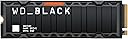
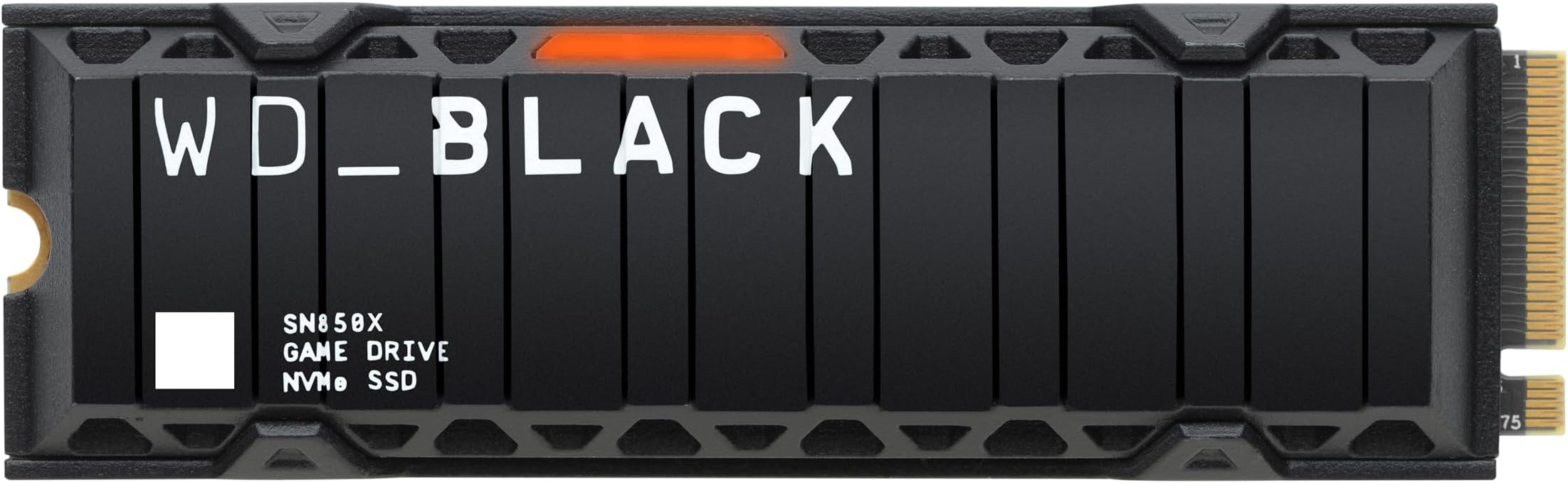
The Western Digital WD Black SN850X 2TB NVMe SSD delivers elite PCIe Gen4 performance with read speeds up to 7300MB/s and write speeds up to 6600MB/s. Featuring an optional heatsink to prevent thermal throttling, this M.2 2280 drive is designed for serious gamers and professionals who demand rapid load times and massive storage. With Game Mode 2.0 and WD_BLACK Dashboard support, it offers customizable RGB lighting and system optimization, backed by a 5-year warranty for long-term reliability.


| ASIN | B0B7CKZGN6 |
| Best Sellers Rank | #12,393 in Computers & Accessories ( See Top 100 in Computers & Accessories ) #87 in Internal Solid State Drives |
| Box Contents | WD Black SN850X Internal SSD |
| Brand | SanDisk |
| Brand Name | SanDisk |
| Cache Memory Installed Size | 2 |
| Color | Black |
| Compatible Devices | Gaming Console, Laptop |
| Connectivity Technology | PCIe |
| Customer Package Type | Standard Packaging, Amazon Frustration Free |
| Customer Reviews | 4.8 out of 5 stars 15,647 Reviews |
| Data Transfer Rate | 7300 Megabytes Per Second |
| Digital Storage Capacity | 2000 GB |
| Form Factor | M.2 2280 |
| Global Trade Identification Number | 00718037891309 |
| Hard Disk Description | Solid State Drive |
| Hard Disk Interface | eSATA |
| Hard Disk Type | Solid State Drive |
| Hard-Drive Size | 2 TB |
| Hardware Connectivity | Solid State Drive |
| Hardware Platform | Playstation |
| Importer Contact Information | RASHI PERIPHERALS PVT LTD.,RASHI COMPLEX A BLDG, SURVEY 186, DONGARIPADA, POMAN, VASAI-E,THANE, MAHARASHTRA-401208 |
| Installation Type | Internal Hard Drive |
| Item Dimensions L x W x Thickness | 8L x 2.3W x 0.9Th Centimeters |
| Item Type Name | Internal SSD |
| Item Weight | 24 Grams |
| Manufacturer | SanDisk Technologies, Inc, SanDisk Technologies, Inc, Western Digital (UK) Ltd |
| Manufacturer Contact Information | SanDisk Technologies, Inc, SanDisk Technologies, Inc |
| Manufacturer Part Number | WDS200T2XHE |
| Media Speed | 6600 |
| Model Name | WD Black SN850X |
| Model Number | WDS200T2XHE |
| Network Connectivity Technology | PCIe |
| Number of Items | 1 |
| Packer Contact Information | 388 Jiang Chuan East Road, Minhang District, Shanghai, China 200241 |
| Product Features | Game Mode 2.0, Heatsink |
| Read Speed | 7300 Megabytes Per Second |
| Special Feature | Game Mode 2.0, Heatsink |
| Specific Uses For Product | Gaming, Multimedia |
| UPC | 718037891309 |
| Unit Count | 1 Count |
| Warranty Description | 5 Years |
G**H
Good speed
Good performance
P**S
Good SSD with Very Bad Packaging
I really don’t know what’s going on with delivery agents these days. This is my second bad experience in Jaipur with an expensive purchase. When they’re running late and can’t make the delivery by 8–9 PM, they just give a blank or fake call without saying a word and then mark it as “customer unavailable.” Because of this, my 5-star LG AC worth 49K order got returned to the seller just last week. Then bought it locally at good discount. Anyway, about this order— the packaging was utter garbage. The seller or warehouse didn’t even bother to properly secure such an expensive and fragile item. It was shipped in just the product box with the invoice taped to it. That’s it. We all know how painful returns can be if something ends up damaged. Thankfully, the SSD arrived intact, thanks to the internal plastic casing. First thing I did was verify the serial number on WD’s warranty site, and luckily, it was genuine. My PS5 reports a read speed of 6,902 MB/s, which is a bit lower than the advertised 7,300 MB/s. Still, it actually felt faster when copying disc data compared to the internal drive. Another plus— the usable space is a full 2TB, unlike some other drives that reserve 5–10% for system use.
A**A
Best
Works perfectly, go for it without second thoughts.
N**A
Beast one of kind 💪
Worth every penny beast performance very stable Ssd. Yeah tempratures are better using heatsink model.
A**Y
The best SSD for PS5
This is definitely the go-to choice for increasing storage on the PS5. Offers the exact same specs as the pricier PlayStation licensed SN850P, just without the PS branding. Installation and setup is a breeze as well. It is not the cheapest of the options available but after a year of using it, it runs games at speeds identical to those installed on the PS5’s own SSD with no issues whatsoever and I have no regrets.
P**R
Decent ssd
Getting 55 degrees temperature and a bit less write speed.
P**.
Great for PS5
Go for it, if you’re looking for ps5 storage expansion. Installation was quick and easy in PS5, within 10 min. Read speed it detected was 6200 mbps. Moved a few games to the new ssd storage to play and never felt the difference
B**Y
As expected.
Got it delivered in 2 days. Opened the PS5 back panel, open the SSD slot, inserted and closed it as instructed. Started ps5, formatted it when prompted to, and then changed the setting to enable all new games to save to the SSD. Works without any issues. 3 weeks into the usage.
A**N
Nickel
Installé dans un PC gaming. Les débits annoncés en lecture/écriture sont atteints sans problème. Utilise l'application SanDisk Dashboard (anciennement WD Dashboard) pour des réglages et effectuer les mises à jour firmwares.
U**Z
Excelente
Excelente
C**R
Fantastic and recommended.
I had studied a lot options and this was top choice for obvious reasons. The metrics and performance are as described and this is obviously better than the version officially recommended for PS5. Take this and you'll always smile 😍
サ**☆
こいつ・・・光るぞ!(H370-PRO GAMING(WI-FI)のクローンディスクに使用)
WD BLACK SN850X NVMe SSD 2TB WDS200T2XHE(ヒートシンク付) Crucial MX300 525GB(2016)から本製品の2TB(ヒートシンク付片面実装)にクローンして換装。 使用中の温度は、MX300の25℃に対し45℃でした。(室温22℃にて) その後、吸気ケースファンの位置を下げたところ、MX300が23℃に、本製品は40℃となった。 以下は概略手順(参考) ①本製品をM/B※1のM.2_2スロットに取付ける※2。 ②ディスクの管理※3にて本製品をGPTフォーマットする。 ④クローンソフト※4にてMX300ドライブ(525GB)を本製品にクローン。 ⑤BIOSメニュー(再起動時にF2キー)にてブートドライブを本製品に変更する。 ※1:H370-PRO GAMING(WI-FI) ※2:M/B付属の六角ポスト及び取付ビスを使用する。六角ポストによりM/BからSSD背面が浮くため、両面実装のM.2SSDや大型ヒートシンクも取付可能と推察する。 ※3:Winマークを右クリックしてディスクの管理が選択できる。 なお、OSがWin 10 homeのため、CドライブのBitLocker(暗号化)の解除は不要であった。 ※4:Macrium Reflect8の30日無料トライアル版 MX300ドライブは、1-回復(450.0MB)、2-NO NAME(100.0MB)、3-書式なし(16.0MB)、4-(C)(487.94GB)、5-なし(563.0MB)の順だったが、1-回復、2-NO NAME、3-書式なし、5-なし、4-(C)の順にして4-(C)を最大サイズに指定した。また、本製品内に1-書式なし(16.0MB)が作成されていたが、これは不要と判断し削除した。なお、今考えるとMX300ドライブの3-書式なし(16.0MB)も削除して良かったかも知れない。過去にWin7からWin10にグレードアップしたため、パーティションの乱立が起きていると推察する。
E**Z
Excelente producto.
Llego en óptimas condiciones tardo casi el mes pero del lugar de donde viene es normal el funcionamiento es perfecto, no llevo mucho usándola pero la transferencia de datos fue muy rápida. Facil de instalar y el precio me pareció excelente. Recomendable. 2TB.
Trustpilot
2 weeks ago
3 days ago