Buy anything from 5,000+ international stores. One checkout price. No surprise fees. Join 2M+ shoppers on Desertcart.
Desertcart purchases this item on your behalf and handles shipping, customs, and support to Senegal.
🚀 Power your productivity anywhere, anytime!
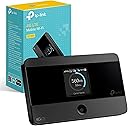
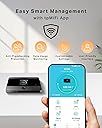
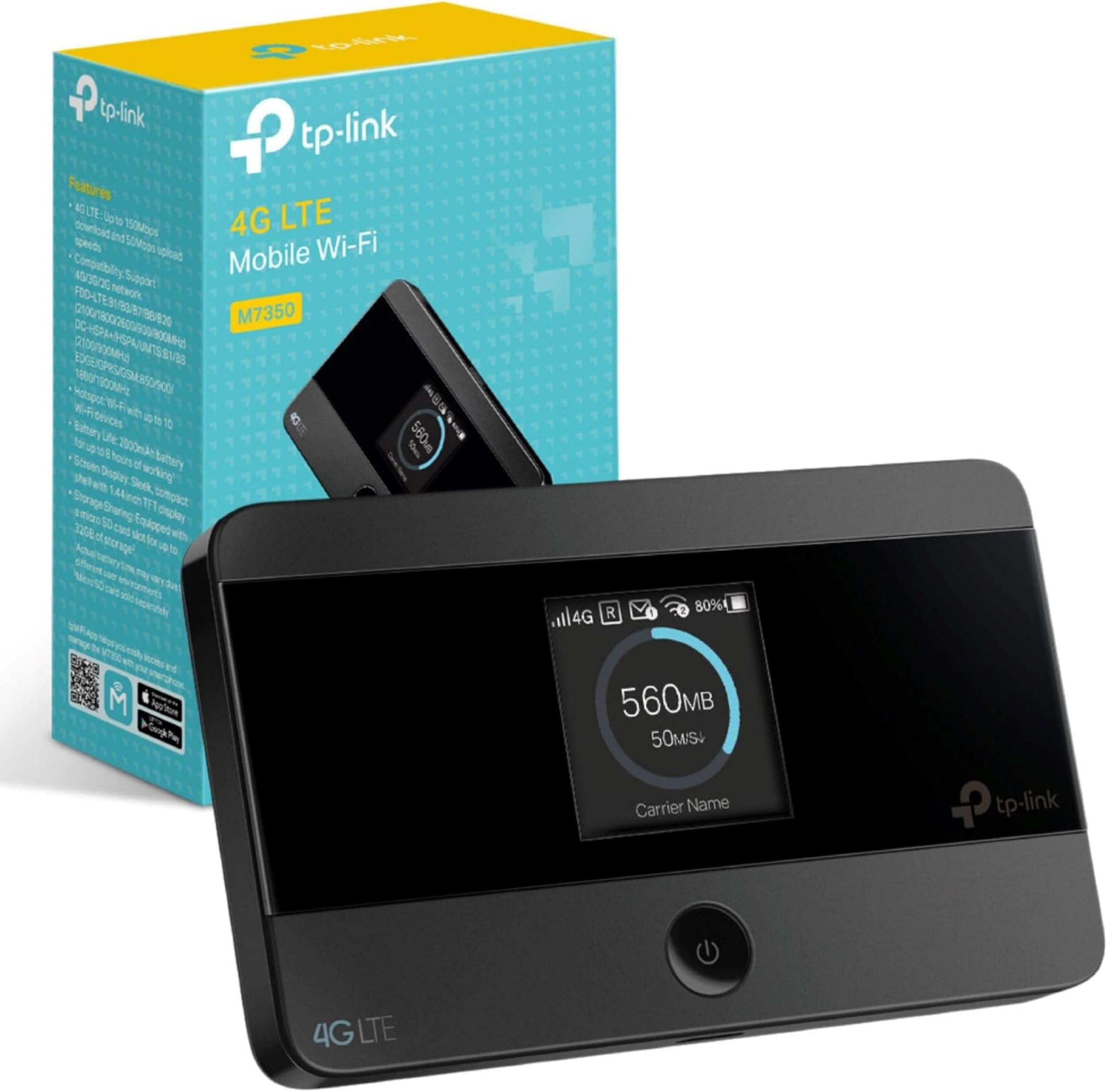
The TP-Link M7350 is a sleek, portable 4G Cat4 LTE MiFi hotspot delivering up to 150 Mbps download speeds and supporting up to 10 devices simultaneously. With a rechargeable 2000mAh battery offering up to 8 hours of continuous use, it’s designed for professionals on the move. Its intuitive display and app management make monitoring effortless, while its compact form factor and broad network compatibility (excluding USA and Japan) ensure reliable connectivity worldwide.


| ASIN | B06XC16QC1 |
| Antenna Location | Personal and professional |
| Antenna Type | Internal |
| Best Sellers Rank | 392 in Computers & Accessories ( See Top 100 in Computers & Accessories ) 1 in Mobile Broadband Devices |
| Box Contents | USB charging cable, rechargeable battery, user manual, and TF card |
| Brand | TP-Link |
| Brand Name | TP-Link |
| Colour | Black/White |
| Compatible Devices | ['Laptop', 'Smartphone', 'Tablet', 'Game Console'] |
| Compatible devices | ['Laptop', 'Smartphone', 'Tablet', 'Game Console'] |
| Connectivity Protocol | USB, 4G LTE |
| Connectivity Technology | USB |
| Control Method | App |
| Controller Type | App Control |
| Country of Origin | China |
| Coverage | Approx. 30 metres |
| Customer Reviews | 4.4 out of 5 stars 5,339 Reviews |
| Data Transfer Rate | 150 Megabits Per Second |
| Frequency | 2.4 GHz |
| Frequency Band Class | Single-Band |
| Frequency band class | Single-Band |
| Has Internet Connectivity | Yes |
| Is Modem Compatible | Yes |
| Item Dimensions L x W x H | 6.6L x 1.6W x 10.6H centimetres |
| Item Weight | 0.12 Kilograms |
| LAN Port Bandwidth | 1 Gbps Mbps |
| Manufacturer | TP-Link |
| Manufacturer Part Number | M7350 (EU) |
| Maximum Upstream Data Transfer Rate | 150 Megabits Per Second |
| Model Name | MiFi 4G LTE Wireless Router |
| Model Number | M7350 V4 |
| Model name | MiFi 4G LTE Wireless Router |
| Number of Antennas | 3 |
| Number of Ports | 8 |
| Operating System | RouterOS |
| Other Special Features of the Product | WPS |
| Product Warranty | 3 Years Manufacturer |
| Router Firewall Security Level | Basic |
| Router Network Type | Wireless USB Router with 4G LTE Support |
| Security Protocol | WPS |
| Smart Home Compatibility | Not Smart Home Compatible |
| Special feature | WPS |
| Unit Count | 1.0 count |
| Voltage | 5 Volts |
| Wi-Fi Generation | 802.11ac |
| Wireless Compability | 802.11ac |
| Wireless communication standard | 802.11ac |
D**A
Very good quality and works great recommended
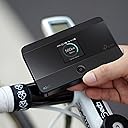
This TP-Link M7350 4G Cat4 LTE Portable WiFi module is great it provides us with WiFi in our camper van using a smarty unlimited data sim card and we get excellent signal and speed. Very easy to use and it has an 8 hour battery life. Range I have only tested to about 30 feet so far and it still worked well. So far have had no dropout or disconnect issues so I would highly recommend this 😁 it is also very compact so you can even carry it in your pocket or bag
J**N
Great little hot spot that works flawlessly
I owned and used this item purchased from amazon for a couple of years, with a data-only SIM from Three. Set-up was easy - the back has to come off the unit so you can slide in the SIM card and fit the rechargeable battery but there's a notch on one corner allowing you to get a fingernail in. Switch on, and the box should start to try and sign on to your SIM card's network then report "connected" and the service obtained such as "4G". The device has a pre-set numeric password string which can be found by navigating the menu options. There are just two buttons on the device - one marked "home" and another on the top side, and a combination of the two allows you to cycle round each menu page and then make selections within each page where appropriate. One nice feature is that this box serves out a web page interface via your local IP network (use http://192.168.0.1 or http://192.168.1.1 as the web address in most cases). Here you can change the router access password and make a lot of configuration changes to the wireless network for security purposes, etc. The default user name and password are both "admin" (all lower case") and it would be advisable to change these as soon as you can, for security reasons. If you forget your user name or password and can't log in through the web page, there's a pin-hole "reset" button which can be pressed with the aid of an unfolded paperclip (with the unit switched on) so everything gets reset to defaults including the admin/admin user name and password. Looking at my network provider's website, my locale is marked with 4G outdoor service only, yet I was able to get 4G service indoors provided I positioned the unit carefully. The wi-fi signal was great, but I didn't try to connect to the box from outside the room I was using it in so I'm not sure it would fill a whole house but you never know. Battery life was a couple of hours when fully connected and working, but I nearly always used the unit with permanent USB power connected. One thing to note is that I sometimes got a "battery overheat" condition whilst running on external USB power, which was quite odd. The unit would literally report over-temperature on its screen, and switch off. I then had to wait several minutes before the unit would turn back on again. Feeling the back of the unit, the battery inside had indeed got hot. I'm sure the charging circuit should switch off when the battery is fully charged, but apparently not sometimes for me. The other thing to note is that the back plate that you remove to fit the battery and SIM card is quite fragile. In the two years I owned the unit, it fell off the shelf where I'd put it (remember I had to find just the right spot to achieve 4G connectivity in a fringe reception area). All for corners of the removable back ended up being chipped and broken, and on one occasion I broke more off one of the corners just trying to get the back off the unit, hence me mentioning the tiny cut-out on one corner which should ease removal for you. Just be careful getting the back off if you want to look after this item and are looking to re-sell it at a later date. Gently does it. Overall given the price and functionality (which was pretty much flawless) I recommend this item. I only stopped using it because I got a dual-SIM phone with my data SIM as the second SIM, so I could use hotspot tethering at home and also mobile data as conveniently as possible whilst I'm out and about, even if that's just providing 4G connectivity for my sat nav whilst driving, so I get live traffic updates. I can see the application for someone who doesn't want to be bothered with smart phone tethering but does want to use a wi-fi only tablet or computer at home. Very easy to set up and it just works without a hitch in my experience.
G**E
Ideal mi-fi for caravanners
Bought the TP Link M7350 mi-fi to use in our touring caravan in the UK. Set up was OK once I'd cracked how to insert the SIM card correctly! Had to resort to YouTube video as the enclosed Quick Start did not cover it properly. There's also a v good detailed user guide online though. Logged into the TP-Link user admin site for the unit to change the wireless and admin passwords to improve security. Then away you go - it's not too difficult. It's a pocket-sized unit and in the first caravan site we used it in we got 4G signal and the little unit connected easily and worked really well for us - 2 or 3 tablets/phones using it. We just loaded it with a 4GB Smarty SIM card (Three network) to try it out. An hour's worth of watching catch up TV uses about 0.9GB, but just browsing and emailing much less. Switch it off when not in use (it should auto switch off anyway when not in use). So far, very pleased with it and will put a bigger SIM card in next time, but we don't expect 4G signal at every site - sometimes only 3G or no signal in more remote locations. It's just good to be able to connect sometimes and not pay exorbitant caravan site wi-fi fees.
G**1
Brilliant !!
Got this so I could have Wi-Fi in my caravan , works perfectly , very happy
J**N
Works perfectly good for the money
If you want wifi in your car for maps etc and don't want to connect your smart phone this is ideal . Easy to set up connected to an xtrons car infotainment system , powerfull enough to stream any android app spotify/youtube etc ,nice usb c charging and imtermal battery make this really portable.
R**1
Died after 2 months
This worked well for a couple of months - easy to set up and good coverage inside my narrowboat even with poor mobile signal. However, it then died completely - no power or lights. Tried different known-working cables and charge points to no avail. The back cover appears to be impossible to remove so was unable to check the battery. Contacted TP-Link and they said I had to contact Amazon, which I did. Customer service was excellent, and got my refund as soon as I post the unit back. I have put this down to a manufacturing fault and given TP-Link the benefit of the doubt due to the many good reviews it has received, now purchased a second one so will see if that survives more than 2 months!
M**E
Works well
So easy to set up. Works on all my devices. Bought to use in my caravan when away so will see how well it works away from home. Bought an EE 120gb 12 month sim card.
J**R
Great MiFi
We bought this MiFi to replace an older model when the battery no longer worked. This is larger than the last, but overall is a better product. It links well with the app and has the benefit of being able to insert the SIM card without opening the body. Connects quickly to our phones and has a good battery life.
A**R
Perfect
Very good device, easy to connect and use, not bad battery. The quality of the device is great. I advise it
A**H
Prise en main du M7350 4G/LTE et expérience en usage réel.
J'utilise depuis des lustres des modems 3G (puis 4G) pour me connecter avec des cartes SIM en France et à l'étranger en roaming ou avec des cartes SIM locales. La configuration d'un modem 3G/4G est en général simple si on sait configurer un routeur. Si ce n'est pas le cas, certains peuvent rencontrer quelques difficultés. D'autant que les paramètres "par défaut" ne permettent pas toujours de se connecter avec succès. Voir quelques conseils en bas de mon commentaire. PRISE EN MAIN DU M7350 : Ouvrir le boitier, placer la carte SIM, refermer et démarrer le modem. En moins d'une minute le modem est initialisé et l'afficheur indique une connexion 4G active avec mon fournisseur . Donc pas de stress, le modem a bien récupéré les paramètres de connexion dans la carte SIM. Le réseau WiFi est lui aussi visible sous le nom "TP_LINK_M750_xxxxxx" par défaut. Tout semble parfait. Je cherche alors à me connecter à partir de mon ordinateur au modem en WiFi en utilisant la clé inscrite à l'intérieur du boitier... échec ! Pas de panique ... il existe un bouton "reset" sur le modem, qui le remet dans la configuration "usine" : re-échec ! De toute évidence, la clé indiquée est erronnée.. Mais il existe une solution : connecter le modem par cable USB à l'ordinateur, et accéder directement à la page de configuration à partir du navigateur : Je change les paramètres WiFi (SSID et clé) ... et alors tout fonctionne ! Conclusion : si vous ne réussissez pas à vous connecter avec la clé indiquée, ne renvoyez pas le modem à Amazon ! Connectez-vous par câble et corrigez le problème en cinq minutes. CONSEILS : 1) Avant de placer la carte SIM dans le modem, veillez à la mettre auparavant dans un téléphone mobile et à désactiver la vérification du code PIN de la carte (menu "sécurité" de votre téléphone portable). Celà évite de nombreux soucis. 2) Connectez-vous la première fois au modem PAR CÂBLE USB, afin de modifier les paramètres selon vos besoins. Ensuite utilisez-le en WiFi. ========== MISE À JOUR 13/02/2016 après usage en conditions réelles ========== Il existe 3 versions "hardware" de ce routeur : V1, V2 et V3 . C'est la version V1 qui m'a été livrée par Amazon en novembre 2015. Actuellement ce sont plutôt les versions V2 et V3 qui sont délivrées avec le firmware correspondant. Je suppose que le problème que j'ai connu avec la clé WiFi par défaut a été règlé. J'ai utilisé à ce jour le routeur dans 3 pays, il fonctionne à merveille tant en 4G qu'en 3G. - en France avec une carte SIM Bouygues Telecom en 4G et parfois une carte SFR Red - en Allemagne en 3G avec une carte prépayée FONIC - en Roumanie en 4G et 3G avec une carte prépayée Vodafone Romania En général, la carte SIM contient les paramètres de connexion apropriés, et le modem s'auto-configure. En deux mots : vous placez la carte SIM dans le routeur et ca marche ! Les connexions sont stables, aussi bien vers les réseaux mobiles 3G / 4G qu'en WiFi vers mes appareils connectés : ordinateur, téléphones, tablette. Le routeur ne s'échauffe pas. À l'extérieur, je le mets simplement dans ma poche. La batterie tient plus de 6 heures sans problème. En conclusion : EXCELLENT produit, que je recommande sans restriction.
C**N
Facile da usare e molto comoda.
Facilità d'uso. Non c'è il caricabatteria in dotazione.
F**D
ممتاز
ممتاز وانصح به
R**E
Forget it
Does not work, and can not return - do not buy !
Trustpilot
1 week ago
2 months ago