🖥️ Elevate your workspace with ultra-sharp 4K clarity and lightning speed — don’t get left behind!
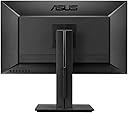
The ASUS PB287Q is a 28-inch 4K UHD monitor delivering 3840x2160 resolution with true 10-bit color and 157 PPI for exceptional image quality. It features a rapid 1 ms GTG response time and 60 Hz refresh rate, ideal for smooth visuals. Connectivity is versatile with dual HDMI, HDMI/MHL, and DisplayPort inputs. Ergonomic adjustments and eye-care technologies like Low Blue Light and Flicker-Free ensure comfort during extended use.


| Adaptive Sync | G-Sync |
| Asin | B00KJGY3TO |
| Aspect Ratio | 16:9 |
| Box Contents | Monitor |
| Brand Name | ASUS |
| Colour | Black |
| Contrast Ratio | 100000000:1 |
| Customer Reviews | 4.0 4.0 out of 5 stars (1,025) 4.0 out of 5 stars |
| Display Technology | LCD |
| Display Type | LED |
| Global Trade Identification Number | 00014444456460, 04716659666448, 04716659666462 |
| Hardware Connectivity | DisplayPort, HDMI |
| Has Color Screen | Yes |
| Item Dimensions D X W X H | 38.1D x 71.1W x 66H centimetres |
| Item Type Name | ASUS PB287Q 28" 4K/ UHD 3840x2160 1ms DisplayPort HDMI Ergonomic Back-lit LED Monitor |
| Item Weight | 7.9 kg |
| Manufacturer | Asus |
| Maximum Display Resolution | 3840 x 2160 |
| Model Name | PB287Q |
| Model Number | PB287Q |
| Mounting Type | VESA Compatibility - Mountable: 100 x 100 mm |
| Native Resolution | 3840x2160 |
| Network Connectivity Technology | HDMI, HDMI/MHL, DisplayPort, 3.5mm Mini-Jack |
| Picture Quality Enhancement Technology | Real 10-bit color |
| Pixel Pitch | 0.16 |
| Power Consumption Size | 29.45 Watts |
| Processor Count | 1 |
| Product Features | Built-In Speakers, Cable lock slot, HDCP, PC Audio in, Standard decoder:Working distance:Blade Type:viewing angle, vertical:MP3 bit rates:Keystone correction, vertical:Automatic shutdown:Ambient light metering modes: Flash metering modes: fan diameter:160° |
| Refresh Rate | 60 Hz |
| Resolution | 4K UHD 2160p |
| Response Time | 1 Milliseconds |
| Screen Finish Type | Matte |
| Screen Size | 28 Inches |
| Series Number | 287 |
| Shape | Rectangular |
| Specific Uses For Product | Gaming |
| Total Hdmi Port | 2 |
| Total Video Out Ports | 3 |
| Upc | 779177252245 779177332534 886227666454 779184143369 886227666447 779177337478 014444456460 803982812254 886227666461 |
| Viewing Angle | 70 Degrees |
| Voltage | 240 Volts |
User
Magnificent - is the word.
After reading some positive reviews, even some negatives, I took the plunge and purchased. It arrived yesterday and I immediately impressed by its build quality and overall design. Easy assembly, despite some people saying it was fiddly.. if they actually looked how it it was supposed to be fixed together (the stand base) then they would've had an easier ride!I used the display port cable, as my PC had that option. All easy to plug in again.Showtime. Powered up the PC and the screen was immediately recognised and configured to 4K 60hz.. job done, as far as that bit was concerned.Test time. Youtube - 4K Ultra HD Videos.. found a suitable one - my one of choice was landscapes and glaciers (hey, I'm a photographer so why not).. and 'Boom' there I am immersed in a crystal clear world of imagery. No pixels to see, this is like the gorgeous retina screens that Apple do so well. Colour and clarity are superb. I'm mainly going to be using this for video and photographic / graphic work so a good display is paramount.Because of the higher resolution, tool palettes/windows are smaller giving way to larger working spaces.. in my case I went from being able to see 5 tracks of my video suite up to 12.. that's a massive improvement - especially for video work where the ability to see all clips at the same time on the timelines is pretty important.For applications that require vector imagery, curves and lines are non-jagged and fonts are visible clearly down to the lowest font sizes, something my previous 1080 screen refused to show well.I then gave DOOM a quick half hour bash.. which, on all the highest settings, turned what was a visually pleasing gaming experience to a showcase of CG masterdom (if that's a word). New details, reflections, contrast and clarity all pop out. Granted, my PC is new and built to be able to run high end 4K video, so why not have a decent screen to compliment it.I seriously cannot fault it. And the 28" size is super immersive without being overpowering.I can only imagine that the negative reviewers of this piece of kit possibly do not have a machine that's spec'ed up enough to make use of it fully.Buy one, and marvel in the glory of a lovely experience!
User
Works well with MacBook Pro 15" late 2013 (and later)
This monitor works very well with my MacBook Pro 15" late 2013 model, and it works all the full res and full refresh rate (ie. 3840 x 2160 @ 60Hz). The extra space is just amazing and makes development work far easier.To get it to work, you need a mini-display port to display port cable, which does NOT come with the monitor. (You can use the included HDMI cable, but doing so slows the refresh rate to 30Hz.) I use this cable (startech sell it in 3 different lengths - 1m should be fine if you MacBook is right next to the monitor): StarTech 1m Mini DisplayPort to DisplayPort Male to Male Adapter Cable - WhiteNo configuration of the MacBook Pro or the monitor is required to get it to work. I did need to set the 'scale' preference in System Preferences as the default produced very small text (note that this does NOT result in a lower resolution, just in bigger text).The monitor itself is very nice with, with a good stand - there is a lot of height adjustment, I was easily able to position the monitor exactly how I wanted it.The panel is a "TN" LCD - these have a bad reputation in general (IPS panels are better, but more expensive), but note that there are good TN panels and bad TN panels. The panel is this monitor is definitely at the high end, and I really can't fault it. If you want totally accurate colour reproduction and wide viewing angles, go look for a Dell with an IPS panel - but expect to pay about double what this Asus costs.At the current Amazon selling price of £370 I believe this represents very good value for money - in fact, I've purchased a second one for a colleague.
User
Great affordable 4K
The monitor is great, and considering the price it's hard not to give it 5 stars. The response time is better than any other 4K display I've used, and the resolution is just amazing (roughly 160 PPI I think...). I've been using this with a 15" Macbook Pro and a PS4 and it works great.One of the main downsides is the cable management"; Asus includes a piece of plastic that kind of hides cables, but holds them in place so that you have to readjust them every time you want to move or pivot the monitor. Also, the ports are angled downwards, which means it's incredibly hard to hide them without pulling them a bit too tight for my comfort.Regarding the actual panel, it's TN, so the color accuracy and viewing angles aren't quite there. This is even more apparent when compared with an Apple retina display, but forgiven because of the great response times.Overall, it's a great monitor with a few drawbacks, but incredible when taking the price into account.Note: the Display port is configured for 1.1 out of the box and requires to manually change to 1.2.
User
Awesome Monitor
What an amazing monitor. This is my first 4K monitor and the difference to my old 26" monitor is astounding. I had to bump the icon size up in Microsoft Windows (right click the desktop, choose 'Screen Resolution' and then click the 'Make text and other items larger or smaller' link) so that I could read the time on the system tray at 3840x2160 and still view the monitor at a good distance.4K makes me so much more productive. It is better than the two side-by-side standard monitor screen setup I run at work.I can get a full size browser open next to Visual Studio or Microsoft Word, or have a few VMware hosts running side by side. Marvellous.I don't play fast twitch games any more, but I fired up World of Warcraft and it runs fine over the HDMI input. The monitor has a 60Hz DisplayPort input though if the 30Hz HDMI standard is too choppy for you First Person Shooter types.There are two HDMI inputs and the monitor has a picture-in-picture option (not sure what I'd use that for though), and the buttons on the rear line up with the white dots on the front (I read someone found it hard to operate the monitor controls, but I found it intuitive).No dead pixels. Colour is stunning. Everything is sharp. I will never go back to standard definition if I have a choice.This is probably a luxury/expensive upgrade, but just like my SSD upgrade, I can't imagine going back to what I had before. It'd be like milk after cream.
User
Fatally flawed in dual monitor use
Whilst the image on this monitor is, generally, superb, there are a couple of problems, one of which is very serious.The more minor problem is that the stand only allows the monitor to be positioned tiled upwards. You can't use the stand to position it dead vertical. (You can over come this by wedging something under the base of the stand, so it's not a deal breaker.)The major problem only appears when you use the monitor with another, for Windows. For some reason, whenever the monitor switches on, it causes Windows to momentarily believe it no longer exists, which causes it to throw all the windows you had open on the Asus onto the other monitor. This is a complete nightmare, particularly as Windows will resize any non maximized windows to fit the other monitor, meaning that sorting out the resulting mess is a fiddly and time consumingl task. This happens whenever the monitor come on, whether from a clean boot, standby, hibernate, or just screensaver/energy saver power down.I was able to write a program that just about restores my windows but I would imagine that anyone who could not do this would need to return the monitor as it would be virtually unusable.
User
An OK screen but killed the wifi
I am a designer so was looking for a descent monitor to accompany my Macbook Pro Retina. This was working ok till I discovered it was kicking my Macbook off the wifi network. Tested numerous locations in the house but ultimately could not have the two close together which defeats the whole point. Resolution and colour was quite good for the price though. It's not as crystal as a Mac monitor and viewing angle is limited, but for the price what you get is quite impressive. Shame it has to go back.
User
Fantastic value, hard to get 4K 60fps any cheaper at the moment
I bought this monitor to drag more usable life from my existing desktop machine which is getting a bit towards the end of it's useful life. I use it for games, streaming video, photo editing, and software development. For those 4 use cases combined it's great, particularly for games, it's by no means perfect, but is a massive improvement over my last monitor. For the price it's hard to get decent 4K on your PC much cheaper.Monitor is fantastic value, but you will need a fairly up-to-date graphics card to be able to drive it at it's proper 4k resolution and at 60fps. I ran it at 30 fps for a while as a test, and it wasn't very pleasant.I quickly upgraded to a Asus GTX 1050 TI for ~£150 as a cost effective way to drive it properly via a displayport cable, instead of my older MSI GeForce GTX 560, which was good, but straight up doesn't support 4k.It's not fair to judge it for this, but for photo editing, it's colour-accuracy isn't perfect (I did a print which looked more orange on screen, but came out more red from the printer), so not to be relied on in that respect. I won't mark it down at all for this though as that's not what its designed for, nor should it be expected to perform strongly in that area, especially at this price point. I'm just saying this for anyone who's considering it for that use. I imagine if i try and do some more earnest colour calibration on it, it may well perform better. The 4k resolution makes it much better to appreciate an images sharpness or details I have to say though. A workaround could be to buy a second low-res proper colour calibrated monitor for colour judgement, and use this screen for everything else.Cons: It sometimes needs a minute or two to warm-up it's back-light, the config menu buttons at the back are hard to correlate with the menu options on screen. Many websites don't render great on 4K, so you're constantly zooming in to pages to be able to see it properly, but this isn't an issue with the monitor, more just a current issue for 4K itself.Full disclosure: Got it from an Amazon Warehouse deal for a sizeable discount, apparently the packaging was damaged? To be honest the packaging was fine, and it was like new.
User
Spectacular!
Here's a screen that will give you a taste of the future.The result is BREATHTAKING.The following comments are those of a humble photographer and not one of a gamer. (Gamers will find countless reviews here and on the Internet forums and tests indicating this is an OUTSTANDING GAMERS' SCREEN).My PC runs on Windows 7 Ultimate, Intel Core i7-3820 @ 3,6Ghz, 20Gb RAM and a ZOTAC GeForce GTX 760 AMP! Edition graphics card.The screen is connected with the DisplayPort, resolution is 3840x2160 @ 60Hz.The screen is WELL MADE and SOBER in DESIGN. So sober, in fact, that the control buttons are behind the screen. But don't worry, indications on the screen are logical, you'll only have to pinch with your thumb and index, and the index will naturally come and pinch the appropriate button. (Is that explicit? :-/)Height adjustment, tilting and rotation of the screen are all very easily done. The screen CAN be set perpendicular to the stand, it can even tilt slightly downwards!There is NO light leaking to be noticed. NO dead pixel.DEFINITION, FINESSE of characters, precision of colours are superb, sublime. ANGLE OF VISION is FINE, if not somewhat sensitive/narrow for precision touching up work.However : if one leaves Windows as is, everything will appear microscopic on this screen. One has to modify Windows' 7 parameters to display everything at 150% (Control panel/Appearance and Personalization/Display).Some software are not (yet) adapted to this screen's resolution and will appear small. Firefox handles things well but I have added the Zoom (+/-) in the toolbar, to help facilitate viewing certain websites at the click of a button.Photoshop CC 2014.2 (or later) is absolutely necessary to be able to work comfortably. Indeed this version of Photoshop has an option to double the size of the interface (Edit/Preferences/Experimental Features option 'Scale UI 200% for high-density displays (Windows only)'), a must if you wish to work comfortably with this screen.[EDIT: As a professional photographer, I have never come across a screen that allows such PRECISION in the touching up of a photograph. Consequently and as far as I am concerned, the IPS vs. TN argument becomes somewhat obsolete here.]In short, I think it is pretty clear, I am VERY SATISFIED with this acquisition.
User
Justo lo que esperaba
Estoy muy satisfecho con el monitor. Yo tenía dos monitores FullHD 1080p de 21.5" (Asus VS229H-P) y quería ampliar mi espacio de trabajo. Este monitor es el equivalente a 4 monitores 1080p de 14" cada uno, lo que me permite tener cuatro ventanas abiertas en todo momento. Al principio me costó algo de esfuerzo adaptarme a las letras más pequeñas y estuve a punto de darme por vencido; pero después de una semana me acostumbré.La calidad de imagen y colores es bastante buena. Es una gran mejora de mis monitores anteriores, aunque no es tan buena como una pantalla IPS. Los videos 4K se ven bastante bien, igual los juegos cuando la tarjeta de video los soporta y si no hace un trabajo decente al escalar el contenido 1080p una vez que se ajusta la función VividPixel que mejora la nitidez de las imágenes escaladas.La base ajustable funciona a la perfección, aunque me gustaría que pudiera girar un poco más.Muy recomendable por el precio.
User
Awesome Gaming and Multipurpose Monitor
Right out of the box, all cables, accessories in place, a swift to assemble.Tested the 3840 x 2160 at 60Hz on Display port 1.2. Tested for dead pixels, NONE.
User
Great gaming monitor.
Great for gaming. Very clear picture. +5 kills for every Fortnite run!!!! Just saying!!
User
Excelente Monitor
La calidad de imagen y la nitidez del 4k impresionan. Recordar poner Secuencia DisplayPort a DP 1.2 para que pille el 4K correctamente.Puede regularse la altura y tiene un giro limitado en 90º pero es mas que suficiente.Los materiales son robustos y la base da confianza. Por mucho que se tambalee la mesa, este bicho no va a volcar.Trae el equipo completo: cable HDMI, DisplayPort, VGA, DVI y cable de audio para la tarjeta de sonido.El único 'Pero' son unos altavoces mediocres pero realmente este monitor lo que vende es calidad de imagen, que dicho sea, es brutal.
User
Couldn't be Happier!
My wife got this for me for Christmas and I couldn't be happier with it!! I am coming from a 27" AOC 1080p monitor that was fantastic and am really particular when it comes to electronics, so, getting something that is quality is very important to me. She got me the 28" 4K UHD version of this model and it is breathtaking. The amount of options/features this monitor comes with for the price I can't see getting any better anywhere else for this price (it even comes with a Display Port cable and HDMI cable) I am a big PC gamer so fast paced gaming on this monitor was my biggest concern and I can say that concern is void. No ghosting, no blur, no input lag to be seen. I currently run an Intel 6700k and a Nvidia GTX 980ti in my PC and running most of games at 4K and Ultra settings is much better than I anticipated. Even some of the most graphically enhanced games out at this time. (Watch Dogs 2, The Division, Titanfall 2, Battlefield 1)The overall quality and build of this monitor is amazing. When you take it out of the box you can just tell its sturdy, well made, and a premium monitor. The first one I received did have one "bright pixel" that was stuck white, but, it comes with a "Zero Bright Dot" Warranty so I was able to exchange it quickly through Amazon for a new one and its perfect.I have seen a few reviews mentioning LED backlight bleed and to say there is NONE would be incorrect, but, its VERY VERY minimal and on my monitor it is on the left and right sides in about 1/4 of an inch MAYBE and ONLY when you have a dark scene and in a dark room. It is so minimal that I can say its not noticeable (again, I am very particular) so if it doesn't bother me it shouldn't bother you.The colors are VERY rich, the blacks are deep, and the clarity is superb. If anyone is saying otherwise they may need to check their monitor's settings. I use the preset "Gaming" Mode and its perfection.So, if you are looking for a GREAT 4K monitor that can do it all at a VERY reasonable price, look no further. Definitely recommend this monitor for anyone that is wanting to take the step into 4K for gaming, art, or business, hands down.
Trustpilot
2 weeks ago
2 days ago