Desertcart purchases this item on your behalf and handles shipping, customs, and support to Senegal.
🚀 Elevate your workspace & play with ultra-smooth, vibrant visuals!
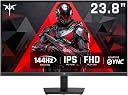
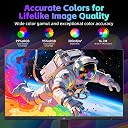
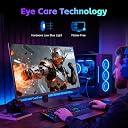
The KTC 24 Inch Computer Monitor H24B9S delivers a professional-grade Full HD 1920x1080 IPS display with a blazing 144Hz refresh rate and Adaptive Sync support. It covers 103% sRGB and 96% DCI-P3 color gamuts, ensuring vivid and accurate colors ideal for designers and gamers alike. Eye-friendly features like low-blue light and flicker-free technology make it perfect for extended use. Multiple connectivity options and ergonomic tilt adjustment complete this versatile, reliable monitor designed for both productivity and immersive entertainment.


| ASIN | B0FGPX5PN1 |
| Adaptive Sync | FreeSync, G-Sync Compatible |
| Additional Features | Adaptive Sync, Flicker-Free, Tilt Adjustment |
| Aspect Ratio | 16:9 |
| Best Sellers Rank | #1,310 in Electronics ( See Top 100 in Electronics ) #43 in Computer Monitors |
| Brand | KTC |
| Brightness | 300 cd |
| Color | Black |
| Color Gamut | 103 |
| Compatible Devices | Desktop, Gaming Console, Laptop |
| Connectivity Technology | DisplayPort, HDMI |
| Contrast Ratio | 1500:1 |
| Customer Reviews | 4.5 out of 5 stars 1,979 Reviews |
| Display Resolution Maximum | 1920 x 1080 pixels |
| Display Technology | FHD |
| Display Type | IPS |
| Hardware Connectivity | DisplayPort, HDMI |
| Image Contrast Ratio | 1500:1 |
| Included Components | 23.8" FHD 144Hz Monitor*1, HDMI Cable*1, Adaptor*1, Monitor Stand*1,QSG*1 |
| Item Dimensions D x W x H | 7.52"D x 21.29"W x 16"H |
| Item Weight | 8.2 pounds |
| Manufacturer | KTC |
| Model Name | H24B9S |
| Model Number | H24B9S |
| Native Resolution | 1920x1080 |
| Number of Component Outputs | 1 |
| Picture Quality Enhancement Technology | IPS panel, Wide Color Gamut, Adaptive Sync |
| Pixel Pitch | 0.27 |
| Power Consumption | 24 watts |
| Refresh Rate | 144 hertz |
| Resolution | FHD 1080p |
| Response Time | 7 milliseconds |
| Screen Finish | Matte |
| Screen Size | 23.8 inches |
| Screen Surface Description | Matte |
| Shape | Flat |
| Specific Uses For Product | Business, Entertainment, Gaming |
| Total Number of HDMI Ports | 1 |
| Unit Count | 1 Count |
| Viewing Angle | 178 degrees |
| Voltage | 12 volts_of_direct_current |
| Warranty Description | 3 Year Manufacturer |
| Warranty Type | 3 Years Manufacturer Warranty |
C**R
Great monitor, and a bargain.
I bought one of these for my daughter because it was inexpensive and I was very impressed. There's nothing about it that belies the low price. I bought 2 more for my home recording studio setup and I love them. I don't play video games so I can't comment about high end performance, but my DAW has dozens of real time waveforms and audio meters going all at the same time, and they all are crisp and responsive. No dead pixels. No artifacts. No eye fatigue. Good color. I absolutely would buy this monitor again.
L**A
Clear, bright, and perfect for long work shifts
Clear, bright, and perfect for long work shifts Review: I use my monitor mainly for phone‑support work, so clarity and comfort matter a lot. After using this monitor daily, I can say it’s been a huge upgrade from my older setup. The screen is bright, text is crisp, and I don’t get that eye strain I used to feel after long shifts. What stands out: • Sharp text clarity — perfect for reading tickets, notes, and customer info • Bright, even screen with no weird dim spots • Colors look natural without being oversaturated • Easy setup — plugged in and recognized instantly • Lightweight but still feels sturdy on the desk For work use: I’m on the computer for hours at a time, and this monitor makes a noticeable difference. The brightness is strong enough to stay clear during the day, but it also dims well at night so it’s not harsh. I can keep multiple windows open without everything feeling cramped. Compared to my older monitors: I’ve used several monitors over the years, and this one is definitely clearer and more comfortable for long sessions. The screen doesn’t flicker, and the text stays sharp even when I’m multitasking across different apps. If you’re using it for phone or computer‑based work: This is a great choice. It’s reliable, easy on the eyes, and the picture quality is better than I expected for the price. Bottom line: If you need a monitor that’s bright, clear, and comfortable for long workdays, this one is absolutely worth it. It’s been a solid addition to my setup.
E**C
Budget gaming monitor with a high end feel.
Typically, i like to wait a bit before reviewing anything i buy online. But honestly, this KTC monitor impressed me for being a budget option at this price point so I’m going to go ahead and five my thoughts on it. packinng was what you would expect, nothing too fancy. Included was the mount and and stand for the monitor as well as the power cord, an HDMI cable and a DisplayPort cable. The Good: - Picture quality on this monitor is really good. 1440p looks crisp and clear and even downscaling to 1080p, while degrading the image a bit, still doesn’t look overly fuzzy. So if you really wanted to play or use this monitor at 1080p you could. (But being a 1440p monitor, don’t know why you would want to) - there is very very little ghosting with this monitor at stock settings, i found that setting overdrive to low makes the ghosting pretty much go away without reducing image quality at all so that what I’ve kept mine on. I’ve attached a video to try and show an example of what it looks like. - Freesync/ G-Sync works well without issues, there was no flickering at all during gaming at 165hz. Gaming felt smooth and i had no issues with stuttering or response time. Just note, 165hz only works with the DP cable. If you decide to use HDMI, you’ll only be able to go up to 144hz. - Talking about the picture quality, the colors are vibrant without looking overly saturated, the blacks, while not being as dark as you’d see on a VA monitor, are still pretty good. Out of the box, you probably wont need to adjust the settings at all, unless you want really want to. - Speaking of settings, i thought that using one button to essentially control everything would be annoying, but it’s actually pretty easy. Just press the button once to access the menu, and then move it in the direction you want to change whatever settings you want and then press the button again to turn off the menu. The Bad: - the monitor did arrive with some stuck pixels at the bottom right corner of the screen , just above the power button. It wasn’t enough to make me want to return it, as it isn’t noticeable when using the monitor for gaming or when using it for day to day tasks. This is more a QC issue more than anything, so your mileage may vary. I’ve attached a picture of it so you can see it for yourself. - although it doesn’t affect performance at all, the RGB lights on the back of the monitor only have the option to turn it on or off and no setting to change the color to whatever you want. Out of the box, it just changes colors in this slow wave like effect. But this is just me being nit-picky. - HDR on thins monitor is pretty bad, it does increase the brightness a bit if that’s what you’re looking for, but it washes out the colors too much and overall just looks too bright imo without manually changing settings in both the monitor and windows. If you’re looking for a monitor for primarily game in HDR, you might want to look at other options. - this one is me being nit picky again, but the USB port on the back of the monitor doesn’t seem to have functionality, seems its just there to use a USB stick to update firmware or something. I plugged a mouse in there and a USB light strip, the mouse didn’t work at all and only half of the light strip lit up. So while a cool feature, doesn’t seem all that useful. I don’t know, maybe it’s in a firmware update that I haven’t done yet? Ill update this if i’m able to figure out more. UPDATE: the USB port on the back works, i ended up swapping out old parts for new ones and it suddenly started working. I tried a LED strip and a mouse and both worked fine. I don’t know why or how this would interfere with the monitor, but it is what it is. Overall, this monitor is really solid for the price, it comes with decent enough features to make it comparable with other options, but keep in mind it is a budget monitor so you won’t get some of the features here like you’d see with higher end models. But if you’re looking to get a gaming monitor with good image quality, good colors, high refresh rate, a 1ms response time and no ghosting, you’d be hard pressed to find a better monitor at this price point.
J**.
equal price to quality but lifespan is < 3 years.
i do not know why there are so many 1 star reviews but here's my take. i had this monitor since november of 2023 and there was nothing really wrong with it, i quite enjoyed it once i adjusted the colors to closely match my oled phone. the colors were imo above average for this price point although i prefer dark rooms and only struggled with glare in the mornings when the sun was low and peeping through windows. however suddenly today in august of 2026 the monitor has stopped functioning suddenly giving it slightly less than a 3 year lifespan in ideal conditions, i even use a special swivel mount to prevent cable damage and the power brick shows that power is being administered correctly meaning the monitor itself has short curcuited. So is it worth it? i don't recall what i paid at the time but at $200 it is not bad price for 3 years, but its also not ecomical and i would recommend it ONLY if you ONLY have $200 and no more at present and really want a 1440p monitor immediately. You can't complain that you aren't getting oled colors or blacks for this price and i found it acceptable at the time and really wouldn't have needed an upgrade or change if it did not stop working. however it seems that possibly quality control has lately struggled? i do not have a means to find out unless i still am under their warranty. AT BEST 8/10 due to fine quality at pricepoint, no issues until it died, but 2 lost point entirely because it WILL die by itself if even i had this issue and also glare is kinda bad, really need to have your lights set up right.
J**P
Incredible - especially for the price. I took a gamble and hit the jackpot.
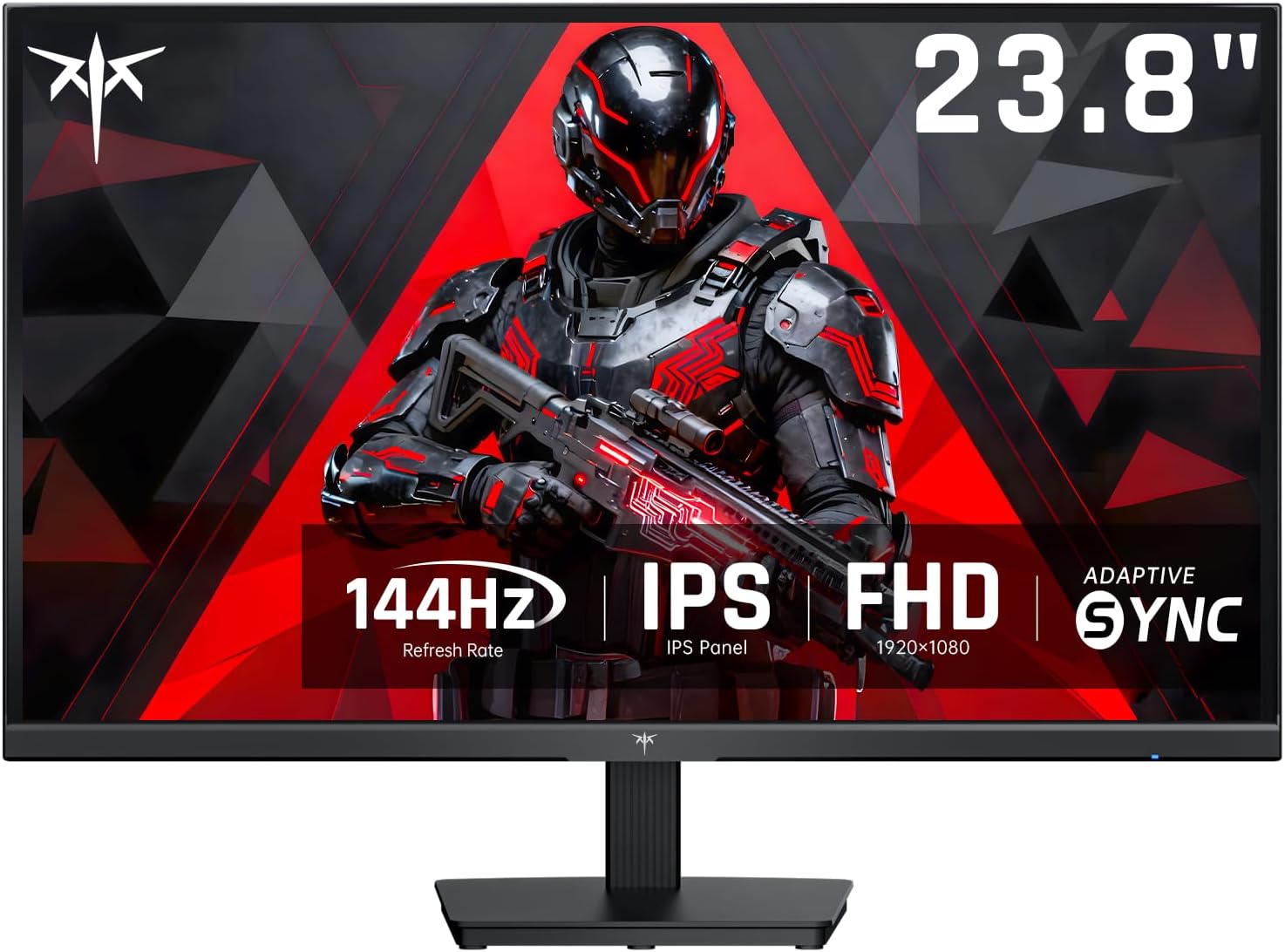
This review is for the KTC Gaming Monitor, 27 Inch 1440p 165Hz 144hz Monitor, 2K QHD 1ms GTG Fast IPS Computer Monitor, HDR, HDMI/USB C/DP Vertical Monitor, FreeSync & G-Sync, Swivel Tilt Height Pivot Adjustable, H27T22. First off, several reviewers left inaccurate reviews based on some misunderstandings of this specific monitor, monitors in general, operating system settings, GPU control panel settings, or game settings. I want to correct these inaccuracies so shoppers can make a more informed purchase: 1. The monitor is 27 inches - NOT 24 inches. Monitors are measured diagonally, NOT horizontally. This monitor measures 27 inches diagonally (while it measures 24 inches horizontally). 2. The monitor does have true HDR (not fake HDR), and it has very strong effects, especially when properly configured. Needing to configure HDR is not a limitation of this monitor. It is a fact of life as it relates to HDR. It needs to be configured in the monitor, AND in the Windows operating system (search "Windows HD Color Settings" and turn on "Use HDR" - presumably, if you're using MacOS, it likely also has something similar to this), AND in each specific game which you want to use HDR in. 3. When using HDR, you want to adjust your color, brightness, contrast, black level, gamma, etc. in the GPU control panel (e.g. NVIDIA Control Panel), the Windows OS, search "Color Management" > then click the "Advanced" tab where you'll find a lot of options; and similar in each specific game. I believe a similar function may exist within modern consoles as it relates to turning on HDR, brightness, gamma, etc. in the consoles themselves. This can be adjusted to be easy on the eyes, and even goes far beyond what is needed (i.e. the limitations far exceed the need and therefore do not restrict your ability to adjust it to your liking). Pros: 1. If IPS panels are supposed to have poor black levels, this monitor completely changes this rule. The blacks are pitch black; like a black hole, they are so black. Again, you have to know what you're doing to properly configure things. So if your blacks don't look black, it is a problem with your configuration, NOT the monitor - unless perhaps you got a lemon, but that isn't likely as this company, while new to consumers, has been producing monitor hardware for decades and isn't as new as they seem. 2. The brightness and contrast are extremely well defined. No complaints whatsoever. 3. The HDR truly puts this monitor in an entirely new class of it's own. The level of detail, the dark blacks, the bright whites (to whatever level you adjust them), the contrast, the color vibrancy/saturation - it all looks so amazing, and it is extremely broad in how it can display images, video, and games. The colors are amazing, and can go far beyond what you need, or dialed back if you prefer. 3. The 1 ms response time, the 165Hz refresh rate, the 1440p (2K) resolution, the G-Sync & FreeSync, the incredible viewing angles of 178° both horizontal AND vertical, and fully adjustable height, swivel, tilt, and pivot, all add up to a monitor without any significant weakness compared to other monitors, and many very solid strengths. Con: Only con for me is the bezel is slightly larger than it appears in the pictures, but for a single monitor setup it isn't too noticable. Summary: Overall, just as the title says, after a LOT of research into monitors, I still felt like I was taking a gamble buying this one, yet it truly feels like I hit the jackpot. I HIGHLY recommend this monitor, so get it while it's hot.
T**N
Get a monitor like this don't overpay
Exceeded my expectations and blew them out the water. Gaming with a monitor is the way. The refresh rate is insanely smooth and snappy. the colors are very nice. It's a steal for what you get. I like the size of the monitor as well you can sit comfortably and play any game from your desk.
W**N
Issued over 200 and they all work
In addition to using this at home, I also issued both this monitor and the KTC 24” 1440P variant at work. While it’s not ideal for gaming or media creation, due to both the slightly lower refresh rate and lack of perfect color accuracy plus high resolution, it’s wonderful for office tasks. To date, I’ve set up over 200 of the 27 inch variants on monitor mounts and all work out of the box, with none failing for non user caused reasons (don’t drop your monitor and you’ll be fine). The included stand isn’t great if you need height adjustability, so I’d either recommend investing in a monitor mount or getting a monitor stand of some sorts. For the price that’s a perfectly acceptable trade off, especially considering monitors with a better included stand are far more expensive with just a 1080P resolution (this is one reason why my company switched from Dell monitors to KTC). The other big issue is the lack of internal power adapter, so if you are wanting to use a standard monitor cable for rapid replacements, this will not work. Users will also need a surge protector with plenty of well spaced outlets to handle a multiple monitor setup The monitor hits the sweet spot for both Mac and Windows users who need a nice sharp display but for whom 4k is excessive. Our employees liked their setup so much that when one of them left to work at a different firm, she texted me asking how to replicate what she had at the company because these KTC monitors were far better on her eyes than the old HD monitors issued.
T**Y
Best monitor for the money
These monitors are great. I have 8 of them now on various setups for work and gaming. For the money I don’t know that you will find a better monitor. The display looks great gaming or doing basic computer stuff. I don’t notice lag or mismatched colors. Dark games look good on it too as the black doesn’t get washed out with backlighting. Overall I love this monitor.
س**ك
جودة التصنيع
ما جربتها حق العاب استعملتها حق شغل شابكها باللابتوب ممتازة لكن جودة التصنيع مقبولة مو مرة ممتازة
P**L
For the price I paid? It's a no brainer
I paid ONLY 250$ for this! Brand new ! The picture quality in HDR is astounding, the refresh rate is buttery smooth, the curves are amazing for gaming, and it's just overall, an incredible upgrade to my setup. If you're looking for a significant upgrade compared to a regular 1080p or 1440p 60hz monitor, just get it, it's so good
M**S
precio y calidad.
buena calidad de imagen, fácil instalar y práctico de mover.
A**R
Buen producto
Muy buen producto, llevo ya un par de meses utilizándolo y la verdad ninguna falla. como dato extra, este monitor se puede overclockear a 320.28hz, asi que vale la pena, y mas por el precio
M**Z
Buena opción
Me encantó buena resolución corre los juegos fluidos y la series se ven genial
Trustpilot
4 days ago
1 month ago