Buy anything from 5,000+ international stores. One checkout price. No surprise fees. Join 2M+ shoppers on Desertcart.
Desertcart purchases this item on your behalf and handles shipping, customs, and support to Senegal.
🚀 Elevate your home network to pro-level speed and security — don’t get left buffering!
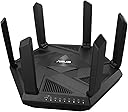
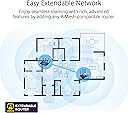
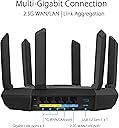
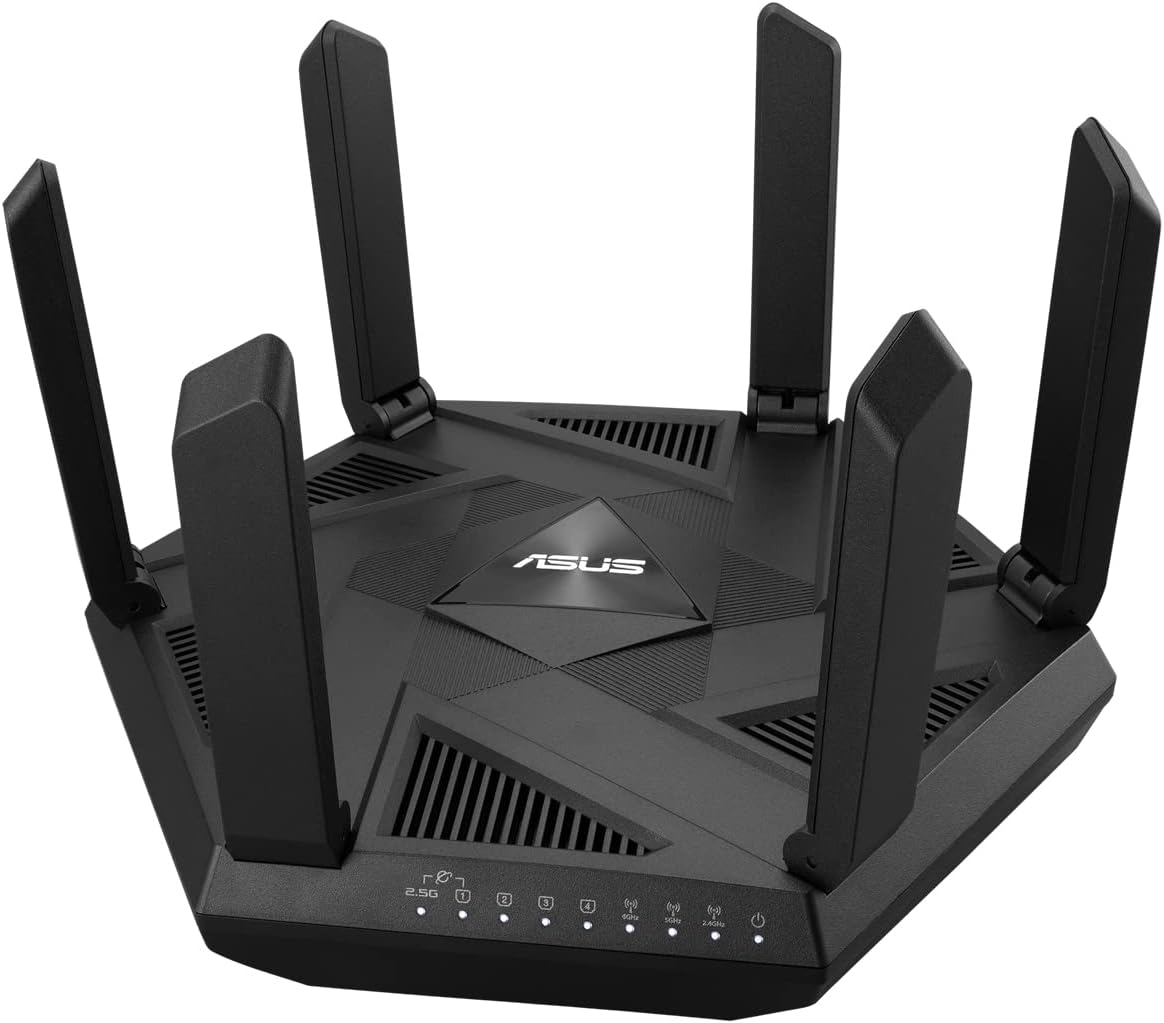
The ASUS RT-AXE7800 is a cutting-edge tri-band WiFi 6E router featuring a new 6 GHz band for low-latency, high-capacity wireless connections. It includes a 2.5G WAN port for ultra-fast wired speeds, supports AiMesh for seamless network expansion, and offers robust security with AiProtection Pro and VPN Fusion. Designed for professional-grade smart home and work-from-home setups, it delivers comprehensive coverage, advanced parental controls, and easy app-based management.


| ASIN | B0BGT74D15 |
| Antenna Location | Business, Gaming, Home, Video Games |
| Antenna Type | Fixed |
| Best Sellers Rank | 25,361 in Computers & Accessories ( See Top 100 in Computers & Accessories ) 212 in Routers |
| Box Contents | RT-AXE7800, power adapter, set up guide |
| Brand | ASUS |
| Brand Name | ASUS |
| Colour | various |
| Compatible Devices | Wi-Fi Compatible Electronic Devices |
| Compatible devices | Wi-Fi Compatible Electronic Devices |
| Connectivity Protocol | Wi-Fi |
| Connectivity Technology | Ethernet |
| Control Method | App |
| Controller Type | App Control |
| Country of Origin | China |
| Coverage | Comprehensive |
| Customer Reviews | 3.9 out of 5 stars 407 Reviews |
| Data Transfer Rate | 7800 Megabits Per Second |
| Frequency | 6 GHz |
| Frequency Band Class | Tri-Band |
| Frequency band class | Tri-Band |
| Global Trade Identification Number | 04711081632917 |
| Has Internet Connectivity | Yes |
| Has Security Updates | Yes |
| Is Modem Compatible | No |
| Item Dimensions L x W x H | 11.4L x 26.2W x 26.4H centimetres |
| Item Weight | 1 Grams |
| LAN Port Bandwidth | 2500 Mbps |
| Manufacturer | ASUS |
| Manufacturer Part Number | RT-AXE7800 |
| Maximum Upstream Data Transfer Rate | 7800 Megabits Per Second |
| Model Name | ASUS RT-AXE7800 |
| Model Number | 90IG07B0-MU9B00 |
| Model name | ASUS RT-AXE7800 |
| Number of Antennas | 6 |
| Number of Ports | 1 |
| Operating System | RouterOS |
| Other Special Features of the Product | {'WiFi 6E': 'WiFi 6E', 'ASUS Secure Navigation': 'ASUS Safe Browsing', 'AiProtection Pro by Trend Micro': 'AiProtection Pro with Trend Micro', 'ASUS Instant Guard': 'ASUS Instant Guard'} |
| RAM Memory Installed | 64 MB |
| Router Firewall Security Level | Tall |
| Router Network Type | tri-band |
| Security Protocol | WPA3 |
| Smart Home Compatibility | Smart Home Compatible |
| Special feature | {'WiFi 6E': 'WiFi 6E', 'ASUS Secure Navigation': 'ASUS Safe Browsing', 'AiProtection Pro by Trend Micro': 'AiProtection Pro with Trend Micro', 'ASUS Instant Guard': 'ASUS Instant Guard'} Special feature {'WiFi 6E': 'WiFi 6E', 'ASUS Secure Navigation': 'ASUS Safe Browsing', 'AiProtection Pro by Trend Micro': 'AiProtection Pro with Trend Micro', 'ASUS Instant Guard': 'ASUS Instant Guard'} See more |
| Unit Count | 1.0 count |
| Voltage | 12 Volts |
| Wi-Fi Generation | Wi-Fi 6E |
| Wireless Compability | 802.11ax |
| Wireless communication standard | 802.11ax |
B**S
⭐️⭐️⭐️⭐️⭐️ Perfect Match for My ASUS RT-AXE7800 – Seamless Smart Home Coverage
Perfect Match for My ASUS RT-AXE7800 – Seamless Smart Home Coverage --------------------------------------------------------------------------------------- I bought the ASUS RP-AX58 AX3000 Dual Band WiFi 6 extender to go with my ASUS RT-AXE7800 Tri-band WiFi 6E router, and honestly, it feels like the missing piece that completed my setup. The installation was ridiculously easy – I just used the ASUS mobile app, and within minutes the extender was online and linked into AiMesh. No headaches, no complicated settings, and no constant reboots like I’ve experienced with cheaper extenders in the past. The best part is how seamlessly it integrates. My phone, laptop, and smart devices just move from router to extender without me noticing. There’s no juggling between SSIDs or worrying about which access point I’m connected to – it’s one single, unified network. Around the house it performs beautifully. In the living room, I get full speed even while streaming 4K movies and running a video call at the same time. In the garage, where I used to have spotty coverage, my smart cameras and sensors now stay connected reliably. Even in the kitchen, where there are always appliances interfering with the signal, the coverage is strong most of the time, though I’ll admit occasionally the connection weakens a little when I’m right by the oven or fridge. It’s not a dealbreaker at all, more like a rare hiccup. My smart home devices – cameras, thermostats, lights, and speakers – all connect without a fuss, and it’s honestly refreshing not to have to reset or reconnect them. The extender has plenty of throughput, so even with everything running at once, there’s no slowdown. It feels like I’ve finally got consistent coverage across the whole property, something I’ve struggled with before. The design is clean and compact, the app gives you full visibility, and the three-year warranty adds some real peace of mind. With the router’s built-in VPN, parental controls, and ASUS’s network security features, I feel like the whole system is both powerful and secure. Overall, this extender works exactly as expected. It integrates with the RT-AXE7800 seamlessly, keeps my smart home running smoothly, and gives me strong coverage in the living room, garage, and kitchen – pretty much everywhere I need it. Apart from that minor interference in the kitchen, which is easy to forgive, it has been flawless. If you already own an ASUS router, especially one that supports AiMesh, I can’t recommend this extender enough. It just makes the whole experience seamless.
P**R
Fast, reliable tri-band router with great coverage and features
I bought the ASUS RT-AXE7800 to upgrade my home network to WiFi 6E, and it has been a big step up from my old router. The tri-band setup (including the new 6 GHz band) means there’s plenty of capacity for all our devices, and speeds are consistently fast and stable throughout the house, even when several people are streaming, gaming and working at the same time. The 6 GHz band is great for newer devices – they get a very clean, low-latency connection without interference from older WiFi gear, and everything just feels more responsive. The 2.5G port is also a nice touch for faster wired connections to a main PC, NAS or switch, so you’re not bottlenecked at 1 Gbps. Setup was straightforward using the ASUS app, and there are lots of useful features if you want to go deeper: strong built-in security, VPN options, guest WiFi, good parental controls and the option to add AiMesh nodes later if you want to extend coverage even further. Once configured, it’s been rock solid with no random drops or reboots. Overall, this router has given me much better speeds, coverage and control over my home network. If you’re looking for a powerful, future-proof WiFi 6E router with plenty of features, I’m very happy with the RT-AXE7800 and would definitely recommend it.
T**Y
objectively one of the worst purchases I've ever made on Amazon
Stupid device constantly misconfigured itself providing no internet, it's a constant game of rigmarole as you try to figure out what it's doing wrong. Despite the premium price tag of the product ASUS support does not care. The phone apps and web interface for this router are nice and responsive. The signal strength is acceptable, and the design is sleek with collapsible antennas. As of this review, the latest firmware update was released in September 2024. I appreciate the router's support for various personal VPN options, especially WireGuard, which allows me to securely access my network from anywhere. However, when I reached out to ASUS for general assistance, I only received a template email in response.
M**A
Large coverage
ASUS RT-AXE7800 Full review Set Up. This Asus RT-AXE7800 Router is connected to a Virgin Hub 5 on a 1Gbs contract, I used the HUB 2.5Gbs WAN port to feed the Asus 2.5Gbs port from it. The Asus app made setting up very easy. Once the booting up sequence had finished, everything was up and running in a couple of minutes. The 2.4 and 5Ghz bands are optimized by default, basically running under a single SSID and smartly choosing either band and chanels in accordance with what the device connected to it supports. Leave this setting as it is if you want every possible device you want to connect to work smoothly. But, if you know what you are doing or feeling adventurous, the bands can be split and configured independently. Be aware, if not supported by your devices, some settings can make things go pear shaped rather quickly. You can also access configuration pages from a web interface, which is easy to navigate and provides power users with ample setting options. Extras You’ll all be happy to know that as with all Asus routers (and unlike the Netgear counterparts), parental controls, security settings, and priority traffic options are free for life. Range./speed My house is a typical 2 floors Uk semidetached home but, with a large 4×8 meters garden extension. The router is located in the lower floor, in a shelve close to the ceiling, in what without the extension, would have been the middle of the house but, adjacent to the wall separating my house from my neighbour's, so not quite right in the middle as, and because of the house layout, that location is not posible. I found that the RT-AXE7800 has exceptional coverage. Upstairs, in the furthest part of the house, it clocked in at 200Mbs (Wi-Fi6 5Ghz band), and that’s while my wife was streaming Netflix in the lounge downstairs. In contrast, the 6 year old Linksys EA9500 this unit has replaced, could only achieve 35Mbs. In the master bedroom, the Wi-Fi 6E 6Ghz band pumps an astonishing 900Mbs, the linksys ( which was placed in the same ground floor spot just below the bedroom) could only provide 260Mbs, and In the lounge, with a weight bearing wall in between, the Asus delivers 1100+mbs through the 6Ghz band. This sort of performance is very, very impressive! The 2.4Ghz band is average. The best speed in the house was about 150Mbs, with 65-80Mbs being the average. Still, only my smart bulbs and appliances are connected to that band so, not a big issue for me. Things to bear in mind. This is a next gen router, and not many devices supports it's top features. For instance, the iPhone 14 does not support Wi-Fi 6e. Nor does my 4th gen iPad Pro which only supports Wi-Fi 5. I believe only a handful of flagship phones from various manufacturers supports the 6Ghz band (Wi-Fi 6e), my Fold 3 does, but for now, not many do. The router supports DFS which, again, not many devices do, and even the ones that does, the gain vs pain ratio is overwhelmingly on the pain side. I wouldn’t bother. Other than that, I am happy to recommend this very competitively priced beast. And at this price range, I am rewarding this ASUS RT-AXE7800 a well deserved 5 stars! *EDIT* 31st March 2024 In this section, I wrote a retort to the undeserved 1 star given by kingJohn. I countered every point he made successfully. It has been brought to my attention that He has since edited his review, adding, removing and modifying sections. I could pick apart what he has written now as he is still massively misinformed but, he will likely continue editing it to make my retorts look silly. I have thus, decided to delete my retort. Suffice to say that acquiring a Ham radio license is very easy indeed, and having one doesn’t necessarily make you a frequency and bandwidth expert. That’s not to say that, and as with any hobby, you can, with money and serious study, take this hobby to very impressive heights. Regardless, and after nearly 15 months of continuous use, I stand by my review 100% Once again, thank you for your time. I hope I have been helpful.
M**P
Good Product
Compact router. Works well and the setup was fairly easy. The network cables at the rear are a bit tricky to click in due to the size of the unit. It does look a bit cheap and plasticky and I have to say, it doesn't 'ooze build quality'. LED lights can be switched off using the app but there is no 'time' schedule option for this choice. Even when off there is still some blinking. It does the job for me.
D**S
Really good quality router
Bought this to replace our Sky Hub, really impressed with it! The signal range is a huge improvement, I'm able to get great speeds on the 5GHz range all over the house. Setup was pretty easy and the router had the ability to use Option 61 (Anyone with Sky internet will know all about this), so this worked fine for replacing our Sky Hub. Had it all setup and working fine withing 5-10 mins. 6GHz works great, only use this for my Quest 3 VR Headset but it's been great for that. Hit speeds over 1Gbps over the 5GHz band, so I'm very happy with the performance of this router. Would recommend!
A**N
Easy setup but ...
This was easy to setup, I just followed the stopt setup guide after plugging in my setup VDSL modem to the non-shared WAN port. The software setup allowed me to set a name and password for each of the three WiFi bands. The router also has a web interface but you can do basic setup in the app from a mobile phone. I now have a cople of devices that make use of the 6E band. Although the settings are on default for 6GHz and the spectrum is clear. The router selects channel 69 and drops the connection at least once a minute for a second or two. I am talking to support now.
A**V
Full review
So this is my full review of the ASUS RT-AXE7800. Packaging: when you get the Wi-Fi router your met with a black box, nothing really special inside other than the router itself, a network cable and a plug with both European and uk adapters. Setup: plugged this in and the connected to my sky q router that I’m using a modem using the WAN 2.5G port, I’ve turned the ssid off on the sky router and then use this as the access point. I also connected a 16port gigabit switch to the other WAN 2.5G port. Went through the setup using the ASUS router app available on play store and App Store. Set up is nice and easy and went on to create my network. One thing to note here is that the 2.4 &5ghz channels runs of a separate ssid along side the 6ghz channel. So you will have 2 ssid. I named mine asus so now have 1 showing as asus and another asus6g. Once that was all sorted nothing that was wired into the switch would work although Wi-Fi worked fine. I rebooted everything and tried again and it still didn’t work. Had to factory reset the Wi-Fi router and then set it up again and then it seemed to work fine so just bare this in mind if it happens to you. Performance: I replaced a 4 satellite mesh Wi-Fi system for this and the range is better with this than it was with the 4 satellites. My wireless security cameras no connect a lot quicker and the Wi-Fi generally speaking seems a little quicker overall, the INTERNET speed isn’t any different but it seems to load web pages and content a little quicker, possibly down to the better cpu in this router compared to the mesh system. I live in a reasonably sized house and get Wi-Fi in every room without issues. Downsides: haven’t really found any yet, the UI of the app is a little full on but other than that it’s all good, there are a LOT of options and settings to mess around with in the app but I left most of these off and didn’t have any issues. Verdict: I’d recommend this router, it’s solid performance and range was just what I was after and it’s future proof for anything coming out with 6e in the future.
F**K
Perfecte 6e router voor een goede prijs
Werkt perfect perfect als standaline VR router voor de Quest 3 en 3S
F**3
Routeur efficace...
J'ai mis du temps a dompter ce routeur, mais je suis heureux de mon achat. Il a pas mal d'options que je n'ai pas encore toutes utilisée, mais il fait fait bien son travail et wifi mesh fonctionne bien...
P**L
Ottimo
Ottimo prodotto con una buona copertura.
A**O
Stable & Fast (2x)
After a couple of weeks of use: (1) stability: more stable than any routers I’ve used (2) speed: using it w a 5G router (Huwaei - WiFi 6): went from an average of 250-300 mb/s to 600 mb/s. This shows how WiFi 6e can drag much more speed from the ISP-provided router. How not everyone gives it a 5-star review is beyond me - this is by far the best way to increase speed. Asus never fails to impress me.
K**.
My only regret is that I haven't bought it earlier
Wonderful router, 6GHz does actually make a difference in an apartment block with 5GHz all around. Also a very good OS, and mobile application is quite good too, though does not have all the options standard admin panel does. Strong wifi signals and works with over 10 devices connected without hiccups. It is one of the best hardware purchases I have ever made. Well worth the money.
Trustpilot
2 weeks ago
1 month ago