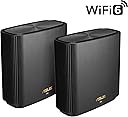
🚀 Elevate your home network to pro-level speed and security—because buffering is so last decade.
The ASUS ZenWiFi XT9 AX7800 is a powerful tri-band WiFi 6 mesh router system designed for expansive coverage up to 5700 sq ft. It delivers ultra-fast AX7800 speeds, advanced subscription-free network security, and easy smartphone management via the ASUS Router app. Equipped with a 2.5G port and ready to replace 4G/5G routers, it ensures stable, high-performance connectivity throughout your home without the frustration of dropped signals or constant reboots.


| ASIN | B0BD8WQHT3 |
| Antenna Location | Gaming |
| Antenna Type | Internal |
| Best Sellers Rank | 50,469 in Computers & Accessories ( See Top 100 in Computers & Accessories ) 160 in Whole Home & Mesh Wi-Fi Systems |
| Box Contents | Keyboard |
| Brand | ASUS |
| Brand Name | ASUS |
| Colour | Black |
| Compatible Devices | Laptop, Personal Computer, Smart Television, Tablet |
| Compatible devices | Laptop, Personal Computer, Smart Television, Tablet |
| Connectivity Protocol | Wi-Fi 6 (802.11ax) |
| Connectivity Range | 5700 Square Feet |
| Connectivity Technology | Ethernet |
| Control Method | App |
| Controller Type | App Control |
| Coverage | Wide Coverage |
| Customer Reviews | 4.3 out of 5 stars 234 Reviews |
| Data Transfer Rate | 7.8 Gigabits Per Second |
| Frequency | 5 GHz |
| Frequency Band Class | Tri-Band |
| Frequency band class | Tri-Band |
| Has Internet Connectivity | Yes |
| Has Security Updates | No |
| Is Modem Compatible | No |
| Item Dimensions L x W x H | 42.8L x 14.8W x 24.6H centimetres |
| Item Type Name | wifi system |
| Item Weight | 1.48 Kilograms |
| LAN Port Bandwidth | 2500 Mbps |
| Manufacturer | ASUS |
| Manufacturer Part Number | 90IG0740-MO3B30 |
| Maximum Upstream Data Transfer Rate | 1000 Megabits Per Second |
| Model Name | ZenWiFi XT9-AX7800 |
| Model Number | 90IG0740-MO3B30 |
| Model name | ZenWiFi XT9-AX7800 |
| Number of Antennas | 1 |
| Number of Ports | 2 |
| Operating System | Windows 11 |
| Other Special Features of the Product | Internet Security |
| RAM Memory Installed | 8 GB |
| Router Firewall Security Level | Advanced |
| Router Network Type | Mesh |
| Security Protocol | WPS |
| Smart Home Compatibility | Smart Home Compatible |
| Special feature | Internet Security |
| Unit Count | 1.0 count |
| Wi-Fi Generation | Wi-Fi 6 |
| Wireless Compability | 2.4 GHz Radio Frequency, 5 GHz Radio Frequency, 802.11ax |
| Wireless communication standard | 2.4 GHz Radio Frequency , 5 GHz Radio Frequency , 802.11ax |
T**Y
very happy
I’ve been using the ASUS ZenWiFi XT9 for a few weeks, and it’s made a huge difference at home. No more dead spots when form mesh with my other two xt8 —my bedroom and garden both now have strong WiFi. Setup was simple, and the app makes it easy to see what’s connected. Streaming and video calls are smoother, and even with several devices online at once, I haven’t noticed any slowdowns. It feels reliable and fast, and I finally don’t have to argue over who’s using too much bandwidth. Definitely worth it if you want stress-free home WiFi.
R**H
Good solid router
I'm reviewing this after long term ownership. It was a good upgrade to my older Netgear Nighthawk. The ASUS wifi router is reasonably easy to set up and manage, it really gives excellent whole home coverage, and it's extremely stable. I rebooted it only once in the long time I have had this setup. Recommended.
A**Y
Great - but Important lessons learned
After a frustrating time setting up it now works perfectly. Thought I would share the lessons learned in order to avoid others going through the same stress : First of all, the scenario I had was upgrading my existing sky hub with Q and mini Q boxes. I’m sure many others would have a similar scenario. 1) People advised replacing the existing wi fi network SID name with exactly the same one and same password . But this failed to take into account the following massive issue this caused : On connecting to the new routers following set up, I had no idea if it was connecting to the old network (which was still active) or the new network. My phone inadvertently connected directly to the sky box and gave me all sorts of misleading set up errors from the ASUS app! Almost threw the router out the window until I realised what was happening: Solution: set up the ASUS with a different network SID temporarily- as then you know exactly what you are connecting to. 2) the first time I got the ASUS boxes to work - there was no internet access at all. Later on I got it to work but speed was terrible (using usual broadband speed test apps). Note - each of the issues above was resolved by rebooting A) my Sky router B) the master ASUS and C) the ASUS slave - in that order . If still issues just rebooted one or all again. 3) once ASUS mesh works at top speed - then via the sky router admin, disable wi fi access points on both frequencies . 4) finally, rename the new ASUS network back to your original network name . 5) via sky Q box menus (on each box), reset up the wi fi to connect to your new (3rd party) network. After this, I get full 150MBS in all my rooms ! Which is the speed of the line itself . World class , once resolved the pain above. Hope this helps others. *Update after 1 month - requires rebooting about once a week as they cut out. Downgrading to 4 stars*
N**R
Huge upgrade on Netgear system
So I swapped out a troublesome Netgear Mesh system I had been fighting with for 2 years with limited success, dropped satellite connections, constant reboots etc. So, I bought this ASUS XT9 system in the hope I would get some peace. Let me tell you it’s a whole new world. Setting up was an absolute doddle, the router and satellite connected first time and have stayed connected, my WiFi speeds are incredible even in my garden, the app is intuitive and very useful giving me feedback on just about everything I need to know. Honestly I can’t recommend this enough and will never touch anything Netgear makes ever again
L**B
Fast, brilliant coverage and solid
This replaces 5 old google Wi-Fi devices, coverage in the house is astonishing for this old Victorian 4 bed with only two units. I thought I would need 3 devices, and possible a wired back haul but no, with just two and not wired back haul these are blazingly fast in every room. My gym, for example, used to get 5mbps (I have 700mbps broadband), with this I get 250Mbps! Every room is 10 times faster than google or better. I tried a TP-link competitor device set, that was just as fast as these bit fiddly to set up and glitches a lot. This ASUs set is solid as a rock, I am truest astonished at how good they are, 100% recommend.
M**.
Excellent performance and stability
Did a lot of research before buying these. Don't normally do reviews, but found others feedback very helpful so wanted to add my thoughts. Been running a month now. Excellent performance and speed. Constantly getting over 600Mbps across the house on 5Ghz network, with over 700Mbps in the same room as the nodes (see attached pic of Speedtest). Have added two RP-AX58 Aimesh extenders, not sure really needed but helps to distribute to load over the network, especially for smart home that do not require raw speed (2.4Ghz devices). Am using second 5Ghz network as dedicated backhaul. Kids noticed a stark difference for their gaming, massive reduction in ping and latency over Sky Router and Sky extenders. I chose to rename the 2.4Ghz network and dedicate this to smart home devices with other tech/gear using the much faster 5Ghz network. My main node is connected to Sky Router via Ethernet with Sky WiFi disabled. Works very well with Sky Q and Mini boxes. Can’t really comment on comparison to other brands, but a friend has an Netgear Orbi setup, he says he gets 500Mbps over WiFi “on a good day”. So I am really pleased with the Zenwifi XT9. Final tip, I renamed the Zenwifi Network to the same SSID and password as the old Sky WiFi to save changing the passwords on all devices, everything immediately worked.
A**R
Flawed.
Got this as it seemed like an excellent system for the price. Quickly discovered though that whilst there may be three guest networks available for setup, only one of these is usable at both nodes in the system, the other two only being available on the router itself. The first guest network also doesn't seem to allow Internet access unless you also allow Intranet access. Also, not sure if it's a WiFi 6 issue or a XT9 issue, but I was getting slower Internet speeds than I was with the ORBI mesh system this was supposed to replace, despite trying several tweaks. On paper this system is impressive, and it certainly reboots and reconnects very quickly after configuration changes, but for me at least it sadly failed to meet expectations.
P**.
Excellent replacement for previous mesh
Easily replaced my 3 TP link Mesh system with extenders to 2 ZenWifi. Brilliant connectivity, coverage and easy to set up
J**T
plug
Didn't come with Australian plug
M**B
تجربة 6 أشهر
تعليقي بعد تجربة 6 أشهر: الجهاز مخصص لتوزيع إشارة الإنترنت في جميع أرجاء المنزل، يعني جربته لفترة طويلة، لذلك حكمي مبني على تجربة فعلية وعميقة. - الأداء ممتاز في تقوية الإشارة وتوزيعها بشكل متوازن داخل البيت. - إذا كان المنزل يحتوي على عدة أدوار، الأفضل توصيل الجهاز بسلك (Ethernet) بدلًا من الاعتماد على الواي فاي، للحصول على السرعة الكاملة. - عند توزيع الأجهزة، يجب أن تكون في خطوط متوازية بحيث يلتقط كل جهاز الإشارة من الآخر بشكل مباشر (مثلاً: في الغرفة المجاورة للموزع الرئيسي ، أو في الدور العلوي/السفلي بشكل موازي للموزع الرئيسي). - يُفضل أن تكون الأجهزة متقاربة قدر الإمكان، مع عدد قليل من الجدران بينهم. وجود جدار واحد لا يؤثر كثيرًا، لكن أكثر من جدار يضعف السرعة. - أنا شخصيًا اشتريت 4 أجهزة ووزعتها بهذه الطريقة فقط الجهاز الموزع الرئيسي شبكته بكيبل في المودم وبقية الاجهزه تاخذ الاشاره من الرئيسي عن طريق واي فاي، والنتيجة أن السرعة أصبحت كاملة في جميع أنحاء المنزل. - ملاحظة: تقريبًا كل شهر تحتاج الأجهزة إلى إعادة تشغيل لأنها تعلق وتضعف الإشارة، لكن إعادة التشغيل مره واحده في الشهر بسيطة ولا تُعتبر مشكلة مزعجة.
V**R
Well worth it if you’re looking for a wireguard vpn config (and not only)
Wanted a mesh that supports WireGuard setup for VPN, i tried XD5 with 3 points before this (2-floor house) but that one had some strange issues, like switching itself off so I returned it. Looked at this one, and was worried this might have issues with meshing from different floors and I can say I am pleasantly surprised, all works very well. Now, Asus’s phone app is quite rubbish but for simple setup it does the trick. If you want to do more medium to advanced settings to it, the classic way of accessing a router (ie via IP address) works a treat! You could do it via the app as well, and I tried with the XD5 but I wanted yo throw the phone out the window. All in all very happy with this one
F**O
881 Mbps....Wifi 6
¡He estado buscando el dispositivo perfecto para mi red doméstica durante mucho tiempo y ASUS ZenWiFi XT9 es un verdadero hallazgo! 🎉 Durante 10 años he estado experimentando con diferentes enrutadores de diferentes compañías para obtener la mejor velocidad inalámbrica, este enrutador me impresionó por su confiabilidad y velocidad. Funciona sin un solo reinicio, proporcionando una conexión Wi-Fi estable y rápida. 👍 La facilidad de instalación me sorprendió. Todo resultó ser tan intuitivo que ni siquiera tuve que profundizar en la configuración durante horas. También se puede configurar de forma remota. Me gustó especialmente que este enrutador proporcione una velocidad de Internet increíble. La captura de pantalla adjunta habla por sí sola: esta es una conexión inalámbrica Wifi 6, ¡ni siquiera una con cable! 💻📶 Cuando necesite un segundo dispositivo para ampliar el área de cobertura, con gusto elegiré otro ASUS ZenWiFi XT9. Por cierto, son muy fáciles de conectar entre sí. Su potencia es increíble y todos mis dispositivos funcionan de manera estable y sin fallas No estoy seguro de que cubra el área que han indicado los fabricantes, tal vez esto se aplique al espacio abierto. Pero para un apartamento de 50-80 cuadrados, seguramente será suficiente si lo coloca en algún punto intermedio. Por cierto, cuando estaba eligiendo un enrutador, noté algunas críticas no tan buenas para este modelo. ¡Pero decidí arriesgarme y no me arrepiento! Ahora tengo un dispositivo confiable y ni siquiera considero otras opciones. 🔝 En general, estoy muy contento con mi elección y recomendaría el ASUS ZenWiFi XT9 a cualquiera que busque un enrutador confiable, rápido y fácil de configurar. 🏡📡
U**R
Trash
These things refuse to do as they are told, had one completely brick and is not responding to rescue mode or reset button or anything. All the others seem to insist on joining a mesh network without explicitly being told to do so. Nightmare to manage and deal with. Do not buy
Trustpilot
1 month ago
2 months ago