Buy anything from 5,000+ international stores. One checkout price. No surprise fees. Join 2M+ shoppers on Desertcart.
Desertcart purchases this item on your behalf and handles shipping, customs, and support to Senegal.
🚀 Elevate your home network to pro-level speed and security — don’t get left buffering!
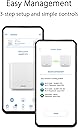
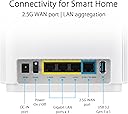
The ASUS ZenWiFi XT9 AX7800 is a premium tri-band WiFi 6 mesh system designed to deliver ultra-fast wireless speeds up to 7800 Mbps across a massive 5700 sq ft area. Featuring AiMesh technology, it ensures seamless coverage for 6+ rooms with stable backhaul connections. It includes lifetime free internet security, parental controls, and a 2.5G WAN port for superior wired performance. Ideal for demanding millennial professionals seeking reliable, high-capacity home networking with easy app-based setup and advanced customization.


| ASIN | B0BD8G7GS1 |
| Antenna Location | Gaming |
| Antenna Type | Internal |
| Best Sellers Rank | 27,230 in Computers & Accessories ( See Top 100 in Computers & Accessories ) 90 in Whole Home & Mesh Wi-Fi Systems |
| Box Contents | ASUS ZenWiFi XT9 WiFi 6 Mesh System - 2 Pack |
| Brand | ASUS |
| Brand Name | ASUS |
| Colour | White |
| Compatible Devices | Laptop, Personal Computer, Tablet, Smart Television |
| Compatible devices | Laptop, Personal Computer, Tablet, Smart Television |
| Connectivity Protocol | WiFi, Ethernet |
| Connectivity Range | 5700 Square Feet |
| Connectivity Technology | Ethernet |
| Control Method | App |
| Controller Type | App Control |
| Coverage | up to 5700 sq ft |
| Customer Reviews | 3.7 out of 5 stars 239 Reviews |
| Frequency | 5 GHz |
| Frequency Band Class | Tri-Band |
| Frequency band class | Tri-Band |
| Global Trade Identification Number | 04711081471394 |
| Has Internet Connectivity | Yes |
| Has Security Updates | Yes |
| Is Modem Compatible | No |
| Item Dimensions L x W x H | 16L x 7.5W x 16.2H centimetres |
| Item Type Name | wifi system |
| Item Weight | 1.48 Kilograms |
| LAN Port Bandwidth | 2500 Mbps |
| Manufacturer | ASUS |
| Manufacturer Part Number | 90IG0740-MO3B40 |
| Maximum Upstream Data Transfer Rate | 7800 Megabits Per Second |
| Model Name | 90IG0740 |
| Model Number | 90IG0740-MO3B40 |
| Model name | 90IG0740 |
| Number of Antennas | 3 |
| Number of Ports | 5 |
| Operating System | RouterOS |
| Other Special Features of the Product | Internet Security, Parental Control, Aimesh |
| Router Network Type | Wireless |
| Security Protocol | WPA2-PSK, WPA3 |
| Smart Home Compatibility | Smart Home Compatible |
| Special feature | Internet Security, Parental Control, Aimesh |
| Unit Count | 2.0 count |
| Wi-Fi Generation | Wi-Fi 6 |
| Wireless Compability | 5 GHz Radio Frequency, 802.11ax, 2.4 GHz Radio Frequency |
| Wireless communication standard | 5 GHz Radio Frequency , 802.11ax, 2.4 GHz Radio Frequency |
A**R
Super Quick setup, Fast and Reliable
Bought the twin pack in white a few months ago and it was super easy and quick to set them both up in a mesh - the instructions and guidance in the management app is excellent. I’ve been really impressed with the coverage and quality of signal over a 5 bedroom, 3 storey house. I have just now bought a 3rd unit that I have placed at the very back of the house that gives me good coverage in the back garden because that was a dead spot due to lots of aluminium patio doors. It took just 5 minutes to add and all I had to do was plug it in and tell the app to add it! Goodbye messy stressful setup! Note there are lots of tweakable settings in the console app but you don’t need to bother if you just want great extendable coverage.
M**T
An expensive waste of money
I am staggered that there are so many great reviews of this product, including a Which best buy report. That report prompted me to switch my home network from an older Ubiquiti HD that worked faultlessly but on WiFi4 to this ASUS XT9 kit. Firstly do not believe the coverage recommendation. I live in a 3 bed Victorian Semi of c2800sqft. This is approx 50% of the sqft that this system allegedly will cover with 2 nodes. However to obtain a useable signal required not 2 but 6 - yup 6 nodes. Having installed in increments the new wifi required me to reset my house Sonos system not once but 5 times as settings in the wifi channel 2.4 seem very unstable. The App is very poor in 3 ways. Devices on the 2.4 band drop from the network routinely rendering the app useless at seeing what’s using the Wifi: 2: If you access the system remotely the LAN status changes from the IP address to ‘Security Link’ - ASUS support were unable to explain why - and in the switch to remote ‘Link’ the App fails to report any devices that are connected to the nodes making remote access minimally useful. ASUS support were unable to explain this. Finally attempting to upload photos of specific devices - to help identify the location of multiple Sonos installations - simply fails as does changing the limited range of system icons. Attempting to turn off the node LED sends the node into a reset mode which seems to change the 2.4 band settings and required another Sonos Reset. After 3 days of node resets, moving the location of nodes, adding new nodes to cover huge holes in coverage, multiple resets of Sonos and Nest products I finally achieved a respectable coverage: a stable Sonos system and a reasonable description of each attached product - of which there are many. At a six node price point with such a poor App I would strongly recommend potential buyers consider Ubiquiti Alien wifi router. A hugely more intuitive App, better coverage and capable support - ASUS website ‘support’ directs you to a help desk in India who refuse to support the UK bought product. And I quote ‘ Support is not available in India’. Buy a different WiFi system from a company that has invested in integrity and service.
M**H
Huge improvement in WiFi speeds!
I live in a three floor new build property and annoyingly the broadband connection comes into a study on the middle floor. Wifi speeds in the downstairs corner of the house was terrible with the stock router from Sky so I decided to invest in my own networking kit. I first thought I could improve connection speeds by using a Devolo Magic 2 powerline adapter system. However the performance of this kit was dissapointing, even though it was expensive. My house has good wiring however the speeds I was getting via the powerline in the corner of the house was about 100Mbps though my broadband speed is 500Mbps. Also the Wifi mesh provided by these devices also performed poorly, they seemed to be limited by the speed of the powerline adapters. So I decided to buy the XT9 nodes and couple them with an Asus ROG GT-AXE11000 router. With just the router I was still getting poor wifi speeds in the corner of the house. However once I set-up the XT9 nodes with the new router using a dedicated WiFi 6 wireless backhaul, I was now getting 500Mbps in the far corner. Hence needless to say I am very impressed and their performance exceeded my expectations. I can recommend these devices!
D**9
Really impressed.
I feel kinda bad giving these 4 stars, I wanted to give them 4.5 stars, but I can't, so unofficially they're a 4.5 from me. I live in a smallish 3 bed terraced, in the UK, so walls separating rooms are made of bricks. As is typical the Internet comes through the front wall, into the front room and so Wi-Fi range is inadequate for the back bedroom, which is where I work from, during the week. I previously got around this with a pack of 3 BT Wholehome discs, I had those around 5 years and didn't have too many issues, once or twice a year the 3rd disc would disconnect, my laptop just automatically connected to the next closest disc, but the printer, completely refused to find the network. The thing is, I hardly ever use the printer, but as is always the case, when I needed it, it wouldn't connect as the 3rd disc was playing up. My EE broadband contract was coming to an end and about a year ago full fibre became available down my street, so I decided to upgrade the mesh to take advantage of the faster speeds I'd be getting. This is my 4th set of mesh routers, having sent 3 back (sorry, Amazon). Initially I got the ASUS XD4 plus routers, they were fine for Wi-Fi, just 2 nodes served the whole house, flawlessly. The issue was I also wanted parental controls, as I can restrict what my daughter accesses at the hardware layer, but that's all moot when she has friends over, using their devices on my Internet, as they could simply access anything. Not that they were, just I like to be cautious. The routers were advertised as having content restrictions for parental controls, but it turns out they don't have AIProtection Pro, so you could only set time scheduling. In fairness to Amazon, I actually checked the ASUS site which said I could block certain content on that model, so ASUS were to blame for having misleading features advertised. I had to send those back as they didn't do what they said. Then I ordered the XD6 2 pack, which I believe were faulty. They connected fine on initial set up (they need to be close by for initial pairing), but once I unplugged the 2nd node to move to the next room, they wouldn't connect again and I spent 2 hours faffing around, to no avail. So I sent those back. Then, I thought I'd try eero, so I got 2 6E routers. They seemed fine from a hardware perspective, especially as Initially I still only had fibre to the cabinet. They wouldn't work with Alexa, like I couldn't say "Turn on the guest network" I'd installed the skill, but eero confirmed this wouldn't work. Not really a deal breaker, just an annoyance. The thing I found most annoying was the parental controls. My (teen) daughter was off school for a few days, ill, so I wanted to block access to TikTok and SnapChat during school hours, so I created a group, popped her phone and iPad in the group and set the rules. I checked and all seemed good, nothing would load in those apps. At one point I caught her messaging on TikTok, on her iPad, which was surprising. Initially I thought she'd been quite smart and used the neighbour's Wi-Fi, but nope, it turns out that when you block TikTok with eero, it does block all the videos and what not, but the messages can bypass the restrictions, at least on iOS, I didn't check with Android. Now, £100 per year for parental controls that didn't work properly seemed too hard to stomach, so I was regretting my purchase. Yes I did correctly set everything up, I know what I'm doing. Then the fibre got installed, I ordered a 500Mb up and down package. Next to the primary node I was getting full speeds, but we don't use that room. Close to the second node I was getting half speed download and full speed upload, which was a bit odd. In the back bedroom I was only getting 80 ish upload, the second node just needed to transmit through floorboards and 2 always open internal doors, so that seemed a bit poor. But as that 80Mb was faster than what I had previously anywhere in the house, it would have been fine for work. There's an Echo Dot in that room which actually acted as a 3rd node, so it wasn't a huge problem. The parental controls were though, if the parental controls were free or worked properly, I'd have kept the eero units as I had adequate speeds, not close to what I'm paying for in the rooms that need it, but more than adequate. Then I ordered these, Wow, just wow. Set up was easy, like 5 or so minutes. Unplugged the second node to place in the adjacent room, plugged it in and a couple of minutes later it had reestablished its connection. In the room with the primary node I get full speed up and down, in the room with the second node, again, full speed. Quite interestingly no hand off occurs, my phone stays connected to the first node, even though I'm closer to the second and there are obstructions in the way, 2 closed doors and a wall. It's only once I go into the kitchen that my phone moves to the second node and speeds are virtually identical. To the office I go, I check on my phone, I'm connected to the second node and getting around 440 up and down, I check on my laptop and I'm getting similar. I then bind my phone to the primary node, just to see, I actually get 120 up and 80 down, it has 2 brick walls, 2 open doors and floorboards to get through, at a distance of perhaps 12 - 14 metres. It actually smashed the set of eero and the Echo Dot all by itself over a larger distance with several additional obstructions in the way. If my ONT was in the middle room, one of these badboys would be more than adequate. The obstruction penetration seems amazing in comparison to the others, they're overkill for my house, they really are. But betrer to have overkill than flaky Wi-Fi. The parental controls and everything are free, well done ASUS. They don't quite have the granularity of the eero ones, more just pick a level than block specific apps. The app is OK, it's nowhere near as polished as the eero app though, but it's ok. So why just 4.5 stars you may ask? It annoys me that you can't put parental controls on the guest network, it also annoys me you can't auto add new devices to a default group. You couldn't do those things with the eeros either, but I gave them 3 stars. As kids get more tech savvy, they will of course learn about MAC randomisation, figure out they can actually see the network password in their phones etc, I just wish that there was a way to auto dump new devices into a quarantine group, where parental controls were set and I could allocate them manually through the app. I know I could get a Firewalla for that or just do that for the whole network, but I don't want to restrict my own Internet, just hers and her friends. Overall, extremely pleased with these, fantastic bit of kit for those of us where wired backhaul isn't an option. Extremely strong Wi-Fi signal, free security and parental controls for life, easy to set up. Quite expensive though, I paid 400 for 2, which is more than I wanted to spend, but I've now actually managed to get solid Wi-Fi performance throughout the house.
J**L
Steep learning curve, buggy firmware
Looking for the perfect router setup and, after much research, brought the 2-pack WiFi 6 AX7800. What I should have done was dig a little deeper—but hindsight is 20/20. The setup was a breeze—using the mobile app, I had everything up and running in no time. I configured the system with an Ethernet backhaul so I could use both 5GHz bands for devices. The speeds are amazing and roaming works beautifully, with a granular level of customisation that ensures devices latch onto the right node at the right time. One thing I quickly learned is to switch to the web GUI for fine-tuning, as the app doesn't have everything and is a little buggy. That’s where the good points end. I updated the firmware during setup (as any responsible tech enthusiast would), only to find myself constantly restarting the router and node due to instability. The router seems to suffer from some kind of memory leakage—running out of RAM (hovering at 90%+ usage) and then promptly dropping various connected devices. A full factory reset? No dice. Within a day, the same problems reared their ugly heads—random disconnections, drops and unhappiness. Cue a deep dive into settings—tweaking control channels, disabling beamforming, turning off 160MHz bands among other things. I was on the edge of returning the whole thing when, as a last-ditch effort, I rolled back the firmware to an old version after searching Reddit and forums for an answer—a nearly two-year-old relic that some users seem to have stability with. And, lo and behold, it seems to have worked. RAM usage is now at a respectable 60-80%, and for the first time in days, I’m not contemplating throwing this thing out the window. But let’s be real—needing to run ancient firmware just to achieve basic stability? Not really acceptable for a premium priced product. If you enjoy tech tinkering and have the patience, this setup might still be for you. Performance and features-wise, ASUS kit really does reign supreme, which is the only reason I haven’t given up entirely. But if you want a router that just works without a side quest in troubleshooting, look elsewhere. --------------------------------- EDIT: Ended up returning these as I was still having problems with Apple HomeKit devices dropping off the network. The XT8/XT9 range is just too buggy. I upgraded to 2 x ET12's - they're expensive and slightly resent giving ASUS more of my money, but so far they're rock solid! The range is amazing (I probably only needed one!) and with an ethernet backhaul I have the benefit of a 6GHz for newer devices. For features and performance ASUS routers can't be beaten, I just wish the firmware was better.
K**X
Best solution for a garden office - worth the extra money over TP-Link Deco
When I upgraded to full fibre broadband at 500Mbps from a 70 Mbps broadband service, I found the speeds I was getting in my garden office no better than before - around 30Mbps - using a TP-Link Deco S4 mesh wifi setup. So I decided to upgrade my mesh wifi so I could get the most out of my new speedy internet service. It was much more difficult than I expected - I tried a couple of supposedly faster TP-Link Deco systems but they were no better, even a Wifi 6 model. And then I tried the ASUS ZenWifi XT9 and suddenly everything got faster - it was a night and day difference. I can now get around 200Mbps in the garden office, and speeds around the house are better too. It's a brilliant mesh wifi setup and I recommend it. The app gives you good control and the option to change all sorts of settings but it is mostly plug-and-play.
E**H
Very little to no issues
I have had asus routers since I needed better access to configurations than what was provided by BT or SKY. This was over a decade ago. I still have DSL AC68U from that time and it now resides in the shed to provide better wifi coverage with my mesh system. I also have had the XT8 and the XD4 as part of my mesh set up. I actually have more routers that I need now as coverage on these are far better than what I thought. Set up it extremely easy and I have had little to no issue with asus routers. On the rare occasion, and this tends to coincide with my installing other wifi products, I may need to reset, (actual power off) the routers as the nodes will not be seen. I'm by no means an expert so have little knowledge about networking, but this seems to work for me. I am quite tech savvy. This has only happened twice over the last few years. My last gripe is that I tried to used a usb device to form a network drive. This did not work and caused me to lose wifi connection. I already have a NAS anyway, but wanted to try this. Not an issue for me, but I do not have so much time to troubleshoot this issue. Fully recommend asus zen routers.
I**T
Unreliable (but good speeds when they do work)
If I had to pick just one word to describe the ASUS XT9, it would be "unreliable". When it's working, and to be fair that is a lot of the time, the speeds are good. However, at random intervals and for no apparent reason the mesh will just stop working. When that happens, no matter how close the nodes are to each other, whether they are wired or wirelessly connected, which backhaul settings are selected, how many reboots and factory resets you perform they will just fail to connect to each other. Until, for no apparent reason they just start working again, "everything ok" light shining as if you haven't just lost 8 hours of your life performing frustrating loops of the same instructions and wondering how, in 2025 you should need to wait 20 mins for any software process to complete. It's a good idea to keep the firmware on your router/APs up to date, so before you purchase an XT9 you should plan to spend a minimum of 6 hours messing around with the upgrade process a couple of times a year, backing up all of your settings (into a text file, because of course backup files are not compatible between firmware versions), factory resetting and endlessly rebooting nodes in the hope that they may connect to each other once more. I won't be rushing to buy another ASUS device in the future.
A**B
Bra, men inte 100% nöjd
Ganska lätt och snabbt att koppla upp på nätet. Fick ett mycket snabbare WIFI på datorer några rum bort. Däremot är täckningen i garaget något sämre, trots att vi inte har i närheten av så många kvadratmeter som är begränsningen. Men funderar på att köpa ytterligare en till för att få riktigt bra täckning.
V**O
Hervorragendes Mesh
Nur 4,5 sterne.... Hervorragendes Mesh System mit schier unendlichen Einstellungsmöglichkeiten, wobei es zugleich eine einfache und vor allem intuitive App gibt, die es dem von der Anzahl der Einstellungen in der Weboberfläche überwältigten Nutzer ermöglicht, das System genauer zu konfigurieren. Die Geschwindigkeiten sind recht gut, nur mit der Angabe der Quadratmeter Abdeckung hab ich ein Problem. Die Abdeckung angäbe wird wahrscheinlich durch einen genormten Entfernungsmessung test angegeben, wahrscheinlich nur im Freien und auch bei einer kombinierten Reichweite von 2,4 und 5 GHz. Um die Situation von hervorragend auf exzellent zu ändern, bräuchte ich noch ein drittes Stück XT9, aber in diesem Fall wurde ich sprechen von Geschwindigkeiten von 700 - 900 Mbps in 5GHz band in gesamten Wohnung. P.S. Mit einem dritten XT9 ist die Abdeckung exzellent, in der ganzen Wohnung sind die Übertragungsraten nahezu 1Gbps bei einem 1000/300 Mbps Anschluss. Nach 6 monaten: Das Asus XT9 ist ein zuverlässiges Mesh-System mit einem großen Nachteil. Da meine Internetverbindung 1G ist, was ziemlich üblich ist, wird die Geschwindigkeit des 2.5G WAN Ports nicht voll ausgenutzt und es ist nicht möglich, einen 1G LAN Port als neues WAN zu wählen (es ist möglich, nur USB zu wählen, aber das ist für andere Fälle). Wenn es möglich wäre, ein 1G LAN als neues WAN und das 2.5G WAN als LAN zu wählen, könnte diese Geschwindigkeit für einen schnelleren Ethernet Backhaul genutzt werden und sogar mein NAS könnte sich schneller über das 2.5G Netzwerk verbinden. Aus diesem Grund habe ich beschlossen, dass mein nächstes Gerät ein Asus Mesh BT8 sein wird.
E**.
Easy to install and Good performance
I have fiber connection with Wifi included in my modem. I was not able to get good coverage in all my rooms. ZenWiFi installation was easy. Getting good coverage and will low coverage its also giving acceptable browsing. Overall, browsing is improved and pages are opening very smoothly. My Samsung mobile is showing WiFi 6 sign and proving its working. Not able to get compare with other router and will update late for the results.
B**I
Oldukça yararlı
25 çeken yer 300 seviyelerine çıktı speedtest'te. Gayet güzel çalışıyor
Z**M
ASUS ZenWiFi XT9 White - Pakiet 1 szt
Sprzęt zgodny z oczekiwaniami , parametry jak na dom 140 m2 wystarczające . Zasięg w każdym miejscu,
Trustpilot
4 days ago
5 days ago