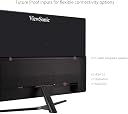
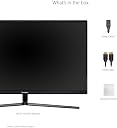
🚀 Elevate your workspace with vibrant clarity and seamless connectivity!
The ViewSonic VX3211-2K-MHD is a 32-inch IPS monitor delivering sharp WQHD (2560x1440) resolution with 99% sRGB color coverage. Designed for professionals and gamers alike, it features flicker-free and blue light filter technologies to reduce eye fatigue, plus versatile HDMI, DisplayPort, and VGA inputs for broad compatibility. Its slim bezel design and handy headphone hook combine style with functionality, making it a top-tier choice for immersive productivity and entertainment under $300.


| ASIN | B07F733RYH |
| Adaptive Sync | FreeSync |
| Additional Features | Adaptive Sync, Anti Glare Screen, Blue Light Filter, Built-In Speakers, Flicker-Free, Frameless |
| Aspect Ratio | 16:9 |
| Best Sellers Rank | #245,525 in Electronics ( See Top 100 in Electronics ) #5,155 in Computer Monitors |
| Brand | ViewSonic |
| Brightness | 300 cd/m² |
| Color | Black |
| Color Gamut | 0.99 |
| Compatible Devices | Devices with HDMI or DisplayPort output |
| Connectivity Technology | DisplayPort, HDMI |
| Contrast Ratio | 3000:1 |
| Customer Reviews | 4.2 out of 5 stars 611 Reviews |
| Display Resolution Maximum | 3840 x 2160 |
| Display Technology | VA |
| Display Type | LCD |
| Global Trade Identification Number | 00766907977912 |
| Hardware Connectivity | DisplayPort, HDMI |
| Image Contrast Ratio | 3000:1 |
| Included Components | HDMI Cable, LCD Display, Power Cable, Quick Start Guide |
| Item Dimensions D x W x H | 9.1"D x 28.7"W x 19.5"H |
| Item Type Name | ViewSonic VX3211-4K-MHD 32" IPS 4K UHD Monitor HDMI, DisplayPort |
| Item Weight | 14.6 pounds |
| Manufacturer | ViewSonic |
| Model Name | VX3211-4K-MHD |
| Model Number | VX3211-4K-MHD |
| Mounting Type | VESA Hole Configuration : 200 x 200 mm |
| Native Resolution | 3840x2160 |
| Number of Component Outputs | 2 |
| Picture Quality Enhancement Technology | HDR10, AMD FreeSync, SuperClear MVA Panel Technology |
| Pixel Pitch | 0.18 |
| Power Consumption | 65 watts |
| Processor Count | 1 |
| Refresh Rate | 60 hertz |
| Resolution | 4K UHD 2160p |
| Response Time | 3 milliseconds |
| Screen Finish | Matte |
| Screen Size | 32 inches |
| Screen Surface Description | Matte |
| Series Number | 3211 |
| Shape | rectangular prism |
| Specific Uses For Product | Personal |
| Total Number of HDMI Ports | 2 |
| UPC | 766907977912 |
| Unit Count | 1 Count |
| Viewing Angle | 178 degrees |
| Voltage | 110 volts |
| Warranty Description | Three-year limited warranty on parts, labor and backlight |
T**D
High-Fidelity Workspace Expansion: 32-Inch IPS WQHD Architectural Display
ViewSonic VX3211-2K-MHD 32 Inch IPS WQHD 1440p Monitor. I got this 32-inch ViewSonic 1440p monitor to serve as a secondary blueprint drafting screen in my home studio. As a 6'2" tech geek who spends ten hours a day rendering theme park layouts, maintaining ergonomic posture and visual clarity is paramount. The WQHD 2560x1440 resolution spread across a 32-inch IPS panel hits the perfect sweet spot for UI scaling, providing 70 percent more desktop real estate than a standard 1080p screen without requiring me to squint at microscopic text. The 99 percent sRGB color coverage delivers excellent color accuracy straight out of the box, ensuring my digital CAD models look exactly the way they will in physical production. I really appreciate the versatile connectivity, utilizing the DisplayPort to link directly to my heavy-duty workstation while keeping the HDMI port open for testing mobile rendering rigs. The anti-glare hard coating completely neutralizes the reflections from my bright overhead studio lights. My one functional critique relates to the factory stand. The included plastic base only offers basic forward and backward tilt, completely lacking vertical height adjustment. Being a massive 265-pound bodybuilder with a tall torso, I immediately had to mount it to a heavy-duty VESA pneumatic arm to bring it up to my natural eye level. The product description also omits that the built-in speakers are quite hollow, so you will absolutely need external studio monitors for audio mixing. It's a highly capable, productivity-focused display for serious digital design environments. ♥️ This not only gets 5-stars from me... this gets my RARE TRIED+TRUE 5+1 BONUS STAR ⭐️⭐️⭐️⭐️⭐️+⭐️ Rating for a total of 6-stars! I only give 5 stars to products that I use and exceeded my expectations for quality, functionality, ease-of-use, premium appearance & looks, durability, ease of installation OR time to build, value-priced & price-point, accuracy in size & fit - and when possible - sustainability & Eco-friendly environmental considerations. And my rare 6 stars rating goes to companies that bring a product that is truly INNOVATIVE and superb to have! I hope you gain some insight from my review and I appreciate you taking the time to read it.
F**8
32" 4K for Novice Content Creater's
This review is for the ViewSonic VX3211-4K-MHD 32 inch version. I believe the description is incorrect on the % color gamut. The manufactures page says this particular model is 95% NTSC color gamut. The 2K model maybe be different. Im not saying this is a con, I am just pointing that out. For the 32" 4k market, there is some competition at this price point. I do not believe any of that competition rolls up this many features into one product, however. Beautiful display, tons of brightness and contrast, HDR10 capability, 8-bit+Hi-FRC (perfectly acceptable at this price point), 95% or better color coverage (advertised), 2x HDMI 2.0 ports, 1x DP 1.2, integrated speakers 2x2.5W, PIP, VESA mountable, and so on. Getting all that for this price is actually a very good deal, and I do not believe there is a single other monitor that includes all that or better/more for anywhere near this price. You would have to spend hundreds more to surpass the complete feature set of this monitor. The primary target audience for this monitor is budget conscious content creators and/or those looking to double duty a computer monitor as a small room entertainment screen. Pro content creators will want that better color gamutcoverage/10-bit. 95% NTSC color gamut and 8-bit+Hi-FRC is nothing to sneeze at, but will just not be good enough for pro level content creation. Gamers will hate this monitor for the most part. Refresh rates and response times are too slow for those users. Casual users will find this product too big/expensive. For novice content creation, this is probably the best choice under 400 bucks. I find the colors very vibrant and true, contrast is excellent, and the dynamic range to be great. Out the box the calibration is very good. I have run this monitor in 4k, 1440p and 1080p, and all look pretty fantastic. The speakers are weak, but serviceable. There is an audio out. The interface buttons and OSD menus are not great, and can be very awkward to use. There is a bit of a learning curve with that. The viewing angles are at least above average, as expected for an VA panel. Both HDMI ports are HDMI 2.0 (b, I think), which allows for 4k 60Hz provided you have a good video card. Cable management behind the monitor is largely absent, however, I was able to bend and hide the cables rather well. You will need a zip tie or Velcro strap to do it. Stability is good, and the monitor is tiltable. However, you cannot adjust the height. Overall, I would buy this again for my use. I do spend a lot of time doing content creation for our personal use, and this monitor is pretty darn good for that. You will want two profiles saved. One for content creation and another for general use. I would not recommend this for the serious gamer, as the refresh is just too low and you are better off with a 1440p 144Hz monitor. You will need pretty good hardware to run this monitor up to its potential. Integrated graphics has gotten better, but your computer will run pretty hard to drive 4k 60Hz with it even just for basic tasks. I would say an Nvidia 1050/1050ti is probably the minimum you will want to have, though the experience will be much better with a 1060 or higher. If you are using Davinci Resolve, you will want a 1080/2070 or better.
D**K
Good low cost option for a 32" 4K display
Have had the monitor for three days so far. Very satisfied with it as a low cost option to get 4K in a work monitor. I had used ViewSonic CRT monitors in the past but this is my first LCD monitor from them. It replaced a nearly 13 year old, 22", TN panel LCD screen that just did not provide enough working space anymore. I do software coding so game play is not my motivation here. Having a big screen with a stable image is what I need and this monitor provides it. I'm using it with a desktop computer that has a nVIDIA graphics card and a laptop through a USB-C multifunction hub. Both are connected via HDMI cables. Image is good on both with 60Hz refresh and both devices are sending sound through to the monitor. I'm not seeing any stuck or dead pixels, which is always a concern when I get a new monitor. Only giving four stars due to two reasons. First, the built in stand could be better. It is nice that the stand is metal but with the thin fork design it takes up a lot of space. Also, not being height adjustable required finding a riser to get the monitor up a few inches. Again, back to the fork stand, finding a riser that would hold this monitor took extra effort. Fortunately, Monoprice has stand that gives me 3" of lift (and can be adjusted up to about 4") and is wide enough for the monitor base. Next up is the speakers. Considering the size of the lower-back section of the monitor it should be possible to put better speakers in there. The ones on this monitor work but they do sound like a speaker in a tin can. One other note, the on screen display (OSD) is very cumbersome to use. Vertical buttons for horizontal menu options is not intuitive at all. With the years of experience ViewSonic has they should be able to do better. Switching input takes a minimum of four button presses, which is not fun when switching back and forth between computers. Please, just give me a single button to cycle through the inputs like my 10 year old 24" monitor has. As long as you can live with a few compromises, this monitor should serve well. For the price point I don't think you can do any better.
M**H
Good value for the monitor
I purchased this monitor to work from home. I didn't really appreciate how large this screen is. The 4k resolution makes my 24" 1440 monitor look aged. *LOL* Anyhow, as a work monitor, it is great. Can have email and spreadsheets up at the same time or two documents side by side and read both easily. For gaming, it has great detail, contrast, and the gaming mode works well. The color depth is really nice with the more artsy games and videos. This is a great value monitor for what you get. Yeah 2k monitors are adequate, but you'll get spoiled with this monitor.
B**.
Hard to beat these monitors for the price
I have two of these side by side on my desk powered by my 16" MacBook Pro using USB-C inputs and really they are hard to beat for the price. Good color quality, plenty bright and plenty of settings and sizes to use. Pros: Great quality for price, good color quality, great out of the box resolution options. Cons: Settings are a pain to edit (the ones they offer through buttons, not those from your OS). Large bezels mean sharing images across desktop doesn't really work that great. Note: I can't speak for gaming, because I don't do that with these, using them for UX / UI design and front-end development testing.
M**N
osd menu disappears no combination of buttons fixes it
If your monitor works at all, make sure you CHANGE the setting from standard to "movie" or "web" mode (using the awful buttons on the right side of the monitor). The difference in appearance is night and day. The "mac" and "text" modes are ugly and very dim. The "game" mode might have some hidden value but to me it just messes up the screen. EDIT: One day your osd "on screen display" menu will just not come up and different sources will tell you "just reset it" wtf there is no reset except IN THE MENU that doesn't come up, or to press and hold buttons 2+3, or other combinations I tried every possible combination ten seconds each mad I even tried because nothing worked. This was always the worst quality of my monitors and I regret having gone cheap and buying ViewSonic. The button controls are bad enough to recommend against this monitor but them not working AT ALL is the final straw. Ordering a replacement from different manufacturer and this junk is getting drop-kicked since I can't return it.
B**N
good price, but a few flaws...
This is a nice 32-inch 4K monitor at an attractive price... but it comes with a few flaws. I ordered two units for my home office -- which, during the pandemic, has become my principal place of work. The issues I've had with the monitors are: 1. The color match between the two was WAY off... and I spent hours unsuccessfully trying to dial them into proximity. 2. The interface to change settings is extremely awkward. Navigating the menus to make changes is really slow and painful, and it's easy to push the wrong button and have to start from scratch. So you now know why I mention "hours" in comment #1. Eventually, I gave up on these monitors for my home work and took them in to use them in the laboratory for data taking and analysis. There, since I was using them separately, it wasn't so critical to have the color palette dialed in carefully. I replaced them with a pair of Dell P3222QE's (yeah, for almost double the price!!) and they are far more satisfying... in terms of color match right out of the box, sharpness, and overall appearance. So, in summary, if you're buying just one monitor and want to save $$, the ViewSonic VX3211-4K-MHD may be your ticket. But you'll probably not be happy, like me, if you have a pair of them side-by-side.
E**E
Great 4K monitor for general use
This review is for VX3211-4K-MHD (32" 3840 × 2160). Upgrading from 24" to 32" monitor, and from FHD to UHD resolution (4x as many pixels) was even nicer than I expected. The image quality is great, and I'm still using the provided HDMI cable (I've ordered a DisplayPort cable so I can run at full 3840×2160x60Hz refresh rate). I'm accustomed to multi-tasking multiple windows on a dual-monitor setup at work, but a single large monitor is so much nicer for viewing photos in their native resolution, or video editing (the preview window is much larger), or watching movies. For so many applications I no longer have to scroll anymore (either sideways or up/down).
A**R
It's a good upgrade for me
I had another 28" 4k monitor I purchased a few years ago that I replaced with this one. The extra 4" help make text more readable at native 100% scale. I never like the way Windows scales fonts. As well, the colour vibrancy is fabulous, especially when I compare it to the old monitor. It's only been a few weeks with it, but I'm quite happy so far. It's excellent for image display, general office work, and video playback. Although it's colour, sharpness and freesync make it decent for gaming, I'd not say it's for the gaming enthusiast due to the max 60Hz frequency. But the real quality 4k gaming monitors are twice as much and need a similarly priced video card to drive the thing. In general, I found this great value for the money.
R**N
Super sweet
Pros: Built quality is great, colour contrast is amazing, overall a great monitor. HDR is great for gaming. Cons: Monitor calibration could have been ready out of the box, its a bit of a hassle. Btw, people have always complained about the buttons at the back of the monitor. Using it a few times can make you used to it. Not a hassle at all. Or else you could mark or tag the buttons too.
O**V
L'image est fantastique, grande, fine et stable. Géniale pour un écran géant d'ordinateur
J'ai acheté cet écran pour exploiter les capacités graphiques du nouveau Mac Mini M1. Je suis époustouflé par la finesse de l'image, sa stabilité et par les possibilités qu'offre un si grand écran. Je n'ai aucun pixel mort, Au bureau je travaille depuis longtemps avec un double écran, ce qui s'avère vite extrêmement pratique. Et bien là, j'obtient un résultat encore meilleur avec ce simple écran a l'affichage et à la résolution si grands. Sinon, les réglages ne sont pas très compliqués, mais tout de même pas au top de la simplicité d'accès. Les bords de l'écran sont fins, mais on peut trouver encore plus fin dans le commerce. Le pied est "design", mais finalement mal commode, il prend beaucoup de place, pour un moniteur (il ne facilité pas le positionnement de mon Mac en dessous de l'écran). Il es réglable en inclinaison, mais pas en hauteur Le prix est correct pour un Moniteur de cette qualité, et la fréquence de balayage de 60 Hz le justifie. Les hauts-parleurs intégrés font le job, mais pas plus. Au final, pour le moment, je suis plus que satisfait de cet achat.
E**.
Amazon Farkı..
Öncelikle şunu belirtiyim Amazonun kendisinden aldım. Bir HDMI sorunlu cıktı görüntü vardı ses gelmiyordu. İadesini sağladım. Tek aksaklık buydu ama bunun amazonla bir alakası yoktu. Ürün söylenildiği günden önce geldi. Müşteri hizmetleri harika iş takibi yapıyor. Amazon farkını burada koymuş. İnsan hizmet bekliyor ve alıyor Öncelikle teşekkürler Amazon diyorum umarım bozmazsın bu yapını. Ürün amazonda kalmadığı için başka bir mağazadan tekrardan aldım. Şimdi gelelim ürüne. Ben yoğun kod yazan ve oyun oynayan birisi olarak ürünü iade sürecinde test ettim. 27" LG felanda baktım ama ilk geldiğinde ürün cok büyük gibi duruyor ama değil. Mesafeyi düzgün ayarlarsanız çalışması çok zevkli. Oyun ve filme gelecek olursak HDR desteği 4k renkler ve dahili hoparlör hepsi başarılı. Viewsonic deyip geçmeyin. Gerçekten ürün başarılı. Oyun ve Filmde o derinliği fazlasıyla hissediyorsunuz. Eğer Konsol oyuncusuysanız düşünmeden alın derim. Film için alacaksanız durmayın :) İş için alacaksanız masa mesafenizi ayarlayabileceseniz tercih edin yoksa 27" tercih edin derim..
J**F
Mejor monitor para next gen
El monitor es muy bueno, reproduce muy bien los colores. El 4k lo reproduce perfectamente. Tiene HDR 10 que es un plus a la hora de esocger monitor. Muy contento con la compra. Recomendadisimo.
Trustpilot
1 month ago
5 days ago