Desertcart purchases this item on your behalf and handles shipping, customs, and support to Senegal.
🚀 Elevate your Mac setup with the ultimate 14-in-1 power dock—because one screen is never enough!
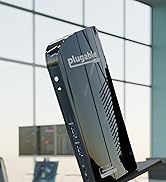
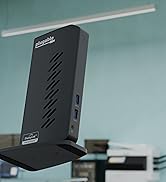
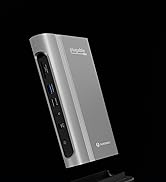
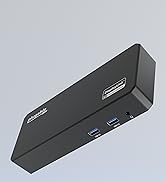
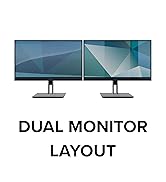
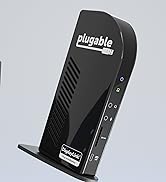
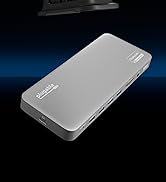
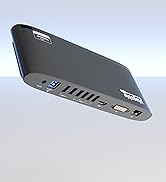
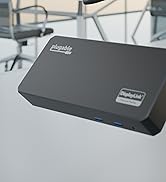
The Plugable USB C Laptop Docking Station UD-6950PDH is a premium aluminum 14-in-1 hub designed for Mac M1 through M5 and other USB-C/Thunderbolt laptops. It enables dual 4K 60Hz external displays via HDMI and DisplayPort, overcoming native Mac display limits using DisplayLink technology. With 100W charging, multiple USB ports, SD card readers, Ethernet, and audio support, it’s ideal for professional multitaskers and hybrid work setups. Requires DisplayLink driver installation and offers lifetime North American support.


| Asin | B09TQY97MJ |
| Best Sellers Rank | #559 in Computers & Accessories (See Top 100 in Computers & Accessories) #60 in Laptop Docking Stations |
| Brand | Plugable |
| Color | Silver |
| Compatible Devices | Supports full-featured USB-C, USB4, and Thunderbolt 3 / Thunderbolt 4 systems, including: M1 / M2 / M3 / M4 / M5 (M1 Pro/Max, M2 Pro/Max, M3 Pro/Max, M4 Pro/Max), Intel-based Thunderbolt 3 MacBooks (late 2016+) Dell XPS, Latitude, Inspiron series with full-featured USB-C, USB4, or Thunderbolt 3 / 4 Microsoft Surface Pro / Go / Book / Laptop models with USB-C, USB4, or Thunderbolt 4 HP ProBook, EliteBook, Spectre x360 series with full-featured USB-C, USB4, or Thunderbolt 3 / 4 Lenovo ThinkPad, IdeaPad, and Yoga with full-featured USB-C, USB4, or Thunderbolt 3 / 4 LG Gram with full-featured USB-C, USB4, or Thunderbolt 3 / 4 & thousands of other laptops which are compliant with full-featured, standards-compliant USB-C ports. Installation of the DisplayLink software is required on all supported operating systems, including macOS, Windows, and ChromeOS to enable full functionality and dual display output. |
| Customer Reviews | 4.3 4.3 out of 5 stars (331) 4.3 out of 5 stars |
| Hardware Interface | USB Type C |
| Input Voltage | 5 volts |
| Item Dimensions L X W X H | 9.4"L x 3.1"W x 1.2"H |
| Item Type Name | Laptop Docking Station |
| Item Weight | 11.7 ounces |
| Manufacturer | Plugable |
| Mfr Part Number | UD-6950PDH |
| Minimum Required Operating System Version | ChromeOS 137, Mac OS 11 Big Sur, Windows 10 |
| Model Number | UD-6950PDH |
| Number Of Items | 1 |
| Number Of Ports | 15 |
| Total Number Of Hdmi Ports | 2 |
| Total Usb Ports | 5 |
| Unit Count | 1 Count |
| Upc | 819927011958 |
| Warranty Description | 2 Year Limited Parts and Labor |
| Wattage | 100 watts |
User
Perfect for MacBook Neo
Turned our MacBook Neo into a workstation. Dual monitors, USB, and charging with a simple driver installation. The dock is well-built and feels solid.Had an issue with the device initially and Plugable support was excellent; sent a replacement right away. Great customer service experience.
User
Great way to extend the MacBook Neo display to two additional monitors
The guy I spoke with at the Apple Store told me that what this dock does wasn't possible with the MacBook Neo, and said if it did somehow extend the screen to two additional monitors, it would be very choppy and slow. Wow, was he wrong! The Neo, paired with this dock, allowed me to extend my screen to 2 HDMI 1440p displays plus the Neo's display. There is no lag at all on the video output. I feel like I'm using a MacBook Pro when it comes to just using the desktop and displays. Of course the Neo is way slower than the Pro overall, but I haven't experienced any reduction of performance by just extending the screen. It's a solid device - no cheap plastic here. It feels premium. There are plenty of ports for anything you need to connect. And it's extremely simple to get it working - install the DisplayLink software and then start plugging things in. The price is a little high compared to other docks, but I am not sure other docks would perform as well. I'd buy this again in a heartbeat and can't recommend it highly enough.
User
Dock works perfectly and easily switches from Mac to Surface Pro
This dock has been great! I use my MacBook Air for school and whatever else I need, and I use a Surface Pro for work. Both connect flawlessly and allow for my dual monitor setup, or triple screen if I leave them open.With the Mac it was easy to download the software and get everything connected.The Surface Pro worked immediately with no software needed or updates.I don’t play any crazy games or watch anything in 4k, but it has handled the games I do play with no issues and I am able to watch YouTube videos or stream a tv show while I play and have had no lag or display issues. The ports on the dock have been super helpful especially with both computers since they do not have a lot of ports and I don’t want to have to buy a ton of dongles.
User
Pretty decent device for basic use.
Only puts out 60hz for 1080p. Device works pretty smoothly for office and basic tasks. Had issues when trying to game on it. Would not recommend for modern gaming (Battlefield 6 for example). Some games like Destiny 2 and ARC Raiders seemed to work alright. Built sturdy. USB functions worked properly. Very easy setup. Had to install drivers from their website for one PC. Worked immediately on another.
User
Dual monitors for my MacBook Neo!
This docking station works exactly as advertised. Now I can use my full-size keyboard and mouse, external speaker, headset, and two 27-inch displays while my MacBook Neo hangs out closed on a shelf. A couple more USB ports would be nice but its nothing that can't be alleviated by having a second little dongle hub. The important thing is that the DisplayLink technology does the trick. I had to install DisplayLink Manager and then do some trial and error to get things how I wanted them, but that's entirely on the DisplayLink end. So if you have a MacBook Neo and want to use it in a dual-monitor desktop setup, this is your winner.
User
Everything slightly works
Ethernet would only work at 100mbps even after trying known working computers with different cables. 50% of the time display output was super laggy, might have been drivers but unplugging everything would reset. Screen output kept disconnecting, and having different sized monitors is an absolute pain to get working
User
Great dock, amazing customer service
This dock has worked flawlessly and their customer service is incredible. I lost the power cord in a move and they shipped me a new one for free. Hard to find good customer support like that these days.
User
Not Plug and Play
One of the biggest advantages to the USB interface is that you plug in a device, you are notified with an audible sound that it has been detected, the driver is installed and it starts working after only a small delay. That was not the experience I had with this docking station.I ordered this dock for my ThinkPad P15s. At $249, it was a little expensive, but I wanted a nice powered USB-C dock with two Display ports. I received the package in only the manufactures packaging. Not a good sign, but there was no obvious damage to the box, so it must be ok, right? So I got to work. I enthusiastically cleared my desk, unplugged and laid out all of the cables, broke out the roll of cable organizers, placed my two monitors with the dock in the middle and neatly started connecting cables, one-by-one. Connect both ends, tie up the excess with a cable organizer and on to the next. Let me tell you, it was a work of art. Very neat and organized. Turn the power on... I could imagine the pacman death sound in the background. one monitor was detected and nothing else. This prompted the search for the directions, I mean who reads instructions anymore? After reading the instructions, I discovered that a proprietary driver was required. How inconvenient, I mean everything is hooked up to the dock, which doesn't work, which means no internet connection and my laptop on a shelf out-of-the-way. I guess I was just over optimistic-- which is very inconvenient when things don't go as planned. After disconnecting and unbundling the necessary cables, relocating my laptop to my desk and reconnecting the required cables, I downloaded and installed the driver and the second monitor started working. In order to get other USB devices to work, it took a bit of experimenting on which ports to use. After some trial-and error, I eventually got everything working. Now I can reorganize and rebundle...The following day when I turned on my system, only one monitor was working and nothing else. Again I disconnected, unbundled and shuffled things around in order to connect to the website in search for a clue on how to proceed. The suggested remedy was to reinstall the driver. In order to reinstall the driver, first you had to uninstall the driver and run a "clean" program. It also instructed you to leave the dock disconnected until prompted to connect it during the software installation. After several uninstalls, cleans, reinstalls and experimenting when I connected the dock (because the installation program never prompts you- despite the instructions telling you so). I never got the dock working again and at one point, it caused a device fault on my USB-C port as well as several warnings in my device manager. My Laptop also completely locked up and after recycling the power and it taking several minutes to get my laptop to respond, I figured that was about all of the effort (and risk) I was willing to expend on this dock.In the spirit of full disclosure, the product arrived in just the manufacturers box with no additional packaging. The box is very thin cardboard and although there was no damage, I suspect it may have been damaged during shipping. At any rate, even if it had worked properly, the proprietary software and the non-standard USB behavior was not a good experience. I opted to return it and try something else.I replaced it with a Dell Dock WD19s which is currently on sale for $44 less.Upon receiving it, I was understandably cautious. I elected to forego cable management until after testing, still recovering from the disappointment of the Pluggable dock. I took the Dell dock out of the box, plugged in two monitors and turned on my laptop. It worked immediately. Both monitors came up and as I plugged in each USB device, I was greeted with that familiar USB audible notification. Driver installed, device ready for use. Wonderful! No software was installed, it just worked! Two very different experiences. I write this review in hopes that it will help someone else. I gave it three stars because if it had worked as intended, it wouldn't be the best dock, but probably adequate for most applications. I generally expect things to be industry standard. A USB port should work like it does everywhere else. Thanks for reading.
User
Precio alto, pero calidad segura
Es un muy buen Hub, elevado de precio pero se nota la calidad y eficiencia. El DisplayLink funciona perfecto asi ya puedo usar mi Mac con M1 con 2 monitores
User
Plugable 13-in-1 USB C Docking Station Dual Monitor
I was actually looking for a hub which does not need power to work. However, after installing the driver and learning how to use this, I'm quite happy with this new hub. it doubels up as a charger for my laptop and more importantly, for my 2 4K monitors. It is so hard to find a USB C hub that fworks with 2 HDMI inputs, and at 4K. Still wish I could find one that does not need power, but so far the one I have currently is starting to give me trouble - few of these I bought last longer than 9 months.
User
A Rock-Solid Dock with Outstanding Support – Perfect for Multi-Device Setups!
I use the Plugable 13-in-1 docking station with a MacBook Air M3, a 32-inch 4K @75Hz monitor, and a 32-inch 2560x1440 @75Hz monitor in Extended Display mode. Each monitor, along with the built-in Retina display, operates as its own desktop/workspace. Both monitors are connected via HDMI outputs.Additionally, I’m utilizing the 1GbE Ethernet connection, and I have a Logitech StreamCam Premium 1080p 60fps webcam and a Logitech Blue Yeti USB Microphone connected to the USB-A and USB-C ports. At the same time, my Klipsch ProMedia 2.1 THC Certified External Speakers are connected to the 3.5mm audio output.Performance & ReliabilityEverything works flawlessly. The driver installation was seamless, and I’ve had zero issues with performance. While I don’t use the SD card reader regularly, I tested it, and it functions as expected.I frequently connect and disconnect my MacBook from the dock, and each time, everything reconnects instantly without requiring a reboot or restart. This level of reliability is impressive and makes the dock an effortless part of my workflow.Build Quality & DesignThe dock feels solid and well-built, though its finish doesn’t quite match Apple’s premium, but that’s to be expected. It does get warm to the touch while charging, but never excessively so.Value & FeaturesWhile the dock is pricier, it delivers precisely what I needed; the ability to drive two external monitors independently, which the MacBook Air M2 doesn’t support out of the box. That alone makes it well worth the investment.Wishlist for Future VersionsOne enhancement I would appreciate in a future version is including a couple of USB-C ports for increased flexibility.Final VerdictI’m really pleased with this dock. It’s a well-designed, highly functional product that performs exactly as promised. If you’re looking for a reliable docking solution for a MacBook Air M2, M3, or M4, I strongly recommend it!
User
Super easy setup and works perfectly
The video gives it all: no issues at all for installing and very easy. I did it for a Mac and ThinkBook, so I have it tested. I have tried the headphone jack and also have a camera connected. It works seamlessly. Will post a review after a few months use.It allows for 100hz refresh rate and it’s great but most devices are at 60 so room to grow.
User
Working well with 2 monitors and a Macbook Air M2
I'm using the Plugable 13-in-1 with a Macbook Air M2 and 2 monitors (each at 2560x1440 @75Hz) used in "Extended display" mode (so each monitor and the build in retina display has it's own desktop/workspace). I'm driving each monitor using the HDMI outputs. I am also using the 1GbE connection and have a Logitech C920 Webcam, and a Jabra Evolve USB headset connected to two of the USBA ports, with external speakers plugged into the 3.5mm audio output.Everything works perfectly. Driver install was a breeze. The SD reader is not part of my regular workflow, but I've tried it and it works fine. I frequently connect/disconnect the Macbook from the docking station and everything works perfectly on every disconnect/re-connect. I never need to reboot or restart anything after disconnecting/re-connecting.Build quality of the Plugable is decent; solid but not to the same build quality as an Apple product - but no complaints here! The dock is warm to the touch when charging the laptop, but not excessively warm. The dock is a little pricey, but it has all features I needed - specifically the ability to drive two external monitors independently since the Macbook Air M2 can't do this out of the box.In a future version it would be nice to have a couple of USBC connections on the dock.I'm a happy user - great product, I highly recommend it!
Trustpilot
1 month ago
3 weeks ago