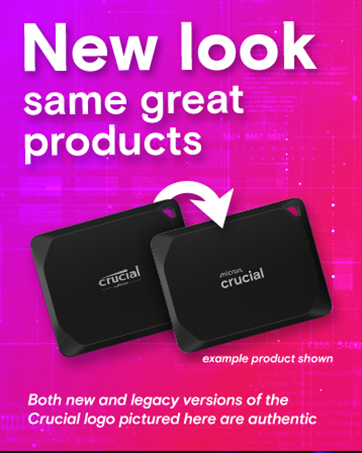
🚀 Upgrade your speed game — don’t get left behind!
The Crucial P3 500GB PCIe Gen3 NVMe SSD delivers lightning-fast 3,500MB/s read speeds and reliable Micron 3D NAND durability in a sleek M.2 form factor. Perfect for professionals and creatives seeking a seamless upgrade, it offers broad PCIe Gen3 compatibility, ample storage, and bonus software to elevate your workflow—all backed by a trusted 5-year warranty.


| ASIN | B0B25LQQPC |
| Additional Features | Data Recovery Service |
| Best Sellers Rank | #46 in Internal Solid State Drives |
| Brand | Crucial |
| Built-In Media | P3 PCIe 4.0 3D NAND NVMe M.2 SSD |
| Cache Memory Installed Size | 500 |
| Color | Black |
| Compatible Devices | This drive is compatible with desktops & laptops that accept PCIe NVMe Gen 3.0 drives |
| Connectivity Technology | NVMe |
| Customer Reviews | 4.8 out of 5 stars 30,743 Reviews |
| Data Transfer Rate | 3500 megabytes_per_second |
| Digital Storage Capacity | 500 GB |
| Enclosure Material | Information Not Available |
| Form Factor | M2 |
| Global Trade Identification Number | 00649528918758 |
| Hard Disk Description | Solid State Drive |
| Hard Disk Form Factor | 2 inches |
| Hard Disk Interface | Solid State |
| Hard-Drive Size | 500 GB |
| Hardware Connectivity | ATA, PCI Express x4 |
| Hardware Platform | Linux, Mac, PC |
| Installation Type | Internal Hard Drive |
| Item Dimensions L x W x Thickness | 3.15"L x 0.87"W x 0.09"Th |
| Item Type Name | NVMe M.2 SSD |
| Item Weight | 5.6 g |
| Manufacturer | Crucial |
| Media Speed | 3000 megabytes_per_second |
| Mfr Part Number | CT500P3SSD8 |
| Model Name | Crucial P3 NVMe SSD |
| Model Number | CT500P3SSD8 |
| Number of Items | 1 |
| Read Speed | 3500 megabytes_per_second |
| Special Feature | Data Recovery Service |
| Specific Uses For Product | Business, Gaming, Personal |
| UPC | 649528918758 |
| Unit Count | 1 Count |
| Warranty Description | Limited 5-year Warranty |
T**N
Unleashing Speed and Capacity
I recently upgraded my computer storage with the Crucial P3 4TB Gen 3 SSD, and I am thoroughly impressed with its performance. Here’s why I believe this SSD is a standout choice for anyone looking to boost their system’s speed and storage capacity: Massive Storage Space: The 4TB capacity is a game-changer, providing ample room for all my files, applications, and games. It’s a luxury to have this much space on an SSD, allowing for seamless access to large media libraries and extensive software suites without worrying about running out of room. Impressive Speed: The Gen 3 SSD technology delivers fast read and write speeds, significantly reducing load times and improving overall system responsiveness. Whether I’m transferring large files, booting up the system, or loading games, the speed is consistently impressive. Reliable Performance: The Crucial P3 has proven to be a reliable workhorse, handling heavy workloads and multitasking with ease. I’ve experienced no hiccups or slowdowns, even under demanding conditions. Easy Installation: Installing the SSD was a breeze, thanks to its standard 2.5-inch form factor and straightforward setup process. It was a simple plug-and-play upgrade that instantly breathed new life into my computer. Great Value: Considering its capacity, speed, and reliability, the Crucial P3 4TB Gen 3 SSD offers excellent value for money. It’s a cost-effective way to enhance your system’s performance without breaking the bank. Compatibility: The SSD is compatible with a wide range of devices and operating systems, making it a versatile choice for both desktop and laptop users. In conclusion, the Crucial P3 4TB Gen 3 SSD is an excellent investment for anyone looking to upgrade their storage solution. Its massive capacity, impressive speed, reliable performance, easy installation, great value, and broad compatibility make it a top choice for enhancing your computing experience. Whether you’re a gamer, content creator, or just looking for a fast and spacious storage option, the Crucial P3 is sure to exceed your expectations.
M**N
Lightning-Fast Performance, Unmatched Value - A Must-Have SSD!
Rating: ⭐⭐⭐⭐⭐ The Crucial P3 500GB PCIe Gen3 3D NAND NVMe M.2 SSD (CT500P3SSD8) has transformed my computing experience, and I am ecstatic to award it a well-deserved five-star review. This SSD is nothing short of a powerhouse, combining exceptional speed and unbeatable value. The first thing that struck me was the remarkable speed of this SSD. Boot times are lightning fast, applications load in the blink of an eye, and file transfers are done in the blink of an eye. The advertised speed of up to 3500MB/s is no exaggeration, and it has breathed new life into my computer. Whether you're a gamer, content creator, or just an everyday user, the performance boost this SSD provides is truly game-changing. Installation was a breeze; the M.2 form factor makes it incredibly simple to slot into compatible motherboards. It's compact, requires no additional cables, and leaves your system looking neat and tidy. The 3D NAND technology ensures reliable performance and durability. It's evident that Crucial has put a great deal of care into engineering this SSD to last. I've been using it for months, and it hasn't shown a hint of slowdown or degradation in speed. One of the standout features is the value it offers. In terms of performance-to-price ratio, the Crucial P3 SSD is truly unmatched. You're getting premium SSD speeds without breaking the bank. This SSD proves that you don't need to sacrifice your savings for top-tier performance. I also appreciate the reliability and warranty. Crucial has a great track record in this regard, and the peace of mind knowing your investment is protected is invaluable. In summary, the Crucial P3 500GB PCIe Gen3 3D NAND NVMe M.2 SSD (CT500P3SSD8) is an incredible addition to any computer setup. The speed and reliability it offers are second to none, and the value for the price is unbeatable. Whether you're upgrading an aging system or building a new one from scratch, this SSD should be at the top of your list. I couldn't be more satisfied with my purchase, and I wholeheartedly recommend it to anyone in need of a performance boost. Five stars, no doubt!
R**L
Works great in the 2013 Mac Pro!
I got this 4TB Crucial P3 NVMe SSD as an upgrade to the original 512GB Apple-OEM SSD in my 2013 Mac Pro (otherwise known as the "trash can" Mac Pro). Using a Sintech NGFF M.2 NVMe SSD Adapter Card, I was able to connect this Crucial P3 directly to the 2013 Mac Pro's NVMe slot without any fuss. After formatting the Crucial P3 to APFS in Disk Utility and installing a fresh copy of macOS Monterey, I was in business. The Crucial P3 was very easy and pleasant to install. (Note that for anyone wanting to use a Crucial P3 in their 2013 Mac Pro, you MUST install and run macOS Monterey prior to installing the Crucial P3 due to the NVMe-related firmware that macOS Monterey installs. The reported firmware version after installing macOS Monterey on the 2013 Mac Pro is 481.0.0.0.0.) Blackmagic Disk Speed Test reports 1280 MB/s write and 1350 MB/s for this Crucial P3, which is the expected result given the 2013 Mac Pro's PCIe 2.0 bottleneck. This is still a major improvement over the OEM Apple SSD, which only achieves around 900 MB/s write and 940 MB/s read, respectively. For older machines that are stuck with PCIe 2.0 or 3.0, the Crucial P3 is an excellent value for the capacity. Just don't expect to run it in a professional setting -- the P3 is really meant for casual users that want good storage per dollar without the expectation of slinging terabytes of data around on a daily basis. The Crucial P3 doesn't have any DRAM cache, nor does it have a heatsink. While the Crucial P3 doesn't run too hot unto itself, you may still want to consider thermal management in the case where you do want to run sustained loads on the SSD through PCIe 3.0 or Thunderbolt 3/4. However, if you are running PCIe 2.0 or are just using the Crucial P3 casually, then you can safely get away without using any thermal management since the Crucial P3 will run cool enough by itself. If you are running PCIe 3.0 or Thunderbolt 3/4, then don't expect the P3 to perform at its best on large sustained data transfers. But if you are running PCIe 2.0 like I am with my 2013 Mac Pro, then these weaknesses are mitigated due to the PCIe 2.0 bottleneck. If you do decide to use the Crucial P3 in an NVMe enclosure, be sure to use an aluminum enclosure that can act as the Crucial P3's heatsink. I used an ACASIS TBU405 Pro 40Gbps Thunderbolt 3/4 NVMe enclosure for my initial testing with the Crucial P3, and it works like a charm. Running the Crucial P3 in the ACASIS TBU405 Pro enclosure connected to my 2019 MacBook Pro i9, Blackmagic Disk Speed Test reports 2300 MB/s write and 2240 MB/s read. These numbers are on the slower side compared to the more expensive PCIe 3.0 and 4.0 NVMe SSD drives, which clearly demonstrates the budget performance of the Crucial P3. You get what you pay for. But for the casual use case, the low cost per gigabyte of the P3 backed by the support of Crucial, a respectable brand that I have bought plenty of RAM and SSDs from in the past, is why I am giving the 4TB Crucial P3 a 5-star rating. It does what it needs to do, which is to provide big storage for an affordable price, all within a convenient NVMe package. And if you can get the Crucial P3 on sale like I did, then it easily becomes a no-brainer purchase. As long as you keep your performance expectations within reason, the Crucial P3 will serve you well. My 2013 Mac Pro has never felt better!
K**Z
Crucial P3 1TB SSD – Affordable Performance for Everyday Use
I recently upgraded my system with the Crucial P3 1TB PCIe Gen3 NVMe M.2 SSD (CT1000P3SSD8), and it has significantly improved my computer's performance. Performance: This SSD offers sequential read speeds up to 3,500 MB/s and write speeds up to 3,000 MB/s, which is a substantial upgrade over traditional SATA SSDs. While it doesn't match the speeds of PCIe Gen4 drives, it provides excellent value for its price. Build Quality: The P3 is built with Micron's 176-layer 3D NAND and a Phison E21T controller. It's a DRAM-less design, which is common in budget-friendly SSDs, but it still delivers reliable performance for general computing tasks. Capacity Options: Available in capacities ranging from 500GB to 4TB, the 1TB version offers a good balance between price and storage space, suitable for most users. Endurance: The P3 has a Total Bytes Written (TBW) rating of 220TB, which is adequate for everyday use but may be limiting for heavy workloads involving large, sustained writes. Warranty: Crucial provides a 5-year limited warranty, offering peace of mind for the longevity of the drive. Conclusion: The Crucial P3 1TB SSD is an excellent choice for users seeking a cost-effective upgrade from HDDs or SATA SSDs. It delivers solid performance for everyday tasks, gaming, and general computing needs. While it may not be the fastest option available, its price-to-performance ratio makes it a compelling choice for budget-conscious consumers.
B**N
Crucial 1TB PCIe 3.0 NVMe M.2 SSD – Solid Upgrade
Upgrading from a 250GB SSD to the Crucial 1TB NVMe was a game-changer for me. Initially, I ran into a bit of trouble getting it to work, but that was due to my outdated ASRock motherboard (purchased in 2020) not recognizing the drive. Thankfully, a quick BIOS flash update resolved the issue, and my system recognized the SSD right away. I was able to install Windows 10 with no problems afterward. The difference in performance is night and day. I previously had all my games on a hard drive, which caused frequent crashes. Since moving everything over to the SSD, every game has run smoothly without a single crash. Load times are faster, and overall system performance feels much snappier. If you’re a gamer or someone who installs a lot of large programs, I’d even recommend going for the 2TB version if your budget allows—it’ll future-proof your setup a bit more. 10/10 – Highly recommend. Reliable, fast, and a massive quality-of-life upgrade.
E**S
Fast Storage, but Gen3 Shows Its Limits
Fast Storage, but Gen3 Shows Its Limits I’ve been running the Crucial P3 2TB in a mid-tier desktop build, mainly as secondary storage for games and media. Installation was straightforward—standard M.2 slot, no tools beyond a screwdriver. Windows recognized it immediately, and I was up and running in minutes. Performance is solid for day-to-day use. Boot times, app launches, and game loading are all snappy. The advertised read speed of up to 3500MB/s feels accurate in real-world use. Large file transfers are quick, though not as blazing as higher-end Gen4 drives I’ve used. This is where the P3 shows its limits—it’s Gen3, so if you’re on a newer system with Gen4 slots, you won’t get the fastest speeds available today. Heat management is fine. Even after extended gaming sessions, the drive stayed stable without a heatsink. That said, I’d recommend a motherboard with some passive cooling if you’re pushing it hard. The 2TB capacity is a sweet spot—plenty of room for modern AAA games, video projects, or a large photo library. Price-to-storage ratio is good, which makes it an easy choice for bulk storage. Things to keep in mind: this is a DRAM-less design. That means under heavy sustained writes (like moving hundreds of GB at once), you may see speeds dip. For typical consumer use, this isn’t a big issue, but if you’re doing video editing or massive data transfers, you’ll notice the slowdown. Bottom line: A reliable, affordable Gen3 NVMe drive with solid everyday performance. Great for expanding storage, but not the best pick if you want bleeding-edge speeds or do heavy professional workloads.
J**G
I am extremely satisfied with it.
It has been a year and a half since I switched to this product, and I’ve been using it without any issues. I bought it in a rush after my laptop shut down unexpectedly, and I am extremely satisfied with it.
G**M
Good buy
Works good for the price and is faster than a hdd for sure. It has lasted years.
P**K
Crucial, altijd goed!
product vandaag ontvangen en meteen geïnstalleerd, alles verliep vlekkeloos en de snelheden zijn zoals verwacht. overal; ik ben tevreden met mijn aankoop! laat al de duurdere M.2's links liggen en kies voor Crucial, dan krijg je waar voor je geld.
M**D
facile a installer , rapide et correspond a la description
Conforme a la description , installation facile , ce M2 est suffisement rapide pour un usage normal et gamer , pour un usage plus lourd ( gros volume de fichiers ) je conseille plutot le P3 plus , j'ai testé le transfert d'un dossier de 60Gb , il s'est effectué totalement en 68 secondes contre 316 secondes sur un samsung 870 evo ' ( ssd 2.5 )
S**S
Transformative Speed and Reliability – Crucial 2TB PCIe NVMe M.2 SSD
After installing the Crucial 2TB PCIe 3.0 NVMe M.2 SSD in my Dell XPS 9560, I ran a series of benchmarks using CrystalDiskMark 8.0.1 to see if the upgrade was worth it. The results were nothing short of spectacular, confirming that this SSD is a top-tier performer. Performance Overview: Sequential Read/Write (Q8T1): The SSD achieved an astonishing 3153.94 MB/s read and 2974.02 MB/s write speeds. This shows that the SSD can handle large file transfers incredibly efficiently, which is perfect for video editing and data analysis. Sequential Read/Write (Q1T1): It recorded 2230.71 MB/s read and 2568.10 MB/s write speeds. These speeds are reflective of typical daily usage and suggest significant improvements in application loading and file access over traditional SSDs. Random Read/Write (4KB Q32T1): With 342.65 MB/s read and 182.53 MB/s write speeds, the drive excels in multitasking and complex operations, which are common in system operations and during multiple applications running. Random Read/Write (4KB Q1T1): Achieving 48.49 MB/s read and 123.72 MB/s write, the SSD proves it can handle random data requests efficiently, enhancing overall system responsiveness. Final Thoughts: The Crucial 2TB PCIe NVMe M.2 SSD delivers exceptional performance that has breathed new life into my Dell XPS 9560. The incredible speeds significantly reduce load times and improve the system's ability to handle demanding applications and large files. Whether it's for professional use or daily computing, this SSD proves to be an excellent investment for anyone looking to upgrade their system. Highly recommended for its superior performance and reliability!
D**A
Preso in offerta è davvero un'affare
Ne ho presi ben due. Costano poco più di un HDD da 4 TB ma sono degli ottimi SSD. Uno l'ho montato come secondo disco sull laptop e uno in un cassetto usb c 3.1 gen2. Non sono dischi di ultimissima generazione, ma sono Veloci. Sul mio laptop ho uno sot gen4x4 con un ssd adeguato e un secondo slot gen3 x 4 mi pare... ci avevo messo un SSD gen 4 x 4 da un TB ma non si riusciva a sfruttare la sua velocità, ci ho messo questo e su quello slot va come andava il gen 4 x4, quindi sfrutta a pieno lo slot che ho disponibile e non è sovradimensionato come l'altro. Il secondo lo ho messo in un cassettino usb. Attenti che non tutti i cassetti supportano 4 TB. e anche qui va davvero bene, in realtà è anche troppo veloce per questo uso. Un consiglio, installate il suo software, disponibile sul sito ufficiale, e impostate l'overprovision al 10%, e se il sitema ve lo consente senza rischi, attivate la momentum cache che migliora le prestazioni. Non tutti sanno cosa è l'OverProvision, è fondamentalmente uno spazio lasciato libero e non partizionato, di solito il 10% del totale è un valore adeguato. l'OoverProvisionig in questo modo si perde il 10% dello spazio totale ma si migliorano la durata, l'affidabilità e le prestazioni del SSD e la cosa interessante è che queste migliorie le gestisce in autonomia il chip dell'SSD senza richiedere nulla al nostro PC... semplicemente l'SSD funziona meglio. Quindi in offerta è convenientissimo, a mio avviso più di un HDD da 4 TB che si costa meno ma ha peso e ingombro molto maggiori e prestazioni di gran lunga peggiori, quindi vale davvero molto la spesa che ci viene richiesta.
P**N
Value for money
This is an awesome 4TB SSD that I use for storing my media. music , movies, books and all extras that would take up too much space on the inbuilt SSD of my MacBook Pro I have had no issues with this at all. The speed it gives for read and write is more than enough for my use. I don't need a super fast SSD and for playing movies and music off it, there are absolutely no issues
Trustpilot
3 weeks ago
1 month ago