Buy anything from 5,000+ international stores. One checkout price. No surprise fees. Join 2M+ shoppers on Desertcart.
Desertcart purchases this item on your behalf and handles shipping, customs, and support to Senegal.
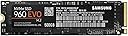
๐ Upgrade your workflow with the Samsung 960 EVO โ where speed meets sophistication.
The Samsung 960 EVO 500GB M.2 NVMe SSD delivers top-tier PCIe 3.0 x4 performance with sequential read speeds up to 3200MB/s and write speeds up to 1800MB/s. Designed for high-performance desktops and small form factor PCs, it combines a sleek, compact design with Samsung's reliable V-NAND technology and smart management software, making it the ultimate upgrade for professionals seeking speed, capacity, and efficiency.
| ASIN | B01M20VBU7 |
| Additional Features | Portable |
| Best Sellers Rank | #463 in Internal Solid State Drives |
| Brand | Samsung |
| Built-In Media | NVMe M.2 (2280) SSD & User Manual (All Other Cables, Screws, Brackets Not Included) |
| Cache Memory Installed Size | 512 |
| Color | Gray |
| Compatible Devices | Desktop |
| Connectivity Technology | PCIe |
| Customer Package Type | Standard Packaging |
| Customer Reviews | 4.7 out of 5 stars 4,075 Reviews |
| Data Transfer Rate | 3938 Megabytes Per Second |
| Digital Storage Capacity | 500 GB |
| Enclosure Material | Silicon and electronic components |
| Form Factor | small form factor, tower |
| Global Trade Identification Number | 00887276185293, 05691982046893, 08806088540122 |
| Hard Disk Description | Hybrid Drive |
| Hard Disk Form Factor | 2 Inches |
| Hard Disk Interface | PCIE x 4 |
| Hard Disk Rotational Speed | 3 |
| Hard-Drive Size | 500 GB |
| Hardware Connectivity | PCIE x 4 |
| Hardware Platform | PC |
| Installation Type | Internal Hard Drive |
| Item Part Number | MZV6E500BW |
| Item Type Name | MZ-V6E500BW |
| Item Weight | 9 Grams |
| Manufacturer | Samsung IT |
| Media Speed | 1900 Megabits Per Second |
| Mfr Part Number | MZ-V6E500BW |
| Model Name | 960 EVO |
| Model Number | MZ-V6E500BW |
| Number of Items | 1 |
| Read Speed | 3200 Megabytes Per Second |
| Special Feature | Portable |
| Specific Uses For Product | personal, gaming, business |
| UPC | 887276185293 |
| Unit Count | 1.0 Count |
| Warranty Description | 3 Years/200TBW |
Z**U
Impressive performance for Film/Photo/Ad work
WICKED fast. I have two 1TB units, as well as two 850 Evo 1TB SATA3 6Gbps drives. I do not play games, and use Windows 10 on both systems I have the 960 Evo NVMe and 850 Evo SATA3 drives installed in. I also purchase all my equipment outright; i build, tweak and own it. I also tried out a pair of OCZ RD400 units, and they underperformed for the money. I shoot/edit commercials in 1080P/2.5K RAW, with Adobe CC and Blackmagic Resolve, so speed matters, but moreso in media/cache/export/previews, so the 960 Evo is simply set up for that purpose, and the SATA3 850 Evo are OS/Program disks. 30 minutes of footage can exceed 120GB of storage at 1080p, and i typically shoot 45-70 minutes of RAW 1080p, plus multiple audio sources to other gear, so it adds up quickly. With my previous x58 desktop, SSD, and ARECA RAID6, my highest disk speeds were 240MB r/230MB wr sustained on OCZ Vertex3 120GB, and 520MB r/440MB wr on an eight by 1TB 7200RPM disk-based ARECA ARC-1222 RAID6 setup. The 960 Evo, in both Z270 desktop and Z270 laptop, are an order of magnitude better, averaging 2.9GB r/1.6GB wr sustained performance. That, coupled with Thunderbolt 3, has saved me easily 2-5 hours of media transfer time per project day between SSD/SD camera/audio box cards/disks. In other words, I got a large chunk of my life back. I have a desktop I just built in my giant HAF 932 case with an Asus Rog Strix Z270e mobo, GeForce GTX 1080, i7 7700K at 5Ghz, H110i V2, 32GB 3400Mhz DDR4, 4K 60hz 27" IPS display, Thunderbolt 3 PCIe card, 850w PSU, and a very nice 150 watt Klipsche 2.1 desktop audio setup on the HD audio side (broadcast is usually delivered in stereo), as well as a Sony receiver/JBL subwoofer totalling 1020 watts 7.1 setup on the optical side with a 50" 4k UHD HDR television for client review/secret movie night with the GF (it's my company and my office dammit) with Displayport and Optical cable passing through a wall to receiver/HDR UHD TV. The 850 is my OS/Programs disk, and 960 EVO is media/cache/export/previews disk. Also an ARECA ARC-1222 eight disk RAID6 for mass storage totalling 5.3TB. I have excellent cooling in the HAF 932 case with a side intake fan blowing on the motherboard and hence on the 960 Evo as well to keep it cool, and a front intake fan to help cool the 850 Evo as well; in 2 weeks I've seen no thermal throttling. This setup replaced an Asus Rampage III Gene x58, i7 980x 6-core at 4Ghz, 24GB 1600Mhz DDR3, GeForce GTX 660 2GB, OCZ Vertex3 120GB boot/OS with the same ARECA ARC-1222 eight disk RAID6 array which was also media/cache/export/previews. Laptop setup is approximately 268% faster than previous x58 desktop, new desktop is approximately 325% faster, due to faster processor/RAM. Data transfer speeds due to thunderbolt 3 to thunderbolt 3 is rediculous... Coming from average of 30Mbps to 1.5GBps is a world of difference. My x58 machine was not compatible with the NVMe 960 Evo, could not work with Thunderbolt 3, and even the SATA3 and USB3.0 it had were only marginally better than USB2.0 and SATAII speeds for data transfer, and sometimes worse. 24GB of RAM was adequate, and the i7 980x 6 core processor at 4Ghz was actually quite capable; I now use the i7 980x/Rampage III Gene and 24GB RAM, and Vertex 3 SSD as a home desktop/media center PC. I also have a brand new MSI GT73VR Titan Pro 4K 7RF i7 7820HK running at 4.3Ghz, GTX 1080, 4K G-Sync, 32GB 2400MHZ DDR4 RAM, Thunderbolt 3 laptop for mobile work, which replaced a very old Inspiron which was simply used to transfer media on site. I keep the laptop plugged in, and elevated about 2 inches from any table/surface with custom fan curves for clean, cool air intake, and added my own thermal pads to the 960 Evo and 850 Evo just in case, and I see no thermal throttling there as well. In the Titan Pro laptop, 850 Evo is OS/Programs, with 960 Evo set as media/cache/export/previews, same as the desktop, and now i can happily and easily edit on site/set, show clients raw footage vs quick edited preview, edit/batch RAW photos with presets from Photoshop I built on desktop/laptop after having calibrated the screens, work on it at home, and transfer the entire project via Thunderbolt 3 astoundingly fast when i get back to the office, and back to the laptop before i leave. Overall, the 960 Evo easily embarasses anything out there, including VERY pricey PCIe RAID setups with high end ARECA RAID controllers (borrowed an ARECA ARC-1880xi (?) With multidisk HDDs, then SSDs... disappointed.) If you have the capital and you use it for work or gaming, it's a no-brainer. These NVMe drives put SATA SSDs and HDDs firmly in the grave, and I won't bother buying anything else SATA related at this point; SATA is dead. Latency, spin up time, 3.5"/2.5"/1.8" size disks, and slow sustained performance are a thing of the past. Sadly, for you gamers, per MSI Afterburner, these systems only produce 59.9FPS in solitaire at 4k resolution on 60hz G-Sync 4k displays and a Samsung 4k 60Hz gaming-capable low latency 8000 series tv, which I attribute to the weak GTX 1080 graphics cards in them. You may have better luck with less demanding games like Far Cry Primal, GTAV, or Hitman, which my interns tell me stay locked at 60FPS on the same machines I just bought/built when they so generously stay after hours to 'quality test' the equipment for me, but it's certainly not the 960 Evo's bogging them down ;)
E**D
Awesome SSD!!
Warning: Long Review. Context and experience with SSDs I recently purchased this device for my newest Alienware 17R4. Now at two months old and the EVO 960 PCI 1TB SSD, almost a month old, the games I had on the Crucial MX300 2TB SATA 2.5 Inch SSD- CT2050MX300SSD1 were moved to this new 960 EVO and there is a VERY noticeable increase in speed and performance over all compared to the previous Alienware 17 that I still own and installed a Samsung 850 EVO 1 TB 2.5-Inch SATA III SSD (MZ-75E1T0B/AM . I have nothing but good things to say about the 850 as I had made it the boot drive/game drive on the previous system. I decided SSDs were the way to go for this new system. So I bought the Crucial 2TB SSD for the open SATA III port and it worked well enough, but some games were suffering severe lag, and I thought it may be the Crucial SSD, as it was a lot thinner and lighter than the Samsung 850 EVO 2.5inch SSD from the previous system. Turns out it was not the drive but the game itself which had been copied straight from the old system onto the new one, though the game had a severe outdoor lag that the game never had on the previous system. The old one has a 4thGen Core i7 2.80GHz overclocked to 3.2GHz, 16GB DDR3 RAM, 2GB Nvidia Geforce GTX 960m. But looking at the specs, the newer Crucial is just as fast as the SATA III 850 EVO, but cheaper, much lighter, smaller and twice the storage for less $$$ than the 850 EVO cost me (it needs a caddy to fit into the drive space available).. In searching for a replacement drive, this system comes with a 2.5inch drive port (where the Crucial was installed) a boot drive slot for a PCI which currently has a crappy factory 128GB M.2 PCIe SSD which is small and slower by far, another such port where this 960 EVO is now installed, and there is still an open mSATA slot. I plan to replace the boot drive with another one of these same 960 EVOs which will bring my storage to 4TB, the largest I have ever had yet. With the mSATA I'm hoping it will be 5 or 6 TB later. I looked at the Samsung 850 EVO M.2 SATA III, but found it was the same speed as the first SSD on the previous system, though cheaper. It was still more expensive than the Crucial and only 1TB, so I looked into the 960 EVO/PROs, and was surprised how much faster the 960s were compared to the 850 EVO and Crucial SSDs (around 3X faster read/write speeds over both the 2.5inch SATA III and the M.2 SATA III). So I had the choice between the EVO and the PRO, and I saw that the PRO is several hundred dollars more expensive than the EVO for a mere 300MB/s of speed. The EVO is already 3x the speed of the Crucial, and the difference in performance was amazing. Moving 80GB of data used to take about a half hour on the SATA III 850 EVO and Crucial 2TB, now takes 10 minutes or less on the 960 EVO PCIe. This 960 EVO is actually less expensive than the 1TB 850 EVO SATA III I bought in 2015. TL;DR Amazing speed. Perfect for gaming. Buy the 1TB 960 EVO PCIe instead of the 1TB 960 PRO PCIe. The 300 or so MB/s of speed of the PRO is not worth the $120-$150 increased cost. Very happy with the amazing look and performance of my games.
Z**L
Can only be Summed up as W-O-W
Rebuilt the in-laws computer with this. Upgrading from a build made years ago using the A4-3300, 8GB DDR3 1600mhz ram and a 2.5 inch HDD I had laying around. Surfice it to say their old system was SLOW. The use it for really basic stuff, basically email and internet, but I wanted to make something snappy enough for them to last many years and that would age well. I chose to build using: -Intel i5 7500 -MSI B250M PRO-VDH -Corsair Vengeance LPX 16GB (8GB x2) 3200mhz DDR4 RAM -Samsung 960 EVO 250GB SSD I reused their 430 watt Antec PSU, Rosewill mATX case, an LG sata DVD drive and a card reader. The install was quick and easy. Everything worked without a hitch from first boot to upgrading BIOS to installing Win 10 Pro and copying their data over and running updates. I doubt they will even come close to pegging this CPU but wanted to give them room to grow and figured the breathing room this would give over a dual core (even with hyper-threading) would be worth it long term. The 960 EVO is easily the most substantial upgrade of them all. Even the 250GB model is mind blowingly fast. 3200 MB/s read and 1500 MB/s writes. I thought my EVO 850 sata drive was fast. This thing makes the 850 seem like an old 5400 HDD. My in-laws dont need much space either and after installing Win 10 Pro x64, Office 2016 x64, Adobe Acrobat Reader DC, chrome and Bitdefender I think they still had just shy of 200GB space left. If I had to complain it would be about how bad Samsungs support site/structure is. If you look for this drives support page there is nothing, no software etc. I had to instead find Samsung Magician (their management software which provides firmware updates and monitoring etc) and just assume it was compatible (which it is, the features page for the 960 EVO confirms). Overall, while I cant imagine most people will need the speed this offers, if storage capacity isn't the goal this is a hell of an OS/programs drive. Its marginally more expensive then competitors and sata SSD's but offers much better performance and reliability.
R**R
Fast and efficient 1TB boot drive on Lenovo Flex 5 with 8th Gen Intel Proc. This plus 4TB 2.5" SSD makes a 5TB Laptop!
1TB version. Since there are so many good reviews, will just make this specific to my exact usage Using as boot drive in Lenovo Flex 5 14" Lenovo Flex 5 14-Inch 2-in-1 Laptop, (Intel Core i5-8250U 8GB DDR4 128 GB PCIe SSD Windows 10) 81C90009US . Imaged the original PCIe SSD to the Samsung 960 BEFORE booting the laptop for the first time (done on my desktop with Acronis), ensures there are no issues with Windows or Apps due to a change in hardware because the new SSD is in place BEFORE Windows configures itself for the first time on the laptop. Here are the speeds, first for the M.2 960, then for the 4TB 860 I have in the same machine on the SATA connection. Very nice results, totally satisfied. Samsung 960 EVO Series - 1TB PCIe NVMe - M.2 Internal SSD (MZ-V6E1T0BW) ----------------------------------------------------------------------- CrystalDiskMark 6.0.0 x64 (C) 2007-2017 hiyohiyo Crystal Dew World : https://crystalmark.info/ ----------------------------------------------------------------------- * MB/s = 1,000,000 bytes/s [SATA/600 = 600,000,000 bytes/s] * KB = 1000 bytes, KiB = 1024 bytes Sequential Read (Q= 32,T= 1) : 2782.068 MB/s Sequential Write (Q= 32,T= 1) : 1822.577 MB/s Random Read 4KiB (Q= 8,T= 8) : 713.222 MB/s [ 174126.5 IOPS] Random Write 4KiB (Q= 8,T= 8) : 572.475 MB/s [ 139764.4 IOPS] Random Read 4KiB (Q= 32,T= 1) : 172.916 MB/s [ 42215.8 IOPS] Random Write 4KiB (Q= 32,T= 1) : 128.598 MB/s [ 31396.0 IOPS] Random Read 4KiB (Q= 1,T= 1) : 27.037 MB/s [ 6600.8 IOPS] Random Write 4KiB (Q= 1,T= 1) : 70.151 MB/s [ 17126.7 IOPS] Test : 1024 MiB [C: 33.3% (310.2/930.2 GiB)] (x5) [Interval=5 sec] Date : 2018/04/09 0:19:20 OS : Windows 10 Professional [10.0 Build 16299] (x64) Samsung 850 EVO 4TB 2.5-Inch SATA III Internal SSD (MZ-75E4T0B/AM) ----------------------------------------------------------------------- CrystalDiskMark 6.0.0 x64 (C) 2007-2017 hiyohiyo Crystal Dew World : https://crystalmark.info/ ----------------------------------------------------------------------- * MB/s = 1,000,000 bytes/s [SATA/600 = 600,000,000 bytes/s] * KB = 1000 bytes, KiB = 1024 bytes Sequential Read (Q= 32,T= 1) : 557.711 MB/s Sequential Write (Q= 32,T= 1) : 532.782 MB/s Random Read 4KiB (Q= 8,T= 8) : 403.698 MB/s [ 98559.1 IOPS] Random Write 4KiB (Q= 8,T= 8) : 356.231 MB/s [ 86970.5 IOPS] Random Read 4KiB (Q= 32,T= 1) : 146.325 MB/s [ 35723.9 IOPS] Random Write 4KiB (Q= 32,T= 1) : 121.307 MB/s [ 29616.0 IOPS] Random Read 4KiB (Q= 1,T= 1) : 34.553 MB/s [ 8435.8 IOPS] Random Write 4KiB (Q= 1,T= 1) : 92.992 MB/s [ 22703.1 IOPS] Test : 1024 MiB [D: 71.3% (2654.2/3724.9 GiB)] (x5) [Interval=5 sec] Date : 2018/04/09 0:28:17 OS : Windows 10 Professional [10.0 Build 16299] (x64)
S**T
Instant start up for your OS and other things.
I'm using this in a new build to replace my 10 year old system (i7-920, P6t mobo), and it works great. You gotta love the instant startup from an SSD. Even cooler is how fast you can run your antivirus. It takes longer for it to check for updates than it does to run a scan. I loaded the OS on the SSD and use a regular Hard Drive for storing everything else. There's a Setting page in Windows to pick where you want to store music, documents, etc, on C:\(your SSD) or on D:\(your hard drive). Or you can just right click on those folders>Properties>Location and change C:\ to D:\. Here's a few things you need to look out for if you are unfamiliar with SSDs as I was. - You have to insert it ALL the way into the M.2 slot, even though the screw hole is lined up ready for the screw. If you can still see the gold pins at the slot, it's not far enough in. I spent hours trying to figure why it didn't show up in the BIOS. - You will have to go to Disk Management and right click it to put a 'New Simple Volume' on it, and format it. I had to watch several videos before I found one that explained that. - When I tried to install Win10, it kept saying it can't install because this drive was GPT, so back to youtube to figure that out. Turns out you want it to be GPT but until you set the BIOS to load optional UEFI settings, the BIOS tells Windows you need Legacy settings on your drive, (you don't want that). I finally found a "load UEFI default settings" in my BIOS and then it worked. - After installing Windows the start screen kept asking me to choose which volume to boot from (huh?). Turns out that if you have a hard drive plugged in, Windows has a mind of it's own and ignores that you set the SSD to 1st boot priority. It puts the "Management Boot" on your hard drive and the rest of Windows on the SSD. (Freakin' Microsoft). Soooo, unplug all hard drives leaving only the SSD, and reinstall Windows, again. Btw, when Windows puts a partition on your hard drive that you don't want, you can't just format it to make it go away. You have to go to Disk Management, find the partition, right click it and look for "Delete Volume." Then afterwards, right click it again for "New Simple Volume" and a Wizard box will pop up and guide you from there.
P**H
These drives are absolutely amazing. They will typically run you around $50-$100 more ...
An excerpt of the conclusion from our published story: These drives are absolutely amazing. They will typically run you around $50-$100 more than a SATA SSD of equivalent capacity, but will deliver a much great difference in transfer speed. As the main drive in a system, we found that the operating system boots quite similar to that of a SATA SSD. There is a pretty noticeable increase in such performance, but not as much as to justify the difference in price in some cases. You most likely wonโt see the performance increase you got switching from an HDD to a SATA SSD originally. However, the increase can be pretty good depending on the configuration of your system (ie, if all apps installed and running in the background are located on the same drive, vs having to pull some of them from other drives that may be slower). When it comes to copying or saving data however, you see an exciting increase in performance that beats out anything weโve ever experienced in an upgrade (capacity-wise). Encoding video (for example) to a Samsung Evo Series drive results in the system bottlenecking everywhere but drive performance, making these drives a great solution if you spend a lot of time working with 4K video. The Evo Series seem to be our absolute favorite when it comes to performance/price, with the Pro Series not making the cut since they are much more expensive than the Evoโs, with a minor bump in speed. The Samsung Evo Series are perfect for power users and professionals looking for the read/write rate who can afford the difference in price. In fact, price is the only thing stopping the drive from being a perfect 10 score-wise, since weโd like it to be much easier to make the jump for consumers (because 1TB+ is still far too expensive compared to something like a 4-8TB HDD). **If you have found our review helpful, please vote it as helpful below so I know. This helps me provide quality feedback in the future.
J**S
Samsung 960 Evo Review - Incredible Speeds in a Small Stick
Pros: - Great performance even among NVMe SSDs - Lower price than MLC NVMe SSDs - Less thermal throttling under load - Varied size ranges (256gb to 1tb) - Small form factor - Less cable clutter Cons: - Still pricier than 2.5" SATA SSDs - Real-world performance not much different in comparison to SATA SSDs - Power hungry Summary: Samsung has been the name of the game for SSDs for a good long time now, making easily the fastest, highest quality SSDs on the market for gamers and businessmen. Samsung continues this trend as it dips its toes into the NVMe SSD market. The biggest reason to upgrade to NVMe PCI-E SSDs is the speed. The direct connection to a PCI-E slot improves bandwidth significantly over SATA, allowing for much, much higher data transfer speeds. Samsung claims that they reach 3,200MB/s sequential read, and 1,500MB/s sequential write speeds. In my testing, this holds true and all of my tests fell within margin of error. The performance difference between PCI-E and SATA shows in benchmarks. A problem with SSDs in the past was thermal throttling - Samsung appears to have fixed this with the new and improved Polaris controller. It runs cooler during general desktop use, but also has a high thermal ceiling. This allows thermal throttling to operate 15-20 seconds longer than the 950 Pro. This roughly translates to 60-65% more data to transfer, which is a staggering amount of data. As impressive as benchmark results are, however, it's unfortunate that these gains in performance aren't utilized fully in today's applications. Windows gets a few seconds faster boot times, and loading games still only yields a few seconds faster loading screen time at best. The biggest real-world difference seems to come from moving large files - the increased data transfer speed reduces the time it takes to move large files by a staggering amount. Those who are looking to putting this in their laptops beware: with the driver installed, it will greatly reduce your battery life. The trade-off for the driver improving performance is that it siphons a much larger amount of power than it normally would. The performance gains are great, but for notebook users, you may want to look elsewhere. Overall, Samsung's 960 Evo continues the trend of impressive performance and a mature platform. The benchmarks say a lot: the new PCI-E standard certainly trumps SATA SSDs, and Samsung's 960 series outperforms even other NVMe SSDs. However, in real world use, you may see a few seconds difference. If you're willing to spend a few extra bucks for the smaller form factor, and impressive speeds, then this may be the SSD for you.
H**A
Five Stars
The best hard drive that I ever have. Faster than sata 3 ssds! You need to check the motherboard specification of your laptop (go to support page in its website). Here my explanation of what is M.2 M.2 is not a bus card, or a card type, is a hardware connector type (form factor type). So, like a connector, is a specification to mount electronics integrated cards, then it has a form factor. Formerly is the Next Generation Form Factor (NGFF). This new connector type is wonderful because the M.2 female connector (M.2 slot) in a motherboard (MB) aallows many types of male interface connectors (the male connector of the integrated cards that you want to connect), like male connectors of PCI Express 3 interface cards (PCIe Gen 3x4 lanes), SATA III cards and others. The M.2 slots of MB, at the moment, allows many card lengths expressed by a code like M.2 XXYY, where XX is XX mm wide and YY is mm long. M.2 allows widths (XX) 12,16,22 and 30 mm and lengths (YY) of 16,26,30,38,42,69,80 and 110 mm. Example Code (the samsung 960 evo): M.2 2280 โ> 22mm wide, 80mm long. Typically the laptopโs MB slots are now M.2 2280 or 2242, so the Samsung 960 is compatible with the most popular form factor, the M.2 2280 slot (check your MB specs); thatโs all for the physical aspect. At low-level logic (logical bus specification), the M.2 slot allows many interface types and technologies. The 960 EVO is a PCIe Gen 3.0 x4 lane (Peripheral Component Interconnect Express 3rd Generation โ 4 lanes) interface with NVMe 1.2 (V-NAND flash memory technology), so your MB needs a BIOS settings accepting PCIe 3 interface. The 960 EVO is not compatible with SATA 3 bus, is part of the new era SSDs, really fast.
V**A
Velocissimo ed afidabile
Ho installato questo micro HD SSD alcuni mesi fa e devo dire che sono soddisfattissimo dell'acquisto. Sostituisce un SSD sempre Samsung ma in formato 2.5". Si e' rivelato velocissimo sin dall'installazione del sistema operativo (Ubuntu Mate' 17.04 64 bit) che si e' svolta in pochissimi minuti. Da allora non ho avuto nessun problema. Consiglio di proteggere questo tipo di HD dalle scritture eccessive seguendo gli appositi tutorial in rete e di abilitare la funzione "trim".
N**D
Zimbly amazing
Zimbly amazing. I just plonked this in my MSI GL62M , keeping the current HDD as a data drive, and this has upped the game a lot. Since I use the MSI for gaming mostly, this ssd is a game changer literally as everything loads up much faster - so making the games like Path of Exile run exceptinally well !
U**S
best of breed
Habe mittlerweile in zwei PCs das Teil eingebaut. Einmal in einen neuen Eigenbau mit Intel I7 8700K und einmal in einen Asrock DeskMini 110. Der DeskMini ist etwa 30 mal schneller bei den Plattenzugriffen als die alte 2.5 Zoll FD. Bootet in etwa 5 sec bis Anmeldung. Echt gut .
A**R
Makes sense for those with the money to spend.
I am getting close to the rated speeds in my Gigabyte Z170X-Gaming 7 motherboard. It's very easy to install - in my case I had to remove my graphics card first but that would not be an issue for new builds or some motherboards. It's also smaller than I expected. These drives are a game changer. It's a little expensive but it delivers a lot of value. Not everyone can afford it but if you can't afford it you are probably not reading this review so I didn't deduct any stars. This is the first NVMe drive I have ever purchased. I bought it to replace a RAID 0 setup with two 512GB Samsung 850 Pro EVO SSDs which I was also happy with. Benchmark performance is much better with this one NVMe drive than with the two SSDs. It did not make a huge difference in perceived performance as compared to the SSD RAID 0. I needed SSDs for another computer and it was more economical to buy this for this computer than to buy two more 850 Pros for the other one. If all I cared about was upgrading this one, it would not have made sense, because the boost to perceived performance is not large enough to justify the cost. In my case the money was being spent anyway and this is faster, and costs less, than the other approach I was considering. Every new computer is going to support these NVMe drives now so I can bring this drive with me to the next computer I buy.
C**Z
Great memory!
I'm using 2 of this memories on my Synology DS918+ and worked beautifully... I would recommend it!
Trustpilot
1 month ago
4 days ago