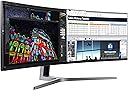
๐ฅ๏ธ Elevate your workspace and gameplay with the ultimate panoramic powerhouse!
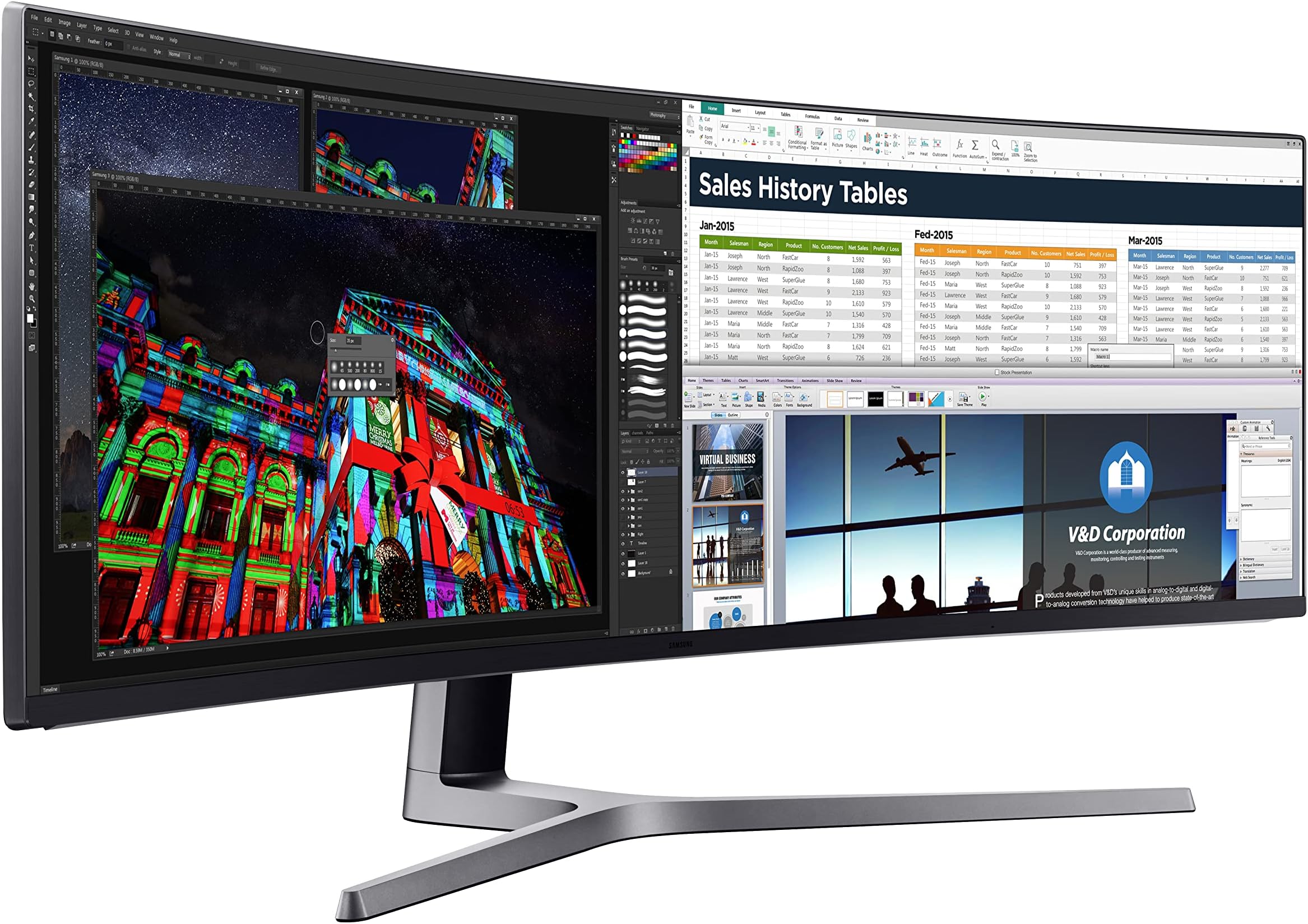
The Samsung 49-Inch CHG90 is a super ultrawide curved QLED monitor featuring a 32:9 aspect ratio and 3840x1080 resolution. Designed for gamers and professionals alike, it boasts a rapid 1ms response time, 144Hz refresh rate, and HDR support for vivid, smooth visuals. Its expansive screen real estate and ergonomic design make it a game-changing upgrade from traditional multi-monitor setups.


| ASIN | B072C7TNC5 |
| Adaptive Sync | FreeSync |
| Additional Features | Curved, High Dynamic Range, Ultrawide Screen |
| Aspect Ratio | 32:9 |
| Best Sellers Rank | #246,809 in Electronics ( See Top 100 in Electronics ) #5,246 in Computer Monitors |
| Brand | Samsung |
| Brightness | 350 cd/m2 (typical), 250 cd/m2 (minimum) |
| Color | Black |
| Color Gamut | 88 |
| Compatible Devices | Laptop, Desktop, Gaming Console, Multimedia Devices |
| Connectivity Technology | HDMI, USB |
| Contrast Ratio | 3000:1 |
| Customer Reviews | 4.4 out of 5 stars 1,894 Reviews |
| Display Resolution Maximum | 3840 x 1080 pixels |
| Display Technology | LED |
| Display Type | QLED |
| Global Trade Identification Number | 00887276229218 |
| Hardware Connectivity | HDMI |
| Image Contrast Ratio | 3000:1 |
| Included Components | Display Port Cable, HDMI Cable, Install CD, Monitor, USB 3.0 Cable |
| Item Dimensions D x W x H | 15.02"D x 47.36"W x 20.68"H |
| Item Type Name | Monitor |
| Item Weight | 33.1 pounds |
| Manufacturer | Samsung Electronics DAV |
| Model Name | CHG90 |
| Model Number | LC49HG90DMNXZA |
| Mounting Type | VESA Compatibility - Mountable: 100 x 100mm |
| Native Resolution | 3840x1080 |
| Number of Component Outputs | 1 |
| Picture Quality Enhancement Technology | QLED |
| Pixel Pitch | 3.08 |
| Power Consumption | 113 watts |
| Refresh Rate | 144 hertz |
| Resolution | FHD 1080p Ultra Wide + |
| Response Time | 1 milliseconds |
| Screen Finish | Curved |
| Screen Size | 49 inches |
| Screen Surface Description | Curved |
| Series Number | 405955546 |
| Shape | rectangular |
| Specific Uses For Product | Gaming |
| Total USB 2.0 Ports | 1 |
| Total Usb Ports | 1 |
| UPC | 887276229218 |
| Viewing Angle | 178 degrees |
| Voltage | 240 volts |
| Warranty Description | 1 year |
| Warranty Type | 1 Year Manufacturer Warranty |
J**N
Great!! Once I Replaced it.
This is a great monitor. I would be very cautious, or maybe just as cautious as one should when buying a monitor. When I first got it, there were strange horizontal lines in the picture. They were an issue with some pixels it seems. The issue was most clearly seen on a light blue or white background. I am not showing any of these photos here because it is not a great indication of how the monitor looks in actuality. I am simply going to say that it looks great, and having a 144Hz monitor will change your life for gaming. My worst experience was with getting it exchanged for a working model. Here's a timeline of what happened and some advice. Only took a couple of days to get it sorted but it was a pain for sure. Day 1 - I received it and unboxed it. It took some time to setup as it is so large. I was also being very particular on hiding wires and such. That evening when I turned it on I saw the issue, at first i was wondering since it was a 1080p if I was just seeing the pixels (I wasn't). Day2 - Called Samsung first. At first call (the number listed in manual) I was sent through a very bad phone tree to finally get a person on the phone (this only took about 20 minutes ). Once I told them my monitor model they said it was a "commercial model" and they had to forward me to their business line. This was actually quite fast. I was connected quickly (another phone tree) to a Samsung rep who was very helpful, and informed me that the other line could have easily answered my question. The rep asked me to send them some photos - I took some on my phone and them replied to an email they sent me. They said this was a known defect, and it could be repaired (no cost), but why should I get it repaired and not replaced. They informed me to contact amazon. Next I called amazon, well actually I used the website to try and start a return/replace. The website said I could not simply do a return and that I had to either chat or have amazon call me/ I elected for amazon to call me. They did and then I waited on hold. Then the amazon rep stated that a return could not be processed unless we called Samsung to ensure it was not a user error or something. I informed them I had already called, they stated they could hear me well then proceeded to call Samsung. I was then told the Samsung rep couldn't hear me that well, from the amazon rep - but anyhow after about 3 minutes of the person trying to get me to troubleshoot the problem, and then requesting more photos they (Samsung) actually decided to look up my number and found the previous call. Immediately the Samsung rep said they could fix it and went through how they would. The amazon rep was quick to point out that Samsung could fix it and wanted to just drop off the call and let that happen - had to fight to make sure that didn't happen. Then another 30 minutes of them trying to arrange a pickup of the monitor for my house later they asked if I still had the box and had the ability to disassemble (duhh - I put it together). So that's what I did and the return processed the way I expected it to a full 2 hours before this call. My advice: quickly test the monitor, see if it works, Keep the box (obviously), and call Samsung first like I did if you have an issue. Then ask them for some sort of a tracking number for your issue before returning to amazon. Also make sure to stand strong to make sure amazon will take your return. For such an expensive item they seem to want to pawn it off on the manufacturers.
R**T
Transformative
I've now had several days with this monitor. Setup was relatively easy. Most of the time spent was preparing my desk. At first, I have to admit I was more than a little disappointed with the quality of the video. QLED black levels, while marginally better than my previous Samsung 2333 monitors, are not all that impressive, especially once you've seen the true blacks that OLED delivers. Text looked quite poor on Windows 10 - markedly worse than my old monitors - heavily aliased, just yuck. I fiddled forever with clear type and monitor settings combinations, but nothing looked good. But over the past few days, I swear it's gotten better. I think I may simply be rationalizing because I could find no information regarding "QLED burn-in" times. Maybe I've just adjusted to poorer quality text? But something else has happened that I did not expect. Despite the less-than-ideal image performance, I've fallen head over heels in love with this amazing piece of technology. Almost overnight, it has transformed the way I work and the way I play. I've been running a dual 23" 1920x1080 monitor setup for the past 10 years. This screen is simply those 2 screens merged together. But what a difference the merger makes! I was excited to use the Easy Setting Box software to make the transition to a single screen smoother. But now I realize I have absolutely no need for it whatsoever. With so much operating space, working with multiple windows has become almost a joyous activity. The sense of freedom afforded by a giant contiguous workspace cannot be overstated. As a software developer, I find myself sizing most of my windows to slightly LARGER than 24" - not full screen, just extra wide - where I can keep lots of subpanels and tools comfortably on screen at all times. Desktop backgrounds look incredible. Games: I don't really play video games. Scratch that. Now I do. You HAVE to play video games on this beast. Until VR reaches its inevitable critical mass, the CHG90 is here to let you feel the future without donning a faskmask. A surprising number of video games support the near-comedic 3840 x 1080 resolution and they look friggin' incredible. All that real estate adds up to better field of view and massively intensified immersion. I feel like dragging people off the street into my office just so I can show them this thing. I feel almost guilty possessing something so unabashedly "future". I was worried that my little GTX960 video card wasn't gonna cut it - but it works fine on games like Call of Duty, where, with some lowering of settings, I can still get 60FPS. The productivity and gaming enhancements afforded by this mystical device are truly transformative. Yes, I wish the pixel density was higher, but I'm simply too impressed with the overall impact to complain. The more time you spend in front of your computer screen, the more highly I recommend this product.
R**A
The Proof is in the Product
OK so I bought this for a couple reasons. I do freelance work on 3 screens and wanted to clean up and slimline my desk look and workflow. Second I am a gamer and wanted something to replace my already amazing gaming monitor. Third it is a sexy beast which just fits into my style. If you want a monitor that every person who sees your setup will comment on then look no further. I had a 4k and actually didn't like everything so small then trying to compensate. 1080 is pretty darn good and I actually prefer it. I was a little worried when people talked about the resolution or stretched games. Never had an issue. The games like Black Ops, Battlefield, For Honor, or whatever I have tried all look amazing on this beast. There isn't a moment I am not super pleased with buying this monitor. The split screen software only works half the time but I just resize mose of my windows to 3 up. I would have loved if you could single push change configurations but on Chrome it only recognizes the overlay about half the time. 3 Screens are perfect for this and I also thought it would be too close but it's perfect. When you play a game and your eye focuses it feels like the screen wraps around your head and it's almost like a VR type of feeling without being annoying. After the first 3 minutes of getting used to it, I was in love. It added value to every game I play just in experience. It won't give you an advantage, but it will give you an experience. Happily didn't get any dead pixels or anything. This monitor is the deal. I would not hesitate unless you are some graphic design nerd who must have 4k. Update 2020: Still loving this product 3 moves later it is perfect no issues. Don't hesitate to buy this product.
S**Y
Review of Samsung CHG90 49" Curved monitor
As you can see, this monitor is big, I mean really big. I used to have a 34โ Alienware curved monitor, but found that when I was programming, this was not large enough, and I found myself using my laptop and the 34โ monitor to see all the screens I needed to see. This 49โ monitor is the perfect accompaniment to my programming needs. I used to have a heavy duty Dual Monitor stand that held my 34โ monitor, but decided to up the ante with a newer and even more robust Echo stand. This stand is a BEEFY stand. Iโm very pleased and feel fully confident with the ability of this stand to hold the 1k dollar monitor. As others have noted, the holding screw goes down pretty far towards the desk, so depending on the thickness of your desk, you may need to have a block of wood under the desk. Thatโs not a problem and easily remedied, and I can certainly understand the manufacturers attempts towards hitting the largest market with different sized desks. In my case, and as you can see in the images, I have a cheaper desk, but it still sturdy enough to make use of the stand, and hold the 26.2lb monitor. Fortunately, the monitor does include a Vesa 100 x 100 mount, and this stand is perfect for this monitor; Beefy, fully adjustable, and a confidence inspiring hold on the desk and monitor. As you can see, my desk is smaller than most professional computer desks, in fact this desk is only 47โ wide by 25โ deep, which is not a very large desk for this monitor. This monitor is so big, it barely fit on my desk. Look at where I had to place the stand (off center to the left) so I could turn the monitor slightly sideways and get it pushed back a bit. There was no way I was going to use the monitorโs factory stand, as the feet stick out way to far, impeding into my small desk space, giving me even less precious work space. Overall, Iโm really excited about this monitor and stand combination. This stand Echo Stand is perfect for the 49โ curved monitor, and this monitor is perfect for programming which generally necessitates multiple windows open. If youโre in the market for a 49โ curved monitor, this is the stand to get for your monitor. If you in the market for a 49โ curved monitor, this monitor is awesome and can bridge the gap between work productivity and gaming with its 144Hz refresh rate.
A**R
I decided to give this monitor a shot and can honestly say I love just about everything with this monitor
I have been gaming on 3 27" monitors every since surround technology first became available. I decided to give this monitor a shot and can honestly say I love just about everything with this monitor. Obviously this monitor has very little support with games, but I am used to it having the same issues with my past experience using surround. It is too bad flawless widescreen isn't updating his software anymore because it would really help out a lot with all of the issues this monitor has. Coming from using Asus Pg279q monitors, I was afraid that I would really miss IPS however I do like this monitor a lot more. There is way less back light bleed, and I feel like the detail is a lot more crisp when playing hard to see games like PUBG. other than this monitor not supporting 1440p my only real major complaint is the fact that I am on my second monitor now since I have purchased it. I am not sure if Samsung had a manufacturing error when making this monitor but both monitors I have received have a dead pixel on it. The really strange thing about it is that it is in the exact same spot on both of my monitors. The pixel wont change from the color blue and I am really confused as to what I should do about the issue. Amazon has been nothing short of amazing of helping me replace my monitor but since I am having the same issue on both of them I am at a loss whether or not I will be keeping it. I have uploaded pictures of the dead pixel that is located in the center bottom of both monitors I have received.
F**.
Made it 20 mins before it died
Was excited for this as it appeared to be the perfect fit for multi screen work environment to eliminate my double monitor setup and a big upgrade for gaming. Setup was relatively easy after I got over some initial problems installing the drivers. After the driver problem was resolved I began using the monitor for about 20 mins and was in the process of testing it out when I heard a subtle "pop" sound and suddenly the screen went white and began strobing. While I knew it was a major defect, I gave Samsung support a shot. Completely worthless waste of time with Samsung support, awful tech with no knowledge of the product who kept asking me to unplug and plug back in... I'm giving this another shot and waiting for my replacement to show up from Amazon but given the reviews I am very nervous and considering a straight up return as it sounds like several others are having tech problems and Samsung warranty and support is known for being awful if you have a problem. I'll update after I get the second one. ~**** UPDATE ****~ I received the replacement form amazon today an set it up. I've been using it for about 4 hours with no problems so far and the pitcure quality is great. I am going to give it a week or two before I change my review and give a full review of the performance from both a work and gaming perspective. Hoping I was just unlucky with the 1st one and that this one will last, time will tell...
M**S
So far so good
Replaced my dual DELL 3007 setup which, while providing more overall real estate on the screens, is a non-starter for gaming due to the bezels in the middle of the action. Unpacking and setup was a pretty intuitive despite relatively minimal quick-start instructions. More thorough instructions are on a CD. I used the mini-displayport plug, but other options include full size DisplayPort or HDMI. Video card is a GeForce GTX9700 card on a Windows 10 box with stock nvdia drivers, no overclocking. Everything was recognized, the resolution automatically updated to native with update frequency at 144Hz. Quality of the picture is, I'd say, 8/10 straight out of the box. Naturally, everyone should play with the settings, of which there are many, to get things optimized for their personal taste. Yes, there is some back-light bleed at the lower edges, but I haven't tinkered with the settings yet and this is also something that you have to LOOK for. If you're in the middle of actually working on the monitor or playing some games, basically anything other than staring at a black screen, it's negligible. I didn't see any dead pixels, but I've not been a stickler for dead pixels since about the 1024x768 days. This screen has over 4 million pixels and I'm sitting at least 3 feet away. If a couple are dead, I'm not going to notice. Certainly not if there is action on the screen. I was hesitant about curved screens because this was another fad that came and went in the consumer TV market. But, those are 16x9 aspect ratio and the content is usually movies or sports where curving makes less sense. I do think that for gaming and with the ultra-wide aspect ration of this monitor, curving makes sense. Essentially, you are simulating a triple 4x3 monitor setup. With those, you would typically tilt the two outer screens toward the center. In short, a curved screen works well in this monitor.
B**Y
I miss 1440p vertical height, but loved everything else about this.
Giving 5 stars because, at the core, it does exactly what it stated it would. I had two major issues, one of which wasn't Samsung's fault at all, and one of which probably will be cleaned up in software or instructions in the future. I *returned* my monitor because one of the issues was a deal-breaker for me, but shouldn't be for everyone. For context, I'm coming from a 60hz 1440p Acer 27" display. Space-wise (as in, screen real estate) this was perfect for two of those strapped together seamlessly. The companion software is pretty decent at slicing and dicing guidelines for your windows desktop environment, to snap windows to your own defined boundaries. Good for putting up three browser pages at once, or source documents. Or a game, and IM or other software. 1. However, I couldn't get over the lack of vertical span, and found I just couldn't go back to 1080p. I use 2560x1440 for work now, and remote to other desktops for like 100% of my workday. Having tremendous horizontal span is great for reclined viewing, but for productivity that's a lot of head-turning and was actually less efficient. And I missed the clarity at 1440p for everything, especially text. NONE of that matters when playing gamess. And the gaming on it was superb, for titles that could support 32:9. Games that only pushed 21:9 would naturally letterbox/pillbox the display for me, nicely. I found games to be a joy, and if the machine was a dedicated gaming rig without other demands I might have kept the display forever. 2. I had trouble with the HDR feature enabled by default, as my display was washed out, minimal contrast, and unable to improve until I found an HDR setting in the Windows display controls, and turned it off. Samsung chat was useless to determine this cuplrit, but I *was* appreciative they had chat availability on a weekend at all. This feature probably would be really shiny when it works correctly but I didn't care to mess with High Dynamic Range when it already looked plenty poppin' without recalibrated contrast.
H**.
es un excelente dispositivo
calidad y segura entrega
T**.
Best for Less
I'm not rich but during this lockdown I've been in from of a low cost monitor for my entertainment because my bigscreen stopped working months ago and I decided it was time to replace it but I wanted to spend a little more than usual for something different and fresh. I window shopped for big screen T.V.'s and computer monitors and I decided to comine the two and bought this extremely wide screen low verticle sized gaming monitor that had a review saying watching a movie on this was truly the way movies were meant to be watched and he was right. At first it was hard to get used to but then halfway through the movie I was in love. The cinematic way the movie is seen isn't just a word but a visually different movie all together. You'll notice parts where the monitor takes advantage of it's truly low and wide ratio's and like a website you'll see three different sized screens on your movie with three different things going on with motion effects. Even when a title is shown the monitor implements a motion effect a big screen doesn't have. And gaming is something you have to experience all together in person. A 360 degree effect is pulling you into a world where you feel like your in the game with this wrap around curved screen. The only downfall is you need to download dolby from a pltform and luckily my xboxone had it available and it pulled up while I was setting the settings up along with my stereo which is another thing you'll need but in this day and age if you're going to buy a highly advanced TV or in this case monitor you should have a tv stereo hooked up for that clear surround sound and heavy bass for lifelike explosions. So I promote this as the way to watch entertainment which is really all internet based so go with the computer monitor thats really wide with an Amazon stick and the XBoX Series X which is coming out in a couple of months with applications that desktop computers don't even have available yet which is going to set the bar in what the word 'CONSOLE" is going to replace which is the desktop computer. The only thing I see after that is Holographic Entertainment which wont be efficient until iy has been on the market for at least 5 years to iron out all bthe kinks so Food For Thought.
P**B
Arrived Fast
I wasn't sure how hard it would be to setup and if Forza 4 Horizon would play nice. Pretty well plug and play on my new ROG Strix Gaming Desktop and the picture was flicker free and stable playing. I know there are better, faster monitors out now but I am pleased with this and for the money, well it was a big enough hit to the wallet so there's that to consider.
K**C
Good for work, a lot of games do not support this aspect ratio.
In general I like the monitor, some games might be unsuported tho, and im having hard times finding wall mount for this monitor since its 14kg. If anyone have wall mount tested and working let me know. I tried few and nothing can hold this monitor weight.
S**W
Nice screen, couple issues
It's OK. There's issues with HDR and flickering, but once I've figured out how to avoid those issues, it's a very nice screen. I can see the quantum dot, which was very noticeable at first, but I've gotten used to it and don't notice it anymore. The 32:9 aspect ratio is something else to experience. Wish it was the higher resolution model (CRG9 @ 5120x1440) but I couldn't justify the price, and my PC wouldn't be able to play games at that resolution anyways, so I'm OK with this one. Disappointed with the flickering issues.
Trustpilot
3 days ago
3 weeks ago