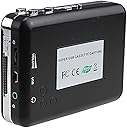
๐ถ Donโt let your memories fadeโdigitize your cassette collection today!
The AGPtek Tape to PC USB Cassette-to-MP3 Converter is a compact, plug-and-play device designed to effortlessly convert analog cassette tapes into digital MP3 files. Featuring auto-reverse playback, a 3.5mm audio output, and bundled with headphones and audio editing software, it supports Windows 2000 through Windows 7 systems. Ideal for preserving vintage audio and family archives, this affordable converter bridges the gap between nostalgic sound and modern convenience.
| ASIN | B00ADXLBS4 |
| Brand | AGPtEK |
| Brand Name | AGPtEK |
| Compatible Devices | Headphones, MP3 Players, PC |
| Customer Reviews | 3.8 out of 5 stars 1,147 Reviews |
| Interface | USB |
| Interface Type | USB |
| Manufacturer | BrainyTrade |
| Material | Plastic |
| Material Type | Plastic |
| Model | iT39 |
| Number of Channels | 1 |
| Number of Pins | 7 |
| Part Number | iT39 |
| Smart Home Compatibility | Not Smart Home Compatible |
| UPC | 768352423945 847977097264 847977097257 |
| Unit Count | 1.0 Count |
| Upper Temperature Rating | 85 Degrees Celsius |
S**N
Awesome! Easy way to convert your Cassette Tapes to MP3 (or any other audio format).
UPDATE: I finished all 60 cassette tapes with no problem. I change out the NiMh rechargeable batteries every 10 cassettes for safety purposes, but they never actually ran out. I have about 60 cassette tapes that contain children stories from the Adventures in Odyssey series from Focus on the Family. My Kids loved these growing up and now that I am about to be a grandpa for the first time, I wanted to pass these treasures on to my grand-children. But tape players are hard to come by today and most likely will not exist in the future and cassette tapes lose quality each time you play them and can get broken and damaged. I was looking for an easy way to convert these stories to MP3 and found this device. As cheap as it is, I thought it might be junk, but I have been pleasantly surprised. It is as easy to use as 1, 2, 3. It comes with a CD that includes the free Audacity audio editor. Audacity is a good audio editor but Goldwave is much better and you can also download and us it for free (for personal use). My tapes are old and have been heavily used over the years. The sound quality is still there, but there is a hum (or hiss) in the background once the audio is captured to digital. Audacity could not remove this hum (hiss) without distorting the overall sound quality, but Goldwave can almost completely remove it with virtually no detectable effect on the overall sound quality. So far I have converted 10 cassettes with no problems. I am using rechargeable NiMh AA batteries and I am still on my first set of batteries. I just changed them out, but not because they were dead, I just did not want them dying half way through a recording. So the player is pretty energy efficient. The build quality feels fairly cheap, but as long as it does the job is all that matter. The nice thing is that it has the Auto-Reverse feature, so you can record one whole tape at one time. You can turn the auto-reverse off if you don't want it. It also has a button to change the direction of play. The only thing that I wish is that they would have included an AC power adapter, but considering how long it runs on a set of AAs, I am not too disappointed. Pros: Low Cost, effective, auto-reverse, energy efficient, easy to use. Cons: None really at this price, but I do wish they included an AC power adapter.
G**N
Converts old tapes well
Overall I have been very happy with how this unit has copied old tapes. The sound quality come back good. I'm not sure if this has more to do with the tape or the unit itself. It is easy to convert the sound file into a an MP3 once the recording is done. Saves the MP3 in a small size for the length of audio. I was getting 30-40 mb for 40 minutes of audio. It does not play the tape out loud so it is good for copying. It can only receive power through the included usb cable, which works fine for transferring audio as well. The unit itself has the standard look and feel of a tape player from 15-20 years ago. has play, stop, ff, rew, switch the Direction of the tape( so it doesn't have to be flipped), play in a continuous loop or just one side. The included audio software is OK, but what one thong that annoys me is that when you are copying a tape if you are not there to stop it, the tape player will stop itself but the recording will continue. This gives you white noise at the end of the audio file for as long as you let it go. I would recommend this for anyone who has old tapes they want to convert to digital files. This product was provided at a discounted price in exchange for my honest review.
R**S
It's perfect for me
I came across two old cassette tapes in our family history boxes. I knew they existed - somewhere in the deep recesses of my memory. They contained the audio of an interview that my father (passed away now these last 30 years) conducted with my grandfather (40 years gone, and born in the 1800's). So, the audio would be great to have to pass along to the rest of the family. There's two problems here, though - First, I don't have a cassette player anymore, and I'm pretty sure that none of my children/grandchildren do either. And second, the quality of a cassette tape diminishes at an ever-increasing rate. The age of these tapes tended to make this more of a now project than a later project, or I might hit a point where it became an impossible project. So I go looking for solutions to digitize these tapes, knowing full-well that such solutions do exist. But I don't want to make too hefty an investment. I mean, the information on these tapes is invaluable. Priceless. Irreplaceable at any cost. But that didn't mean that I wanted to spend much on this project. Enter this little device - at a very reasonable price. It arrives, and it couldn't have been easier to use. That's not to say that it doesn't take a little thought and effort. Everything takes time, and everything is harder than it looks, so don't expect this gadget to do everything for you. You'll have to invest some amount of time and energy to get a good result. That's just the nature of life. First, I listened to a few minutes of the tape to be sure that I was starting on the correct side. The controls work just like your old Walkman - or any other portable cassette player that you've ever had. There was a noticeable hum on both of my tapes. Was this the player's fault or a function of 35 year old cassette tapes? I'm not sure. I didn't have any known-good tapes to play, so that wasn't really a question that I could answer. But more about this later. Once I had the correct starting point, I plugged in the cable that connected the device to the USB port on my computer, and did some input testing. The device comes with a little disc that I presume has a copy of Audacity on it. I didn't check. Audacity is a freeware audio editing program that I am somewhat familiar with and have used for various projects in the past. Since it was already loaded on my computer, I didn't bother to download the provided copy. It's readily available on the Internet, and there are all kinds of videos and other information that can help you learn how to use its various features. For a hack like me, Audacity will do more than I will ever learn how to do, but it's relatively easy to figure out how to do the simple things that were needed for this project. The controls in Audacity use the standard icons for recording, stop, fast forward, etc., so with a little bit of playing around, you can figure out what needs to be done. It was set up by default to receive the audio stream from the USB input, so I really didn't have to fuss around too much. After a few minutes, I started the recording in earnest, and let the tape play while I monitored what was going on through the computer speakers. It's great that the player auto-reverses, because my tapes used both sides, but this didn't require me to stop the recording, take the tape out, flip it around, start playback again, and then start recording again. Very convenient. When the tape was done transferring, I had an audio file that I could play on the computer. But it had the hum that I mentioned earlier, which was load enough to be a real distraction. The desired audio (the talking) was also at a rather low volume, so the hum was a nuisance. I figured Audacity must have some tools to alleviate conditions like that, so I searched the Internet a bit, and sure enough, came across a few things that I could try. I ended up taking a baseline reading on what was supposed to be a silent portion of the recording (between a question and an answer), and subtracting that from the entire recording. That helped. Then I boosted the level of everything. That helped also. Then I subtracted the baseline again. All of that helped. After a few hours - most of which were spent just letting the tapes play while I recorded them, I had some acceptable digital audio recordings on my computer, which I was able to share with the family. They were not of the highest quality. Again, I'm not sure if this was a degraded tape issue or a cheap device issue - but the final product was everything that I needed from this project. If you have tapes that contain hi-fidelity sound, then maybe you want a different device. I might question if hi-fidelity sound is actually available on a cassette tape, but opinions vary on that. If you want to transfer your live Dead-Head recordings to the computer, this will probably do that just fine. And at a price that Jerry would have approved of.
L**S
Didn't output any sound, and software hard to load
The converter that I received would not output any sound to the headphones or to the computer. Also, be aware that the software comes on a micro-CD. My computer has a vertical CD slot, and the disk would not load into it. I tried another computer that had a place for the little CD, but they didn't have the center holder in the tray, and it wouldn't load it either. I had to work around by copying files onto a portable device from another computer that had a center holder in the CD tray, and then transferring them to the computer on which I wanted to use the device. After all that, it wouldn't work. I tried it on 2 computers and also double-checked that I had a good tape by putting it in a regular cassette player. This converter was defective. I also went to the website to look for help, but the person who has written the tech support doesn't write English very well at all. It was of no use. I'm glad I bought this at Amazon instead of from the company directly. They may be good, but I think communication could be a problem.
S**J
Missing parts, but I made it work
Right off, I knew something was wrong. The word 'Open' is printed next to an arrow pointing to a few holes in a recessed area. I couldn't open it with my fingers. So, I pulled out my multi tool from the belt pouch and selected the smallest screw driver bit. It is bigger than the small holes, but if I put one corner in I could slide it in the direction of the arrow and open up the player. Next, I ask myself, "Do I want to have to have a tool on me each time I want to use this player?" Of course, the answer is no. I was almost ready to send it back. But then I had an idea. I could use my 3D printer and make a part to replace the missing opener. So, I bust out my calipers and take some measurements. A few minutes later I have everything measured and a new design in my modeling software of choice. I then slice that model up and print it out. 8 minutes of printing later, and I have a fully functional slider that opens this thing up beautifully. All is well, right? . . . Wrong. I'm an engineer, and not everybody who buys this will be an engineer. If this part is missing for other people, their only option may be to send it back and wait for a replacement or use their refund to order another product that may or may not be any better. My point is that, yes I got it to work, but I shouldn't have had to do anything. It should have been complete and ready to use without giving me an extra few minutes of design work. To be fair, I'm sure that returning the product would have resulted in me getting a working and complete player. I just didn't want to have to bother or wait for that result. This product includes a CD. I didn't bother to use the CD. I simply used Audacity (which I believe to be the software included on the disk anyway) that I already had installed on my laptop. Pro tip - The licensing rights for LAME (popular MP3 encoding library) have expired, so a current version of Audacity will include this feature built-in, with no need to find and install it separately. I play cassette recordings from this player at full volume, and adjust the 'microphone' gain in Audacity to capture the loudest I can without additional and bothersome noise or clipping. This results in a clear capture of my cassettes when adjusted correctly. I noticed that side A seems to play at the correct speed, but side B plays between 2 and 6 percent slower (not consistent), resulting in some sound distortion. For audio book cassettes this is fine, but for music this can result in some intonation issues. I used the 'Change Speed' effect in Audacity to correct this with reasonably good results. The auto reverse feature has two options. You may either play side A and then have it switch to side B to continue playing until the end of side B and then stop automatically, or you may have it play in a continuous loop, switching from Side A to side B, and then back again until the player is stopped manually or power is cut. If you are lucky enough to be able to open your cassette player, you will find the battery compartment inside. Remove the small cover and add the batteries as indicated. The battery compartment will be covered up or hidden by inserted cassette tapes, but will be easily accessible when no tapes are inserted.I have not yet used this feature as I have only used it connected by the included USB cable to my laptop, which supplies it with a continuous stream of 5V DC power. For the price, this is a good product. It works as advertised if it has all of the expected parts.
R**N
Works very well
I used this to transfer to digital a bunch of old home recordings I had from when I was a kid. Works much the same as an old Walkman would, except that the output goes to your computer instead of headphones. Fast forward/Rewind does seem slower than old cassette players, however. Recording using Audacity is super easy (though all the many features can be overwhelming - just refer to the instructions). Also, using Audacity's Noise Reduction tool, I was able to clean up much of the background hiss, and it sounds great! The only issue I had was with one particular tape, that for whatever reason the motor didn't have enough "oomph" to play right from the beginning. It hung up and stopped. I did eventually get it to work, but had to fast forward a bit before it would turn the sprockets. I'm guessing the tape needed more force than usual to turn - it is over 30 years old, after all. I didn't find this a big enough problem to subtract a star. I like that it allows you to put the tape on loop if desired, if you don't want to interrupt the recording for Side B. Anyway, would definitely recommend to anyone looking to digitize their old cassettes, and it's at a very reasonable price.
M**E
cheap and exceeds my expectation
Unpacking I ran into a 30 hour radio series on the Lord of the Rings on (sic) cassette tape! The thing is, I remember from decades ago, this series was actually extraordinary and I resolved to convert it to mp3 (to preserve it) and listen to it again. I purchased this device to that end. I am 2/3 of the way through this process and, so far, this astoundingly inexpensive little device and the included Audacity software has worked perfectly. Surprisingly, this device includes auto reverse on play (makes dealing with lots of cassettes twice as easy). It is also completely powered by the mini usb 2 connection (no worry about batteries running out during your rips) and comes with a pair of earbuds. The mp3s I've made thus far are OK within the limits of what you can get from an audio cassette older than my oldest child. Audacity is almost the gold standard for cheap audio production software: I've used it before. I'm not usually a pollyanna reviewer, just the contrary, but cheap, complete and excellent: what more can you ask?
D**4
Good sound quality, reverse direction playback didn't work.
The sound quality is very good and was extremely easy to get it working with my PC. The major problem with the player is that it does not work properly when the tape direction reverses. When playing 'forwards' the sound quality is excellent and there are no problems. When playing 'reverse', the sound is very muffled, and some of the music from the other side of the cassette can be heard faintly in the background! This indicates that the playback head is incorrectly aligned with the tape. When you flip the tape over and play 'forwards', there is no problem.
S**A
Worth buying
Review after nearly one and a half years of use: Digitised more than 50 cassettes with no issues. Just had to tweak the volume control to get the right results. A chargeable battery would have been better, but I can live with that.
C**R
Nil.
It is just like walkman taperecorder. With this it is not possible to convert to mp3 format through computer. Installation CD was given. But not able to convert from tape to CD.
P**H
Good product
Its good but defected piece and failed to contact with seller... its speaker isnโt working from the first day and I want to replace it
A**R
Five Stars
Elegantly retrieved old treasures using this simple stuff !
A**R
Three Stars
Ok
Trustpilot
3 weeks ago
1 day ago