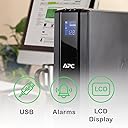
๐ Power up your productivity โ never miss a beat, even when the lights go out!
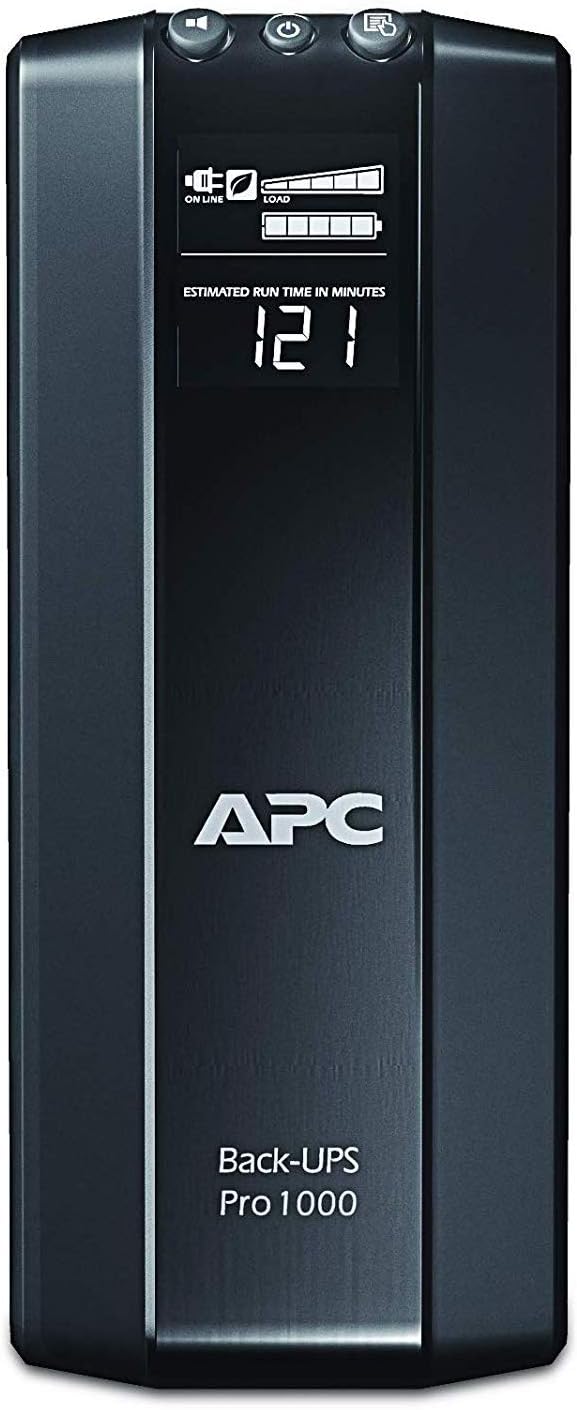
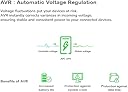
The APC Back-UPS Pro 1000VA (BR1000G) is a robust tower UPS delivering 600W of battery backup power with 8 outletsโhalf providing surge and battery backup, half surge-only. Featuring Automatic Voltage Regulation (AVR) to stabilize voltage fluctuations, it ensures continuous, clean power for your critical electronics. Intelligent battery management extends battery life, while USB connectivity enables automatic, safe shutdowns on Mac and PC. With a 3-year warranty and quiet operation, itโs the professionalโs choice for safeguarding productivity during power interruptions.
| ASIN | B0038ZTZ3W |
| Amperage | 9 Amps |
| Battery Cell Composition | Lead Acid |
| Battery Cell Type | Lead Acid |
| Battery Charge Time | 12 Hours |
| Best Sellers Rank | #694 in Computer Uninterruptible Power Supply Units |
| Brand | APC |
| Built-In Media | USB Cable, User Manual |
| Color | BLACK |
| Connector Type | NEMA |
| Customer Reviews | 4.5 out of 5 stars 2,010 Reviews |
| Enclosure Material | 1 |
| Form Factor | Tower |
| Frequency Range | 60 Hz |
| Global Trade Identification Number | 00731304278788 |
| Input Voltage | 148 Volts |
| Item Dimensions | 19.41 x 15.03 x 9.43 inches |
| Item Dimensions D x W x H | 15.04"D x 3.94"W x 9.84"H |
| Item Weight | 11.6 Kilograms |
| Manufacturer | APC |
| Material | 1 |
| Maximum Power | 600 Watts |
| Mfr Part Number | BR1000G |
| Model Number | BR1000G |
| Number of Outlets | 8 |
| Output Current | 9 Amps |
| Output Voltage | 120 Volts |
| Output Wattage | 600 Watts |
| Power Plug Type | Type B - 3 pin (North American) |
| Product Dimensions | 15.04"D x 3.94"W x 9.84"H |
| Runtime | 6 hours |
| Specification Met | No |
| UPC | 112840035972 641438060534 971477756083 041114110735 731304278788 617407433401 640206656146 782386500069 731304286240 807030490876 804993337118 854032055343 521227122714 065949585711 640026110132 611101329886 809385661376 777050000891 731215385612 806293523901 014444607350 778888192109 163120317370 809185809756 809186266367 |
| Voltage | 120 Volts |
| Warranty Description | 3 years |
| Wattage | 600 watts |
M**G
Reliable and quiet
This summer I encountered several power outages at my home due to heavy thunderstorms passing through and decided I need a UPS for my computer. Among the Back-UPS PRO family I chose this model providing 1000VA/600W after weighing my power needs against the physical size and weight of the UPS. I run an iMac with a couple of external hard disks, having a total power consumption of about 180-200W in typical usage (web access or text editing). The UPS tells me it provides about 25-30 minutes runtime for this load which very well meets my goals. I mounted the UPS on a single-board shelf at the foot of my computer table - a laptop style table on casters which I had already heavily customized to hold hard disk and other accessories while hiding cables in the back. The shelf needed to be rather sturdy to hold the unit's weight of 23 pounds. A pair of braced brackets and a wooden board from a hardware store were sufficient. The shipping box contained the UPS, a USB cable to the computer, and a coax bridging cable, and no accompanying software, as several users noted. That said, add-on software is not needed on the Mac since Mac OS X has very good built-in support. Upon connecting the USB cable, the OS recognizes the UPS model and presents options relevant to UPS operation in the Energy Saver preference pane (under Lion, and I believe since Leopard). Sleep times and screen dimming can be customized specifically for the scenario of running under UPS power. A shutdown can be initiated based on one or more of three criteria: time having run on UPS, time remaining on UPS, or percentage charge remaining on the UPS. I chose the latter, with a conservative setting of 25%. The model does not make any noise during regular use. On loss of input power, it starts to quietly hum a little from the internal power source. On push of a front panel button, the font panel display cycles through various characteristics such as voltages, power, and estimated runtime. Its back-light can be set such that it is turned off during normal operations and comes on for a minute after pushing one of the buttons. I wish the display were a little more data-rich to avoid the cycling. The buttons are a little mushy and wobbly but suitable for the expected infrequent use. There is a sufficiently loud beeper which can be muted. By default, it beeps after loss of input power. As others noted, the beep would be rather inconvenient at night, and the ability to switch it off is very welcome. On loss of input power the computer is notified and Mac OS immediately pops up a warning message. After reaching a configured threshold while on UPS power the computer is shut down in an orderly manner. I had this unit for a couple of weeks now and I am very happy with it.
M**R
Does the job well
I bought this to deal with the blackouts I had been dealing with. After three power outages that abruptly turned off my gaming PC in the middle of usage, I needed to find a way to protect my PC from further power disruption so as not to break it. This back-UPS is heavy but sturdy. It is not a plug and play machine. You actually need to physically pull out the battery and flip it over to insert the battery in the correct orientation. If you don't do that, then it probably won't work. I didn't install the software or in fact mess with any of the settings. Once I installed the battery correctly, I plugged in my PC tower and my double monitors. After some consideration, I plugged in my TV and PS4 as well because I had extra plugs. And I did use multiple extension cords to fit everything. When my first power outage happened I didn't even notice it happening. My computer didn't flicker or react in any way. I was pleasantly surprised at how smooth the transition was from power to battery. Unfortunately, with my computer on, the display said it only had 10 minutes of power left even at full battery. Which is fine for what I needed--all I wanted was the chance to properly shut down my computer on my own terms in the event of a blackout. Once my computer was off, the display changed to around 100 minutes of power, and when I turned the TV on it changed to 60 minutes. The run time isn't very long but the UPS was satisfactory for me in providing continuous power to protect my computer. I haven't used it very long so I can't attest to its longevity. As a side note I noticed when I first plugged everything in I faintly smelled burnt plastic. The smell lingered for a couple days but I didn't see any issues with the device. After a while, the smell vanished. I'm not sure what it meant but in my personal experience it did not affect its ability to do its job.
S**S
Works great! Mostly compatible with Macs
I've bought two of these now. They are great. Thought this review may help a mac user considering purchase. The advanced power settings require windows to setup, but I did this through Parallels, and it works great. When I'm done at night, and power down the computer, all of my (now inactive) peripherals that are plugged into the managed plug are powered down to save power. I know it's about 15 watts it's saving me thanks to the great LCD display on the device. Not much, but it all adds up. Again... to take advantage of certain advanced settings you need Windows. It'd be great if APC made a Mac version of the management software, but if you can use a PC, parallels, vmware, etc... (even borrow a buddy's temporarily for the setup) you'll be good to go with the advanced power management settings. But even without using Windows the basics work great... When I plugin in the provided USB cable to my mac, the battery level, remaining time and power source show up at the top of the menu bar on Lion and Mountain Lion (may also work with previous versions of Mac OS X - you'll have to look). Also, in System Preferences additional options show up on how to handle a power outage. These are built in to the OS and work perfectly with the APC BR1000G UPS. One of these keeps my DSL modem, my Airport Extreme base station, some external hard drives, and a Mac mini I use as a fileserver and iTunes server running. It'll run for quite a while too. So... since the router and Wi-Fi access point have power backup, the internet keeps running though a power outage! Very nice... since ipads, laptops, kindles, etc have their own batteries (gives you something to do while the power is out) but it's especially nice for minimal downtime for those momentary power outages. For home or business use it doesn't take much time wasted with power outages to justify this purchase - especially if you have irregular power service. I highly recommend this product.
C**B
APC BR1000G UPS
I just got in this UPS and installed it. That means the information I'm providing is short dated, specifically that I haven't had it in service but 2 hours. I'll base my review on the installation. The UPS came in two boxes, one box from the APC factory and then inside another box from Amazon so it was well packaged. It came with the normal documentation, installation manual, warranty paperwork etc. Inside the box was the UPS and two cables, a coaxial cable and a USB/telephone jack cable for installation of the software. The installation manual says use the USB/tel. jack cable to install the software from the CD. But there is no CD in the box. I went to the APC website, looked up the software to use (I selected the Powerchute personal edition Version 3.0 for Windows 7, which is SFPCPE30 on the website) and downloaded it. After connecting the UPS to my computer, dual 22 inch monitors, and external 1.5 terrabyte hard drive used for backup, I tried installing the software I downloaded and got a message that it couldn't find a UPS connected to my system. I realized I didn't have the USB/telephone cable hooked up so I connected it, hit the install on my software download, and it installed immediately. I have it (the UPS) plugged in to a surge protector (because of distance from the outlet) with an on/off switch. So after installation of the software, checking the options quickly to see if I wanted to change any of the defaults, I hit the off switch on the surge protector and the computer stayed on as if nothing had happened. However, the display on the UPS beeped and told me the power was off and I had roughly 33 minutes of battery left. I then flipped the power back on and the display then changed and told me I was on AC power again and it was working normally. The UPS display shows that it's online (AC power), the load level, and voltage level. I'm currently getting 122 volts. I haven't tried changing any of that. All in all the installation was easy and the system is working like I expected. Time of course will tell my satisfaction level over the long term but the installation was easy and initial experience good.
M**P
Good Customer Service Report
Summertime when the storms roll in, we always get bad power flicker. And in the winer with just a little snow, the trees in the lines flicker the power even more. I bought this unit for a Mac and several external hard drives to combat the problem. Easy set up. The back up does communicate with the Mac and lets you know it's working and if it's running on battery or not, but does not display all information on the Mac such as percentage of charge. Easy enough, I can look down at the unit itself and see on the front display. I do not find the unit too noisy, about average to other UPSs I have used. Well, two months after I installed the unit, after it made it through hurricane Irene and the "Big Earthquake" of '11, a small summer thunderstorm blew up and lighting struck. I was working on the Mac and it went dead. Fearfully for my Mac and external drives, I waited for the storm passed, removed everything from the UPS and plugged them all straight into the wall. Everything was saved! The Mac was mad that it was not powered down correctly, but it was saved, the surge protection did its job. However, the UPS unit was toast. I could not get the unit to power up. I emailed APC customer support through the APC Web Site to see if there was anything that I could try or do with the unit. I did not have much hope, I mean it did save my computer, it did its job. I found emailing APC easy. Got a quick reply, went back and forth on email with information on the unit's serial number, placement, what was plugged in where and different things to try get the unit to start up. After just a few emails, they sent me a new replacement unit. I was responsible for shipping the malfunctioning unit back to them, but that is a small price to pay. I didn't have to call in anywhere and wait on the line for hours, all was done quickly and efficiently through email. It was a very easy, pleasant customer service experience.
L**G
Great for a PS4 in sleep-mode
I wanted to get something to back-up my PS4. I was putting my PS4 into sleep mode all the time, which is a cool feature, but overnight power blips would often shut it down non-gracefully, which can corrupt your hard drive. I researched several UPSes, and was about to buy one that was $60, but found on reviews that it did NOT have an "auto-restart" feature, which pretty much prevents its use for my purposes. Imagine, the PS4 is in sleep mode, the power blips off for 5 seconds, the UPS goes into battery mode, and does NOT go back into power-line mode when the power comes back up. Thus your PS4 continues to run off the battery until it drains totally out, and then powers off suddenly. It's true, the PS4 may make it through the night on standby running on the UPS battery, but I didn't like this scenario. I researched this one, and it seemed to have the "auto restart" feature. It was a little more expensive, but decided it would have other uses as well. I ordered it and it arrived superfast (thanks Amazon). It's seems to be a very nicely designed unit. Works as intended. It has an nice display which shows the power draw, estimate running time, and actual time left. You can also mute it. I tested it with my PS4 in sleep mode by unplugging it. It worked great. Plugged it back in, and it switched back to line-power mode. Great item for my application!
B**A
APC UPS Pro 1000 Backup
This unit was easy to set up and worked beautifully out of the box. I love APC units. My last one was set up on my old PC system. It saved my components from a major power surge that destroyed everything else not connected. APC also is a wonderful company that stands behind its products should you need technical support or have a problem during the warranty period. The features of the Pro 1000 are very nice. The LED indicator saves power by going off until the power goes out. Then it lights up to give you the voltage status, battery time and load figures. You can also view all of these by pressing a button on top. The software is excellent also, giving you a log of the outage or blackout events and will also test the integrity of the unit. The battery needs to be changed every 3 years to maintain the warranty on it. They aren't cheap, but it's worth it for the warranty. The value of the unit is not only in saving components attached to it, but in being able to continue to work and save that work that you're doing on the computer when the power does go out. This unit measures 15"Dx9.5"Hx4"W.
J**A
Unreliable product
I broke down and bought one of these because the power grid in central Virginia has gradually become more unreliable and I'm tired of my PC shutting down unexpectedly. I was familiar with APC and expected a quality product. Bought the first BR1000G and set it up at the end of November 2017. My desktop PC, monitor, printer, speakers, and router/modem were plugged in. About three weeks ago we had a 7-hour power outage; I was able to shut my stuff down without anything crashing, then I turned off the BR1000G. After the power came back on the BR1000G would not power back up. I had an online chat session with a very pleasant and knowledgeable tech support agent, but the unit would not power back up. He sent me a new replacement unit and a postage-paid label with which to return the failed unit. Yesterday we had a 20-minute power outage and all the same stuff happened. I'm on a tech support chat session again. The replacement unit won't power back up, so I requested a refund. I've been told they don't do refunds, but they're going to send an upgrade -- a BR 1300G, which I hope is more than just a slightly larger battery with more backup time. I certainly can't recommend this product to anyone since I'm oh-for-two, using the units exactly as they are supposed to be used. I'm just hoping that I don't go through this again the next time our power goes out. Update: The BR 1300G arrived on Monday, February 5, 2018. I plugged it in to charge overnight and then hooked everything up the following morning. THAT VERY NIGHT the power went out at 6:35 pm and was off until 2:15 am or so. I tried something different when the power died: I powered down my PC, monitor, speakers, and modem/router, but left the BR 1300G running on battery power. The readout showed the estimated amount of time slowly dwindling. When I got up at 2:15 the readout showed zero; batteries were fully discharged. I left things alone. By 8 the next morning the batteries were about two-thirds recharged; they continued to charge and everything seems fine since. So maybe that's it -- when the power goes out (as it obviously does around here fairly frequently) don't touch the On/Off button. Or maybe I just now have a unit that works. Either way, I still can't recommended APC to anyone.
B**O
excelente marca
cambie a varias marcas, pero esta es la mejor, este modelo tiene varias opciones en pantalla que se ajustan a mis necesidades, muy contento
P**M
Quality unit
I'm so far very impressed with the BR1000G, though I haven't had a brownout at all I have tested its capabilities. It's quite an attractive unit, and it looks nice sitting next to my components. Plugged into it, I have a Synology DS1815+, a Netgear Nighthawk AC1900 R7000 router, a Synology DS115J, a digital alarm clock and a cable modem. According to the LCD display, this represents 11% load, and can run all the devices for 68 minutes without power. It seems like a sturdy and reliable power backup for a smaller setup, and as I said, I did test it and it works well.
A**R
Defective unit, but also poor quality overall
First impression on unboxing was the poor build quality. The plastic enclosure creaks and strains as you life it out of the box. Plugged it in and that god awful fan spooled up. In a UPS at this price point you've every right expect good design and the choice of that low diameter high RPM fan alone is reason enough to not buy this for home use at least. The unit I received is also faulty even though the attached QA report declared everything to be passing. Battery ran out in 25 minutes with 0 load (all connected systems powered off, 0 W on UPS load indicator). Battery supposedly charged from 0 to 100 in 40 minutes which is also dubious. There are also grounding issues with this unit, there is electricity leakage on all metal parts of my PC, including keyboard chassis. Might be a warranty replacement would've fixed these issues, but it feels like a terrible product generally so I'm opting to get rid of it. APC customer service is also lack general awareness about retailers and the fact that Amazon doesn't accept returns of UPSes etc. and were utterly unhelpful. Been trying to put up with it for a week, but the cacophony of that fan is enough to drive a person mad. Amazon's customer support and delivery service has been fantastic as usual, but would not recommend this product to anyone I don't hate.
T**Y
Great Backup!
I've already got another APC backup so this was actually a natural choice. I have this Pro1000 hooked up to my high-end computer, and another Pro750 hooked up to my Playstation 4. The package was complete, and the product works wonderfully. The software is also compatible with Windows 10.
P**I
Good Needed Must
Bought it after running up and down various etailers cause my research led me to the right ally. I have a requirement to save very costly equipments and ordinary UPS will not do its job. To cut my story short, this is what I have: 1. LED TV. 43 Inch. 2. Home Theatre. 5.1.2 channel. 3. Game console 4. A/V Receiver In total they consumed close to 1000 V, but since all of them will not be in parallel the average usage will be around 400-500 V if 2 equipments are running in parallel. Why APC UPS ? This is a inline or online UPS. It steps up voltage when low input is received and provides surge protection when high input is encountered. It has LCD screen with various diagnostic features such as MTF (mean time to failure aka. total drain), Self tests, Average usage graph etc. I am absolutely scientific in thoughts (being a researcher) so features will matter to me only if they provide me real time data and with solid facts. I hate glossy features and unfounded facts which are only to impress novices. It provides excellent options in terms of number of sockets and the most important feature is that sockets are placed in various configurations (Surge protection only, Surge + UPS), Network cable sockets, Extra battery pack support, Firmware update feature (requires network to USB cable - provided) and software to monitor application. This is more than enough for a person to handle and keep a good hold on UPS health and features. Support system of APC is unmatched in this field. So, this product had to be mine. My precious. :) What do others say ? 1. Very noisy : YES. It should be. The product has mother board, battery and wires all beautifully packed into a gorgeous ABS plastic console which will work at high temperatures, dusty, humid conditions. To save internal components APC engineers have added a large brushless fan which will work only when operation temperature is exceeded. This fan also kicks in for few seconds when UPS is turned on, when UPS is providing backup, when ambient temperature exceeds set limit. The noise itself is not from fan, but when the force of air collides and deflects on the sills. Watch closely, you will understand how this works. 2. Tripping noise : This is for a reason. I am not saying this is a beauty feature of this product, but shouldnt you know when the UPS kicks in to keep you aware of voltage input ? 3. Heavy : At 12 Kilos, this is a solid product hard to negotiate with. If you are planning to keep it on wooden stands or support make sure it is strong. I mean really strong. Ideally should be placed behind your entertainment console or workstation so that you reduce possibility of kids meddling with this equipment or worst falling when pushed off balance. Do not place this item beyond half a foot from floor. BE VERY VERY CAREFUL. Plan and design right spot for this equipment. 4. Cost : Yes. Its seriously on the high end. Hard to justify, but I'm sure it comes with a premium cost due to build quality and product performance. Might be Achilles heel. 5. Not good with diesel genset or facility backup features : Not sure what parameters were used to check this. Some people reported that there is a distinct humming noise from sockets in the wall, but that needs socket investigation on the input line not the UPS itself. Better to use high amp sockets on the wall to be safe with thick wiring of good manufacturers. Having said this, this writer is of opinion that given the options available to Indian entertainment console enthusiasts, backup and protection are crucial insurances. Going by wide support, low product failure rate and industrial product build quality a product as this is an blessing in disguise and a must for costly entertainment devices and consoles. Adding a voltage stabilizer to feed this monster will be adding honey on butter scotch ice cream.
Trustpilot
1 week ago
2 months ago