


๐ Upgrade your desktop WiFi game โ speed, range, and reliability in one sleek card!
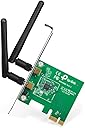
The TP-Link N300 PCIe WiFi Card (TL-WN881ND) delivers fast wireless speeds up to 300Mbps using advanced 2T2R MIMO technology, ensuring stronger and more reliable connections. Designed for desktop PCs, it supports multiple operating systems including Windows 7 through 11 and Linux. With easy WPS setup, a 2-year warranty, and 24/7 technical support, itโs a trusted choice for professionals seeking seamless, high-performance wireless networking.


| ASIN | B0079XWMEI |
| Best Sellers Rank | #567 in Internal Computer Networking Cards |
| Brand | TP-Link |
| Built-In Media | TL-WN881ND |
| Color | Black |
| Compatible Devices | Desktop |
| Compatible Operating System Family | Windows |
| Customer Reviews | 4.3 out of 5 stars 5,559 Reviews |
| Data Link Protocol | IEEE 802.11b , IEEE 802.11n |
| External Testing Certification | Grau 1, Nรฃo aplicรกvel |
| Global Trade Identification Number | 00080850499360, 00845973050573 |
| Hardware Interface | PCI |
| Item Dimensions L x W x H | 3.09"L x 4.74"W x 0.85"H |
| Item Weight | 4.8 ounces |
| Manufacturer | TP-Link |
| Mfr Part Number | TL-WN881ND |
| Minimum Required Operating System Version | Windows 7 |
| Model Number | TL-WN881ND |
| Number of Items | 1 |
| Product Dimensions | 3.09"L x 4.74"W x 0.85"H |
| UPC | 012304979722 745449835683 080850499360 803983008458 666674962534 350112759830 731215277047 807030505907 565564869055 758399150058 112840006255 809186281605 809185824988 845973050573 723856183641 842674790227 809385676455 634392761067 |
| Unit Count | 1 Count |
| Warranty Description | 2-year warranty |
A**D
Great card totally worth the money.
I have gone through 3 (this is my fourth wifi adapter purchase in about a year) wifi adapters for my PC that I upgraded to windows 10. The three other ones all supposedly supported win10 or there were drivers for windows 10 that were really for windows 8. All three of the previous ones I spent many times getting different drivers trying to get the adapters to work. All of them suffered from similiar problems...the internet just cuts off for no apparent reason or the wifi adapter disconnects for some reason. I was skeptical because after 3 adapters you get that way. Also, the other three adapters were all usb and I have not eliminated that the adapter was not to blame but instead the usb ports and bad drivers. That is a big possibility however I have bluetooth usb, xbox controllers, usb storage, all work fine and without a problem. I have even hooked up 3tb internal hdd with a usb kit and transfered about 2tb worth of steam games over usb and (while taking many hours) never had a hitch. So I don't know. This one is a PCIe card and after 3 adapters, this one works great. With my other adapters, if I wanted to install a 10gb game from steam it would start out at ok speeds but would randomly cut off for no reason. I once started a download of Diablo 3, left to go to the store (5 mins away) and came back and it only downloaded about 600mb. This card downloaded GTAV at max speed without ever disconnecting or stopping. Steam gave me a time it would download in and I set an alarm for that time (plus 5min) and sure enough the game had started when I came back to check on it. So far I love this card. Speed is great. I can stream HD video and download and still get top speeds from steam.
D**L
This company provides Excellent Customer Service.
I bought this little jewel of a Network Card, because I have a mid-sized Desk-top machine, and wanted a faster Network than the (At The Time), USB options could provide. Pull the card out of its box, install it into an available PCI Express Slot, install the Driver (located on the provided CD-ROM), connect the external antennas, and off it goes. Well, not quite. I installed this Device into the shortest PCI Express Slot that I had on my system, and it sometimes worked, and sometimes not. I was able to get it working (more often), by removing all Network Devices from within Device Manager (Windows 7), and then Restarting the Computer. As time went by, however, this fix worked less and less often, until I was at my wits end as to what to do. Before throwing out the Card and trying something new, I wrote to TP-Link Customer Support, and described my problem at quite some length. The Company Representative who replied to my call for assistance was very nice, and had me try out the Adapter Card in another Computer. It worked flawlessly. When I was putting it back into the first machine, I noticed that I had two PCI Express Slots, one of which was longer than the other. Just to see what would happen, I installed the Card into the longer PCI Express Slot, and that fixed my entire issue. I'm sure that newer Adapter Cards and other Network Options are available, but remember, if you purchase something from TP-Link, be sure and write the company. The time invested might just save your sanity.
A**R
Lasted two years, great for its value
Back when I built my first PC, I thought that WiFi, being the prevalent thing that it is, wouldn't be an issue I would have to face. Well, it ended up being so. For that, I learned not to cheap out on motherboards. I got this PCI-e card as a temporary solution for my problems. Initial installation was quite easy, a simple plug and play and you were ready to go. No special drivers were needed in the process (I ran Windows 10 64 bit with a Gigabyte H110M-A). For its value, I got a relatively decent but stable internet connection that didn't pose any significant issues in the long run. In the two years that I've had this, this card only started to noticeably deteriorate during the last few months of its lifespan. Starting out with inconsistent speeds, the card ended up going through multiple periods where it would stop functioning before it failed altogether. Despite its shortcomings, expect this card to last you for a long time. For desktop work, this is the perfect option. If you're looking to game with this card, this will also perform well if you're on a budget.
M**K
Great Product. Would Buy Again. 10/10
I love this thing! The software isn't difficult to install and isn't bothersome to the user. You pop the disc into the disc drive, install the software, input the password to the network (if applicable), click close and it'll never bother you again. I'm not going to lie, when I first started using this it was extremely sluggish. (The following readings were given to me by Steam when I would download games, and they were constant throughout the downloading process,) Probably about 800KB/s-1.2MB/s, but now I'm getting anywhere from 2.5MB/s-4.5MB/s on average. I've gone up as high as 6.1MB/s before. As of now, probably a week and a half in the antennae are working fine and aren't having trouble staying up. You might have to move them around a bit to get a good signal, but it's expected, perhaps? This is a great adapter that does what it's supposed to do. This card is for a Mid-Range Budget Micro ATX gaming build/case and it fits perfectly next to my gigantic MSI GTX GeForce 750TI video card!
T**N
Works wonders!
I didn't want a cord running through the length of this house, so I bought this. Easy install and everything. But it does not work well through walls. Works, but not well. I had to move the wireless router to the other end of the living room, where it'd be closer to my computer. Either way, it looks cool to having an antenna or two hanging out the back of my machine. --EDIT-- After getting some Windows Updates, this started to run a lot faster and with greater reception. Turns out it was my machine that needed updates... or something. 'tis all good now and I'm enjoying it So I gave it two more stars and changed the title of this review. Did I mention the affordability? I'm in the process of building another computer and plan on buying this again :) :UPDATE: Gaming great with no lag! Built three computers and they all have one of these. I started a fourth and it's gotta have one, too
Z**H
Antennas are kind of weak, drivers aren't great on Windows, works on Linux
I bought this card because I wanted to switch from a USB wireless card to an internal. I ended up buying this one because it was cheap and had Linux drivers readily available. I found the signal strength to be very wanting on this one. In a room where my laptop has good signal strength, this would have poor. So I looked into the specs a bit more and found that the card came with a low gain (2dB) antenna. I figured what the heck, maybe I can replace it with a pair of high gain antennas (8dB) and it might fix it. So I bought a pair and that cleared up the signal strength issues. Now on to the driver issues: The TP-Link drivers come with a configuration utility. I found that the default Windows configuration utility would not work with this card no matter how much fenagling I tried. So I bit the bullet and continued using the TP-Link utility. I don't particularly like it when I need to use a third party utility for my wireless card... It's 2014, not 2001! There are high quality utilities built into most OSes for networking! In spite of these two complaints though, it's overall not a terrible card. It works very well with Ubuntu out of the box, and once the signal strength problem is solved with the better antennas, it provides decent throughput and a good signal. For the price and the 8 bucks I spent on the other antennas, I'm reasonably happy with it. So it gets 3 stars for being a mediocre overall product. Verdict: If you're reasonably close to your wireless router this will work fine with no modification. If you're maybe about 100 feet away on a different floor, get high gain antennas or a different wireless card.
S**E
Works like a charm
Opened the case, installed the card, and Windows 8.1 recognized and installed the drivers automatically. Instant satisfaction. I use this card to connect to various online games (Warframe, Battlefield, etc), stream videos via Netflix and from my iTunes account with no lag issues at all. I connect to a Netgear Nighthawk AC1900 router and get full bar connectivity. The router is in my basement and the PC is on the second floor of my home. If you want easy and reliable, this is it. You don't have to be a pro to install one of these in a PC. Just make sure you have the PCI-E slot in your motherboard. Best thing to do to find out is to open your motherboard and look for the little interface slots. Look at the close-up photo for this motherboard http://www.amazon.com/ASUS-M5A97-R2-0-SATA-Motherboard/dp/B008V9959O/ref=sr_1_5?s=pc&ie=UTF8&qid=1426157777&sr=1-5&keywords=asus+motherboard the PCI-E slots are blue. My suggestion is, if you want reliable wifi connection for your PC, get this, not a USB Wifi device. I used to have one and lost connection or the connection reliability always was flaky. I was a little skeptical at first if a $20 wifi card would be good, but it is. Hope this review helps you decide.
K**S
A bit off
While having this for almost 10 months I've noticed that it cuts out sometimes. I'm assuming it's from being overheated(AZ, it gets hot here), or if too many devices are on my gateway. Since my Desktop is so far away from my Gateway, I installed this on my new build, it does fine majority of the time, but I've had it cut out at least 5 times. By CutOut I mean it just turns off/stops working out of nowhere. I could be in a VoIP conversation and it'll just disconnect, and I'll have to turn it off and reboot it back up, then connect back to my choice of network. It doesn't happen as often for it to be annoying, but it's noticeable that it's not the build, but the network adapter. I'd recommend this for a temporary cheap adapter, but probably not a long-term one. 8/10 for me :0.
L**E
Recomendo
Funciona perfeitamente.
S**R
Excellent
Excellent
J**E
Ok
Ok
D**F
Good product, easy to install.
Product worked well. Was recognised and installed by Windows 10 with no issues. Connects easily to WiFi.
N**R
Great for the price. Gets any job done.
Don't worry about the chart in the product description, it's just a lie to get you to buy their more expensive models. This wifi card works great. I can transfer files across my network at speeds of about 80mb per second. I am able to stream hd video without any problems, even 4k. I have also streamed to Twitch in 720p at 30fps with no problems. I would probably even do 1080p if I had a better gpu. I would recommend this.
Trustpilot
2 months ago
5 days ago