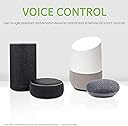
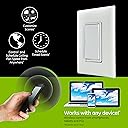
๐ฌ๏ธ Elevate Your Fan Game with Smart Control!
The Enbrighten Z-Wave Plus Fan Control is a smart switch designed to replace standard in-wall switches, allowing you to remotely control ceiling fan speeds and manage multiple fans from a single device. With a range extender feature, it enhances your Z-Wave network coverage, and its customizable paddles ensure a perfect match for your home decor.


| ASIN | B06XTKQTTV |
| Actuator Type | Push Button |
| Best Sellers Rank | #1,440,065 in Tools & Home Improvement ( See Top 100 in Tools & Home Improvement ) #362 in Ceiling Fan Wall Controls |
| Brand | GE |
| Brand Name | GE |
| Circuit Type | 3-way |
| Color | White & Light Almond |
| Connectivity Protocol | Z-Wave |
| Connector Type | Clamp |
| Contact Material | Metal |
| Contact Type | Normally Open |
| Control Method | Voice |
| Control Type | Speed Control |
| Controller Type | Amazon Alexa, Google Assistant |
| Current Rating | 2.5 Amps |
| Customer Reviews | 4.3 out of 5 stars 1,015 Reviews |
| Global Trade Identification Number | 00030878142878, 00030878552585 |
| Included Components | 1 Smart Switch |
| International Protection Rating | IP00 |
| Item Dimensions | 4.2 x 2.2 x 2.2 inches |
| Item Type Name | Enbrighten Z-Wave Plus Smart Fan Control, Works with Alexa, Google Assistant, 3-Way Compatible, ZWave Hub Required, Repeater/Range Extender, White & Light Almond, 55258 |
| Lower Temperature Rating | 32 Degrees Fahrenheit |
| Manufacturer | Jasco Products Company, LLC |
| Material Type | Plastic |
| Model | 55258 |
| Mounting Type | Wall Mount |
| Number of Items | 1 |
| Number of Positions | 1 |
| Operating Voltage | 120 Volts |
| Operation Mode | ON-OFF-ON |
| Part Number | 55258 |
| Smart Home Compatibility | Smart Home Compatible |
| Switch Type | Dimmer Switch |
| Terminal | Screw |
| UPC | 030878142878 030878552585 |
| Unit Count | 1.0 Count |
| Upper Temperature Rating | 40 Degrees Celsius |
| Warranty Description | 2-year limited warranty |
| Wattage | 100 watts |
G**Y
Works Great! Love it!
I was going to give this 4 stars because of how difficult it was to link up to my Wink Hub... but I decided that wouldn't be fair because the issue was with the Wink App / Hub not this device. The device was easy to install and it only actually took about 10 minutes to install in place of my existing fan switch. They include an extra "White" wire in the box so you can run the required "Neutral" connection to the device. If you aren't comfortable or knowledgeable with electrical wiring, get someone who is to install this as it does require some electrical skill. Once the unit was installed, I was able to test it manually. Tap the top of the switch to turn the fan on... tap the bottom to turn it off. Press and hold the top to increase the fan speed... press and hold the bottom to decrease the speed. Linking to my Wink controller wasn't as straight forward as I'd hoped. Wink includes a Bar-code Scan option to scan the device bar-code you're installing and Wink will automatically load up the configuration options for you. I scanned the bar-code and Wink told me this was an unsupported device... :( It's not really, it's just not automatic-out-of-the-box. So, I went the manual route. Now, when selecting the device to install, I picked a "GE In Wall Smart Switch" from the "Utilities and Climate" because that section shows ceiling fans. Tried several times and it kept failing with the "This is taking too long..." error. I finally called Wink support (They were very helpful BTW) and got it straightened out pretty quick. They told me I needed to install it as a "Lighting Dimmer Module"... I wish there was something in the documentation that mentioned this. Even the Wink support page for this device just says "Follow the manufacturers directions to install". But the included instructions just say to follow the Z-Wave Controllers Instructions to add the device.... kind of a catch 22. Anyway, with Wink support on the phone, we tried adding it as a "Lighting Dimmer Module" and that didn't work... still. So, the tech had me put the hub in "Z-Wave Exclusion Mode" (if you're not familiar with this, there's online information) to remove the device from the hub... then put the hub in "Z-Wave Inclusion Mode" to add the device... kind of "Back-Dooring it". Well, this worked fine and the device showed up as a GE Lamp in my device list. I was able to edit the device and correctly show it as a fan controller by picking a custom icon. The thing works great! It says on the box you can set High, Medium and Low speeds... You have to figure out what % Level in Wink triggers each speed as Wink will allow you to set any percent level 0 - 100% to the module just like a dimmer. But, the unit will only drive the fan in 3 speeds. I believe 20 - 35% is low, 36 - 80% is medium, 81 - 100% is high... at least on mine.
D**D
Works fantastic with Samsung SmartThings... if you have a properly wired gang box.
GE Z-wave 14287 is exactly what I've been looking for to control my ceiling fan through smart applications. Some important notes to consider: 1. Wiring can be a bit tricky. Instructions say "15 minutes". I say hogwash! 15 minutes is possible if you have a single-pole setup, with power and load wires all in a single-gang box. In my situation, I had my fan wired to be controlled from multiple locations in a 4-gang box. There is a A LOT of re-wiring if you plan to attach an add-on switch. 2. Did I mention you need power coming to your gang box? If power is coming to your ceiling box, then distributed to your gang box for switching, you will not be successful. 3. I have this paired with Samsung SmartThings hub. Works fantastic. There appears to be a small compatibility issue where the LED on the switch cannot be controlled from the app.
J**R
Great switches for your $$
Fan Switch only review: So far, I have installed four of these smart switches for fans. GE recently changed the model (new # 14287) so that there are three (not so distinct) settings as opposed to a continuous adjustment (aka dimmer). Each position is denoted by the rate at which the LED flashes. There is NO tactile feedback when you move the speed setting. Thus, you need to pay attention to the flashing light. This can be a learning curve for the those people who have not used these (GE Z-Wave dimmer) switches. As my latest installs are at a house still under construction, I have not yet paired,or used them with a smart hub. The planned controller hub is a Vera hub. The older style fan switch (GE # 12730) adjusted the fan from zero to 100% speed. On some fans this was a problem as the motor needed to operate at a specific speed/voltage, otherwise the fan made a buzzing noise. But, it was easy to adjust the fan speed when controlled by Alexa. For example: Alexa, set bedroom fan to 40%. I have two of these switches installed using a SmartThings controller coupled with Alexa. GE Z-Wave On/Off switches: 12722, 12727 These are great for creating smart circuits. I prefer using the paddle type over the toggle, I have installed both. I found some of the toggle types don't seem to line up with face plate holes. These can be the master in a multi switch circuit. GE Z-Wave Dimmers: 14294, 12729 Same comments as above. In addition, you may have to educate the end user on how to set the dimmer. It may not be intuitive, particularly the toggle switch. These can be the master in a multi switch circuit. GE Z-Wave Dimmers: 14289 (Edit 1/21/2019) This is a new model dimmer switch that uses a smooth face. You tap the surface for on/off and drag a finger for dimming. An interesting design, yet, I find that it falls short in execution. One tap executes on/off. When you raise your finger to and retouch the switch for dimming, or just touch it to adjust the lights, the go off! My first install has been pretty frustrating. (Edit: 2/6/2019) The female occupant in this house absolutely doesn't like it. I expect to replace it soon. GE Z-Wave Add-On: 12723, 12728 These switches are used as part of completing a 3-way, or 4-way circuit. They are NOT stand alone switches. They MUST be used in conjunction with one of the above switches (not the fan switch). When converting a 3-way circuit from analog to digital, it can be tricky. If you are not comfortable with doing this type of work, hire an electrician. And, one that understands how to install these switches. These add-on switches require a neutral and a trailer wire from the master (where the load is located) switch to function. ALL of the above switches require a neutral wire to function. All of these switches require competent electrical skills to install. However, if you plan to convert your home or office to a smart home, and want the least amount of transition issues and the most out of reusing existing wiring, these are the best bang for your buck. I had no pairing issues with any of these. I do recommend that when pairing, add them one at a time, and name them immediately, or it is easy to mix up switch locations. Edit 2/9/18 - 14289 Smooth Dimmer switch only -- OK, the frustration level has exceeded my patience level. This switch gets removed and replaced TODAY. This idea looks cool but is ROTTEN in execution. The wife has long been frustrated, and my patience is gone. DO NOT buy this product Smooth Dimmer #14289! Every time you touch it, it turns on/off -- it is almost impossible to control as a dimmer. Your best bet on controlling the dimmer level is to use Alexa or an app. GE -- go rethink this one!
T**S
Perfect ZWave Ceiling Fan Controller for SmartThings and Alexa
Installed the GE in-wall fan controller in my living room yesterday along with a nice Emerson ceiling fan. The wall controller works perfectly. It was immediately discovered by SmartThings, added to Alexa, and I was controlling it's functions - on, off, low, medium, high - within minutes of install. There's a minimal delay of 1-2 seconds, but we have no problem controlling it from Alexa, from the ST App, or from the wall. Unit comes with white and almond paddles, but you need to provide your own switch cover. I highly recommend the in-wall fan switch and the other switches in this series for SmartThings users and those with any other compatible hubs. It's worth the cost for somethings that just works immediately and is built to last.
C**R
After installing both devices in my wall I tried to connect them to the samsung smart things hub but I could not get the fan ...
The device was a little bit harder for me to setup compared to the ge zwave dimmer light switch. After installing both devices in my wall I tried to connect them to the samsung smart things hub but I could not get the fan control to function with the smart things hub.The light dimmer control worked fine but the fan control could not be controlled by the app, I tried removing the device and letting the smart thing auto discover it once again but it did not help (the two controls are right next to each other in the wall).. I finally discovered that the issue was the range from the fan control to the smart things hub, for some reason I had to bring the samsung z-hub closer to the devices. Once I did this the samsung z-hub could turn on and off my fan but it was having issues speeding up and slowing down my fan. I discovered that the samsung z-hub could not speed up my fan faster then the pull chain on the fan was set to. Once I set the pull chain on my fan to the fast setting the samsung z-hub could speed up and slow my fan from all three speeds.
C**S
Go with a different product
When I had my house rewired I did it in stages and decided to put in all smart switches for the lighting and ceiling fans. I had originally purchased the version 1 of this product and was very happy with the results. When I completed the rest of the remodel the version 2 was out and so I purchased the newer version. Every light, which were recessed LED lighting, flickered. Not just a minor little flicker, it was like strobe lights that got worse the lower they were dimmed. I took the version one switch, which worked fine, and swapped it out with the version 2 just to see what would happen. Low and behold the flicker was gone and I could dim them all the way down without any issues. I called customer support and they told me that the LED lights weren't compatible, didn't even ask me which brand they were! I explained that the version 1 switch worked perfectly fine and that only the version 2 switches caused a flicker. You would think that they would offer to send me version 1 switches but no, they instead suggested that I replace all of the new lights. I asked again how they could be compatible with the version 1 and not the version 2? Still not even asking what brand lights they were they simply told me that they aren't compatible. I ended up returning these switches and replaced the entire house with another brand which worked perfectly. The switches work fine when they work. The ceiling fan switches work flawlessly but to keep everything on one hub, on app, etc. I would strongly recommend going with a different brand.
D**N
GE Smart Switch
Weโre going on 2 months with these in our house. Work great with our wink 2 hub. We havenโt had any connectivity issues. I installed 8 of these switches in our house. They were easy to connect. I use our Arlo cameras motion sensing to trigger our exterior lights from dusk to dawn. Only draw back is switch depth. Installation was a breeze with the exception of a bell box due to depth issues. Switch requires a neutral connection which could be an issue especially in older houses. They work in 3way or 4 way configuration with one of the travelers used as a communication between devices. The cost of the โadd onโ switch gets a little costly when talking 2+ smart switches to control a lighting location. Overall very happy, plan on swapping more of our switches out for them. They do make a clicking noise when changing state. We also have some of the dimmers and they donโt make the noise, I prefer the dimmers to the standard switches for this reason but functionally seems to be great for both.
C**.
Work well when it works. Early death seems to be a problem.
These work Ok while they work. We have 4 of them in the house, one was DOA (didn't work out of the box) so Amazon replaced it right away, and another stopped working completely just over a year agter installing it. Being GE, our SmartThings controller identify them easily and control them seemlessly. The problem seems to be related to the manufaturing of the switches.
D**S
Works With Smartthings
Has 3 speeds woks good but would prefer variable speed.
D**I
Very useful and great working device
First I stumbled during the installation and nothing worked, so I thought I would return it, but then I realized that I need to connect white write as well. Once properly installed, all works like a charm. Added the decide to my Vera plus controller. Love the speeds and the switch.
P**R
Works as described
Works great with Home Assistant and an Aoetec Z-Stick - Only wish there was a visual indicator of the fan speed after changing the speed.
D**S
Great 3-speed smart fan control and easy to install and set up
This z-wave smart fan control was quite easy to install and set up. It is convenient to be able to control the fan speed by either using the paddles on the switch itself or by using the app. I haven't quite figured out how to control the fan speed using Google Home or the Google Assistant. I also can't figure out how to change the LED indicator light from on when fan is off to on when fan is on. The instructions that came with the fan control say to tap the top paddle three times then tap the bottom paddle once. I've tried this several times but it's still not changing. I've also tried excluding the control, deleting it and pairing it again but still doesn't change. I really like the control despite these minor issues.
J**O
Speeds don't work.
I bought 2 of these to control a wall fan, hoping to get a full, medium and very low speed option. Instead, I got Full, slightly less than full, and full for speeds 1-2-3. The manufacturer said that if both devices are behaving the same it wouldn't be a defect. I ended up having to buy manual fan control switches from the local hardware store to attain any kind of speed control. Zwave did connect to my Vera easily and it responds quickly, however speed selection is the exact same as using the physical controls on the unit.
Trustpilot
1 month ago
1 week ago