Desertcart purchases this item on your behalf and handles shipping, customs, and support to Senegal.
🚗 Unlock Your Ford’s Hidden Potential with Pro-Level Diagnostics!
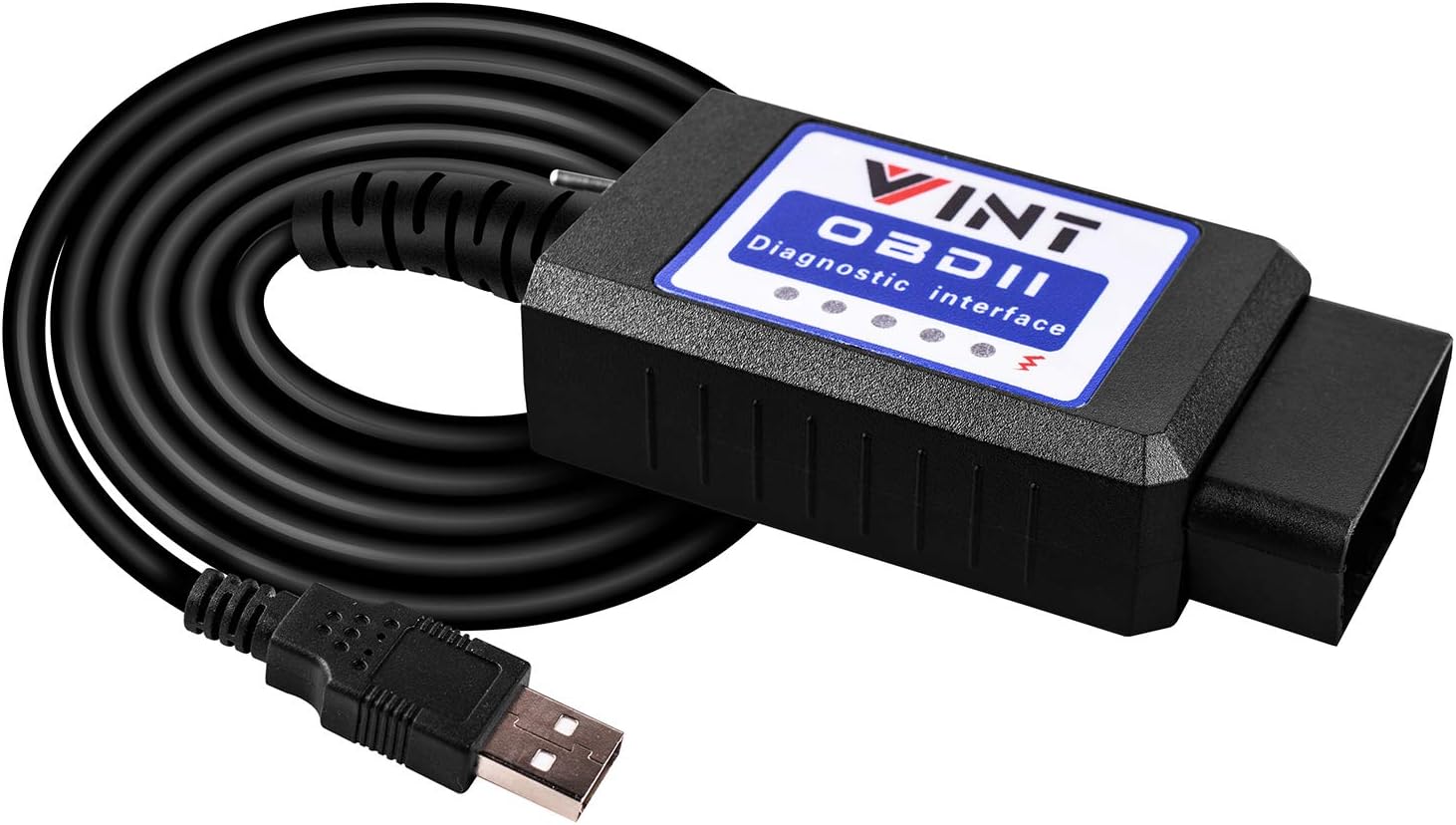
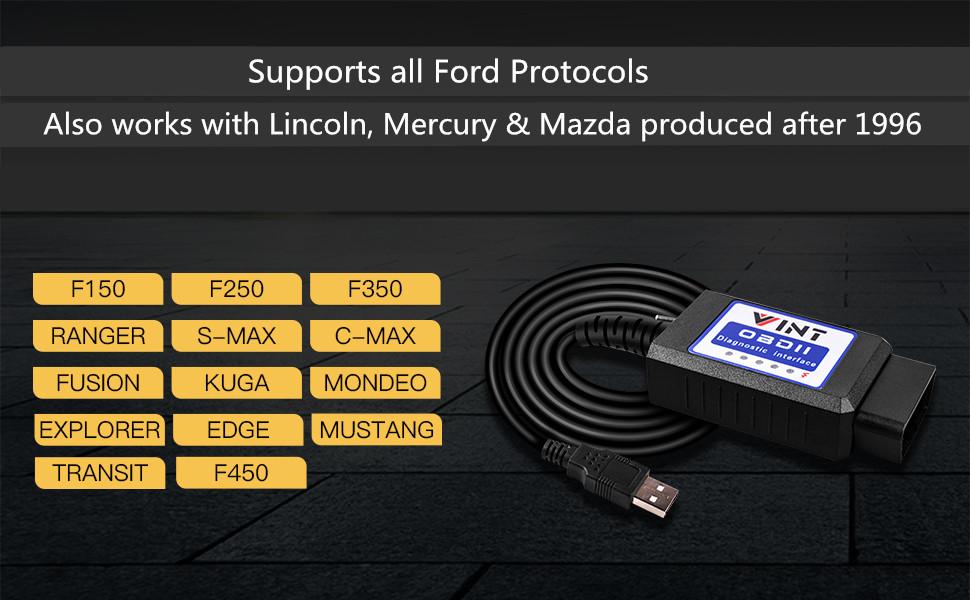
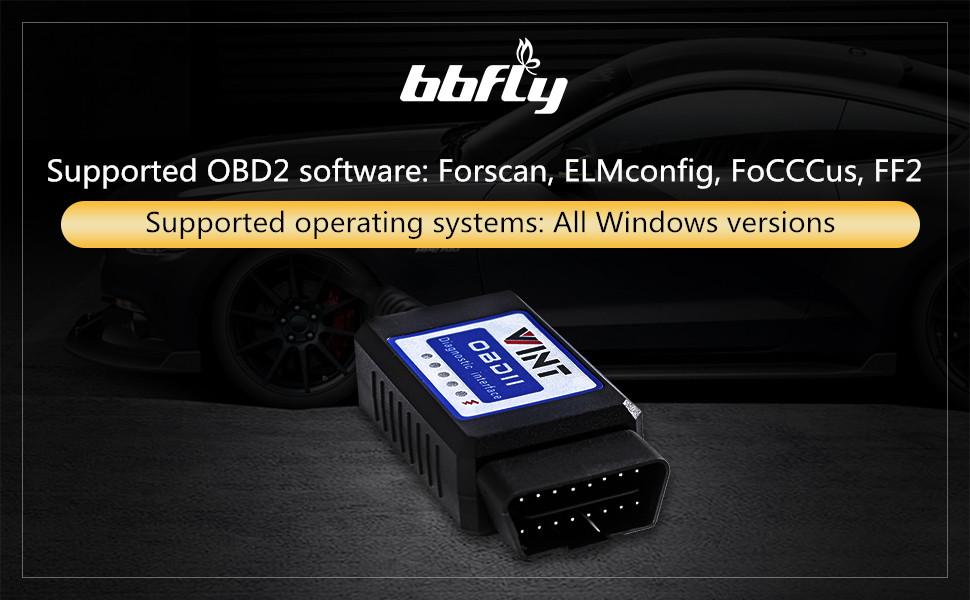
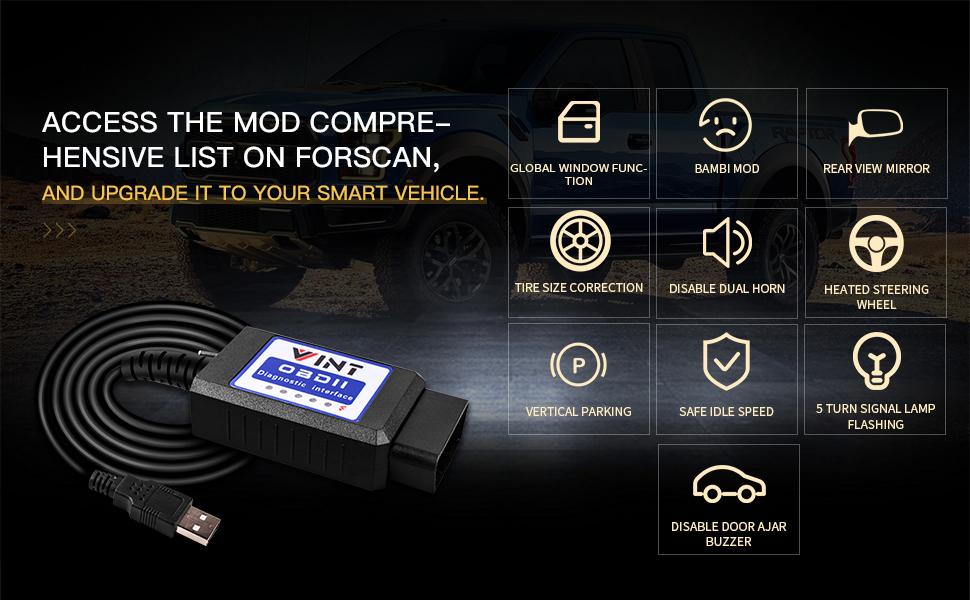
The VINT-TT55502 OBD2 Adapter is a high-speed, Windows-compatible diagnostic tool tailored for Ford vehicles from 1996 onward. Featuring a smooth MS-CAN & HS-CAN toggle switch, it enables full access to vehicle modules for scanning, programming, and advanced modding via FORScan and other ELM327-based software. Perfect for professional-grade troubleshooting and unlocking exclusive Ford features, this adapter empowers owners to customize and maintain their trucks and cars with ease.


| ASIN | B01N18TOFB |
| Best Sellers Rank | #38,410 in Automotive ( See Top 100 in Automotive ) #233 in Code Readers & Scan Tools |
| Brand | VINTscan |
| Brand Name | VINTscan |
| Customer Reviews | 4.5 out of 5 stars 3,488 Reviews |
| Item Weight | 150 g |
| Manufacturer | bbfly |
| Manufacturer Part Number | 3402580258055 |
| Model Number | 8542040051 |
| Native Resolution | 500 khz |
| Number of Items | 1 |
| Operating System | Windows 10 |
| Power Source | OBD2 |
| Screen Size | 2.4 inches |
| UPC | 714874054945 |
D**.
Worked Perfect on 2015 Ford F150
Worked perfectly with my 2015 Ford F150. Installation of the drivers for the cable onto my computer was easy and it was ready to go. I downloaded FORscan and waited about 30 minutes for the trial period code to be accessible and the computer was ready to use. I took it to the truck and followed the instructions and it connected to my truck with no issues. I was able to access the full truck system and make a change to the power point shut-off timer that I wanted to make. This cable worked perfect with no issues, so I can definitely recommend it.
T**M
Worked perfectly with ForScan for Ford Sync2 - and don't bother about that ridiculous switch issue!
I used it to activate numerous features in Ford's Sync 2 using ForScan, and identify a broken fuel sensor. It worked flawlessly and saved me thousands thus far. Imo, it is totally unjustified to even give a one-star subtraction for the lack of proper labeling of that HS/MS switch - let alone a one star review!! It is practically hassle-free to figure this out, and any regular (i.e. non-anal) user will eventually have the switch in the wrong position by accident when operating Forscan - just switch, and problem solved! Here the 3 typical scenarios: 1) Connecting to a vehicle: When establishing connection to the vehicle, Forscan tells the user that the switch has to be on HS. If the connection fails, simply change the switch position and redo the process. This takes about 30 seconds. Then label this as the HS position on the scanner. This is the most 'time-consuming' and intellectually challenging task. 2) Initial diagnosis scan: Forscan starts to scan error codes in the HS modules, then asks the user to switch to MS modules. If the switch is set to the wrong position at any time, a notification pops up, asks to switch and hit 'ok', and that's it. No computer restart, no reconnection, no hassle at all. That takes less than 5-10 seconds. Note: switching back and forth is actually part of the regular operation of all of those scanners. 3) Retrieving details about various error codes in different modules, de-/activating features in modules: The initial scan provides a list of DTS codes (or hopefully not). Clicking on a DTS code or a module could result in the notification that the switch is not in the proper position. A regular user will just switch blindly to the alternative position, then hit 'ok' and go on with life. Only people of questionable mental state would instead check in Forscan whether that particular module is HS or MS, then get out of their seat and on their knees with a flashlight to change the switch, etc, etc. So, even if it was labeled higly visibly on the device, nobody would actually bother to look at it during operation...
S**U
2005 F-150 with rebuilt transmission. It works with some work on your end...
No software included is about the only negative. Here is the story however... I have a 2005 F-150 with a Ford factory rebuilt transmission. (The old one had no second gear and was shot after 200,00 miles from the previous owner hauling around a popup camper on it) So $3,500 later and not long after the new transmission was installed, the truck started slipping in second gear again!!! Makes zero sense at this point. Anyway, I have two OBD readers for my E39 BMW and I figured I'd try an OBD reader for my Ford truck. The software has to be downloaded from a couple of strange websites and my antivirus software did not like them at all, so I had to disable it in order to get them and install them. The sites are safe, but the antivirus didn't, so no big deal, just disable it temporarily for the installation. Anyway, once you install it and follow the tri-fold user guide included with the scanner, you just plug it in and run Forscan lite software. Works perfectly and yes, the switch on the unit is a little bit of a pain to deal with, but it doesn't hurt the car at all. Very safe to use. I knew from the BMW that when some major components are installed, you need to tell the car to clear your adaptions so that the car can re-learn your driving style and environmental conditions. This worked for the BMW with the transmission torque converter slip I was getting, so I tried it on the Ford and sure enough it worked! It has not slipped since and is still adapting and learning to my driving style. Problem solved and for only $18 at that!!! A little while back I asked the local Ford dealer how much to diagnose and repair or replace my factory warrantied transmission and they said around $1,800 even with the full warranty I have on it!!! Well, worth every penny for this OBD scanner! Just be careful and do not erase the engine adaptations because you will have to complete drive cycles in order to pass emissions. That's the biggest take from this. Just be careful and if in doubt, go to the online enthusiast forums for your particular vehicle. Happy motoring!!!
E**H
Worked on 2011, 2018 ford f150s forscan
Worked to use forscan on my 2011 ford f150 and 2018 ford f150
H**R
Great Product
It worked as advertised after downloading the drivers and FORSCans app
J**.
Forscan is the best.
It worked perfectly on my 2016 Ford Fusion Titanium. Initially, I bought it to disable the front bulb out indicator which cause the hyper flash in the car after installing led turn signal bulbs, which i was able to disable. And upon more research and YouTube videos on hidden features on the car that could be added through forscan. I was able to enable the digital speedometer, tpms digital display and enable fog lights on with the high beam. Also, I was able to determine why my airbag light was on and I was able to get the light to turn off and clear the code. Very important as well do not forget to get the extended license, they have a 2 month trial available on the forscan website because it wont allow you to make these changes to your vehicle without it. Definitely a must buy and very easy to navigate.
M**N
Great unit - by ALL means download and install the driver !
I have a 2017 forward fusion energi and a 2017 Ford expedition. The double honk on exiting the vehicle with the engine running was driving me crazy in both vehicles. I had downloaded forscan 2 years ago but never followed through. Finally, with some trepidation, I ordered this OBD2 adapter. The 1st time through I had not read the instructions and so did not have the driver installed. I then read the quick start and fixed my error after which everything ran very smoothly. The driver is compressed in the .rar format so you will need a program such as WinRar to unpack the driver prior to installation. The next step is to download and install ForScan and complete the application process for a complementary extended license which is immediately available for download once registered. Import that license file to ForScan and you are ready to go. You will also need to query the ForScan Forums to find the data profile for your vehicle so you know which modules and which codes you will need to scan into the programming system to update your preferences. ForScan is quite powerful and if you don't know what you are doing, or you don't pay attention, you can screw up your vehicle. You will need to scan your vehicle for the various modules, highlight the one you wish to update, and then press the programming button (a small triangle pointing to the right at the bottom of ForScan) to generate the setting codes which you will then be able to modify and write. When you do click the button to perform the data write it will tell you the checksum is not correct. Continue anyway and it will reset the checksum to the proper value. I am finally free of the double honk Ford love song which was not only driving me crazy but everyone else in the senior living community where I would pick up my 94-year-old mother. Ford needs to have their heads examined for not including the ability to turn this Honk Honk off in the usual 'advanced' vehicle settings tab (I smell lawyers).
C**R
Useless instructions are vague at best.
A waste of time. The instructions tell you very little information. The website is a Http site and not a HTTPS. Antivirus will prevent you from even accessing the website "BBflyobd"dot com. I found information that I had to turn off the AV and then you can gain access to the page to download the drivers needed to do the deed...NOT. I turned of Avast AV and nothing. Still cannot access it. I used 2 different computers to hopefully accomplish this. Nothing. I am going to try a few more times and see what I can do. I followed a guy on YT on how to do it and seemed cut and dry. The guy on YT did not explain the BBflyobd website was going to be an issue or even away around the unsecure site.
U**N
Forscananvändning
Den skulle kunna användas till Forscan. Forscan accepterade inte den som OBD2-läsare och jag kunde bara läsa 5 moduler av ett hundratal.
S**9
Good and works well with Forscan
Bought as I had read that the big blue oval mirror company had put features in cars but not enabled them if they weren't paid for but we're available on the car supplied to the customer. Wasn't particularly hard to set up on my laptop after downloading the Forscan software (you'll need to pay or get a trial) but it's definitely not for a novice. My interface wasn't recognised by the software until I manually set to recognize the com port the interface was using and it was 38k baud. When set up the interface performed well, changing the switch when the software required it. I've now added fuel economy, tyre pressure readings and added 30bhp to my engine! All good!
K**T
Malfunctioning MS-CAN
Only HS is working! I took much pain and effort to isolate, with different settings and even ACM modules, that my inability to access MS-CAN is due to this OBD2 adaptor. Have to get a replacement adaptor and chuck this aside.
N**O
Alta velocidad transmisión
Recibido antes del plazo y su funcionamiento es muy rápido. Todo ok.
M**S
Útil mientras tengas el software adecuado y vehículo
Recomendado para autos Ford posteriores al 2012 para que tengan acceso a los diferentes módulos y funciones. Vehículos de la década de los 2000 quizá tengan limitaciones
Trustpilot
2 weeks ago
5 days ago