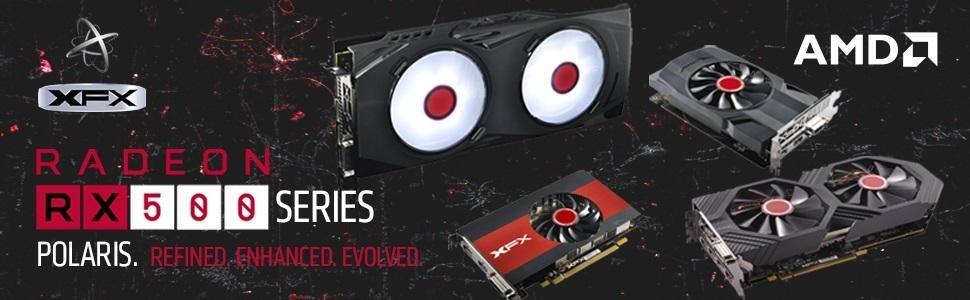
⚡ Elevate your game with power, precision, and next-level VR immersion!
The XFX Radeon RX 580 GTS XXX Edition is a powerhouse AMD graphics card featuring a 1386 MHz factory overclocked Polaris GPU, 8GB GDDR5 memory, and cutting-edge cooling technology. Designed for professional gamers and VR enthusiasts, it offers Dual BIOS for versatile use, Radeon Chill for intelligent power management, and multiple display outputs including 3x DisplayPort, HDMI, and DVI. With a 3-year warranty and top-tier build quality, it’s engineered to deliver high-resolution, immersive gaming experiences while maintaining optimal thermal efficiency.


| ASIN | B06Y66K3XD |
| Antenna Location | Gaming |
| Best Sellers Rank | #16 in Computer Graphics Cards |
| Brand | XFX |
| Built-In Media | 8-pin to 6-pin power cable,Driver Disk Installation Guide,Installation DVD |
| Compatible Devices | Desktop |
| Customer Reviews | 4.5 out of 5 stars 8,192 Reviews |
| Display Resolution Maximum | 4096x2160 |
| Global Trade Identification Number | 00778656074644 |
| Graphics Card Interface | PCI Express |
| Graphics Card Ram | 8 GB |
| Graphics Coprocessor | Radeon RX 500 RX 580 |
| Graphics Description | XFX Radeon RX 580 GTS XXX Edition |
| Graphics Processor Manufacturer | AMD |
| Graphics RAM Type | GDDR5 |
| Graphics Ram Size | 8 GB |
| Graphics Ram Type | GDDR5 |
| Item Dimensions L x W | 10.63"L x 4.88"W |
| Item Type Name | GTS XXX Edition RX 580 8GB OC+ 1386MHz DDR5 3xDP HDMI DVI |
| Item Weight | 2.5 pounds |
| Manufacturer | XFX |
| Memory Clock Speed | 1386 MHz |
| Mfr Part Number | RX-580P8DFD6 |
| Model Name | RX-580P8DFD6 |
| Model Number | RX-580P8DFD6 |
| Number of Fans | 2 |
| UPC | 778656074644 |
| Video Output Interface | DVI |
| Video Processor | AMD |
| Warranty Description | 3 Years |
G**M
Works great, except OC or downclocking the VRAM on Linux, great benching, MST works fine
EDIT 2: Have now tested the card with 6 monitors (first newest pic -- not to be confused with the older, mismatched size monitors in previous pics, where one was running off an RPi). The active/powered MST hub I attached works, and it DOES support all 6 screens, no additional configurations needed (even on Linux! as that's what I use). [NOTE: MST stands for Multi-Stream Transport, and it is the ability of later DisplayPort and Mini DisplayPort to attach 2 or 3 monitors to the same DP connector that show as physically separate screens (NOT just duplicating the screen the way some HDMI "splitters" do)]. I have tested this with both 1080p and 720p (I use 720, because my eyes are just too bad to see the smaller text, and previous scaling settings sometimes conflicted with certain programs), and both settings work fine. I am very impressed, overall, with how much this card is able to do. Other than OC on Linux or downclocking the VRAM, the only other things I can think another user might need to test are higher res monitors (I will NOT be testing that, due to eyes) and VR performance (probably will not be able to test this myself for at least a while, if I even am able to, at all, with my awful eyesight). Looking back at the original review, though, I DO have to update a couple other things: 1) I have not experienced that screeching noise in a long time. It might have been a wire I was using. 2) When I wrote that fan controller, it is no longer quieter than my RPi, although it is still quieter than my new high-powered fans (in other newest pic). 3) I have tried it with some games, and it plays them fine. It also benches really well on Heaven -- I tested it a while back across a 2x2 of my monitors (before buying the newest ones) with max spec and 3D anaglyph, and it still ran well, so you can easily use this for most games. ----- EDIT 1: Have now had card for about a year, and I've added more monitors to it, as you'll see in my newest pics. It's still going strong, but I did replace the thermal paste on the sink with Arctic MX 4. I find that I was able to lower temps on it by getting more powerful fans and improving cable management. Have written software to control the fans and clock on it from a Web UI, but I have had no luck getting it to overclock to the supposed 1386MHz, nor have I had any luck clocking down the VRAM. Perhaps that is the curse of using Linux, but I USUALLY use it just to run many screens, so I don't particularly NEED to OC the GPU clock. Would be nice if the VRAM clock rate could stay down, though, to save power -- the issue I've had with that is that it keeps going back up to 2000MHz right after I write to the /sys/ driver file; screens flicker as it clocks the VRAM down, but then it goes right back up. IDK if such an issue exists on other 580s, so I can't rate that down, b/c it might not have anything to do with XFX. --------- ORIGINAL REVIEW: So far, seems to be working quite well. I am currently using it with 3 displays (2x 1080p monitors and 1x 1680x1050 TV -- aspect ratio sucks on the TV and can't display 1080p w/o part of the screen falling off the sides -- not the card's fault; it does that on whatever it's connected to). All of them are connected to the displayport connectors using DP to HDMI cables. Monitoring it from my sensors program, it tends to run (after having warmed up) between 47-50°C idle, or around 49-52° with a YT video playing. Have not actually tried it for gaming or mining yet, though. Pretty much noiseless. My Rasp Pi with coolers is actually louder than this card. Do, however, recommend that your case be designed with airflow in mind, and maybe get more powerful fans. When I was using a positive-pressure design, the air passing over it and through the holes in the PCIe slots was not enough, and it both idled around 53-55°C, AND it pushed my CPU temps up by around 5-7°, as well (CPU is right above it). Changed this, and both cooled down by several degrees. Running it with Debian GNU+Linux, and as long as you have the amdgpu driver installed, it seems to have no issues. Sadly, have not found any software to control its clocks or fans through GNU+Linux, though. NOTE: It's important to know that it actually registers as an RX 470/480. I talked with someone about this, and it's because it uses the same Polaris chips, just clocked up and updated. Couple little glitches that sorta irk me, but not enough to bring down score: 1) Sometimes, it produces a low screeching-like noise on startup for each monitor. Probably a signal transfer thing. Weird, only happens sometimes, a little annoying, scared me a bit at first. 2) It also causes my BIOS screen to flicker several times after POSTing and before the bootloader runs. Also freaked me out the first couple times, but now I'm used to it. Neither of the aforementioned glitches occurred when using my Ryzen 5 2400G iGPU (before purchasing this card), so I think it has something to do with the card itself (could be the wires, though, but I have no other DP devices to test them with). Not major, but things that I paid attention to, nonetheless. As far as I'm aware, if you experience this, it's not an actual issue, just a quirk -- will update on that if I need to, though.
A**R
It does indeed work... with some constraints on AMD's part.
Though buying it here might not be as cheap as newegg, you have amazon's wonderful return policy to work with, for at least a while. The card itself works well, to reassure anybody who might be on the fence or needs a video card as soon as possible. A replacement card for my now dead 970 from newegg arrived DoA (One of those 100 buck sapphire 470s), so, out of panic, knowing that my RMA would probably take something along the line of two weeks, I snatched one of these bad boys up at a small premium compared to the offers on other sites. It arrived swift, as per usual, and it plugged in and got working right away. Honestly, I love it, i'd say its right on par with my old 970 at a very agreeable price. To anyone who hasn't looked at in depth performance reviews, one of these cards is able to handle pretty much every recent game, except overly resource-hungry modern titles, at a comfortable 40-60+ fps depending on the setting of your choice and whether or not you add additional shaders. Coming from anything below a 970, whether it be an r9 series, 7xx, radeon xxxx, you should be rather satisfied with one of these cards. I recommend them especially at this price point. I'm not sure if it's posted anywhere on this product page or brought to attention well enough, but you do get a selection of two out of three games coming out soon, so assuming you're interested in the division 2, DMC5, or resident evil 2, this could potentially be a very smart move so you don't have to purchase those any more. Small(large) edit: So, apparently I thought I was having issues with this thing once I switched to a 1440p monitor; however, there is a pretty gigantic quirk that I thought might bring light so some common complications with this card. This card is best for 1080p gaming, period. However, with 1440p it can work, but there is a bit of a complication with how AMD gpus tend to work in general lately, especially the Polaris line, which this card belongs to. You may notice that sometimes under intense load that your screen might flicker. This brought me no end of annoyance at first, but I discovered that you basically have to go into global settings (under "Gaming") with radeon's software and tab into wattman to do some editing. At the bare minimum, without any other adjustments, you need to adjust the power limit on this card to around +20%~ or more if it has to do any heavy lifting, otherwise it will throttle one way or another with differing symptoms. Amd has thrown out a bunch of efficiency software and tuning which end up under powering your card where it may need it in desperate times. This isn't overclocking, but this does actually allow for proper overclocking, if you don't wish to proceed any further than this, you don't need to. I'm not sure why they thought it would be wise to essentially choke this thing for power right out of the box, but it seems to be a reality. My card works as it should now 1440p, but do monitor temperatures with HW monitor, and adjust the fan speed curve as need be, just to be certain (My case has awful airflow). Wattman can be a fantastic utility, so utilize it! Just be sure you have enough power to back the card up, I do fine @ 550W and an i5 6600k, but you should plan out your power usage just as a precaution. Knowledge is power!
L**A
Great for 4K/30 - 1080p/60 Gaming, and a steal if you want/sell the $120 bundled games!
I have had this GPU for about a week, and I've been really happy with it. While running at stock settings, the card runs relatively cool and quiet. My card overclocked pretty well, and I'm able to get an additional 10% of performance at the expense of higher temps and louder fans. At stock settings, the GPU stays below 70c at load, and up to 82c with my current overclock. I'm able to run the new Resident Evil 2 with Max settings at a locked 1080p/60 with ease. I am also able to run a locked 4K/30 in RE2 with no drops in performance. Many older games are able to run at resolutions up to 4K/60, and many modern games are even good at 1440p/60. AMD's software is leaps and bounds above what I remember from the Catalyst Software days. I remember having driver problems which cause sound problems over HDMI when I had an HD 7870. I also had problems with the Crimson Drivers in an RX 480 build I did for a friend a couple years back. In that build, I had to loan him one of my GTX cards for a few months because his RX 480 was unusable due to a driver issue that caused the screen to flicker black. After a driver update, the GPU finally worked for him. I have had no issues with my RX 580, and the only crashes I've had are from pushing my overclock slightly too far. After dialing my OC back, I have run it for hours straight with 82c temps without a hitch. Now the best part, I basically got this card for $85 thanks to the bundled games. I planned on waiting for AMD's new cards later this year, but I had a friend who told me he was getting Resident Evil 2 and The Division 2 when they released. I asked him if he would be willing to buy the codes from me to help lower the cost of a new GPU, and he agreed. So after tax, my $205 (including tax) RX 580 became an $85 steal after selling the bundled games to my friend for $120. If you know someone wanting to buy both games, or you intend on getting 2 of the 3 games, I believe this card is a no-brainer. You can easily sell the card for over $85 over the next couple of years if you decide you want to upgrade to something faster. Keep in mind, claiming the free games requires a bit of effort, and it would be hard to sell the free games to anyone you don't know. Basically, I had to create an AMD rewards account to claim the games. The account has to detect the GPU installed in your system to claim the free games, so you can't simply sell the AMD key to someone else. Once the AMD activation site confirms your hardware, it allows you to choose 2 out of the 3 games available: Resident Evil 2, The Division 2, and Devil May Cry 5. Once those games are chosen, then the AMD account has to be tied to your Steam account to activate the game to the steam library. Again, it works with a willing friend, but it will be difficult to do if you plan on selling the keys to someone you don't know well. All in all, I am really happy with this purchase. If crossfire was still worth using these days, I would buy another one and keep the bundled games for myself. It's that good of a deal. A final thought, if you are interested in all 3 of the bundled games, the RX 590, Vega 56, Vega 64, and the upcoming Radeon VII come with all 3 games: effectively lowering the cost of those GPU's a staggering $180! If my friend could have waited a couple of weeks to play RE2, I would have waited for the Radeon VII's release. But he couldn't wait, and I'm still very satisfied that I jumped on a great deal!
D**S
A very good, if but a bit clunky, replacement for a GTX 970.
There never was any plan for an upgrade. I was going to stick with the 970 I chose when I built my rig till it stopped being relevant to PC gaming. At that point, I would phase into console gaming on my PS4pro and keep the PC around for work and other multimedia related activities. The PC had a severe crash during a gaming session where it took hours to recover from and it was no longer capable of playing any games for more than 10 to 15 minutes before the software would crash and I would be forced to exit manually. It was tolerable for a while till it started interfering with work where a skype video call would cause the display to fail and recover frequently. So I decided I wasn't done with PC gaming either so a suitable replacement would be needed. Cost: I was pretty frugal with my money when I built my pc. The 970 alone cost more than $440 at retail and I wasn't sure if I was willing to spend the same amount again. So it would seem I would have to settle for a downgrade or a refurbished model or both. Imagine my surprise when I saw an RX 580 show up at top of my list. Twice the memory and half the price? It was a compelling deal that I had to look into some more. Turns out the card is actually slightly more powerful than my 970. If you are in my position where you are not in a place to spend too much cash for an upgrade its a very easy choice to make. Performance: It has only been 12 hours since I have installed this machine and I am not very familiar with AMD cards. However, the installation was simple, it meets my basic needs effortlessly and I am able to play some of my top games in ultra settings without really having to deal with the software. There is an overclocking feature that I have yet to test out but after my 970, I am a bit apprehensive. The card is a brute for its class and so far it has been a worthwhile investment. This review will be further updated with in a months time. Cons: While it has been so far a beneficial investment its far from perfect. The card design is rather simple compared to the sleeker look of the 970 and AMD software console will take some time to get used to. There is also a high pitched whine when I am running a game and my tv temporarily lost signal in the middle of writing this review, so far it has happened only once. Conclusion: I am going to update this review in a months time as from all the reviews I have read, there are quite a few that had their card burn out within a month. I want to make sure my investment isn't a lost cause and am hoping for a positive feed back. for now I am content that I am able to resume my regular habits. At this point its easy to recommend at face value. Especially if you were looking for a cheap and fast upgrade.
M**H
Unleash Your Gaming Potential with the XFX Radeon RX 580 GTS XXX Edition!
I recently upgraded my gaming rig with the XFX Radeon RX 580 GTS XXX Edition, and I couldn't be happier with the results. This graphics card delivers a stellar performance that exceeds expectations, making it a fantastic choice for both casual gamers and enthusiasts alike. The first thing that caught my attention was the sleek design of the card. The red and black color scheme gives it a stylish and aggressive look that adds a touch of gaming flair to my system. The build quality is excellent, and the card feels robust and well-constructed. But looks aren't everything, and the RX 580 GTS XXX Edition truly shines when it comes to performance. The 8GB GDDR5 memory and 2304 stream processors ensure that demanding games run smoothly with high frame rates. Whether I'm exploring open-world landscapes, engaging in intense firefights, or enjoying the latest AAA titles, this graphics card handles it all with ease. One of the standout features is the XFX True Clock Technology, which optimizes clock speeds to maximize performance. This ensures that the GPU operates at its peak potential, resulting in a more responsive and immersive gaming experience. I've noticed a significant improvement in graphics quality and fluidity, even when playing at higher resolutions. The cooling solution on the RX 580 GTS XXX Edition deserves special mention. The dual-fan design effectively dissipates heat, keeping the card at optimal temperatures during extended gaming sessions. The fans are also remarkably quiet, contributing to an overall quieter gaming environment. Installation was a breeze thanks to the user-friendly design and clear instructions provided by XFX. The card supports multiple display outputs, including HDMI and DisplayPort, offering flexibility for different setups. In addition to its impressive gaming performance, the RX 580 GTS XXX Edition is also a solid choice for cryptocurrency mining, adding extra value to the investment. Overall, the XFX Radeon RX 580 GTS XXX Edition is a powerhouse that delivers exceptional performance, striking aesthetics, and reliable cooling. Whether you're a gamer or a content creator, this graphics card is a fantastic choice that won't disappoint. It has certainly elevated my gaming experience, and I wholeheartedly recommend it to anyone in search of a high-quality, budget-friendly graphics card.
N**H
Solid value for 2560x1080
Oct 2018: This thing is HUGE. At 2560x1080 ultrawide, it slays the games I play. GTA 5 and Fallout 4 nearly max out (sometimes have to trade shadow quality for SSAA or vice-versa depending on preferences) and I have absolutely no problem maintaining 60fps with 70°c or below while playing them. I will be testing more titles but if you are below 1440p this card should be able to play anything at medium settings or above incl. new titles. I have it at 1384MHz with a custom fancurve to keep temps in check (this fan really isn't very loud at 50% or below anyways; I had to put my m.2 under the GPU which makes me a little nervous so I'd rather have the area as actively cooled as possible) but it does in fact sit at 0rpm unless you're gaming which is very nice. I'd recommend this card for any gaming under 1440p or even at 1440p lower-mid settings depending on the games you prefer; it seems very reliable so far and the 8gb vram is nice; having high-res textures in games is super nice, and I've had no problems; I'd recommend this over the 1060 6gb unless you can get one for $230 or less. Update: Pushing memclocks to 2250 in wattman will squeeze a few extra frames out of furmark and so far seems stable on my card. Increasing clockspeeds actually made performance slightly worse for furmark likely due to it causing throttling, so I actually have the core at 1350MHz and the mem at 2250MHz now, running a little better than stock. Edit 8 months later: I had IMC issues with Ryzen 5 2600 and tried rma this card thinking it was at fault because I had BSODs and CTDs while gaming. Ended up replacing the CPU and found out it was not the gpu. However playing far cry at 1080 ultra for 45 min caused the gpu to crap out. No Mobo would post with it installed. I have reached out to their support and hope to hear back. Last time they were prompt but I did assemble and reassemble the gpu with new tm (to no avail) which technically voids warranty. If they don't hold up on warranty that's my fault but if so I'll be ecstatic. Good experience mostly but too bad multiple faulty parts have left me with a great PC becoming useless. 2020: Laaaate update - XFX straight up sent me a brand new retail card many months ago and have had no issues since. RMA is very good in the US.
P**P
Great for maybe 60 fps at 1080 (but barely)
I've only had the FXF Radeon RX 580 for a few days but so far so good. I replaced a Radeon R9 290 3GB card I bought back in 2013 and I'm running an old Alienware Aurora ALX chassis with a 4 core Intel i7 930 and an 875W PSU. I'm also running 12GB DDR3 RAM at 1600Hz. It's an older machine, so... There were no instructions with my new 580 and I've only changed a graphics card once before so it took me a minute to realize the extra PIN adapter that came with the 580 was needed. Thank God it came with it. I'd have had no idea since my PSU had more PINs than the 580. That was the only trouble I had. Playing on a 1080 monitor it runs Destiny 2 on the highest settings fairly well. I was expecting a bit more but I've accepted for this price point it's good enough. Destiny 2 gets about 50 to 60 fps during peak on-screen action but will dip into the 40's if there is a long background off in the distance. Without all that draw time, like in the Reckoning, it'll give me 70 to 90 fps. At least I no longer get those frame rate lag spikes the old 290 gave me. Overall for Destiny 2 I'd call it 60 fps but you will dip below that. If you want to never dip below 60 get a better card. I then played World of Warcraft at Ultra settings. I get worse fps on this game. When the action is going I'll get in the 30's to 50's but the fps will jump to 100 or so a good chunk of the time. Overall if you're wanting to run 1440 resolution and never dip below 60 fps then skip this card and spend more money. If you're fine with maybe 60 fps at 1080 and on a tight budget this card will work great. Update May 16 I've upgraded my monitor to a 4k monitor that actually supports 4K and 1440 and this card works better than I thought. Some of the issues must have been the old monitor. Anyway, I really only play Destiny 2 and at 1440 at high settings I get 50 to 60 fps. That drops to 45 fps on the highest setting and at 4k it drops to 25 to 30 fps. Not bad for $165 though. A great bargain.
N**.
Beautfiul for the 40 days it worked
12/12/2018 - Summary: I've gone through two of these cards. The first one wouldn't work at all, the second one worked for less than two months. When it was working, it was beautiful but it has to work. I will never again buy an XFX product. I've spent about 6 hours trying to troubleshoot this card. So far I've not gotten it to work once. System POSTs, windows sounds tell me that windows is booting, but I NEVER get any video. Forced driver installation overtop old graphics card and reset with new driver. Still nothing. This isn't my first graphics card installation, and I've never had one go this poorly. Did I get a dud? EDIT: The first one never did work, but the replacement worked fine. Had to purchase a new Power Supply to get full use out of it. Perhaps I have a needy system but 500W wasn't enough to get it running at max efficiency. What I will say is that, now that I have it running properly, the picture is GORGEOUS. Absolutely love it. EDIT 12/12/2018 - So my saga of the XFX Radeon RX 580 has come to an end. I am returning the card after some very helpful product support from Amazon worked through diagnosing issues on the second card, which replaced the one that wouldn't work from the start. I had the card installed for about 40-45 days before it cut out in the middle of playing a game one night. The system wouldn't even post, so I thought it might be an issue with the motherboard or the power supply which I had purchased to power this card. During diagnostics, it turns out it was the video card, which I learned was indicating a defective card. (Genuine thanks to Amazon Product Support!) It was preventing the system from even POSTing. This card is headed to UPS today and I will never again purchase an XFX product. I can be pretty forgiving and recognize that sometimes flawed products make it through. This, however, is indicative to me of a larger issue.
J**H
Solid gpu
Good value for money. Runs games at high fps in FHD. can play less intensive games at 4k in about medium settings
D**.
impec
cela fait un petit moment que je l'utilise et elle est juste parfaite . pas de soucis pour faire tourner les jeux actuel
W**S
Reliable Performance for a Great Price!
Amazing Graphics card ,got it for a very affordable price, I am happy with it and still works like a charm, I hope the price decrease so I can get another one for a NAS system
T**S
Ancora oggi (4° trimestre 2019) una scelta valida e dal prezzo molto ragionevole
Diciamolo subito: L'architettura GCN su cui si basa questa RX-580 è sicuramente un'architettura per nulla giovane; tuttavia questa GPU ha ancora tanto da offrire, pur facendo risparmiare anche cifre considerevoli rispetto alla concorrenza più attuale. XFX poi ha praticamente messo il massimo che si poteva su questa scheda, offrendola praticamente al prezzo più basso. Ma andiamo con ordine: PORTE: Dotazione probabilmente standard da questa categoria in su, ma ho apprezzato molto la presenza anche della vecchia DVI-D, oltre a ben 3 DP e una HDMI. Faccio notare che non ci sono uscite analogiche integrate, solo digitali. ALIMENTAZIONE: Vi servirà un BUON alimentatore da almeno 500W per andare sul sicuro, con cavo PCI-EX. Il connettore di alimentazione è ad 8 pin, ma nella confezione troverete anche un adattatore da 6 ad 8 pin, nel caso ne abbiate bisogno. MATERIALI E FABBRICAZIONE: XFX ha fatto davvero un bel lavoro, inserendo componentistica di qualità, con ottimi VRM (i regolatori di corrente e tensione), un back plate nero in metallo che oltre all'estetica conferisce solidità, doppia ventola e copertura in plastica con look al carbonio, una sciccheria. Completa la dotazione il massiccio dissipatore heat pipe, ben 8 GB di memoria GDDR5 e, ovviamente, la GPU AMD RX-580. E' presente un piccolo led che si illumina di rosso se l'alimentazione è insufficiente, di blu se è tutto OK. RAFFREDDAMENTO E CONSUMO: Non ho avuto modo di misurare il consumo effettivo, ma il mio alimentatore da 450W tiene tranquillamente il mio Ryzen 5 3600, la XFX RX-580 e tutto il resto senza fare una piega, quindi di sicuro non è estremamente affamata di energia. Il dissipatore e le ventole la mantengono sempre sotto gli 80° anche sotto carico; a piena potenza non hanno mai raggiunto la rotazione massima, mantenendosi molto poco rumorose durante il gaming e praticamente mute durante l'uso desktop. Forse è anche merito della buona ventilazione del mio case, ma dal punto di vista raffreddamento e silenzio sono estremamente soddisfatto. Ah, le ventole sono estraibili. PRESTAZIONI: Ancora oggi, con titoli a 1080P e settings a volte medi ma anche a volte alti a seconda del gioco, vi regala un frame rate sopra i 50 FPS. Giusto per un esempio, col benchmark Superposition unigine 2 a 1080P e dettagli medi, il frame rate non è mai sceso sotto i 50 fps mantenendo la media di 59 fps e ottenendo un punteggio di quasi 8000 punti. Riesce inoltre a gestire senza alcun problema la risoluzione mostruosa di 5120X1440 del mio monitor super ultra wide a 120 hz; dopo averla montata ed installato i driver, è stato tutto un altro mondo, è come se gli oggetti sul desktop scorressero senza alcun attrito, talmente tutto è fluido. PREZZO: 179€ per questa scheda nel 4° trimestre 2019 sono un vero affare, considerato tutto quello che ha da offrire. CONCLUSIONI: Se siete alla ricerca di una scheda video che offra prestazioni oneste e valide, con budget sui 200€, la RX-580 è ancora oggi una scelta valida. Potreste optare per la versione pompata RX-590, che tra le altre cose è realizzata con un processo produttivo migliore; tuttavia i pochi fps che guadagnereste non ne giustificano la spesa superiore. Inoltre il clock più spinto, nonostante la litografia migliore, la rende identica alla 580 quanto a rumore e consumi. Quindi, secondo me, la RX-580 è ancora oggi la miglior scheda video budget per rapporto qualità/prezzo, sotto i 200€. E questa versione di XFX è probabilmente la migliore, in quanto ha poco o nulla da invidiare ai marchi più importanti, e offre TUTTO quello che offrono i concorrenti, pur costando meno. Vi ricordo inoltre che per questo prezzo avrete anche ben OTTO GIGA di video ram; la sua diretta concorrente, la GTX 1660 di nVidia, costa anche quasi 100€ in più e monta "solo" 6 GB; certo, offre prestazioni superiori, ma il divario è netto solo su alcuni titoli; ribadisco che a 1080P, se vi accontentate, con la XFX RX-580 risparmierete molto. Infatti la consiglio a chi ha un budget limitato; chi può spendere, sa bene che troverà architetture migliori, più giovani e potenti.
D**U
Solid card for its price - especially for older PCs
I had to replace a broken, old GPU and found this cheap card from XFX, it does what it needs to do, has 8Gb of RAM and fits in the only PCI Express 16x slot on this old motherboard from 2014. It runs most games at an acceptable framerate in Full HD, but not super smooth obviously (20-60FPS depending on game) but I'm noticing my old PC is mostly bottlenecked on the CPU (Intel Core i5 4570), not on the GPU.
Trustpilot
1 week ago
1 week ago