Description
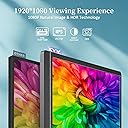
- [1080P Portable Monitor] - 💡15.6'' KYY portable computer monitor with 178° wide viewing angle, breathtaking HDR technology, 2 built-in speakers, allowing you to enjoy a clearer and smoother immersive visual feast. 1920*1080 high-definition IPS screen ensures your eyes feel comfortable after a long period of use.
- [More Productivity with Dual USB C] - 💻Upgraded USB-C portable laptop monitor comes with 2 full-functional usb-c ports which support video output. You can just use one usb-c to usb-c cable to connect devices with 3.1 USB-Type-C ports. Equipped with a USB-C port and Mini-HDMI port, you can easily connect to laptops, PCs, smartphones, PS4, XBOX ONE and Switch.
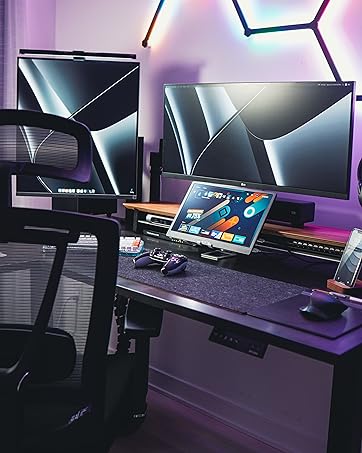
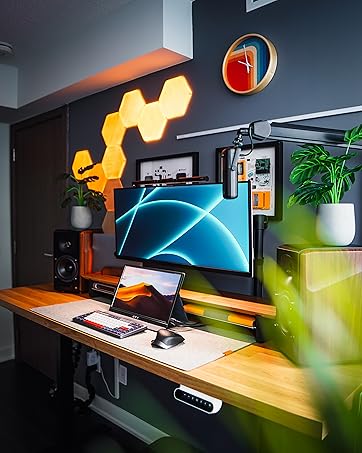
- [Perfect Travel Partner] - 💼Portable secondary display is 0.3 inches thick and weighs 1.7 pounds. You can go on business with yourself in a briefcase or suitcase and is ideal for the perfect companion on the go. Plug and play mirror your USB-C phone or extend your laptop, making work easy and enjoyable.
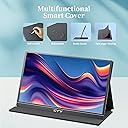
- [Advanced Smart Cover] - ❤️The multi-Functional protective cover is made of high-quality PU material which is durable, waterproof and anti-scratches The smart cover base has two grooves, you can fold the screen side of the smart cover back serve as a stand to firmly support the screen's bottom.
- [Multi-functional Mode] - ✔️HDMI portable external display can be used as the main screen alone, you can duplicate the screen to share in the meeting, extend the screens to increase your working efficiency. The included mini-HDMI cable and USB-C cable make the connectivity easily which provides you with a perfect viewing experience when browsing, editing or watching.
KYY 15.6inch FULL HD PORTABLE MONITOR WHY CHOOSE THIS PORTABLE MONITOR? Travel Ready With only 1.7lb and 0.3 inches slim profile, the KYY portable display is easy to put into your briefcases and become the ideal travel companion for laptops to maximize work efficiency. More Connectivity Choice Equipped with Mini HDMI and Dual USB Type-C ports, KYY is compatible with your laptops, PCs, Phones, PS3/4, XBOX ONE or Switch, etc, allows you to plug and play in second. Real pics on your eyes Features High Colour Gamut, 300cd/m² Brightness and Contrast Ratio: 1000: 1, shows you a more real, and awesome viewing experience when screen-sharing, images or video editing, watching movie, and gaming. Equipped with Advanced Smart Cover An upgraded magnetic smart case is made of Advanced PU Material, which is slip-proof, scratch-proof, waterproof, and dustproof, double as a foldable smart stand, allows you freely to adjust the comfortable viewing angle. SPECIFICATIONS Panel Type: IPS LCD Resolution: 1920*1080 Contrast Ratio: 1000: 1 Color Temperature: 6800K Brightness: 300cd/m² Aspect Ratio: 16:9 Display Color: 16.7M Speaker: Built-in Speaker (1W*2) Output Interface: 3.5mm headphone interface Input Interface: Mini HD(Video signal), Dual Type-C Full Function (Video data, Power supply) System Requirement: Devices with HD output interface. Computers or mobile phones with Type-C Fully Functional port JUST IN CASE 1. Phones that do not have a full-featured Type C port require an adapter to connect. 2. Please check if the Type-C port of your laptop is a full-featured Type C port, If not, it would not work with KYY.(You can connect the monitor with HDMI Cable and Type-C power supply cable.) KYY Portable Monitor for Laptop Will be your Best Choice.
Review: Decent functionality with great picture.. - Update: The Vendor contacted me and sent me their upgraded model that had a number of improvements to it. The new cover which is a full cover side load is suitable to support both landscape and portrait modes perfectly and keeps the monitor safer in transit. So, I no longer have an issue with the cover. The replacement has a properly working UBS-C port but I would still like to see support for USB-A. They have also upgraded the painful-to-operate rock and push dial interface on the side to a dedicated up-down and select button-based model which is a breeze to work with. The picture properly centers and fills the screen fully in both landscape and portrait modes. To my complete surprise, the speakers are actually usable even though they are far from great in comparison to your laptop speakers. By the way, the picture is still perfect, clear, and bright! Even though the lack of USB-A-based connectivity it is less than perfect in my book, with the attentiveness of the vendor to customer concerns and the improvements provided with the "-2" model, I believe it is only fair that I raise my rating of the product 5 stars. So, I just finished fighting with it. These are my conclusion. Keep in mind this is a modern Windows 11 laptop I am testing it with. - To start with I should state the picture is an 8 over 10 at least once you manage to get it to work. - Stand is a complete joke to me. I wouldn't feel safe to use it with such a fragile device and it is very limited in terms of viewing angles it is supporting. - Tried the known to be working USB-c port which I have used in the past for delivering both power and video to other units. Absolutely nothing happens. - Tried HDMI and HDMI and nothing until I plugged in the power supply and fed the USB-c port fo the monitor. Don't like the multi cable solution. Mind you I am doing this at home with a steady desk. Imagine doing this in "portable" use. Definitely not appealing. I was using for the last 24 hours another display, clearly of a lot lower quality but very accommodating and most importantly worked off a single USB 3.0 cable. While I didn't care for the quality at all, the simplicity and accommodation of portrait mode (pivoting) even though it wasn't auto pivot, I will take the lame monitor over this any day. It has a great picture if you are willing to put up with the issues of it and I am not willing to. - - There is no pivot mode, auto or otherwise. If you switch to portrait it gives you a tiny portrait image that is good for nothing. Also design apparently not meant to support portrait use. This is a critical feature to me.
Review: Great traveling Gaming monitor - This has been in valuable for Gaming while on traveling. I've hooked up a 40 watt Power pack to it with my Nintendo switch and been able to play for hours. The on con has been the mini HDMI port seems to be a bit touchy and if the screen in moved it drops the connection. Other then that great investment!