Desertcart purchases this item on your behalf and handles shipping, customs, and support to Senegal.
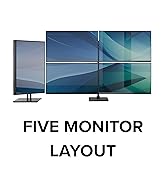
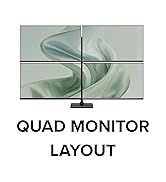
🚀 Triple your screen, triple your impact—work smarter, not harder!
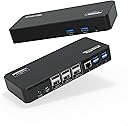
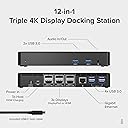
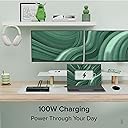
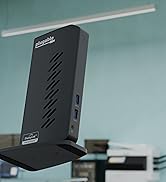
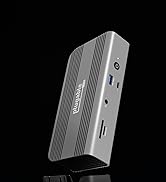
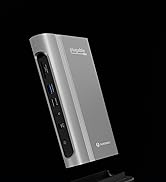
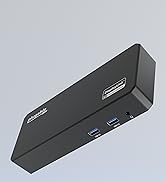
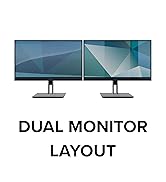
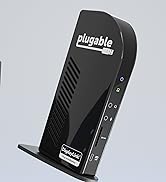
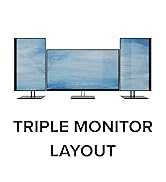
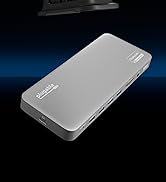
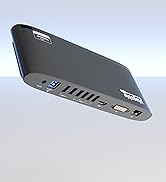
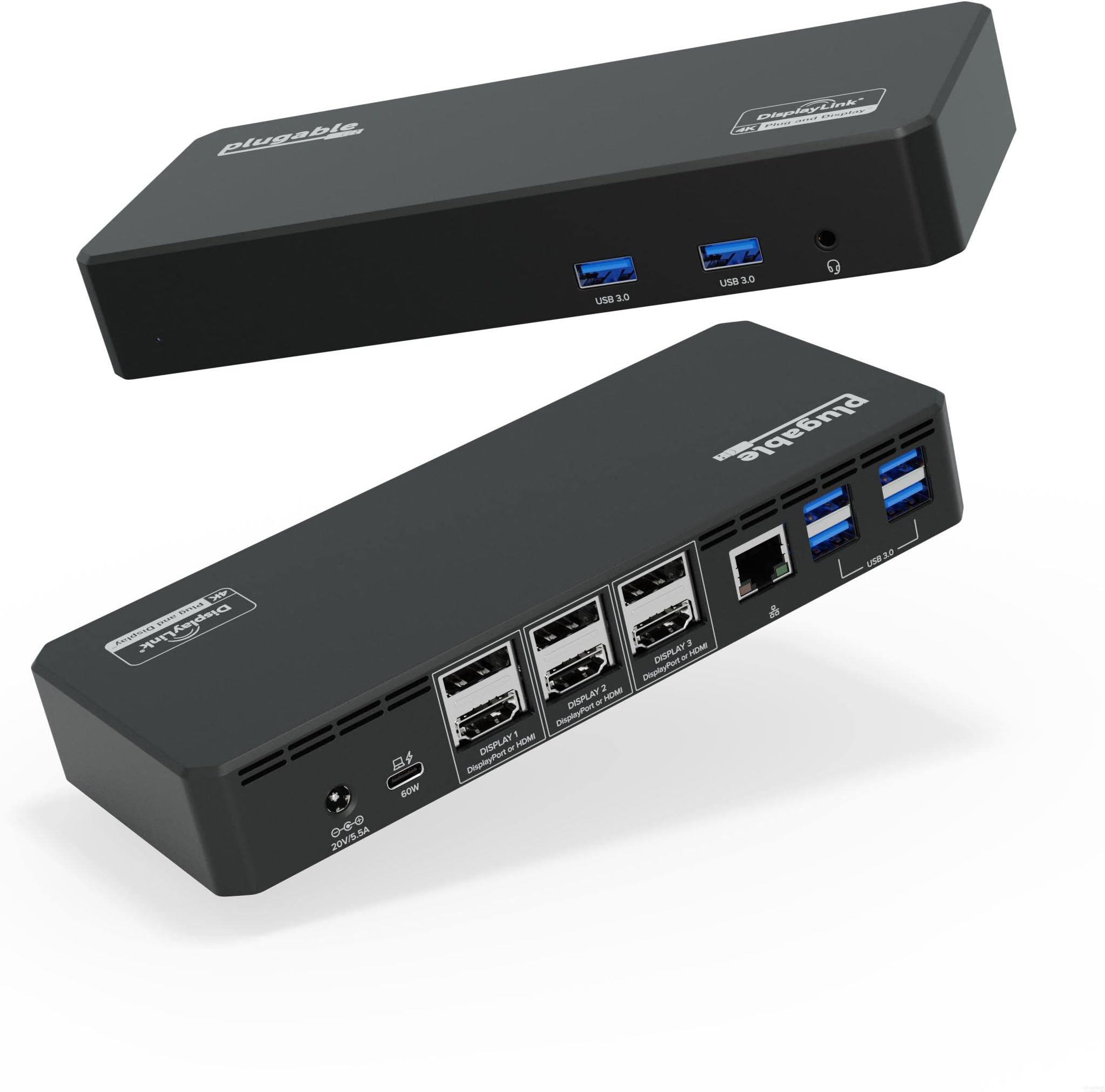
The Plugable 12-in-1 USB C Triple 4K Docking Station delivers professional-grade multi-display support with three 4K 60Hz HDMI or DisplayPort outputs, 100W power delivery charging, six USB 3.0 ports, and reliable Ethernet connectivity. Compatible with the latest Mac M1-M5, Windows, Thunderbolt, USB4, and ChromeOS systems, it’s designed for seamless productivity in demanding enterprise and creative workflows, backed by a 2-year warranty and lifetime support.


| ASIN | B09NQQ1G1N |
| Best Sellers Rank | #1,239 in Computers & Accessories ( See Top 100 in Computers & Accessories ) #134 in Laptop Docking Stations |
| Brand | Plugable |
| Color | Black |
| Compatible Devices | Supports full-featured USB-C, USB4, and Thunderbolt systems running Windows 10 / 11 & ChromeOS 100 or newer & macOS 11 and later including, M1/M2/M3/M4/M5/Neo-based MacBooks (Base models and Pro / Max models), Intel-based Thunderbolt 3 MacBooks (late 2016+), HP Omnibook / EliteBook / DragonFly / ProBook / Spectre x360 series, Dell Pro / Plus / Pro Max / XPS / Latitude / Inspiron series, Lenovo Thi… |
| Customer Reviews | 4.2 4.2 out of 5 stars (669) |
| Hardware Interface | USB Docking Station, USB Type C |
| Input Voltage | 5 volts |
| Item Dimensions L x W x H | 5.8"L x 3.4"W x 9.1"H |
| Item Weight | 2.7 pounds |
| Manufacturer | Plugable |
| Mfr Part Number | UD-6950PDZ |
| Minimum Required Operating System Version | ChromeOS 137, Mac OS 11 Big Sur, Windows 10 |
| Model Number | UD-6950PDZ |
| Number of Items | 1 |
| Number of Packs | 1 |
| Number of Ports | 12 |
| Total Number of HDMI Ports | 3 |
| Total Usb Ports | 6 |
| UPC | 819927013068 819927012009 |
| Unit Count | 1 Count |
| Warranty Description | 2 Year Limited Parts and Labor |
| Wattage | 100 |
M**L
It might not charge/provide power to your laptop
I have an MSI Raider GE76 with a USB-C port that can take power, however, the 60 watts that this thing pushes out doesn't cut it. I wasn't disappointed by this as I expected that to be the case. If you're curious as to whether this thing will power your device, check two things: (1) does your device have a USB-C port with a little lightning bolt next to it? If so, then you've cleared the first hurdle - you have a USB-C port that can accept power from a device such as this; and (2) what's the wattage of the external power supply that came with your device/laptop? The external power supply that came with my laptop is 240 watts, so clearly the 60 watts that this thing produces doesn't suffice - in fact, I don't even get the little "plugged-in" icon down in the lower right-hand corner next to the clock in Windows 11. As far as the operating system is concerned, I'm only on the battery. So I have to plug my laptop in with the external power supply but, like I said, I didn't expect anything different when I bought this docking station. Also, the manufacturer's instructions are pretty candid about this, but I don't think they're as detailed as the foregoing. Everything else with the docking station is superb. I'm running three 1080p/60hz monitors off of it through the display ports. The setup was extremely easy - I just navigated to the website, downloaded the drivers, and installed them. I've used all the USB ports and the headphone jack, and have experienced no problems. My laptop has an ethernet port as well, and I haven't compared the speed of the on-board ethernet port with the one on the docking station. As far as I can tell, however, the ethernet port on the docking station is fine.
J**A
Read before trusting the negative reviews
I'm currently running two AOC 32" 1440p, 144hz monitors off of this dock, plugged into my 2020 Macbook Air M1, and this dock works perfect! No more single-monitor limitation (props to Apple for the ingenuity there). For starters, it's important to note that you have to install the drivers from Plugable before DisplayLink can connect to a second or third monitor. This is not a difficult process despite what another review claimed. Also worth noting is the color difference between the two scrreens. HDMI1 is just a passthrough and is not being rendered by the DisplayLink driver. Personally I like this because it allows for more bandwidth rather than trying to render three displays using my Macbook CPU. If you have dual displays, plug them into slots 2 and 3 and you'll have perfect color matching. But here's a major caveat that's frustrating about this dock. The ethernet port originally worked great, but once I upgraded my Macbook to 12.3, my ethernet crippled to a halt (I'm on the latest drivers fwiw). I was able to do a workaround by plugging a Dell USB to Ethernet adapter into one of the dock's USB3 ports and I'm now at full speeds, but this is a pretty big deal on a $250 docking station. I'll be reaching out to Plugable Support and see what they can do to resolve this, then posting back. **Update: This is the reply I received from Plugable about the Ethernet Adapter: > Thank you for contacting us, I am sorry this is not working as expected and I am happy to help! > We have had quite a few reports of similar behavior and are investigating an issue with the UD-6950PDZ Ethernet controller, at this time we do not have a specific cause or resolution for this behavior. > We are recommending affected users connect to the network either via WiFi, or using a USB 3.0 to Gigabit Ethernet adapter connected to the docking station, bypassing the onboard Ethernet connection. If you do not have a Gigabit capable USB 3.0 Ethernet adapter I would be happy to send you an adapter that can be used with the docking station while we work on this issue. **Update2: Plugable recently reached out and offered to replace my docking station with their updated model. Since I had returned this one, I did not reply, but updating you 5 stars assuming the Ethernet issue has been resolved
S**I
Great Product and AMAZING Customer Service!
I've been using this Triple Monitor Docking Station with my M1 MacBook Pro for the past 2.5 years, and it's been an absolute delight. I use three 4K monitors along with my MacBook screen, and everything connects seamlessly. The picture quality across all the monitors is incredibly crisp and perfect, making it a pleasure to work with. Everything runs smoothly without any hiccups. The six USB ports are also a lifesaver, keeping all my devices connected and charged. A few months ago, one of the ports stopped working, which was a bit disappointing. But even though the docking station was out of warranty, Plugable's customer service stepped in and offered to send me a new one for free, no questions asked - WITHOUT ME EVEN ASKING FOR A FREE ONE. It's rare to find such outstanding service, and it really made me appreciate the company even more. Overall, this docking station has been a fantastic investment. It's reliable, high-quality, and backed by a team that genuinely cares about their customers. Highly recommend!
D**O
Great Product, Great Support
This is my second triple monitor dock from Plugable, my old one only had display ports so I wanted to update my dock to use all HDMI and move from a tower type dock to one that I could mount under my laptop tray for my new desk. Shipping was fast and was packed well. I got everything cabled up and one of my displays did not work. After self troubleshooting the Displaylink software and swapping cables and monitors to verify all connections were good and monitors were good, I contacted Plugable support. Pat from support was very responsive and was able to deduct that I wasn't using the USB-C cable that came with the dock!! Don't just use any plain old USB-C charging cable to connect your laptop to the dock. If it is not rated for data and display capabilities you will have issues getting all monitors to work! Luckily after some back and forth with support I ordered the correct cable from Amazon (i threw away the one that the dock came with because I wanted a shorter cable for my set up). In the meantime I found an Amazon Basics USB-C cable in my drawer o cables (you know that drawer, you have one too!) and all three monitors are up and running! I confirmed all three monitors can run on 60hz 4K resolution, but its too high of a resolution for my old eyes so I run it at 2560x1440 and everything looks great. I use this for work and some browsing/video stuff and it looks great. I don't think I would recommend for high end gaming or anything that needs high refresh rate, but for my use, everything looks and works great just like my last one. Highly recommend Plugable. Both docks I have owned have lived up to my expectations and my first experience with their support was spot on. Thanks for a great product!
S**A
Support sucks for this Product
I purchased this docking station to connect my three monitors, but it has been nothing but problems. Only two monitors work consistently, and the third monitor either does not connect or works intermittently. The customer support experience has been very disappointing. Their support process is email-only, and responses take 1–2 days. When you reply back, they disappear again for another couple of days, making it extremely frustrating to get any real help.I eventually had to contact Amazon Support to escalate the issue because the manufacturer support was so poor.I would not recommend this product to anyone.
E**E
Works perfectly with 3 x DP monitors! (PC). Might not be able to charge some laptops.
For some reason it was hard to find a docking station that allowed 3xDP outputs for my monitors so I took a chance on this one and it works perfectly on Windows/PC. In fact, I can't believe how well it works because our IT guy at work said it can't be done. As always there might be some finicky issue with the Windows Projection, just use Winkey+P to cycle to "PC screen only" when laptop lid is closed, then back to "Extend" and it should pick up all monitors. If your docking station shuts down or doesn't work, it might be a power incompatibility with your laptop. I have two laptops, a Lenovo that needs "high power" chargers and a Dell that works with "normal" wattage. The Dell works well, but the docking station can't sustain power for the Lenovo. If I connect the Lenovo only to the dock, it works ~30 seconds then shuts down. You NEED to have the laptop powered by a different charger in order to use the dock. As long as it is connected to a different charger, the laptop works perfectly with the dock. I am not faulting the docking station, but it is important to know this
M**.
So far, so good!
I've had this docking station hooked up for a week and so far it's performed well. I use it to switch between a Dell desktop and a Dell laptop, both running 2 monitors. It will run 3 monitors as advertised but i only use two. It has enough powered USB ports to run a camera, a microphone, and speakers with a couple of USB ports left over. I bought this one because my desktop uses Display Ports for the monitors and this one has both 3 display ports and 3 HDMI ports. And it keeps my laptop charged. If it continues to perform as it has for the first week I'll be a happy camper!
M**T
Dying After a Year of Dual Monitor Use
When it worked, it worked great. But, sadly, it is starting to die after a year of use. The video ports are dying one-by-one and there's something failing with the power inlet port. Finally, it gets hot when use all day with dual monitors. I wanted it to work longer since the build quality feels good. But, for such an expensive purchase, I'm sad it's now dying after only a year of use.
M**S
Very nice unit. Excellent customer support
The fit and finish of the device is very good and it comes with high quality cables. It works exactly as advertised with two of my three laptops. The third laptop, a Lenovo X1 Yoga Gen1, cannot drive three monitors through the docking station, although it can drive two through the docking station and the third from the built in miniDP port. Even though it will not work as I had hoped, I got really excellent support from Plugable. They were very responsive to my emails, I never had to wait even a day for responses to my emails. Their emails contained a lot of good technical explanations. I would buy more Plugable product based on the quality of their tech support alone.
A**R
Quality product and fantastic customer service.
I received this very impressive docking station to replace a very old Dell Dock that wasn't working with my new laptop. It's packages professionally and has very easy set up guide. My dock did however have a faulty usb hub to which Plugable customer service (Pat) worked with me to troubleshoot the fault, and had no argument about replacing next day (Via amazon) once the troubleshooting steps was done. New dock works perfect as expected. It has features most docking stations could not keep up with hence my purchase. (100w laptop charging, 3x 4k outputs at once, and the ability to plug in multiple usb devices)
N**O
Works Well
Works well. Bought the 2nd one. Would be better if they have a 4 HDMI/DP option.
A**ー
いい製品です
特に接続問題もなく、3年間非常に安定して使えていました。 しかし、ACアダプタからのジーというノイズ音が気になってしまったので、使うのをやめました。
D**S
Excellent produit et service
Excellent produit qui fonctionne depuis 2023, me permet de connecter via le port USBC Thunderbolt de mon portable ASUS zenbook 13 pouces ultra portable 3 écrans et jusqu'à 8 accessoires sur port USB dont deux sont USB3. J'ai eu recours au service de soutien dernièrement et j'ai reçu une réponse dans les 24h et mon problème a été solutionné. Excellent produit
Trustpilot
2 days ago
5 days ago