Buy anything from 5,000+ international stores. One checkout price. No surprise fees. Join 2M+ shoppers on Desertcart.
Desertcart purchases this item on your behalf and handles shipping, customs, and support to Senegal.
🚀 Elevate your workspace and play with LG’s ultra-sharp 4K powerhouse!
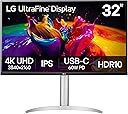
The LG 32UP83A-W is a 32-inch 4K UHD IPS monitor designed for professionals and gamers alike, featuring HDR10 support, a wide 95% DCI-P3 color gamut, and AMD FreeSync technology. It offers versatile connectivity with USB-C 60W power delivery, HDMI, and DisplayPort, plus ergonomic adjustments and built-in speakers. Ideal for multitasking, content creation, and immersive gaming, it combines high resolution and color accuracy with user-friendly controls to boost productivity and entertainment.


| ASIN | B09GHTPWFV |
| Adaptive Sync | FreeSync |
| Additional Features | Anti Glare Screen, Dynamic Action Sync, Height Adjustment, High Dynamic Range, Pivot Adjustment, Wall Mountable |
| Aspect Ratio | 16:9 |
| Best Sellers Rank | #60,261 in Electronics ( See Top 100 in Electronics ) #1,378 in Computer Monitors |
| Brand | LG |
| Brightness | 350 candela_per_square_meter |
| Built-In Media | HDMI & USB C Cables, Monitor, Power Cord, Stand |
| Color | White/Silver |
| Compatible Devices | Monitors |
| Connectivity Technology | Bluetooth, HDMI, USB Type C |
| Contrast Ratio | 1000:1 |
| Customer Reviews | 4.4 out of 5 stars 502 Reviews |
| Display Resolution Maximum | 3840 x 2160 Pixels |
| Display Technology | LED |
| Display Type | LED |
| Hardware Connectivity | DisplayPort, HDMI, USB 3.0, USB Type C |
| Has Color Screen | Yes |
| Image Contrast Ratio | 1000:1 |
| Is Electric | Yes |
| Item Dimensions D x W x H | 9.4"D x 28.1"W x 19.2"H |
| Item Weight | 8.3 Kilograms |
| Manufacturer | LG Electronics |
| Model Name | 32UP83A-W |
| Model Number | 32UP83A-W |
| Mounting Type | Wall Mount |
| Native Resolution | 3840x2160 |
| Number of Component Outputs | 3 |
| Picture Quality Enhancement Technology | True |
| Power Consumption | 160 Watts |
| Refresh Rate | 60 Hz |
| Resolution | 4K UHD 2160p |
| Response Time | 5 Milliseconds |
| Screen Finish | Glossy |
| Screen Size | 31.5 Inches |
| Screen Surface Description | Glossy |
| Shape | Rectangular |
| Specific Uses For Product | Business, Personal, Photo Editing |
| Total Number of HDMI Ports | 2 |
| Total USB 2.0 Ports | 3 |
| Total USB 3.0 Ports | 2 |
| Total Usb Ports | 3 |
| UPC | 195174024546 |
| Viewing Angle | 178 Degrees |
| Voltage | 240 Volts |
| Warranty Description | Limited: 1 Year Parts & Labor |
| Warranty Type | 1 Year Limited Warranty |
A**R
The best choice if you want a 4k 32" monitor with USB-C for a MacBook, on a budget
First of all, if you don't have a desire to spend a lot of time reading reviews I can tell you this right off the bat: if you have a MacBook (or not) and your main priorities are getting a 32" monitor with Ultra HD (4K) resolution and USB-C connectivity (highly desirable for MacBook owners) without breaking the bank (sub $500) then this is the ONLY choice (to my knowledge, and I did hours of research). I will explain and offer a couple other options if your priority is the most accurate color reproduction and budget isn't as much of an issue. This is the 3rd LG monitor I've owned, in addition to the 27UD88 and the 27UN850, both 27" UHD monitors with USB-C connections, and both have performed admirably for the past few years while connected to a 2019 MacBook Pro and a 2021 14" MacBook Pro, and continue to perform well. Also consider that until Apple made the Studio display ($1.5k?) your options if purchasing from Apple were only the $5k Pro XDR or a 27" 5k -LG- monitor for $1.3k. Even Apple was selling the LG, which indicates something about the quality of LG monitors. My primary use for the monitor was business related, spreadsheets, documents and charts. And I (correctly) thought that moving up to a 32” (it’s actually 31.5”) monitor and increasing my workspace would increase productivity. I can’t imagine going much larger, unless I were going to be working from a distance (the 32” can pretty much fill the field of vision) but I do highly recommend getting a VERSA mount arm, I ended up getting the NB North Bayou Monitor Arm, they have a few models, look for the one with “Gas Spring for 22''-40’’, Load Capacity from 4.4 to 30lbs,” you want a gas spring, and a good range of motion, as well as a higher load capacity than your actual monitor (reviewers often report that arms fail when close to the maximum capacity). In addition to the size, the 4k resolution was essential. I’m sure there are still advantages to a bigger monitor with a lower resolution, but I have sharp vision and as the screen gets bigger I want more material of the same size, not to just zoom in on what’s already there. And as an aside, I’m lucky to have 30/20 vision, but even for me having my screen set at 4k resolution on the 27” display left me often needing to bring the monitor closer, lean in, or even zoom in to read text. I eventually turned my display down to a lower resolution so that everything would be easier to see. When I got this 32” screen I was able to change my settings back to 4K, and everything is readable. The size and resolution really are a good match. The last feature that I was looking for is the USB-C connection. I’ve used the display port in past 4k setups, and it functions in a perfectly acceptable manner, but all it does is connect the video from the computer to the display. You won’t have access to the USB-A ports built into the monitor. As my last two MacBooks only had USB-C (actually thunderbolt) ports, and I still have some USB-A peripherals, it was a choice between getting a USB-C to USB-A hub, or getting a monitor that connected via USB-C thereby providing the display connection, access to the built in USB hub, as well as providing power to my MacBook. With the 2019 MacBook Pro it only charged via the USB-C ports, so this allowed me to leave the power adapter in a drawer and clear some desk clutter. The newer 2021 MBP charges via the new MagSafe, but I recently discovered that it will also accept charging through the USB-C connection with the monitor when the MagSafe is disconnected. I guess that’s pretty useful, and means I could pack up the power adapter for travel. There are other little perks, such as deeper integration between my MacBook and the monitor. When I was using a DisplayPort on my old monitor I had to have my MacBook open, so that I had an “extended desktop,” where I simply set my external display as the main display. This was fine, but I never actually used the little 13 screen, so all it did was consume energy and collect dust on the screen and keyboard, not great all-in-all. With the USB-C connection I can close my MacBook and the external display becomes my only desktop. Essentially it means I can turn my MacBook into a desktop computer when home, very convenient. One last note about this LG. I ALMOST returned it, and nearly requested a warranty repair because the display wouldn’t shut off when my MacBook went into standby mode. This was -very- annoying, and apparently it’s a common enough issue that you can find it in searches, and some people think it -cannot- be fixed. I spent over 1.5 hours on the phone with LG tech support on three separate occasions and was frustrated enough to give up on the monitor. But luckily I had my GFs (nearly identical) MacBook in the house with the “nearly identical” 27” LG monitor that I used to use, which gave me an opportunity to test everything. I won’t bore you with those details (I was exhaustive in the combinations) but I did discover that there was neither a fault in my monitor that needed repair, nor is there a flaw in the design of this LG. If you have this issue and you’re on MacOS 13.4 go to “System Settings > Displays > Advanced > Prevent automatic sleeping on power adapter when the display is off,” and disable that setting. It seems fairly obvious from the title, but it was enabled and didn’t affect my previous LG monitor, and even after an hour and a half on the phone with 3 different technical service reps from LG, none of them guided me toward that setting. I really hope that helps someone…. Beyond this I really can’t offer any recommendations if you aren't looking for 4k resolution or do not need or want USB-C connectivity, those were must haves in my search. On the other hand, if budget isn't a HUGE concern for you, ASUS makes the ProArt Display PA329CV ($600) which provides "...industry-standard 100% sRGB / 100% Rec. 709 color space coverage" and "∆E < 2" color accuracy. I don't even know what all that really means, but if you're a professional artist you probably do, and know whether you need that. And if you are a professional artist, then the additional $200 (150% the cost of this LG) is more than likely well worth the cost. Additionally, the USB-C port provides max 90W quick charging and you'll pick up two extra USB-A slots (4 total) in the monitor, which could be useful. In the same vein, Viewsonic makes the VP3256-4K - 32" ColorPro ($550), which is only $150 more and offers the same color reproductions standards as the ASUS for a slightly lower cost, but you only get the 2 USB-A slots, and the USB-C port provides max 60W quick charging. Either the Asus or the Viewsonic provide viable alternatives to the LG, and if color is of prime importance you are probably best served looking there. Beyond those two you will NOT find a Samsung monitor that provides both UHD and 32", you'll have to settle with QHD or 28" if you're a Samsung devotee. And if money is no object ($900+), then you will find options from DELL as well as higher end options from all the previous mentioned manufacturers, and probably other manufacturers that I didn’t explore. Whatever you’re searching for, I hope you find it.
H**N
Perfect for Photography but HDR is bad.
I have used this monitor for about two weeks and for my photography work, it is a perfect monitor. I was used to using the 40" ultra wide but decided it was too big for me so I invested in this. I like how simple the menu interface is as well as the option to recalibrate the monitor with its software and a compatible colorimeter. Not only that, there is a good selection of ports from the 60w USB-C port to the 2 extra USB's as well as a audio jack, it helps simplifies my cables. My only real downside would be the High Dynamic Range mode on this monitor. For HDR content, it is perfect for consumption but when you have to do daily productivity tasks, the HDR outputs a weird green tint that affects the visibility of content. Overall, this monitor is good for it's price and budget (especially if you can get it on sale like me on black friday). But when it comes to HDR content, I would suggest you getting the 5K model as that would be a better buy. Overall, I'm happy with my purchase and it's perfect enough for my line of photography work.
D**D
Great monitor for Productivity & Gaming I love it !
I’ve been using this monitor for about six months now, and it has been absolutely flawless. I primarily use it for productivity and gaming on my Xbox, and it excels in both areas. For productivity, the wide screen is perfect for multitasking. I can comfortably fit my IDE and a web browser side by side, and the sharp text makes extended work sessions easy on the eyes. For gaming, the colors are vibrant and immersive. While the blacks can occasionally make dark areas in games a bit harder to see, the monitor offers a variety of settings to fine-tune the color modes to your preference, which is a nice touch. One feature I really appreciate is the USB-C power delivery. It’s super convenient for powering devices, although I wish I had gone with the 90W version instead of the 60W. The only downside is the lack of automatic display detection. Having to manually switch input types through the menu can be a bit frustrating at times. Overall, this monitor has been a fantastic investment. It’s versatile, reliable, and well-suited for both work and play. Highly recommended!
J**N
Love LG 4k and works well with my MBP
I am upgrading from 2 27” LG 4K monitors and even though this is technically smaller than 2 monitors I wanted a more clean space and this is the perfect size for multitasking. The brightness is good enough, picture is good enough and it seems to perform very well. I have it connected via USB-C and it gives you the display while charging the laptop. Sound isn’t the best and on MacOS you can’t adjust scaling so the text isn’t ultra clear like the much more expensive Apple Monitors but for the price you could get 4 of these. I like the versatility with only needing one cable and having a few USB ports on it to connect a webcam and other peripherals too. I bought and returned a 34” ultrawide where the text was blurry, then next went to a pair of BenQ monitors that are supposed to be great for programmers / coders but honestly the text looked awful on those. This is the one I’m going to go ahead and keep for a while at least. Perfect for coding!
H**D
Choose the IPS Model!
I purchased the 90w version of this model and was sorely disappointed in the image quality. The veiwing angles were so bad that the lower corners of the screen looked washed out. I returned that model and purchased the 60w IPS version and am much happier with the monitor. Definitely worth the $100 extra. If you're trying to decide between the 90w and the IPS, go for the IPS. Another great feature is the the IPS model is supported by the Mac add-on "Monitor Control" software, which will allow you to adjust brightness AND VOLUME using the Mac's built-in controls. The 90w model didn't support this, and volume adjustments needed to be performed using the monitor control joystick. This is a great monitor and stands out and alone in the competition in its feature offerings and price point. Note: the 90w model came with a USB-C cable, HDMI cable, and Displayport cable. However, the IPS model was missing a Displayport cable. Keep that in mind when ordering. Not sure if mine was missing the cable intentionally.
G**H
Amazon Return/Exchange is Normally good.... Until this oder!!!!
This display is Great until just after a week the HDMI ports died. The issue I'm having is that Amazon would rather only do a refund than do an exchange. I purchased this item for the Black Friday/ Cyber Monday specials so the price was really good. Just after only having the item for a week the HDMI ports stopped working and I trouble shot with LG and we both came to the same conclusion, defective ports. However, Amazon, for some reason would NOT allow me to exchange the item only return for a refund. I can't even return and buy a new one since the holiday sales are over and the item is over $100 more now. My only options are; to return the item for a refund and buy something else or keep the item and work with the manufacturer to get it fixed under warrantee. Very frustrating situation. This is the first time I've had this issue and Amazon will not offer an even exchange and I only had it just over a week. I will say the customer service person I had on the phone was very empathetic and really tried her best to see what she could do but management denied the request for an exchange. Amazon is usually good with refunds and exchanges but for some reason (they say due to the cost of the item) they won't do an exchange.
W**D
Great quality multi-platform monitor
I picked this up for video editing with my MacBook Pro primarily because I could connect the USB-C from the MacBook directly to the monitor without an adapter. The added bonus is the Monitor also acted as a power supply for the MacBook! The setup was simple though the trick to LG monitors is to find the joystick power and settings control mounted below the middle of the bottom bezel. This actually resulted in some chat with LG support at first, but once found and settings adjusted with the joystick everything worked perfectly! I have used this monitor with my MacBook and find it provides low but adequate power to the MacBook for light use or charging. The video quality is stunning though it is the only 4K device I own, the picture is wonderful! I've attached via HDMI from my older Lenovo laptop and a Raspberry Pi. Currently it serves primarily as power supply and video for a Raspberry Pi 5. Note for the Pi 5, it does require both an HDMI cable and a USB-C cable (for power) unlike the MacBook. Overall this is a wonderful monitor for everyday use, versatile for multiple platforms, and a beautiful picture!
H**N
It's outstanding for MacBooks!
I purchased this monitor after a deep dive into 32" 4K monitors that would perform well with MacBooks exclusively. This came after a disastrous experience with a similar Dell 4K 32" curved monitor that just didn't interface well with my two Macs. I kept getting fuzzy or wavy screens which turned out to be documented problem with Dell 4Ks not having firmware that played nice with Apple video chips. I returned the Dell and then started shopping again. BenQ monitors kept coming up as a great choice for Macs in terms of resolution, brightness and seamless performance with Apple operating systems but they started at $850 and went up from there. This LG got good reviews and looked beautiful right out of the box with no adjustment. The control settings have every combination of picture mode settings that you would need depending on what you are producing. The joystick control is easy to operate. The stand is amazing and allows full adjustment with little effort. It also takes up minimal space on my desk. Motions include up, down, rotation and even tilt from landscape to portrait orientation. The number of ports is also excellent. I run a 15" MacBook Air through the display port, a MacBook Pro through HDMI 1, a Windows 4K laptop through HDMI 2 and an iPad using the USB-C port (which keeps it charged as well.) I bought a refurbished monitor from Amazon for under $400 and have been delighted with the unit after three weeks. I do photography and video editing and really like the color reproduction and speed of the display. This is the one to get for Apple devices!
D**G
Excelente monitor
Tengo un par d e semanas con el monitos y la verdad me gustó mucho, la imagen en 4K es súper nítida, los negros se ven negros y la paleta de colores también está muy bien, no es un súper display pero para lo que lo utilizo qie es trabajo está súper (por cierto el sonido también es muy bueno) en cuanto termine mi upgrade de mi setup actualizo la reseña!! 🤟🏽
R**A
A perfect choice for clarity and comfort
he LG 32UP83A 32-Inch UHD monitor has been an outstanding addition to my workspace. The 4K resolution (3840 x 2160) delivers crystal-clear visuals, sharp text, and vibrant colors—perfect for both professional and entertainment use. Whether I’m editing documents, attending virtual sessions, or watching videos, the image quality is consistently excellent. The size is ideal—large enough for multitasking, yet not overwhelming on the desk. USB-C connectivity is smooth and reliable, and the overall build quality feels premium. However, the audio is not premium as I didn't expect as well. This monitor is truly a perfect choice for anyone seeking performance, resolution, and visual comfort. I couldn’t be more satisfied.
M**O
Excelente producto
Muy buena marca, el monitor excelente, por eso compre esta marca que hasta ahora no me ha fallado en nada.
F**Z
Nice monitor. Does the job.
Good, reasonably priced 4K monitor. I'm not playing games on it or anything, but it has good brightness, reasonable colour, enters low power mode when required, and has no dead pixels. Unlike many other monitors, the stand has good height and angle adjustability. They provide a clip to aid in cable management. I also like the fact that you can configure it to beep when your computer starts waking up.
Y**N
Excelente Pantalla
Excelente pantalla, se conecto con un mac Studio y la calidad de imagen es muy buena. Estoy muy contenta con mi adquisición. Llego un día antes de la entrega.
Trustpilot
1 month ago
2 days ago