Desertcart purchases this item on your behalf and handles shipping, customs, and support to Senegal.
🌬️ Take control of your comfort—one room at a time, wirelessly and smartly!
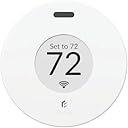
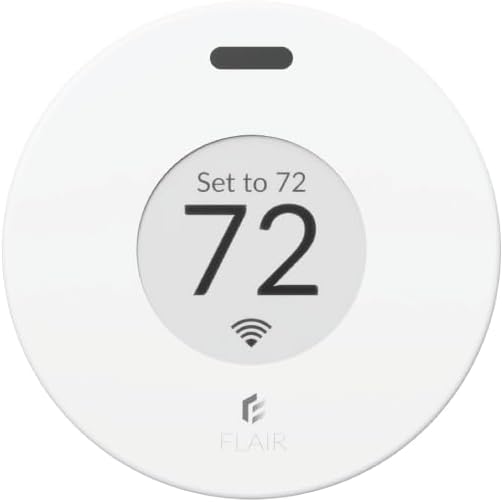
The FLAIR Puck Wireless Thermostat and Room Sensor is a sleek, battery-powered smart thermostat designed for precise temperature control in every room. It wirelessly manages Flair Smart Vents or mini splits from 200+ brands via Wi-Fi, offering app and voice assistant compatibility. With Room Sense technology and Smart Away features, it optimizes comfort and energy efficiency without the hassle of wiring, making it a must-have for modern smart homes.


| ASIN | B07TPRLYS1 |
| Backlight | Yes |
| Brand | FLAIR |
| Colour | Pearl White |
| Connectivity Protocol | Wi-Fi |
| Connectivity Technology | Wi-Fi |
| Control Method | App, Voice |
| Control Type | Voice Control |
| Controller Type | Amazon Alexa, Android, Google Assistant, iOS |
| Customer Reviews | 3.6 out of 5 stars 447 Reviews |
| Display Type | digital |
| Enclosure Material | Plastic |
| Finish Types | Glossy |
| Included Components | Range |
| Item Type Name | Thermostat |
| Manufacturer | FLAIR |
| Manufacturer Part Number | FLAIRPUCK001 |
| Model number | 313699093 |
| Mounting Type | Wall Mount |
| Number of Batteries | 2 AAA batteries required. (included) |
| Power Source | Battery Powered |
| Product Features | Lockable |
| Product Style | Classic |
| Shape | Round |
| Special Feature | Lockable |
| Specific Uses For Product | Residential |
| Temperature Control Type | Digital |
| UPC | 868596000220 |
| Voltage | 24 Volts |
R**K
**UPDATE** 8/29/24 - was about to return it, tech support called me directly and helped me - WiFi
My original review is below below the line break. But I wanted to update this since buying a second one and using the first one now for a few months. I still haven't tried to connect to my Google home system. Just being able to use the app alone is enough for me. I really hate "talking" to my google home speaker more times than I have to. Every light switch and outlet in my home now is practically google home enabled. So it gets tiresome and most times I'd rather just use the app to push a digital button and know what I chose for an option is going to be executed. As I said, the first one I installed works great. Setup should NOT be done through the app. Go to their website to do it. Sign up for your account there, log in, and add the device via your web browser. (Use a laptop or desktop THAT HAS WIRELESS - if you don't have one, borrow one from a friend just to get the setup done. After that, the app works great). This was no different with my 2nd puck being added. I used my laptop and set it up without a problem. I created a new room, and I created a new mini-split, then added that mini-split to the newly created room. Tested and verified the new puck controls the mini-split without issue. I did notice one small flaw, and it's not likely to ever be corrected regardless of firmware updates and such. While my first Flair puck responds within 3-5 seconds of choosing settings on the app (or in the browser), the 2nd Flair puck I installed takes nearly 30-40 full seconds to respond. Having a background in both computers and RF I think I know why this is happening. Your first puck is set up as the "gateway." (Unless you purchase the specific gateway device from them that's not a puck - which isn't needed.) Every subsequent puck you add after that is just a "puck" device and it's only way to get the commands sent to it is from the 1st puck acting as the gateway. This adds quite a bit of delay to 2nd, 3rd, 4th, etc. pucks added when you make changes to the settings. 30+ seconds for your mini-split to get the command you put in the app is pretty lengthy. I wonder if adding the 2nd puck as yet another gateway would fix this - though that might not work, or even create issues having more than one Flair gateway running at a time. Either way it does work and if there's some more seconds between remotely turning it on/off I don't care as long as it actually does it. So long as it doesn't become 5-10 minutes! As I said in my original review I planned on buying more of these. I have 5 mini-split head units total. I have 3 more to go and they will all get one eventually. I just hope the company doesn't go under because all communication requires their backend system remain up and running, and WITHOUT charging you. If they do go belly up, I ask that they please release an API so that people can still use their very expensive equipment with "Home Assistant" which is a self-hosted smart home software that's free and can run on even just a cheap raspberry pi. I had a "wink" branded system years ago that was sold through Home Depot. I bought light switches, outlets, even 3 deadbolt door locks all on their system that promised "NO FEES - EVER." Well, they reneged on that 2 years into my using it. Wanted to start collecting $15 a month subscription. I ripped every single outlet and switch out of my wall and torched the equipment on my driveway with a blow torch I was so angry they pulled that carp. And again, if you cannot get it connected... it's NOT the equipment. It's you. #1 - DO NOT USE THE APP for setup, regardless of included instructions. #2 - Use their website for setup (see my original review text below for it, or google it) #3 - Stop looking at the strangely low rating here on this, and the negative Nancy's who say it's garbage, it most certainly is not! _____________________________________________________________________________________________ I'm no rookie when it comes to RF or Wi-Fi networks. I have been involved in this technology for 25 years for work. No matter what I did I could not get this Puck to connect to my Wi-Fi. bottom line is the app sucks for setting it up. Skip the entire setup process within the app. set up via the web instead. first, make yourself a flair account. afterwards go to my.flair.co (NOT .com) And log in there. do this on either a laptop or a computer with Wi-Fi. The device must have Wi-Fi as you will need to temporarily connect to a temporary Network that the flair puck creates for the purposes of setup. once you get to the point where it wants you to search for the flare puck, it will instruct you to make your computer Wi-Fi connect directly to the flair Puck temporary Network. once you do this, a pop-up window will come up and search for wireless networks. here you pick the wireless network you want to connect to and enter the password. once you are done, it will direct you to reconnect your computer to your normal Wi-Fi and continue the setup process. again, do not use the app on your mobile device to do the setup. You're asking for frustration and failure. If you don't have a laptop, borrow somebody's! I am happily sitting under my Mitsubishi mini split which I can control now from the app. I have not yet tested Google home speaker integration. however, my son likes to make his bedroom like a bear cave with full blast fans speed and the lowest temperature. now I can simply open an app after he's fallen asleep and lower The fan speed and put the temperature at a more reasonable 67 or 68°. once the puck is set up. it works flawlessly. I have five mini splits all by Mitsubishi. I absolutely will be buying at least two more of these. I'm just waiting to make sure it works well for a week first. eventually I will have one puck per mini split. Mitsubishi makes a direct control module that plugs into a daughter board inside each mini split, but it has terrible reviews and does not work very well. Thank you flair .
M**K
Weird behavior and fairly limited.
I've had the puck for around 9 months, and I have a DIY Mr Cool Unit. The unit itself is trash; don't buy Mr Cool. The thermostat is useless. This is why I bought the Flair Puck. On to the Puck. The app is OK, but the UI is fairly ugly and feels dated. I have to search around for a few minutes to find things. It's useable though. The Puck's temperature reading is laughable. Sitting next to the puck are two thermometers, they both read 80 degrees. The puck is reporting 72 degrees... what? I'm told it has to "learn" but yeah, it hasn't learned. The Puck itself uses IR to communicate with your system. While this isn't really Puck's fault, making changes on the device itself will cause inconsistency. The Puck can't change the fan speed. My unit has "turbo" but it can't be used, and when Puck sends a command, it turns it off. The scheduling system in the Puck app is also really weak: I can only set the temperature. I can't adjust fan speed, can't set conditions (if it falls below X, do this), I can't even force it to turn the system off. When it's running, I can set the temperature of the room to 72. The Puck will keep lowering your unit's temperature until it reaches that temp, and it'll INCREASE the temperature. For instance: If the room temperature is 70f, it'll set the unit to 77f. If the room temperature is 80f, it'll set the unit to 65f. This is fine, but when the Puck itself can't determine the correct temperature, it becomes problematic. It doesn't slow down the fan speed and relies on the unit's built in "auto" instead. You also can't change this behavior. I personally would rather an option to control the thermostat with the current room temperature... but the puck doesn't allow for customizations like that. I don't recommend the Puck. Based on the fact that it's 8 degrees off alone makes me think this product will not last very long. It doesn't really offer enough customization, and the app doesn't really update very often. There are probably better solutions out there.
D**R
Not perfect, but does the trick
(This s a copy of my review for the Flair Smart Vents, as the Puck Thermostat is required to make them work, so they will have to be purchased together. Everything I said in that review applies to the full system) I was cautiously optimistic when I purchased these vents (and the first puck). I had read many of the reviews, especially the negative reviews, and had also read the online documentation from Flair about what smart thermostats were supported, but literally no one else makes a similar product, so I decided to roll the dice. My smart thermostat is a Honeywell model (RTH9585WF) and was a birthday gift from my kids. Now, according to what I had read online, this Honeywell model was not supported by Flair, so I was worried that if I were to make the smart vents work, I might have to ask my kids for the receipt and exchange it for a different model. So you can imagine how happily surprised I was when I connected my puck to my network, and the app immediately recognized my thermostat, and even gave me the option to let Flair control it (that didn't work out for my situation, but more on that later). I must say, I'm a bit surprised by some of the bad reviews, and am wondering if they just got a bad batch of products, because I found the set-up and installation to be quite simple and hassle-free. Each new device paired quickly and easily, and I had the whole system set up in about 30 minutes. I will agree with some of the comments that the puck dial and o/s are a little clunky and cheap feeling, but I don't deem this an issue of any real concern - they seem like a set-it-and-forget-it kind of tool to me. Once I got everything set up, I now control it all through the app on my phone, there's just no need to touch the pucks. I also have the luxury of only needing floor vents, so I didn't have to attach mine - just drop them in. I would also agree that the corded puck is not the most attractive feature in my house, but I guess I understand the need for the gateway puck to require power. My other puck is battery operated and sits attractively on a table in my den. As the title of my review says, this product is not perfect, but with some trial and error, I have the system doing exactly what I wanted it to do, and every room in my house is regularly within a degree or two of where I like it. Compared to the wild disparity that I used to experience in my multi-level townhouse and single-zone HVAC configuration, these results are a dream come true. I've lived here for 18 years, and have always struggled, year-round, to manage and equalize the temps in the house. However, it did take some effort and tweaking to find the right balance. I have both my thermostat and my Flair devices on a schedule, and have synced those schedules so that I have a very cool bedroom to sleep in every night and a comfortable 72° during the day. I've had to tweak the temperature settings on both halves of the system to find this balance. I did try letting Flair control my Honeywell thermostat, but it did not work well for me. The Honeywell has separate heating and cooling setpoints and requires a 3 degree gap between them, so the heat will not kick in until it gets colder in that room than a point effectively 4 degrees below the point where the A/C has stopped running. In contrast, the Flair pucks have a single setpoint, and with the thermostat set to auto heat/cool, it was immediately kicking the heat on when the temp dropped below its setpoint. I also found that the balance between the floors was more difficult to maintain with Flair in full control. And finally, one of the best features of my Honeywell thermostat was lost when I gave Flair control of it: the learning and auto-recovery function. It learns how long it takes to switch between the two halves on my schedule, and will begin a recovery cycle prior to the scheduled time, so when I go to bed, my room is already cold and when I wake up in the morning, my house is not freezing. Your setup and results may differ, and I do think it's cool that Flair gives the option to take full control (especially considering i didn't think it would even work with mine). Mine is a small home, so I only needed 4 vents and 2 pucks to achieve the desired results. I find the vents attractive (better than what I had), and the system easy to use and understand. At the writing of this review it is the start of summer and I've had them for just under a month. I will no doubt have another period of trial and error and a new set of schedules to set up come fall and winter, but I have to say that I am very happy with this purchase. Wish I could give 1/2 stars on these reviews, because it's almost a 5/5, but not quite. I hope this helps!
J**M
9 Month Review.
The Flair vents are sick—in the best way. Upstairs, I’ve got three bedrooms on their own HVAC unit. It was like a Goldilocks story up there: one room was too hot, one was too cold, and one was juuust right. To fix this, I installed three Flair smart vents (8x8, 10x10, and 6x14). I already had a Honeywell T9 thermostat, but I leveled up by adding smart room sensors for each bedroom. To tie everything together, I got a Flair puck, which acts as the hub and the middleman between the vents and the internet. The puck lives in the hallway, diligently managing the system. My goal was simple: when Bedroom 1 hits its target temp, its vent closes. Same with Bedrooms 2 and 3. Flair works really well with the Honeywell sensors to make this happen. Now, about that guest bathroom vent. I left it unchanged because I worried about backflow pressure—if all the vents closed while the HVAC unit kept running, it could damage the system. Flair has an algorithm to prevent this by keeping vents open, but it wasn’t exactly what I needed. Flair’s default is to keep two vents open at all times, but I only wanted one. So...I lied to Flair (sorry, Flair). By telling it I had more vents, I got it to work the way I wanted. Play with that at your own risk. FYI, the guest bathroom vent is now the designated “always-open” vent, but flair always ensures that one of the flair vents are always open. I also set the system to fully open all vents when the unit switches to circulation mode (just moving air around, not heating or cooling). The result? Flawless. Seriously, I barely even notice it’s there—it just works. Once you’ve set it up to your liking, maintenance is practically nonexistent. It’s one of those systems you forget about because it’s doing its job so well. Buy them now before the HVAC contractors find a way to put them out of business. Far superior system in both terms of cost and efficiency than your standard HVAC approach. Eventually, I want to do the same thing downstairs, but that is going to be it's own animal to tackle. Highly recommend!
D**H
Setup and requirement that it be plugged in is a real pain
When we purchased our home a few years ago, the finished basement area came with a mini-split. Unlike the rest of the home we could not control this area with our ecobee thermostats so it's been a real pain and expensive (electric heat & cooling) not to be able to have a schedule but only a set point. Along comes the Flair Puck with high hopes that finally we'll be able to integrate our mini-split into our home automation and give it a schedule. The Puck comes in a small box with 4 step instructions on the outside. The real setup instructions are in the box inside that has the micro-USB cord. Loose in that box you'll also find a couple of batteries. Too bad if this is your one and only Puck though they'll be useless! Yes, those pictures you see in the product listing showing it on the wall with no wires -- not for you! One of the Pucks has to be a "Gateway" and plugged in at all times. Make sure then that you have some kind of table or something within unobstructed ine-of-sight near an outlet that you want to have the Puck on sitting on as a permanent decoration. That's if you can keep it from rolling off because it doesn't come with a stand. The weight of the wire will happily pull it off onto the floor for you. This might be a show-stopper for our application since there's really no good place to sit it but there were plenty of places to mount it on the wall and I am not mounting it on the wall with a wire hanging down. But that will be the least of your problems if you can get through the setup app's "wizard" without making a mistake. Type in your WiFi password wrong? It's back to "Forget WiFi" and start all over for you. Not sure if your mini-split is a Mitsubishi or Mitsubishi Electric? Well, if you pick the wrong one there's no way to fix it and if you try to exit and look around the app for a way to edit it, it will constantly bother you by popping up a dialog to finish setup and if you tell it to stop asking you it will ignore it and keep asking you anyway. The wizard will never take you back to the step to change the manufacturer. So don't bother, there's no way to get out of it, even if you uninstall the app and reset the Puck. It'll come right back to where you left off because the state is all kept in your account on the website. What I finally did to get beyond this was login via the website (where it will again complain you need to finish setup) and just blindly kept hitting next until the wizard finished. Only then will you FINALLY see a list of rooms, etc. you can edit, put in the correct manufacturer and then go through the proper setup steps for your mini-split. BTW, "IR Device" apparently is your mini-split so when it asks you for the model number of your IR device it means the model of your mini-split. I did finally get it to make my mini-split "beep" like it accepted a remote command so I assume it's working. Except when I got down there to set it up, it was 64F in the room and I have the Puck set for 70F -- now it's 62F. The mini-split is running but who know what it's doing. I will give it some time and see if the temperature starts going up. In the UI it shows "Set 72F" but another dial with 70F so I am not sure what it has set the mini-split to. So, definitely off to a rocky start. Needing to have it wired via micro-USB and 1A/5V transformer is a real downer. The setup was a real pain because I wasn't sure Mitsubishi or Mitsubishi Electric and picking the wrong one meant I could not go back and correct until I finished the wizard. I should be able to pick one, see my model isn't there (or I tapped the wrong one by accident) and then go back and pick a different manufacturer. It was also confusing my mini-split was referred to as "IR Device" which I kept thinking was the remote but IR Device means the thing receiving the IR signal. I am also a little confused about what things are set to right now. The app is showing "Set 72" and my schedule of 70F. I guess we'll see. But with the whole wire thing I am not sure this is even a keeper. I'll come back and update this review with anything new. I definitely found it easier once I got through the Puck setup itself to log into my account on the website directly and make more settings from there like a schedule. Going through the web UI there are a lot of other things to explore like integrations with my ecobee account I will have to checkout to see if that is useful. Maybe somehow I can get it integrated with Smartthings and/or Alexa. One important setting (to me) that it's missing is with regards to Hold duration. With the ecobee you can have it Hold until the next schedule change. With the Flair the choices are 3hrs, 8hrs, 24hrs or Forever. The default is Forever so be sure to change that because if you manually adjust the temperature you might not realize it will never go back to your schedule if you set one. update: upon seeing the review Flair reached out with some tips and tricks and let me know they have my feedback to the engineering team. Also now that it’s setup it been running great with no issues which after all is the whole point. So I am updating my review to 3 stars.
Trustpilot
1 month ago
3 weeks ago