Desertcart purchases this item on your behalf and handles shipping, customs, and support to Senegal.
๐จ๏ธ Print smarter, faster, and greenerโjoin the EcoTank revolution today!
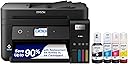
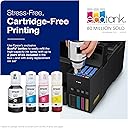
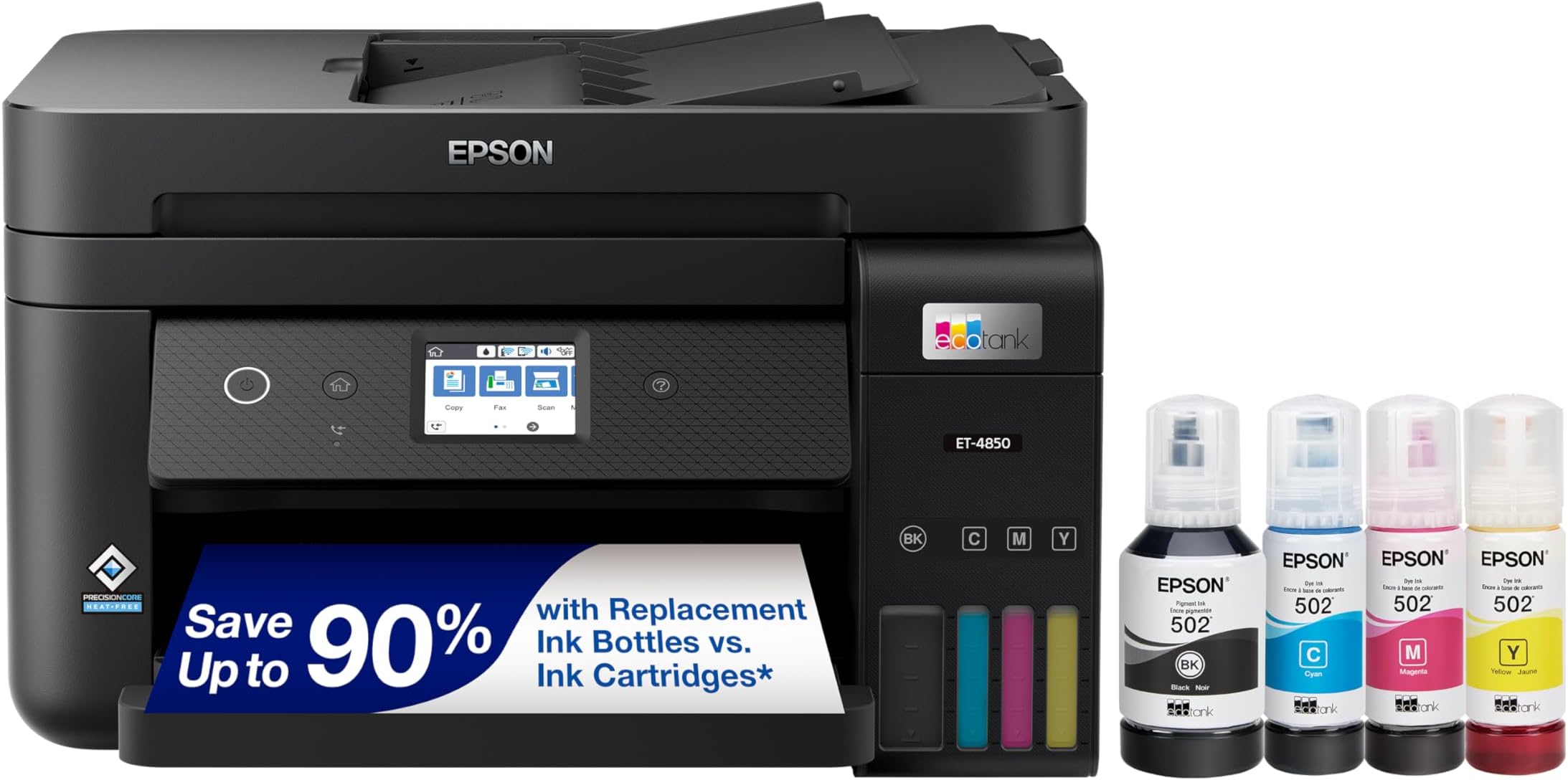
The Epson EcoTank ET-4850 is a wireless all-in-one inkjet printer designed for busy professionals seeking high-quality, cost-effective printing. Featuring a cartridge-free refillable ink tank system, it delivers sharp prints at up to 4800 x 1200 dpi, prints 15.5 black-and-white and 8.5 color pages per minute, and supports automatic duplex printing. With versatile connectivity options including Wi-Fi, Ethernet, and USB, plus a 2.4" color touchscreen and auto document feeder, itโs built to maximize productivity while minimizing ink costs and environmental impact.


| ASIN | B096N9R8Z5 |
| Additional Printer Functions | Scan |
| B&W Pages per Minute | 15.5 |
| Best Sellers Rank | #31,736 in Office Products ( See Top 100 in Office Products ) #47 in Ink Tank Printers |
| Brand | Epson |
| Built-In Media | EcoTank ET-4850 all-in-one, manual, power cord, 1 bottle of 502 Black (127 mL) and 1 bottle each of 502 Cyan, Magenta, Yellow (70 mL) (2) |
| Color | Black |
| Color Depth | 24 bits_per_pixel |
| Color Pages per Minute | 8.5 pages_per_minute |
| Compatible Devices | Smartphones, Tablets |
| Connectivity Technology | Ethernet, Wi-Fi |
| Control Method | App |
| Controller Type | Android |
| Customer Reviews | 4.2 out of 5 stars 654 Reviews |
| Display Type | LCD |
| Duplex | auto |
| Hardware Interface | Ethernet |
| Ink Color | Black |
| Item Dimensions D x W x H | 19.8"D x 16.4"W x 10"H |
| Item Type Name | Inkjet Printer |
| Item Weight | 14.8 pounds |
| Manufacturer | Epson |
| Maximum Copy Resolution Black and White | 600 dpi |
| Maximum Copy Resolution Color | 600 dpi |
| Maximum Copy Speed Black and White | 15.5 pages_per_minute |
| Maximum Media Size | 8.5 x 14 inch |
| Maximum Print Resolution Black and White | 1200 dpi |
| Maximum Sheet Capacity | 250 |
| Maximum print Resolution Color | 4800 x 1200 dpi |
| Model Name | EcoTank ET-4850-B |
| Model Number | ET-4850 Black |
| Model Series | EcoTank |
| Number of Drivers | 1 |
| Number of Trays | 1 |
| Other Special Features of the Product | Auto Document Feeder, Network-Ready, Refillable Ink Tank, Touch Screen |
| Output sheet capacity | 250 |
| Paper Size | 3.5" x 5", 4" x 6", 5" x 7", 8" x 10", 8.5" x 11", 8.5" x 14", A4, A6, half letter, executive, user definable (3.5" x 5" โ 8.5" x 47") inches |
| Power Consumption | 12 watts |
| Print media | Envelopes, Glossy photo paper, Paper (plain) |
| Printer Connectivity Type | Ethernet, Wi-Fi |
| Printer Output Type | Color |
| Printer Type | Inkjet |
| Printing Technology | Inkjet |
| Resolution | 4800 x 1200 |
| Scanner Type | Flatbed, Sheetfed |
| Special Feature | Auto Document Feeder , Network-Ready, Refillable Ink Tank, Touch Screen |
| Specific Uses For Product | Office |
| Total USB 2.0 Ports | 1 |
| UPC | 010343957787 |
| Unit Count | 1 Count |
| Warranty Description | 1-year limited warranty |
| Warranty Type | Limited |
| Wattage | 12 watts |
J**M
Perfect so far
I waited for over 6 months to write a review. So far this printer is excellent. No connection problems, fast and crisp printing, and very economical. I'm only printing out content a few times a week but the fact that my cartridges still show about 80% full is a huge improvement from my last printer of a different brand. The document feeder and scanner (which I also use every month) also works perfectly. I've never had a printer that worked so effectively. I could not ask for more.
R**N
SO thankful I went with this.
My two weeks of research to find the right printer was incredibly worth it. It was needed for a small business and we use this printer daily. We've now been using it for 2-3 weeks, and it's doing such a good job. The prints are beautiful, B&W or color, and ink tanks are proving to be the way to go. Yes, printers with ink tanks are more expensive up front, but we will save so much now that we are not getting cartridges. I saw a lot of reviews with specific issues that I believed to be due to the way some folks had set up their printer. I used the USB plug in and ran the disk that came with it to install everything I needed on my computer. It did take a while to install it all and get the printer ready to print, but it was honestly very easy (I think that is the easiest connection option). I've not had any issues with interrupted connection to my printer. Cons: The scan lid is on the flimsy side, but it's fine. It takes a while to learn all the ins and outs of the different functions. I've yet to set up the fax feature because I haven't had time to sit and figure it out. That's all. It's a very good option and I would recommend.
A**R
Printer is fine. Internet connectivity is a mess. Epson customer service is really awful.
I had an Epson all-in-one printer for 13 years that worked pretty good, but they discontinued the cartridges, so I got the Eco-Tank one, and I like how the ink lasts a long time, it really does. With double-sided printing the print is kind of light, but if it were darker it would probably bleed through the paper, so I'm okay with that. But I've had problems with getting the printer to stay online. So today it was offline again and not printing and I spent the afternoon on the phone with Epson customer service. From other people's comments, sounds like this is a common issue, but the customer service people were all over the place with "fixes" that did not work, and finally I gave up on them. They didn't understand, and they weren't able to help. I asked to speak with the "senior tech support" people and they transferred me to somebody who said they just started working there and they weren't able to help. I finally decided to keep fiddling with it myself and got it running again, but I don't know yet whether it will go offline again. It's a great printer, and I'm hopoing the connectivity issue gets cleared up.
Z**D
Overpriced and frustrating to use
The Epson EcoTank ET-4850 Wireless All-in-One sounded like the perfect solution for my printing needs, but it has been nothing but a disappointment. The setup process was unnecessarily complicated, especially for connecting it to Wi-Fi. Even after following all the instructions, I kept encountering connectivity issues that made it almost impossible to print wirelessly. The print quality is subpar for a printer in this price range. Text comes out uneven, and colors look dull and streaky, even after running multiple cleaning cycles. The โEcoTankโ feature, which is supposed to save money on ink, is misleading because the printer constantly requires cleaning and maintenance, wasting both ink and time. The touchscreen interface is small and unresponsive, making it frustrating to navigate settings or troubleshoot problems. Customer support was equally unhelpful, offering generic solutions that didnโt resolve the issues. For the high cost, I expected a reliable and efficient printer, but this product has been anything but. Save yourself the hassle and invest in a better-quality printer. I canโt recommend this to anyone.
G**O
An end to paying big bucks for ink!
I've had the printer for a few weeks now. Unboxing / setting up was a breeze. The print quality is good, even the photos are respectable. its very light and has a small footprint, both of these things were important for my application. The ink loading is amazing simple and clean. I've been an HP user all my life, I've owned 6 or more. I am used to paying a ridiculous amount for a small plastic block with a very little amount of ink in it. Just one bottle of Epson ink (one color 70ml) has more ink than an entire XL cartridge of ink for the HP, and the black is even larger 127ml. Its not the fastest printer I've had, but the little extra it takes is well worth the money spent on ink. The double side print has a slight pause when pulling the paper back into the printer to print the other side, but the convenience makes it worthwhile. The touchscreen is small, but functions nicely. If you extra large finger tips it could be a problem. I would keep a touchscreen stylus pen nearby. The scanner / copier feeder mechanism wouldn't work for more than 1 sheet at a time for me. I was disappointed but since I rarely use it and when I do its typically for just a few sheets, I can live with it. If you're someone who is also looking for this to become a serious copier, you may not be happy with it. I don't know of my unit alone has an issue, or if its a systemic problem. You'll want to look into this further. One last note. When I printed a full page photograph on glossy photo paper, the first row across the top (in a landscape mode) and the last line at the bottom has a smear outside the boundary of the picture (in the white space frame around the picture.) it seems their may be an issue printing that close to the edge of the paper when starting and ending the print. I can easily trim off the boarder if I wanted. Since I didn't and wouldn't buy this model for serious photographic printing, this isn't an issue for me. Overall I am very pleased with this printer. My last HP printer started having problems when I kept rejecting the HP automatic refill program. I didn't buy a printer and want HP to start charging me by how many pages I print per month. Business subscription service has always been a good source for recurring revenue. However, it also usually comes with the service company suppling a machine and maintaining it and selling you the supplies you need. HP decided to turn all their machines already out there, machines that were paid for in full by private users, into a captive reoccurring revenue scheme. It's a shame they've become so greedy because HP has always made some very fine printers.
P**N
Very pleased with this printer
Replaced an aging HP printer that never managed to sustain a consistent wireless connection. Found setup with this printer to be super easy and haven't had any issues connecting mac & pc laptops or mobile devices to print wirelessly. Print quality is good, better than the machine it replaced, but nowhere near high enough quality for professional or commercial applications. This is a solid everyday printer and I love the ink wells.
C**S
Break Free from the HP Chains
I was a longtime HP customer, owning three LaserJets and several OfficeJet ink printers. My last was an OfficeJet Pro 9015, which worked well as a scanner and fax. It was rarely used for color printing, with only 200 sheets printed over 2.5 years according to the printer's logs. But it regularly required new cartridges based on estimated (not real) usage. This time around it wanted two new cartridges and I got a set of a โcompatibleโ brand that I have used before. But his time they were rejected by the HP software and I was faced with paying $100 for a standard set--or nearly $200 for the XL capacity. I voted with my feet and will never by another product from HP. Great quality, greater greed. But on to the Epson. .. The ET-4850 gives me everything that the HP had (exception: it lacks a USB port to scan a document directly to). If you donโt need a fax, ethernet connection and/or duplex printing, there are other flavors of the ET line for less money. I wasnโt quite ready to give up my fax line and prefer ethernet over wireless. It comes with enough ink to fill the tanks and then top them off after the printer goes through its initialization/setup. Setup does take some time, so set aside a hour to unpack and go through that. Print quality and speed are fine; I notice no difference between the brands in this regard. But with the EcoTanks you will be able to actually see whatโs in there and refill based on reality, not a greedy manufacturerโs โestimate.โ Looking at the cost of ink, Epson is more expensive than the compatibles but not obscenely so. Being a light user (Iโll still print mainly to my laser), I may just buy the Epson brand. It may take some time to break even after spending the $400 for this printer, but that day will come. The satisfaction of tossing the HP out the door was both immediate and priceless.
K**B
Solid printer, great ink usage
I initially had trouble with network discovery on my wi-fi network, particularly with Apple Airprint. I was on the verge of returning the printer since I had no such issues with my old Brother printer, which finally needed replacing after 9 years (due to software incompatibility btw, not any hardware defect). Luckily, I refused to believe that my Android, Apple, and Windows devices would all have trouble connecting. So, I checked a couple of forums and discovered it was my router's configuration that was the culprit. I made the adjustments (disabling airtime fairness and making sure to a single SSID for 2.4GHz and 5Ghz, in case you are having a similar issue) and bang, it was working. Using a static IP speeds discovery using the Epson app, but ultimately isn't necessary. Once working, the printer is everything other reviews say. It's little slow, particularly scanning at higher resolution, slightly loud, but very solid with good quality. Ink usage is amazing. My wife just started a class and has been printing hundreds of pages a week, since that is her preference. I have not seen the ink level budge. I truly believe that we would already have burned through the "starter" cartridges on a $99 printer and would be paying at least another $100 for genuine refills. That has been my experience in the past, even with the Brother. I believe we will break even at the 1.5-2 year mark, without any need to touch the printer. One other note: If you are concerned about the printer heads drying out during periods of low usage, just set up a scheduled monthly full-color print job. That should keep the heads moist and it won't make a dent in your ink supply. This is fairly simple on a Windows machine, although I have no experience scheduling tasks on any other OS.
M**J
Highly recommend this effective but pricey printer
Pricey but effective, this Epson printer gets the job done without having to resort to expensive ink cartridges. My previous printer was an HP and the ink was close to $200 CDN (for both colour and black and white). Of course this is outrageous, and despite my efforts to use cheaper ink, the HP printer rejected those cartridges and I was no longer willing to pay the piper. The Epson is a bit slower to print, and is much smaller than I expected but it is certainly bigger than a bread box. Colours are a bit lighter than another HP printer in the house (not the same one i mentioned earlier here), but the photo quality with good paper is excellent as far as I'm concerned. I print on a regular basis so have not noticed the ink clogging issue others have noted in their comments. If it happens I will update this review. Highly recommend this product for domestic purposes.
Y**K
Love this printer
Cannot say enough good things about this. Works very well and ink storage is huge.
S**J
Ink saver
Much more economical with the tanks versus cartidges. Also the all-in-one features. You pay more upfront versus the cartridge type printers but it's worth it from the hassle-free point of view.
J**S
Very nice printer - good for small home office
Iโve had a colour laser printer for years, however the unit I had was nearing the end of its life ( drum cycles, etc), and the cost of OEM colour and black laser cartridges were astronomical ( cheaper generic cartridges have always produced substandard output for me). I decided on this Epson due to the very low cost for ink, the ease of refill, and auto features. Iโve had it now over a month and am very impressed. Iโve printed hundreds of pages, ink levels have hardly dropped, and the unit just works well. When using photo paper, it produces really accurate and sharp images superior to a laser printer. When printing documents, the output is sharp as well, however for sheer black contrast, the laser printer I had had a slight edge on pure black contrast. Speed of printing on this Epson is acceptable, fairly fast, and adequate for my home office, but a bit slower than a laser. My model has a touch display, but the display is fairly small in about a 2โ window, so it can be hard to see options. Epson should consider making the display larger and having it swivel up, because a small window fixed on the flat front of the printer means you have to place the printer at near eye height, or bend down every time you use it. So far, Iโm pretty happy.
J**A
Gift for Myself
I keep seeing commercials about this printer on the television. I reviewed my own printer and the cost of always buy a lot of ink throughout the year. When you break everything down and looking at different options it is a NO BRAINER!!!! I started looking at the EPSON ET-4850 ECOTANK and it was a eye opener and I decided that I would make a big purchase and order myself one. To have a printer that comes with two years work of ink is incredible. If anyone is thinking of making a purchase like this. DO IT. I have been enjoying my new printer and I recommend this to everyone. Have A Great Day!!!!! JOSH
Trustpilot
2 days ago
2 months ago