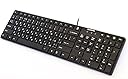
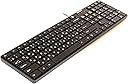
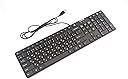
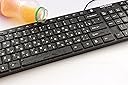
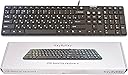
โจ๏ธ Elevate your typing game with seamless bilingual power!
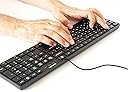
The KeyByKey USB Keyboard offers a full 109-key layout featuring both Russian Cyrillic and English characters, designed for bilingual professionals and learners. Its waterproof and dustproof slim design ensures durability, while the dedicated calculator and multimedia keys boost productivity. Compatible with Windows, Linux, and Mac, this plug-and-play keyboard delivers reliable performance with a long-lasting keystroke lifecycle, making it an essential tool for efficient, multilingual workspaces.
| Additional Features | Waterproof |
| Asin | B01JUVN0A6 |
| Brand | KeyByKey |
| Built In Media | USB Cable |
| Button Quantity | 109 |
| Color | black |
| Compatible Devices | Laptop |
| Connectivity Technology | USB |
| Customer Reviews | 4.2 4.2 out of 5 stars (26) 4.2 out of 5 stars |
| Hand Orientation | Ambidextrous |
| Item Weight | 1.1 pounds |
| Keyboard Description | USB |
| Manufacturer | KeyByKey |
| Mfr Part Number | clr2016 |
| Model Name | clr2016, August, 2016 |
| Model Number | clr2016 |
| Number Of Keys | 109 |
| Style Name | Contemporary |
| Upc | 647267908375 |
User
Satisfied customer
I like the size of this keyboard. Many keyboards are too large nowadays. This one is a perfect size for my desk and does not take too much working space. Keys are flat and easy to press. It is extremely helpful to have Russian alphabet on this keyboard to chat with my friends and switch back to English for work. I am very happy with this product and the price is right too!
User
Spacebar is a bit kludgy.
Pros: Compact and it installs quickly. The additional functional buttons like Calculator and Volume are a nice touch.Cons: The spacebar is terrible. I type over 100w/min and the spacebar will either double space or not space at all. I position my hands normally, but where my right thumb is on the edge of the space bar, it looks like the mechanical design is not balanced across the key. I've corrected this paragraph numerous times because of this issue. I have also noticed that the spacebar sticks on that side as well, which may be part of the problem. I purchased two of these and both exhibit the same issue.It is a lower-priced keyboard, but spacebar use is common enough that this is a showstopper for me.
User
looks good need to try it out more
looks good need to try it out more, I just wish they could have put it on a Logitech keyboard
User
I was looking for a key board that type in ...
I was looking for a key board that type in Russian letters, this just have the symbol, types in English JAJA!
User
Cheaply made. Has basic "key-bounce" issue. Not suitable for "heads-down," fast keying. Very frustrating.
Bought this keyboard after reading the reviews of this and other keyboards here. This one is OK, but, like other users, I have a problem with the spacebar (and, occasionally, other keys) "doubling up" (i.e., two spaces instead of one, etc.). At first, I thought it was just a simple key-bounce issue. The keyboard "feet" are hard plastic rather than padded, so I put foam pads under the two rear feet. That seemed to help, but I still had instances of double characters. So, I went back to my solid Hewlett-Packard keyboard that came with my PC and only use the Cyrillic keyboard when I absolutely must. Keyboards are very simple technology; shouldn't have such a basic issue. Same complaint from other users here. Vendor should get the hint and correct the problem. Bottom line: this is a very cheaply made keyboard with easily solvable fundamental problems.
User
Works well, comfortable and full sized
I've been studying Russian for about 6 months, and after struggling with software tools to enter Cyrillic letters, which really slowed down my progress and enthusiasm, I finally decided to get a real keyboard. This one is decently priced and full size -- I can't stand compact keyboards. It's actually fairly comfortable to use, even compared to my expensive mechanical gaming keyboard. I thought about getting Cyrillic stickers instead, but I read so many bad reviews, I thought it's not worth my time and money. Glad I went with a real keyboard.The only issue as another reviewer pointed out, both Latin and Cyrillic letters are printed white, so it takes some adjustment to pick out the right keys. For example, you might get distracted by Latin B and Cyrillic ะ (they aren't the same key).
User
Few minor improvements would make it good
Couple features are missing to make this a nice keyboard: 1)there are no height adjustment "legs" you typically find on the back of the keyboards and 2) rubber pads on the bottom of the keyboard have no traction at all, basically keyboard slides freely on your table at the very little push.
User
Four Stars
Its a nice keyboard, but i wish i could regulate its tilt
Trustpilot
3 weeks ago
2 weeks ago