Desertcart purchases this item on your behalf and handles shipping, customs, and support to Senegal.
๐ Stay connected anywhere, anytime โ your ultimate 4G Wi-Fi powerhouse!
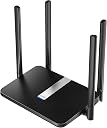
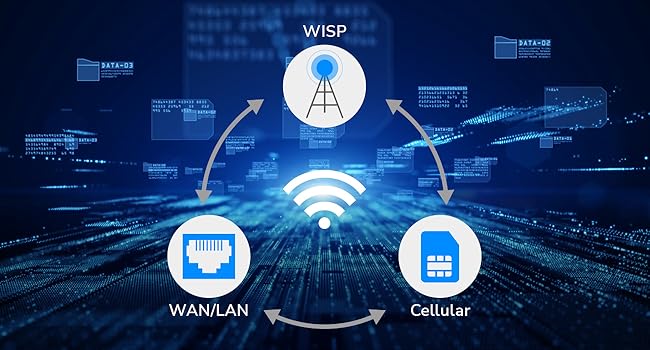
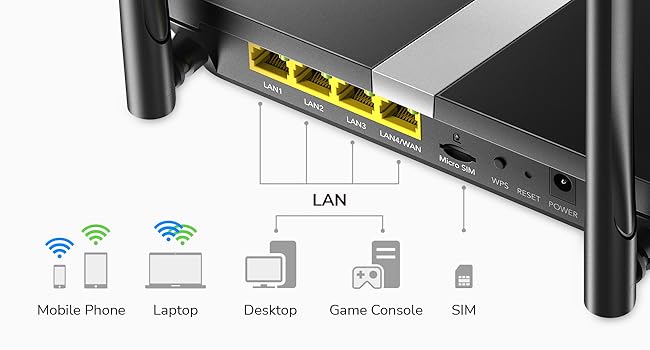
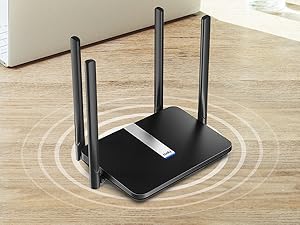
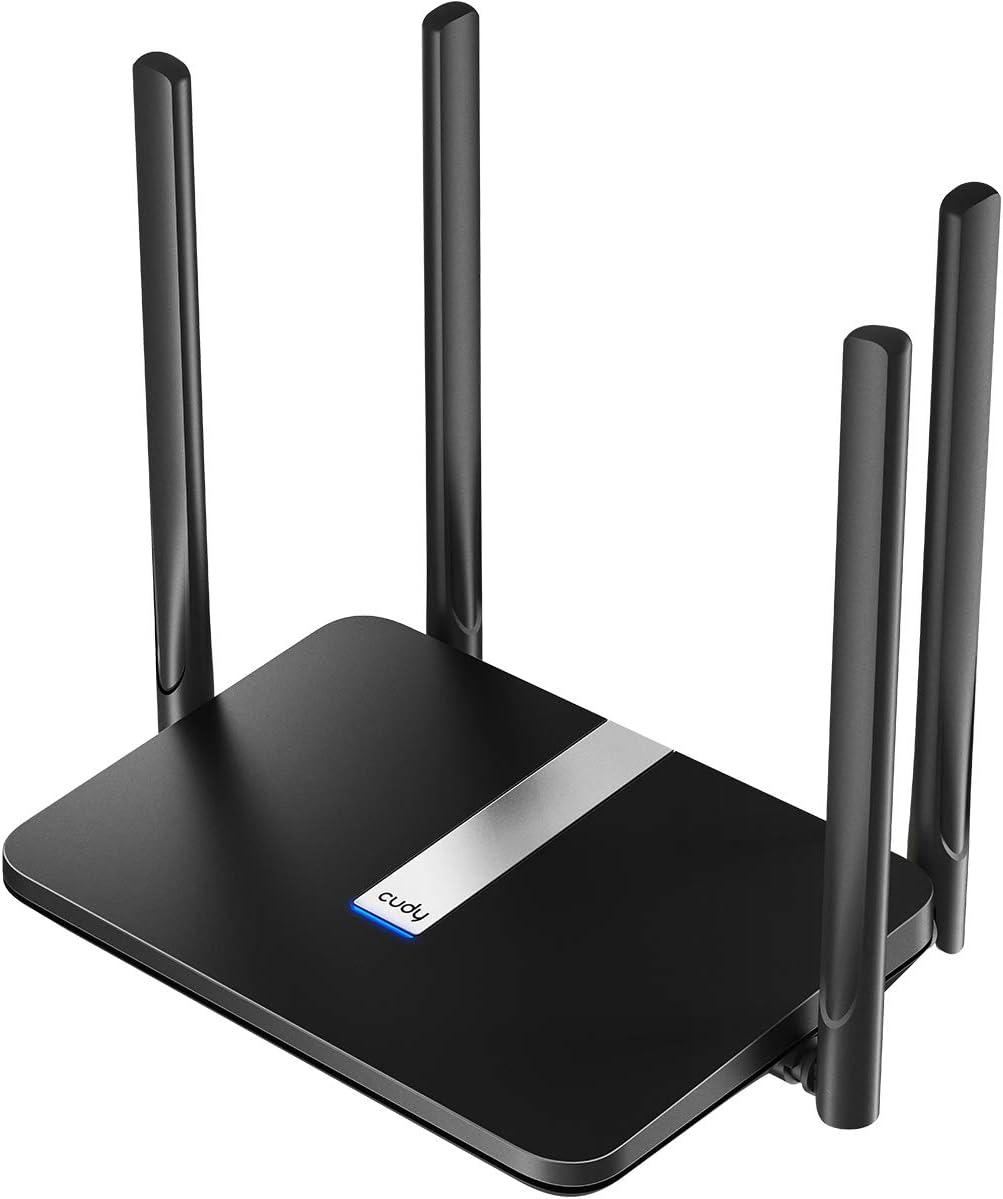
The Cudy AC1200 Dual Band 4G LTE Router combines fast LTE Cat4 cellular speeds up to 150 Mbps with dual-band Wi-Fi 5 delivering 867 Mbps on 5GHz and 300 Mbps on 2.4GHz. Featuring 4 Ethernet ports and 4 high-gain antennas, it ensures stable wired and wireless connections. With automatic WAN failover, comprehensive VPN support, and easy plug-and-play SIM setup, itโs perfect for remote work, rural areas, or backup internetโguaranteeing seamless connectivity wherever you go.


| Antenna Location | Commercial |
| Antenna Type | Fixed |
| Asin | B089JW8H4N |
| Best Sellers Rank | 6,748 in Computers & Accessories (See Top 100 in Computers & Accessories) 65 in Routers |
| Box Contents | No |
| Brand Name | Cudy |
| Colour | Black |
| Compatible Devices | Laptop, Security Camera, Smartphone, Tablet |
| Connectivity Protocol | Wi-Fi, Ethernet, 4G LTE |
| Connectivity Technology | Ethernet |
| Control Method | App |
| Controller Type | App Control |
| Country Of Origin | China |
| Coverage | wide |
| Customer Reviews | 4.3 4.3 out of 5 stars (3,046) 4.3 out of 5 stars |
| Data Transfer Rate | 150 Megabits Per Second |
| Frequency | 5 GHz |
| Frequency Band Class | Dual-Band |
| Global Trade Identification Number | 06971690791209 |
| Has Internet Connectivity | Yes |
| Has Security Updates | No |
| Is Electric | Yes |
| Is Modem Compatible | Yes |
| Item Dimensions L X W X H | 25L x 13.9W x 3.6H centimetres |
| Item Weight | 308 Grams |
| Lan Port Bandwidth | 100 megabits_per_second |
| Manufacturer | Shenzhen Cudy Technology Co., Ltd. |
| Manufacturer Part Number | LT500 |
| Maximum Upstream Data Transfer Rate | 50 Megabits Per Second |
| Model Name | LT500 |
| Model Number | LT500 |
| Number Of Antennas | 4 |
| Number Of Ports | 4 |
| Operating System | RouterOS |
| Other Special Features Of The Product | Remote Access |
| Product Warranty | 2-Year Warranty |
| Ram Memory Installed | 128 MB |
| Router Firewall Security Level | basic |
| Router Network Type | wireless, cellular |
| Security Protocol | WPA2-PSK |
| Unit Count | 1.0 count |
| Voltage | 12 Volts (DC) |
| Wi Fi Generation | Wi-Fi 5 |
| Wireless Compability | 802.11a/b/g/n/ac |
User
Router for our caravan
We have been wanting to sort internet access at our caravan for some time. After sorting a good data sim deal I purchased the Cudy LT50. It was very easy to set up, on powering up, the led flashes red then steady red as it makes the connection, then once internet is established it turns to steady blue. This gives you a clear indication of the set up stages then completion.The signal strength took a bit to settle down and because the caravan is a metal shell it seems to works best near the window side of the unit. I also adjusted the 4 antennas to get the optimal signal strength.We watched a whole series on ITV X last night with absolutely perfect streaming, no buffering whatsoever. I connected the TV with the supplied Ethernet patch cable, but the WiFi works well with our mobiles and laptops. Adequate speed and very good area coverage, it works well outside too. All in all very good value and painless set up. Can definitely recommend it.
User
Honestly not a bad piece of tech
I currently live on a farm with no internet access so I had to go for something that could use sim cards and compared to other routers Iโve had previously this one has been the most successful.From a technical standpoint:I went from getting 3-10 mbs to getting 40-50 with this router. And for someone who likes to do online gaming Iโve had no issues with input delay or drops.Issues Iโve encountered:The main 2 issues Iโve had is one there is no off button and the reset isnโt a button so you have to put a pin in it. And the other issue is when running the router for too long like a day the speeds reduce heavily when playing games from getting 40-50 ms in game to 200 if itโs left on over night. The common fix Iโve found is just to disconnect the sim when not using the router.Conclusion:Honestly I havenโt tried it connected to a modem with wps but for the sim card feature it works really well, and it was so easy to set up i believe it too 5 minutes. Iโd really recommend picking this up if you are looking for good quality network connection in remote areas.
User
Mega Impressed
I was coming to the end of my Sky Broadband contract and didn't want to commit to another 12, 24 month contract as my house is for sale and I will probably move into temporary accommodation. So I was looking for something that could support up to 3 people WFH, TV streaming (I have Sky Stream,2 Fire Sticks and Hive all depending on access to the internet. After carrying out research I thought that a Netgear Nighthawk M1 would be good, so got one on eBay at around ยฃ130. Although it worked, the signal was not that great around parts of the house: but one of the key reasons that I re-sold the Netgear, was that every 24 hours the PPP connection (via the SIM card) was reset, but the Netgear router could not deal with this and needed to be manually reset.So I then came across this Router, which had plenty of good reviews. So I ordered one and set it up (which was really easy). Unlike the Netgear, the signal was better around the house, but importantly it automatically dealt with the PPP reset without the need for me to do anything. The router has easily dealt with everything that I have thrown at it - I do not see any difference between fibre broadband (I had 150Mbs) and the Cudy router using Tesco Mobile (on O2) - the speed is less - I think on average it is around 50Mbs, but everything works very well. Certainly I have had no complaints from anyone WFH, and Sky Stream (connected via power line adapters) is as responsive as it was previously. And the biggest surprise - this is a lot cheaper than I was going to have to pay to Sky. I have a Tesco Mobile unlimited SIM for only ยฃ20 per month, which is just as well as I have gobbled up over 40Gb in just over 2 days!
User
I cannot believe how well this works!
Worth every penny! I had HUGE problems with my fibre broadband provider , super slow speeds and no internet whatsoever at times!I was a bit nervous and reluctant to change from fibre broadband to a sim in a router as it felt riskyI need not have worried at all set up was SUPER easy , just put sim in slot after plugging in , get password from the bottom of router and CONNECT and Bob is your Uncle lolI was soooo nervous about speeds after struggling SO much on fibre broadband in my area but I am currently upstairs as far away from the router i ever WILL be and it is still LIGHTENING fast , so much so i am just getting used to it still , it is faster than it has ever been like blink of an eye fast which I am NOT used to at all!!I am shocked and in awe of this unpretentious basic looking router which works and absolute treat :-)Beyond happy and signal is remaining strong and not dropping at all after MONTHS on 'medium' signal with my fibre broadband provider plus I am saving money on my contract!!Unlimited data , just hope I do not go over the fair usage policy , but we will see , as have an internet hungry teenager ( not gaming but watching Youtube all day , as do I actually , sort of lol ;-) )I HIGHLY recommend this router and if I can set it up , anyone can!!The plan contract I am on I can take a risk as if I go over the FUP I can just downgrade the plan for an ยฃ8 a month mobile phone one and stop my other phone one , then look for another solution , but lets hope we stay within the FUP :-) :-)Thanks Cudy
User
Not great.
Setup was OK. Menu has a ton of options but despite my geeky efforts and research it wasn't good enough. My honor mobile as hotspot got 300mbps, this router got 5mbps. I've tried all tricks and used custom bands etc but very poor - it's cat4 router only - hard to find in description and that's done IMHO purposely! I have EE dongle the size of cigarette pack WITHOUT antennas and it's much faster. Do not but if you have already poor and congested signal in your area. Otherwise is most likely very good
User
Easy Install And Works
Update: 8 months on and still going strong. Never has needed a reboot and I use it for Teams meeting for work and other stuff :)Initial Review: Great affordable router , very easy to install using WiFi option. I bought a Lebara unlimited Data sim (runs on Vodafone network) from Uswitch website for a promo price for 3 months. Anyway router is great, offers both 2.4 and 5 G WiFi connections. I am using 2.4G on my mobile and I tested the router signal from all over the house and strength is STRONG and using my sim Iโm getting 10M downloads via router. Websites are fast and YouTube streaming works great too. So you can try different SIM data cards depending on your network coverage , but router itself is great so far in day 1.
User
Decent 4G Router for average consumer
TLDR Cudy AC1200 advertised name / LT500 internal name UK review not InternationalThis router can't reach the max 4G LTE 150 mbps download and 50 mbps speed despite me being living physically right near 4G and 5G tower mast within 100 metres the best case scenarioMy budget 5G phone hotspot is faster than this 4G "LTE" router for download and upload speed only latency speeds are better with EthernetWifi latency seems to be 10 to 30 ms quicker than my budget 5G phone hotspotExpect half the download speed and around 90% of the upload speed with this 4G routerEthernet connections improves the latency by around 10 to 30% depending on state of networkPhone device connection stats are the worst for meDownload/Upload/Latency/Jitter speeds by firmwareLatest Firmware Version: 2.4.16-20250804-150319Best Download/Upload/Latency: 79 mbps/40 mbps/<25 to 360 ms BufferBloat/ 23 - 79 ms jitterAverage Download/Upload/Latency: 58 mbps/20 mbps/<50 to 100 ms using Ethernet with BufferBloat / 30 - 70 ms jitterBelow average Download/Upload/Latency: 2 mbps/0.5 mbps from observed Windows task manager speeds/ 300 ms buffer bloat to 2400 ms phone/ 94 - 125 ms JitterApp functionality is simple and good enough for average usersDesktop features have good enough features for most intermediate above the average users but there are not much advanced functions beyond consumer level features don't expect enterprise level stuff in this routerSoftware support works with OpenWRT and other VPN integrationBuild quality is mostly plastic for most things except the visible heatsink at bottom and the antennas
User
Powerful Wi-Fi and DDNS works well.
I purchased this because my existing device did not support Dynamic Domain Name System (DDNS), which enables access to a CCTV system when away from home. But I had not expected the strong Wi-Fi signal which easily reaches all corners of our 5 bedroom house. This allowed me to reposition the unit to receive the best 4G signal.I have a good knowledge of IP networks, and I am impressed with the comprehensive facilities offered, which for me were easily configured; but I accept would be not so easy for others to use. For example, Port Forwarding, DNS, DDNS all worked as expected. I noted the IP address in the supplied device was 192.168.10.1. You might need to change it e.g. to 192.168.0.1 or 192.168.1.1 to work with your existing equipment.For the price, the facilities are excellent and I would recommend to anyone with moderate IP/Network skills.
User
Stop Fibre, go sim!
Excellent reception and wifi grid. Amazing menu options and customisation ability
User
Works Good...
Initial setup was quick, getting it connected took a moment to figure out but after realizing having to release the sim from the modem it replaced and inputting the new imei it was up and running without issue. The OpenVPN seems to be getting blocked from my carrier so I'll have to figure that out later. For now it's connected, not the fastest, but works. Runs it's own version of OpenWRT but does not seem to support updating to current version as it's not officially supported.
User
Router ist ok
Router funktioniert einwandfrei, aber bei einer schlechten Netzabdeckung ist er auch am Ende.
User
My 4 year old phone gets better reception than this device.
Be wary. Unless you get a really good reception inside your home, it might be worth looking at other options.edit: This routes has been absolutely useless for me and has basically been usable.
User
Satisfaite
Installation facile fonctionne parfaitement
Trustpilot
2 months ago
2 weeks ago